Our readers keep the lights on and my smoothie glass nicely filled. As an Amazon Associate, I earn from qualifying purchases.
Specs are compiled from manufacturer listings and verified buyer reviews and can change over time — please confirm the key details on the product page before buying.
Picking the right machine for your company is a bet on your daily workflow—get it right and everything just feels faster, simpler, and less frustrating. if you need a tower that sits under a desk for years or a laptop that moves with you, the decision depends on how much RAM, storage speed, and processor power your actual software demands, not what sounds impressive on the box.
I’m Mohammad Maruf — the founder and writer behind WellFizz. This guide is built by comparing the manufacturers’ published specifications and the patterns across verified customer reviews, so you get each pick’s real strengths and trade-offs instead of marketing spin.
Every option here was chosen because it solves a specific small-business need without wasting your budget on flashy extras you do not actually use. If you are looking for the best computer for small business, this breakdown cuts through the noise to show you what truly works.
Our Picks at a Glance


How To Choose The Best Computer For Small Business
Buying a computer for your business is different from picking one for personal use—you are thinking about reliability, support, and whether the machine will still feel fast three years from now. A few key specs will tell you most of what you need to know.
Processor Power for Real Work
Your CPU is the engine of the computer. For most business tasks like spreadsheets, accounting, email, video calls, and web apps, a recent-generation Intel Core i5 or AMD Ryzen 5 is plenty fast. An i7 or Ryzen 7 helps if you juggle large datasets, compile code, or run complex financial models. Avoid the cheapest entry-level processors (like Intel N-series or Celeron) if you open more than a few applications at once—they choke under multitasking.
RAM and Storage — Where Speed Lives
8GB of RAM is the bare minimum for Windows 11, but 16GB is the balance for running several office programs side-by-side without lag. 32GB is overkill for most, but useful if you work with giant spreadsheets or design software. For storage, a Solid-State Drive (SSD) is non-negotiable—it boots Windows in seconds and opens files instantly. A 256GB or 512GB SSD is fine for typical business files; get 1TB if you store lots of invoices, contracts, or media. Skip the old spinning hard drives (HDD) unless you need bulk backup storage.
Form Factor — Desk Space vs Portability
Tower desktops give you the most room to upgrade RAM, storage, or add a graphics card later. Small Form Factor (SFF) and Mini PCs save desk space but often limit internal upgrades. All-in-One PCs combine the monitor and computer into one tidy unit—great for a clean reception desk or front office, but harder to repair. Laptops are the choice if you or your staff move between home, office, and client sites; just make sure it has the ports (USB, HDMI, Ethernet) you need for your peripherals.
Quick Comparison
| Model | Best For | Processor | RAM | Storage | Amazon |
|---|---|---|---|---|---|
| GEEKOM A9 Max Mini PC★ Best Overall | AI & creative workflows | AMD Ryzen AI 9 HX 370 | 32GB DDR5 | 1TB SSD | Amazon |
| ASUS V500 TowerTop Performer | Heavy multitasking | Intel i7-13620H | 32GB DDR5 | 1TB SSD | Amazon |
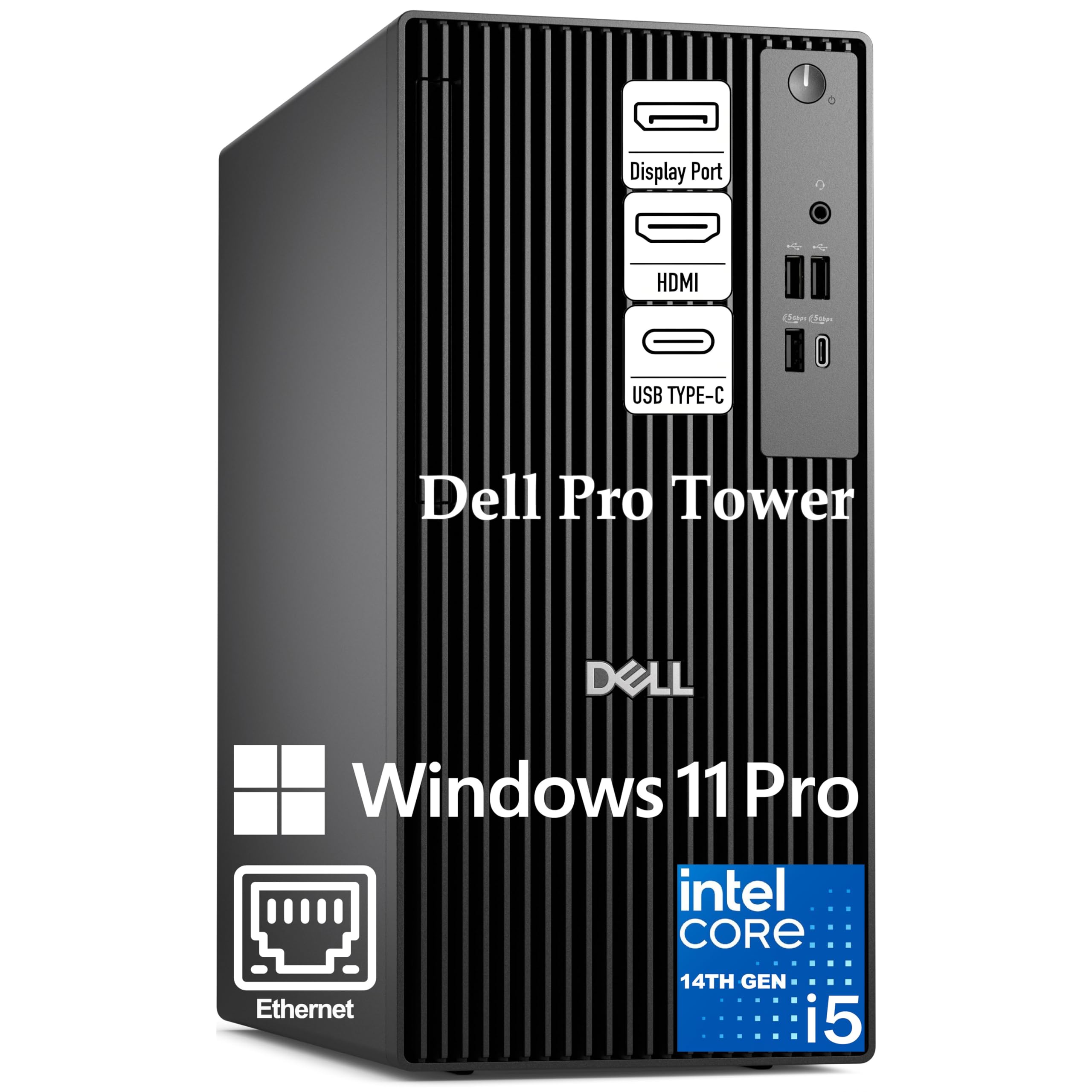
| Dell Pro Tower (14th Gen)Security Focus | Enterprise security | Intel i5-14500 vPro | 16GB DDR5 | 512GB PCIe SSD | Amazon |
| HP 17″ Business Laptop | Large-screen mobility | AMD Ryzen 5 7430U | 32GB | 1TB SSD | Amazon |
| HP Pro Tower 290 G9 | Reliable tower for office | Intel i5-12500 | 16GB DDR4 | 512GB PCIe SSD | Amazon |
| Lenovo V15 Gen 4 Laptop | Budget mobility | Intel i5-13420H | 16GB | 512GB SSD | Amazon |
| Lenovo 16″ Copilot Laptop | Portable productivity | Intel i5-13420H | 16GB DDR5 | 512GB SSD | Amazon |
| Dell 24 All-in-One | Clean desk setup | Intel Core 3 100U | 8GB DDR5 | 512GB SSD | Amazon |
| HP 22″ All-in-One | Budget all-in-one | Intel N100 | 8GB DDR5 | 128GB SSD | Amazon |
| Dell OptiPlex 7070 SFF | Compact refurb power | Intel i7-9700 | 32GB DDR4 | 1TB NVMe SSD | Amazon |
| HP ProDesk 600G4 Tower | Budget tower workhorse | Intel i7-8700 | 32GB DDR4 | 1TB SSD | Amazon |
In‑Depth Reviews
1. GEEKOM A9 Max High AI Productivity Mini PC
Our pick — 4.5★ from 350+ verified ratings; the strongest balance of quality and price.
A desktop-sized AI workstation that fits under an arm and powers local machine learning tasks.
This Mini PC packs an AMD Ryzen AI 9 HX 370 processor with up to 80 TOPS of AI performance, meaning it can handle local image generation, language models, and data analysis without needing an external GPU. It comes with 32GB of DDR5 RAM and a 1TB SSD, plus support for up to 128GB if you need more. The Radeon 890M graphics (16 RDNA 3.5 compute units) let you edit 4K video in DaVinci Resolve or play games like Cyberpunk 2077 at smooth frame rates—a rare blend of productivity and play in a compact metal chassis. Owners mention the fan is always on at idle and becomes audible under load, though the IceBlast 2.0 cooling system keeps thermals in check.
Its quad-display support via dual USB4 and dual HDMI 2.1 ports makes it ideal for financial traders or developers who need multiple screens from a tiny desktop. Unlike the HP ProDesk 600G4 tower, this Mini PC uses far less desk space (5.32 x 5.2 x 1.8 inches), but the trade-off is that it runs warmer and the fan noise may be noticeable in a quiet office. The GEEKOM comes with a 3-year warranty, which is longer than what many desktop manufacturers offer for refurb units.
Standout Features
- AMD Ryzen AI 9 HX 370 with 80 TOPS for local AI tasks
- 8K quad-display support via dual USB4 and dual HDMI 2.1
- 3-year limited warranty for long-term confidence
Honest Trade-Offs
- Fan is always on and becomes audible under load according to buyers
- No Thunderbolt support for high-speed external storage
Who it fits: Small businesses experimenting with AI, running machine learning models, or editing 4K video in a compact workspace.
Skip if: your tasks are basic office apps and quiet operation is non-negotiable—this mini PC’s fan noise may bother you in a quiet room.
2. ASUS V500 Home & Business Tower Desktop
A 10-core i7 tower that chews through huge spreadsheets and financial models without breaking a sweat.
The ASUS V500 comes with an Intel Core i7-13620H processor that runs up to 4.9 GHz, paired with 32GB of DDR5 memory and a 1TB SSD—a combination that keeps your accounting software, several browser tabs, and video calls running smoothly all at once. The HDMI and DisplayPort outputs let you connect two monitors for a side-by-side view of your work, which helps invoicing and data entry feel less cramped. Buyers report this refurbished machine is very quiet and fast, though one noted the included flash drive was missing. Another owner mentioned that Windows 11’s “fast restart” default caused a hang during initial setup, but a simple cold boot fixed it.
Unlike smaller Mini PCs, this tower leaves room for internal upgrades down the road. The processor itself is a solid step above the i5-12500 found in the HP Pro Tower 290 G9, so you get more headroom for larger projects without needing a new machine next year. It ships with a wired keyboard and mouse, plus a 64GB USB flash drive for quick file transfers.
Flagship Specs: A 10-core, 16-thread i7 reaching 4.9 GHz Turbo is overkill for basic email but exactly right if your business runs complex Excel models or design software.
Smart Value: With 32GB DDR5 and a 1TB SSD at a mid-range price, this gives you the most raw processing power per dollar in this list, especially compared to similar options.
Grab it when: your team runs demanding business apps or large spreadsheets and you want a tower that stays fast for years without diving into DIY upgrades yourself.
3. Dell Pro Tower Business Desktop
A 14th-gen vPro desktop built for businesses that need hardware-level security and remote management.
This Dell tower runs on an Intel Core i5-14500 vPro processor (14 cores: 6 Performance + 8 Efficient) with P-cores up to 5.0 GHz and a 24MB cache—making it excellent for complex Excel models, data analysis, and video conferencing without slowdowns. It comes with 16GB of DDR5 memory and a 512GB PCIe NVMe SSD, which boots Windows 11 Pro in seconds. The Intel UHD Graphics 770 supports two 4K displays simultaneously via HDMI 2.1 and DisplayPort 1.4a, giving you a large digital workspace for dashboards and side-by-side documents. Customers note the setup is easy and appreciate the built-in security features, but one noted there are fewer USB inputs than expected.
The key advantage here is Intel vPro technology, which adds hardware-based security and remote manageability—something the ASUS V500 lacks. If you run a business with an IT department or handle sensitive client data, the vPro platform plus Windows 11 Pro’s BitLocker encryption gives you enterprise-grade protection. The compact 11.5-inch chassis fits neatly under a desk and leaves room to expand RAM or storage as your business grows.
Secure Foundation: Intel vPro adds hardware-level remote management and security—a feature missing from many consumer-grade desktops in this list.
Multi-Monitor Ready: Dual 4K display support makes this ideal for financial analysts or project managers who need lots of screen real estate.
Choose this for: a secure, manageable workstation that IT teams can maintain remotely and that handles data-sensitive tasks with confidence.
4. HP Flagship 17 Business Laptop

A large-screen laptop with 32GB of RAM and a full terabyte of storage for data-heavy mobile professionals.
This HP laptop pairs an AMD Ryzen 5 7430U hexa-core processor (up to 4.3 GHz boost) with a huge 32GB of memory and a 1TB SSD—so you can run accounting software, dozens of browser tabs, and video meetings simultaneously without the lag you might feel on an 8GB machine. The 17.3-inch Full HD anti-glare IPS display gives you a spacious view of spreadsheets and documents, and the battery lasts up to 9 hours with HP Fast Charge reaching 50% in 30 minutes. Buyers call it excellent value, though some note the listing was inaccurate regarding screen size measurements. The laptop comes with a free Office 365 for the web license and Windows 11 Pro, which includes business-grade security features.
Compared to the Lenovo V15 Gen 4 laptop, the HP offers 32GB of RAM and a 1TB SSD, while the Lenovo V15 has 16GB of RAM and a 512GB SSD, making it a stronger choice if you handle large files or keep many applications open at once. The 17-inch chassis is heavier, so this is best for desk-to-desk mobility rather than daily commuting. It includes versatile ports like HDMI, USB Type-A and Type-C, and Wi-Fi 6 for reliable office connections.
Heavy Specs
- 32GB RAM and 1TB SSD for demanding multitasking
- 9-hour battery with fast charge to 50% in 30 minutes
- Windows 11 Pro with Office 365 for the web included
Size Trade-Off
- Reviewers point out the listing may have some inaccuracies on screen dimensions
- 17.3-inch laptop is not ideal for frequent carrying on public transport
Best for: mobile professionals who need a large screen and lots of RAM for data analysis, financial work, or running multiple heavy applications on the go.
5. HP Pro Tower 290 G9 Business Desktop

A mid-range business tower that keeps things simple, reliable, and cost-effective for standard office work.
The HP Pro Tower 290 G9 runs on a 12th-gen Intel Core i5-12500 processor (6 cores, up to 4.6 GHz) with 18MB of cache, which handles Microsoft Office, web apps, and video calls without breaking a sweat. It comes with 16GB of DDR4 RAM and a 512GB PCIe NVMe SSD for fast boot times and quick file access. The included Intel UHD Graphics 770 lets you run two monitors via HDMI and VGA, so you can keep email on one screen and spreadsheets on the other. Buyers consistently call HP a brand they trust, with many reporting the machine feels fast and reliable for daily use and streaming.
One reviewer noted that the machine struggles when many apps are open at once—the 16GB RAM is sufficient for most office tasks but may feel tight for heavy multitasking. Unlike the Dell OptiPlex 7070 which packs 32GB of RAM, this HP is better suited for a dedicated user who does not need to keep dozens of applications running simultaneously. It comes with a wired keyboard and mouse, plus TPM 2.0 security chip for encryption, and the compact tower uses 15% post-consumer recycled materials.
Balanced Specs: An i5-12500 with 16GB RAM and a 512GB SSD hits the balance for most small business owners who run Office, cloud apps, and accounting software.
Quiet Operator: Several owners mention the machine is small and quiet, making it unobtrusive in a shared office space.
Reach for this when: you need a straightforward, reliable desktop for everyday business tasks and you value a brand with a long track record of office computers.
6. Lenovo V15 Gen 4 Business Laptop

An affordable workhorse laptop for your team that travels between home, the office, and client sites.
This Lenovo V15 is powered by a 13th-gen Intel Core i5-13420H processor (8 cores, 12 threads, up to 4.6 GHz) with Intel UHD Graphics—enough to push through spreadsheets, email, and web conferencing without feeling sluggish. It comes with 16GB of RAM and a 512GB SSD, offering a responsive boot and quick file access. The 15.6-inch Full HD (1920 x 1080) display provides a comfortable view for documents, and the laptop includes an RJ45 Ethernet port, HDMI, USB-C, and a numeric keypad for fast data entry. Shoppers say the build feels sturdy enough for daily bag tossing and the battery life is impressive, though the construction material has a cheap plastic feel compared to higher-end ThinkPads.
One owner noted it feels slightly sluggish compared to their office ThinkPad with an i5-1335U and 16GB RAM, but considered the performance acceptable given the price. The laptop runs Windows 11 Pro, offers Wi-Fi and Bluetooth, and includes a webcam with privacy shutter. Unlike the larger HP 17-inch laptop, this Lenovo is much more portable and easier to carry between meetings.
Portability Perks
- Includes HDMI, RJ45 Ethernet, and a numeric keypad for office productivity
- Sturdy build that survives daily tossing in a bag according to buyers
Plastic Feel
- Construction material feels like cheap plastic, per buyer feedback
- Performance may feel sluggish compared to higher-end business laptops
Good for: equipping multiple employees or yourself with a capable, portable business laptop that keeps costs low without sacrificing essential features like a numeric keypad and HDMI.
7. Lenovo Business Laptop with Copilot AI
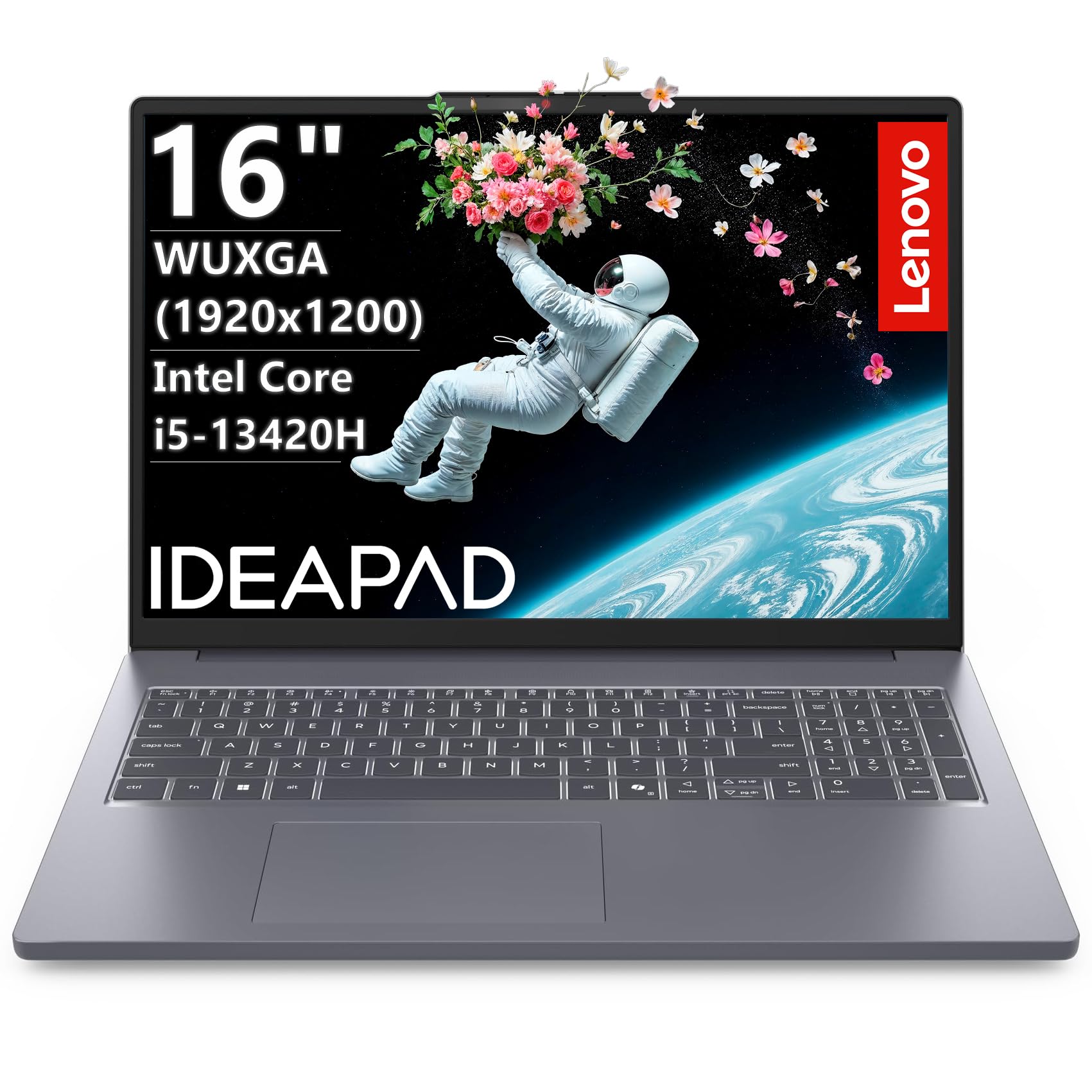
A 16-inch laptop with a taller screen that shows you more rows in a spreadsheet without scrolling.
This Lenovo uses the same Intel Core i5-13420H processor (8 cores, up to 4.6 GHz) as the V15 above but pairs it with 16GB of faster DDR5 RAM and a 512GB PCIe NVMe SSD, delivering sub-10-second boot times and instant app launches. The standout feature is the 16-inch WUXGA (1920×1200) IPS anti-glare display with 300 nits brightness—it provides 1200 vertical pixels versus 1080 on a standard 1080p screen, which means you see more rows of a spreadsheet without scrolling. It includes an HD 720p webcam with a physical privacy shutter, Wi-Fi 6, Bluetooth 5.2, and a full-size keyboard with a dedicated numeric keypad. Buyers report it is fast loading with a smooth keyboard and bright display, though one notes the battery life is shorter than expected. Another owner found Office setup a bit difficult.
At just 3.70 pounds and 0.7 inches thick, this laptop is lighter and slimmer than the Lenovo V15, making it a better travel companion for remote workers and small business owners who meet clients offsite. The USB-C port supports Power Delivery and DisplayPort, so you can charge and connect an external monitor through one cable. Unlike the HP ProDesk 600G4 desktop, this laptop is fully portable and ready for work anywhere with a stable Wi-Fi connection.
Taller Screen: The 1920×1200 resolution provides 1200 vertical pixels compared to 1080 on a standard 1080p display—helpful for spreadsheets, coding, and document comparison.
Light Frame: At 3.70 pounds and 0.7 inches thick, this is one of the more portable options for a 16-inch business laptop.
Reach for this if: you want a lightweight 16-inch laptop with a taller display for productivity, good portability, and fast DDR5 memory for smooth multitasking on the move.
8. Dell 24 All-in-One Desktop

A clutter-free all-in-one that turns your desk into a single-cable workspace with a crisp 23.8-inch display.
This Dell All-in-One combines the computer and monitor into one beautiful white unit with a 23.8-inch FHD IPS display featuring 99% sRGB color coverage, bringing vivid true-to-life colors to your spreadsheets and presentations. It runs on an Intel Core 3 100U processor with Intel Graphics, 8GB of DDR5 RAM, and a 512GB SSD—enough for everyday business tasks, web browsing, and video calls. The built-in 5MP IR webcam with HDR technology and dual Bluetooth speakers with Dolby Atmos ensure you look and sound professional during client meetings. Buyers call it simple, fast, and compact, noting that the all-in-one design eliminates cable clutter entirely.
The trade-off is that 8GB of RAM limits heavy multitasking—you will feel strain if you try to run a dozen applications simultaneously, unlike the ASUS V500 with 32GB. Dell ComfortView Plus reduces harmful blue light emissions for comfortable long screen sessions. It comes with 1 Year Onsite Service (Dell will come to your office if something breaks) and 6 Months Dell Migrate to transfer your old files. This is a great fit for a reception desk, front office, or a single user whose workload stays within basic office apps.
Clean Workspace
- Single-cable all-in-one design eliminates desktop clutter
- 5MP IR webcam with HDR for professional video calls
- Dell ComfortView Plus reduces blue light for eye comfort
Spec Ceiling
- 8GB RAM may feel limited for heavy multitasking with many applications
- Intel Core 3 processor is a budget-tier chip, not suitable for demanding business software
Who it fits: Small businesses that want a clean, presentable computer for a front desk, reception area, or for a user whose daily tasks are limited to email, web, and office apps.
skip it if: you run demanding business software, need lots of multitasking headroom, or want a machine that can be easily upgraded later.
9. HP 2025 22″ All-in-One Desktop

A low-cost all-in-one that keeps the reception desk tidy and handles basic office tasks without fuss.
The HP 22 All-in-One is the most budget-friendly way to get a complete computer-and-monitor combo onto a desk, with a 21.5-inch Full HD (1920 x 1080) anti-glare display and an Intel N100 processor (4 cores, up to 3.4 GHz) with integrated UHD graphics. It comes with 8GB of DDR5 RAM and a 128GB SSD, which provides fast boot times and enough storage for a few essential applications and documents. The built-in HD webcam with a privacy shutter lets you hop on video calls securely, while dual stereo speakers provide clear audio for online meetings. Owners mention this is the best product for the money, easy to hook up, and works perfectly for a home office.
The 128GB storage fills up quickly if you store large files locally, unlike the 1TB SSD in the HP 17-inch laptop. The Intel N100 is an entry-level processor that handles web browsing, email, and light office work smoothly but will feel slow if you juggle many apps or edit photos. It includes Wi-Fi 6, Bluetooth 5.3, an HDMI-out port, and Type-C connectivity. This is a practical choice for a dedicated point-of-sale terminal, a shared kiosk, or a secondary desk where performance demands are low.
Budget Entry: At its price point, this all-in-one gives you a complete modern computer with a sharp FHD display and Windows 11 Pro—just manage expectations on storage and multitasking capacity.
Office Friendly: Buyers consistently report easy setup and reliable basic performance, making it a no-headache choice for simple workflows.
Use this for: a low-demand role like a front-desk terminal, a point-of-sale computer, or for an employee whose work stays within a few web apps and email.
10. Dell OptiPlex 7070 SFF Desktop Computer

A small form-factor desktop that packs an 8-core i7 and 32GB of RAM into a space-saving footprint.
This Dell OptiPlex 7070 SFF is driven by an Intel 8-core i7-9700 processor that runs up to 4.7 GHz, paired with a 32GB of DDR4 RAM and a 1TB NVMe M.2 SSD for super-fast boot speeds and file transfers. It comes pre-installed with Windows 11 Pro and includes built-in Wi-Fi 6E via an AX210 card—a newer wireless standard than many refurbished desktops offer. The small form factor (SFF) chassis is significantly smaller than the HP ProDesk 600G4 tower, but still includes 5 USB 3.1 ports, 4 USB 2.0 ports, 2 DisplayPort outputs for dual monitor support, and a wireless keyboard and mouse. Customers note the SSD and 32GB RAM make it super fast and great value, though one noted the first unit was missing a drive—the company quickly sent a replacement. Another owner warned that intermittent startup failure developed after several months.
One key difference from the HP ProDesk 600G4 is that the OptiPlex does not include a built-in DVD drive. The 8-core i7-9700 (up to 4.7 GHz) is slightly faster than the i7-8700 (up to 4.6 GHz) found in the HP, giving this Dell a performance edge in CPU-heavy tasks. Reviewers point out the build quality is excellent and the machine runs multiple apps smoothly, though one reviewer found the sound card less rich than Beats Audio. This is a well-rounded refurbished option for small businesses that want corporate-grade hardware without the new-PC price.
Corporate-Grade Value
- 8-core i7-9700 with 32GB RAM handles heavy multitasking smoothly
- Built-in Wi-Fi 6E AX210 provides faster wireless than most refurbished options
- Small form factor saves desk space while supporting dual monitors
Refurb Risk
- Intermittent startup failure reported by one buyer after months of use
- No built-in DVD drive and no HDMI ports—uses DisplayPort only
Grab for: a budget-conscious upgrade from an old PC, especially if you need 32GB RAM and an 8-core i7 for multitasking but want to keep the footprint small and the cost low with a refurbished unit.
11. HP ProDesk 600G4 Tower Desktop Computer

A full-size refurbished tower with 32GB of RAM and a 1TB SSD for less than most entry-level laptops.
This HP ProDesk 600G4 is built around an 8th-gen Intel i7-8700 hexa-core processor (up to 4.6 GHz), a 32GB of DDR4 RAM, and a 1TB SSD, delivering fast boot times and plenty of space for business files. It supports 4K resolution at 3840 x 2160 pixels via its DisplayPort outputs, making it capable of driving high-resolution monitors for detailed spreadsheets and dashboards. The tower includes 6 USB 3.0 ports, 4 USB 2.0 ports, a USB Type-C port, an RJ-45 Ethernet port, and a built-in DVD drive—useful if your business still uses physical media. Shoppers say mixed experiences: some call it super fast and impressive for a reconditioned desktop, while others warn of reliability issues. One buyer described their first unit shut down permanently and the replacement did the same, while another found the power supply makes loud noise after 45-60 minutes and then shuts down.
Compared to the Dell OptiPlex 7070 SFF, the HP ProDesk 600G4 is a larger full-size tower that offers more internal expansion room and a DVD drive, but its i7-8700 runs at a max of 4.6 GHz versus the Dell’s 4.7 GHz. The HP includes a cheap wired keyboard and mouse, plus WiFi and Bluetooth via USB dongles—not built-in. For the price, you get an impressive amount of RAM and storage, but the consistency of quality on refurbished units varies based on buyer reports.
Big Storage, Low Cost: A 1TB SSD and 32GB of RAM at a budget-friendly price make this a value king for storage-heavy office work.
Refurb Reality: Some buyers experienced serious reliability problems—power supply failure and permanent shutdowns—making this a higher-risk option than newer machines.
Consider this: only if you are comfortable with refurbished electronics, need loads of RAM and storage on a tight budget, and have some tolerance for potential hardware issues.
Think twice if: consistent reliability is critical for your business—this unit has some consistent negative feedback about power and stability problems.
Understanding the Specs
Processor Generation vs Model Number
The number after “i5” or “i7” tells you the generation—an i7-9700 is a 9th-gen chip, while an i5-12500 is a 12th-gen chip. A newer i5 can sometimes match or beat an older i7 in everyday business tasks because it has a more efficient architecture and better integrated graphics. Look for the generation number first, then decide if you need the extra cores of an i7. For example, the 14th-gen i5-14500 vPro has 14 cores, which outpaces many older i7s.
RAM Capacity and Speed
8GB of RAM is the minimum for Windows 11 to run comfortably with a few apps open. 16GB is the recommended standard for business users who run Office, a browser with multiple tabs, and a communication app like Slack or Teams simultaneously. 32GB is for power users handling large datasets, virtual machines, or design software. DDR5 is faster than DDR4—it helps reduce loading times and improves multitasking smoothness. If your budget allows, aim for at least 16GB of DDR5 memory.
SSD vs HDD and Storage Size
A Solid-State Drive (SSD) is essential for a modern business computer—it boots Windows in seconds and opens applications almost instantly. An older Hard Disk Drive (HDD) is slower and more prone to failure, so avoid any computer that still uses one as the primary drive. For storage capacity, 256GB is enough if you store most files in the cloud or on a network drive. 512GB is the versatile balance for local documents, software, and some media. 1TB is valuable if you store large databases, invoices, or offline files locally.
Form Factor: Tower, SFF, Mini PC, and Laptop
Full-size towers give you the most internal space for adding extra storage, a dedicated graphics card, or more RAM later. Small Form Factor (SFF) desktops like the Dell OptiPlex 7070 save desk space but limit expansion to low-profile components. Mini PCs like the GEEKOM A9 Max are tiny enough to mount behind a monitor but offer limited upgrade options—you are stuck with what you buy. Laptops trade upgradeability for portability; look for models with at least one upgradable RAM slot or replaceable SSD so you can extend the lifespan.
FAQ
Is 8GB of RAM enough for a small business computer running Windows 11?
Should I buy a refurbished business desktop for my company?
What processor do I need for accounting and spreadsheet work?
Can I use a Mini PC as my primary business computer?
Is a dedicated graphics card necessary for a business PC?
How much storage do I need for a small business desktop?
What is the difference between Windows 11 Home and Pro for a business?
Should I buy a laptop or a desktop for my small business?
What does Intel vPro mean for my business computer?
Can these computers be upgraded later with more RAM or storage?
Final Thoughts: The Verdict
If you want one dependable pick, the computer for small business winner is the GEEKOM A9 Max Mini PC because it combines powerful AI acceleration, a compact footprint, and a 3-year warranty, making it a future-ready choice for a range of businesses. If you need a traditional tower with upgradeability and raw power, grab the ASUS V500 Tower Desktop. And for a secure, enterprise-grade desktop that IT teams can manage remotely, the Dell Pro Tower Business Desktop with Intel vPro is the smart choice.
How We Picked
We do not accept paid placement. Every pick is matched to a real buyer and a real use-case; we do not hands-on test units.
Sources & Methodology
Specifications: manufacturer listings and product documentation. Review insights: verified customer reviews, as of July 2026. Pricing: not shown on this page (it changes often); check the current price via the retailer link.
As an Amazon Associate, WellFizz earns from qualifying purchases. This does not affect which products we feature.
Related Guides

Mo Maruf
I created WellFizz to bridge the gap between vague wellness advice and actionable solutions. My mission is simple: to decode the research and give you practical tools you can actually use.
Beyond the data, I am a passionate traveler. I believe that stepping away from the screen to explore new environments is essential for mental clarity and physical vitality.