Our readers keep the lights on and my smoothie glass nicely filled. As an Amazon Associate, I earn from qualifying purchases.
Specs are compiled from manufacturer listings and verified buyer reviews and can change over time — please confirm the key details on the product page before buying.
The best computer for homeschooling is the one that quietly handles a full day of math lessons, essay writing, video calls with the tutor, and a few rounds of educational games without making you hunt for a charger by noon. You need a machine that keeps up with multiple browser tabs, won’t bog down when your kid has eight research windows open, and has enough storage for years of projects and photos. The real question isn’t which brand — it’s which balance of processing power, memory, and screen size fits your daily teaching rhythm.
I’m Mohammad Maruf — the founder and writer behind WellFizz. This guide is built by comparing the manufacturers’ published specifications and the patterns across verified customer reviews, so you get each pick’s real strengths and trade-offs instead of marketing spin.
if you need a portable laptop for moving between rooms or an all-in-one that saves desk space, the right computer for homeschooling delivers reliable multitasking and a screen your child can stare at for hours without eye strain., the right computer for homeschooling delivers reliable multitasking and a screen your child can stare at for hours without eye strain.
Our Picks at a Glance



How To Choose The Best Computer For Homeschooling
Homeschooling puts unique demands on a computer that a typical office or casual home machine doesn’t face — your child might jump from a history video to a live math session to a typing quiz in the span of an hour. Here is what to focus on.
Memory and storage — the real bottleneck
RAM (the memory that keeps multiple programs running at once) is what prevents the computer from freezing when your child has six browser tabs, a PDF textbook, and a note-taking app open simultaneously. For homeschooling, a baseline of 8GB of DDR4 or DDR5 RAM handles this comfortably, while 12GB or 16GB gives you future-proofing for when educational apps grow more demanding. Storage in an SSD (a Solid State Drive — the fast, silent type of hard drive that loads everything in seconds) matters just as much: 256GB is usable for a year or two of files, but 512GB or larger means you don’t have to archive old projects to make room for new ones.
Screen quality and eye comfort
A 15.6-inch Full HD (1920×1080) display is the balance for schoolwork — big enough to show a video on one side and a worksheet on the other, but not so large that it feels heavy to move around. IPS (In-Plane Switching) panels are preferred because they keep the picture clear and colors accurate even when your child is sitting off to the side. An anti-glare coating is a practical feature for homeschoolers who work near a window or under bright ceiling lights, as it cuts down reflections that cause squinting and headaches. If a desktop is the choice, a 24-inch screen gives you plenty of workspace for a busy student’s layout.
Processor performance — how fast is fast enough
You do not need a top-tier gaming or video-editing processor for homeschooling. Modern budget and mid-range CPUs — like the Intel N100, Intel N150, AMD Ryzen 3, or the Apple A18 Pro — are designed to handle web apps, streaming video, and office software without noticeable lag. The key spec to look for is core count: a quad-core processor (four individual processing units) is the minimum for smooth multitasking. The higher the GHz (gigahertz — the clock speed that measures how quickly each core processes instructions), the snappier the machine feels when launching apps, but in this category, anything above 2.8 GHz is fine for school use.
Quick Comparison
| Model | Best For | Memory (RAM) | Storage (SSD) | Screen Size | Amazon |
|---|---|---|---|---|---|
| Apple MacBook Neo 13★ Best Overall | smooth Apple ecosystem use | 8GB Unified | 512GB | 13-inch | Amazon |
| NIMO N158 (R7)Multitasking Beast | Heavy multitasking and media | 16GB | 1TB | 15.6-inch | Amazon |
| Dell AIO EC24250Sleek All-in-One | Simple all-in-one setup | 8GB DDR5 | 512GB | 23.8-inch | Amazon |
| Lenovo IdeaCentre AIO | AIO with large SSD | 8GB | 512GB | 23.8-inch | Amazon |
| Dell Optiplex 7050 (Renewed) | Maximum RAM for the budget | 32GB | 1TB | External only | Amazon |
| HP 15.6 Laptop 2026 | Value-packed modern laptop | 8GB | 256GB | 15.6-inch | Amazon |
| MECHAZER AIO 23.8 | Curved screen immersion | 16GB | 512GB | 23.8-inch | Amazon |
| HP 15-ef2024nr | Light AMD-based laptop | 8GB | 256GB | 15.6-inch | Amazon |
| AKCHART 15.6 | Budget with Office 365 | 12GB | 256GB | 15.6-inch | Amazon |
| NIMO N157 | Touch-id and backlit keyboard | 8GB | 256GB | 15.6-inch | Amazon |
| Core Innovations 24 AIO | Entry-level all-in-one | 4GB | 128GB | 24-inch | Amazon |
In‑Depth Reviews
1. Apple 2026 MacBook Neo 13-inch Laptop with A18 Pro chip
Our pick — over 4.5★ from 900+ verified ratings; the strongest balance of quality and price.
The featherlight laptop that makes a full school day feel smooth from couch to desk.
The MacBook Neo weighs just 2.71 pounds and measures 0.5 inches thick, so your child can carry it between rooms or into a coffee shop without any shoulder strain. Its 13-inch Liquid Retina display delivers 2408-by-1506 resolution at up to 500 nits (a measure of screen brightness), which keeps text crisp and colors vivid even when working next to a sunny window. The A18 Pro chip — the same processor used in the iPhone 16 Pro — ensures apps launch instantly and the laptop wakes the moment you open the lid, which is a huge time-saver during a busy homeschool morning.
With 512GB of SSD storage, this model offers double the space of several 256GB laptops in this guide, so you won’t have to shuffle files off to an external drive anytime soon. Buyers report that “it handled both without any issues” when running YouTube alongside Microsoft Word — a common multitasking test that mimics having a lesson video and a worksheet open at the same time. The 1080p FaceTime HD camera paired with a dual-mic array makes video calls with tutors or co-op groups look and sound clear, and the battery lasts up to 16 hours, which is enough for day-long use without hunting for an outlet.
The trade-off is 8GB of Unified Memory compared to the NIMO 158’s 16GB — if your teen runs heavy design or coding apps simultaneously, the NIMO holds a clear advantage. But for the vast majority of homeschooling tasks, the MacBook Neo delivers premium build quality plus the Apple ecosystem benefits (iPhone Mirroring, universal copy-paste, iMessage from the laptop) at a price that undercuts many Windows machines.
Why it wins for homeschool
- Up to 16-hour battery easily outlasts a school day.
- Liquid Retina display with 500 nits brightness reduces eye strain.
- Silent, fanless operation — no distracting whir during lessons.
- 512GB SSD stores years of projects without running out.
Consider before buying
- 8GB of unified memory limits heavy multitasking vs 16GB rivals.
- No HDMI port — you need an adapter for an external monitor.
- More expensive upfront than many Windows alternatives.
Best for Apple families: If your household already uses iPhones and iPads, this machine ties everything together smoothly and keeps a student productive all day without needing a charge.
One limitation: The 8GB memory cap means serious video editing or 3D modeling will push it to its limits — look at the NIMO N158 if those are part of the curriculum.
2. NIMO 15.6 Streaming & Gaming Laptop R7 8745HS
The powerhouse that keeps a dozen tabs, a video editor, and a quiz app all running at once.
For homeschooling households where one student edits video projects while another runs a live coding workshop, the NIMO N158 is the no-compromise choice. It packs an AMD Ryzen 7 8745HS processor (8 cores, up to 4.9 GHz) with 16GB of high-speed RAM and a 1TB SSD — the largest storage in this roundup. That 1TB drive lets you store four full years of curriculum videos, digital portfolios, and educational games without ever hitting a “disk full” warning. The Radeon 780M graphics (using RDNA 3 architecture — a modern graphics design that delivers near-discrete-level performance) means it can handle 1080p gaming frame rates and photo editing rendering, so electives like digital art or video production run smoothly.
Owners mention the 15.5-hour battery life and how “the fan is not nearly as annoying as other laptops” — important when you are trying to record a voice-over for a presentation. The 15.6-inch Full HD display gives you plenty of screen real estate for split-view learning, and the USB4 port (the latest, fastest USB standard) lets you connect dual 4K monitors if you want to expand the workspace. The backlit keyboard and independent fingerprint sensor are practical touches for late-night study sessions and fast, secure logins.
The catch is that the AMD Radeon 780M, while powerful, still isn’t a true discrete graphics card. For pure gaming or high-end 3D rendering, a dedicated GPU would edge ahead. But for a homeschool machine that multitasks like a workstation, the NIMO N158’s combination of 16GB RAM and 1TB SSD at this price point is hard to match — it beats the MacBook Neo’s 8GB memory by a 2x margin in multitasking headroom.
The storage and speed edge
- 1TB SSD offers the most storage in this guide — no need for external drives.
- 16GB RAM handles dozens of tabs and creative apps without lag.
- Radeon 780M graphics support video editing and casual gaming.
- 2-year warranty provides long-term confidence.
Things to weigh
- Integrated graphics still trail a dedicated GPU for hardcore gaming.
- Heavier than ultraportable options like the MacBook Neo.
Best for creative students: If your homeschool curriculum includes digital art, video production, or 3D modeling, the 16GB RAM and 1TB SSD give you the room and speed to work without frustration.
Trade-off: The added weight and slightly bulkier frame make it less ideal for very young children carrying it around all day.
3. Dell 24 All-in-One Desktop EC24250
A clean desktop setup that hides the tower and keeps the desk organized for schoolwork.
The Dell EC24250 wraps a powerful Intel Core 3 100U processor (a modern 4.7 GHz chip with 10MB cache) into a slim 23.8-inch monitor — no separate tower, no tangle of cables. The Full HD IPS display (1920×1080) covers 99% sRGB (a standard color space), which means history documentaries and science diagrams look accurate and vibrant. Dell includes ComfortView Plus, a feature designed to reduce harmful blue light emissions, making it easier on the eyes during those three-hour block sessions. The 5MP+IR camera with HDR technology adjusts to tricky indoor lighting — important when a child is on a video call with a tutor in a dimly lit room.
With 8GB of DDR5 RAM (the newest, fastest memory type) and a 512GB SSD, this machine boots in seconds and handles everyday school apps without slowdown. Buyers describe it as “plenty fast enough for all the research I do” and note it is “silent as well” — a nice contrast to some budget laptops with noisy fans. The dual Bluetooth speakers with Dolby Atmos spatial sound (audio that feels 3D and rich) make educational videos and music lessons sound noticeably richer. Dell throws in 1 Year Onsite Service — a technician comes to your home if hardware fails, which is rare reassurance for a homeschool investment.
The all-in-one design means you cannot upgrade the graphics or swap out the processor later. If your student’s needs grow into serious video editing or high-end gaming, this machine will max out before a tower desktop would. But for K-12 schooling — web research, essay writing, video calls, YouTube lessons — it delivers a clean, space-saving experience that many families prefer over a laptop.
What makes it family-friendly
- Space-saving all-in-one design eliminates the bulky tower.
- ComfortView Plus reduces eye strain during long lessons.
- 5MP camera with HDR keeps video calls clear in low light.
- 1-year onsite service covers home hardware repairs.
Limitations to note
- Cannot upgrade processor or graphics later.
- Fixed position — not portable like a laptop.
- 8GB RAM is adequate now but not future-proof for 4K media editing.
Ideal for dedicated desk setups: Families who have a permanent homeschool station and want a clean, cable-free look with a camera that actually works in dim light.
One catch: If your schedule requires schoolwork on the go — car rides, library visits — you will need a separate laptop.
4. Lenovo IdeaCentre All-in-One 24″ Desktop

A budget all-in-one that handles online classes and office tasks without taking up your whole desk.
The Lenovo IdeaCentre is built around the Intel N100 processor — a quad-core chip with a 3.4 GHz turbo that is designed for everyday computing rather than high-end gaming. Its 23.8-inch Full HD IPS anti-glare display pushes 250 nits of brightness and covers 99% sRGB, giving you sharp text and accurate colors for reading assignments and video lessons. The anti-glare coating is a practical perk for families who set up the computer in a bright living room or near a window where reflections usually annoy.
Storage comes in the form of a 512GB PCIe SSD (Peripheral Component Interconnect Express — the fastest type of SSD connection for near-instant boot times), which offers the same capacity as the Dell EC24250 above but at a lower entry price. The IdeaCentre also includes a USB-C port (10Gbps — capable of transferring a full HD movie in a few seconds) and Wi-Fi 6 for stable Zoom connections. Buyers comment that it is “fast and easy set up” and “good for the price,” reflecting that this AIO skips frills without cutting corners on daily reliability. Twin 2W speakers and an HD camera with a mono microphone handle video calls adequately, though the audio won’t blow you away during music lessons.
The memory is capped at 8GB DDR4-3200 (slower than the Dell EC24250’s DDR5), and the system supports up to 32GB total if you choose to upgrade later. The USB ports are located on the back and lower edge — one buyer found them “very challenging to plug in stuff,” so factor in how often you need to connect flash drives. For a family wanting a straightforward, affordable AIO that gets the job done without fuss, this Lenovo is a solid pick.
Practical highlights
- 512GB PCIe SSD delivers fast boot times at a budget price.
- Anti-glare display minimizes reflections in bright rooms.
- Wi-Fi 6 and Bluetooth 5.2 keep connections reliable.
- Supports up to 32GB RAM if you want to upgrade later.
Downsides
- 8GB DDR4 memory is slower than DDR5 found in pricier AIOs.
- USB port placement makes accessing them awkward.
- Speakers and microphone are basic — consider external ones for video calls.
Best for budget-conscious families: If you want an all-in-one that does not break the bank but still offers a large anti-glare screen and roomy storage, this Lenovo delivers reliable performance for daily lessons.
Consider: If your child often connects peripherals like external drives, the awkward port placement may frustrate you over time.
5. Dell Optiplex 7050 SFF Desktop (Renewed)

A renewed office powerhouse that gives you desktop-class multitasking for less than a mid-range laptop.
If your homeschool setup stays in one room and you want maximum computing muscle for the money, this Dell Optiplex 7050 is a smart bet. It is a professionally renewed (tested and certified) small form factor desktop with an Intel Core i7-7700 processor clocked at 3.60 GHz — a 4-core, 8-thread CPU that was once a premium workstation chip. What really separates it is the 32GB of DDR4 RAM (four times the 8GB found in many budget machines here), which means you can run a dozen browser tabs, a video stream, and several educational apps simultaneously without any slowdown. The 1TB SSD is the joint-largest storage in this guide alongside the NIMO N158, giving you plenty of room for years of curriculum files and student projects.
The bundle includes a wired keyboard and mouse, a wireless USB WiFi adapter, and Windows 11 Pro already installed — so you can take it from the start and start the first lesson quickly. It supports dual monitors via HDMI and DisplayPort, which is a huge plus for parents who want the child’s screen mirrored to a second display or for back-to-back teaching setups. Customers note it is “quiet and efficient” and works “perfect” for tasks like streaming church services, which suggests it handles streaming video classes with ease.
Being a renewed model with an older 7th-gen Intel processor, you won’t get the latest efficiency cores or integrated AI features. The small form factor also limits internal expansion — adding a dedicated graphics card later is tight. But for pure value — 32GB RAM and 1TB SSD at this tier — no other PC here matches the raw multitasking headroom. It also includes a 90-day seller warranty, so you have some recourse if issues arise.
Why the specs matter
- 32GB of RAM delivers class-leading multitasking for this price range.
- 1TB SSD provides enormous storage for videos and projects.
- Dual monitor support via HDMI and DisplayPort.
- Keyboard and mouse included — no extra purchases needed.
Know the trade-offs
- Refurbished unit — individual quality may vary despite certification.
- Older i7-7700 lacks modern AI and efficiency features.
- No portability — requires a dedicated desk and external monitor.
Best for data-heavy families: If you run multiple research-heavy projects, store years of video lessons, or need a desktop that handles everything you throw at it, the 32GB RAM is a standout.
Consider first: This is a renewed, older-gen machine. For a family wanting the latest tech, a new budget laptop like the HP 15.6 2026 Edition may feel more modern.
6. HP 15.6″ FHD Laptop 2026 Edition with Copilot AI

The current-year budget laptop that balances modern connectivity with everyday homeschool needs.
The HP 2026 Edition is powered by an Intel N100 processor (a 3.4 GHz quad-core chip built for efficient daily tasks) paired with 8GB of RAM and a 256GB SSD. It slots right into the middle of this guide’s specs — enough memory for smooth multitasking during live classes and video streams, but less storage than the 512GB models you will find on pricier picks like the Lenovo AIO or Dell EC24250. The 15.6-inch anti-glare display (1920×1080 resolution) cuts down reflections during daytime lessons, and the full-size keyboard with a numeric keypad makes data entry for math spreadsheets or typing practice more comfortable for older students.
Wi-Fi 6 technology ensures the connection stays stable during Zoom calls and streaming educational content, and at just 3.64 pounds, it is light enough for a middle-schooler to carry between rooms or to the local library. The battery life is rated for a full day of light use, and buyers mention “good battery life and charging” along with a red backlit keyboard that helps with typing in dark study corners. The package includes lifetime Office for the web (accessed through a browser) and Windows 11 Home, meaning you can start the curriculum immediately without buying additional software licenses.
One reviewer noted a cracked LCD after two weeks and noted the screen is difficult and expensive to replace, which highlights the value of buying an extended warranty for this model. The 256GB SSD is also half the capacity of the MacBook Neo and Lenovo AIO, so you may need to offload old files to external storage over time. For a budget-friendly new laptop that includes the latest wireless standards and a comfortable typing experience, this HP is a strong contender — especially for families who prefer buying new over renewed.
What it delivers
- Lightweight at 3.64 lbs — easy for kids to carry in a backpack.
- Wi-Fi 6 ensures fast, stable connections for video classes.
- Full-size keyboard with numeric keypad aids typing and data entry.
- Lifetime Office for web included — no subscription needed.
Heads-up
- 256GB storage may fill up fast with video-heavy curricula.
- Screen replacement reportedly difficult and costly — warranty recommended.
- 8GB RAM is adequate but not future-proof for heavy creative apps.
Ideal for first-time homeschool buyers: If you want a brand-new, lightweight laptop with modern Wi-Fi and a keyboard that feels like a proper desktop typing experience, this HP balances cost and daily-use features well.
One thing to plan for: You will likely need an external hard drive or cloud storage within a couple of years to accommodate growing project files.
7. MECHAZER All-in-One Desktop 23.8 Inch Curved Display

A curved-screen AIO that immerses students in their work while keeping the desktop clutter-free.
Most all-in-ones stick with flat screens, but the MECHAZER uses a 23.8-inch curved display to wrap the image slightly around the viewer’s field of vision. This can make reading long PDFs, watching documentary footage, or working on design projects feel more engaging, as the curve reduces glare from overhead lights and matches the natural shape of human eyesight. Inside, it runs a Core i7 7700HQ processor (a 4-core, 8-thread chip that boosts up to 3.8 GHz with 6MB of cache) — the same caliber CPU used in many older gaming laptops, which means it handles heavier workloads than the typical budget N100 chip.
With 16GB of RAM and a 512GB SSD, the MECHAZER offers memory parity with the NIMO N158 (though the NIMO has a larger 1TB drive) and beats the 8GB machines in this guide by a 2x margin. That 16GB headroom is a practical advantage when a student has multiple research papers open alongside a live video class and a citation manager. The AIO comes with a wired keyboard and mouse pre-bundled, plus a broad port selection: USB 2.0, USB 3.0, HDMI, LAN, VGA, and audio jacks — enough to connect a printer, external storage, and a second monitor simultaneously. It ships with Windows 11 Pro, which includes more security and management features than the Home version.
The AMD Radeon 780M in the NIMO N158 would outperform the MECHAZER’s integrated Intel graphics for video editing or 3D modeling. Buyer reports are mixed — one owner experienced random restarts soon after purchase, while others praise it as “great value” and appreciate the pre-installed Windows 11 Pro. The curved screen is a unique differentiator, but if you prioritize raw graphics performance or rock-solid reliability over visual novelty, other options may suit you better.
Unique features
- Curved 23.8-inch display reduces glare and adds immersion.
- 16GB RAM offers strong multitasking for this price tier.
- Core i7 7700HQ processor handles heavier workloads.
- Windows 11 Pro included for enhanced security and management.
Watch out for
- Mixed buyer reliability — some report random restarts.
- Integrated graphics lag behind dedicated or modern RDNA-based GPUs.
- Heavier and bulkier than a typical flat all-in-one.
Best for rich learning: If you want a screen that feels more engaging for video-heavy subjects like nature documentaries or virtual field trips, the curved display makes a real difference.
Consider first: Reliability reports are mixed — ensure you buy from a seller with a solid return policy.
8. HP 15 Laptop, AMD Ryzen 3-5300U

A sleek AMD-powered runner that glides through office web apps and Google Classroom without fuss.
The HP 15-ef2024nr is built around the AMD Ryzen 3 5300U processor — a mobile chip that prioritizes energy efficiency alongside performance for common tasks like email, web browsing, and Office 365 apps. Its 15.6-inch HD display uses a micro-edge bezel (a very thin frame around the screen) that fits a larger viewing area into a compact body, making it one of the more portable options here at just 3.9 pounds. The 256GB PCIe NVMe M.2 SSD (the fastest type of consumer SSD connection) boots into Windows 11 Home in seconds, and the 8GB of RAM handles the typical homeschool workload of a few browser tabs and a word processor simultaneously without issue.
HP claims up to 7 hours and 15 minutes of battery life, with HP Fast Charge technology that tops up the battery quickly between sessions. While that runtime is shorter than the MacBook Neo’s 16 hours, it still covers most of a school day if you start with a full charge. Reviewers point out that it is “faster than expected with double RAM” and works “great for streaming and light gaming,” with one parent saying their 14-year-old son loves it for school. The AMD Radeon Graphics card (integrated into the processor) provides enough visual power for YouTube lessons, educational games, and even a modded Stardew Valley session.
The 256GB storage is the same capacity as the NIMO N157 and the AKCHART model, but smaller than the 512GB drives on the MacBook Neo, Lenovo AIO, and Dell EC24250. The 720p webcam is notably lower resolution than the Dell EC24250’s 5MP camera or the MacBook’s 1080p lens, so video call quality will be grainier in poor lighting. For a family that wants a fresh, lightweight laptop with a solid AMD processor at a mid-range price, this HP is a dependable daily driver — just plan for a brighter external webcam if video classes are a major part of your schedule.
Strengths
- AMD Ryzen 3 delivers efficient performance for web and office apps.
- Micro-edge bezel boost screen size in a compact frame.
- Lightweight design at 3.9 lbs suits on-the-go learning.
- HP Fast Charge tops battery quickly between sessions.
Shortcomings
- 256GB SSD fills up faster than 512GB or 1TB alternatives.
- 720p webcam is lower resolution — consider an external camera for clear video calls.
- Battery life trails the MacBook Neo’s 16-hour runtime.
Best for daily web-based schooling: If your curriculum relies heavily on Google Classroom, browser-based apps, and Office 365, the Ryzen processor handles that smoothly without wasting power.
Consider: The 720p camera is a noticeable downgrade for video calls — a external webcam solves that.
9. AKCHART 15.6 Inch Laptop with AI, Office 365, 12GB RAM
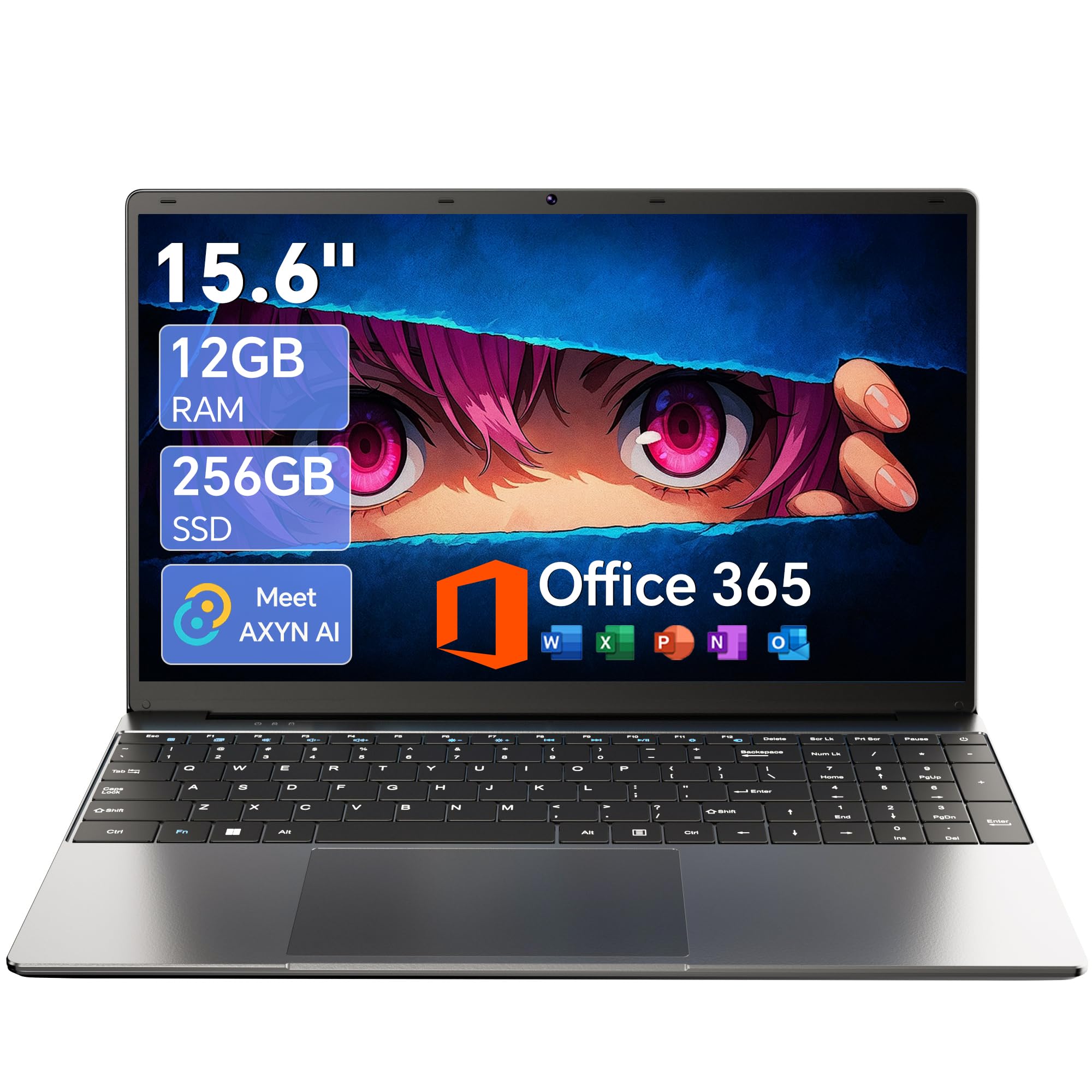
The budget workhorse that packs a surprising 12GB of RAM for under the average homeschooling budget.
The AKCHART laptop stands out in the entry-level tier because it pairs 12GB of DDR4 RAM with a Celeron J4105 processor — a quad-core chip that peaks at 3 GHz. The 15.6-inch Full HD IPS display (1920×1080) with a narrow-bezel design offers wide viewing angles and vivid colors, so siblings can sit to the side and watch a lesson without the picture washing out.
Storage is a 256GB M.2 SSD, with the option to expand via a TF card slot up to 1TB (TF cards are the same as microSD cards, commonly used in phones and cameras). The machine comes pre-installed with a full Office 365 subscription and Windows 11 Home — no extra setup required. A 7000mAh battery (measured in milliampere-hours — a higher number means longer runtime) keeps the laptop running through long class sessions, and the 180-degree lay-flat hinge makes it easy to share the screen during group presentations. Shoppers say it “runs smoothly for daily tasks” and that “having Office 365 pre-installed saves the hassle of installing software yourself.”
The Celeron J4105 processor is not as powerful as the Intel N100 or AMD Ryzen 3 found in slightly more expensive models — it may feel sluggish if you push it with heavy photo editing or multiple 4K video streams. The 256GB SSD is also smaller than the MacBook Neo’s 512GB, meaning you will need to manage storage more actively over several school years. If your budget is tight and you want the maximum RAM for the money, this AKCHART delivers a lot of multitasking headroom for the price. The 12GB of RAM gives you a smoother experience than the 8GB laptops here for running multiple educational apps simultaneously.
Value highlights
- 12GB RAM offers 50% more multitasking memory than many budget rivals.
- Full Office 365 included — no subscription cost after purchase.
- 7000mAh battery handles long class days without recharging.
- TF card slot lets you expand storage up to 1TB.
Cost-saving trade-offs
- Celeron J4105 processor is slower than Intel N100 or AMD Ryzen 3 chips.
- 256GB SSD fills quickly — plan to use the expansion slot.
- WiFi 5 and Bluetooth 4.2 are older standards than WiFi 6 and BT 5.0 found on newer models.
Best for price-sensitive multitaskers: If your budget is limited but you need the extra RAM headroom to keep multiple apps running smoothly, the AKCHART offers the best memory-per-dollar in this guide.
Watch out for: The Celeron processor will not win any speed races — stick to everyday tasks and avoid heavy creative software.
10. NIMO 15.6″ IPS FHD Student Laptop N150
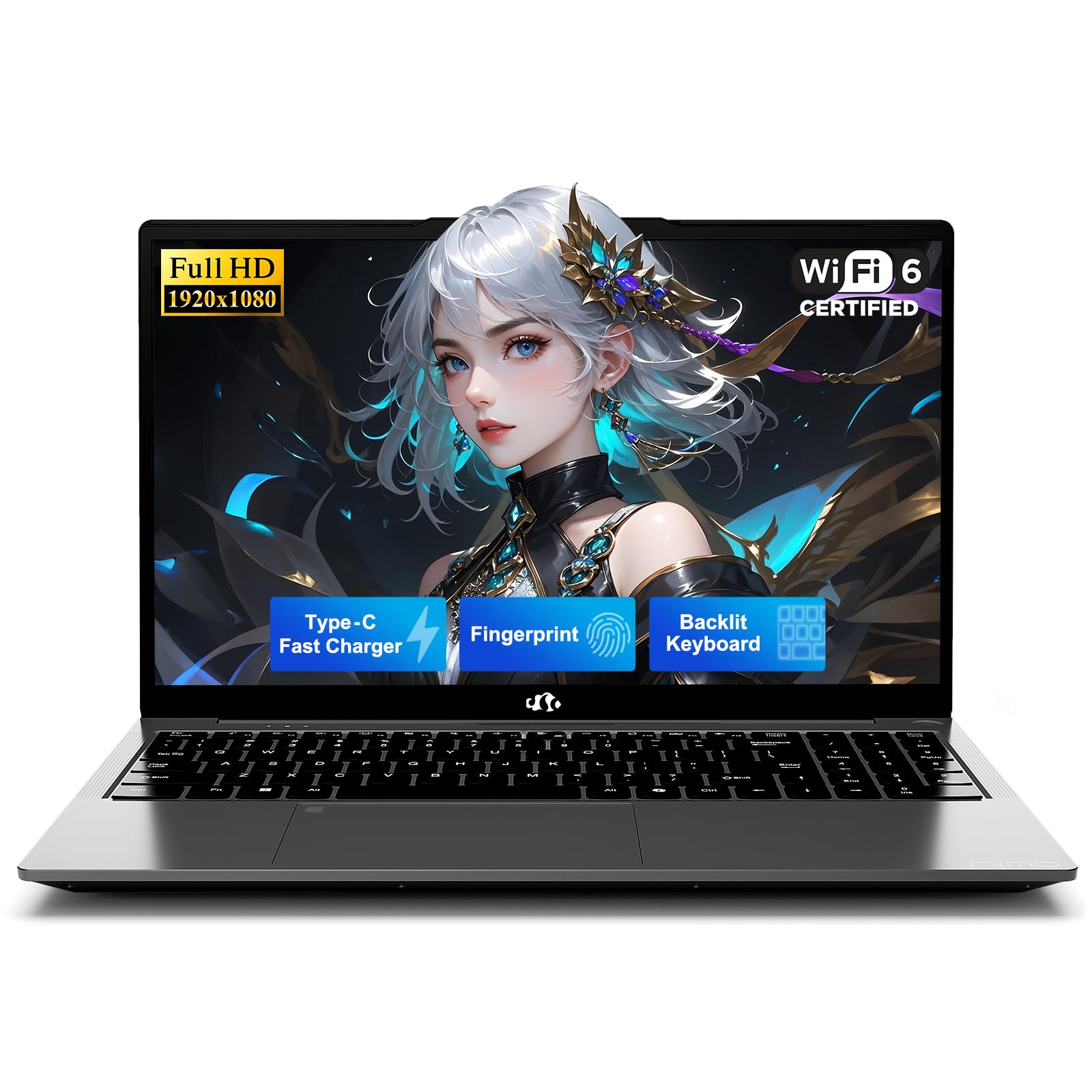
A student-focused laptop that brings fingerprint login and a backlit keyboard to the budget aisle.
The NIMO N157 runs on the Intel Twin Lake N150 processor — a 15-watt thermal design power (TDP — low enough to run cool and quiet without loud fans) quad-core chip that boosts up to 3.6 GHz. It comes with 8GB of DDR4 RAM and a 256GB M.2 PCIe 3.0 SSD, which provides snappy boot times and app loading for daily school tasks. The 15.6-inch Full HD IPS display (1920×1080) delivers crisp visuals for video lessons and reading assignments, and the 175-degree lay-flat hinge allows you to adjust the screen angle for comfortable viewing or share it with a sibling during group work.
What makes the NIMO N157 unusual at this price point is the inclusion of a one-touch fingerprint sensor (integrated into the touchpad) and a standard US backlit keyboard. The fingerprint reader lets older students log in securely without typing a password — a small but real time-saver when you are bouncing between subjects. The backlit keyboard is genuinely useful for dimly lit study corners or early-morning lessons before full sunlight. The 65W Type-C PD fast charger (Power Delivery — a fast-charging standard that tops up compatible devices quickly) can bring the 4700mAh battery from low to usable in a short break. One buyer mentioned the keyboard is “nice” and that it “works well with external monitor,” but another warned the battery “drains even when off” and the speakers are “drowned by ambient noise.”
At 8GB, you will notice slowdown if you push it to run a video editor alongside a dozen browser tabs. Best for security and late-night use: If you want a budget student laptop with modern convenience — instant fingerprint login and a keyboard you can see in the dark — the NIMO N157 delivers those features without stepping up in price. One caveat: The speakers are weak for a noisy environment, and battery life may be shorter than advertised if the unit has a parasitic drain issue.
11. Core Innovations 24″ All-in-One Desktop PC with Windows 11

The lowest-cost all-in-one that gives you a big screen for simple browsing and basic lessons.
The Core Innovations AIO is the most affordable way to get a 24-inch desktop in your homeschool room. It features an Intel Celeron N5095 processor (a 2.9 GHz quad-core chip), 4GB of RAM, and 128GB of internal storage — the smallest memory and storage specs in this entire guide. The 24-inch 1920×1080 Full HD IPS display is generous for reading assignments and watching educational videos, and the built-in microphone and speakers mean you do not need extra peripherals for basic video calls. It comes with Windows 11 Home pre-installed and includes a keyboard, so it is ready to go from the start.
At 4GB of RAM, this machine is strictly for lightweight use — a couple of browser tabs, a single video stream, and a basic app like a PDF reader. Buyers report it is “good for the average user” and works “well for school,” but others warn that “four units all defective within 8 months” and that “the stand does not tilt” — the screen angle is fixed and awkward unless you place it on a riser. The 128GB of storage is the smallest in the guide: after Windows 11 and basic software install, you will have room for only a handful of educational apps before you need to manage space carefully.
For a family that needs the absolute lowest entry price to get a large-screen computer for basic web-based curricula, this Core Innovations AIO fills that role. However, the 4GB RAM severely limits what you can run — anything beyond a few browser tabs will cause slowdown — and the reliability reports raise concerns. If you can stretch your budget to the Lenovo IdeaCentre AIO (which has double the RAM and four times the storage), the experience will be significantly smoother and less frustrating for your student.
What you get
- Largest screen (24-inch) at the lowest price in this guide.
- Full HD IPS display is decent for reading and video.
- Keyboards and microphone included — no extras needed to start.
Significant limitations
- 4GB RAM is the minimum — expect lag with more than a few tabs.
- 128GB storage fills quickly after Windows and a few apps.
- Multiple buyer reports of units failing within 8 months.
- No tilt adjustment on the stand — awkward viewing angle.
Only for the tightest budgets: If you cannot spend more and your curriculum is strictly web-based with one or two apps, this AIO will work — but prepare for a slower experience than any other machine here.
skip it if: You value reliability, plan to use more than a few apps, or need a screen that adjusts to a comfortable angle.
Understanding the Specs
RAM — Random Access Memory
RAM is the computer’s short-term workspace. Every open app, browser tab, and document sits in RAM so the processor can reach it quickly. More RAM lets you run more apps simultaneously without slowdown. For homeschooling, 8GB is a comfortable baseline for a student working with a few browser tabs, a word processor, and a video call. 12GB or 16GB gives you breathing room for heavier multitasking, while 4GB (found on the entry-level Core Innovations AIO) will feel cramped with more than a couple of apps open at once.
SSD — Solid State Drive
The SSD is the long-term storage for your files, apps, and the operating system itself. Unlike old mechanical hard drives, SSDs have no moving parts — they boot Windows in seconds and launch apps nearly instantly. Storage is measured in gigabytes (GB). A 256GB SSD holds the operating system, Office apps, and a year or two of school projects. A 512GB or 1TB drive gives you room for years of video projects, curricula downloads, and family photos without needing to offload files to an external drive.
Processor — The CPU
The central processing unit (CPU) is the brain that executes every instruction. For homeschooling, a quad-core processor (four individual processing units) is the minimum for smooth multitasking. Clock speed, measured in gigahertz (GHz), tells you how fast each core works — higher GHz means snappier app launches. Modern budget processors like the Intel N100 or AMD Ryzen 3 handle web apps, video streaming, and Office software with ease. The Apple A18 Pro in the MacBook Neo is engineered for Apple’s ecosystem and delivers performance comparable to the old M1 chip.
Display Resolution and Panel Type
Resolution is the number of pixels on the screen — more pixels mean sharper text and images. Full HD (1920×1080) is the standard for laptops in this guide and is perfectly clear for reading worksheets and watching videos. The panel type affects how the screen looks: IPS (In-Plane Switching) panels maintain accurate colors and brightness even when you are viewing from an angle, which is useful when siblings watch a lesson together. Anti-glare coatings reduce reflections from windows or overhead lights, reducing eye strain during long sessions.
FAQ
How much RAM do I really need for homeschooling?
Is a laptop or a desktop better for a homeschool setup?
Can a budget laptop with an Intel N100 or Celeron processor handle video classes?
What screen size should I choose for a child?
Is a renewed (refurbished) office desktop like the Dell Optiplex 7050 a good idea for homeschooling?
How much storage space do I need for homeschool files?
Why does the Dell EC24250 have DDR5 RAM while the Lenovo IdeaCentre has DDR4?
What is the most important feature for a video-intensive homeschool curriculum?
Can I upgrade the RAM or storage on these laptops later?
Final Thoughts: The Verdict
For most buyers, the computer for homeschooling winner is the Apple 2026 MacBook Neo 13-inch because it delivers the best balance of long battery life (up to 16 hours), a brilliant Liquid Retina display, and smooth Apple ecosystem integration in a lightweight (2.71 lb) design. If you want the rawest multitasking muscle with 16GB of RAM and a 1TB SSD for creative-heavy curricula, grab the NIMO 15.6 Streaming & Gaming Laptop. And for a clean, cable-free desk setup that keeps a large 24-inch screen at a family-friendly price, the Dell 24 All-in-One Desktop EC24250 is the all-in-one pick that offers modern DDR5 memory, a top-tier camera, and onsite service support.
How We Picked
We do not accept paid placement. Every pick is matched to a real buyer and a real use-case; we do not hands-on test units.
Sources & Methodology
Specifications: manufacturer listings and product documentation. Review insights: verified customer reviews, as of July 2026. Pricing: not shown on this page (it changes often); check the current price via the retailer link.
As an Amazon Associate, WellFizz earns from qualifying purchases. This does not affect which products we feature.
Related Guides

Mo Maruf
I created WellFizz to bridge the gap between vague wellness advice and actionable solutions. My mission is simple: to decode the research and give you practical tools you can actually use.
Beyond the data, I am a passionate traveler. I believe that stepping away from the screen to explore new environments is essential for mental clarity and physical vitality.