Our readers keep the lights on and my smoothie glass nicely filled. As an Amazon Associate, I earn from qualifying purchases.
Specs are compiled from manufacturer listings and verified buyer reviews and can change over time — please confirm the key details on the product page before buying.
If you want a clean desk, the last thing you need is another box of speakers taking up space and adding cables you have to hide. A monitor with built-in speakers handles your audio — video calls, background music, YouTube — without the extra clutter or cost. The trick is picking one where those speakers are actually usable, not an afterthought you mute on day one.
I’m Mohammad Maruf — the founder and writer behind WellFizz. This guide is built by comparing the manufacturers’ published specifications and the patterns across verified customer reviews, so you get each pick’s real strengths and trade-offs instead of marketing spin.
You want a computer monitor with built in speakers that saves desk space and sounds better than your laptop’s tiny speakers. The best pick for most people is the KTC 27M1 27 Inch Gaming Monitor — it combines sharp QHD 1440p resolution with a 210Hz refresh rate and decent built-in speakers at a mid-range price, making it the best all-around package for gaming and daily use.
Our Picks at a Glance

How To Choose The Best Computer Monitor With Built In Speakers
Picking a monitor with built-in speakers means you are trading the hassle of external speakers for convenience. But not every built-in speaker setup sounds the same, and the display specs still matter. Here is what to watch for.
Resolution and Panel Type
The resolution determines how sharp text and images look. 1080p (Full HD) is fine for everyday work, while 1440p (QHD) and 4K give you noticeably sharper detail for design, photo editing, and movies. The panel type — IPS, VA, or Fast IPS — affects color accuracy and viewing angles. IPS panels like those on most picks here give you consistent color from wide angles, which matters if you share your screen or work across multiple monitors.
Refresh Rate and Response Time
Refresh rate, measured in hertz (Hz), tells you how many times the screen updates per second. A 60Hz monitor is fine for office tasks, but 100Hz or 120Hz makes scrolling and cursor movement feel noticeably smoother. If you game, 144Hz or higher keeps fast motion clear and reduces blur. Response time, measured in milliseconds (ms), affects how quickly pixels change color — 1ms to 5ms is typical and works well for both work and gaming.
Built-In Speaker Quality and Power
Not all built-in speakers are the same. Most monitors include 2W speakers that are enough for clear voice calls and background audio. Some premium picks, like the Dell 34 Plus, pack dual 5W speakers that fill a small room. Look at the wattage and check reviews for the real story — buyers often mention “tinny” sound on budget models. If you want rich audio for movies or music, plan for an external soundbar or speakers later.
Connectivity and Ergonomic Adjustments
Make sure the monitor has the ports your devices need — HDMI and DisplayPort are standard. USB-C with power delivery is a bonus that charges your laptop in one cable. A height-adjustable stand saves your neck over long days, and VESA mount compatibility lets you use a monitor arm for an even cleaner desk.
Quick Comparison
| Model | Best For | Resolution | Refresh Rate | Contrast Ratio | Amazon |
|---|---|---|---|---|---|
| HP 27-inch FHD IPS★ Best Overall | Office & Home | 1920 x 1080 | 100Hz | 1300:1 | Amazon |
| KTC 27M1 27 Inch GamingAlso Great | Gaming & Color Work | 2560 x 1440 | 210Hz | 1000:1 | Amazon |
| Dell 27 Plus 4K S2725QSPremium Pick | 4K Productivity | 3840 x 2160 | 120Hz | 1500:1 | Amazon |
| Amazon Basics 27 Inch | Budget Dual Setup | 1920 x 1080 | 100Hz | 1500:1 | Amazon |
| KTC 27 Inch 2K 200Hz White | Gaming & Style | 2560 x 1440 | 210Hz | 1000:1 | Amazon |
| LG 32UR500K-B 32-inch 4K | Large 4K Display | 3840 x 2160 | 60Hz | 1000:1 | Amazon |
| LG 34G630A-B Ultragear Curved | rich Gaming | 3440 x 1440 | 240Hz | — | Amazon |
| Dell 34 Plus S3425DW Curved | Ultrawide Productivity | 3440 x 1440 | 120Hz | 3000:1 | Amazon |
In‑Depth Reviews
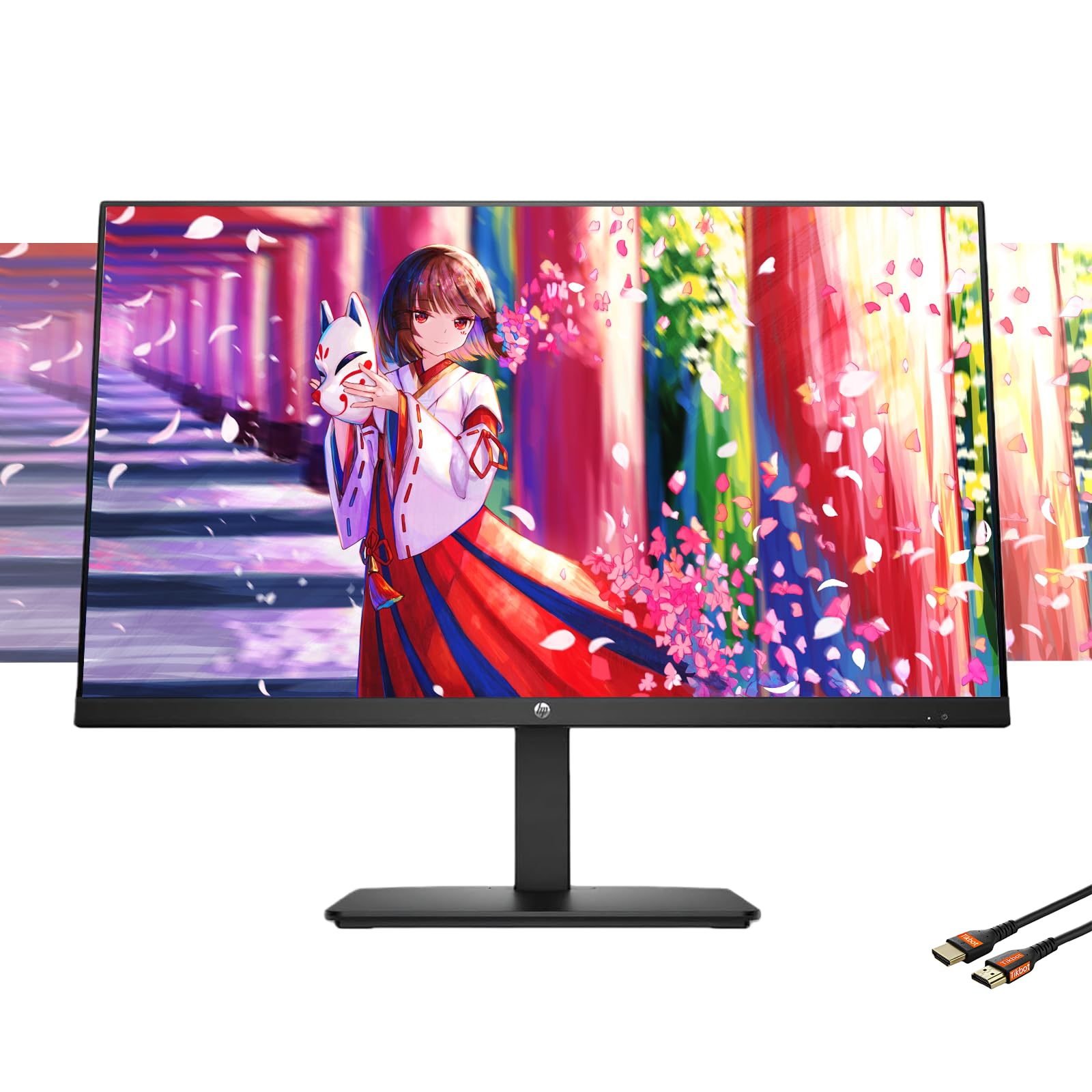
1. HP 27-inch FHD IPS Monitor | 100Hz, Borderless Design, Eyesafe Certification
Our pick — over 4.5★ from 25,500+ verified ratings; the strongest balance of quality and price.
A feature-packed 1080p workhorse that delivers smooth 100Hz motion at an easy price.
The HP 27-inch FHD IPS is the monitor to get if you need a reliable, good-looking display for office work, video calls, and casual media without blowing the budget. The 1920 x 1080 resolution is the standard for everyday use — text is clear, and web pages and documents fit comfortably. The 100Hz refresh rate makes scrolling through long documents and websites feel noticeably smoother than a 60Hz screen, and the IPS panel keeps colors consistent when you shift viewing angle.
Buyers call it “incredible value” and note the built-in speakers are “tinny” — fine for conference calls and background music, but not for critical listening. The tilt-adjustable stand lets you angle the screen for comfort, and the 3-sided borderless design with micro-edge bezels looks clean in a dual-monitor setup. HP’s Eye Ease technology with Eyesafe certification reduces blue light without the yellow tint that can distort colors, so your eyes stay comfortable during long workdays.
The 1300:1 contrast ratio is solid for an IPS panel, and the port selection — VGA, HDMI 1.4, and DisplayPort 1.2 — covers legacy and modern connections. Unlike the Amazon Basics, this HP lacks a built-in USB hub, so you will need to plug peripherals directly into your PC. For a budget-friendly all-in-one that hits the everyday essentials, this is a top pick.
The highlights
- 100Hz refresh rate makes office scrolling and video feel fluid
- Eyesafe-certified blue light reduction protects eyes without yellow tint
- Borderless micro-edge bezels look great in multi-monitor setups
The downsides
- Built-in speakers are reported as “tinny” — functional for calls but not music
- No USB hub means you plug peripherals directly into the PC
- 1080p resolution can look slightly fuzzy at 27 inches for close-up work
Perfect for: the home office or student who needs a smooth 100Hz experience, built-in speakers, and eye-care features at a fair price.
Consider something else if: you want sharp 1440p or 4K detail for design or photo editing.
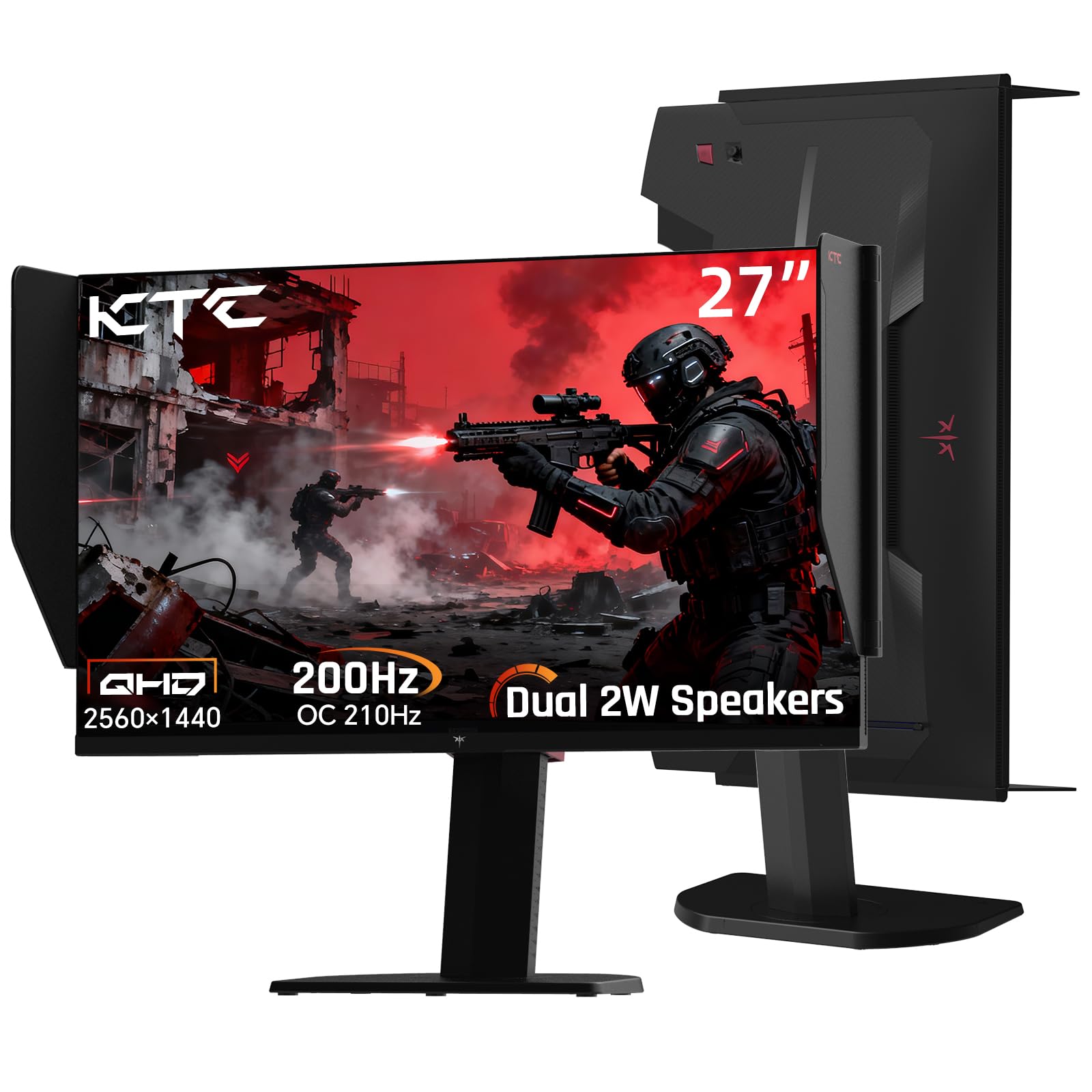
2. KTC 27M1 27 Inch Gaming Monitor, 1440P Monitor with Speakers Built in, 210Hz
Sharp QHD resolution meets a blazing 210Hz refresh rate for gamers who refuse to compromise.
If you want a sharp image and super-smooth motion without jumping to 4K, the KTC 27M1 delivers. Its 2560 x 1440 QHD resolution packs more pixels than a 1920 x 1080 Full HD panel — that means crisper text and finer detail in games and design work. The 210Hz refresh rate (compared to the 100Hz refresh rate of the 1080p models above) makes fast-paced shooters feel incredibly fluid, and the 1ms response time (measured in MPRT, a spec that tracks motion blur) keeps fast action from smearing.
Buyers report “no backlight bleed” and “excellent color accuracy” with the Fast IPS panel. The 130% sRGB color gamut (a measure of the range of colors the screen can show) means photos and videos look rich and true-to-life. The built-in dual 2W speakers handle game audio and calls adequately — reviewers call them “typical but decent.” The included monitor shielding hood cuts glare during intense sessions, and the full ergonomic stand adjusts height 150±5mm and swivels -60° to 60° for a custom fit.
At 1000:1 contrast ratio, the KTC has less contrast than the Amazon Basics (1500:1), meaning blacks are not as deep in a dark room. The menu system takes some getting used to, and the speakers are basic — if you want room-filling audio, you will want external speakers. But for a gaming-focused all-in-one, this is the sharpest value in the list.
What stands out
- True 200Hz / 210Hz overclocked refresh rate eliminates motion blur in fast games
- QHD 1440p resolution delivers sharp text and fine detail — 33% more pixels than 1080p
- Full ergonomic stand with height, tilt, swivel, and pivot adjustments
The trade-offs
- 1000:1 contrast ratio means blacks are not as deep as the 1500:1 Amazon Basics
- Built-in speakers are decent but not room-filling — best for game audio and calls
- Menu system has a learning curve according to buyer feedback
Grab it for: gamers who want 1440p clarity and a 210Hz refresh rate in one box, with decent built-in speakers for convenience.
Look elsewhere if: you need deep black levels for cinematic content — the 1000:1 contrast ratio falls short of VA panels.
3. Dell 27 Plus 4K Monitor – S2725QS – 27-inch 4K (3840 x 2160) 120Hz
True 4K resolution with a smooth 120Hz refresh rate for the productivity purist.
The Dell 27 Plus 4K S2725QS is for anyone who spends all day in documents, spreadsheets, or creative apps and wants 4K sharpness without the lag of a typical 60Hz office monitor. Its 3840 x 2160 resolution gives you four times the pixels of 1080p — text looks razor-sharp and you can fit whole windows side-by-side without squinting. The 120Hz refresh rate makes scrolling and cursor movement feel noticeably more fluid than a standard 60Hz screen, and AMD FreeSync Premium (a technology that syncs the monitor’s refresh rate with your graphics card to stop screen tearing) keeps video playback smooth.
The 1500:1 contrast ratio provides good depth for a modern IPS panel, and the 99% sRGB color gamut means colors are accurate enough for photo editing. Buyers praise the “bright, sharp” display and find the speakers improved over the previous generation — Dell says they deliver more output power and deeper frequency response. The ultra-thin bezels in ash white give the setup a clean, modern look, and the ComfortView Plus feature cuts blue light emissions to ≤35% without making the image look yellow.
Owners mention that the 4ms-ish response time means this is not the pick for competitive twitch shooters — ghosting is noticeable if you push fast-paced games. The 350-nit brightness is fine for most rooms but can struggle in very bright direct sunlight. If you want a premium 4K workhorse that handles the occasional game, this Dell is tough to top.
Why it works
- 4K (3840 x 2160) resolution delivers incredibly sharp text and image detail
- 120Hz refresh rate with FreeSync Premium makes scrolling and video feel smooth
- 1500:1 contrast ratio offers good depth and HDR readiness for the price
Keep in mind
- Response times are not fast enough for competitive FPS gaming — some ghosting reported
- 350-nit brightness can feel dim in very bright rooms
- Matte coating has a slight grain that some users notice on white backgrounds
Ideal for: the professional who wants 4K clarity, smooth 120Hz motion, and improved built-in speakers for day-long comfort.
skip it if: competitive gaming is the main use — the response time falls short of dedicated gaming monitors.
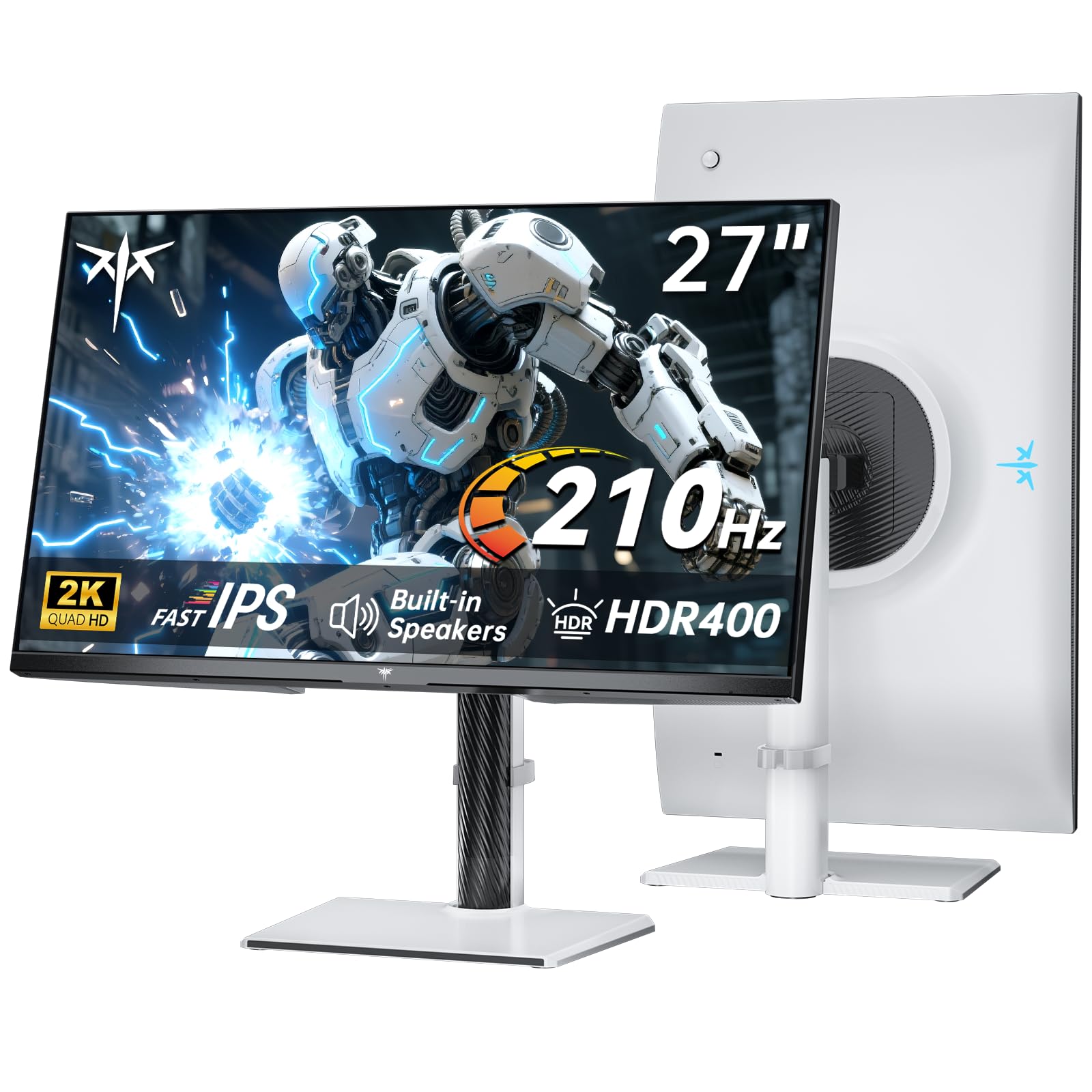
4. KTC 27 Inch 2K 200Hz Gaming Monitor, QHD 1440P White Monitor with Built-in Speakers, H27T6
White-hot gaming performance in a color that stands out from the black crowd.
The KTC H27T6 is essentially the white sibling of the KTC 27M1, sharing the same 2560 x 1440 QHD resolution and Fast IPS panel tech, but with a design twist. The white finish and slim bezels make it a natural fit for bright, modern desks and white PC builds. The 200Hz native refresh rate (overclockable to 210Hz) and 1ms MPRT response time deliver the same ultra-smooth gaming feel that makes the 27M1 a top pick.
It steps up the color performance with a 131% sRGB and 101% DCI-P3 color gamut coverage, plus ΔE < 2 factory calibration for accuracy that matters in creative work. The built-in dual 2W speakers match the 27M1 — customers note they deliver “crisp audio performance” and are fine for gaming and calls. The HDR400 support (a certification that the monitor meets a minimum brightness and color standard for high-dynamic-range content) adds a visual pop in supported games and movies.
The stand offers tilt (-5° to 15°) but is not height-adjustable, which is a step down from the full ergonomic stand on the 27M1. One reviewer noted a “narrow viewing angle, noticeable even for single user.” If the all-black look bores you and you want a high-refresh 1440p gaming monitor with a white aesthetic, this is the one.
The strong points
- Striking white design stands out against typical black monitors
- 200Hz (210Hz OC) refresh rate with 1ms response keeps fast games smooth
- 131% sRGB and 101% DCI-P3 color gamut with ΔE < 2 for accurate color
Consider this
- Stand is tilt-only — no height adjustment, unlike the 27M1
- Narrow viewing angle reported even for single users
- 1000:1 contrast ratio is standard but not standout
Pick this if: you want a high-refresh 1440p gaming monitor in a white finish and the tilt-only stand works for your setup.
Pass if you need: a height-adjustable stand — the KTC 27M1 (above) offers full ergonomics in black.
5. LG 34G630A-B 34-Inch Ultragear WQHD Curved Gaming Monitor, 240Hz

A 34-inch curved ultrawide that wraps around your vision at a blistering 240Hz for total immersion.
The LG 34G630A-B is built for gamers who want to feel inside the game world. The 34-inch VA panel curves gently, so your peripheral vision catches the edges of the 21:9 aspect ratio — you see more horizontal space than a standard 16:9 monitor without turning your head. The 3440 x 1440 WQHD resolution keeps everything sharp, and the 240Hz refresh rate with a 1ms response time (GtG, meaning gray-to-gray pixel transition speed) means competitive shooters and racers run with zero perceptible blur.
The built-in speakers are basic, but reviewers point out they are “loud” and acceptable for game audio and casual movie watching. The 95% DCI-P3 color gamut delivers vibrant, lifelike colors, and VESA DisplayHDR 400 certification adds brightness and contrast for HDR content. AMD FreeSync Premium (adaptive sync that matches the monitor’s refresh rate to your GPU) keeps the image tear-free even during frame-rate dips.
One reviewer warned the stand “wobbles when typing on a light or carpeted desk” — a heavier desk or a monitor arm (VESA 100x100mm compatible) solves that. The out-of-box settings need adjustment: disable Smart Energy Saving and Deep Sleep, then manually set 240Hz in Windows for the full experience. With a 240Hz panel at this price, this is a thrilling pick for the ultrawide enthusiast.
What shines
- 240Hz refresh rate on a 34-inch ultrawide delivers incredibly smooth gaming
- 21:9 aspect ratio provides extra horizontal space for immersion and multitasking
- 95% DCI-P3 color gamut and DisplayHDR 400 for vibrant, lifelike visuals
The drawbacks
- Stand wobbles on light or carpeted desks during typing
- Needs out-of-box settings adjustments for full 240Hz performance
- Built-in speakers are basic — adequate for game audio, not music
Best for: the competitive gamer who wants the widest field of view with a 240Hz refresh rate and can manage a few setup tweaks.
Not ideal if: your desk is lightweight or you want plug-and-play perfection without calibration.
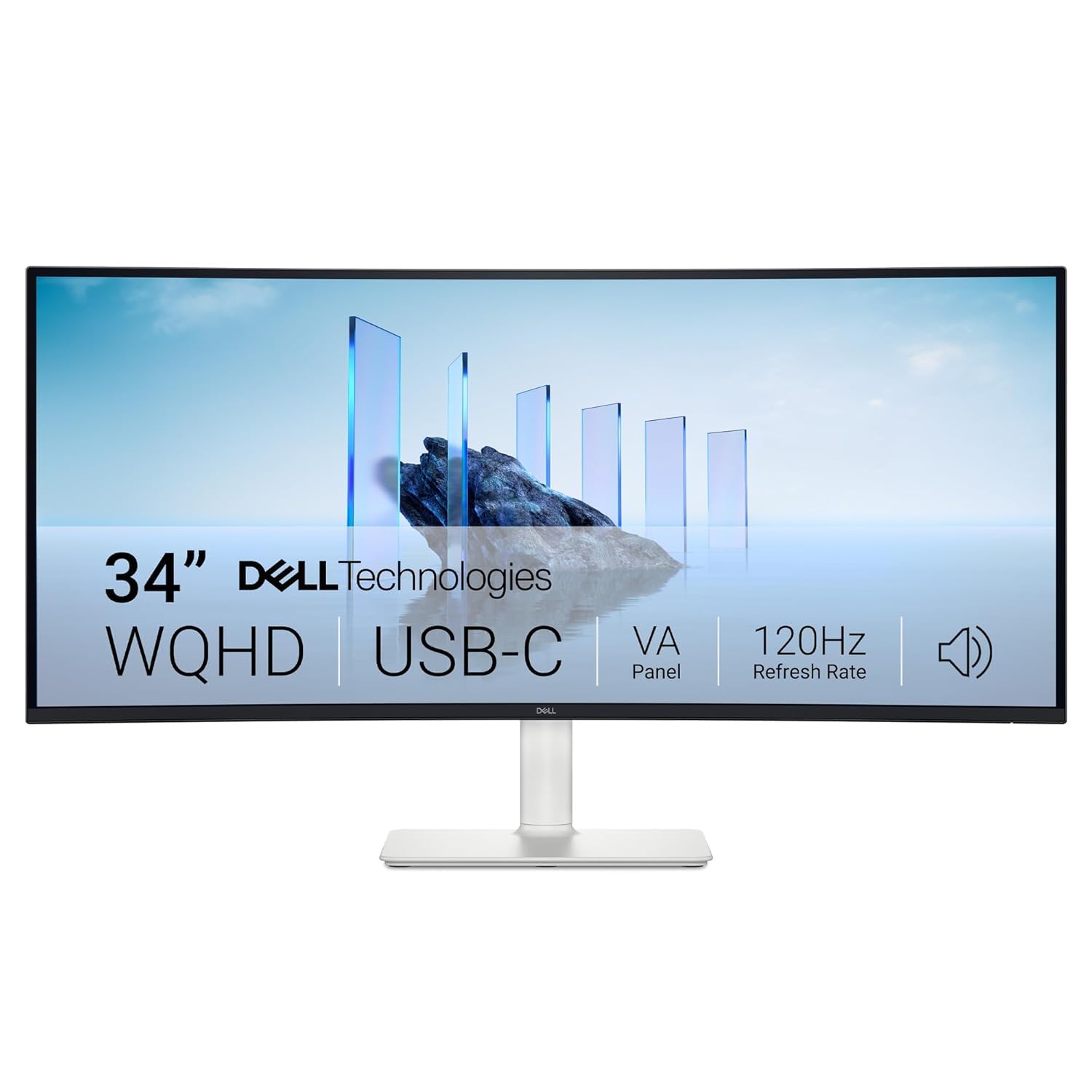
6. Dell 34 Plus USB-C Monitor – S3425DW, WQHD (3440×1440), 21:9 Curved, 120Hz
The ultrawide for professionals who want premium built-in audio and a single cable to charge their laptop.
The Dell 34 Plus is the ultrawide that solves the biggest complaint about monitors with speakers: weak sound. Its dual 5W speakers are more powerful than the 2W speakers found on every other monitor in this list, and they come with five preset audio profiles and one customizable mode. Buyers call the sound quality “strong” and say it is one of the best built-in audio experiences on a monitor. Combined with the 3440 x 1440 WQHD resolution on a 34-inch VA panel, this is a productivity dream.
The 3000:1 contrast ratio is the highest in this group — compared to 1500:1 on the Amazon Basics — so blacks are deep and text on dark mode looks clean. The 1800R curve wraps gently around your field of view, reducing eye strain during long spreadsheet sessions. The USB-C port delivers 65W of power delivery, meaning one cable charges your laptop and sends video — no extra power brick on the desk. The 120Hz refresh rate keeps scrolling smooth, though it is not primarily a gaming panel.
The stand offers height, tilt, and swivel adjustment, but lacking full pivot. One buyer mentioned the KVM feature causes a mouse lag when activated. At the premium end of the price spectrum, this Dell trades pure gaming speed for the most complete work-and-media package in its class.
Standout features
- Dual 5W speakers with five presets and one custom mode — best built-in audio here
- 3000:1 VA contrast ratio delivers deep, inky blacks for movies and dark mode
- USB-C with 65W power delivery charges your laptop through a single cable
Things to note
- Premium price point — the most expensive monitor in this guide
- KVM feature can cause mouse lag when activated, per buyer feedback
- Not built for competitive gaming despite the 120Hz refresh rate
Go for it if: you want an ultrawide with genuinely good built-in speakers and USB-C charging for a clean, all-in-one desk.
Pass if your budget is tight: there are more affordable 1440p options if you do not need the speaker power and USB-C dock.
7. LG 32UR500K-B Ultrafine 32-inch 4K UHD Monitor, HDR10, Built-in Speaker

A massive 32-inch 4K screen that gives you enormous workspace while staying affordable.
If your priority is sheer real estate — you want to see huge spreadsheets, edit 4K video timelines, or watch movies on a big colorful screen — the LG 32UR500K-B delivers. The 32-inch VA panel at 3840 x 2160 resolution gives you a ton of usable space with sharp text and vibrant colors. The 90% DCI-P3 color gamut makes HDR10 content look punchy, and the VA architecture provides better blacks than standard IPS panels.
The built-in stereo speakers come with Waves MaxxAudio, which shoppers say adds a bit more presence than basic monitor speakers. The OnScreen Control software lets you split the screen into zones with a few clicks, which is useful for managing the large 32-inch canvas. The tilt-adjustable stand is basic — no height or swivel — but the 100x100mm VESA mount means you can attach a monitor arm for better positioning. Black Stabilizer and Dynamic Action Sync (features that brighten shadows and reduce input lag) are included if you game casually.
The brightness is 250 nits, which is on the low side — bright rooms may wash out the image. One reviewer noticed a “subtle yellow nonuniformity at the bottom edge” and some viewing-angle dimming typical of VA panels. At 60Hz, motion is standard rather than smooth. For a large 4K monitor with built-in speakers at a mid-range price, this LG is the go-to for space-hungry users.
Why you want it
- 32-inch 4K resolution provides enormous desktop real estate for multitasking
- VA panel with 90% DCI-P3 color gamut delivers vibrant HDR10 content
- MaxxAudio-enhanced speakers sound fuller than typical 2W monitors
Things to consider
- 250-nit brightness can feel dim in bright rooms
- 60Hz refresh rate feels less fluid for scrolling and gaming
- Viewing-angle dimming and potential yellow uniformity issues on VA panels
Choose this for: a big 4K monitor with decent built-in speakers for productivity, media, and light gaming on a budget.
Look elsewhere if: you need high refresh rates or full ergonomic adjustments — the stand is tilt-only and motion is 60Hz.
8. Amazon Basics 27 Inch Monitor, FHD 1080P, 100Hz, IPS, Built-in Speakers, VESA Compatible

The no-frills 27-inch monitor that includes a USB hub and speakers at a price that leaves room for other gear.
The Amazon Basics 27 Inch Monitor is the straight-up value king for anyone building a dual-monitor setup on a tight budget. Buyers report it is “great for a basic dual-monitor setup” and “works from the start, easy assembly, built-in speakers, includes HDMI cables.” The 1920 x 1080 resolution is standard fare, and the 100Hz refresh rate makes everyday scrolling feel fluid — a step up from 60Hz budget monitors.
The built-in speakers are clean and clear for voice calls and background audio, though not intended for music. The 4-port USB hub is a rare bonus at this price — you can plug your keyboard, mouse, and webcam directly into the monitor, reducing cable runs to your PC. The stand is tilt-only with no height adjustment, so you may need a stack of books or a VESA arm (compatible with 100x100mm) to get it to eye level.
The 8.38-pound weight makes it easy to move, and the thin bezel keeps the look modern. One owner reported that webcam placement is awkward on the thin top bezel. For the essentials — a sharp 1080p image, decent built-in audio, and a USB hub — this Amazon Basics monitor is the budget pick that makes sense.
The best parts
- 1500:1 contrast ratio delivers deeper blacks than many budget IPS monitors
- 4-port USB hub lets you connect peripherals directly to the monitor
- Includes HDMI cables and easy assembly — truly plug-and-play
The compromises
- Tilt-only stand with no height adjustment — you may need to prop it up
- 1080p on a 27-inch screen is less sharp than 1440p options
- Thin top bezel makes it hard to mount a webcam
Best for: budget-conscious buyers who want a reliable 1080p monitor with built-in speakers and a USB hub for a tidy desk setup.
Consider upgrading if: you need height adjustment or sharper 1440p/4K resolution for design or detailed work.
Understanding the Specs
Resolution & Pixel Density
Resolution tells you how many pixels the screen has across and down — 1080p (1920 x 1080), 1440p (2560 x 1440), and 4K (3840 x 2160). More pixels means sharper text and more screen real estate, so you can fit more windows side-by-side. At 27 inches, 1080p is fine for general use, but 1440p or 4K makes a big difference if you work with small text, photos, or video. IPS panels keep colors accurate from wide viewing angles, while VA panels typically offer deeper blacks at the cost of narrower angles.
Refresh Rate & Response Time
Refresh rate (measured in Hz) is how many times per second the screen redraws. 60Hz is the old standard. 100Hz to 120Hz makes scrolling feel smooth to the eye. 144Hz and above is for gaming — fast motion stays clear. Response time (in ms) is how fast a pixel changes color. Lower is better: 1ms to 5ms is good for gaming; higher numbers can cause blur. Adaptive sync tech like FreeSync or G-Sync matches the monitor’s refresh rate to your graphics card, eliminating stutter and screen tearing.
Contrast Ratio & HDR
Contrast ratio compares the brightest white to the darkest black the screen can show. A higher number (like 1500:1 or 3000:1) means deeper blacks and more pop in movies and games. VA panels usually have higher contrast than IPS. HDR (high dynamic range) is a standard that expands the range of dark and bright parts of an image. Certifications like HDR400 or HDR10 mean the monitor meets a minimum brightness and color requirement for HDR content to look more realistic.
Built-In Speakers & Connectivity
Built-in speakers are rated in watts per channel — most monitors use 2W speakers that are fine for voice calls and background audio. Some premium models use 5W speakers for noticeably fuller sound. For connectivity, HDMI and DisplayPort are standard. USB-C with power delivery is a key feature because a single cable carries video, data, and charges your laptop. VESA mount compatibility (usually 100x100mm) means you can attach the monitor to an arm, saving desk space and improving ergonomics.
FAQ
Are the built-in speakers on a monitor good enough for gaming?
Can I add external speakers to a monitor that already has built-in speakers?
What does refresh rate mean for non gaming use?
Is 1080p resolution good enough on a 27 inch monitor?
What is the difference between IPS and VA panels for a monitor with speakers?
Will a monitor with built in speakers work with a PlayStation or Xbox?
How many watts do I need from built in monitor speakers?
Do all monitors with built in speakers support HDMI ARC for soundbars?
What does VESA mount compatibility mean for a monitor with built in speakers?
Is a monitor with built in speakers good for work from home video calls?
Final Thoughts: The Verdict
Across the board, the computer monitor with built in speakers winner is the KTC 27M1 27 Inch Gaming Monitor because it combines sharp QHD 1440p resolution with a 210Hz refresh rate and decent built-in speakers at a mid-range price — the best all-around package for gaming and daily use. If you want a premium 4K workhorse with smooth 120Hz motion, grab the Dell 27 Plus 4K S2725QS. And for the widest rich gaming experience, the LG 34G630A-B Ultragear Curved 34-inch delivers a 240Hz ultrawide that pulls you into the action.
How We Picked
We do not accept paid placement. Every pick is matched to a real buyer and a real use-case; we do not hands-on test units.
Sources & Methodology
Specifications: manufacturer listings and product documentation. Review insights: verified customer reviews, as of July 2026. Pricing: not shown on this page (it changes often); check the current price via the retailer link.
As an Amazon Associate, WellFizz earns from qualifying purchases. This does not affect which products we feature.
Related Guides

Mo Maruf
I created WellFizz to bridge the gap between vague wellness advice and actionable solutions. My mission is simple: to decode the research and give you practical tools you can actually use.
Beyond the data, I am a passionate traveler. I believe that stepping away from the screen to explore new environments is essential for mental clarity and physical vitality.