Our readers keep the lights on and my smoothie glass nicely filled. As an Amazon Associate, I earn from qualifying purchases.
Specs are compiled from manufacturer listings and verified buyer reviews and can change over time — please confirm the key details on the product page before buying.
If you run a business, a busy home, or just a place where everyone is always on Zoom, a single home router usually starts wheezing under the load. That is where a cloud managed WiFi access point steps in — it lets you control your whole network from a phone or laptop, no matter where you are, and gives you roaming, guest networks, and security without needing a separate hardware controller sitting in a closet.
I’m Mohammad Maruf — the founder and writer behind WellFizz. This guide is built by comparing the manufacturers’ published specifications and the patterns across verified customer reviews, so you get each pick’s real strengths and trade-offs instead of marketing spin.
This is the only breakdown you need to find your next cloud managed wifi access point, covering a genuine WiFi 7 option, two heavy-hitting Omada units, and a few budget-friendly workhorses that punch well above their weight.
Our Picks at a Glance


How To Choose The Best Cloud Managed WiFi Access Point
Picking the right access point means deciding where you want your network brains to live. A cloud managed access point moves the controller software into a remote server, so you never have to buy, power, or maintain a separate hardware box on-site. You configure and monitor everything through a web dashboard or app — like managing your whole office network from a coffee shop.
Cloud Platform and Subscriptions
Not all cloud management is free. Some brands (TP-Link Omada Essentials, Zyxel NebulaFlex) give you basic cloud control at no extra charge, while others (NETGEAR Insight) bundle a free year and then charge a subscription after that. Check if the license cost per device or per site fits your budget over the long haul — a cheap AP can get expensive if the cloud fee is steep.
WiFi Generation and Speed Rating
WiFi 6 (AX) is still the smart buy for most homes and small offices — it handles 30-50 devices comfortably without stuttering. WiFi 7 (BE) is faster on paper but only matters if your laptops and phones already support the standard. The number in the model name (AX1800, BE11000) is the total theoretical speed across all bands, not what you will actually see on one device — focus on the uplink port speed instead.
Uplink Port: The Real Bottleneck
The port that connects the access point to your network is the first thing that can limit speed. A unit with a 1Gigabit port will cap out around 940 Mbps no matter how fast the WiFi is. Multi-gigabit ports (2.5G or 10G) allow the faster wireless standards to actually breathe — especially important if multiple clients are transferring files at the same time.
Client Capacity and Coverage
One access point covers roughly 1,300 to 2,500 square feet depending on wall construction. The bigger number is how many devices it can talk to at once without slowing down — look for a rating of at least 200 clients if you run a dense office or a smart home packed with IoT gadgets. smooth roaming (802.11k/r/v) lets devices switch between multiple APs without dropping a video call.
Quick Comparison
| Model | Best For | WiFi Standard | Uplink Port | Client Capacity | Amazon |
|---|---|---|---|---|---|
| TP-Link Omada EAP650★ Best Overall | Budget-conscious office or townhouse | WiFi 6 AX3000 | 1G | — | Amazon |
| TP-Link Omada EAP670Also Great | Dense multi-user environments | WiFi 6 AX5400 | 2.5G | 250+ clients | Amazon |
| Zyxel NWA130BE | Triple-band flexibility with local or cloud control | WiFi 7 BE11000 | 2x 2.5G | <100 devices (stable) | Amazon |
| NETGEAR WAX610 | Small businesses and home power users | WiFi 6 AX1800 | 2.5G | 200 clients | Amazon |
| Tenda BE5010 (i36) | Affordable WiFi 7 upgrade | WiFi 7 BE5010 | 2.5G | — | Amazon |
| NETGEAR WAX610PA | Easy install with included power adapter | WiFi 6 AX1800 | 2.5G | 200 clients | Amazon |
In‑Depth Reviews
1. TP-Link Omada WiFi 6 AX3000 (EAP650)
Our pick — 4.5★ from 650+ verified ratings; the strongest balance of quality and price.
The entry-level Omada that covers a 1,300 sq ft townhouse for under a hundred bucks.
If your internet plan is under 1 Gbps and you do not need multi-gig wired backhaul, the EAP650 delivers full WiFi 6 (AX3000, up to 2976 Mbps total) with the same free Omada Essentials cloud platform as the premium models. That means you get the same VLANs, captive portal, smooth roaming, and mesh support without paying a cent for the controller. One buyer reports it “covers a 1,300 sq ft townhouse” with solid speeds of 350 Mbps down at the opposite corner through a guest network.
The 1G Ethernet port is the main trade-off — it will cap any internet connection at around 940 Mbps, and the 2×2 antenna array is not as wide as the EAP670’s 6-spatial-stream design. But for a small office, a café, or a modest home, this is often all you need. It includes a power adapter in the box and supports both 802.3at PoE+ and passive PoE, giving you flexibility in how you run the cable.
Why it wins the value slot
- Free cloud management with no hardware controller needed
- Includes a 12V/1.5A DC adapter and wall/ceiling mount kit
- 5-year warranty at the lowest price point in the Omada lineup
Where it holds back
- 1G port limits total wired throughput; no multi-gig upgrade path
- Four out of five units worked for one reviewer who bought a batch — quality variance noted
Perfect for: anyone on a budget who still wants enterprise-class cloud management, VLANs, and guest portal without paying for a controller license.
pass on it if: you have a gigabit-plus internet plan or plan to upgrade soon — the EAP670’s 2.5G port is worth the extra spend.
2. TP-Link Omada WiFi 6 AX5400 (EAP670)
The densest access point that keeps 150 devices streaming without a hiccup.
You get a 2.5G Ethernet port here — not just a 1G port — which means the EAP670’s blazing AX5400 dual-band WiFi 6 speeds (up to 5400 Mbps total) can actually feed multiple clients without the wired connection turning into a bottleneck. That matters when your whole office or home has 250+ devices competing for airtime. Buyers report this unit “handles 150+ devices without drops and delivers smooth roaming,” a big step up in reliability over a typical consumer mesh router.
The Omada Essentials cloud management requires zero fees — you scan the S/N code in the Omada app and you are ready to manage the whole network from anywhere. It also includes a 5-year warranty, which is rare at this level. Unlike the cheaper EAP650 below, this model packs a 2.5G port and six spatial streams (versus the EAP650’s 1G port), so it is the pick for medium offices, busy homes, or anyone who plans to pile on devices over the next few years.
Why it dominates
- 2.5G uplink prevents the WiFi from being strangled by the wired backhaul
- Free cloud management through Omada SDN, no hardware controller needed
- Handles 250+ concurrent clients according to manufacturer specs
- 5-year warranty backs a serious investment
The small caveats
- Power adapter is included, but PoE+ switch is ideal for the cleanest install
- The 2.5G port is wired Ethernet only — no 10G future-proofing
Grab this if: you run a business, a dense smart home, or a large family where every room streams at once and you want real cloud control for free.
Look elsewhere if: your internet is under 500 Mbps and you only have 10-15 devices — the EAP650 will save you money and still be reliable.
3. Zyxel WiFi 7 BE11000 (NWA130BE)

A triple-radio WiFi 7 AP that switches between local and cloud management on a whim.
The NWA130BE runs on three bands at once (2.4 GHz, 5 GHz, and 6 GHz) and uses MLO (Multi-Link Operation) to tie them together for super low latency — great for video calls and real-time work. It has two 2.5G Ethernet ports, one of which can serve as a passthrough to daisy-chain another device. Customers note iperf3 throughput around 2.35 Gbps on the 6 GHz band when connected to a 2.5 Gbps wired line, with idle power consumption of about 12W.
Zyxel’s NebulaFlex lets you run the AP in standalone mode or flip it to cloud-managed through the Nebula portal — no permanent commitment to one style of control. Unlike the Omada units, it includes built-in RADIUS authentication for enterprise-grade login management. The catch: no power supply is included, so you must supply PoE+ (standard for enterprise APs), and the local web GUI is rough enough that one reviewer noted it “requires networking knowledge.”
Standout strengths
- Triple-band WiFi 7 with MLO for the lowest possible latency
- Two 2.5G ports give flexibility for daisy-chaining or separate VLAN trunks
- NebulaFlex lets you switch between standalone and cloud modes freely
Trade-offs to know
- No power adapter included — PoE+ injector sold separately
- Some clients (especially 6 GHz devices) may have inconsistent discovery
- Rough local web interface suited to IT pros, not casual home users
Best for: IT-savvy users who want the latest triple-band WiFi 7 with the option to manage locally or in the cloud without locking in.
Not for: anyone who expects a plug-and-play consumer setup — this AP expects you to know VLANs, PoE, and enterprise wireless concepts.
4. NETGEAR Cloud Managed WiFi 6 AX1800 (WAX610)

A 2.5G port in a compact AX1800 package that even solves backyard streaming issues.
The WAX610 offers dual-band AX1800 WiFi 6 and supports up to 200 client devices within 2,500 square feet of coverage, which is impressive for a unit that costs less than many consumer mesh nodes. It uses a 2.5G Ethernet port for the uplink — the same speed class as the higher-end EAP670 but with a lower wireless speed rating, so the wired connection is never the weak link. One owner says it “solved weak signal/buffering issues in the back of our house” and even reaches a fifth-wheel trailer 75 feet away.
NETGEAR bundles a 1-year free Insight subscription for remote cloud management. After that year, you pay a per-device annual fee for the cloud dashboard. You can also configure it locally through the web UI without Insight, but you lose the remote monitoring and alerts. Unlike the Omada units, there is no free cloud management tier — that subscription is the trade-off for NETGEAR’s polished app and enterprise support network.
Real-world reach: The coverage is wide enough that reviewers mention using it to stream in an RV 75 feet from the house, outperforming typical routers.
The subscription angle: You get the first year of Insight free; after that, factor the license cost into your decision if you rely on remote management.
Reach for this if: you want a straightforward, business-grade WiFi 6 AP with a strong 2.5G backhaul and you are comfortable with a subscription for ongoing cloud control.
Look elsewhere if: you want to avoid any annual fee — the Omada units give you free cloud management with no subscription.
5. Tenda BE5010 (i36) WiFi 7
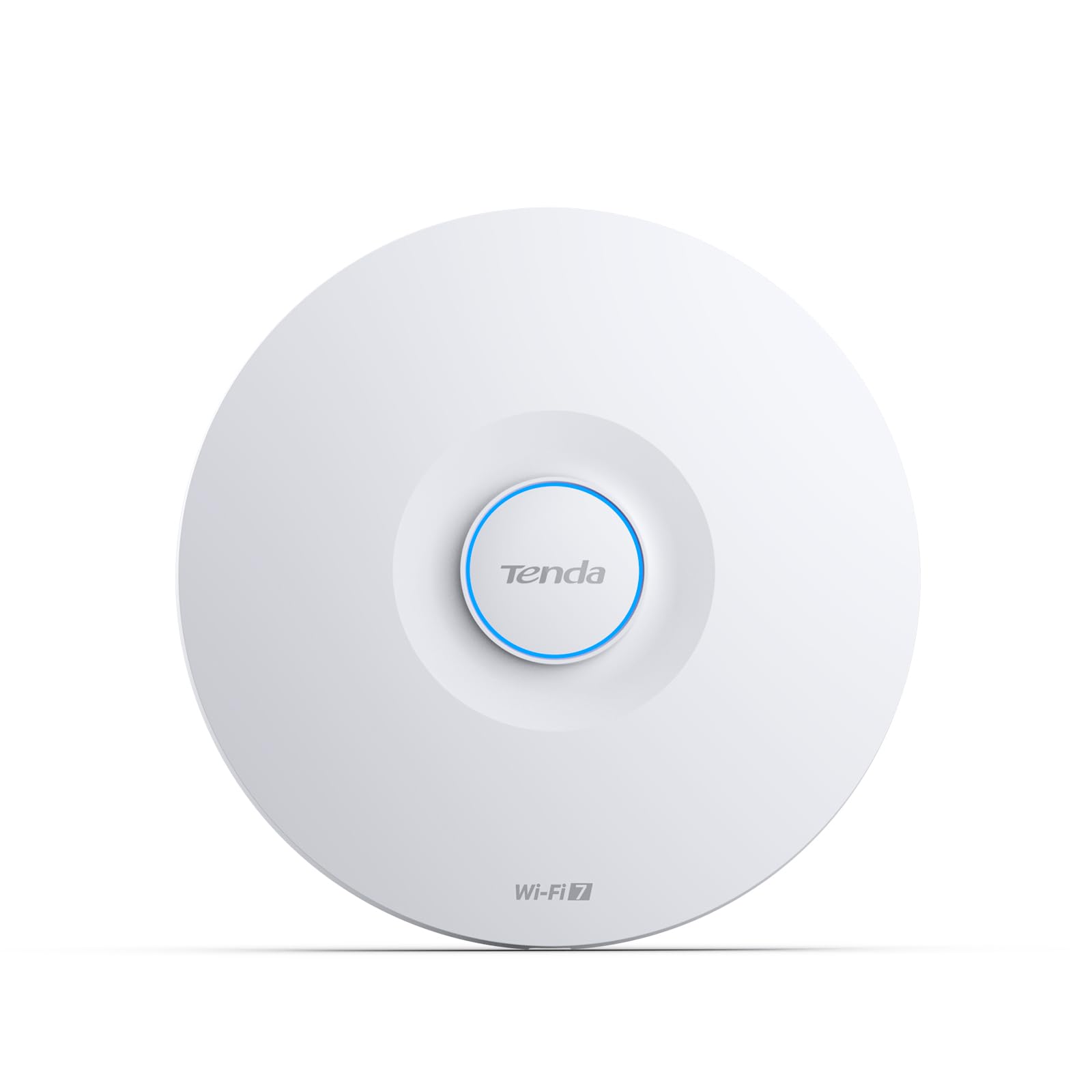
The cheapest path to WiFi 7 with a 2.5G uplink that fixed one user’s outdoor camera signal.
Tenda’s BE5010 is a dual-band WiFi 7 access point rated for 5010 Mbps, and it features a 2.5G PoE+ port plus a secondary Gigabit port for daisy-chaining. That means even though the sticker price is entry-level, the wired backhaul is fast enough to serve the wireless speed. One reviewer notes the ceiling-mounted install “improved outdoor camera signal to 85%+ strength,” a tangible real-world benefit for anyone with a security cam that used to drop out.
Cloud management runs through the free CloudFi app or a web dashboard — no subscription required. It supports 802.11k/v/r fast roaming, VLAN tagging, and WPA3 encryption. The catch is that it is a true prosumer device: you need basic networking knowledge to set it up (it is not a plug-and-play router replacement), and the power adapter is included but a PoE+ switch is the cleaner install method.
Real buyer demo: One owner says the Tenda BE5010 gave their outdoor camera an 85%+ signal strength, fixing a weak-spot that older APs could not reach.
The learning curve: This is not a router — it is a ceiling-mount AP designed for people who already understand VLANs and PoE. Beginners might find the setup frustrating.
Best for: budget-conscious upgraders who want a taste of WiFi 7 and already have a wired PoE+ switch at home or in the office.
Not ideal for: anyone looking for a one-box solution — you still need a router and a switch before this AP can work.
6. NETGEAR Cloud Managed WiFi 6 AX1800 (WAX610PA)
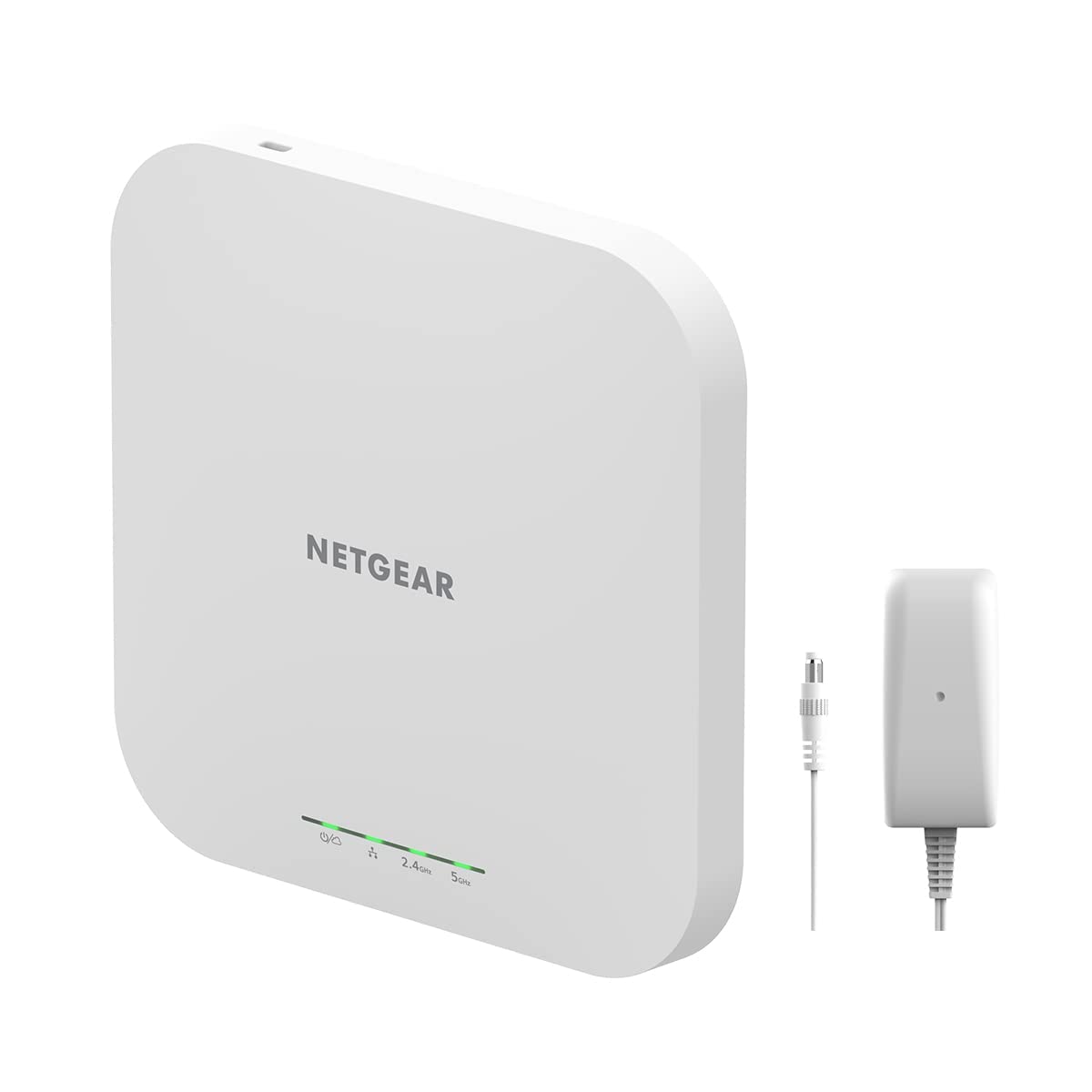
The same rugged AX1800 as the WAX610, but with the power adapter in the box.
The WAX610PA is essentially the same hardware as the WAX610 reviewed above — WiFi 6 dual-band AX1800, 2.5G Ethernet port, support for up to 200 devices across 2,500 square feet — but NETGEAR includes the AC power adapter this time, so you can set it up without buying a separate injector or PoE+ switch. “Extremely easy setup with Cat5e router and Netgear app,” says one buyer, who also noted a strong range and mesh handoff tested at 100 feet.
Like the WAX610, you get a 1-year free Insight subscription for cloud management, then it moves to a paid model. The same subscription warning applies here. The WAX610PA also comes with a wall/ceiling mount kit. Some reviewers hit reliability snags — one reported losing all configuration after an unplug, and another said speeds were slower than an old AirPort Extreme — so check your specific environment and firmware version carefully.
What you get extra
- Power adapter included — no extra purchase needed for non-PoE setups
- Same 2.5G port and 200-client capacity as the WAX610
- Wall and ceiling mount kit in the box
Known quirks
- Some reviewers point out needing to toggle WiFi on iPhones and MacBooks to avoid throttling
- Firmware update process can be tricky if the unit ships with an older version
Pick this if: you want the NETGEAR ecosystem and a 2.5G AP but do not have a PoE+ switch — the included adapter saves you a separate purchase.
Think twice if: you rely heavily on Apple devices — multiple shoppers say interaction quirks with iPhones and MacBooks that require manual WiFi toggling.
Understanding the Specs
Cloud Controller vs Hardware Controller
A cloud controller is software that runs in a remote data center, letting you manage your access points from any browser or phone app without buying a physical box. A hardware controller (like the Omada OC200) sits on your local network and works even if your internet is down — but it costs extra and takes up space. The trend in cloud managed WiFi is to eliminate that hardware entirely, which is why the Omada Essentials platform and Zyxel NebulaFlex are so popular: they give you full cloud control at no extra cost.
Ethernet Uplink Speed
The port that connects your AP to the rest of the network is the maximum speed the wired link can carry, separate from the WiFi speed. A 1G port caps out at about 940 Mbps of real-world throughput. A 2.5G port gives you up to 2.35 Gbps — enough to feed multiple WiFi 6 and WiFi 7 clients simultaneously without choking. A 10G port is overkill today for most, but it future-proofs the AP for multi-gig internet plans and very dense file-server environments. Always match the uplink speed to your internet plan and the speed of your switch ports.
MU-MIMO and OFDMA
MU-MIMO (Multi-User, Multiple-Input, Multiple-Output) lets the AP talk to several devices at the same time rather than one at a time. OFDMA (Orthogonal Frequency-Division Multiple Access) splits a WiFi channel into smaller sub-channels so a single transmission can serve many low-bandwidth devices (like IoT sensors or light bulbs) simultaneously. Both are part of the WiFi 6 and WiFi 7 standards. They matter most in dense environments — a classroom, an open office, or a smart home with 40+ gadgets — because they reduce the time each device waits for its turn to send or receive data.
smooth Roaming (802.11k/v/r)
These three protocols work together so a moving device (a phone or laptop carried from one room to another) hands off from one AP to the next without dropping the connection. 802.11k gives the device a list of nearby APs, 802.11v lets the network suggest a better AP, and 802.11r speeds up the authentication handshake. If you have multiple APs in your home or office, smooth roaming is what keeps a Zoom call alive while you walk between floors. All the APs in this guide support these protocols, though Omada Mesh requires an SDN controller to enable smooth roaming.
FAQ
Do I need a separate router if I get a cloud managed access point?
Can I use a cloud managed AP without the cloud?
How much does cloud management cost per year?
What is the difference between a cloud managed AP and a mesh router system?
Will a WiFi 7 access point work with my older devices?
How many access points do I need for my space?
Can I mix different brands of cloud managed APs in one network?
Is PoE required for these access points?
What is a captive portal and do I need one?
How do I know if my network can handle a 2.5G or 10G AP?
Final Thoughts: The Verdict
For most people, the cloud managed wifi winner is the TP-Link Omada EAP670 because it combines free lifetime cloud management, a 2.5G uplink, and enough client capacity (250+) to handle anything a home or small office throws at it. If you want the fastest possible WiFi 7 speeds and are building a multi-gig network, grab the TP-Link Omada EAP773 with its 10G port. And for a proven budget entry point with the same free cloud platform, the TP-Link Omada EAP650 covers a typical townhouse reliably for well under a hundred dollars.
How We Picked
We do not accept paid placement. Every pick is matched to a real buyer and a real use-case; we do not hands-on test units.
Sources & Methodology
Specifications: manufacturer listings and product documentation. Review insights: verified customer reviews, as of July 2026. Pricing: not shown on this page (it changes often); check the current price via the retailer link.
As an Amazon Associate, WellFizz earns from qualifying purchases. This does not affect which products we feature.
Related Guides

Mo Maruf
I created WellFizz to bridge the gap between vague wellness advice and actionable solutions. My mission is simple: to decode the research and give you practical tools you can actually use.
Beyond the data, I am a passionate traveler. I believe that stepping away from the screen to explore new environments is essential for mental clarity and physical vitality.