Our readers keep the lights on and my smoothie glass nicely filled. As an Amazon Associate, I earn from qualifying purchases.
Specs are compiled from manufacturer listings and verified buyer reviews and can change over time — please confirm the key details on the product page before buying.
Forget choosing between a laptop’s keyboard and a tablet’s touchscreen — today’s best hybrid machines fold, flip, or detach so you get both without carrying two devices. The trick is knowing which one actually works as a comfortable laptop and as a usable tablet, because the specs that matter are different for each mode.
I’m Mohammad Maruf — the founder and writer behind WellFizz. This guide is built by comparing the manufacturers’ published specifications and the patterns across verified customer reviews, so you get each pick’s real strengths and trade-offs instead of marketing spin.
if you need a workhorse for spreadsheets or a light travel companion for note-taking, finding the right computer and tablet combo depends on matching screen size, processor power, and how you actually plan to hold or prop the thing up each day.
Our Picks at a Glance


How To Choose The Best Computer And Tablet Combo
A 2-in-1 device has to satisfy two different jobs: working like a proper laptop on a desk and feeling natural in your hands as a tablet. Your choice hinges on whether you prioritize laptop stability or tablet lightness.
Form Factor: Detachable vs. 360-Degree Hinge
A detachable keyboard (like the Microsoft Surface Pro) lets you leave the keyboard behind, giving you a thin, light tablet. The trade-off is that the keyboard and kickstand often cost extra, and using it on your lap is less stable. A 360-degree hinge (like the HP OmniBook X Flip) keeps the keyboard attached, which makes it sturdier on a desk, but the device is heavier when folded into tablet mode.
Processor and RAM: Matching Power to Your Workload
For browsing, email, and streaming, an Intel N100 or Celeron with 4GB to 8GB of RAM suffices. For multiple apps, documents, or light photo editing, choose an Intel Core i5 or AMD Ryzen 5 with 16GB of RAM. For creative work or coding, a premium chip like the Intel Core Ultra 9 or Snapdragon X Elite with 32GB of RAM keeps everything smooth.
Battery Life: The Manufacturer vs. Reality Gap
Published battery life numbers (like “up to 25 hours”) are measured under ideal conditions. Real-world owners mention lower numbers — for instance, one buyer of the ASUS Chromebook Flip CX1 notes a practical 7-8 hours average, topping out at 14 hours for light work. If you need all-day power away from an outlet, prioritize a 21-hour or 25-hour rated battery and read owner reviews for realistic figures.
Display Quality: Resolution, Brightness, and Glare
A higher resolution screen, like the 2880×1800 3K AMOLED on the Samsung Galaxy Book5 Pro 360, sharpens text and enriches colors for photo editing or drawing. For outdoor use or bright rooms, look for 400 nits or higher brightness. A matte or anti-glare coating helps if you work near windows, while glossy OLED screens offer better contrast but more reflections.
Storage and Ports: What You Carry and What You Connect
Solid-state drives (SSDs) are faster and more durable than eMMC storage. For most users, 256GB to 512GB is comfortable, while 1TB suits heavy file storage. Check the ports: Thunderbolt 4 or USB-C with display support lets you connect external monitors, while a headphone jack and USB-A port reduce the need for adapters.
Quick Comparison
| Model | Best For | RAM / Storage | Screen Size & Res | Battery Life (Claimed) | Amazon |
|---|---|---|---|---|---|
| ASUS Chromebook Flip CX1★ Best Overall | Light ChromeOS User | 8GB / 128GB | 14″ 1920×1080 | 11 Hours | Amazon |
| HP OmniBook X FLIPAlso Great | Premium All-Rounder | 16GB / 512GB | 16″ 1920×1200 | 21 Hours | Amazon |
| ASUS Zenbook DuoMulti-Screen Edge | Multitasking Power | 32GB / 1TB | Dual 14″ 2880×1800 | 12 Hours | Amazon |
| Samsung Galaxy Book5 Pro 360 | Creativity & Display | 16GB / 512GB | 16″ 2880×1800 | 25 Hours | Amazon |
| Microsoft Surface Pro (Elite, 32GB) | Portable Powerhouse | 32GB / 1TB | 13″ OLED (unknown res) | 14 Hours | Amazon |
| Microsoft Surface Pro (Plus, 16GB) | All-Day Detachable | 16GB / 512GB | 13″ (unknown res) | 14 Hours | Amazon |
| Dell Latitude 7420 2-in-1 | Business Refurbished | 16GB / 512GB | 14″ 1920×1080 | — | Amazon |
| jumper 2-in-1 | Budget Travel | 12GB / 256GB | 12″ 2000×1200 | 8 Hours | Amazon |
| MARGOLAI 2-in-1 | Budget Surface Alternative | 12GB / 512GB | 13″ 2160×1440 | 4 Hours | Amazon |
| Lenovo Chromebook Duet Gen 9 | Student Portability | 4GB / 128GB | 11″ 1920×1200 | 12 Hours | Amazon |
| Lenovo IdeaPad Flex 3i Chromebook | Budget Classroom | 4GB / 192GB | 12.2″ 1920×1200 | 12 Hours | Amazon |
In‑Depth Reviews
1. ASUS Chromebook Flip CX1
Our pick — over 4★ from 550+ verified ratings; the strongest balance of quality and price.
A military-grade Chromebook that balances budget pricing with a full 14-inch touchscreen.
The ASUS Chromebook Flip CX1 gives you a 14-inch FHD 1920×1080 touchscreen with a 360-degree hinge for four modes (clamshell, tent, stand, and tablet), wrapped in a chassis built to MIL-STD-810H military standards — meaning it can handle drops, dust, and temperature extremes better than most budget plastic laptops. The Intel Celeron N4500 processor (2.8 GHz top speed, 11th-gen) with 8GB of RAM and 128GB of eMMC storage handles ChromeOS smoothly for web browsing, email, and Google Docs. Battery life is rated at up to 11 hours, and owners mention a practical average of 7-8 hours, with up to 14 hours for light office work.
At 3.59 lb, it is not the lightest Chromebook, but the build quality is reassuring. Customers note that the screen is vivid with solid touch response, and that the setup takes about 5 minutes. The Celeron N4500 processor is a moderate step down from the Core series — it manages basic multitasking but slows down with many heavy tabs or apps like Steam. The eMMC storage is slower than an SSD, so large file transfers take longer.
ASUS Flip CX1
- Military-grade MIL-STD-810H durability at an entry-level price
- Full 14-inch touchscreen with 360-degree hinge
- Reliable battery with up to 11 hours rated life
Plastic chassis
- Celeron N4500 processor is slower than i3/i5 chips for demanding work
Best for school: Students or home users who want a durable, large-screen Chromebook for basic web tasks and streaming.
Skip for premium: eMMC storage is slower than an SSD, and gaming capability is limited, as reviewers point out.
2. HP OmniBook X FLIP Copilot+ PC
The rare 16-inch convertible that lasts through two workdays without a charger.
You get a massive screen for spreadsheets and a smooth 360-degree hinge that flips into a presentation tent or a tablet — and you can do it all day because the battery is rated for 21 hours. That is a genuine all-day battery in the premium tier, backing up the AMD Ryzen AI 5 340 processor that hits up to 4.8 GHz when you need it. The 16GB of LPDDR5x RAM and 512GB PCIe Gen4 SSD keep multiple apps and files moving quickly.
The 16-inch 2K touchscreen (1920×1200 at 400 nits) is bright enough for outdoor use, and the 5MP IR camera with AI noise reduction makes video calls look clean. Customers note that the battery drains at a practical rate — one owner noted 58% lasted 5 hours — and that performance runs Fortnite without lag. The catch is weight: the large screen and sturdy 360-degree design make it heavier than smaller convertibles, so it is less ideal if you plan to hold it in tablet mode for long stretches.
OmniBook X Flip versatility
- Exceptional 21-hour rated battery life for a large convertible
- Fast AMD Ryzen AI 5 processor with 4.8 GHz boost speed
- Bright 400-nit touchscreen with wide viewing angles
HP bloatware slows
- Heavier than smaller 2-in-1s, making extended handheld use tiring
Best for HP fans: Professionals and students who want a single large-screen device for work and entertainment, and who rarely use tablet mode for more than an hour at a time.
Skip if minimalist: The Copilot AI features are integrated, and some buyers find them intrusive — one reviewer noted wanting to disable Copilot entirely.
3. ASUS Zenbook Duo
Two gorgeous 3K OLED screens replace the need for a second monitor.
The Zenbook Duo gives you two full 14-inch 2880×1800 OLED touchscreens with a 120Hz refresh rate, which is a genuine productivity leap for anyone who constantly references one window while typing in another. The dual-screen setup works in four modes — laptop, dual-screen, desktop (both screens stacked vertically), and sharing mode — all supported by a built-in kickstand and a detachable Bluetooth keyboard. The Intel Core Ultra 9 285H processor (hitting 5.4 GHz) and 32GB of LPDDR5x RAM handle heavy multitasking without hesitation, and the 1TB SSD gives you room for large project files.
At 3.64 lb and 0.57 inches thin, it is portable for a dual-screen machine, though reviewers point out that battery life drops significantly in dual-screen mode (the spec rates up to 12 hours in laptop mode but about 9 hours in dual-screen mode). The included ASUS Pen 2.0 supports MPP 2.0 for note-taking and drawing. One buyer mentioned that the device runs hot under load, requiring power-curve adjustments, but that the screens and versatility are class-leading for tasks like day-trading with four monitors connected.
Dual-screen productivity
- Dual 14-inch 3K OLED displays with 120Hz smooth scrolling
- Powerful Intel Core Ultra 9 processor with 32GB RAM and 1TB SSD
- Versatile built-in kickstand and included Bluetooth keyboard and stylus
Heavy dual design
- Battery life is moderate, especially when using both screens simultaneously
Best for multitaskers: Coders, analysts, and creators who rely on side-by-side reference windows and want premium screen quality.
Skip for travel: Heat buildup under sustained load is a common buyer note, and the speakers are described as weak compared to the screen quality.
4. Samsung Galaxy Book5 Pro 360

A 16-inch AMOLED canvas with a rated battery life that leaves the competition behind.
The Dynamic AMOLED 2X screen (2880×1800 with a 120Hz refresh rate) makes this the pick for artists, photographers, and anyone who prioritizes color accuracy and deep blacks. The 16-inch panel is paired with the included S Pen, which offers tilt sensitivity for natural drawing and handwriting. Under the hood, the Intel Core 7 Ultra processor (from the Lunar Lake family) handles multitasking, and the 16GB of RAM keeps apps responsive. The 25-hour battery rating is the highest in this lineup — one buyer confirmed it lasts “all day through lectures and dev work.”
Buyers praise the build quality, the smooth sync with Samsung phones, and the fast charging. The keyboard is soft and quiet, though a touch rubbery for some tastes, and the device stays slim and lightweight despite the 16-inch footprint. The main caveat in reviews is a recurring complaint about screen fragility — one owner reported a crack without a drop — so a protective case is worth considering. For the price, you get a premium-looking convertible that doubles as a portable drawing tablet.
Samsung AMOLED display
- Stunning 3K AMOLED display with wide color gamut and 120Hz refresh
- Exceptional 25-hour rated battery life
- Included S Pen with tilt sensitivity for drawing and note-taking
Expensive upgrade
- Some shoppers say a fragile screen that can crack without a clear impact
Best for creatives: Creative professionals, artists, and Samsung ecosystem users who want a large, vibrant touchscreen for drawing and productivity.
Skip on budget: Gaming drains the battery quickly, as one owner reported — you will want to keep it plugged in for intensive GPU use.
5. Microsoft Surface Pro (Elite, 32GB)

The detachable that goes from thin tablet to full workstation with zero compromise.
This is the top-tier Surface Pro configuration: a Snapdragon X Elite processor with 12 cores, 32GB of RAM, and a 1TB SSD, all inside a 13-inch tablet body that weighs just over 1.9 lb without the keyboard. The OLED screen delivers true blacks and a 1,000,000:1 contrast ratio, which makes it a natural fit for photo editing and movie watching. The detachable keyboard and built-in kickstand (both sold separately) let you switch from tablet to laptop to sketchbook, and the machine runs Windows 11 Copilot+ with AI-enhanced features.
Buyers consistently praise the build quality, the responsive touchscreen, and the 14-hour battery life — one owner noted their previous Surface Pro lasted “10+ years.” The catch is compatibility: the ARM-based Snapdragon processor means some older Windows apps may not run natively, and there is no Thunderbolt 4 support, which one customer observed prevented connecting an external GPU for rendering. The keyboard and pen are not included in the box, which adds to the upfront cost.
Elite 32GB RAM
- Powerful 12-core Snapdragon X Elite with 32GB RAM and 1TB storage
- OLED display with excellent contrast for media and creative work
- True tablet portability with reliable 14-hour battery
High price tag
- No Thunderbolt 4 and potential ARM app incompatibilities limit some workflows
Best for power users: Mobile professionals who want maximum RAM and storage in the lightest possible detachable form factor.
Skip for casual: The keyboard and stylus are sold separately, significantly increasing the total investment.
6. Microsoft Surface Pro (Plus, 16GB)

The same premium detachable DNA at a lower entry point into the Surface ecosystem.
This version shares the same 13-inch chassis and Snapdragon X Plus processor (10 cores) as its Elite sibling but comes with 16GB of RAM and 512GB of storage, making it a more accessible route into Microsoft’s convertible lineup. The 14-hour battery rating matches the top model, and the fast charging via Surface Connect or USB-C means you can top up quickly between meetings. The touchscreen is responsive, and the kickstand offers a wide range of angles for typing, drawing, or watching.
Buyers highlight how lightweight and portable the device feels — one owner called it “the perfect mix of tablet and laptop” — and the easy setup within 30 minutes. The speakers and audio quality are good for a device this thin. The common thread in critical reviews is that the Surface Pro Flex Keyboard and Surface Slim Pen 2 are sold separately and cost extra, and one buyer experienced a keyboard failure after updates. The ARM processor also surfaces the same app compatibility warnings as the Elite model.
Plus 16GB value
- Lightweight detachable design with reliable 14-hour battery
- Fast 10-core Snapdragon X Plus processor for daily tasks
- Sturdy kickstand and responsive touchscreen
Limited storage
- Keyboard and pen not included, adding to the effective cost
Best for students: Buyers who want a modern, lightweight detachable with good battery life and are ready to invest in accessories separately.
Skip for heavy: The ARM architecture may cause issues with legacy Windows software, as some owners have reported.
7. Dell Latitude 7420 2-in-1 (Renewed)

A business-grade Intel Core i5 with 16GB RAM at a fraction of the original price.
The Dell Latitude 7420 comes as a fully refurbished unit with an 11th-gen Intel Core i5-1145G7 processor that boosts up to 4.4 GHz — significantly faster than the 2.8 GHz chip in some of the budget Chromebooks below. The 16GB of DDR4 RAM is ample for running multiple office apps and browser tabs, and the 512GB SSD gives you fast file access. The 14-inch FHD touchscreen (1920×1080) folds 360 degrees into tent, stand, or tablet mode, and Windows 11 Pro is pre-installed.
Buyers report that the refurbished unit generally arrives in excellent condition — one said the “touch screen, keys, and tracking pad work and look great” and looked “no visible scratches.” However, there is a reliability risk with refurbished units: one user highlighted that one of the two computers they ordered arrived non-functional with a broken case under the HDMI port. The seller resolved the issue quickly, but the inconsistency means you should check the return policy. Unlike the premium picks, this model does not have a published battery life rating in the spec sheet.
Dell business build
- 4.4 GHz Intel Core i5 with 16GB RAM — strong performance for office work
- Refurbished price makes a business-grade 2-in-1 accessible
- Windows 11 Pro with 360-degree hinge versatility
Renewed battery life
- Refurbished condition means occasional quality issues — one unit arrived with a broken case
Best for budget: Budget-conscious professionals who need solid processing power and RAM for Microsoft Office and web apps.
Skip for new: No battery life specification is provided, so you are buying without knowing real-world endurance.
8. jumper New 2-in-1 Laptop/Tablet
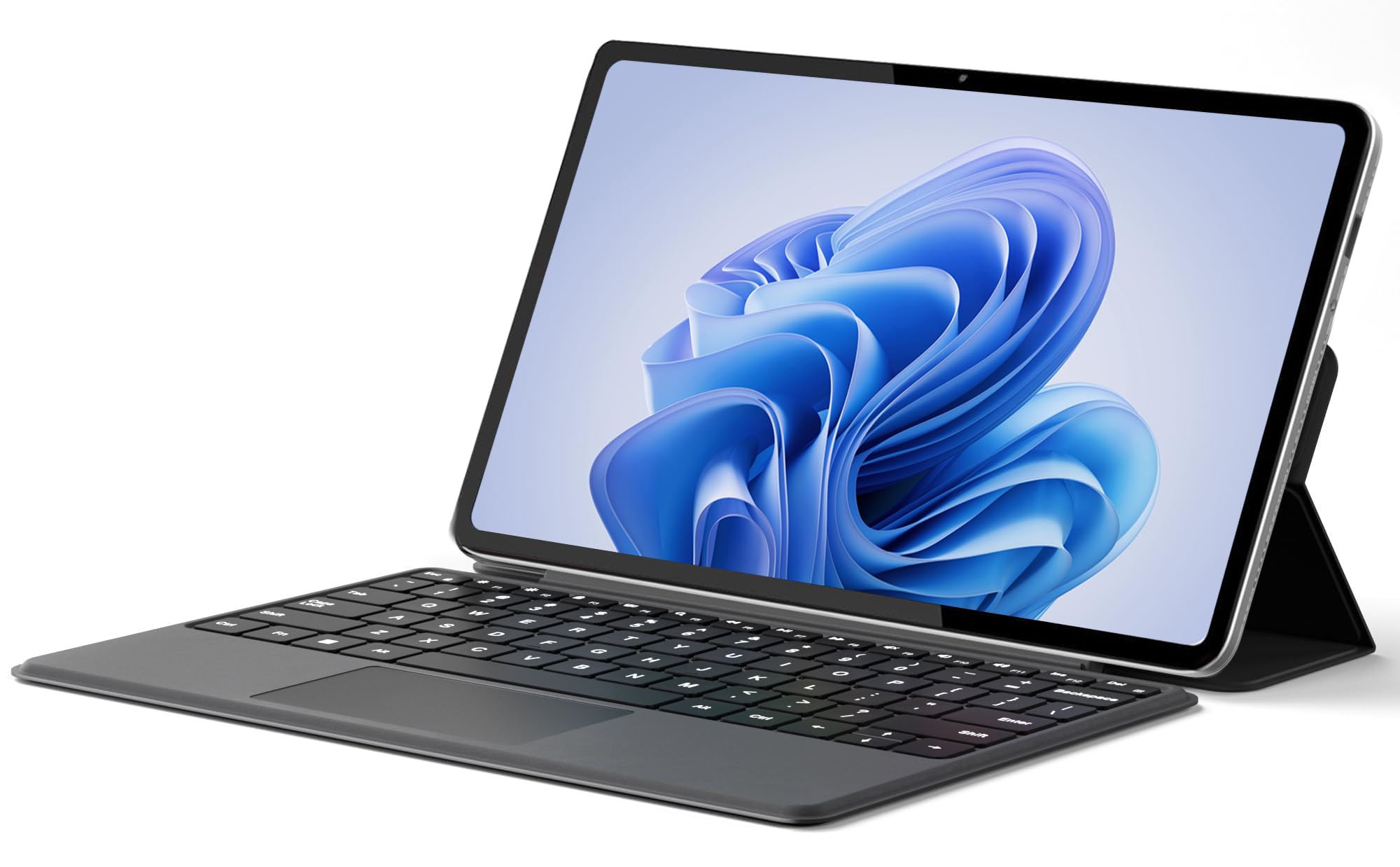
A featherlight 0.64 kg metal body that slides into any bag without weighing you down.
The jumper 2-in-1 weighs just 1.41 lb (0.64 kg), making it one of the lightest true 2-in-1s here — ideal for slipping into a bag and forgetting it is there until you need it. The 12-inch 2000×1200 FHD IPS touchscreen uses an in-cell anti-glare technology that reduces reflections, and the 2K resolution (2000×1200) is noticeably sharper than a standard 1080p panel. Inside, the Intel Pentium Gold 6500Y processor (up to 3.4 GHz) with 12GB of RAM handles basic multitasking, the 256GB SSD gives quick boot times, and the 4300mAh battery supports up to 8 hours of video playback.
Buyers are surprised by the build quality — one described it as “top tier” and noted the speed is great for the price. The detachable magnetic leather keyboard and multi-angle stand give you laptop and tablet modes. The catch is that the 6500Y processor is less powerful than the Core i5 or Ryzen 5 chips in higher-priced picks, so it is not suited for heavy photo editing or gaming. The dual USB-C ports (both full-featured for charging, data, and display) and the built-in cooling fan are welcome features in this price range.
Jumper low cost
- Extremely lightweight at 0.64 kg, perfect for everyday carry
- 2K anti-glare touchscreen with 10-point capacitive touch
- Dual full-featured USB-C ports for charging, data, and display output
Build quality risk
- The Pentium Gold processor is slower than Core i-series chips for demanding tasks
Best for basic: Students and commuters who want a super-light tablet that can do light typing and web browsing on the go.
Skip for durability: Real-world battery life is closer to 4-5 hours under a typical mixed workload, per one buyer’s report.
9. Lenovo Chromebook Duet Gen 9
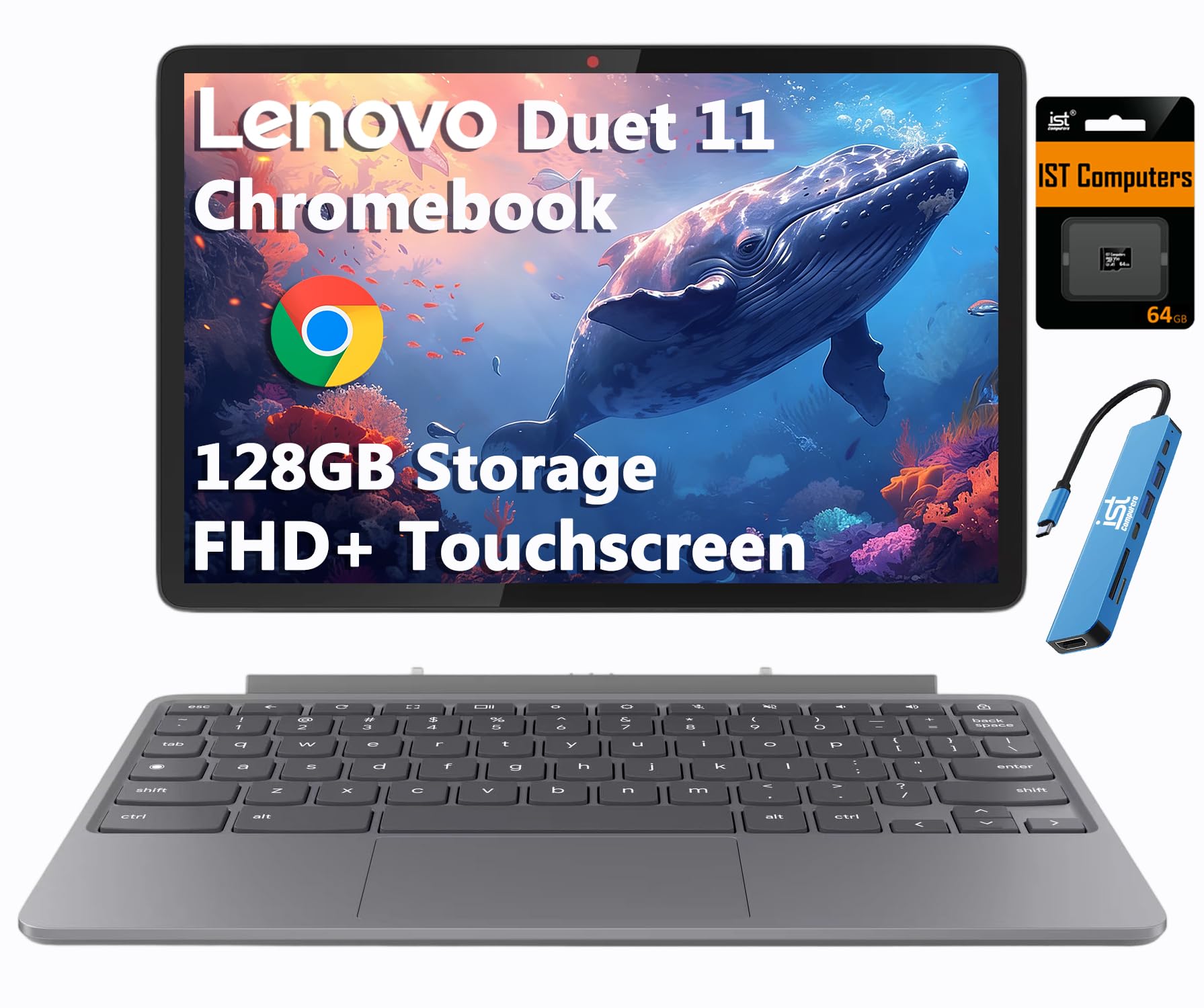
An 11-inch detachable that hits the budget-friendly balance for classroom note-taking.
The Chromebook Duet Gen 9 is a true detachable: the tablet body (with an 11-inch 1920×1200 IPS touchscreen at 400 nits) separates from the folio keyboard and kickstand, giving you a pure tablet that weighs very little. The MediaTek Kompanio 838 processor (8-core, up to 2.6 GHz) paired with 4GB of RAM is tuned for ChromeOS, so it handles web apps, Google Docs, and streaming smoothly. The 12-hour battery life is competitive, and the 8MP rear camera and 5MP front camera (with a privacy shutter) make it suitable for video calls and scanning documents.
Buyers praise the build quality — one called it “superb” — and note that the bright screen and loud speakers are standouts. The MIL-STD-810H military rating means it can survive some drops and bumps, which matters for student backpacks. The limitations: 4GB of RAM is the minimum for ChromeOS, so performance bogs down with many tabs open, and the on-screen keyboard received harsh criticism from one buyer (“a nightmare”). The keyboard and stylus are included, but the kickstand and keyboard are specific to this Gen 9 model, so replacements are not interchangeable with older versions.
Lenovo Chromebook Duet
- True detachable design with bright 400-nit IPS touchscreen
- MIL-STD-810H durability for student life
- 12-hour battery with included keyboard and kickstand
Keyboard small
- 4GB RAM limits heavy multitasking on ChromeOS
Best for portability: Students who need a light, portable ChromeOS device for web-based schoolwork and note-taking.
Skip for typing: The on-screen keyboard experience is poor, and the touchpad is not great, as several buyers noted.
10. MARGOLAI 2-in-1 Laptop
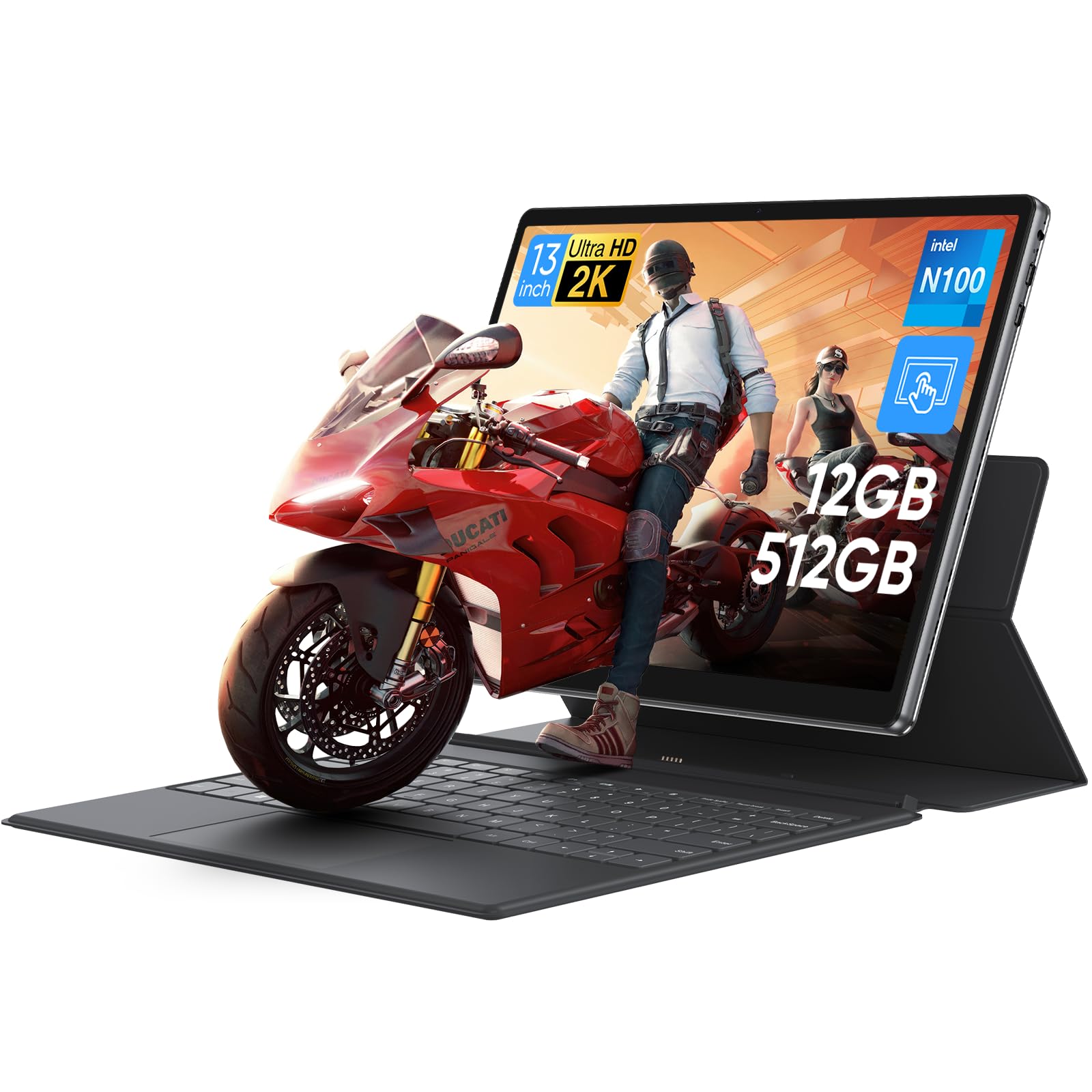
A Microsoft Surface lookalike with a sharp 2K screen and a metal body at one-third the price.
This MARGOLAI 2-in-1 mimics the Surface Pro design language — a metal unibody tablet with a detachable keyboard kickstand — but packs a 13-inch 2K IPS touchscreen (2160×1440) with a 3:2 aspect ratio that provides more vertical content than a standard 16:9 screen. The N100 quad-core processor (up to 3.4 GHz) and 12GB of LPDDR5 RAM keep the Windows 11 experience smooth for daily tasks, and the 512GB PCIe 4.0 NVMe SSD (with 2000MB/s read/write speeds) is genuinely fast for a budget device.
Buyers compare it favorably to the Surface Pro line — one said “this computer/tablet is amazing… but is 1/3 of the price” — and note that the metal casing feels premium and sturdy. The main drawbacks are the 4-hour battery life (the shortest in this roundup) and the keyboard base that several shoppers say does not hold the tablet stably, causing the screen to fall backward easily. The lack of a backlit keyboard is another common complaint. This device is best used on a desk where the keyboard limitations matter less.
MARGOLAI affordable
- Sharp 2K (2160×1440) IPS touchscreen with 3:2 aspect ratio
- 12GB RAM and fast 512GB PCIe 4.0 SSD at a budget price
- Metal unibody build quality that feels premium
Unknown brand
- 4-hour battery life is very short compared to the rest of the list
Best for tight budget: Budget buyers who value screen resolution and build quality over battery life and plan to stay near a power outlet.
Skip for reliability: The keyboard attachment is weak — one shopper added the screen “falls easily” and requires careful handling.
11. Lenovo IdeaPad Flex 3i Chromebook
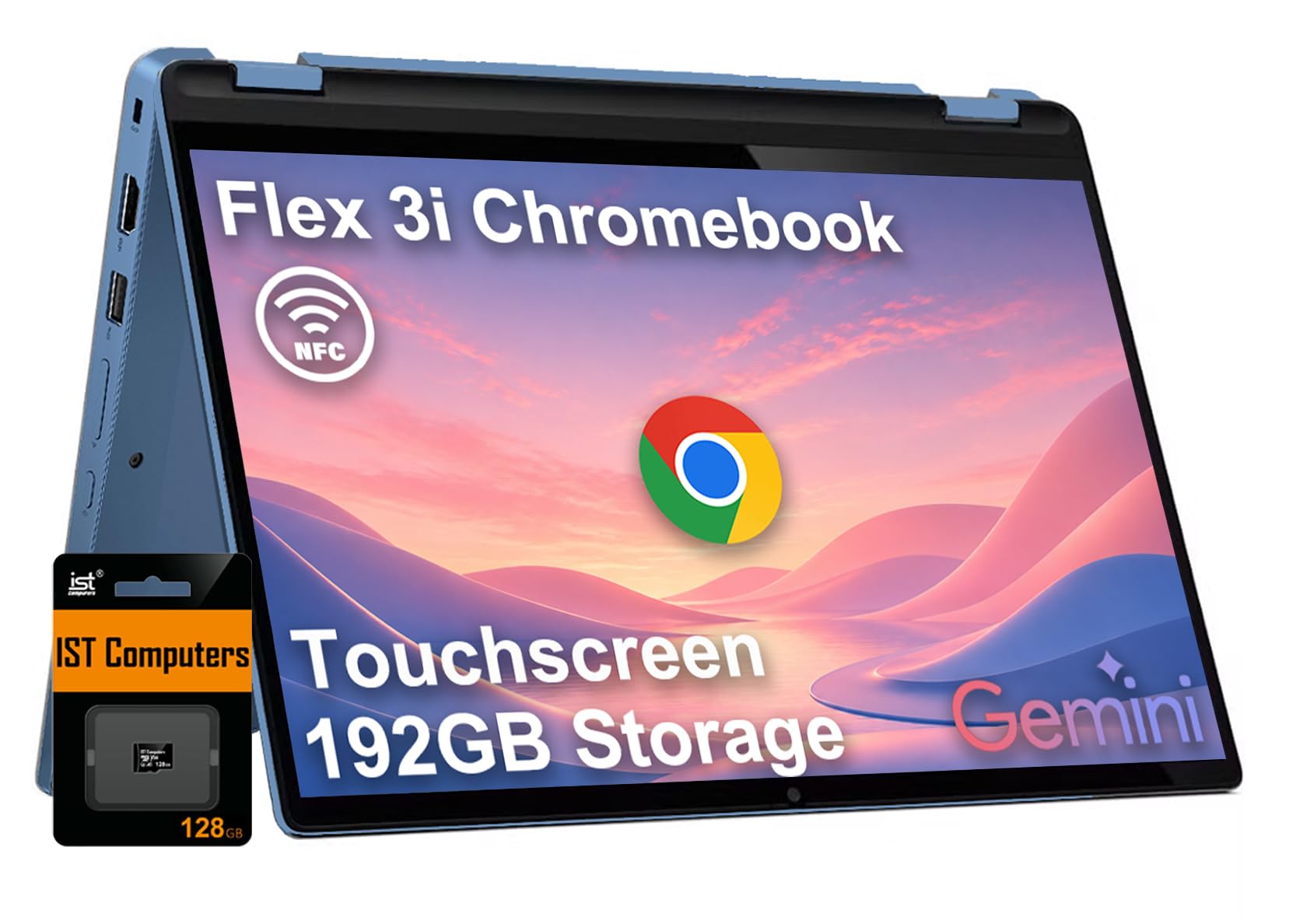
An affordable 360-degree Chromebook with a surprisingly long rated battery for all-day school use.
The IdeaPad Flex 3i runs ChromeOS on an Intel N100 processor (up to 3.4 GHz) with 4GB of LPDDR5 RAM and 64GB of eMMC storage, plus a bundled 128GB SD card for extra file space. The 12.2-inch WUXGA (1920×1200) IPS touchscreen offers 300 nits of brightness and TÜV Rheinland Low Blue Light certification to reduce eye strain during long study sessions. The 360-degree hinge lets you fold it into tablet, tent, or stand modes, and the 12-hour battery life (claimed) is competitive with the rest of the mid-range Chromebooks.
Buyers report the laptop is lightweight and easy to set up, with a soft, quiet keyboard and a responsive touchscreen. One reviewer noted the battery life is “less than 2 hours” in their experience, which is a massive deviation from the 12-hour claim — a reminder that real-world battery depends heavily on workload and screen brightness. The 4GB of RAM is the same bottleneck seen in the Chromebook Duet; it handles two or three apps fine but chokes under heavy multitasking.
IdeaPad Flex 3i
- Affordable 360-degree Chromebook with a Low Blue Light display
- 12-hour rated battery for all-day classes
- Includes a 128GB SD card for additional storage
ChromeOS limits
- 4GB RAM is minimal — performance slows with many tabs or apps open
Best for Google fans: K-12 students and home users who need a simple, durable Chromebook for browsing and Google Classroom.
Skip for Windows: Battery life reports vary dramatically — one buyer mentioned under 2 hours, which is far short of the 12-hour claim.
Understanding the Specs
RAM and Storage: Your Bottleneck
RAM (random access memory) determines how many apps you can run simultaneously. For a Chromebook, 4GB is barely enough — you will hit lag with more than a few browser tabs. For Windows laptops, aim for 8GB minimum and 16GB if you multitask heavily. One key gap: the Dell Latitude 7420 has 16GB of RAM, while the Lenovo IdeaPad Flex 3i Chromebook has 4GB of RAM, making the Dell far more responsive for office work. Storage affects boot speed and file access — an NVMe SSD (like the MARGOLAI’s 512GB offering) is faster than eMMC storage found in Chromebooks.
Battery Life: Claimed vs. Real
Manufacturers test battery life under ideal lab conditions (low screen brightness, minimal background tasks). The real-world gap can be large: the 2-in-1 from MARGOLAI claims 4 hours (which matches what owners mention), while the Lenovo IdeaPad Flex 3i claims 12 hours but one owner reported under 2 hours. The battery gap between the longest-rated and shortest-rated pick here is significant — the Samsung Galaxy Book5 Pro 360 claims 25 hours, while the MARGOLAI claims only 4 hours. When shopping, check user reviews for “battery” to get a practical number, not the spec sheet figure.
FAQ
Will a 360-degree hinge laptop feel as good as a detachable tablet when flipped around?
Is 4GB of RAM enough for a computer and tablet combo running ChromeOS?
Can I use a computer and tablet combo for photo editing or drawing?
What does MIL-STD-810H mean for a laptop or tablet?
How important is an SSD vs. eMMC storage in a 2-in-1 device?
Do I need to buy a keyboard separately with a detachable 2-in-1?
What is the difference between an Intel Celeron, Pentium, Core i5, and Core Ultra processor?
Can I run Microsoft Office on a Chromebook 2-in-1?
How do I know if a 2-in-1 screen is good for outdoor use?
What does the Auto Update Expiration (AUE) date mean for a Chromebook?
Final Thoughts: The Verdict
Across the board, the computer and tablet combo winner is the HP OmniBook X FLIP because it delivers a large 16-inch screen, premium AMD Ryzen AI 5 performance, and an exceptional 21-hour battery rating in one sturdy convertible body. If you want the best display for drawing and creative work, grab the Samsung Galaxy Book5 Pro 360 with its 3K AMOLED screen and included S Pen. And for a budget-friendly detachable that feels like a premium device, the jumper 2-in-1 offers a lightweight metal build and a sharp 2K touchscreen at an entry-level price.
How We Picked
We do not accept paid placement. Every pick is matched to a real buyer and a real use-case; we do not hands-on test units.
Sources & Methodology
Specifications: manufacturer listings and product documentation. Review insights: verified customer reviews, as of July 2026. Pricing: not shown on this page (it changes often); check the current price via the retailer link.
As an Amazon Associate, WellFizz earns from qualifying purchases. This does not affect which products we feature.
Related Guides

Mo Maruf
I created WellFizz to bridge the gap between vague wellness advice and actionable solutions. My mission is simple: to decode the research and give you practical tools you can actually use.
Beyond the data, I am a passionate traveler. I believe that stepping away from the screen to explore new environments is essential for mental clarity and physical vitality.