Our readers keep the lights on and my smoothie glass nicely filled. As an Amazon Associate, I earn from qualifying purchases.
Specs are compiled from manufacturer listings and verified buyer reviews and can change over time — please confirm the key details on the product page before buying.
If you feel that dull ache or sharp pinch in your wrist after a day at the keyboard, the shape of your mouse is the most likely culprit. A standard flat mouse forces your forearm into an awkward twist, compressing the carpal tunnel, and the right vertical or trackball design can instantly undo that strain by keeping your hand in a natural handshake position..
I’m Mohammad Maruf — the founder and writer behind WellFizz. This guide is built by comparing the manufacturers’ published specifications and the patterns across verified customer reviews, so you get each pick’s real strengths and trade-offs instead of marketing spin.
If you spend hours at a desk and your wrist aches, you need a mouse that keeps your hand in a neutral position. This roundup of the best computer mouse to prevent carpal tunnel compares seven vertical and trackball designs using exact specs and real buyer feedback.
Our Picks at a Glance


How To Choose The Best Computer Mouse To Prevent Carpal Tunnel
Not every ergonomic mouse is built the same. A vertical design that feels great for one person can feel awkward for another, and the wrong size can actually create new discomfort. Focus on these three factors to narrow your search fast.
Your Hand Size Is the First Filter
Most vertical mice are built for either small-to-medium hands or medium-to-large hands. If the mouse is too big, your fingers overreach and your wrist still bends. Too small, and you cramp. Measure your hand length from the crease of your wrist to the tip of your middle finger, then match it to the product’s stated hand-size recommendation.
Angle of the Mouse Determines the Relief
Vertical mice typically sit at an angle between 57 and 58 degrees—that handshake posture that keeps your wrist straight. Some premium models let you adjust that tilt (for example, 0 or 18 degrees), which can be key if your wrist pain is worse in one specific position. A fixed angle is fine for most people, but an adjustable one lets you fine-tune.
Click Style and Connectivity Matter for Daily Use
Look for silent or whisper-quiet buttons if you share an office or work late at night. Check whether the mouse connects via a USB receiver, Bluetooth, or both—multi-device switching saves you from plugging and unplugging. And for pure wrist relief, consider if you want to move your whole arm (vertical mouse) or keep it still and just move your thumb (trackball mouse).
Quick Comparison
| Model | Best For | Angle | DPI Levels | Battery Capacity | Amazon |
|---|---|---|---|---|---|
| ProtoArc EM11 NL★ Best Overall | Budget Vertical | 58° | 1000, 1600, 2400 (3 levels) | 500mAh | Amazon |
| Logitech MX Ergo SAlso Great | Premium Trackball | 20° tilt | Variable (precision mode) | 120 days per charge | Amazon |
| Contour RollerMouse Pro3 | Zero-Reach Workflow | Flat (below keyboard) | 800–2400 (10 settings) | Wired (no battery) | Amazon |
| Logitech Lift for Mac | Mac Users | 57° | 4 (up to 4000) | 2 years (1× AA) | Amazon |
| SABLUTE MAM1 Pro | Adjustable Trackball | 0°/18° | 800–4800 (5 levels) | Rechargeable (USB-C) | Amazon |
| TECKNET Vertical | Fast Charging | Vertical (fixed) | 800–4800 (5 levels) | 600mAh | Amazon |
| SABLUTE MAM3 | Small Hands | 57° | 800, 1200, 1600, 2400 (4 levels) | 300 days (claimed) | Amazon |
In‑Depth Reviews
1. ProtoArc EM11 NL Wireless Ergonomic Vertical Mouse
Our pick — over 4★ from 5,000+ verified ratings; the strongest balance of quality and price.
A 58-degree vertical that fits small hands and charges once a month.
With an angle of 58 degrees—slightly steeper than the SABLUTE MAM3’s 57 degrees—the EM11 NL keeps your forearm and wrist in a relaxed posture. It is built for hands under 7.5 inches long, making it one of the few vertical mice that does not overwhelm smaller palms. You can switch between three devices (laptop, desktop, tablet) using dual Bluetooth and the 2.4G USB-A receiver.
The built-in 500mAh battery charges in about 2 hours and delivers up to 100 hours of active use. Buyers confirm the “Excellent battery life—charges once a month.” Three DPI levels (1000, 1600, 2400) cover office tasks, and the left and right clicks are quiet enough for shared workspaces. Compared to the TECKNET below, the ProtoArc has a smaller 500mAh battery (the TECKNET has 600mAh), but the ProtoArc takes a bit longer to charge—2 hours versus 1.5 hours.
Reviewers with medium hands love the textured surface and satisfying tactile clicks, but several note that for larger hands (6 feet-plus users), the pinky drags off the edge. If your hand is larger than 7.5 inches, this one will feel cramped.
Why it works
- 58-degree angle matches a natural handshake posture
- 500mAh battery and buyers report charging “once a month”
- Great size for small-to-medium hands under 7.5 inches
Watch out for
- Too small for large hands—pinky finger drags on the desk
- Charging takes 2 hours (slower than TECKNET’s 1.5 hours)
- Only the left/right clicks are silent; scroll wheel and side buttons are audible
Best for: small-to-medium handed users who want a budget-friendly vertical mouse that pairs with multiple devices and charges rarely.
Not for: anyone with hands longer than 7.5 inches, or if you need a fully silent mouse (side buttons click audibly).
2. Logitech MX Ergo S Advanced Wireless Trackball Mouse
The trackball that moves your cursor without moving your arm at all.
You rest your hand in one place and control the pointer with your thumb—no shoulder dragging, no wrist bending. The 20-degree tilt reduces muscle strain by 27 percent, per the manufacturer. cradles your hand in a relaxed shake position, and Logitech claims the clicks are 80 percent quieter than its predecessor.. Buyers with carpal tunnel report that ten months of daily use resolved wrist and shoulder strain entirely.
It charges via USB-C and gives you up to 120 days on a full charge, or 24 hours of use from a single minute of charging. Six buttons are programmable through the Logi Options+ app, and you can toggle between precision and high-speed tracking with one tap.
Build quality is premium—a metal baseplate keeps it planted—but buyers report the sculpted shape suits medium-to-large hands best; users with smaller hands (under about five inches across) find the hand has to stretch too wide, causing fatigue instead of relief.
What stands out
- 20-degree adjustable tilt reduces forearm strain
- USB-C charging: 1‑minute charge gives 24 hours of use
- Buyers call it the “best trackball for eliminating carpal tunnel pain”
The trade-off
- Too large for small hands—users report wrist fatigue from the stretched grip
- The rubberized coating attracts dust and may wear over time
- No USB-C cable or dongle storage slot included in the box
Reach for this if: you want to stop moving your arm entirely and have medium-to-large hands that fit its sculpted shape.
Look elsewhere if: your hands are on the smaller side, or if you prefer the natural handshake of a vertical mouse over a thumb-operated trackball.
3. Contour RollerMouse Pro3

A roller bar that sits under your keyboard and never asks you to reach.
This is not a mouse you hold. The RollerMouse Pro3 mounts directly in front of your keyboard, so both hands stay within shoulder width. You control the cursor by rolling any finger across the bar—no gripping, no dragging, no reaching. It is the only design here that eliminates arm movement entirely, which makes it a radically different approach than any vertical or trackball mouse.
Owners mention that shoulder, wrist, and forearm pain subsided within weeks. One owner said their first unit lasted a decade, and the replaceable components (post-consumer recycled plastic and aluminum) support that claim. The leatherette memory-foam wrist rest is soft enough for all-day use and wipes clean easily.
The catch is size and cost. This unit needs desk space—it is not compatible with ergonomic curved keyboards because the roller bar takes up the space where the keyboard’s number pad would sit. And at a premium price point, it is the biggest investment on this list. But buyers who stick with it say it is “cheaper than doctor visits.”
Zero-reach verdict: If you already have advanced carpal tunnel or tendonitis and have tried everything else, this is the design that takes the mouse reach out of the equation entirely.
Ideal for: users with severe wrist/shoulder pain who work at a fixed desk and want to keep their hands centered.
Not for: anyone who switches between laptop and desk often, or uses an ergonomic curved keyboard that would crowd the roller bar.
4. Logitech Lift for Mac Wireless Vertical Ergonomic Mouse

A vertical upright that pairs perfectly with Macs and fits small hands.
At 57 degrees, the Lift puts your wrist in that natural handshake position without any tilt adjustment needed—just plug in via Bluetooth Low Energy and it works with MacBook Pro, MacBook Air, iMac, and iPad. Four customizable buttons and a silent magnetic SmartWheel make scrolling smooth and quiet, and the whisper-quiet clicks keep shared workspaces calm.
Unlike the rechargeable mice here, this one runs on a single AA battery that Logitech says lasts up to two years. That is a low-maintenance advantage—no hunting for a charging cable mid-workday. It is ergonomist-certified, and buyers with arthritic hands specifically mention relief from rheumatoid arthritis pain after switching.
A price tag in the mid-range feels reasonable for Logitech’s build quality, but a few customers note that the left-click button can lose responsiveness after about a year of regular use. For the money, it is the best Mac-focused vertical mouse that does not force you to recharge weekly.
Why this stands out
- Up to 2-year battery life from a single AA battery—no daily charging needed
- Silent clicks and magnetic SmartWheel for quiet work
- Ergonomist-certified and praised by users with arthritis
The durability question
- Some users report left-click failure after about one year of regular use
- Only 4 buttons (fewer than most competitors here)
- No USB dongle included—Bluetooth-only connection
Great for: Mac users with small-to-medium hands who want a proven, ergonomist-certified vertical mouse without worrying about charging.
Avoid if: you prefer the always-plugged reliability of a rechargeable battery or need more than four programmable buttons.
5. SABLUTE MAM1 Pro Ergonomic Wireless Trackball Mouse

A trackball that lets you pick between flat and tilted positions.
Most fixed-angle mice lock you into one posture. The MAM1 Pro gives you two: a flat 0-degree position for traditional texture, or an 18-degree tilt that follows your wrist’s natural resting angle. That adjustability matters when your wrist pain changes through the day—you can shift the angle without switching devices.
With eight programmable buttons and 5 DPI levels ranging from 800 to 4800, it is the most customizable trackball in this line-up. It connects to three devices via dual Bluetooth and a 2.4G USB receiver, switching with one button. The quiet clicks reduce noise by up to 95 percent, per the manufacturer., and the built-in rechargeable battery charges through USB-C. The MX Ergo S (above) offers a 20-degree fixed tilt but costs significantly more; the MAM1 Pro gives you adjustability and extra buttons at a mid-range price.
Reviewers point out the build quality rivals Logitech, with a stable metal base and a magnetic base that keeps the mouse slip-proof. However, first-time trackball users should expect a 1-to-2-week adaptation period, and the downloadable driver for customization does not work on macOS.
What you get
- Adjustable 0°/18° tilt lets you dial in your wrist position
- 8 programmable buttons plus 5 DPI levels (800–4800)
- Shoppers say build quality “matches Logitech” at a lower price
Things to know
- Driver software is not compatible with Mac OS
- Thumb trackball can make a clanking sound when tilted left
- Takes 1–2 weeks to get comfortable with thumb control
Pick this if: you want a trackball with adjustable tilt and more buttons than the Logitech MX Ergo S, and you are comfortable using it on Windows.
Skip if: you are a Mac user who wants software customization, or you prefer a fixed-angle vertical mouse with no adaptation curve.
6. TECKNET Ergonomic Vertical Mouse (Right Hand)
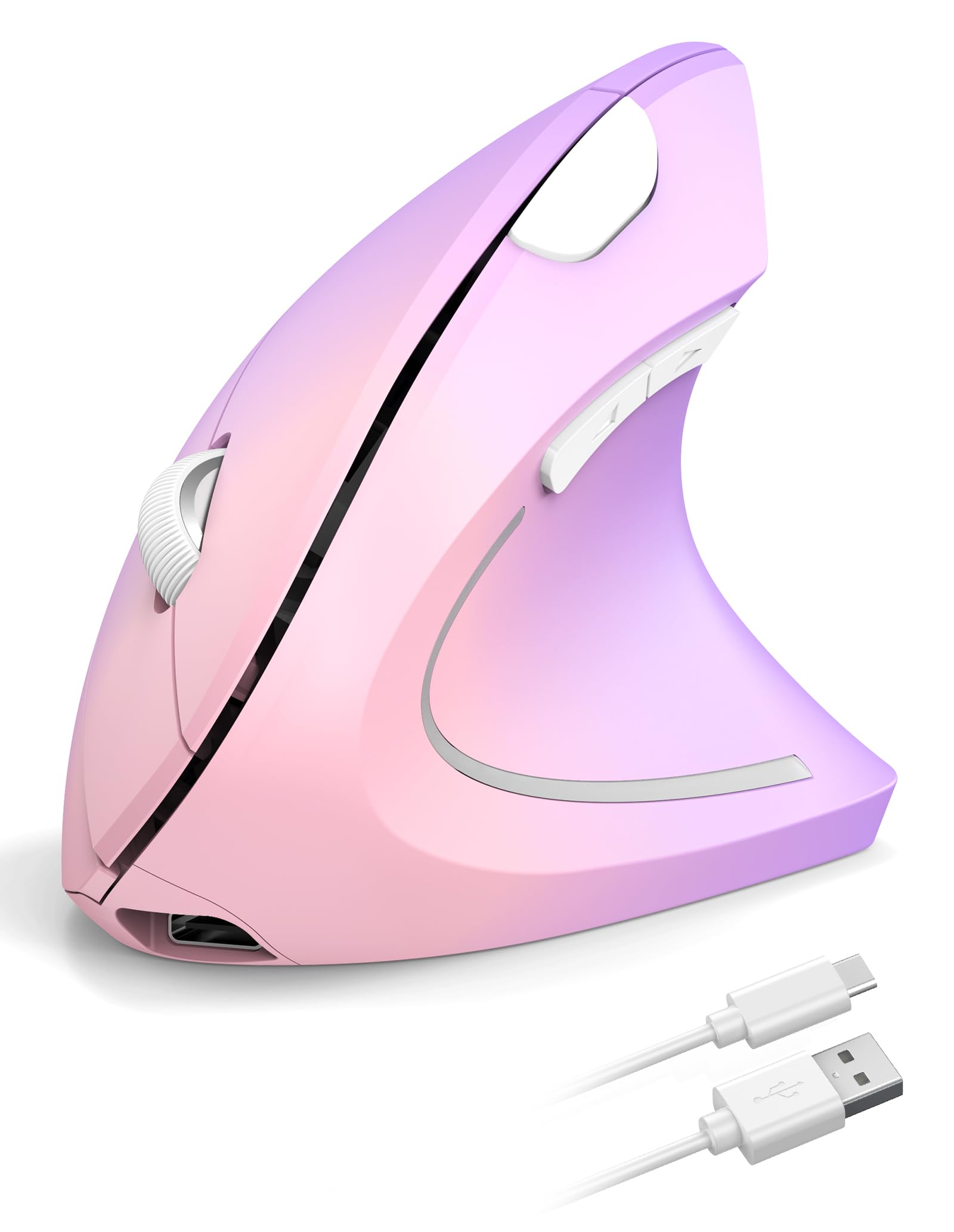
A vertical mouse that charges faster and lasts longer between plug-ins.
The standout number here is the 600mAh battery—20 percent more capacity than the ProtoArc’s 500mAh—paired with a charging time of just 1.5 hours. That means you get a full charge in about 90 minutes instead of 2 hours. TECKNET claims a 2-month runtime per charge.; owners mention “the battery lasts about a month with all-day office use” depending on how often you use it.
It uses a 2.4GHz USB-A receiver (no Bluetooth), so setup is plug-and-play with zero pairing. The DPI is adjustable across 5 levels from 4800 down to 800, giving you fine cursor control for graphic design or spreadsheets. The left and right clicks are silent, though the auxiliary side buttons are not. Buyers who compared it to a pricier Logitech say it is “the same quality” at a lower cost.
The main limitation is connectivity: no Bluetooth means you need a USB-A port at all times, and it is not compatible with USB-C ports without an adapter. The surface tracking works well on most desks but not on glass.
What you get
- 600mAh battery charges in 1.5 hours—the fastest recharge here
- 5-step DPI (4800 to 800) for precise cursor control
- Customers note build quality matches Logitech mice at a fraction of the cost
The limits
- No Bluetooth—must use a USB-A receiver (no USB-C direct connection)
- Optical tracking does not work on glass surfaces
- Side buttons are not silent; only the main clicks are quiet
Grab this if: you want the fastest recharge time of any mouse here and do not need Bluetooth—just a reliable USB connection for all-day office work.
Avoid if: you switch between a laptop and a tablet often (no Bluetooth means you would need an adapter each time), or if you work on a glass desk.
7. SABLUTE MAM3 Ergonomic Vertical Mouse
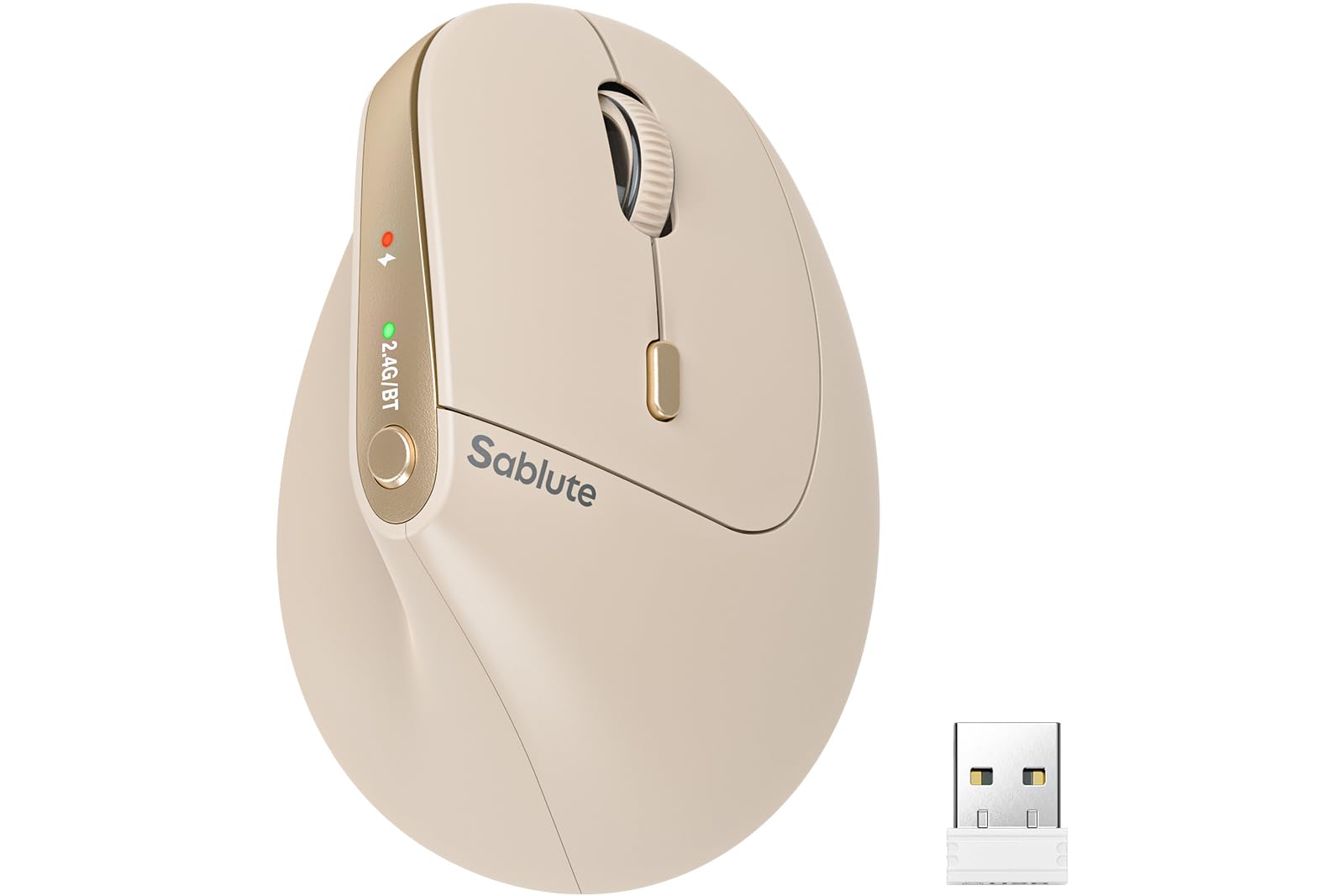
A 57-degree vertical designed from the ground up for small hands.
Most ergonomic mice are scaled for an average male hand, which leaves smaller-handed users stretching and cramping. The MAM3’s tune button layout and contoured grip are specifically shaped for small to medium hands, keeping every button within easy reach. The 57-degree angle promotes that handshake posture that reduces wrist bending, and reviewers point out that it “has helped the hand pain” from regular flat mice.
It connects to up to three devices via Bluetooth and a USB receiver, switching with one click. Seven buttons give you more controls than the ProtoArc (6 buttons) or the TECKNET (6 buttons). The DPI levels—800, 1200, 1600, and 2400—cover basic office use, though they top out lower than the TECKNET’s 4800 max. The silent-click buttons are up to 90 percent quieter than standard mice, per the maker, and the rechargeable battery enters a power-saving sleep mode when idle.
Some shoppers say that the Bluetooth auto-connection can be finicky—one reviewer noted having to manually re-pair it each morning with their second laptop. That is a minor annoyance for a budget-friendly price, but worth knowing if you bounce between two workstations daily.
What fits well
- Designed for small-to-medium hands—no finger overreach
- 7 buttons give one more programmable control than most competitors here
- Buyers report it “has helped the hand pain” from regular mouse use
What to know
- Bluetooth sometimes fails to auto-connect, requiring manual re-pairing
- Maximum DPI of 2400 is lower than the TECKNET’s 4800
- Best for right-handed users only
Pick this if: you have small hands and want the most buttons and a comfortable 57-degree vertical that helps reduce wrist strain on a budget.
Pass on it if: you need rock-solid Bluetooth auto-connection across multiple devices or require a higher maximum DPI for precise tasks.
Understanding the Specs
Angle of the Mouse (Degrees)
Vertical mice use a fixed tilt—typically 57 or 58 degrees—to keep your wrist in a handshake position, which puts less pressure on the carpal tunnel. Trackball mice often have a lower tilt (like 18 or 20 degrees) because your thumb does the work instead of your whole arm. Some adjustable mice let you switch between 0 and 18 degrees, but most are fixed; pick the angle that matches your natural resting wrist posture.
DPI (Dots Per Inch)
DPI tells you how fast the cursor moves across the screen when you nudge the mouse. A higher DPI (like 4800) means the cursor zips across with tiny movements—great for large monitors. A lower DPI (800) gives you fine, precise control for detailed work like photo editing. Most ergonomic mice let you toggle between several DPI levels, so you can dial in the speed that feels comfortable and does not force you to overextend your wrist.
Battery Type and Capacity (mAh)
Rechargeable mice use a lithium-ion battery measured in milliamp-hours (mAh)—a higher number (600mAh vs. 500mAh) means longer runtime between charges. Some mice use a standard AA battery instead; they last much longer (up to two years) but add the cost of replacements. A rechargeable mouse with a 1.5-hour charge time and a 500mAh battery will typically last a month of daily use before needing a top-up.
Silent Clicks vs. Quiet Clicks
Not all quiet mice are equally quiet. Some have silent left and right buttons but loud scroll wheels or side buttons. Others reduce click noise by up to 95 percent across all buttons. If you work in a shared office or take video calls, look for a mouse that specifies “whisper-quiet” or “silent” for every click surface—not just the main buttons.
FAQ
Will a vertical mouse actually prevent carpal tunnel?
How do I know if my hand is small, medium, or large for a mouse?
What is the difference between a vertical mouse and a trackball mouse for wrist pain?
Can I use a vertical mouse with a laptop without a USB-A port?
How long does it take to adapt to a vertical mouse?
Are silent click mice actually silent?
What DPI setting is best for carpal tunnel prevention?
Do these mice work on glass desks?
Can I use a vertical mouse with my iPad or tablet?
How often do I need to charge a rechargeable ergonomic mouse?
Final Thoughts: The Verdict
Across the board, the best computer mouse to prevent carpal tunnel is the Logitech MX Ergo S because its 20-degree tilt and thumb-operated trackball eliminate arm movement entirely, backed by durable build quality and a 120-day battery. If you prefer the familiar glide of a vertical mouse, grab the Logitech Lift for Mac for its easy AA battery life and ergonomist certification. And for the most radical wrist relief—no reaching at all—the Contour RollerMouse Pro3 sits below your keyboard and keeps your hands centered for good.
How We Picked
We do not accept paid placement. Every pick is matched to a real buyer and a real use-case; we do not hands-on test units.
Sources & Methodology
Specifications: manufacturer listings and product documentation. Review insights: verified customer reviews, as of July 2026. Pricing: not shown on this page (it changes often); check the current price via the retailer link.
As an Amazon Associate, WellFizz earns from qualifying purchases. This does not affect which products we feature.
Related Guides

Mo Maruf
I created WellFizz to bridge the gap between vague wellness advice and actionable solutions. My mission is simple: to decode the research and give you practical tools you can actually use.
Beyond the data, I am a passionate traveler. I believe that stepping away from the screen to explore new environments is essential for mental clarity and physical vitality.