Our readers keep the lights on and my smoothie glass nicely filled. As an Amazon Associate, I earn from qualifying purchases.
Specs are compiled from manufacturer listings and verified buyer reviews and can change over time — please confirm the key details on the product page before buying.
An architect’s computer has one job: keep up with your brain. When Revit stutters on a 3D walkthrough or a CAD file takes thirty seconds to save, the creativity chain breaks. You want a machine that opens massive model files instantly, handles concurrent renders without crashing, and powers dual or triple monitors for a true workflow. This guide cuts through the jargon to match real specs with real architectural work.
I’m Mohammad Maruf — the founder and writer behind WellFizz. This guide is built by comparing the manufacturers’ published specifications and the patterns across verified customer reviews, so you get each pick’s real strengths and trade-offs instead of marketing spin.
Architecture is a horsepower-hungry field, and choosing the wrong tower means wasted hours. Here is a curated look at the new, renewed, and mini desktops that earn the title of the best computer for architects, ranked by real-world multithreaded performance, RAM capacity, and dedicated graphics capability.
Our Picks at a Glance


How To Choose The Best Computer For Architects
Architecture software is uniquely demanding. Revit uses single-threaded commands for modeling but multithreads for rendering. AutoCAD likes high clock speeds. Lumion and Enscape rely entirely on the graphics card. So you can not just buy “a fast computer” — you need a balanced machine that excels at each task. Here is what matters.
CPU Architecture Matter More Than Brand Loyalty
Rendering and exporting in Revit and Rhino finish faster with a processor that has many cores (8 to 16). But everyday modeling commands that use only one or two cores benefit from a very high clock speed (5 GHz or more). The Intel Core i9-14900K, for example, has 24 cores and a maximum turbo of 6.0 GHz, so you get both sides of the equation. For a budget build, a 10-core i7 at 4.9 GHz still handles multitasking without slowing down your workflow.
RAM Is Your Safety Net
Architecture projects eat memory. Opening a 50 MB Revit file with linked models can push past 16 GB quickly. That is why a machine with 32 GB RAM is the balance for standard work, while 64 GB and above is for hospital-scale projects or heavy render farming. The HP Envy Desktop with 64 GB RAM is a good example of what a serious firm should spec for its power users.
Discrete Graphics Or Integrated
If you work strictly in AutoCAD 2D and SketchUp, integrated Intel UHD or Radeon 780M graphics will suffice. The moment you open Lumion, Enscape, or any real-time renderer, you need a dedicated graphics card with its own VRAM. An NVIDIA GeForce RTX 3050 with 8 GB GDDR6 (like in the HP Envy) or an RTX 5060 is a wise investment, as is the discrete Intel ARC A770 found in the ACEMAGIC M1A Pro.
Storage Speed Determines Your Patience
A PCIe Gen4 NVMe SSD (around 5,000–7,000 MB/s read speed) loads Revit families and texture packs in seconds, while an older SATA SSD takes noticeably longer. Most modern towers ship with a 1TB NVMe SSD, which is enough for your OS, core apps, and several active projects. A second internal drive is a good upgrade for archiving completed job files.
Quick Comparison
| Model | Best For | CPU & Speed | RAM | Graphics | Amazon |
|---|---|---|---|---|---|
| Dell Pro Tower (i7-14700, 1TB)★ Best Overall | Corporate deployment & security | i7-14700 up to 5.2 GHz | 16 GB | Intel UHD 770 | Amazon |
| HP Envy DesktopAlso Great | High-end rendering & stock trading | i9-14900K up to 6 GHz | 64 GB | RTX 3050 8GB | Amazon |
| ACEMAGIC M1A ProCompact Workstation | Compact workstation for rendering | i9-13900HK up to 5.4 GHz | 32 GB | Intel ARC A770 | Amazon |
| Dell Pro Tower Plus | AI-powered business workflow | Core Ultra 7 265 up to 5.3 GHz | 32 GB | Integrated Intel Graphics | Amazon |
| Dell Pro Tower (i7-14700, 32GB) | Professional 4K video & CAD | i7-14700 up to 5.4 GHz | 32 GB | Intel UHD 770 | Amazon |
| HP Mini Desktop (i7-12700T) | Compact multi-monitor power | i7-12700T up to 4.7 GHz | 64 GB | Intel UHD 770 | Amazon |
| Gaming PC (i9-14900HX, RTX 5060) | Streaming & real-time rendering | i9-14900HX up to 5.4 GHz | 16 GB | RTX 5060 Ti 8GB | Amazon |
| ASUS V500 Home & Business | Value-oriented multitasking | i7-13620H up to 4.9 GHz | 32 GB | Integrated | Amazon |
| HP OmniDesk | Budget-friendly general use | Ryzen 7 8700G up to 5.1 GHz | 32 GB | Radeon 780M | Amazon |
| HP Elite Mini 800 G9 | Tiny desk, big processor | i9-14900T up to 5.5 GHz | 16 GB | Intel UHD 770 | Amazon |
| ASUS V16 Gaming Laptop | Mobile rendering on site | Core 7 240H up to — | 16 GB | RTX 5060 8GB | Amazon |
| Dell Precision Tower 5820 | Heavy 64GB RAM for less | W-2123 4C 3.6 GHz | 64 GB | P2000 | Amazon |
In‑Depth Reviews
1. HP Elite Mini 800 G9 Elite Desk Business Desktop
Our pick — over 4★ from 60+ verified ratings; the strongest balance of quality and price.
A tiny shell hiding a 24-core i9 processor that reaches 5.5 GHz.
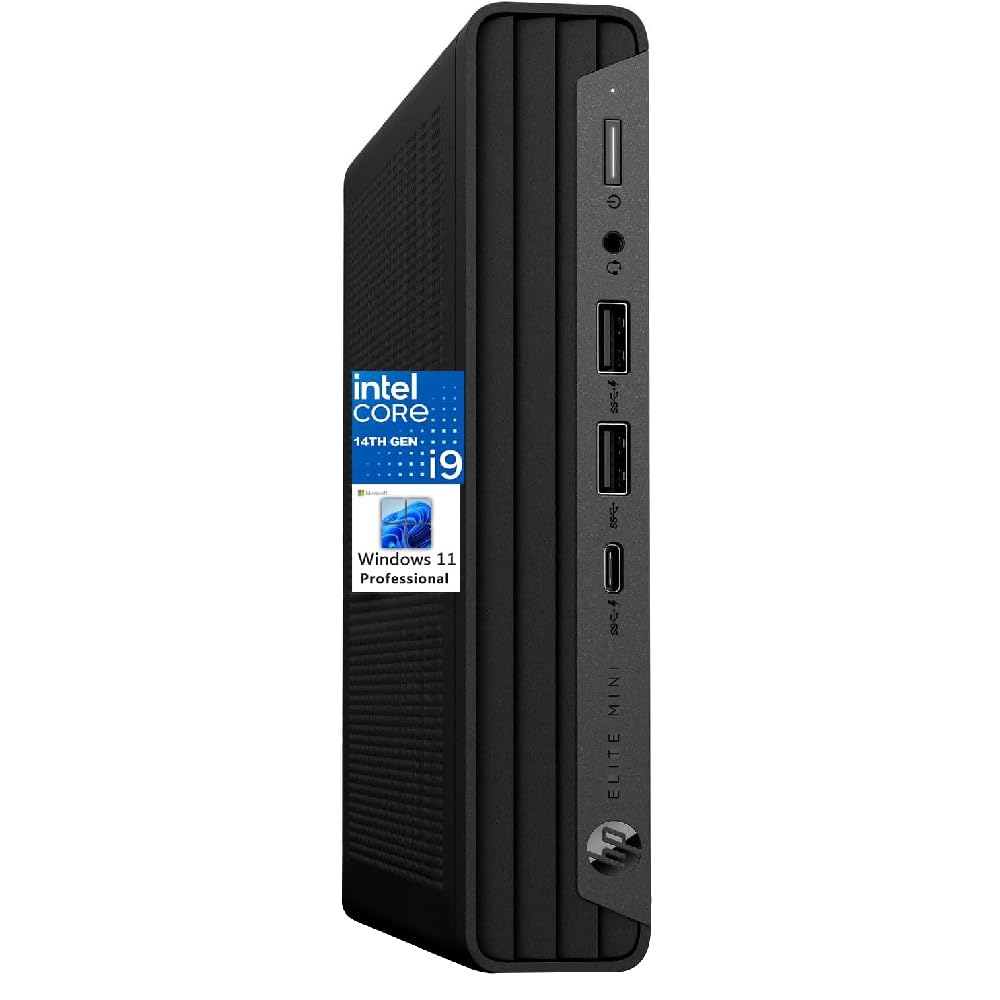
The HP Elite Mini 800 G9 packs a 14th Gen Intel Core i9-14900T with 24 cores and a turbo up to 5.5 GHz into a chassis about the size of a trade paperback. This is the fastest single-core speed you can get in a mini form factor. It supports dual 4K displays through DisplayPort 1.4 and HDMI 2.1.
Buyers report it is the perfect replacement for an old computer, praising both the size and speed. One buyer mentioned it works well with dual monitors. However, the base model ships with 16 GB DDR5 RAM, which is a bit lean for architectural work. You may need to budget for a RAM upgrade. The i9-14900T is a 35W TDP processor, so it runs cooler and quieter than the K-series, but peak performance is slightly lower under sustained load.
Why It Stands Out
- 24-core i9-14900T at 5.5 GHz in a mini size
- Dual 4K display support
- Very quiet and small footprint
Room for Improvement
- 16 GB RAM is low for heavy Revit files
- Integrated graphics only
Useful for: an architect who needs a powerful yet invisible machine for a shared or small desk.
Plan to upgrade: RAM if you open large models regularly.
2. HP Envy Desktop PC 2TB SSD 64GB RAM Win 11 Pro
The desktop that juggles four 4K charts without breaking a sweat.
This machine is built for architects who refuse to wait. The Intel Core i9-14900K processor runs at 3.20 GHz and turbo boosts all the way up to 6.00 GHz, making it the fastest single-core option on this list — crucial for snappy Revit modeling commands. With 64 GB of RAM, you can keep Revit, AutoCAD, Enscape, and a dozen Chrome tabs open without the system choking.
The NVIDIA GeForce RTX 3050 with 8 GB GDDR6 dedicated memory (up to 16 GB total video RAM) handles real-time rendering and walkthroughs smoothly. Buyers report it supports many concurrent tables and charts on four 4K displays with processor loading rarely exceeding 20% and memory usage rarely exceeding 30%. The 2 TB SSD gives you ample space for project files and asset libraries.
The trade-off? This is a premium-tier investment, and it is physically large — not a space-saving mini PC.
Architect’s Power Suite
- i9-14900K reaches 6.0 GHz turbo — fastest single-core on the list
- 64 GB RAM handles massive BIM models with ease
- 2 TB SSD for storing years of project archives
- RTX 3050 dedicated graphics for real-time rendering
Space and Budget Constraints
- Full-size tower takes considerable desk space
- Premium price tier
- Requires a good power supply for sustained loads
Best for big projects: architects running multi-display, multi-software workflows who want zero lag.
Think twice if: your budget is tight or you need a compact unit for a small office.
3. ACEMAGIC M1A Pro AI Mini PC Workstation
A mini chassis that packs a discrete GPU for real rendering work.
Swapping a bulky tower for a mini PC usually means sacrificing graphics power — but not here. The ACEMAGIC M1A Pro uses an Intel Core i9-13900HK (14 cores, 20 threads, up to 5.4 GHz) combined with a discrete Intel ARC A770 GPU. That dedicated graphics chip handles AV1 encoding, Stable Diffusion, and Blender tasks, making it useful for architects who use GPU-accelerated rendering engines like Lumion or V-Ray GPU.
It supports up to six displays with 8K output via USB4 and DP 2.0, which is excellent for multi-monitor blueprints and model views. The compact form factor fits easily behind a monitor. However, owners mention the factory Windows image has bad drivers, and if you are not tech savvy, finding the correct chipset, WiFi, and Bluetooth drivers can be a hassle.
What Stands Out
- Discrete ARC A770 GPU in a mini format
- Six-display support with 8K output
- Compact and takes minimal desk space
- AI NPU for machine learning tasks
The Catch
- Driver setup can be a headache for non-tech users
- Some users report reliability issues after months
- Not as fast as a full tower in sustained rendering
Reach for this if: you need dedicated graphics but your desk space is limited.
Look elsewhere if: you want a plug-and-play experience without driver tinkering.
4. HP Mini Desktop PC Computer i7-12700T 64GB RAM 2TB SSD

A tiny 6.97-inch chassis with a whopping 64 GB of RAM.
The HP Mini packs 64 GB DDR4 RAM and a 2 TB NVMe SSD into a footprint that is just 6.97 inches wide. The Intel Core i7-12700T has 12 cores and boosts up to 4.7 GHz — not the fastest single-core performance, but the generous RAM more than compensates for heavy multitasking. It supports three 4K monitors at 60Hz through dual DisplayPort 1.4 and HDMI 2.1, ideal for a full blueprint-plus-model-plus-reference setup.
Customers note it arrived on time and runs error-free. One reviewer uses it as a replacement for a laptop with a larger 17″ screen and calls it a workhorse with zero problems. The trade-off is the CPU is a generation behind the latest, and it uses DDR4 instead of DDR5, but the 64 GB capacity makes this less of a practical issue for most architectural work.
Why It Wins
- 64 GB RAM handles massive project files
- 2 TB SSD for extensive storage
- Triple 4K output for multi-monitor workflow
- Compact and whisper-quiet
Limitations
- CPU is a 12th Gen, not the latest
- DDR4 RAM instead of faster DDR5
Smart pick for: an architect who needs maximum RAM in a small box for multi-monitor work while staying affordable.
Skip if: you need the absolute highest CPU clock speed for 3D modeling.
5. Dell Pro Tower Plus Desktop PC, Intel Core Ultra 7 265
A next-gen platform with AI acceleration baked right into the CPU.
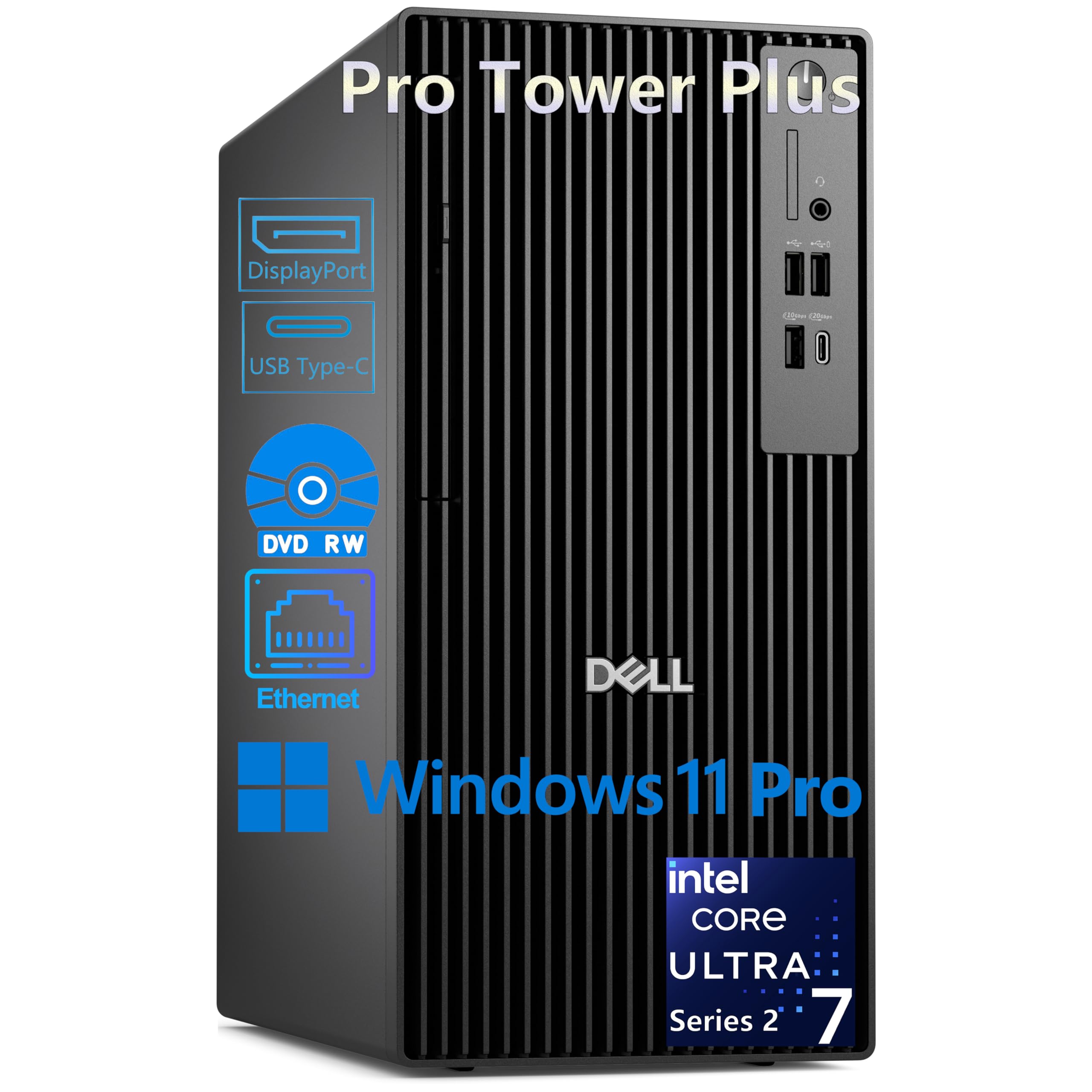
This Dell tower brings Intel’s Core Ultra 7 265 processor, which has 20 cores (8P+12E) and a 13 TOPS NPU for AI-accelerated tasks. That NPU can speed up certain workflows like background removal or AI upscaling in image editors. It runs up to 5.3 GHz and packs 32 GB DDR5 RAM and a 1 TB PCIe SSD.
The three DisplayPort 1.4a ports let you drive triple 4K displays, which is a strong setup for any architect managing spreadsheets, model views, and reference images simultaneously. Be aware there is no HDMI port — it uses DisplayPort connections only. Reviewers point out this computer makes tasks they used to wait for happen in a fraction of the time. It does not include built-in WiFi, so plan for a wired Ethernet connection or a USB adapter.
Strengths
- AI NPU for future-proofed, accelerated workloads
- Triple DisplayPort for up to 3x 4K monitors
- 32 GB DDR5 RAM is a good baseline for architecture
- DVD-RW drive for legacy media
Drawbacks
- No HDMI port and no built-in WiFi
- Integrated graphics only — no dedicated GPU
Perfect for: an architect who wants AI-ready hardware and a triple-monitor setup for data-heavy workflows.
Not for: real-time rendering or Lumion, as it lacks a discrete graphics card.
6. Dell Pro Tower PC Desktop, Intel 20-Core i7-14700, 32GB RAM, 1TB SSD

A balanced 20-core i7 tower built for 4K video and CAD workflows.
The Intel Core i7-14700 processor with 20 cores and a max turbo of 5.4 GHz is a reliable workhorse. Pair it with 32 GB DDR5 RAM and a 1 TB PCIe SSD, and you get fast boot times and smooth application switching. The Dell Pro Tower supports dual 4K displays through HDMI and DisplayPort, which is plenty for most architectural drafting and modeling needs.
The chassis includes a DVD-RW drive, which some offices still value for legacy software or project archives. However, shoppers say a notable issue: this unit does not include built-in Wi-Fi, so plan for a wired connection. One reviewer noted the DVD/RW opens flimsily compared to older Dell XPS builds. It uses integrated Intel UHD Graphics 770, so it is not ready for heavy real-time rendering from the start.
Solid Specs
- 20-core i7-14700 at 5.4 GHz
- 32 GB DDR5 RAM for smooth multitasking
- 1 TB PCIe SSD for quick app loading
- Dual 4K display support
What to Know
- No built-in Wi-Fi
- Integrated graphics only
Well-suited for: drafting and 2D CAD work with some 3D modeling, where you value a balanced CPU and RAM combo.
Consider another if: you need a dedicated GPU for real-time rendering from day one.
7. Gaming PC Desktop Core i9-14900HX, GeForce RTX 5060 Ti 8G

A prebuilt tower that treats Enscape renders with the same ease as AAA gaming.
This prebuilt desktop uses an Intel Core i9-14900HX (up to 5.4 GHz) and an NVIDIA GeForce RTX 5060 Ti with 8 GB GDDR7 graphics memory. For real-time rendering and VR walkthroughs, the RTX 5060 Ti is a massive step up from integrated graphics — it handles ray tracing and AI-accelerated DLSS for smooth viewport performance. The 1 TB NVMe SSD offers fast storage, and the tower comes with Windows 11 pre-installed.
Owners mention it handles games like Hogwarts Legacy without lag and is much quieter than expected. The catch is the 16 GB DDR5 RAM — enough for gaming, but lean for architectural multitasking. You may need to upgrade to 32 GB soon. It also lacks a USB-C port, which is inconvenient for modern peripherals.
Performance Highlights
- RTX 5060 Ti 8GB GDDR7 for GPU rendering
- i9-14900HX at 5.4 GHz
- Quiet operation with good cooling
Shortcomings
- 16 GB RAM needs an upgrade for architecture work
- No USB-C port
Great pick for: an architect who prioritizes GPU rendering performance and wants a gaming-focused prebuilt that doubles as a workstation.
Upgrade needed: plan to add more RAM for heavy BIM projects.
8. ASUS V500 Home & Business Tower Desktop

A business tower with 32 GB DDR5 that punches above its price bracket.
The ASUS V500 runs on a 10-core Intel Core i7-13620H processor (up to 4.9 GHz) with 32 GB DDR5 RAM and a 1 TB SSD. That is a solid configuration for running AutoCAD, Revit, and Office simultaneously without slowdown. It has HDMI and DisplayPort outputs for a multi-monitor setup, and it comes with an A-DATA 64 GB USB flash drive as a bundle — a small but thoughtful addition for transferring project files.
Customers note this machine is very quiet, fast, and lightweight. One reviewer warned that Windows 11 default “fast restart” caused a hang during initial setup, but a cold boot and unchecking that setting fixed it. The processor is an older generation without the latest AI chip, and the tower is a bit heavy with all the cooling fans. It is a refurbished unit upgraded by the seller, which saves you hundreds compared to a new build.
Strong Value
- 32 GB DDR5 RAM at a mid-range price
- Fast boot and quiet operation
- Includes a 64GB USB flash drive
Consider This
- Refurbished unit with upgraded RAM
- No dedicated graphics
Ideal for: a small firm or solo architect who wants fast RAM without paying premium prices.
Check if: you are comfortable buying a professionally refurbished machine.
9. Dell 2026 Pro Tower Desktop for Corporate & Business

AMD’s best integrated graphics meets 32 GB DDR5 at a compelling price.
The HP OmniDesk uses the AMD Ryzen 7 8700G processor, which features the Radeon 780M integrated graphics — one of the strongest integrated GPUs available. Combined with 32 GB DDR5-5200 MT/s memory and a 1 TB NVMe SSD, this desktop can handle light 3D modeling and even some entry-level rendering without a discrete card.
It supports 4K output at 3840×2160 and includes Wi-Fi 6 and Bluetooth 5.4. The AMD Ryzen AI NPU (16 TOPS) offers some AI acceleration for compatible tasks. Shoppers say it is a solid value for the money and works well as a living room media PC. However, if you plan to install Linux, one buyer notes you should un-encrypt the hard drive and apply updates first. It is not a high-end workstation, but it is a capable entry point for architectural students or sole practitioners.
Budget Friendly
- Radeon 780M is the best integrated graphics available
- 32 GB DDR5 RAM at a low starting price
- Compact design with Wi-Fi 6 and Bluetooth 5.4
Limitations
- Not powerful enough for serious GPU rendering
- Linux installation requires extra steps
Good for: architecture students or professionals on a tight budget who need a capable all-around machine.
Not for: full-time heavy Lumion or V-Ray users.
10. ASUS V16 Gaming Laptop, 16″ WUXGA 144Hz Display

A 16-inch laptop with a dedicated RTX 5060 for on-site presentations.
The ASUS V16 is a laptop, but its specs land it solidly in the architect conversation thanks to the NVIDIA GeForce RTX 5060 with 8 GB GDDR7 graphics memory. This discrete GPU handles real-time rendering and client walkthroughs on the go. The 16-inch WUXGA display (1920 x 1200) has a 144Hz refresh rate, making the viewport feel responsive and fluid. It uses an Intel Core 7 Processor 240H with 10 cores and 16 threads.
Owners mention it is great for the cost, though one customer observed it is not as slim as the photos suggest and is not feasible as a portable workstation with limited spacing. The 16 GB RAM is a bit lean for professional software, and the 512 GB storage fills up fast with project files. It includes WiFi 6 and Bluetooth 5.3.
On the Go
- RTX 5060 8GB GDDR7 for GPU work
- 144Hz display for smooth viewport navigation
- Portable for site visits and client meetings
Compromises
- 16 GB RAM is low for heavy multitasking
- 512 GB storage may require external drives
Consider if: you need a powerful laptop for on-site rendering and client demos.
Be aware: RAM and storage will need upgrading or supplementing for serious architecture work.
11. Dell Precision Tower 5820 Workstation (Renewed)

A renewed workstation with 64 GB RAM that costs less than a mid-range tower.
The Dell Precision Tower 5820 is a professional workstation that packs 64 GB RAM — a huge advantage for architects working on large BIM files. It runs an Intel Xeon W-2123 processor (4 cores, 3.6 GHz) and includes a 1 TB NVMe SSD and NVIDIA Quadro P2000 graphics. While the CPU core count and clock speed are much lower than modern i7/i9 chips (3.6 GHz versus the HP Elite Mini’s 5.5 GHz), the massive 64 GB RAM capacity is where this machine wins.
Customers note it is excellent for photo editing, quiet, and easy to set up. One user highlighted the dedicated GPU uses DisplayPort, not HDMI, so you may need an adapter. It is a renewed unit, so it comes at a very low entry cost but lacks the latest platform features like DDR5 or PCIe Gen4. The Xeon W-2123 has only 4 cores, so multithreaded Enscape rendering will be slower than any i7 or i9 on this list.
RAM Advantage
- 64 GB RAM — tied for the most on this list
- Very low price for a workstation-class build
- Quadro P2000 is reliable for CAD
Performance Gap
- Only 4 CPU cores at 3.6 GHz — slow for rendering
- Older DDR4 and PCIe Gen3 platform
Best for: an architect on a tight budget who primarily works in 2D CAD and needs loads of RAM for large file sets.
Avoid if: you need rendering performance or plan to run modern 3D software like Lumion.
Understanding the Specs
CPU Core Count vs Clock Speed
Architecture software uses the processor in two ways. Modeling commands in Revit and SketchUp run on one or two cores, so a high clock speed (measured in GHz, like 5.0 or 6.0) makes those actions feel snappy. Rendering and video export, however, use all available cores. A processor with more cores (8, 10, or 20+) gets those tasks done faster. The HP Envy’s i9-14900K with 24 cores and 6.0 GHz turbo is a good example of a chip that does both well.
RAM Capacity for Large Models
Think of RAM as your short-term memory for open projects. When you load a Revit model with linked structural and M
RAM Capacity for Large Models
Think of RAM as your short-term memory for open projects. When you load a Revit model with linked structural and MEP files, plus a few reference PDFs and a web browser, memory usage climbs fast. 16 GB is the bare minimum for office work, but 32 GB is the real starting point for architectural use. The HP OmniDesk and ASUS V500 hit this well. For heavy users, 64 GB (found in the HP Envy and the Dell Precision 5820) allows you to run multiple software without slowdown.
Dedicated Graphics vs Integrated
An integrated GPU (like Intel UHD 770 or AMD Radeon 780M) shares system RAM and is fine for 2D drafting and basic 3D. A dedicated GPU (like an NVIDIA RTX 3050 or RTX 5060) has its own video memory (VRAM) and handles real-time rendering engines like Enscape and Lumion. If your work involves walkthroughs or VR, prioritize a discrete GPU. The Gaming PC Desktop and the HP Envy both include dedicated graphics ready for that work.
Storage Type and Speed
An NVMe SSD (especially PCIe Gen4) reads and writes data at speeds of 5,000 to 7,000 MB/s. This means your software launches in seconds, and saving a 500 MB Revit file takes a blink. Older SSDs or mechanical hard drives create noticeable pauses. Every product on this list uses an SSD, but pay attention to whether it is NVMe (fast) or SATA (slower). The 1 TB PCIe NVMe SSDs in the Dell Pro Tower Plus and ASUS V500 are solid for architecture.
FAQ
Is a gaming PC good for architectural rendering?
How much RAM do I really need for Revit and AutoCAD?
Is a mini PC powerful enough for architecture software?
Mac or PC for architects? Which is better?
Do I need a workstation graphics card like a Quadro or is GeForce fine?
What does “Intel vPro” mean for an architectural firm?
Can a laptop substitute a desktop for an architect?
Is a renewed or refurbished workstation a good idea?
How many monitors can I connect to a typical tower?
Does a faster CPU speed always mean faster Revit performance?
Final Thoughts: The Verdict
For most buyers, the computer for architects winner is the HP Envy Desktop because it combines the fastest consumer CPU (i9-14900K at 6.0 GHz) with 64 GB RAM and a dedicated RTX 3050 GPU — a balanced machine for both modeling and rendering. If you want maximum value in a compact size, grab the HP Mini Desktop with 64 GB RAM. And for on-the-go presentations and site work, the ASUS V16 laptop with its RTX 5060 graphics is the portable pick.
How We Picked
We do not accept paid placement. Every pick is matched to a real buyer and a real use-case; we do not hands-on test units.
Sources & Methodology
Specifications: manufacturer listings and product documentation. Review insights: verified customer reviews, as of July 2026. Pricing: not shown on this page (it changes often); check the current price via the retailer link.
As an Amazon Associate, WellFizz earns from qualifying purchases. This does not affect which products we feature.
Related Guides

Mo Maruf
I created WellFizz to bridge the gap between vague wellness advice and actionable solutions. My mission is simple: to decode the research and give you practical tools you can actually use.
Beyond the data, I am a passionate traveler. I believe that stepping away from the screen to explore new environments is essential for mental clarity and physical vitality.