Our readers keep the lights on and my smoothie glass nicely filled. As an Amazon Associate, I earn from qualifying purchases.
Specs are compiled from manufacturer listings and verified buyer reviews and can change over time — please confirm the key details on the product page before buying.
Picking a cheap computer monitor used to mean accepting blurry text, washed-out colors, and a painful 60Hz refresh rate — 60Hz is how many times per second the screen updates, and at that rate scrolling feels sluggish. That is no longer true. Today’s budget-friendly options deliver high refresh rates, IPS panels, and crisp 1080p resolution starting under.
I’m Mohammad Maruf — the founder and writer behind WellFizz. This guide is built by comparing the manufacturers’ published specifications and the patterns across verified customer reviews, so you get each pick’s real strengths and trade-offs instead of marketing spin.
This guide breaks down the six best cheap computer monitors you can buy right now, comparing refresh rates, color accuracy, and overall value to help you find your ideal display without overspending.
Our Picks at a Glance

How To Choose Your Cheap Computer Monitor
A monitor is the thing you stare at all day, so settling for a blurry screen to save a few dollars is a bad trade. Here is what actually matters when you are shopping on a budget.
Refresh Rate: Not Just for Gamers
Refresh rate (measured in Hz, or how many times the screen updates per second) determines how smooth motion looks. A standard 60Hz monitor feels choppy when you scroll a webpage or drag a window. A 100Hz or 120Hz monitor makes everyday computing feel fluid, whether you are reading documents, watching videos, or playing casual games. Most monitors in this price range now hit 100Hz or higher, so there is no reason to settle for 60Hz.
Panel Type: IPS or Bust
Panel technology decides how colors look from different angles. IPS (In-Plane Switching) panels give you consistent color and brightness even when you are viewing the screen from the side — crucial if you share your screen or use a dual-monitor setup. Older TN (Twisted Nematic) panels are cheaper but look washed out the moment you tilt your head. Every monitor on this list uses an IPS or high-quality LCD panel.
Connectivity: Do Not Get Stuck with One Port
Check what ports the monitor has before you buy. HDMI (High-Definition Multimedia Interface) is the modern standard, but if your older laptop only has VGA output, you will need a monitor that still supports it. DisplayPort is ideal for reaching the highest refresh rates. If you plan to add a second monitor later, having multiple inputs makes life much easier.
Quick Comparison
| Model | Best For | Refresh Rate | Panel Type | Connectivity | Amazon |
|---|---|---|---|---|---|
| Amazon Basics 24 Inch★ Best Overall | Ultra-Budget Office | 100Hz | LCD | HDMI, VGA, DisplayPort | Amazon |
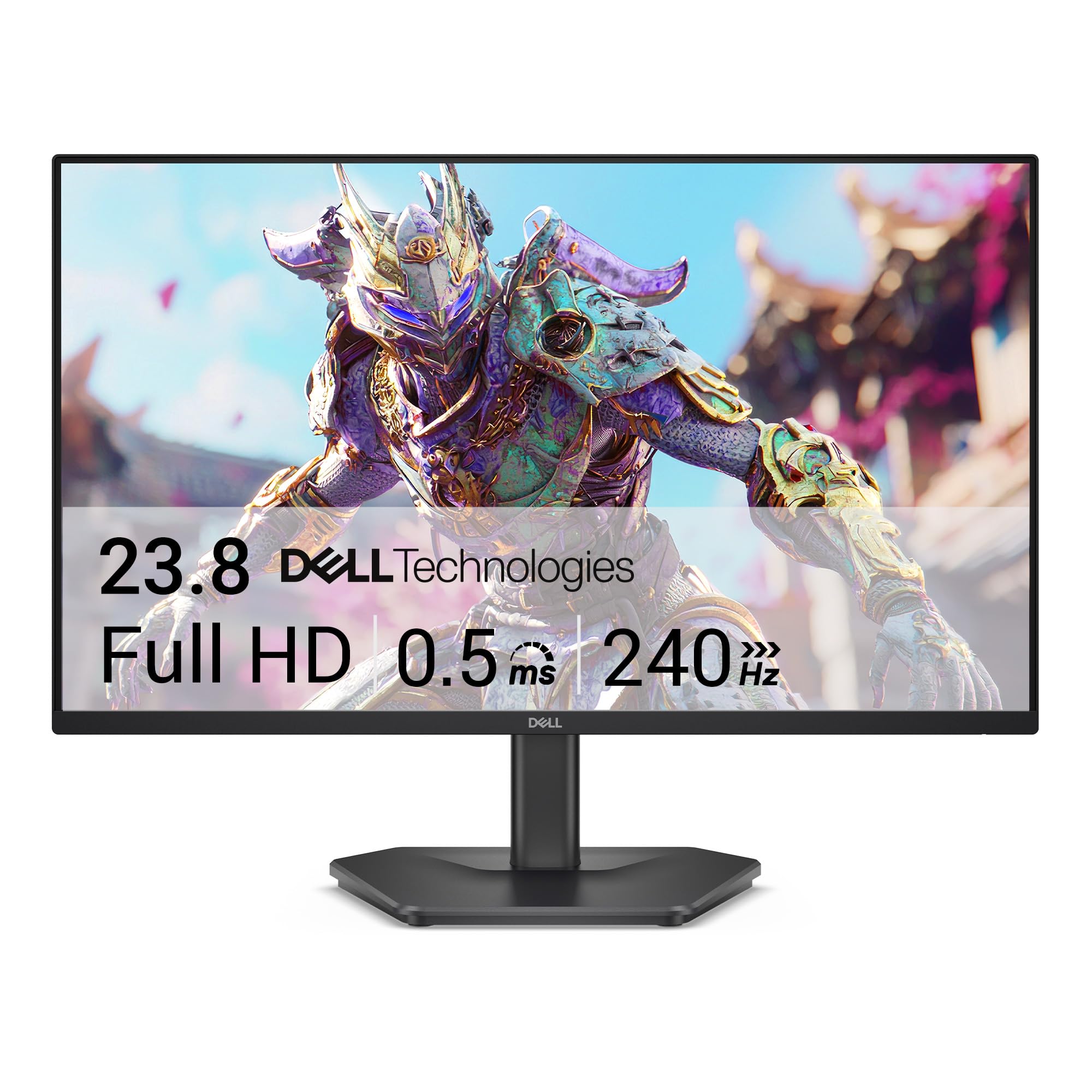
| Dell 24 240Hz (SE2426HG)Also Great | Competitive Gaming | 240Hz | IPS | 2x HDMI, DisplayPort | Amazon |
| LG 24U411A-B | Best All-Rounder | 120Hz | IPS | HDMI | Amazon |
| ViewSonic VA2456A-MHD | Office & Light Gaming | 120Hz | IPS | HDMI, DisplayPort, VGA | Amazon |
| Samsung 24″ S3 (S32GF) | Everyday Simplicity | 120Hz | IPS | HDMI | Amazon |
| Dell 27 (SE2725HM) | Screen Real Estate | 100Hz | IPS | HDMI, VGA | Amazon |
In‑Depth Reviews
1. Amazon Basics 24 Inch Monitor
The absolute cheapest path to a usable 1080p monitor that somehow still squeezes in speakers and a 100Hz refresh rate.
This Amazon Basics monitor is the entry-level king: a 100Hz refresh rate, built-in speakers, HDMI/VGA/DisplayPort connectivity, and VESA mount compatibility (the standard 100x100mm hole pattern for attaching a monitor arm) all at a price that undercuts everything else. Buyers confirm it is “excellent for office work” and “durable over years.” The contrast ratio of 2000:1 compares to 1000:1 for the Samsung and Dell IPS monitors here, meaning blacks appear noticeably deeper and darker — a real advantage in dimmer rooms.
The LCD display technology (Liquid Crystal Display — an older but proven panel type) is not as color-accurate from angles as the IPS panels on the other picks. Colors shift when you view the screen from the side, so this is not a good choice if you share your screen or use it as a second monitor off to one side. The built-in speakers deliver “clean, clear audio performance” according to the specs, but at this price level, they are best for system sounds and basic videos, not music or movies.
The stand only offers tilt adjustment — no height or swivel — and removing the protective film (which has a date code printed on it) from the panel before use is essential, as one reviewer noted. The 100Hz refresh rate is good for everyday work but less smooth than the 120Hz and 240Hz competition. If you are on the tightest budget and just need a functional, reliable display, this gets the job done.
What you get
- 2000:1 contrast ratio that beats several pricier IPS monitors — deeper blacks.
- Built-in speakers save you from buying separate ones for basic audio.
- Three inputs (HDMI, VGA, DisplayPort) offer solid connectivity for this price.
Where corners are cut
- LCD panel lacks the wide viewing angles of IPS — colors shift off-center.
- Stand is basic — tilt only, no height or swivel adjustment.
- 100Hz refresh rate is fine for work but less fluid than 120Hz monitors.
Ideal for: Someone on a strict budget who needs a functional 1080p monitor for office tasks, spreadsheets, and basic web browsing.
pass on it if: You need accurate color from wide viewing angles for photo editing or a multi-monitor setup where the screen is not directly in front of you.
2. Dell 24 240Hz Gaming Monitor (SE2426HG)
A 240Hz refresh rate with IPS color at a price that usually gets you half the speed.
This Dell delivers noticeably smoother motion than the other picks here — buyers report a “sharp, vibrant 240Hz display with excellent brightness and viewing angles” and “smooth, responsive gaming with no lag or tearing.” The 240Hz refresh rate is faster than the 120Hz options on this list, meaning fast action in games or even just rapid mouse movements across the screen appear far more fluid. The 0.5ms response time (the time a pixel takes to change color, measured in milliseconds) keeps fast-moving objects from ghosting.
The 99% sRGB color coverage (a measure of how much of the standard color spectrum the screen can show) delivers vivid colors, and the AMD FreeSync Premium technology (which syncs the monitor’s refresh rate to your graphics card’s frame output) eliminates screen tearing without introducing stutter. The TÜV Rheinland 3-star certified display (a German eye-comfort certification) reduces blue light while preserving color quality — so you can game or work late without as much eye strain.
There is no built-in speaker, so you will need separate desktop speakers or a headset. The OSD joystick (the on-screen menu control on the back of the monitor) takes a bit of getting used to, but once you set it up, you rarely need to touch it again.
Game-speed leader: This is the only monitor on this list with a 240Hz refresh rate and a 0.5ms response time — those numbers mean genuinely competitive-level smoothness that a 120Hz monitor cannot match.
One thing to know: There are no built-in speakers, so budget for an external audio solution if you want sound without a headset.
Ideal for: Anyone who plays fast-paced shooters or racing games on a budget — this monitor’s 240Hz refresh rate beats everything else in its price range.
skip it if: You need built-in speakers or a USB hub, because this monitor has neither.
3. LG 24U411A-B 24-inch Full HD IPS Monitor

A 120Hz IPS panel with vibrant colors that doubles as a capable gaming display for under.
The 120Hz refresh rate makes everyday scrolling and casual gaming feel noticeably smoother than a standard 60Hz monitor. The 99% sRGB color gamut coverage and 1500:1 contrast ratio (the difference between the brightest white and the darkest black the screen can show) combine to deliver richer, more vivid colors than the Samsung model below, which has a contrast ratio of 1000:1 — a difference that makes dark scenes look deeper on this LG. One buyer called it “a great inexpensive 1080p monitor” and noted the “great colors with 3-color and 6-color hue/saturation adjustments.”
The 1ms Motion Blur Reduction (MBR, a feature that reduces blur by briefly flashing the backlight between frames) keeps fast-moving objects sharp, and Dynamic Action Sync (a mode that reduces input lag, the delay between pressing a key and seeing the action on screen) helps in competitive games. The 3-side virtually borderless design (ultra-thin bezels on the top and sides) makes this monitor feel modern and works well in a dual-monitor setup. The tilt range is -5° to 20°, giving you a decent range to find a comfortable viewing angle.
The main drawback: there are no built-in speakers, so you will need external audio. Some buyers received units missing mounting screws, and the stand feels flimsy compared to the metal stand on the ViewSonic. The HDR10 support (a High Dynamic Range format that improves brightness and color range) is basic — it works, but don’t expect the punch of a true HDR screen.
Why it impresses
- 120Hz refresh rate at this price point is rare — smooth motion for work and play.
- 99% sRGB color coverage and 1500:1 contrast ratio deliver punchy, vivid visuals.
- Ultra-slim bezels make dual-monitor setups feel smooth.
The trade-offs
- No built-in speakers — you will need to buy separate ones.
- The stand feels a bit cheap and lacks height adjustment.
- HDR10 support is underwhelming — colors look fine but not HDR-level impressive.
Grab this if: You want a versatile 1080p monitor for work, creative projects, and occasional gaming without spending more than necessary.
Look elsewhere if: You need built-in speakers or a rock-solid stand for a high-traffic environment.
4. ViewSonic VA2456A-MHD 24 Inch IPS Monitor

A workhorse monitor from a brand that has earned its reputation for reliability over two decades.
This ViewSonic delivers a 120Hz refresh rate on an IPS panel that produces accurate and vivid colors. The 1500:1 contrast ratio matches the LG above, so dark scenes look similarly deep, and the 0.8 color gamut (a measurement of color volume) provides solid coverage for most office tasks, though it falls short of the 99% sRGB found on the LG and Dell monitors here. The VA2456A-MHD supports HDMI, DisplayPort, and VGA inputs — the most flexible connectivity of any monitor on this list, making it ideal if you need to connect older hardware alongside modern devices.
ViewSonic includes five tune view settings — “Game,” “Movie,” “Web,” “Text,” and “Mono” presets — so you can switch between tasks without diving into menus. Flicker-Free technology (which eliminates the rapid on-off cycling of the backlight that causes eye strain) and a Blue Light Filter (a mode that reduces blue wavelength light, which can disrupt sleep) help reduce eye fatigue during long work sessions. One experienced user noted they have “had several ViewSonic monitors over the years, all of which are still in working order” — some over 10 years old.
The menu navigation uses a rocker switch on the back instead of buttons, which takes some getting used to, and the 0.8 color gamut means this is not the best pick if color-critical creative work matters to you. But for office productivity, spreadsheets, and light gaming, this is a rock-solid choice.
Long-haul build
- 120Hz IPS panel with Flicker-Free and Blue Light Filter for comfortable long sessions.
- Three connectivity options (HDMI, DisplayPort, VGA) for maximum compatibility.
- Five view presets (“Game,” “Movie,” “Web,” “Text,” “Mono”) for one-touch mode switching.
Where it lags
- 0.8 color gamut is lower than the competition — colors are good, not great.
- The menu rocker switch on the back is awkward until you memorize the layout.
- Stand is functional but basic — no height adjustment, tilt only.
A safe bet for: Office workers or home users who want a dependable, comfortable monitor with flexible connectivity for both modern and legacy devices.
Not the right fit for: Photo editors or designers who need wide color gamut (99% sRGB or better).
5. Samsung 24″ S3 (S32GF) FHD IPS Monitor

A feather-thin bezel and a 120Hz panel in a package that prioritizes simplicity.
The IPS panel on this Samsung delivers bright, clear colors across the entire screen — the 250 cd/m2 brightness (a measure of light output; higher numbers mean a brighter screen) means it handles well-lit rooms without washing out. The 120Hz refresh rate reduces motion blur during fast-paced content, and the monitor supports both FreeSync (AMD’s adaptive sync technology for reducing screen tearing) and G-Sync Compatible (NVIDIA’s equivalent), so it works with graphics cards from both major brands without stutter.
The super-slim design with ultra-thin border bezels makes this monitor look modern and compact on any desk. One buyer confirmed it is a “perfect for a home office or onsite office setting” and noted “easy set-up, including if you are using a double or triple monitor stand.” That slim-bezel design is a real advantage if you plan to run multiple monitors side by side — the borders between screens are minimal.
The contrast ratio is 1000:1, which is standard for this price tier but falls short of the 1500:1 found on the LG and ViewSonic above — so blacks look more grayish in dimly lit rooms. The only connectivity option is a single HDMI port, which limits your ability to connect multiple sources without a separate switcher. If all you need is one clean, simple connection for a laptop or PC, this works perfectly.
Bezels that vanish: The ultra-thin bezels make this the best pick for a multi-monitor setup where you want the frames between screens to be as invisible as possible.
Watch out for: The single HDMI port means you are stuck with one input — no DisplayPort or VGA alternative here.
Reach for this if: You want a clean, modern 120Hz monitor for a simple single-laptop setup and care about aesthetics.
Look elsewhere if: You need multiple input ports or deep black levels for dark-room viewing.
6. Dell 27 Monitor (SE2725HM)

A 27-inch screen in a budget monitor is rare — this one does it without major compromises.
The extra 3 inches over the 24-inch models on this list give you noticeably more screen real estate for multitasking, spreadsheets, and reading detailed documents. The 100Hz refresh rate is lower than the 120Hz of the LG and ViewSonic, but it is still a solid improvement over a standard 60Hz monitor — scrolling and window dragging feel smooth, just not as fluid as the higher-refresh competitors. The 72% color gamut (a measure of color volume) is the lowest on this list, so colors look less vibrant compared to the 99% sRGB screens above.
Where this Dell shines is eye comfort. The TÜV Rheinland 3-star certification and Dell’s own ComfortView Plus technology minimize harmful blue light exposure without sacrificing color accuracy — the blue light filter is always on by default, unlike on many monitors that force you to toggle it. One buyer with aging eyes reported this monitor “has really helped with quality, affordability and simple install” when working with tiny text on engineering plans. The built-in cable holder and small footprint keep your desk tidy.
The 1080p resolution on a 27-inch screen means the pixel density is lower than on a 24-inch 1080p screen — individual pixels are slightly more visible if you sit close. There is no DisplayPort input (only HDMI and VGA), and there are no built-in speakers. The basic stand offers tilt only, no height adjustment, and the port selection is lean — no USB hub or USB-C.
Size advantage
- 27-inch screen is 13% larger than the 24-inch picks — more room for windows side by side.
- ComfortView Plus reduces blue light without washing out colors permanently.
- Small footprint with built-in cable holder keeps the desk clean.
The compromises
- 72% color gamut is noticeably less vibrant than the 99% sRGB monitors.
- Only two inputs (HDMI and VGA) and no USB ports — limited expandability.
- 1080p on a 27-inch screen means slightly visible pixels at close range.
Best suited for: Users who prioritize screen real estate and eye comfort over color vibrancy — think spreadsheet-heavy jobs, reading documents, or office work.
Not ideal for: Designers, photo editors, or anyone who needs wide color accuracy (72% color gamut is low).
Understanding the Specs
Refresh Rate (Hz)
This number tells you how many times your screen updates with a new image each second. A 60Hz screen refreshes 60 times per second — fine for static work, but when you scroll a webpage or move a mouse, motion looks jerky. A 120Hz screen updates 120 times per second, compared to 60Hz. For a cheap computer monitor, 100Hz is the new baseline you should look for. Even the most casual user notices the difference the first time they drag a window across a 120Hz screen.
Contrast Ratio
Contrast ratio measures the difference between the brightest white and the darkest black a monitor can show. A 1000:1 ratio (common on budget IPS monitors) means the white is 1000 times brighter than the black. A 1500:1 ratio (found on the LG and ViewSonic) means blacks look noticeably deeper and richer. A 2000:1 ratio (found on the Amazon Basics) gives you even better shadow detail in dark scenes. Higher is better for watching movies or gaming in a dim room.
FAQ
Is 100Hz good enough for a cheap computer monitor?
Can I use a cheap computer monitor for gaming?
What is the difference between IPS and LCD monitors?
How many HDMI ports do I need on a budget monitor?
Are built-in speakers on a cheap monitor any good?
Will a cheap monitor work with a MacBook or docking station?
What does VESA mount compatibility mean?
Can a cheap computer monitor display HDR content?
Final Thoughts: The Verdict
For the majority of shoppers, the cheap computer monitor winner is the LG 24U411A-B because it combines a 120Hz IPS panel with 99% sRGB color coverage and a 1500:1 contrast ratio at a price that is tough to top, making it a genuine all-rounder for work and play. If you want the smoothest gaming motion on a budget, grab the Dell 24 240Hz (SE2426HG) for its unbeatable 240Hz refresh rate and FreeSync Premium. And for the largest screen real estate while staying affordable, the Dell 27 (SE2725HM) gives you that extra diagonal inch while prioritizing eye comfort for long work sessions.
How We Picked
We do not accept paid placement. Every pick is matched to a real buyer and a real use-case; we do not hands-on test units.
Sources & Methodology
Specifications: manufacturer listings and product documentation. Review insights: verified customer reviews, as of July 2026. Pricing: not shown on this page (it changes often); check the current price via the retailer link.
As an Amazon Associate, WellFizz earns from qualifying purchases. This does not affect which products we feature.
Related Guides

Mo Maruf
I created WellFizz to bridge the gap between vague wellness advice and actionable solutions. My mission is simple: to decode the research and give you practical tools you can actually use.
Beyond the data, I am a passionate traveler. I believe that stepping away from the screen to explore new environments is essential for mental clarity and physical vitality.