Our readers keep the lights on and my smoothie glass nicely filled. As an Amazon Associate, I earn from qualifying purchases.
Specs are compiled from manufacturer listings and verified buyer reviews and can change over time — please confirm the key details on the product page before buying.
You are starting a podcast, going live on Twitch, or finally ditching that muddy gaming headset. What you need is a condenser USB mic — one that captures your voice with detail but does not pick up every mouse click or AC hum in the room. Pickup patterns (the shape of the area the mic hears), sample rates (how detailed the digital sound is), and gain knobs can make it feel like you need a sound engineering degree just to choose. This guide breaks down six of the best condenser USB mics, sorted by what they actually do well in real rooms — not by marketing specs on paper.
I’m Mohammad Maruf — the founder and writer behind WellFizz. This guide is built by comparing the manufacturers’ published specifications and the patterns across verified customer reviews, so you get each pick’s real strengths and trade-offs instead of marketing spin.
From a supercardioid (a narrow pattern that rejects side noise better) that picks up whispers from 18 inches, to a studio classic with a 120-decibel sensitivity ceiling (the max loudness it can handle without distorting), here is everything you need to know before choosing your condenser usb mic.
Our Picks at a Glance

How To Choose The Best Condenser USB Mic
Choosing a condenser mic is different from picking a dynamic mic (the type that uses a moving coil and rejects more room noise). Condenser capsules (the part that converts sound into an electrical signal) are more sensitive — they capture the full texture of your voice, but they also pick up more room noise if you are not careful. The first thing to nail down is your pickup pattern (how the mic hears the room), then your sample rate (how detailed the digital sound is), then the extra software and controls that match your setup.
Pickup Patterns — One Voice or the Whole Room
The most common pattern is cardioid (heart-shaped), which picks up sound mainly from the front and rejects noise from the sides and rear. That is the best choice for a single streamer or podcaster. If you sit across from a co-host, a bidirectional pattern records both of you without the room. Omni picks up sound evenly in all directions, which is useful for recording a group around a table. Stereo captures a wider soundstage for things like instrument recordings, giving you left-right spatial width. Most mics offer at least two of these options, but if you are just doing solo voice, cardioid alone is enough.
Sample Rate and Bit Depth — What Those Numbers Actually Mean
A spec like 24-bit/96kHz is common on better mics. The “24-bit” part is the dynamic range, which means the mic can capture both soft whispers and loud peaks without distortion — the quiet parts stay clear and the loud parts do not clip (distort). The “96kHz” part is the sampling frequency — how many snapshots of sound the mic takes per second. For podcasting and streaming, 24-bit/48kHz is more than enough. 96kHz adds headroom (extra processing space) for music recording or high-end production work, but you will not hear the difference in a Zoom call.
Software, Controls, and Build Quality
Some mics require software (Blue VO!CE, Wave Link) to open up their best features; others work entirely dial-based with no app needed. Between a mid-range plastic body and a metal body, the metal enclosure adds heft but also cuts down on handling noise. A built-in shock mount or shock absorber saves you from buying an extra boom arm right away. If you want to hear yourself in real time, make sure the mic has a headphone jack with zero-latency monitoring — that means there is no delay between you speaking and hearing your own voice in the headphones, so you can speak naturally without noticing a lag.
Quick Comparison
| Model | Best For | Pickup Patterns | Sample Rate | Audible Noise | Amazon |
|---|---|---|---|---|---|
| Logitech Blue Yeti★ Best Overall | Versatile 4-pattern recording | Cardioid, Omni, Bidirectional, Stereo | — | 100 dB | Amazon |
| Elgato Wave:3Also Great | crisp voice with app control | Cardioid | 24-bit / 96kHz | 115 dB | Amazon |
| HyperX QuadCast | Built-in shock mount and tap-to-mute | Stereo, Omni, Cardioid, Bidirectional | — | 90 dB | Amazon |
| Audio-Technica AT2020USB-X | Studio‑grade sound in a compact body | Cardioid | 24-bit / 96kHz | — | Amazon |
| Razer Seiren V2 X | Budget dictation and gaming on PC | Supercardioid | — | 78 dB | Amazon |
| Sennheiser Profile | No‑software simplicity and warm voice | Cardioid | — | — | Amazon |
In‑Depth Reviews
1. Logitech Creators Blue Yeti USB Microphone
Our pick — over 4.5★ from 56,500+ verified ratings; the strongest balance of quality and price.
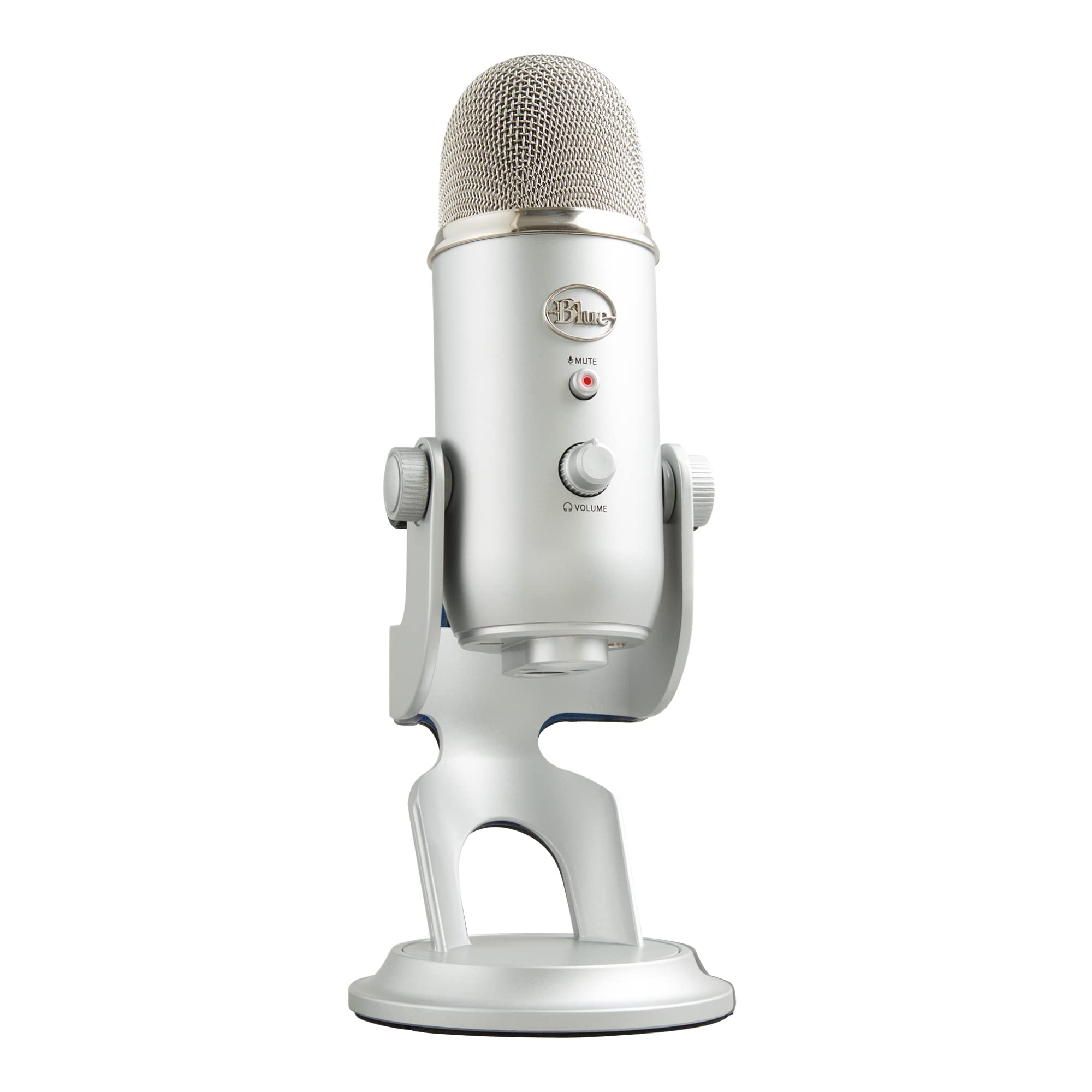
The Blue Yeti’s three-capsule array switches between four pickup patterns for solo or group recording.
The Blue Yeti has been a go-to USB condenser mic for years, and that reputation is built on its custom three-capsule array (three separate condenser capsules inside the body). That physical design lets it switch between cardioid, omni, bidirectional, and stereo pickup patterns just by twisting a knob on the back — a trick single-capsule mics like the Elgato Wave:3 cannot match. You can record a solo voice in cardioid mode, then flip to bidirectional for a two-person interview without buying a second mic. The audible noise floor (self-noise) is 100 decibels, which is 15 decibels noisier than the Elgato Wave:3’s 115 decibels, meaning you may hear a little more electronic hiss on quiet recordings — noticeable if you edit silence between words.
Owners mention that the rear knob cancels background noise and enables multi-user conference mode, making the Blue Yeti one of the few USB mics that works for group calls without external software. The Blue VO!CE software adds effects and samples for streamers, but the mic works fine without it. The metal body and adjustable desktop stand give it a premium feel, though it is not portable — this is a stay-at-your-desk mic at 2.2 pounds (according to the product listing). For singer-songwriters doing acoustic demos, customers note it delivers clear vocals and guitar while eliminating static and plosives. The 600-ohm impedance (the electrical resistance of the mic’s output) is standard for a pro condenser mic, meaning it expects a clean gain path but delivers consistent output across devices.
The Four‑Pattern Advantage: No other mic at this price gives you omni and bidirectional modes, making the Blue Yeti the most versatile solo-recording tool on this list. Heavier Than It Looks: At 100 dB audible noise it is not the quietest option; if silence matters for your recordings, the HyperX QuadCast at 90 dB is a cleaner pick.
Best for versatile creators: podcasters, streamers, and home musicians who need multiple recording formats from one mic. Not ideal if: you only ever record one voice in one position — a simpler cardioid-only mic like the Sennheiser Profile saves you desk space and costs less.
2. Elgato Wave:3
The Elgato Wave:3 delivers broadcast-level clarity with 24-bit/96kHz audio and Clipguard distortion protection.
The Elgato Wave:3 earns its top spot because its 24-bit/96kHz analog-to-digital converter (a chip that turns analog sound into digital data) captures more detail than the standard 48kHz most USB mics use — so quiet voice passages stay clear and loud moments stay clean. Its cardioid (heart-shaped) capsule focuses on your voice from the front while cutting room chatter like keyboard clicks and air conditioner hum. The proprietary Clipguard technology (a secondary signal path that kicks in if your voice peaks) makes distortion virtually impossible if you lean in close or shout — a feature exclusive to the Wave:3 that the Sennheiser Profile does not have. At 115 decibels of audible noise (self-noise, the electronic hiss the mic itself produces), the Wave:3 is 15 decibels quieter than the Blue Yeti’s 100 decibels, so you hear less hiss in quiet recordings — that is a noticeable difference for editing silence between words.
The catch is the software dependency. The Wave Link app lets you control the Wave:3 and up to seven other audio sources in two independent mixes (for example, your mic on one channel and game audio on another), which is powerful for streamers, but if you want a mic that works purely with knobs and no app, this is not that. Buyers report the voice clarity is so good that “everyone asks what mic she is using” in online lobbies. The desk stand is solid, and the USB-C connection keeps cable clutter low, but the tall body can block your monitor if you place it directly in front. Compared to the Sennheiser Profile, the Wave:3 gives you broadcast-level clarity with software control — trade the app for simplicity if you choose Sennheiser.
Broadcast‑Level Sound
- Clipguard technology prevents any audible distortion, even at close range — it acts as a safety net for new streamers learning mic discipline
- 24-bit/96kHz converter captures full vocal detail for music and voiceovers, matching the Audio-Technica AT2020USB-X on sample rate
- Wave Link app lets you mix mic audio with game chat and music separately, giving you two independent audio channels
The Software Trade‑Off
- Requires the free Wave Link app to access advanced features — no app means basic controls only
- Tall body can block a monitor placed directly in front, which is a problem on small desks
- Premium price compared to entry-level condenser mics like the Razer Seiren V2 X
Reach for this if: you are a streamer or podcaster who wants the cleanest possible voice capture and is comfortable running a companion app. Look elsewhere if: you want a completely software-free, twist‑and‑go mic — the Sennheiser Profile is a better fit for that.
3. HyperX QuadCast

The HyperX QuadCast combines a built-in shock mount, four polar patterns, and tap-to-mute in a metal body.
The HyperX QuadCast outperforms the Blue Yeti in one key area: noise control. Its audible noise is 90 decibels (self-noise), which is 10 decibels quieter than the Blue Yeti’s 100 decibels, so the electronics hum less during quiet gameplay. It also packs a built-in anti-vibration shock mount with elastic rope suspension, so desk bumps and keyboard vibrations never reach the capsule — that alone saves you from buying a separate shock mount, which the Blue Yeti does not include. The tap-to-mute sensor on top is another standout: tap the top and the red LED indicator turns off so you know you are live, with no need to hunt for a physical switch.
Reviewers point out that after over a year of use the build and sound quality remain excellent, and the metal construction survived a rough delivery. The internal pop filter helps block plosive sounds (those hard “p” and “b” blasts that cause a low-frequency thump), and the threaded adapter fits both 3/8-inch and 5/8-inch stands so you can mount it on most boom arms. The catch is the red LED lighting has no brightness adjustment — it is always red, which may clash with a non-red themed setup. One reviewer noted the red lights dimmed slightly after heavy use, but the sound quality remained consistent. Compared to the Elgato Wave:3, the QuadCast gives you four polar patterns and a shock mount built in, but no Clipguard distortion protection and no app-based audio mixing.
Studio‑Ready from the start
- Built-in anti-vibration shock mount eliminates the need for an aftermarket accessory, saving you money
- Tap-to-mute sensor with bright red LED status indicator prevents audio accidents during live streams
- Four polar patterns cover solo, group, and instrument recording scenarios, matching the Blue Yeti’s versatility
Lighting Limitations
- Red LED color cannot be changed or dimmed, which may clash with non-red themed setups like a green or white desk arrangement
- More expensive than the Blue Yeti without offering a higher sample rate — both are listed with no stated sample rate
- Not ideal for pro music recording despite the studio-grade build, as the sensitivity is tuned for moderate voice levels
Grab this for: gaming and streaming setups where desk vibrations are a problem and you want mute control without hunting for a switch. skip it if: you need adjustable RGB lighting or a non-red aesthetic — the single red color scheme is permanent.
4. Audio-Technica AT2020USB-X

The Audio-Technica AT2020USB-X brings studio-grade cardioid sound to USB with 24-bit/96kHz sampling.
The Audio-Technica AT2020USB-X delivers the same smooth, extended frequency response (the range of bass to treble it can capture) as the legendary XLR version, but through a plug-and-play USB-C connection. It uses a 24-bit/96kHz AD converter (analog-to-digital converter) — matching the Elgato Wave:3 on sample rate — which gives you detailed natural sound for podcasting, home recording, voiceover, and even field recording. The 600-ohm impedance (electrical resistance) is standard for a pro condenser mic, meaning it expects a clean gain path but delivers consistent output across devices. Unlike the Blue Yeti, which has a 120-decibel sensitivity maximum (the loudest sound it can handle before distorting), the AT2020USB-X’s sensitivity is tuned for quiet-to-moderate voice levels, so it handles loud guitar without breakup but may need gain adjustment in very quiet rooms.
Shoppers say that the mic picks up everything nearby, including a furnace vent and loud PC fan noise, so this one demands a quiet room or a software gate like Krisp (a noise-cancelling app). The two-state LED indicator ring lights blue when powered and red when muted, and the soft-touch capacitive mute button is silent — no mechanical click to record. The custom desk stand is included, and the USB-C to USB-A cable comes with a USB-A to USB-C adapter, so it works with iPads and Android tablets. Buyers report it functions as an audio interface (a device that handles audio input and output) for Android tablets, managing all input and output through the microphone. Compared to the Razer Seiren V2 X, the AT2020USB-X offers higher sample rate detail (24-bit/96kHz vs. none stated) but requires a quiet room to perform at its best.
The High‑Resolution Edge: 24-bit/96kHz sampling captures subtle vocal and instrument details that lower-rate mics miss, matching the Elgato Wave:3 on pure spec sheets. The Room Requirement: This mic is sensitive enough to pick up leaf blowers and rustling papers — if your recording space is not quiet, you will hear every second of it.
Perfect for: home studio musicians and voiceover artists who want Audio-Technica’s proven capsule in a simple USB package. Not for: noisy gaming rooms or shared offices where you cannot control background sounds like a PC fan or street noise.
5. Razer Seiren V2 X

The Razer Seiren V2 X offers the quietest self-noise (78 dB) and supercardioid rejection for gaming and dictation.
The Razer Seiren V2 X delivers the quietest self-noise on this list at 78 decibels (audible noise floor), beating the Blue Yeti’s 100 decibels by a 28% margin — meaning the mic itself introduces almost no hiss, which is critical for quiet passages in gaming or dictation. Its 25mm condenser capsule uses a supercardioid pickup pattern (narrower than standard cardioid), which rejects even more noise from the sides and rear, so keyboard clicks and mouse taps stay out of your stream. The integrated digital limiter (a circuit that prevents clipping) automatically catches clipping and peaking, so you do not have to ride the gain knob during excited gaming moments — a feature that makes it more forgiving than the Sennheiser Profile for new streamers.
Owners mention it works perfectly with Mac dictation and picks up whispers from 18 inches, making it a solid choice for voice-to-text work. The plastic enclosure is lighter than the metal-bodied mics like the HyperX QuadCast, but the built-in shock absorber dampens accidental knocks. The free-spinning gain knob and tap-to-mute button with a bright LED are both accessible on the body. The catch is that the supercardioid pattern requires you to speak directly into the top of the mic — angle the mic wrong and your voice drops off noticeably. That makes the Elgato Wave:3’s cardioid pattern more forgiving if you shift position while recording.
Silent Operation, Low Price
- 78 dB audible noise is the quietest on this list, beating the Blue Yeti by a large margin — so quiet recordings have almost no hiss
- Supercardioid pattern rejects side noise better than standard cardioid mics, ideal for noisy desk environments
- Digital limiter prevents clipping without manual gain riding, making it beginner-friendly
Plastic Build, Narrow Window
- Plastic enclosure feels less durable than the metal Blue Yeti or HyperX QuadCast, which may concern frequent travelers
- Supercardioid pattern is unforgiving if you shift position away from the capsule top — any off-axis movement drops your voice noticeably
- Free-spinning knob makes precise adjustments harder than a notched dial, which some buyers find frustrating for fine-tuning gain
Grab this for: a budget-friendly upgrade from a headset mic for gaming, Discord, or Mac dictation — the supercardioid pattern really cuts background noise. pass on it if: you move around while recording or need an all-metal body for travel — the plastic build and narrow pickup window are real trade-offs.
6. SENNHEISER Professional Profile

The Sennheiser Profile delivers warm, natural cardioid sound with all physical controls and no software required.
The Sennheiser Profile takes the opposite approach from the Elgato Wave:3 — there is no companion app, no software suite, just a plug-and-play USB-C connection into a PC, Mac, or even a Linux machine, and a set of dials on the front to control gain (input level), mix (blend of mic and PC audio), and volume. The cardioid capsule delivers a natural, warm sound that accentuates the body and presence of the human voice, and the metal housing (weighing 717 grams) feels substantially better in hand than the Razer Seiren V2 X’s plastic body. It is also heavier than the Blue Yeti (which is approximately 2.2 pounds / 998 grams according to the product listing), giving it a planted stability on the desk.
Customers note one odd hitch — a Windows 11 recognition issue that Sennheiser support traced to a poorly labeled Windows command, which was then resolved with a quick fix. Once working, the Profile is praised for its smooth, natural sound that reviewers point out “beats 90% of cheap USB mics,” and shoppers say that no pop filter is needed for normal speaking — a convenience that saves you from buying an accessory. The built-in headphone jack lets you monitor with zero latency (no delay between speaking and hearing your voice). The big downside is the low-profile stand — at just over 4 inches tall, it works fine on a desk but may be too short if you need the mic near mouth level without a boom arm, so vocal clarity improves noticeably when you mount it on one. Compared to the HyperX QuadCast, the Profile gives you warmer sound and metal build quality but no four-pattern versatility or built-in shock mount.
Pure Hardware, No Bloat: Every control is a physical dial — no app installation, no account creation, no firmware updates through a launcher. Stand Height Reality: The compact table stand keeps the footprint small, but vocal clarity improves noticeably when you mount this on a boom arm at mouth level.
Best for: people who hate unnecessary software and want a warm, natural vocal sound from a German-engineered metal mic that works from the start. Not for: users who need a tall desktop stand that brings the capsule to mouth height without an extra arm — plan on buying a boom arm if your desk height requires the mic to be higher.
Understanding the Specs
Pickup Patterns (Cardioid, Omni, and More)
A pickup pattern is the shape of the area the mic hears best. Cardioid (heart-shaped) listens mostly from the front and rejects sounds from the sides and rear — that is the standard for solo streaming and podcasting because it cuts out keyboard clicks and room reverb. Omni picks up sound evenly from all directions around the mic, which is useful for recording a group discussion around a table. Bidirectional picks up from the front and back but not the sides, so two people sitting across from each other can share one mic. Stereo captures a wider left-right soundstage, good for instrument recordings where you want spatial width. If you only record one voice, cardioid alone is enough; if you do interviews or roundtables, a multi-pattern mic like the Blue Yeti or HyperX QuadCast saves you from buying multiple microphones.
Sample Rate and Bit Depth
The spec “24-bit/96kHz” describes how much audio detail the mic captures. The “24-bit” part is the dynamic range — it means the mic can record very soft sounds and very loud sounds at the same time without the quiet parts being lost in noise or the loud parts distorting. The “96kHz” part is the sampling frequency — how many times per second the mic measures the sound wave. For comparison, CD-quality is 16-bit/44.1kHz, which is still fine for voice. 24-bit/48kHz is the standard for professional podcasting. 24-bit/96kHz gives you extra headroom for processing in editing, which matters if you plan to compress, equalize, or pitch-correct the audio. If you only speak on Zoom or Discord, you will not hear a difference between 48kHz and 96kHz.
FAQ
Will a condenser USB mic work with my PS4, PS5, or Xbox?
What is the difference between a condenser mic and a dynamic mic?
Do I need a pop filter with a condenser USB mic?
Can I use a condenser USB mic without a computer?
What does zero-latency monitoring mean?
How far should I sit from a condenser USB mic?
Can I use a condenser USB mic with Linux?
What is the Clipguard technology on the Elgato Wave:3?
Final Thoughts: The Verdict
For most buyers, the condenser usb mic to buy is the Elgato Wave:3 because it pairs 24-bit/96kHz broadcast-quality audio with Clipguard distortion protection and the Wave Link mixer software — all in a compact desktop package that delivers studio-level voice clarity with less hiss than the Blue Yeti (115 dB vs. 100 dB). If you want the most versatile multi-pattern mic that handles solo recordings and group roundtables without extra hardware, grab the Logitech Blue Yeti. And for a budget-friendly supercardioid that cuts background noise better than anything else in its price range, the Razer Seiren V2 X gives you the quietest self-noise (78 dB) and tightest side rejection on this list.
How We Picked
We do not accept paid placement. Every pick is matched to a real buyer and a real use-case; we do not hands-on test units.
Sources & Methodology
Specifications: manufacturer listings and product documentation. Review insights: verified customer reviews, as of July 2026. Pricing: not shown on this page (it changes often); check the current price via the retailer link.
As an Amazon Associate, WellFizz earns from qualifying purchases. This does not affect which products we feature.
Related Guides

Mo Maruf
I created WellFizz to bridge the gap between vague wellness advice and actionable solutions. My mission is simple: to decode the research and give you practical tools you can actually use.
Beyond the data, I am a passionate traveler. I believe that stepping away from the screen to explore new environments is essential for mental clarity and physical vitality.