Our readers keep the lights on and my smoothie glass nicely filled. As an Amazon Associate, I earn from qualifying purchases.
Specs are compiled from manufacturer listings and verified buyer reviews and can change over time — please confirm the key details on the product page before buying.
If your gaming PC takes forever to load levels, swapping in a fast cheap gaming SSD is the biggest upgrade you can make — and you do not need to spend top dollar for a real speed boost. You just need to match the SSD’s interface (the connection type) to your motherboard and your budget.
I’m Mohammad Maruf — the founder and writer behind WellFizz. This guide is built by comparing the manufacturers’ published specifications and the patterns across verified customer reviews, so you get each pick’s real strengths and trade-offs instead of marketing spin.
Each pick below is based on real data transfer rates (how fast data moves), form factors (the physical shape and connector), and actual buyer feedback, so you can choose the best cheap gaming ssd for your PC without wasting cash on the wrong slot or speed tier.
Our Picks at a Glance


How To Choose The Best Cheap Gaming SSD
Picking the wrong cheap gaming SSD is easy — you grab the lowest price tag without checking if it fits your motherboard slot or if it is fast enough to keep your games from stuttering. Here is what actually matters.
Form Factor First: M.2 vs 2.5-Inch
The shape decides everything. A 2.5-inch SATA SSD (like the Fikwot or TEAMGROUP) looks like a small thick rectangle and connects via a SATA cable and power wire — it fits any desktop or older laptop with a 2.5-inch bay. An M.2 SSD (like the Kingston NV3 or Crucial P310) is a narrow stick that plugs directly into a tiny slot on the motherboard — no cables needed. If your motherboard lacks an M.2 slot, you must buy a 2.5-inch drive. If it has an M.2 slot, an NVMe drive will be dramatically faster.
Speed Interface: SATA vs NVMe
The interface determines how fast data moves. SATA III caps out around 560 MB/s — that is already 4-5x faster than an old hard drive. NVMe (PCIe Gen3 or Gen4) can hit 3,500 MB/s to 7,100 MB/s, which means games load in seconds instead of tens of seconds. For a cheap gaming SSD, a PCIe Gen3 NVMe drive offers the best speed-per-dollar if your system supports it.
Capacity: 512GB vs 1TB for Gaming
A single modern game like Call of Duty or Starfield can eat 100-200GB. A 512GB drive holds maybe 3-4 big titles before it fills up. A 1TB drive gives you comfortable room for a game library without constantly uninstalling. If your budget allows, 1TB is the smart minimum for a gaming drive.
NAND Type and Warranty
Most budget SSDs use TLC (Triple-Level Cell) NAND, which is a good balance of speed and endurance. QLC (Quad-Level Cell) is cheaper but wears out faster under heavy writes. A 3-year warranty is standard at this price tier, and some drives also specify a TBW (Terabytes Written) endurance rating — higher TBW means the drive should last longer under constant use.
Quick Comparison
| Model | Best For | Form Factor | Max Read Speed | Capacity | Amazon |
|---|---|---|---|---|---|
| Fikwot FX815★ Best Overall | Entry-level SATA | 2.5-inch | 560 MB/s | 512 GB | Amazon |
| Kingston NV3 1TBTop Performer | Fastest Gen4 value | M.2 2280 | 6000 MB/s | 1 TB | Amazon |
| Crucial P310 1TB | Top Gen4 speed | M.2 2280 | 7100 MB/s | 1 TB | Amazon |
| Bestoss 512GB NVMe | Budget NVMe boost | M.2 2280 | 3500 MB/s | 512 GB | Amazon |
| TEAMGROUP Vulcan Z | Reliable SATA backup | 2.5-inch | 530 MB/s | 512 GB | Amazon |
| fanxiang S101Q | Budget SATA revive | 2.5-inch | 560 MB/s | 512 GB | Amazon |
In‑Depth Reviews
1. Fikwot FX815 512GB 2.5-Inch SATA III SSD
The budget floor — it works, it is cheap, and it will make an old PC feel fast again.
This 2.5-inch SATA III drive reads at up to 560 MB/s with writes up to 490 MB/s, using 3D NAND and intelligent SLC cache for steady performance. Shoppers say the drive boots up lightning fast and loads games almost as fast as an NVMe SSD. One user installed it in an old Dell and said it works great — the sluggish PC now boots in seconds rather than minutes.
The 7mm slim design fits Ultrabooks and slim notebooks. The 3-year warranty or 160 TBW endurance rating gives a basic safety net. If all you need is a functional SSD to replace a failing hard drive without spending more, this does the job.
Why It Works
- 560 MB/s reads match the SATA III ceiling
- Slim 7mm form factor fits thin laptops and Ultrabooks
- Claimed 45x less energy consumption than a typical hard drive
What Limits It
- Plastic enclosure feels less durable than metal-shell drives
- 512GB capacity fills fast with modern game installations
Best for: a bare-bones upgrade to get a dead machine working again with zero frills.
Look past it if: you can afford a small step up to the fanxiang or TEAMGROUP — both have more established track records and better build quality at a similar price.
2. Kingston NV3 1TB M.2 2280 NVMe SSD
The one that skips the PCIe 4.0 price hike while keeping real speed you feel every boot.
You get a 1TB NVMe drive hitting up to 6000 MB/s reads over a Gen4x4 interface — that is about 10x faster than a SATA SSD for game loading and file transfers. The NV3 runs cool and installs in seconds on any M.2 2280 slot. Buyers report zero gaming stutter and instant startup, and one mentions it worked perfectly with a Mac in a hub for a Mac Studio setup.
The catch? The price has crept up recently due to market conditions, but it still undercuts high-end drives while delivering genuinely fast sequential reads. At 1TB, you have room for a solid game library without managing space constantly.
What Stands Out
- 6000 MB/s Gen4 speed that beats any SATA drive by a wide margin
- 1TB capacity fits a healthy game library without deleting constantly
- Easy install and reported stable, cool operation even under load
What to Keep in Mind
- Price has inflated some versus earlier NV2 pricing
- Requires a PCIe 4.0 slot to hit max speed; slower on Gen3 boards
Reach for this if: your motherboard supports PCIe 4.0 and you want the best all-around cheap gaming SSD with real-world speed you notice.
Look elsewhere if: your system only has a Gen3 M.2 slot — the Bestoss NVMe delivers similar Gen3 speed for less money.
3. Crucial P310 1TB SSD, PCIe Gen4 NVMe M.2 2280

The raw-speed champ that also slots into handheld gaming consoles like the ROG Ally X.
This drive screams at up to 7100 MB/s reads and 6000 MB/s writes — faster than the Kingston NV3, so game level loads feel almost instant. It works in laptops, desktops, and a range of handheld gaming consoles including the ROG Ally X, Lenovo Legion Go, and AYANEO Kun. A buyer upgrading an Alienware x15 reported lightning-fast transfers after a sector-by-sector clone, and another user hit full Gen4 speed on an older Mac with an adapter.
It is also backward compatible with PCIe Gen3 slots, so it still runs strong even if your motherboard is a generation behind. The included Acronis Data Recovery Software is a nice safety net for cloning your old drive.
Why It Wins
- 7100 MB/s reads — the fastest raw speed in this lineup
- Officially compatible with several handheld gaming consoles
- Backward compatible with Gen3 slots, so it fits older builds
The Trade-Off
- Costs more than the Kingston NV3, pushing the budget definition
- Wider body may require clearance in very tight laptop bays
Grab this for: the fastest possible cheap gaming SSD performance on a Gen4 board or for a handheld console upgrade.
skip it if: you are on a strict budget and your Gen3 board cannot use the extra speed — the Kingston NV3 saves money while still being extremely fast.
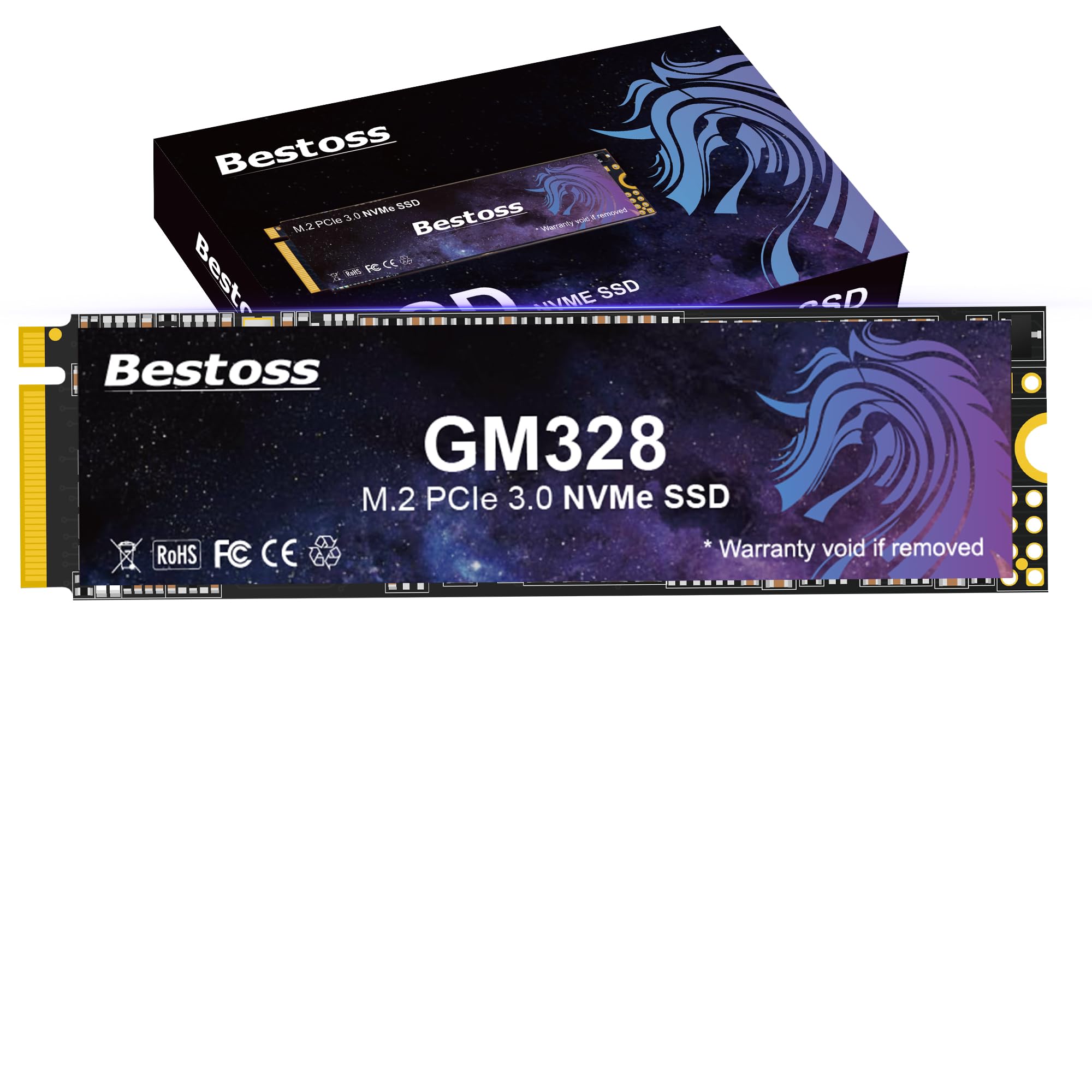
4. Bestoss 512GB PCIe Gen3 NVMe M.2 SSD
The NVMe that crushes SATA speed for nearly the same price as a 2.5-inch SATA drive.
This 512GB Gen3 NVMe drive reads up to 3500 MB/s — a 6.2x gap over the 560 MB/s of the Fikwot SATA SSD, so game level loads and Windows boots happen in a fraction of the time. Owners mention it works as well as name-brand NVMe drives and runs cool even under load. One user installed it in a Raspberry Pi 5 for a NAS setup with zero problems.
The 512GB capacity holds 3-4 big AAA titles. It is a perfect pick if your motherboard has an M.2 slot but you cannot justify the jump to a 1TB drive. The 3-year warranty plus TLC NAND gives you decent durability for the price.
Strong Points
- 3500 MB/s Gen3 speed radically faster than any SATA SSD
- Very affordable entry point into NVMe performance
- TLC NAND provides better write endurance than QLC alternatives
Weak Points
- 512GB fills quickly with modern games
- No PCIe 4.0 support — capped at Gen3 speeds
Ideal when: your motherboard has an M.2 Gen3 slot and you want the biggest speed jump for the smallest cash outlay.
Not for you if: you need 1TB of game storage or a future-proof Gen4 drive — the Kingston NV3 or Crucial P310 are better options.
5. TEAMGROUP T-Force Vulcan Z 512GB 2.5-Inch SATA III SSD

The dependable SATA warrior that upgrades old hardware without needing an M.2 slot.
This 2.5-inch SATA III drive reads up to 530 MB/s and writes up to 470 MB/s — a huge leap over a mechanical hard drive. It uses 3D NAND TLC with SLC Cache for steady performance during everyday use. Customers note it is cheap and effective, with game install speeds comparable to NVMe in some cases, and one reviewer noted it dramatically improved boot times on an older system.
The honest catch is that mixed read/write performance slows down noticeably: copying a 21GB file drops to 60-90 MB/s, taking about 3.5 minutes. A Samsung 850 Pro handles the same task in 1.5 minutes. For game loading and OS booting, the Vulcan Z works fine, but heavy file shuffling reveals its budget nature.
What It Does Well
- 530 MB/s sequential read speed revives old PCs instantly
- Shock-resistant and runs silently with no moving parts
- 3-year warranty with TBW limit based on JEDEC standards
What Holds It Back
- Mixed read/write speed drops sharply to 60-90 MB/s under sustained load
- No included data cable for installation
Choose this if: your system only has SATA ports and you need a reliable, affordable upgrade from a dying hard drive.
pass on it if: you regularly transfer large files or want the fastest sequential speeds — the NVMe options above are dramatically better.
6. fanxiang 512GB SATA SSD 2.5-Inch SATA III

The SATA drive that brings a dead laptop back to life for less than the cost of dinner out.
This 2.5-inch SATA III drive reads at up to 560 MB/s and writes at up to 490 MB/s — essentially the ceiling for the SATA interface. It uses 3D NAND with SLC Cache technology to keep everyday tasks snappy. Reviewers point out dramatic results: one owner said boot time on an old ASUS laptop dropped from over 10 minutes to fast, and installing Windows took about 10 minutes via USB. Another reviewer used it with a eufy home security system and confirmed it worked perfectly.
It also works with older SATA II and SATA I ports (the previous connection standards), so it fits very old machines. The 3-year service and lifetime technical support add confidence at this entry-level price tier.
What We Like
- 560 MB/s read speed — the maximum possible on SATA III
- Universal compatibility with laptops, desktops, and all-in-one PCs
- Reportedly revived bricked or unusably slow computers
What to Note
- Still SATA speeds — a fraction of NVMe performance
- Polycarbonate enclosure feels less premium than metal alternatives
Go for it when: you need the cheapest way to make an old laptop or desktop run again without fuss.
Consider something else if: your motherboard supports M.2 NVMe — the Bestoss Gen3 drive is many times faster for only a small extra spend.
Understanding the Specs
NVMe vs SATA III
Your motherboard has one or both of these interfaces. SATA III tops out at about 560 MB/s — a massive jump from a hard drive but a fraction of what NVMe can do. NVMe drives connect directly to the PCIe lanes and can reach 3,500 MB/s (Gen3) or over 7,000 MB/s (Gen4). For a cheap gaming SSD, Gen3 NVMe offers the best price-to-speed ratio if your system has an M.2 slot.
Form Factor: M.2 2280 vs 2.5-Inch
An M.2 2280 drive is a small stick about 22mm wide and 80mm long that plugs flat into the motherboard — no cables. A 2.5-inch drive is a thicker rectangle that needs a SATA data cable and power cable. You cannot use an M.2 drive on a motherboard without an M.2 slot. Check your PC or laptop manual before buying.
Read and Write Speeds
Sequential read speed (measured in MB/s) is the headline number for loading games and booting the OS. Write speed matters when you install a game or copy files. SATA drives sit around 530-560 MB/s for reads. NVMe Gen3 drives hit about 3,500 MB/s. NVMe Gen4 drives go up to 7,100 MB/s. In real gaming, the difference between Gen3 and Gen4 is a few seconds of load time — both are excellent.
NAND Type and TBW
NAND flash stores your data. TLC (Triple-Level Cell) stores three bits per cell and is the standard for budget SSDs — decent speed and durability. QLC (Quad-Level Cell) stores four bits and is cheaper but wears out faster under heavy writes. TBW (Terabytes Written) is the total data you can write to the drive before it might fail. A 512GB drive with a 160 TBW rating can handle about 160 full rewrites.
FAQ
Will any cheap gaming SSD fit my laptop?
Is SATA III fast enough for gaming?
What is the difference between PCIe Gen3 and Gen4 for gaming?
Can I use an NVMe drive in a SATA-only motherboard?
How long does a cheap gaming SSD last?
Should I get 512GB or 1TB for gaming?
Do I need to clone my old drive or do a fresh install?
What does SLC Cache mean on a cheap gaming SSD?
Can a cheap gaming SSD work in a PlayStation or Xbox?
Why does my new SSD show less capacity than advertised?
Final Thoughts: The Verdict
For most people, the best cheap gaming ssd overall is the Kingston NV3 1TB because it delivers genuine PCIe 4.0 speeds at a price that still fits the budget category. If you want the absolute fastest cheap gaming SSD regardless of price, grab the Crucial P310 1TB. And for a bare-minimum upgrade on a system without M.2 slots, the TEAMGROUP Vulcan Z 512GB is the most reliable SATA option.
How We Picked
We do not accept paid placement. Every pick is matched to a real buyer and a real use-case; we do not hands-on test units.
Sources & Methodology
Specifications: manufacturer listings and product documentation. Review insights: verified customer reviews, as of July 2026. Pricing: not shown on this page (it changes often); check the current price via the retailer link.
As an Amazon Associate, WellFizz earns from qualifying purchases. This does not affect which products we feature.
Related Guides

Mo Maruf
I created WellFizz to bridge the gap between vague wellness advice and actionable solutions. My mission is simple: to decode the research and give you practical tools you can actually use.
Beyond the data, I am a passionate traveler. I believe that stepping away from the screen to explore new environments is essential for mental clarity and physical vitality.