Our readers keep the lights on and my smoothie glass nicely filled. As an Amazon Associate, I earn from qualifying purchases.
Specs are compiled from manufacturer listings and verified buyer reviews and can change over time — please confirm the key details on the product page before buying.
Buying a standard laptop for SOLIDWORKS, ANSYS, or AutoCAD is the biggest mistake a mechanical engineering student can make. Those programs rely on a powerful dedicated graphics card (GPU) and a fast multi-core processor to render 3D parts and run simulations without freezing every few minutes. This guide reviews seven laptops with dedicated NVIDIA GPUs, high-performance Intel or AMD processors, and at least 16GB of RAM so you can focus on designs, not hardware.
I’m Mohammad Maruf — the founder and writer behind WellFizz. This guide is built by comparing the manufacturers’ published specifications and the patterns across verified customer reviews, so you get each pick’s real strengths and trade-offs instead of marketing spin.
The right machine makes the difference between a smooth simulation run and a frustrating crash, and this breakdown of the best computer for mechanical engineering students cuts through the noise to show you exactly which laptop suits your specific workflow and budget.
Quick Picks
- GIGABYTE AERO X16 — Best Overall
- msi Katana 15 HX — Raw Power Pick
- Lenovo Legion 5i — Display Champion
- ASUS ROG Strix G16 (2025) — Premium Cooling
- LG gram Pro 17 — Ultra-Portable
- Lenovo Legion LOQ — Budget Champion
- Alienware Area-51 18 — Max Performance
How To Choose The Best Computer For Mechanical Engineering Students
Mechanical engineering software is demanding on every part of a laptop — the processor (CPU) handles simulation math, the graphics card (GPU) renders 3D models and assemblies, and the RAM keeps everything snappy when you have multiple drawings and browser tabs open. Balancing CPU, GPU, and RAM prevents mid-project stutters and keeps you productive.
Processor: Look for Intel Core i7 or i9 HX Series
The “HX” suffix on Intel processors means higher power limits and more cores, which directly translates to faster simulation and rendering times in software like ANSYS or SolidWorks. A Core i7-13650HX or i9-14900HX handles multi-threaded tasks — like meshing a complex part — much better than a standard U-series chip you find in an ultrabook.
Graphics: Dedicated NVIDIA RTX GPU is Non-Negotiable
Integrated graphics (the kind built into the processor) cannot keep up with real-time rotation of large assemblies or GPU-accelerated rendering in modern CAD (computer-aided design) packages. Every laptop on this list has an NVIDIA GeForce RTX 50-series GPU, which supports hardware-accelerated ray tracing and the latest DLSS (a technology that uses AI to boost frame rates) for smoother model interaction.
Memory: 16GB is the Floor, 32GB is the balance
If you are running a single CAD program and a browser, 16GB is workable. But when you open a large assembly file (500+ parts), keep a PDF datasheet open, and run a simulation in the background, 32GB of RAM prevents the system from slowing down or swapping data to the drive. Two products here ship with 32GB as standard, which removes the worry about upgrading later.
Quick Comparison
| Model | Best For | CPU | Memory | Display Resolution | Amazon |
|---|---|---|---|---|---|
| GIGABYTE AERO X16 | Thin & long battery life | AMD Ryzen AI 9 HX 370 | 32GB DDR5 | 2560×1600 WQXGA | Amazon |
| msi Katana 15 HX | Raw CPU power / 32GB | Intel Core i9-14900HX | 32GB DDR5 | QHD+ 165Hz | Amazon |
| Lenovo Legion 5i | OLED display & portability | Intel Core i7-14700HX | 16GB DDR5 | 2560×1600 OLED | Amazon |
| ASUS ROG Strix G16 | Premium cooling & 240Hz | Intel Core Ultra 9 275HX | 32GB DDR5 | 2560×1600 240Hz | Amazon |
| LG gram Pro 17 | Ultra-light 17-inch | Intel Core Ultra 9 285H | 32GB DDR5 | 17″ 144Hz | Amazon |
| Lenovo Legion LOQ | Budget value / good CAD | Intel Core i7-13650HX | 16GB DDR5 | 1920×1080 IPS | Amazon |
| Alienware Area-51 18 | Maximum performance & build | Intel Core Ultra 9 275HX | 32GB DDR5 | QHD+ 300Hz | Amazon |
In‑Depth Reviews
1. GIGABYTE AERO X16

A featherweight powerhouse that lasts through back-to-back lectures and labs.
This is the laptop that bridges the gap between raw engineering horsepower and all-day portability. The GIGABYTE AERO X16 packs an AMD Ryzen AI 9 HX 370 processor and an NVIDIA GeForce RTX 5070 GPU into a chassis only 0.65 inches thin and 4.18 lbs — light enough for a campus bag. But its real trick is the 14-hour battery life, which buyers report is enough for school days without hunting for an outlet. One reviewer noted excellent gaming and work performance with CPU and GPU temperatures staying in the mid-60s°C when using a cooling pad, with no throttling.
The 2560×1600 WQXGA display running at 165Hz gives you crisp schematics and smooth 3D rotation, at 2560×1600 versus the Lenovo Legion LOQ’s 1920×1080. That extra screen real estate helps when your CAD toolbar is docked and you are still seeing your full assembly. The 32GB of DDR5 RAM means you can run your simulation software and a dozen research tabs without hitting a wall. On the downside, it gets hot under sustained load without a cooling pad, and the included GiMATE AI software is hit-or-miss for some users. For a student who wants one laptop for class, CAD, and occasional gaming, this is the best-balanced pick.
Why it shines
- 14-hour battery is rare for a machine with an RTX 5070
- Thin and light at 4.18 lbs for a 16-inch chassis
- 32GB RAM handles multi-tab simulation workflows
The trade-offs
- Requires a cooling pad to keep CPU/GPU in mid-60s°C under heavy load
- Fan noise becomes audible when gaming or rendering
Reach for it if: you need a laptop that lasts a full day on campus and still runs demanding CAD and simulation software at a high resolution.
Look elsewhere if: your workflow involves extended multi-hour rendering sessions without a desk or a cooling stand.
2. msi Katana 15 HX

An i9 beast delivering desktop-grade simulation speed at a mid-range price.
The msi Katana 15 HX comes with the Intel Core i9-14900HX — a 24-core chip, compared to the Core i7-13650HX found in the Lenovo Legion LOQ. It also packs 32GB of DDR5 RAM, compared to the 16GB in the Legion LOQ, so large assemblies and multiple simulation runs stay fluid.
The QHD+ (2560×1600) 165Hz display with 100% DCI-P3 (a wide color gamut standard) delivers vibrant, accurate colors for visualizing material finishes in your CAD renderings, while the Cooler Boost 5 system with dual fans and five heat pipes keeps temperatures under control during long sessions. Owners mention that the fans get loud but temperatures stay safe, and the laptop handles max 1440p settings on all games tested. The catch is battery life — at 2 hours under load and around 2-3 hours for general use, you will be tethered to an outlet most of the time. It is also slightly heavy and bulky, and a few users experienced sleep/hibernation resume issues. For a student who works primarily at a desk or lab bench, the raw processing power here is the best value on the list.
Strengths at a glance
- Intel Core i9-14900HX with 24 cores for fast simulation runs
- 32GB DDR5 RAM handles large assemblies without slowdown
- Excellent price-to-performance ratio for an i9 + RTX 5070 combo
Consider this
- Only 2-hour battery life demands a nearby outlet
- Some units have sleep/hibernation resume glitches
- Power supply is bulky and runs hot
Best for: engineering students who spend most of their time at a desk and want the fastest simulation speeds for the money.
Not ideal for: anyone who needs to work from a library or coffee shop for more than an hour unplugged.
3. Lenovo Legion 5i
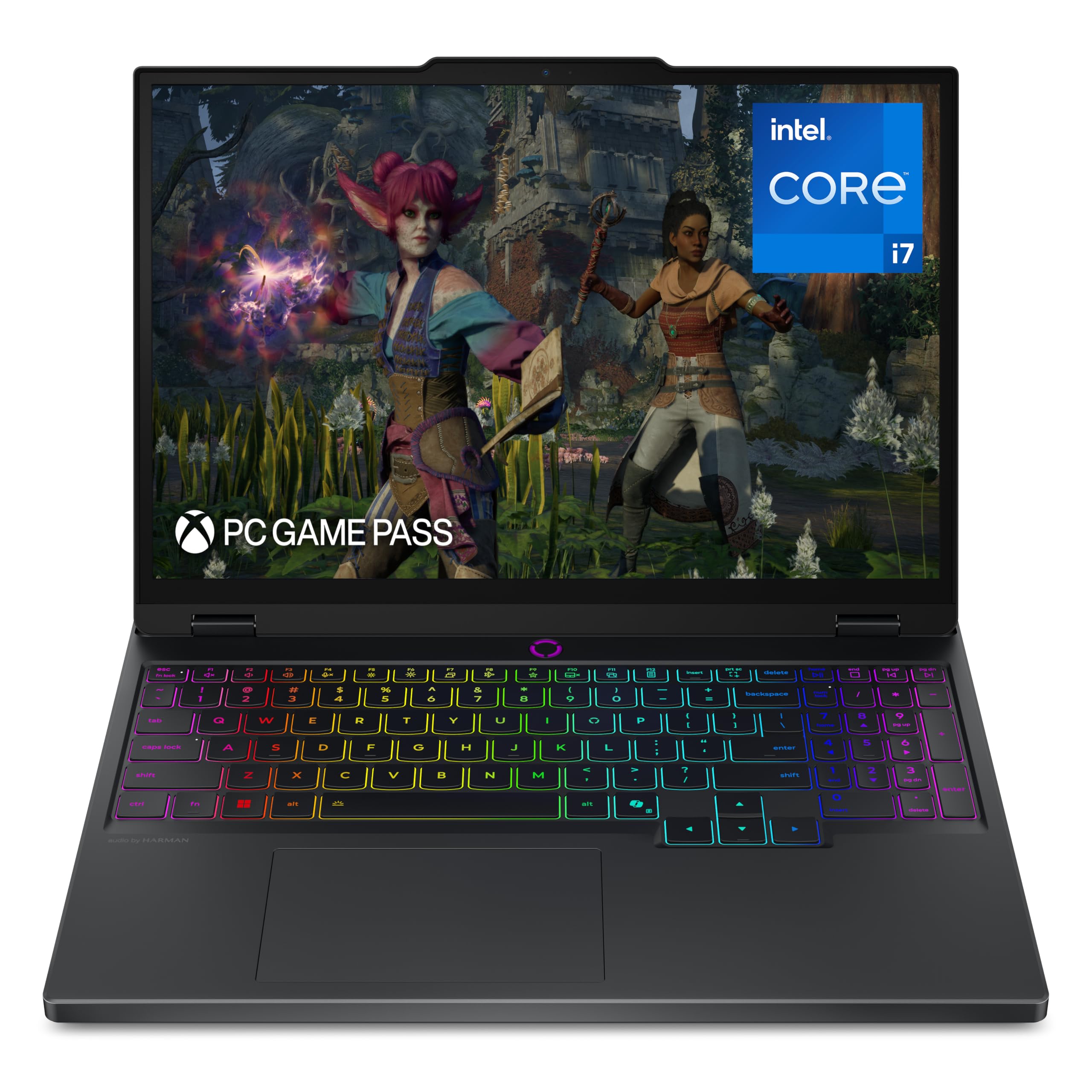
An OLED screen that makes CAD models look like product renders.
Most laptops in this category use IPS panels, but the Lenovo Legion 5i steps up with a 15-inch 2560×1600 PureSight OLED display. That means per-pixel lighting, true blacks, and a contrast ratio that makes surface details in your 3D models pop. For any student who presents design work or cares about visualizing material finishes accurately, this screen is a genuine advantage over the Lenovo Legion LOQ’s 1920×1080 IPS panel. The 165Hz refresh rate keeps model rotation feeling fluid and responsive. One reviewer upgraded from a ThinkPad X1 Extreme and noted the Legion is lighter, has a better OLED screen, and a powerful CPU/GPU combination.
Under the hood sits an Intel Core i7-14700HX processor clocked up to 5.4 GHz and an NVIDIA GeForce RTX 5070 GPU, which together handle FEA (finite element analysis) simulations and 3D rendering without stuttering. The Legion Coldfront cooling system keeps fan noise under control during light work, though it ramps up under heavy load. The main drawback is the 16GB of RAM — reviewers point out the single-channel configuration can reduce performance in CPU-heavy tasks, and there is no room to upgrade without replacing the stick. Battery life is rated at 9 hours, so it can get through a partial day of classes, and the fast charging (0 to 70% in under 30 minutes via USB-C) helps during a short break.
What stands out
- The PureSight OLED display delivers true blacks and accurate color for design reviews
- Fast-charging to 70% in under 30 minutes
- Thinner and lighter than many RTX 5070 competitors
What holds it back
- Single-channel 16GB RAM limits CPU-intensive simulation performance
- Speakers are weak; fans get loud under sustained load
- No built-in SD card reader or Windows Hello
Grab it for: the best display quality for design presentations and a portable, good-looking machine that fits in a lecture hall.
skip it if: your simulation work demands more than 16GB of RAM right now — you would need to factor in a memory upgrade.
4. ASUS ROG Strix G16 (2025)

A desktop-replacement Strix that stays cool while running simulations at 240Hz.
The ASUS ROG Strix G16 is built for students who want a step up in both GPU and cooling. It packs the more powerful NVIDIA GeForce RTX 5070 Ti (a step above the standard RTX 5070) paired with an Intel Core Ultra 9 275HX processor. The 16-inch ROG Nebula display runs at 2560×1600 resolution with a 240Hz refresh rate and a 3ms response time (the time it takes a pixel to change color), making model manipulation feel instant. The machine uses a vapor chamber and tri-fan technology with Conductonaut Extreme liquid metal on the CPU, which customers note keeps the system cool even during marathon gaming or rendering sessions.
With 32GB of DDR5-5600MHz memory, this laptop handles multi-tab browsing alongside SolidWorks or ANSYS without a hint of slowdown. One buyer reports getting 60-90+ fps at Ultra 1440p in most games, and the VR (virtual reality) experience with Oculus 3 runs well. The main downsides are size and weight — it is noticeably heavier and larger than the GIGABYTE AERO X16 — and a few users report rare intermittent sound cutouts. The ASUS Armory Crate software gives excellent control over performance modes, though some find it bloated. For a mechanical engineering student who also games heavily and works from a desk, this is a serious performer.
Top features
- RTX 5070 Ti GPU is the only Ti-class card on this list
- 240Hz 3ms Nebula display makes fast model rotation feel flawless
- Vapor chamber cooling keeps CPU/GPU temperatures under control
Watch out for
- Heavier and bulkier than most 16-inch competitors
- Intermittent sound loss reported in some units
- Only ships with Windows 11 Home, not Pro
Choose this if: you want the highest GPU tier on the list with elite cooling for sustained simulation and gaming sessions at a desk.
Pass if: you need something light to carry between classes every day — this one stays on the desk.
5. LG gram Pro 17

A 17-inch screen in a body lighter than many 15-inch laptops.
The LG gram Pro 17 is the outlier on this list — a 17-inch laptop that weighs just 3.3 lbs (1.5 kg). For a mechanical engineering student who constantly moves between labs, lecture halls, and study rooms, that weight difference is felt every time you sling your bag over one shoulder. It is powered by an Intel Core Ultra 9 285H processor (2nd Gen) and an NVIDIA RTX 5050 GPU, backed by 32GB of RAM and a huge 2TB SSD. While the RTX 5050 is less powerful than the RTX 5070 found in the other picks here, it still handles light CAD and rendering work — one reviewer confirmed it plays CS2 and Fortnite at great FPS.
The 90Wh battery offers up to 25 hours of video playback, and the variable refresh rate display (31Hz to 144Hz) balances smoothness with power efficiency, so you rarely need to carry a charger. The chassis has passed seven MIL-STD-810G military-grade standards for durability, meaning it survives drops and bumps better than most. The trade-off is clear: the RTX 5050 GPU cannot match the simulation performance of the RTX 5070 or 5070 Ti in the other picks here, so this is not the machine for heavy ANSYS or CFD (computational fluid dynamics) work. It also lacks an Ethernet port. For a student whose primary need is portability plus the ability to run lighter CAD tasks, this is a unique option.
Why it stands out
- Weighs just 3.3 lbs with a full 17-inch display
- Massive 2TB SSD storage and 32GB RAM from the start
- Up to 25-hour battery life for days away from a charger
Its limitations
- RTX 5050 GPU is less powerful than the RTX 5070 for heavy simulation
- No Ethernet port; relies on wireless connections
- Pre-installed apps can interfere with initial setup
Tailored for: students who prioritize portability and long battery life above raw GPU power, using the laptop for note-taking, light CAD, and document work.
Not for: running intensive FEA or CFD simulations that demand a full RTX 5070 or more.
6. Lenovo Legion LOQ

The entry-level Legion that proves you do not need to spend big for solid CAD performance.
The Lenovo Legion LOQ is the most affordable laptop that still checks every box for a mechanical engineering student: a dedicated GeForce RTX 5050 GPU, an Intel Core i7-13650HX processor, and 16GB of RAM. Reviewers point out great performance for 3D CAD and gaming, with fast single-threaded and multi-threaded processing — exactly what you need for SolidWorks and basic simulations. The 15.6-inch FHD (1920×1080) IPS display runs at 144Hz, so rotating a complex 3D model feels smooth and responsive. The Hyperchamber cooling system keeps temperatures under control during daily use, though it does run hot under sustained load, and one reviewer recommended an additional cooling base.
The main limitation is the 16GB of RAM — both slots are filled, meaning an upgrade would waste the existing 8GB sticks — and the 720p webcam feels dated in 2025. Battery life is rated at 7 hours, which is short enough that you will want the charger nearby for an afternoon of classes. The Rapid Charge Pro feature gets you to 70% in under 30 minutes, which helps in a pinch. For a student on a tighter budget who still needs a machine that can run CAD and simulation software without frustration, this is the most honest value proposition on the list. It is a clear step up from a standard ultrabook, and the investment is much lower than the premium picks.
Why it is a good value
- Dedicated RTX 5050 GPU at the lowest entry price on this list
- Fast i7-13650HX handles both CAD and gaming well
- 144Hz display for smooth model manipulation
Where it compromises
- 16GB RAM is upgradeable but both slots are filled, wasting the original sticks
- 720p webcam is below average for online classes
- Battery life (7 hours) means carrying a charger
Ideal for: students who need a capable CAD machine now and want to keep the total cost low without sacrificing a dedicated GPU.
pass on it if: you need more than 16GB of RAM for large assemblies or longer battery life between classes.
7. Alienware Area-51 18

The 18-inch statement machine that does not believe in compromises — or desk mobility.
The Alienware Area-51 18 is the largest and most powerful laptop on this list, with an 18-inch QHD+ (2560×1600) display running at a blazing 300Hz and a 3ms response time. This is overkill for CAD — you will never need 300Hz for rotating a 3D model — but it means that if you also game competitively, the screen will never be a bottleneck. Under the hood sits an Intel Core Ultra 9-275HX processor (5.4 GHz max speed), 32GB of DDR5 RAM, and an NVIDIA GeForce RTX 5070 GPU. The new Cryo-Chamber design focuses air to the core components, and Dell includes 1 Year Onsite Service (a technician comes to you if the hardware fails). Reviewers report excellent performance for gaming and multitasking with zero lag, and a premium build quality.
The catch is everything that comes with an 18-inch desktop replacement. It weighs over 9 lbs, as one buyer mentioned, making it essentially a portable desktop rather than a laptop you use on your lap. A few users flagged that the advertised on-site service may not be honored by Dell in practice, and the unit is large enough that it will not fit in most standard backpacks. Battery life is average for a high-power machine. If your work is all at a single desk and you want the biggest, most rich screen for both engineering work and gaming, the Area-51 delivers. For anyone who moves between rooms or buildings, the weight alone is a dealbreaker.
What you get
- Massive 18-inch QHD+ 300Hz display for rich work and play
- Intel Core Ultra 9-275HX with 32GB RAM for the heaviest simulations
- 1 Year Onsite Service from Dell for confidence
The downsides
- Weighs over 9 lbs — it is a stationary machine
- On-site service claim disputed by some buyers
- Will not fit in a standard backpack
Reserve this for: students with a dedicated desk in a dorm or apartment who want the biggest screen and maximum performance without needing to move the machine daily.
Steer clear if: you carry your laptop between classes, libraries, and labs — the weight will become a serious burden.
Understanding the Specs
Dedicated GPU (Graphics Card)
A dedicated GPU is its own processor specifically for graphics and rendering — separate from the main CPU. For mechanical engineering software like SolidWorks, CATIA, or ANSYS, the GPU handles the 3D viewport (where you rotate and zoom around your model) and accelerates rendering. An integrated GPU (built into the CPU) is too weak for this task and will cause lag or stuttering. Every machine on this list has an NVIDIA GeForce RTX 50-series GPU, which supports hardware-accelerated ray tracing and DLSS (a feature that uses AI to improve frame rates and image quality).
CPU and Core Count
The processor (CPU) performs the math behind simulations like finite element analysis (FEA) or computational fluid dynamics (CFD). Simulation software often uses all the CPU cores it can find, so a processor with more cores (like the 24-core i9-14900HX) will finish a simulation run faster than one with fewer cores (like the 14-core i7-13650HX). Intel HX-series processors are designed for high power draw and sustained performance, which is exactly what you need for long-running simulations.
RAM (Memory)
RAM is your laptop’s short-term memory for active tasks. When you open a large assembly file with hundreds of parts or run a simulation that connects to a database, everything is held in RAM. 16GB is the minimum for comfortable work, but if you run multiple programs at once (CAD + browser + PDF reader + maybe a music stream), 32GB keeps the laptop feeling fast. Once you run out of RAM, the system uses the SSD as temporary memory, which is much slower and causes the entire laptop to stutter.
Display Resolution and Refresh Rate
Resolution (like 1920×1080 or 2560×1600) determines how sharp text and model edges appear. A higher resolution is helpful in CAD because it lets you see more of your toolbar and model at once without scrolling. Refresh rate (144Hz to 300Hz) controls how many times the screen updates per second — a higher rate makes the cursor and 3D rotation feel more fluid. For engineering work, 144Hz is perfectly fine; rates above that benefit gaming more than CAD.
FAQ
Can I use a MacBook for mechanical engineering?
Do I need a Quadro (professional) GPU or is GeForce fine?
How much RAM do I actually need for ANSYS?
Is 1920×1080 resolution enough for CAD work?
Will a gaming laptop work for mechanical engineering?
How important is the refresh rate for engineering software?
Can I upgrade the RAM later in any of these laptops?
What is the difference between an Intel Core i7 and i9 for CAD?
Do I need Windows 11 Pro instead of Home?
How much storage do I need for engineering software?
Final Thoughts: The Verdict
For most mechanical engineering students, the best computer for mechanical engineering students is the GIGABYTE AERO X16 because it delivers the rare combination of 14-hour battery life, 32GB of RAM, and a high-res 2560×1600 display in a thin 4.18 lb chassis — so you can get through a full day of classes and labs without hunting for an outlet. If simulation speed is your top priority and you work at a desk, the msi Katana 15 HX with its 24-core i9-14900HX and 32GB of RAM offers the fastest processor speeds for the money. And for a student on a tighter budget, the Lenovo Legion LOQ proves you can run CAD and simulations while staying affordable — as long as you are okay with 16GB of RAM and shorter battery life.
How We Picked
We do not accept paid placement. Every pick is matched to a real buyer and a real use-case; we do not hands-on test units.
Sources & Methodology
Specifications: manufacturer listings and product documentation. Review insights: verified customer reviews, as of July 2026. Pricing: not shown on this page (it changes often); check the current price via the retailer link.
As an Amazon Associate, WellFizz earns from qualifying purchases. This does not affect which products we feature.
Related Guides

Mo Maruf
I created WellFizz to bridge the gap between vague wellness advice and actionable solutions. My mission is simple: to decode the research and give you practical tools you can actually use.
Beyond the data, I am a passionate traveler. I believe that stepping away from the screen to explore new environments is essential for mental clarity and physical vitality.