Our readers keep the lights on and my smoothie glass nicely filled. As an Amazon Associate, I earn from qualifying purchases.
Specs are compiled from manufacturer listings and verified buyer reviews and can change over time — please confirm the key details on the product page before buying.
Whether you are on a gigabit fiber plan or a mid-tier cable connection, the right combo modem and router eliminates dead zones, stops monthly rental fees, and gives your whole family a smoother connection for gaming, streaming, and video calls.
Quick Picks
- Motorola MG8725 — Best Overall
- ARRIS G54 SURFboard — Premium Pick
- NETGEAR Nighthawk CAX80 (Renewed) — Top Performer
- ARRIS G36-RB SURFboard (Renewed) — Best Value
- NETGEAR Nighthawk CAX30 (Renewed) — Mid-Range Champ
- ARRIS SBG8300-RB SURFboard (Renewed) — Budget Champion
- AVM FRITZ!Box 6670 Cable — European Specialist
How To Choose The Best Combo Modem And Router
A combo modem and router sounds like a simple swap for your ISP box, but the specs that really matter — DOCSIS version, Wi-Fi generation, and port selection — determine whether you actually get the speeds you pay for. Here is what to check first.
DOCSIS Generation: 3.0 vs. 3.1
DOCSIS 3.1 (Data Over Cable Service Interface Specification version 3.1) is the newest widely available standard and supports internet plans up to 1 Gbps (gigabit per second) or higher. DOCSIS 3.0 is fine for plans under 500 Mbps (megabits per second), but 3.1 gives you better security, less lag during gaming, and a future-proof path if your provider boosts speeds later.
Wi-Fi Standard: Wi-Fi 5, 6, or 7
Wi-Fi 5 (also called AC) works for a handful of devices doing email and web browsing. Wi-Fi 6 (or AX) handles more simultaneous connections — think multiple 4K streams, gaming consoles, and smart home gear — and keeps video calls stable in a busy household. The newest Wi-Fi 7 (BE) is overkill for most people today, but it offers the highest potential speeds and best support for future gadgets.
Ports and Speeds
Check how many Gigabit Ethernet ports the unit has for wired devices like a gaming PC or a streaming box. A 2.5 Gigabit LAN (Local Area Network) port is a bonus if your internet plan exceeds 1 Gbps, because a standard 1 Gigabit port would cap your wired speed. Port count matters: some combos give you four ports, some give you only one or two, so count what you need.
Quick Comparison
| Model | Best For | Max Speed | Wi-Fi Standard | Ethernet Ports | Amazon |
|---|---|---|---|---|---|
| Motorola MG8725 | Gamers & wired power users | Up to 6000 Mbps (AX6000) | Wi-Fi 6 | 4 (one 2.5 Gig) | Amazon |
| ARRIS G54 | Future-proofing with Wi-Fi 7 | Up to 18 Gbps | Wi-Fi 7 | 5 (one 10 Gig) | Amazon |
| NETGEAR CAX80 (Renewed) | High-speed, large home coverage | Up to 6 Gbps | Wi-Fi 6 | 5 (one 2.5 Gig) | Amazon |
| ARRIS G36-RB (Renewed) | Mid-range upgrade with Wi-Fi 6 | 1.2 Gbps | Wi-Fi 6 | 3 | Amazon |
| NETGEAR CAX30 (Renewed) | Balance of value & Wi-Fi 6 speed | 2.7 Gbps | Wi-Fi 6 | 4 | Amazon |
| ARRIS SBG8300-RB (Renewed) | Budget DOCSIS 3.1 upgrade | 1 Gbps | Wi-Fi 5 (AC2350) | 4 | Amazon |
| AVM FRITZ!Box 6670 Cable | European ISP & smart home hubs | 2.88 Gbps (5 GHz) | Wi-Fi 7 | 5 (one 2.5 Gig) | Amazon |
In‑Depth Reviews
1. Motorola MG8725

A wired powerhouse with the first Low Latency DOCSIS certification for serious gamers.
You get lower lag for gaming and video calls because the Motorola MG8725 is the first modem-router to earn CableLabs’ Low Latency DOCSIS (LLD — a certification that reduces ping in online activities) certification. When your cable provider enables that feature, your ping in online shooters or Zoom calls drops noticeably. The hardware supports up to 6000 Mbps over AX6000 Wi-Fi 6, and the 2.5 Gigabit Ethernet port means wired speeds above a gigabit are possible, unlike many combos that cap you at 1 Gbps (gigabit per second).
Reviewers report the motosync app is not reliable for setup and most recommend doing a manual configuration instead. Several owners note the Wi-Fi range trails older Netgear gear, requiring some positioning adjustments, and a few mention intermittent connectivity that forced hard resets. On the plus side, once dialed in, the unit delivers smooth speeds close to your plan’s cap — one owner recorded 770 Mbps (megabits per second) on a supposed 1 Gbps line — and email support resolved issues quickly. The MG8725 is a 4×4 internal-antenna design offering whole-home coverage, though larger homes may still want a repeater (an extender that boosts the Wi-Fi signal).
Compared to the NETGEAR CAX30, which manages 2.7 Gbps data transfer rate, the Motorola’s 2.5 Gigabits Per Second wired throughput and LLD certification give it a real edge for competitive gaming and gigabit-plus plans.
Where It Shines
- Low Latency DOCSIS (LLD) certification — first modem-router to earn this, reduces lag for gaming and conferencing
- 2.5 Gigabit Ethernet port for wired speeds above 1 Gbps
- AX6000 Wi-Fi 6 with Power Boost, Range Boost, and AnyBeam beamforming for whole-home coverage
- Four Gigabit Ethernet ports for multiple wired devices
Watch Out For
- The motosync app is buggy and often unusable; manual setup via PC is recommended by buyers
- Wi-Fi range is weaker than some older models, requiring careful placement
- Several buyers report intermittent connectivity issues that require hard resets
- Higher upfront price than mid-range combos
The Gamer’s Pick: If you are on a gigabit cable plan and want the lowest possible ping for gaming plus a fast wired connection, the MG8725 is your choice.
The Catch: The Wi-Fi range is not the best in this class, so a large home may need a mesh extender (a device that spreads Wi-Fi across a larger area).
2. ARRIS G54 SURFboard
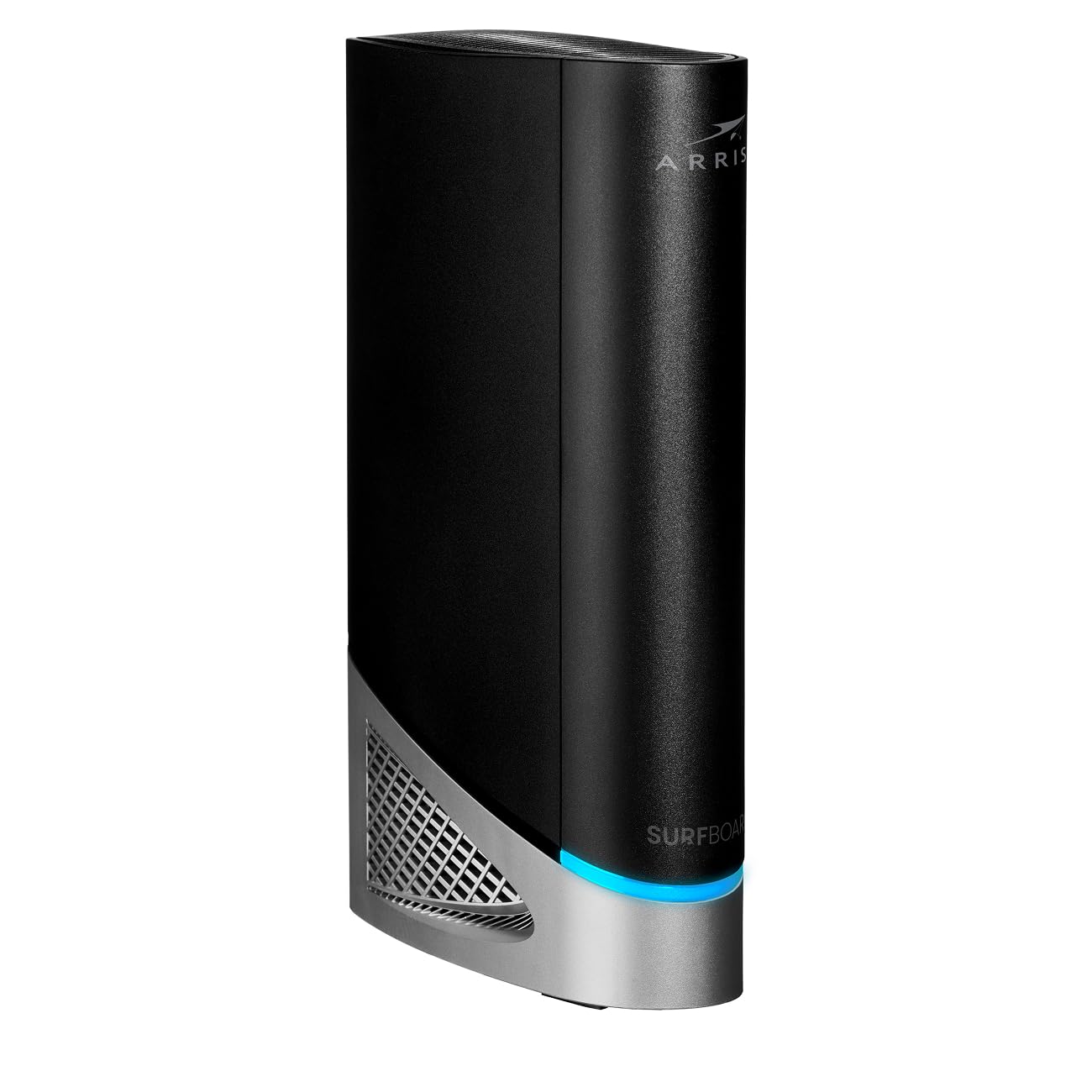
Wi-Fi 7 (the newest standard) and a 10 Gig LAN port for homes that want zero compromise.
The ARRIS G54 is the top-shelf choice for anyone who refuses to upgrade again in three years. It supports BE 18000 Wi-Fi 7 (the newest wireless standard, labeled BE) — the newest standard — and has an ultra-fast 10-Gigabit Ethernet port that can handle future fiber internet speeds well beyond what most providers offer today. The unit covers up to 5,000 square feet, and the DOCSIS 3.1 modem part keeps pace with multi-gig plans from Xfinity, Spectrum, and Cox. It also includes four standard 1-Gigabit ports for your other wired devices.
Owners mention that the setup with a provider like Cox was easy and that speeds literally doubled after swapping out an older unit. However, a significant minority of reviewers flag critical problems: one review describes the Wi-Fi range as less than 10 feet, while another says Ethernet disconnects every 30 minutes during gaming and video calls. The app gets average marks, and some owners found the non-tech-savvy setup a hassle — “Split Mode” and 6 GHz (gigahertz, a high-frequency wireless band) connection management add complexity. One owner notes that the 6 GHz frequency delivers the fastest speed but has weak signal strength and may need a booster (a signal amplifier) for full home coverage.
Compared to the Motorola MG8725, which maxes out at AX6000 Wi-Fi 6 and a 2.5 Gig port, the G54’s Wi-Fi 7 and 10 Gig port give it massive future headroom — but its real-world range and stability issues make it a riskier buy for mixed-device homes.
Future Ready
- Wi-Fi 7 (BE 18000) supports the newest standard for blazing speeds up to 18 Gbps
- 10-Gigabit Ethernet port for wired speeds far beyond current cable plans
- Covers up to 5,000 square feet
- Four 1-Gigabit Ethernet ports for multiple wired devices
High Risk
- Multiple customers note extremely poor Wi-Fi range (under 10 feet in one case) and Ethernet disconnects every 30 minutes
- 6 GHz Wi-Fi 7 signal is weak and may need a booster
- Setup is not simple for non-tech-savvy users despite the app
- Very high price point with no guarantee of stability
The Future-Proof Dream: If you are a tech enthusiast who wants the absolute fastest specs and has a multi-gigabit plan, the G54 is class-leading on paper.
The Sour Note: Major reliability complaints from a segment of buyers suggest this unit is a gamble — ensure you have a long return window.
3. NETGEAR Nighthawk CAX80 (Renewed)

A stable Wi-Fi 6 combo that covers 2,500 sq. ft. and handles 30 devices at once.
The NETGEAR CAX80 is a strong middle ground for a big family with varied devices — streaming, gaming, printers, and smart home gear. It uses DOCSIS 3.1 and 32×8 channel bonding (a way to combine channels for faster speeds), supports cable plans up to 6 Gbps, and delivers AX6000 Wi-Fi 6 speed. The unit covers up to 2,500 square feet and can handle up to 30 devices at once without slowing down. For wired connections, you get four Gigabit Ethernet ports plus one 2.5 Multi-Gig port and a USB 3.0 port, and you can aggregate two ports to get up to 2 Gbps to one device.
Reviewers point out that the unit is stable after two weeks with only one reboot and that it improved Wi-Fi reliability compared to the ISP modem they replaced. Setup is straightforward through the Nighthawk app, though some owners needed human support to activate with Xfinity. The main drawback comes from renewed units: some arrive without the power cord, and one had WiFi fail within a year. A few reviewers stress not to buy the renewed version if you need smooth auto-connect to Netgear extenders (range boosters), as that feature did not work. The upstream speed is rated at 300 Megabits Per Second, which is a 3.3x gap behind the Arris SBG8300-RB’s 1000 Megabits Per Second — so if your plan has high upload requirements (like video production or heavy cloud backups), the CAX80 may be a bottleneck.
The CAX80’s 5 Gigabits Per Second data transfer rate is 85% more than the CAX30’s 2.7 Gbps, making it the clear pick between the two if your plan exceeds 1 Gbps.
Why It Works
- AX6000 Wi-Fi 6 speed and 2,500 sq. ft. coverage handles 30 devices
- 2.5 Multi-Gig LAN port plus 2-port aggregation for up to 2 Gbps wired
- Stable after initial setup according to several months-long users
- Nighthawk app makes management easy
Know Before Buying
- Upstream speed capped at 300 Mbps — a 3.3x gap behind some competitors — not ideal for high-upload plans
- Some renewed units arrive missing power cords or fail within a year
- Not compatible with fiber or DSL (Digital Subscriber Line) — cable only
- Renewed version may not auto-connect to Netgear extenders
Best for Busy Homes: If you need a solid, speedy combo that covers a large home and handles many devices without fuss, the CAX80 delivers.
The Trade-Off: The limited upload speed means it is not the best pick for streamers or heavy cloud users.
4. ARRIS G36-RB SURFboard (Renewed)

A trusty DOCSIS 3.1 and Wi-Fi 6 upgrade that does not break the bank.
The ARRIS G36-RB is the go-to choice if you want the modern DOCSIS 3.1 modem for your 1 Gbps-ish cable plan and Wi-Fi 6 (AX) for a cleaner connection, but you are not ready to spend premium money. It comes with three Ethernet ports and works with the big US cable providers — Xfinity, Spectrum, Cox — just check your ISP’s approved modem list first.
Shoppers say the refurbished unit looks new and setup is easy, with one owner noting it found all 17 devices on the network and delivered faster WiFi with a stronger signal. Another upgrade from an older Motorola 7550 reports the 1 Gbps LAN and dual-band WiFi are a big step up, and the range covers about 2,500 square feet on the 2.4 GHz band. The main issues are software-related: the backend admin page (the control panel you log into) hides behind an HTTPS security warning with a poor interface design, and the mobile app is buggy — several recommend using a computer for setup instead. One owner experienced constant WiFi drops every 20 minutes that made the unit unusable, though that could be a defective unit. The G36 uses DOCSIS 3.1, which the maker claims provides “better security, reduces lag while gaming and enables multi-gig networking.”
At a 20% more data transfer rate than the SBG8300-RB (1200 vs 1000 Megabits Per Second), the G36 offers a clear speed bump for a modest premium, making it the smarter buy for anyone on plans near 1 Gbps.
Value Highlights
- DOCSIS 3.1 and Wi-Fi 6 for a modern, faster connection suitable for 1.2 Gbps plans
- 20% more downstream speed than the SBG8300-RB (1200 vs 1000 Mbps)
- Refurbished unit often arrives looking and working like new
- Admin software is good once set up via PC
Software Hiccups
- Mobile app has bugs — use a computer for initial setup
- Backend login is behind an HTTPS security warning with a poor interface
- One report of constant WiFi drops (possibly a defective unit)
- Only 3 Ethernet ports — fewer than some competitors
Best Upgrade for Most: If you are on a plan up to 1 Gbps and want DOCSIS 3.1 plus Wi-Fi 6 without spending on premium features, the G36-RB hits the balance.
The Small Catch: The buggy app may frustrate non-technical users, and the admin interface is not the most polished.
5. NETGEAR Nighthawk CAX30 (Renewed)

A renewed Wi-Fi 6 combo that pays for itself in 8 months by killing the rental fee.
The NETGEAR CAX30 is the sensible middle ground for a home with a mid-tier cable plan (up to 1 Gbps) and about 25 devices. It packs a DOCSIS 3.1 cable modem and AX2700 Wi-Fi 6 router into one box, offering a data transfer rate of 2.7 Gigabits Per Second. The dual-band Wi-Fi covers up to 2,000 square feet, and the four Gigabit Ethernet ports give you plenty of wired options. NETGEAR Armor provides an automatic security shield for your connected devices.
Buyers love the ease of setup and the convenience of a combo unit versus separate modem and router. One owner says it is reliable with Wi-Fi 6 and never drops connection even with roughly 25 smart devices on the network. Another first-time buyer notes the refurbished unit came in like-new condition and paid for itself in 8 months by eliminating the ISP rental fee. The main downside is the activation period: multiple reviewers mention spending up to 4 hours on the phone with Comcast to register the device, though that is an ISP issue, not the hardware’s fault. A few users found the app lacking compared to the website interface.
The CAX30’s 2.7 Gbps is a solid step above the ARRIS SBG8300-RB’s 1 Gbps, but the CAX80’s 5 Gbps is 85% more, so the CAX30 fits best for plans around 1 Gbps rather than multi-gig fiber tiers.
Smart Buy
- Renewed unit often like-new, pays for itself in about 8 months of saved rental fees
- Reliable Wi-Fi 6 never drops connection with ~25 smart devices
- Easy setup and good speed for 1 Gbps plans
- Four Gigabit Ethernet ports and NETGEAR Armor security
Plan Ahead
- ISP activation — especially with Comcast — can take hours on the phone
- App is lacking compared to the website interface
- 2,000 sq. ft. coverage may not be enough for large homes
- Not compatible with fiber or DSL
The Balanced Choice: If you are on a standard cable plan and want reliable Wi-Fi 6 plus fast savings on rental fees, the CAX30 is a proven pick.
One Heads-Up: Budget extra time for ISP activation, especially if you are with Comcast.
6. ARRIS SBG8300-RB SURFboard (Renewed)

The lowest-cost way to jump from DOCSIS 3.0 to DOCSIS 3.1 and stop buffering today.
The ARRIS SBG8300-RB is the entry-level hero for anyone still using an old DOCSIS 3.0 (Data Over Cable Service Interface Specification version 3.0) modem from their ISP. It brings DOCSIS 3.1 technology, which the maker claims is 10x faster than DOCSIS 3.0, provides better security, and reduces lag while gaming. The unit serves as an AC2350 dual-band Wi-Fi 5 (AC) router, so it is not the latest Wi-Fi, but it delivers a solid 1 Gbps throughput for wired and wireless connections. It is approved for Cox, Spectrum, and Xfinity, and comes from a brand that has sold over 260 million modems, according to the maker.
Buyers who upgraded from DOCSIS 3 to 3.1 report “reduced buffering and data delay,” noting the unit likely uses Motorola RF (Radio Frequency) components. Another owner confirms it works great with Spectrum and found the setup easy, with initialization taking just 2-3 minutes. The biggest pain point is the lack of a physical WPS (Wi-Fi Protected Setup) button for pairing wireless printers — you need to do a 30-second reset and enter the admin interface, which some found difficult when the default password was rejected. The Arris app failed to find the Wi-Fi for one user, and the box had the wrong IP address printed on it. The upstream data transfer rate is 1000 Megabits Per Second, which is a 3.3x gap above the NETGEAR CAX80’s 300 Megabits Per Second — so if upload speed matters to you, this is the better budget pick for that spec.
At 11″ x 4″ x 12″, the SBG8300 is a 29% larger unit than the CAX80’s 8.5″ x 4.3″ x 10.4″ dimensions, so check your shelf space before buying.
Budget-Friendly
- Lowest cost way to get DOCSIS 3.1 — reduces buffering compared to DOCSIS 3.0
- High upload speed at 1000 Mbps (a 3.3x gap above the CAX80)
- Easy setup with most major cable ISPs
- Weight is only 2 Pounds
Old Tech
- Wi-Fi 5 (AC2350) — not Wi-Fi 6, so performance with many devices is limited
- No physical WPS button — printer pairing requires admin login
- Arris app and printed IP info can be wrong, leading to setup frustration
- Larger than many modern combos at 11″ x 4″ x 12″
The Smartest Entry: If your priority is getting off DOCSIS 3.0, stopping rental fees, and you have a smaller device count, the SBG8300-RB delivers the essential upgrade cheaply.
skip it if: You have more than 10-15 devices — the AC2350 Wi-Fi 5 will feel congested, and you are better off spending a bit more on a Wi-Fi 6 combo.
7. AVM FRITZ!Box 6670 Cable

A Wi-Fi 7 all-in-one with built-in Zigbee (a smart home connection standard) hub.
The AVM FRITZ!Box 6670 Cable wraps a DOCSIS 3.1 cable modem, a Wi-Fi 7 router, and a Zigbee 3.0 (a low-power wireless standard for smart home gadgets) smart home hub into one compact white box. This makes it a true central hub for European homes (Vodafone, Unitymedia) that want to control lights, thermostats, and sensors without a separate bridge. The Wi-Fi 7 delivers up to 2,880 Mbps on the 5 GHz band and 720 Mbps on the 2.4 GHz band. You also get four Gigabit LAN ports, one 2.5 Gigabit LAN port, a USB 2.0 port for storage or printers, and a built-in media server (UPnP AV — Universal Plug and Play Audio/Video for sharing files). The Mesh Master function lets you add FRITZ!Repeaters for a smooth smart WLAN (Wireless Local Area Network) network.
German-language reviewers are overwhelmingly positive, praising the easy setup, stable connection, and the deep feature set including DECT (Digital Enhanced Cordless Telecommunications) phone support, VPN (Virtual Private Network), and an elaborate parental control system. One owner has been using it for over 4 months with no problems and notes that the DECT thermostat integration works flawlessly. The biggest complaint is the Wi-Fi signal strength: one reviewer on a 1 Gbps line got only 100 Mbps at the far end of a 70-square-meter apartment, attributing the drop to the higher frequencies of Wi-Fi 7, and recommends repeaters for larger spaces. The unit is also relatively tall at 9.84″ x 7.24″ x 1.89″ but light at just 657 Grams (1.45 lbs).
Unlike the other combos here, the FRITZ!Box 6670 is specifically designed for European cable ISPs, so verify compatibility with your provider before purchasing.
Smart Hub
- Built-in Zigbee 3.0 hub for smart home devices — no extra bridge needed
- Wi-Fi 7 delivers fast gigabit speeds over 5 GHz (up to 2880 Mbps)
- Comprehensive features: DECT phone system, VPN, parental controls, media server
- Lightweight design at 657 Grams
Check Your ISP
- Designed for European cable providers (Vodafone, Unitymedia) — not for most US ISPs
- Wi-Fi 7 signal strength drops quickly; repeaters recommended for homes over 700 sq ft
- VPN does not support OpenVPN (a common VPN protocol noted by one reviewer)
- Higher price than most combos, reflecting the all-in-one smart home feature set
Best for European Smart Homes: If you are on a European cable ISP and want to centralize your network, phone, and smart home in one device, the FRITZ!Box 6670 is the ultimate all-in-one solution.
The Real Catch: The weak Wi-Fi 7 range means a large home will need additional mesh repeaters, adding to the cost.
Understanding the Specs
DOCSIS 3.1
This is the standard that your cable modem uses to talk to your internet provider. DOCSIS 3.1 (Data Over Cable Service Interface Specification version 3.1) is the newest widely available version and supports internet plans up to 1 Gbps or faster. It also provides better security, reduces lag during gaming, and can handle multi-gig networking. If your plan is over 500 Mbps, you want DOCSIS 3.1 — not the older 3.0 — otherwise your modem will throttle your speed.
Wi-Fi 6 (AX ) vs Wi-Fi 7 (BE)
Wi-Fi 6 (also labeled AX, like AX2700 or AX6000) is the current balance for most homes. It handles many devices at once — think 4K streaming, gaming, smart home gadgets — without bogging down. Wi-Fi 7 (BE, like BE18000) is the newest standard and offers massive potential speeds, but it is also more expensive and devices that fully use its speed are still rare. For most people today, Wi-Fi 6 is the practical choice.
FAQ
Will a combo modem and router work with my cable internet provider?
How much money will I save by buying my own combo modem and router?
What is the difference between DOCSIS 3.0 and DOCSIS 3.1?
Do I need Wi-Fi 6 or is Wi-Fi 5 enough?
What does “AX6000” or “AX2700” mean on a Wi-Fi 6 router?
Can I use a combo modem and router with a fiber optic internet service?
How do I set up a new modem router combo with my ISP?
What is a 2.5 Gigabit Ethernet port and do I need one?
Why does my refurbished modem router have activation issues with my cable provider?
Final Thoughts: The Verdict
For the majority of shoppers, the combo modem and router winner is the Motorola MG8725 because it combines a top-tier Wi-Fi 6 router, a 2.5 Gigabit wired port, and the first Low Latency DOCSIS certification for serious gaming, all in a proven package. If you want the absolute latest technology with Wi-Fi 7 and a 10 Gig port for massive future headroom, grab the ARRIS G54 SURFboard. And for the best value that still delivers DOCSIS 3.1 and Wi-Fi 6 without the premium price tag, the ARRIS G36-RB SURFboard is a smart, budget-friendly pick.
How We Picked
We do not accept paid placement. Every pick is matched to a real buyer and a real use-case; we do not hands-on test units.
Sources & Methodology
Specifications: manufacturer listings and product documentation. Review insights: verified customer reviews, as of July 2026. Pricing: not shown on this page (it changes often); check the current price via the retailer link.
As an Amazon Associate, WellFizz earns from qualifying purchases. This does not affect which products we feature.
Related Guides

Mo Maruf
I created WellFizz to bridge the gap between vague wellness advice and actionable solutions. My mission is simple: to decode the research and give you practical tools you can actually use.
Beyond the data, I am a passionate traveler. I believe that stepping away from the screen to explore new environments is essential for mental clarity and physical vitality.