Our readers keep the lights on and my smoothie glass nicely filled. As an Amazon Associate, I earn from qualifying purchases.
Specs are compiled from manufacturer listings and verified buyer reviews and can change over time — please confirm the key details on the product page before buying.
You need a webcam that doesn’t make you look like a pixelated blur on your next video call, but you also don’t want to spend more than you did on your lunch. The problem is that most budget cameras cut corners in the exact places you notice most — grainy images in dim light, tinny audio, or a fixed focus that keeps you fuzzy if you lean back. This guide cuts through the noise to show you the cheap webcams that actually deliver clear video and decent sound, so you can look professional without draining your wallet.
I’m Mohammad Maruf — the founder and writer behind WellFizz. This guide is built by comparing the manufacturers’ published specifications and the patterns across verified customer reviews, so you get each pick’s real strengths and trade-offs instead of marketing spin.
Whether you’re working from home, joining online classes, or streaming on a budget, finding a reliable cheap webcam means knowing where to compromise and where to hold the line — and we have mapped that out for you.
Quick Picks
- Lavsoul 4K Webcam for PC & Mac — Best Overall
- Atatat 2K Webcam with Microphone & Light — Ring Light Pick
- PHILIPS 4K Webcam for PC with Microphone — Brand Value
- AOC 4K Webcam for PC with Microphone — Wide Angle
- Acer 1080p Webcam with Noise Cancellation — Solid 1080p
- RUWBY Pro HD 1080p Webcam with Tripod — Tripod Bundle
- NexiGo N60 1080P Webcam with Microphone — Budget Champion
How To Choose The Best Cheap Webcam
Picking a webcam on a tight budget is mostly about choosing which trade-offs you can live with. The right camera for you depends entirely on what matters most in your daily use — video resolution, autofocus speed, or microphone quality. Here are three key areas to focus on.
Resolution: 1080p vs 4K vs 2K
Resolution determines how sharp your image looks. Most budget options offer 1080p, which is perfectly fine for standard work calls and online classes. If you plan to stream or record content, a 4K or 2K camera (like 2688×1520) gives you much more detail, but it will demand a slightly higher budget and a fast enough computer to handle it. The jump from 1080p to 4K is a major leap in clarity.
Autofocus: Fixed vs PDAF
Autofocus keeps you sharp when you move around in your chair. Fixed-focus cameras (like many basic models under ) stay crisp only at a certain distance, typically around 19.6 inches to 13 feet. If you lean in or back, you might go blurry. Phase Detection Auto Focus (PDAF) is a faster, more reliable system that locks onto your face instantly and tracks it. For dynamic calls or presentations, PDAF is a significant upgrade.
Microphone: Single vs Dual Noise-Canceling
A good microphone is just as important as good video. A single built-in mic works fine in a quiet room, but it will pick up every background hum. Dual noise-canceling microphones use a second mic to actively filter out room noise, so your voice stays clear. This matters a lot in open-plan offices, busy homes, or coffee shops.
Quick Comparison
| Model | Best For | Video Resolution | Autofocus Type | Microphone | Amazon |
|---|---|---|---|---|---|
| Lavsoul 4K Webcam | Best Overall Value | 3840P (4K) | PDAF | Dual Noise-Canceling | Amazon |
| Atatat 2K Webcam | Integrated Ring Light | 2688P (2K) | PDAF | Dual Noise-Canceling | Amazon |
| PHILIPS 4K Webcam | Brand Trust | 3840P (4K) | Fixed Focus | Single Built-in | Amazon |
| AOC 4K Webcam | Wide Field of View | 3840P (4K) | Fixed Focus | Noise-Reducing Built-in | Amazon |
| Acer 1080p Webcam | Brand Reliability | 1080P | Fixed Focus | Dual Noise-Reduction | Amazon |
| RUWBY Pro HD Webcam | Included Tripod | 1080P | Auto Focus | Dual Noise-Cancelling | Amazon |
| NexiGo N60 | Ultra-Budget Pick | 1080P | Fixed Focus | Single Noise-Cancelling | Amazon |
In‑Depth Reviews
1. Lavsoul 4K Webcam for PC & Mac
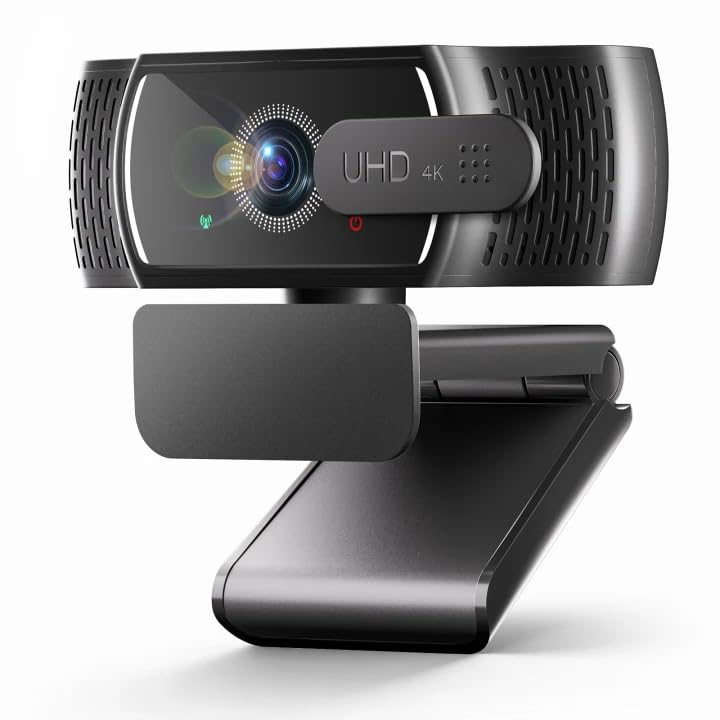
A tiny 4K camera that outshines webcams three times its price with sharp autofocus and dual mics.
If you want a stunningly clear image without paying a premium, this is the one to beat. It delivers true 4K video at 30fps (or smooth 1080p at 60fps) thanks to a 1/2.5″ CMOS sensor and a wide f/1.78 aperture that pulls in plenty of light. That spec translates directly into vibrant colors and crisp details even in dim rooms — buyers report “excellent 4K video with sharp details and vibrant colors,” which backs up the hardware. Unlike the NexiGo N60, which delivers a 1080P resolution, the Lavsoul offers a 3840P resolution, making it a massive step up in clarity.
The Phase Detection Auto Focus (PDAF) is the real star here. It locks onto your face instantly and keeps you sharp even as you move around, so you don’t end up a blurry mess when you lean forward to make a point. The dual omnidirectional noise-canceling microphones do an excellent job isolating your voice from background chatter, which is a huge help during busy team meetings or live streams. Setup is truly plug-and-play — just connect the USB-A cable and it works with Zoom, Teams, Google Meet, and OBS Studio without any driver downloads.
The sliding privacy cover blocks the lens when you step away, and the 80° field of view (how wide the camera sees) with 360° swivel rotation lets you frame your shot exactly how you want it. This webcam delivers 4K video at a price that competes with many 1080p-only cameras, making it the first choice for anyone wanting premium features on a tight budget.
Standout Specs
- True 4K (3840P) resolution for crisp video, far sharper than standard 1080p webcams.
- PDAF autofocus locks on fast and tracks your movement for consistently sharp video.
- Dual omnidirectional noise-canceling mics filter background noise effectively for clear calls.
One Trade-off
- 80° field of view is standard but not ultra-wide — you will need to sit at a normal distance.
Grab it for: Anyone who wants 4K clarity and fast autofocus without crossing into premium price territory.
Consider another if: You need a wider field of view to capture more of your background or multiple people.
2. Atatat 2K Webcam with Microphone & Light

A 2K camera with a built-in ring light that makes you look great even in a dim bedroom.
The single biggest problem with budget webcams is how they handle bad lighting — most turn your face into a muddy shadow unless you have a desk lamp aimed at you. The Atatat solves this with a built-in, touch-controlled ring light that has three brightness levels, instantly brightening your face without needing extra desk clutter. That alone makes it the best cheap webcam for anyone who does evening calls, streams late at night, or works from a room without great overhead light.
Beyond the light, the camera itself delivers a true 2K resolution (2688×1520), which is a noticeable step up in detail compared to standard 1080p webcams. It also features Phase Detection Auto Focus (PDAF), so you stay sharp as you move around in your chair, and dual noise-canceling microphones that cut out household background hum — perfect for busy home offices. The physical privacy shutter blocks the lens completely when you are not using it, and the 360° horizontal rotation with 90° vertical tilt gives you plenty of flexibility for finding the right angle.
Setup is plug-and-play with no drivers required, and it works with Zoom, Teams, Skype, and OBS. The 1/4-inch tripod thread (a standard screw size) lets you mount it on a tripod, and the adjustable clip fits any screen thickness. It addresses bad lighting better than anything else at this price, according to reviewers.
The defining feature: The 3-level ring light is a standout for low-light environments, providing natural, flattering illumination that instantly improves your on-camera appearance.
Best for: Streamers, night-shift workers, and anyone who does video calls from less-than-perfectly-lit rooms.
Skip if: You already have excellent ambient lighting and do not need the built-in light feature.
3. PHILIPS 4K Webcam for PC with Microphone
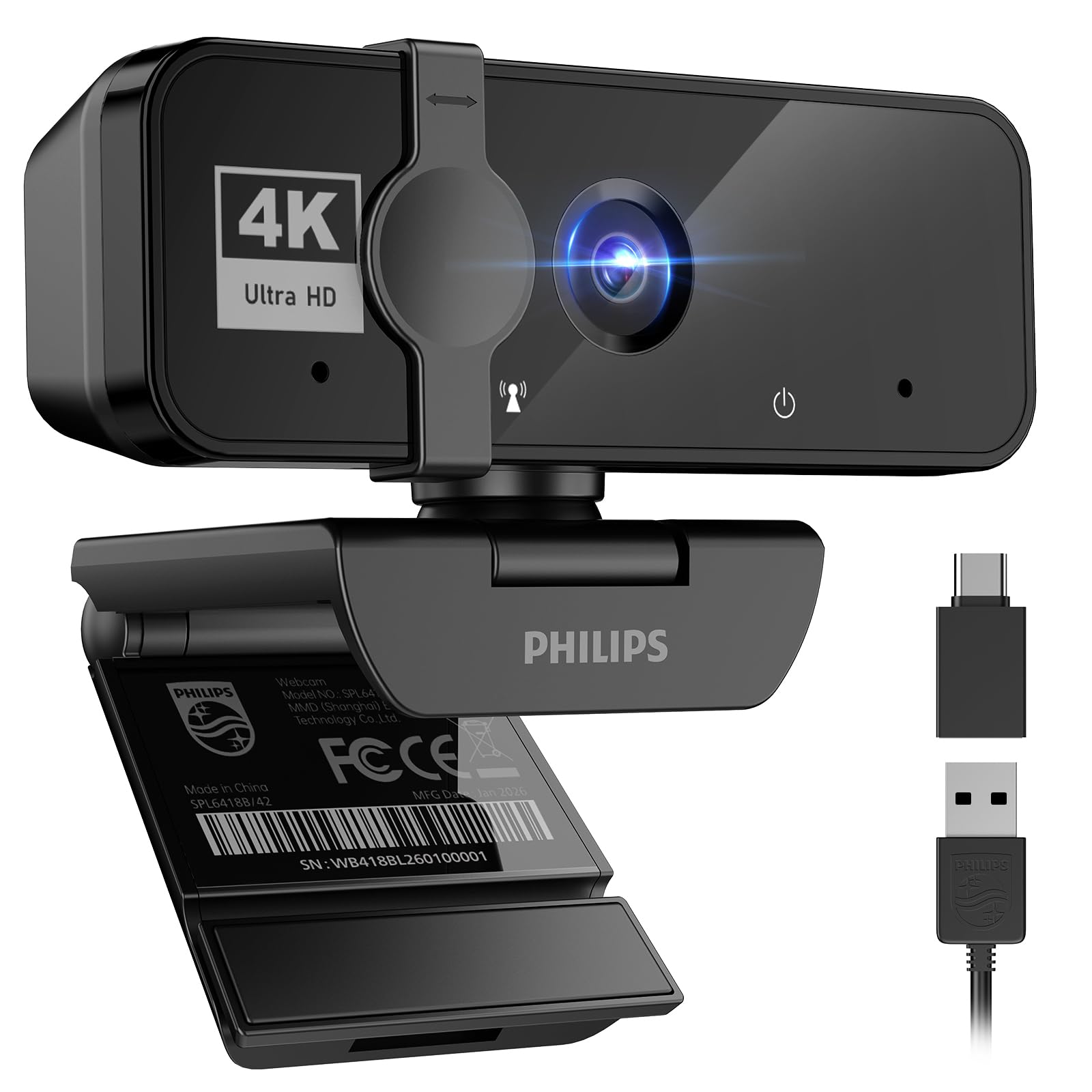
A trusted name drops 4K resolution into the budget space with a simple, effective design.
Philips brings true 4K Ultra HD resolution (3840P) to a price that competes with many 1080p-only cameras. Reviewers consistently mention the “crisp video” and “excellent value for the money.” The 100° maximum focal length (how far the lens sees) captures a wide field of view, though some owners mention it is quite large — so if you do not want your entire room visible, position it carefully.
The built-in microphone captures your voice clearly for daily calls, though it is a single mic rather than a dual-noise-canceling array, so it picks up more background noise than the Lavsoul 4K Webcam. The sliding physical privacy shutter is built into the lens, giving you a mechanical block when you step away. Setup is plug-and-play — connect the USB cable and it works immediately with Windows, macOS, Teams, Skype, and Google Meet without any driver downloads.
The build quality feels solid and the monitor mount holds well. It is a no-fuss choice from a reliable brand, particularly suited for professionals who want 4K clarity and don’t need advanced autofocus or dual microphones. The trade-off is the fixed focus system — unlike the PDAF on the Lavsoul or Atatat, you will need to sit at a consistent distance for the sharpest image.
Strong Points
- True 4K (3840P) resolution delivers sharp, vibrant video for professional calls.
- Trusted Philips brand with consistent build quality and reliable performance.
- True plug-and-play setup with no software or drivers required.
Trade-offs
- Single built-in mic lacks the noise-canceling power of dual-mic competitors.
- No autofocus — you must sit at a fixed distance for the clearest image.
Reach for this if: You value brand reliability and want 4K video without needing advanced features like autofocus.
Look elsewhere if: You move around during calls and need PDAF autofocus to stay sharp.
4. AOC 4K Webcam for PC with Microphone

A 4K webcam from a display giant that gives you a wide 90° view and a handy USB-C adapter.
AOC is best known for monitors, but they have brought their display expertise to this webcam. It delivers true 4K Ultra HD video (3840P) with an 8-megapixel effective still resolution, which is a step above many competitors. The 90° field of view is notably wider than the standard 80° on the Lavsoul, making it a better choice if you want to show more of your workspace or fit multiple people in the frame. The full 360° swivel and 180° tilt give you serious flexibility for getting the perfect angle.
It includes a built-in noise-reducing microphone for clear communication, and automatic light correction adjusts brightness in challenging lighting. The sliding physical lens cover gives you a simple privacy solution. A smart inclusion is the USB-A to USB-C adapter, ensuring compatibility with modern laptops and older desktops alike. Setup is completely plug-and-play with no drivers needed, and it works with Zoom, Teams, and Skype.
The trade-off is the fixed focus system — you will need to sit at a consistent distance for the sharpest image, unlike the PDAF on the Lavsoul or Atatat. The 4K video is excellent value, but the microphone is single-channel rather than a dual-array system. If your priority is a wide field of view and 4K resolution from a well-known brand, this is a strong contender.
The standout spec: The 90° field of view combined with 360° swivel and 180° tilt makes it the most flexible option for framing your shot perfectly.
Best for: People who want a wide-angle view of their office or need to fit multiple people in the frame comfortably.
skip it if: You need autofocus to stay sharp while moving around during calls.
5. Acer 1080p Webcam with Noise Cancellation Microphones
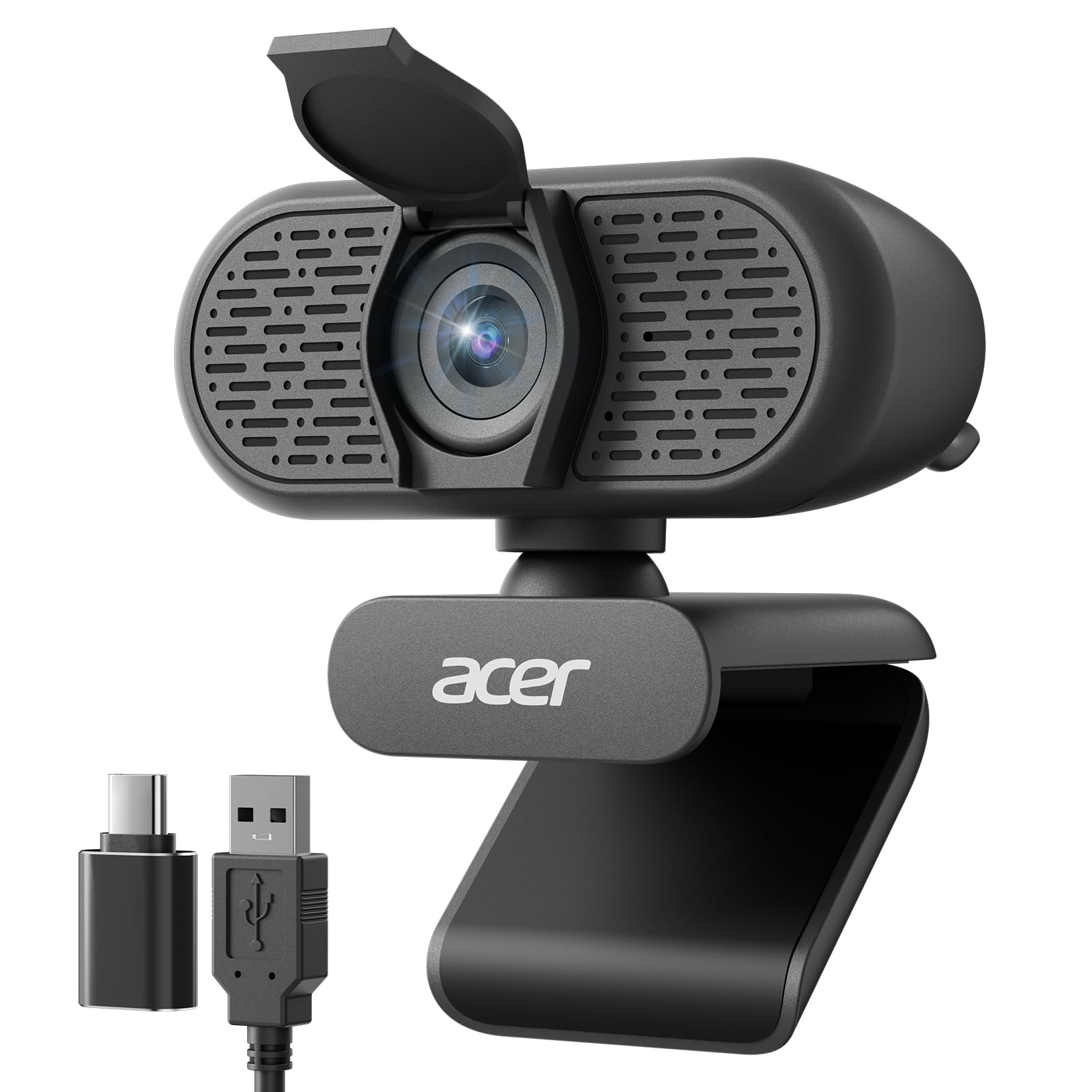
An Acer 1080p webcam that delivers reliable, clear video for daily work calls without any fuss.
Acer is another big-name brand that brings polish to this entry-level segment. The camera outputs 1080p Full HD video at 30fps, which is the standard for professional video calls and is more than adequate for Zoom, Teams, and Google Meet. The new CMOS sensor improves image clarity and color performance compared to older budget webcams, and the automatic low-light correction helps you look decent even when your room lighting is less than ideal. Reviewers consistently note the “clear video and good wide angle” and call it a reliable choice for work calls.
The dual noise-reduction microphones help clean up your audio by filtering out background distractions — a big improvement over single-mic cameras at this level. The 100° field of view is wide enough to capture your workspace without distortion, and the 360° rotation makes it easy to adjust. It also includes a Type-A to Type-C adapter, which is thoughtful for modern laptops that have moved to USB-C.
The physical privacy cover slides over the lens when not in use, and the compact clip design fits easily on any monitor or laptop screen. It is a straightforward, reliable choice from a trusted brand. Unlike the NexiGo N60, which some reviewers found grainy at 1080p, the Acer delivers consistently “clear and sharp” video according to user feedback. The trade-off is fixed focus — it is sharp within its optimal range but won’t track you if you move around a lot.
Why It Works
- Reliable 1080p video with good color and clarity, backed by a trusted brand.
- Dual noise-reduction microphones improve audio quality by filtering background hum.
- Includes a USB-A to USB-C adapter for compatibility with modern laptops.
One Limitation
- Fixed focus means you must stay at a consistent distance for the sharpest image.
Grab it for: A no-drama 1080p webcam from a major brand that just works for daily professional calls.
Consider another if: You want 4K resolution or PDAF autofocus for more dynamic use.
6. RUWBY Pro HD 1080p Webcam with Tripod
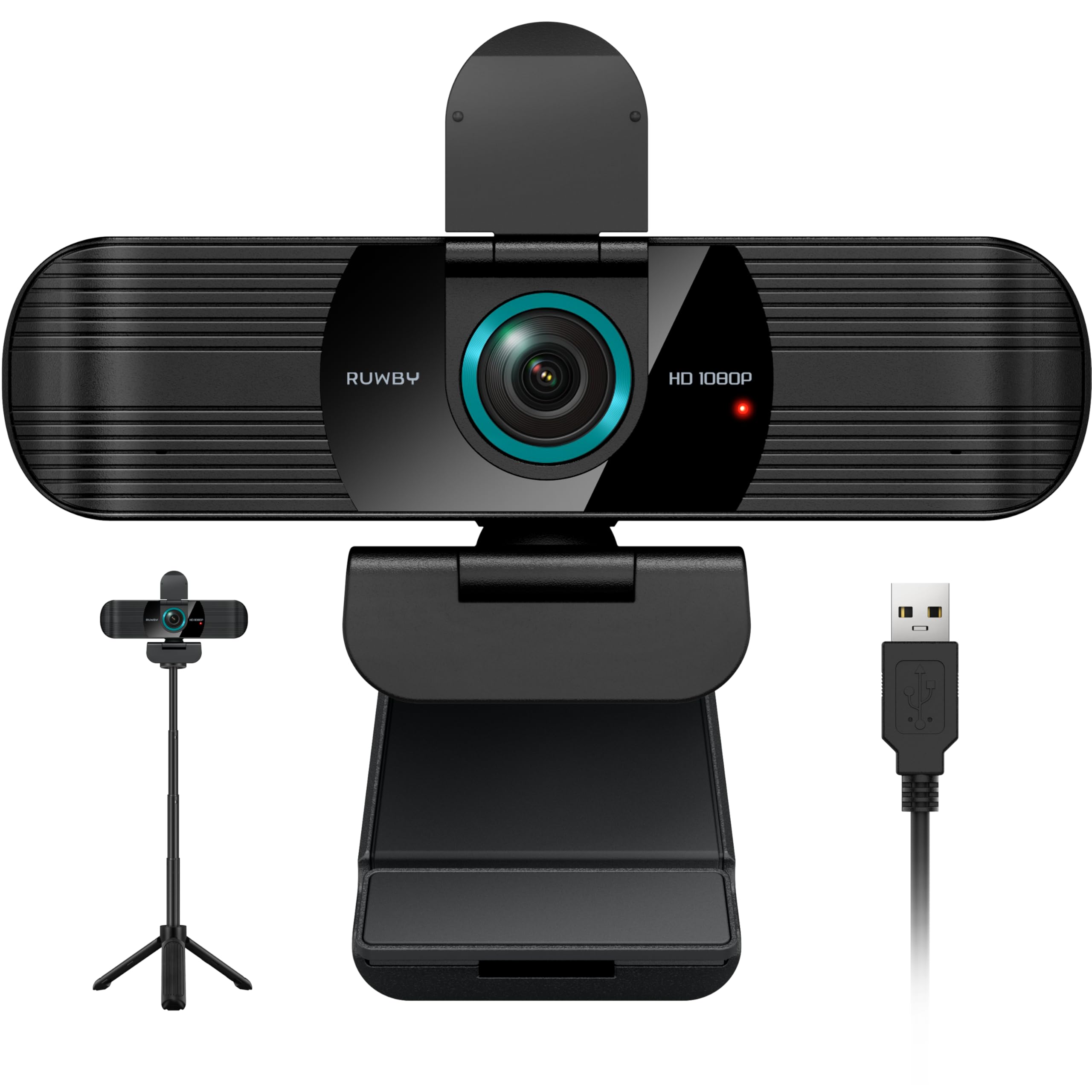
A 1080p webcam that comes with its own sturdy aluminum tripod, making desk placement flexible.
Most budget webcams assume you will clip them onto a monitor, but that doesn’t work well for everyone — especially if you use a laptop stand or want the camera at a different height. The RUWBY solves this by including an aluminum tripod with a universal 1/4-inch screw, letting you place the camera on your desk at the perfect height. The tripod folds up compactly for travel, so you can take it to co-working spaces or client meetings without hassle.
The camera itself delivers 1080p video at 30fps with a 2-megapixel effective still resolution, which is the standard for this price tier. It has fast auto-focus that keeps your face in focus during dynamic movements, dual noise-cancelling microphones that pick up clear audio up to 10 feet away, and low-light correction that brightens the image automatically in dim rooms. The 360° rotation lets you find any viewing angle you need, and the privacy shutter provides physical lens coverage when not in use.
Setup is completely driver-free — it works with Windows XP/7/8/10/11, Mac OS, Chrome OS, and Linux, and is compatible with Zoom, Teams, Google Meet, OBS Studio, FaceTime, and more. The 5-foot USB cable gives you decent reach for most desk setups. It is a well-rounded package that offers better mounting flexibility than almost anything else at this price. The trade-off is that it is a 1080p camera in a world where 4K options are becoming affordable — you trade resolution for the convenience of the tripod and autofocus.
The bundle advantage: The included folding aluminum tripod gives you precise height adjustment and desk placement that a monitor clip alone can’t match.
Best for: People who don’t want to clip their camera to a monitor and prefer desk-level placement for a better angle.
Skip if: You already own a tripod and prefer a higher-resolution 4K camera for the same budget.
7. NexiGo N60 1080P Webcam with Microphone

The lowest-priced 1080p webcam that does the job for basic calls, with a few notable compromises.
If your budget absolutely cannot stretch further, the NexiGo N60 is the cheapest entry into 1080p video that still works. It uses a 2-megapixel CMOS sensor with a 3.6mm glass lens, and it is tune for distances between 19.6 inches and 13 feet, which is the typical range for a desk setup. It delivers 1080p video at 30fps, and setup is truly plug-and-play — it works with Windows, Mac, Android, Linux, and Chrome OS without any driver downloads. The privacy cover slides over the lens when not in use.
The built-in noise-canceling microphone is adequate for basic calls, though customers note it sounds “quiet and tinny at max volume” and that the “image is grainy and laggy” in normal indoor lighting. This is the trade-off at this price point — the video is acceptable for basic professional meetings but won’t wow anyone.
The 4x digital zoom is technically present but is just cropping the image, so it reduces quality quickly. The adjustable FOV and low-light correction features help in less-than-ideal conditions, but they are basic implementations. For the absolute lowest cost, the NexiGo gets you on camera for work calls, online classes, or casual chats. The catch is that you are making real sacrifices in image sharpness and audio quality compared to the Lavsoul or Atatat, which cost only slightly more for dramatically better performance.
What You Get
- True 1080p resolution at 30fps for basic professional video calls and online classes.
- Plug-and-play setup with broad compatibility across Windows, Mac, Linux, and Android.
- Physical privacy cover gives you lens security when not in use.
The Cost of Saving
- Reviewers point out grainy and laggy video in normal indoor lighting despite the 1080p claim.
- Built-in microphone is quiet and tinny at max volume, limiting its usefulness.
Reach for this if: Your budget is extremely tight and you just need any 1080p camera for basic undemanding calls.
Look elsewhere if: You value clear video and decent audio — spending a few dollars more on the Lavsoul or Atatat transforms your experience completely.
Understanding the Specs
Resolution: 1080p vs 2K vs 4K
Resolution is measured in vertical lines of pixels — 1080p gives you 1,920 x 1,080 pixels, 2K delivers 2,688 x 1,520 pixels, and 4K hits 3,840 x 2,160 pixels. More pixels mean sharper, more detailed video, which really matters when you are presenting slides, showing a product, or just want to look crisp on camera. For everyday work calls, 1080p is fine. For streaming or content creation, step up to 2K or 4K.
Autofocus: PDAF vs Fixed Focus
Phase Detection Auto Focus (PDAF) uses special sensors to instantly lock onto your face and keep you sharp even as you move around. Fixed-focus cameras are preset to be sharp within a certain distance range (typically 19.6 inches to 13 feet), but if you lean in or lean back, you will go out of focus. If you tend to move during calls, PDAF is a significant quality-of-life upgrade.
FAQ
What resolution do I actually need for a cheap webcam?
Will a cheap webcam work with my Mac or Windows laptop?
Does a cheap webcam need special software to adjust settings?
How important is a privacy cover on a webcam?
Will a cheap webcam work with Zoom, Teams, and Google Meet?
What is the difference between 1080p and 4K on a budget webcam?
Do cheap webcams work with USB hubs or extension cables?
How do I mount a cheap webcam if I use a laptop stand?
What does low-light correction actually do on a budget webcam?
Is PDAF autofocus worth paying extra for on a cheap webcam?
Final Thoughts: The Verdict
For most people, the cheap webcam winner is the Lavsoul 4K Webcam because it delivers true 4K video, fast PDAF autofocus (phase-detection autofocus that locks focus quickly), and dual noise-canceling mics at a price that competes with 1080p-only cameras. If you want a built-in ring light to fix bad lighting once and for all, grab the Atatat 2K Webcam. And for the lowest entry point that still gives you 1080p video, the NexiGo N60 is the budget pick.
How We Picked
We do not accept paid placement. Every pick is matched to a real buyer and a real use-case; we do not hands-on test units.
Sources & Methodology
Specifications: manufacturer listings and product documentation. Review insights: verified customer reviews, as of July 2026. Pricing: not shown on this page (it changes often); check the current price via the retailer link.
As an Amazon Associate, WellFizz earns from qualifying purchases. This does not affect which products we feature.
Related Guides

Mo Maruf
I created WellFizz to bridge the gap between vague wellness advice and actionable solutions. My mission is simple: to decode the research and give you practical tools you can actually use.
Beyond the data, I am a passionate traveler. I believe that stepping away from the screen to explore new environments is essential for mental clarity and physical vitality.