Our readers keep the lights on and my smoothie glass nicely filled. As an Amazon Associate, I earn from qualifying purchases.
Specs are compiled from manufacturer listings and verified buyer reviews and can change over time — please confirm the key details on the product page before buying.
Buying a cheap PC headset does not mean you have to sound like you are talking from a tin can. The trick is finding a wired headset with a clear mic, comfortable ear cups, and decent build quality — all without burning a hole in your pocket. Here are seven budget-friendly headsets that actually deliver on voice clarity and long-wear comfort.
I’m Mohammad Maruf — the founder and writer behind WellFizz. This guide is built by comparing the manufacturers’ published specifications and the patterns across verified customer reviews, so you get each pick’s real strengths and trade-offs instead of marketing spin.
if you need something for back-to-back work meetings or late-night gaming sessions, this roundup focuses on the true standout options for a cheap pc headset that balances price with dependable performance.
Quick Picks
- Razer BlackShark V2 X Gaming Headset — Best Overall
- Poly Blackwire 3220 Wired Headset — Premium Pick
- JBL Quantum 100M2 Gaming Headset — Great Value
- Jabra Evolve 10 Wired Headset — Best for Conferencing
- Logitech H390 Wired Headset — Time-Tested
- Logitech H391 Wired Headset — USB-C Modern
- Lenovo USB-A Wired Stereo Headset — Budget Champion
How To Choose The Best Cheap PC Headset
A cheap price tag can hide a lot of bad design, but knowing a few key specs helps you spot the hidden gems. Here is what matters most when you are shopping on a tighter budget for a wired PC headset.
Microphone Quality and Noise Cancellation
The mic is the part your coworkers or teammates actually hear. A noise-canceling microphone is designed to filter out background hum and keyboard clatter so your voice comes through clean. Look for a rotating boom arm — it lets you tuck the mic away when you are just listening to music.
Comfort and Weight for Long Sessions
A headset that clamps too hard or gets hot on your ears becomes unbearable after an hour. Headsets weighing around 140g to 240g tend to be comfortable for extended wear. Leatherette (synthetic leather) or memory foam ear cushions make a real difference in how long you can keep them on.
Connectivity: USB vs 3.5mm
USB-A and USB-C headsets give you plug-and-play simplicity plus inline controls for volume and mute, which is ideal for laptops and desktops. A 3.5mm audio jack works across more platforms — PC, PlayStation, Switch — but you lose the digital inline controls unless your device has its own volume wheel.
Quick Comparison
| Model | Best For | Driver Size | Weight | Connectivity | Amazon |
|---|---|---|---|---|---|
| Razer BlackShark V2 X | Budget Gaming Audio | 50mm | 240g | 3.5mm | Amazon |
| Poly Blackwire 3220 | All-Day Work Calls | 40mm | Lightweight | USB-C + USB-A | Amazon |
| JBL Quantum 100M2 | Entry-Level Gaming | 40mm | Lightweight | 3.5mm | Amazon |
| Jabra Evolve 10 | Office & Conference Calls | 30mm | Lightweight | USB-A | Amazon |
| Logitech H390 | Proven Reliability | 30mm | Lightweight | USB-A | Amazon |
| Logitech H391 | Modern USB-C Simplicity | Dynamic Driver | Average | USB-C | Amazon |
| Lenovo USB-A Wired Stereo | Featherlight Comfort | Dynamic Driver | 140g | USB-A | Amazon |
In‑Depth Reviews
1. Razer BlackShark V2 X Gaming Headset
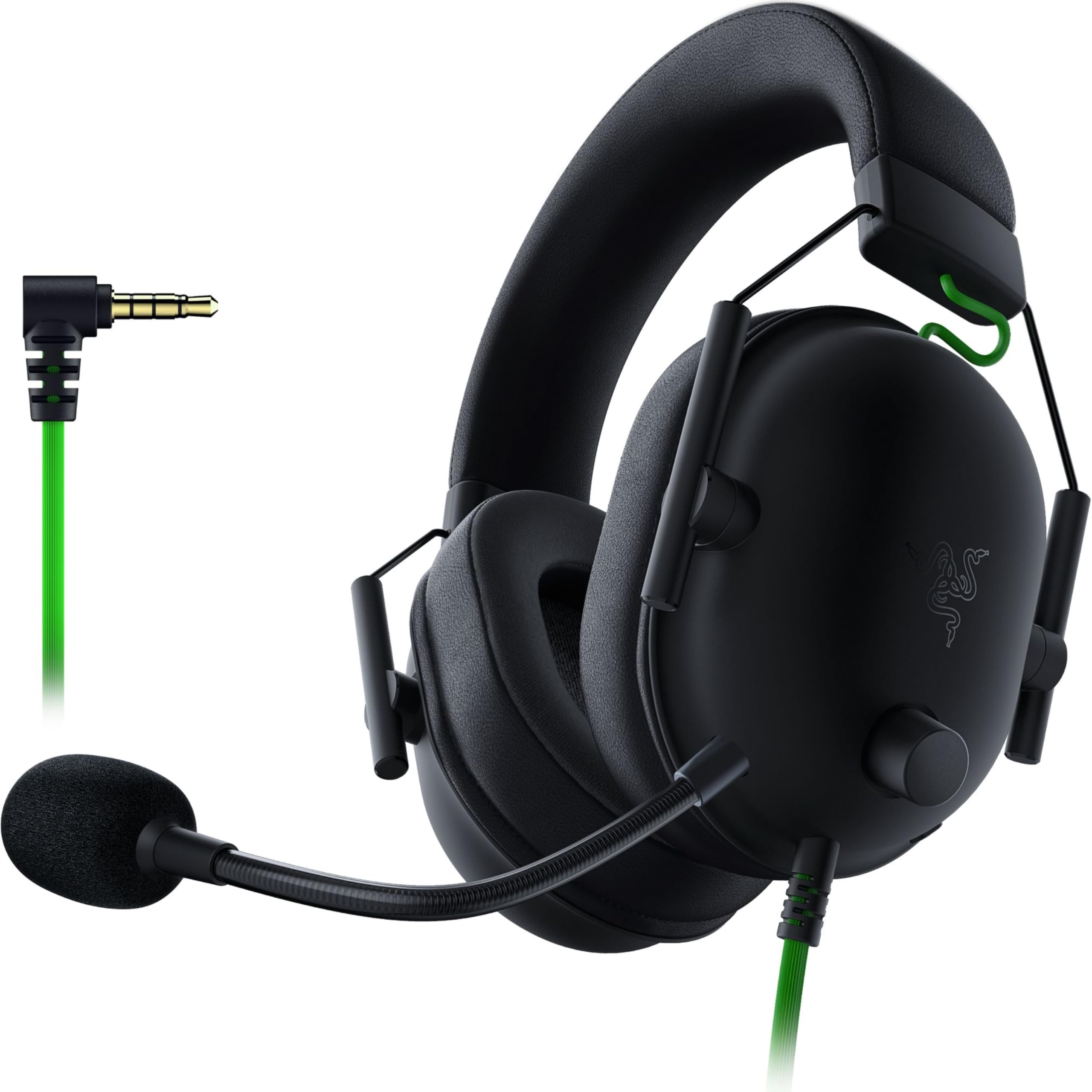
Hear footsteps and gunfire with clear separation — the 50mm Triforce Titanium drivers are the largest in this roundup.
You get custom-tuned 50mm drivers (the part of the headphone that converts electrical signals into sound) that split into three tuning areas for highs, mids, and lows. This means you hear individual sounds more clearly, so footsteps and explosions do not blend together. It supports software-enabled 7.1 surround sound on Windows 10 64-bit, giving you a sense of direction in shooters without requiring a pricey sound card.
At 240g, it is one of the lighter gaming headsets. The breathable memory foam ear cushions help keep your ears from getting sweaty during long sessions. Buyers report the Razer HyperClear Cardioid mic (a microphone that picks up sound mostly from the front, reducing noise from the sides and back) has impressive clarity. The catch? It connects via a 3.5mm audio jack, so you miss out on digital inline controls. Owners mention the volume knob direction is counterintuitive and it lacks a mute LED.
Unlike the Logitech H390’s USB-A plug-and-play, the Razer relies on your device’s own audio port. This makes it cross-platform with PC, Mac, PS4, PS5, and Switch — so it works with more devices than a USB-only headset. If you want a dedicated gaming headset with big drivers and a clear mic at a budget price, this is the one.
Why it dominates
- 50mm Triforce Titanium drivers for clear audio separation
- 7.1 surround sound on Windows 10 (software-enabled)
- HyperClear cardioid mic reduces background noise
- Lightweight at 240g with breathable foam cushions
Reality check
- No inline digital controls or mute LED
- 3.5mm jack limits some platform features
- Surround sound only works on Windows 10 64-bit
Your best bet if: you are a gamer who wants clear directional audio and a crisp mic without paying a premium.
Consider another pick if: you need USB plug-and-play simplicity for quick office setup across multiple computers.
2. Poly Blackwire 3220 Wired Headset

Switching between a modern laptop and an older desktop? This headset comes with both USB-C and USB-A in one cable.
If your day is full of video meetings, the Poly Blackwire 3220 focuses on keeping you comfortable and audible. It uses a noise-canceling boom mic along with conforming ear cushions for passive noise isolation — meaning the padding itself blocks out a decent amount of background hum. Dynamic EQ (a system that automatically adjusts sound frequencies for clearer voice during calls and richer sound for other media) tunes the audio for natural voice reproduction.
The standout feature here is the connectivity: it comes with a USB-C cord and includes a tethered USB-A adapter. You can switch between a modern laptop and an older desktop without carrying a separate dongle. Reviewers mention the mute button emits a low beep when active, and the adjustable strap with soft ear padding helps prevent migraines during long workdays. One reviewer noted the wire occasionally catches on a chair arm, but the overall build feels solid.
Unlike the Razer BlackShark V2 X’s 3.5mm gaming focus, this Poly headset is designed for Teams and Zoom with plug-and-play reliability. If you need a work-first headset that bridges old and new USB ports, this is the clear choice.
Solid for meetings: Noise-canceling boom mic with Dynamic EQ for natural voice quality; USB-C plus included USB-A adapter works across devices.
Trade-off: Not built for gaming — no surround sound, and the inline controls are basic call-focused buttons.
Reach for this if: you spend hours in virtual meetings and need a headset that connects to both modern and legacy USB ports.
Look elsewhere if: you want rich gaming audio with large drivers and positional surround sound.
3. JBL Quantum 100M2 Gaming Headset

You can remove the boom mic when watching a movie — a rare feature at this price.
The JBL Quantum 100M2 is built for beginner gamers or kids who need a solid first headset. It features JBL QuantumSOUND Signature, which is designed to make everything from footsteps to explosions feel more rich. The 40mm dynamic drivers deliver balanced audio — customers note dialogue and footsteps come through clearly, and the sound does not distort at higher volumes.
Comfort comes from breathable fabric ear cushions with memory foam and a lightweight headband designed for long sessions. The detachable directional boom mic lets you remove it when you are just listening to music or watching a movie. It works with Windows Sonic Spatial Sound (a Microsoft audio technology for virtual surround sound) on Windows 10 PCs. It connects via a 3.5mm jack, making it compatible with PC, PlayStation, Xbox, Nintendo Switch, and mobile devices.
One buyer cautioned that the cord-angle jack connection can be fragile — they experienced sound cutting out when the wire brushed against an arm. That said, for the price, the sound clarity and lightweight build make it a great starter headset. Unlike the Poly Blackwire 3220’s USB work-first approach, this JBL is purely analog and platform-flexible.
What works
- JBL QuantumSOUND Signature for clear in-game audio
- Detachable boom mic for flexible use
- Memory foam fabric ear cushions stay comfortable
- Works across PC, console, and mobile via 3.5mm
Watch out
- Angled jack connection can be fragile over time
- No USB digital controls or surround sound engine
Ideal for: younger gamers or first-time headset buyers who want JBL audio quality in an affordable wired package.
skip it if: you need a sturdy, office-focused headset with a noise-canceling mic for professional calls.
4. Jabra Evolve 10 Wired Headset
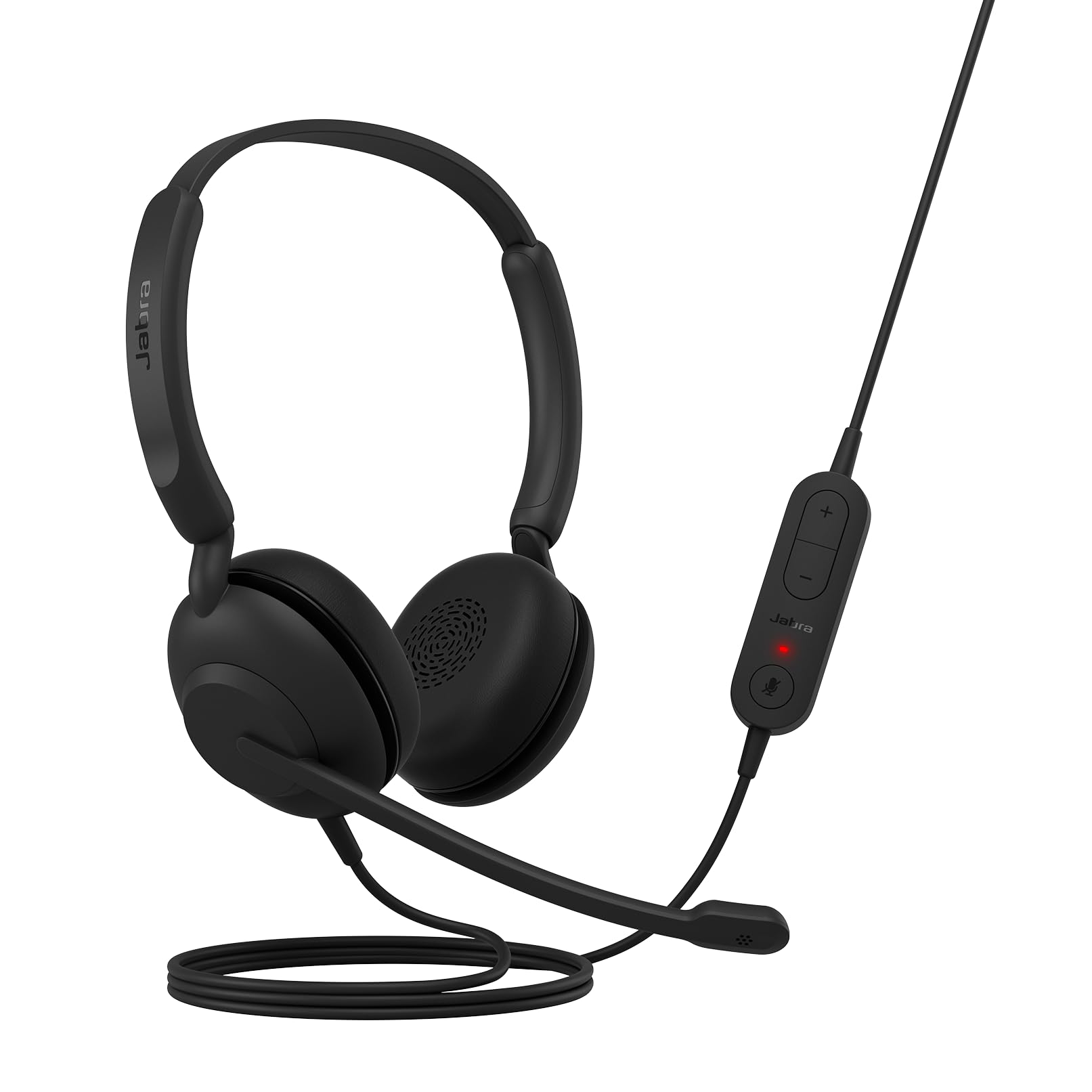
One less thing to break — this headset has a solid headband bow design that reviewers point out feels sturdier than the Jabra 30.
If your primary use is taking calls and joining online meetings, the Jabra Evolve 10 strips away gaming gimmicks and focuses on voice clarity. It uses a noise-canceling microphone that filters out background chatter in busy environments, so the person on the other end hears you clearly. The 30mm dynamic drivers are tuned for vocal range rather than bass-heavy explosions.
It plugs into your computer via USB-A with zero setup — no software, no drivers. The adjustable boom arm lets you wear the microphone on either the left or the right side, which is handy if you prefer a specific orientation. Shoppers say clear sound quality and a comfortable fit for long wear. It is TCO certified (a sustainability certification) with more than 50% recycled plastic in the build. One review noted the headband bow design feels stronger than the Jabra 30, with fewer parts that could break.
Unlike the Lenovo USB-A headset below at 140g, the Evolve 10 feels light but does not specify its exact weight — though reviewers consistently call it comfortable. If you want a reliable, professional headset for calls without any gaming flash, this is your pick.
Straightforward and effective: Noise-canceling mic with adjustable left/right boom arm; simple USB-A plug-and-play with inline call controls.
Notable trade-off: The headset does not detach to use as standalone headphones — it is always a full headset.
Best for: remote workers who need a fuss-free, eco-conscious headset for daily Teams and Zoom calls.
Not for: gamers wanting rich 7.1 surround sound or large drivers for media consumption.
5. Logitech H390 Wired Headset

Some buyers report theirs lasted six years — that is the kind of reliability you want from a cheap headset.
The Logitech H390 is a classic for a reason. It delivers digital stereo sound through fine-tuned 30mm drivers. The rotating noise-canceling mic tucks away when you are not on calls. It connects via a long 6.23 ft (1.9 m) USB-A cable that gives you room to stand up and stretch without unplugging. The leatherette ear cushions are swivel-mounted and easy to clean.
Buyers who have repurchased this headset say the build quality holds up for six years or more, though the headband can slip over time and the USB cable eventually fails with heavy use. One buyer mentioned the mic is left-side only, which might annoy right-side mic lovers. Sound quality is adequate for non-audiophiles according to reviews, with good directional audio for casual gaming.
Compared to the newer Logitech H391 (which uses a USB-C connector and includes 53% post-consumer recycled plastic), the H390 sticks with the older USB-A standard but has a longer track record of reliability. If you want a proven workhorse that just works, the H390 is tough to beat.
Why it endures
- Proven build quality lasting 6+ years per some reviewers
- Long 6.23 ft (1.9 m) USB-A cable for mobility
- Rotating noise-canceling boom mic
- Works as Chromebook certified
Downsides
- USB-A only — no USB-C option
- Left-side-only mic placement
- Headband may slip over extended use
Perfect if: you want the most thoroughly reviewed cheap headset with a reputation for long-term durability.
Think twice if: you need a modern USB-C connection or prefer a right-side mic placement.
6. Logitech H391 Wired Headset
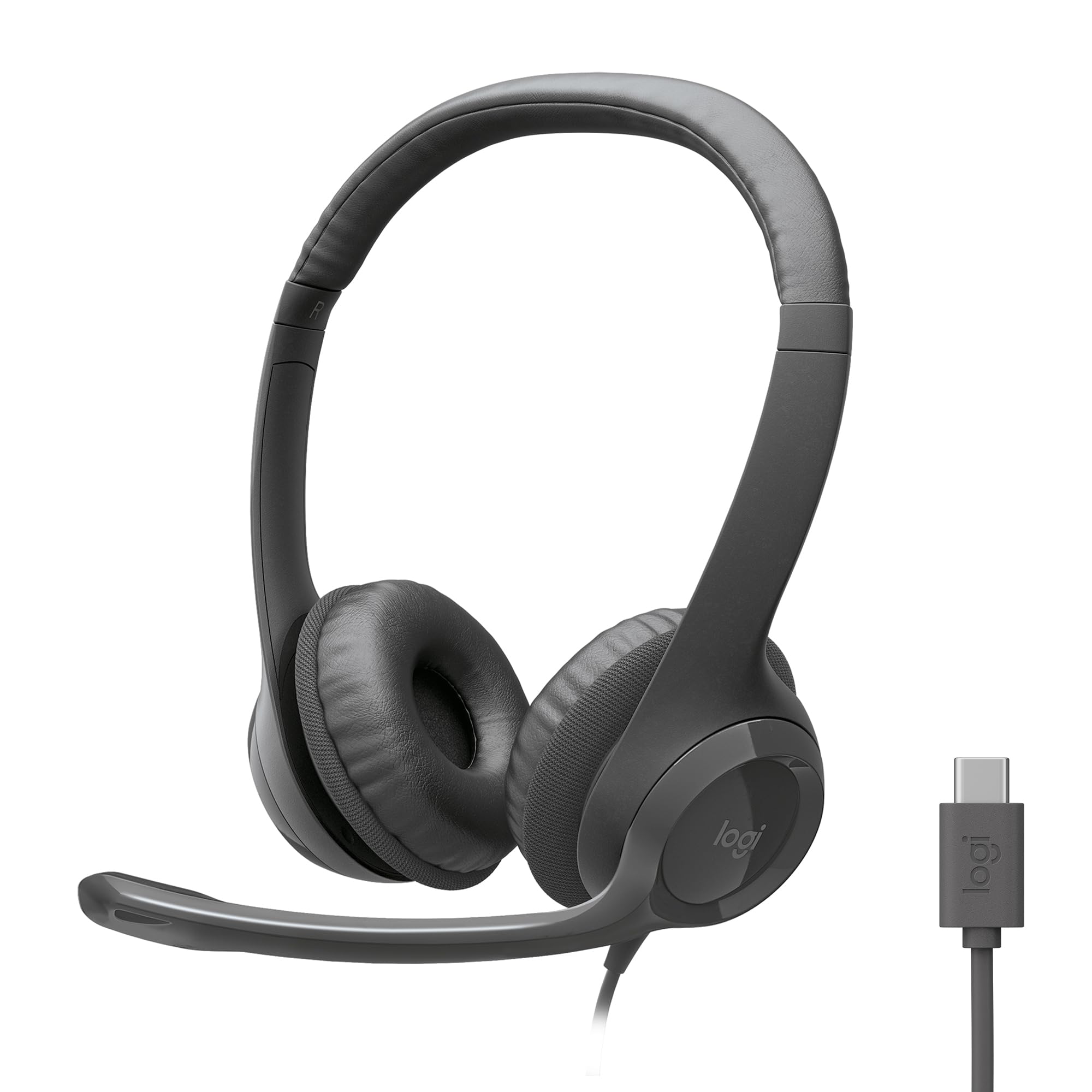
53% of its plastic comes from recycled materials — and it plugs into modern laptops without an adapter.
The Logitech H391 is essentially the modern version of the H390, swapping the USB-A connector for a USB-C plug that works with newer laptops and Chromebooks. It still features digital stereo sound from fine-tuned drivers and a rotating noise-canceling mic. The 6.23 ft (1.9 m) USB-C cable gives the same freedom to move around as its predecessor.
What sets the H391 apart is its sustainable design — 53% post-consumer recycled plastic in the headset parts, and FSC-certified paper packaging. Owners mention great stereo sound, a clear mic, and a comfortable on-ear fit, though some note the headset feels too tight and heavy for extended use. The mic picks up ambient noise more than some competitors, so it is not the best for very noisy rooms.
Compared to the Lenovo USB-A headset (which weighs only 140g and includes AI noise canceling via software), the H391 is heavier and lacks that extra noise-filtering. But the USB-C plug-and-play convenience and eco-friendly materials make it a solid pick for modern laptop users.
Modern and green: USB-C connectivity with 53% post-consumer recycled plastic; digital stereo sound and rotating noise-canceling mic.
Real talk: Some users find it too tight and heavy for all-day wear, and the mic picks up ambient noise more than the Lenovo or Jabra options.
Reach for this if: you have a USB-C-only laptop and want a headset that is built with recycled materials.
Consider something else if: you need featherlight comfort for eight-hour workdays or AI-enhanced noise cancellation.
7. Lenovo USB-A Wired Stereo Headset

At 140g, it is lighter than most smartphones — you barely notice it on your head after hours of wear.
The Lenovo USB-A Wired Stereo Headset Gen 2 is a featherweight at just 140g. Customers note that this weight prevents ear fatigue even after hours of wear. It uses Lenovo Accessories and Device Manager (LADM) software for enhanced AI noise cancellation, which is designed to filter out background noise in busy environments like open-plan offices.
The double-sided boom mic and inline controls with mute toggle make it easy to manage calls without fumbling. The replaceable earcups add longevity, and it works flawlessly with Teams and Zoom according to reviewers. One buyer called it an incredible headset for work-at-home setups, praising the long cord that allows movement around the workstation.
Compared to the Logitech H391 at a similar price point, the Lenovo is significantly lighter (140g vs unspecified but reportedly heavier) and offers AI noise cancellation rather than basic noise reduction. The trade-off is that the noise-canceling feature requires the Lenovo software to be installed. If you want the lightest possible wired headset with smart noise filtering, this is the one.
What stands out
- Ultra-light 140g weight prevents ear fatigue
- AI noise canceling via Lenovo software
- Replaceable earcups extend lifespan
- Works with Teams, Zoom, and RingCentral
Keep in mind
- AI noise canceling needs software installation
- USB-A only — no USB-C option
Ideal for: anyone who prioritizes lightweight comfort and wants software-enhanced noise cancellation for work calls.
Not for: users who want a gaming-specific headset with large drivers and surround sound.
Understanding the Specs
Driver Size (Measured in Millimeters)
Larger drivers (like 50mm in the Razer BlackShark V2 X) generally produce fuller sound with stronger bass and better separation between audio channels — so game sounds feel more layered. Smaller 30mm drivers (like the Jabra Evolve 10) are tuned more for vocal clarity, making them better for calls than for rich gaming. The 40mm drivers in the JBL Quantum 100M2 and Poly Blackwire 3220 offer a middle ground.
Noise-Canceling Microphone
This refers to the mic’s ability to filter out ambient sound behind and beside you. A noise-canceling mic (like the rotating boom on the Logitech H390 or the cardioid design on the Razer V2 X) is designed to pick up your voice while rejecting keyboard clicks, fans, and office chatter. Some headsets, like the Lenovo USB-A, use additional software (LADM) for enhanced AI-based noise cancellation that improves over time.
FAQ
Will a cheap PC headset work with my laptop without extra software?
Can I use a 3.5mm gaming headset on a modern laptop without a headphone jack?
How long does a typical budget wired headset last?
Which headset has the best microphone for video calls?
What does 7.1 surround sound mean and do I need it?
Is a lighter headset always better for comfort?
Can I use a cheap PC headset for gaming on PlayStation or Switch?
What is the difference between on-ear and over-ear ear cushions?
Final Thoughts: The Verdict
For most people, the cheap pc headset winner is the Razer BlackShark V2 X because it delivers 50mm drivers, a cardioid mic, and 7.1 surround sound at a price that undercuts many competitors. If you want all-day comfort for work calls, grab the Lenovo USB-A Wired Stereo Headset for its 140g weight and AI noise cancellation. And for a proven, reliable option that just works, the standout is the Logitech H390.
How We Picked
We do not accept paid placement. Every pick is matched to a real buyer and a real use-case; we do not hands-on test units.
Sources & Methodology
Specifications: manufacturer listings and product documentation. Review insights: verified customer reviews, as of July 2026. Pricing: not shown on this page (it changes often); check the current price via the retailer link.
As an Amazon Associate, WellFizz earns from qualifying purchases. This does not affect which products we feature.
Related Guides

Mo Maruf
I created WellFizz to bridge the gap between vague wellness advice and actionable solutions. My mission is simple: to decode the research and give you practical tools you can actually use.
Beyond the data, I am a passionate traveler. I believe that stepping away from the screen to explore new environments is essential for mental clarity and physical vitality.