Our readers keep the lights on and my smoothie glass nicely filled. As an Amazon Associate, I earn from qualifying purchases.
Specs are compiled from manufacturer listings and verified buyer reviews and can change over time — please confirm the key details on the product page before buying.
You want a tablet that can handle games but you also need to keep the budget low. Most cheap tablets have sluggish screens and insufficient memory, causing lag and stutter. This guide finds the few budget tablets that deliver a smooth, fast gaming experience. You will get the real specs that matter—refresh rate, RAM, and processor power—along with the honest downsides of each pick.
I’m Mohammad Maruf — the founder and writer behind WellFizz. This guide is built by comparing the manufacturers’ published specifications and the patterns across verified customer reviews, so you get each pick’s real strengths and trade-offs instead of marketing spin.
You will find affordable gaming-ready tablets with fast displays and enough memory for demanding titles. This roundup of the best cheap gaming tablet options has a pick that fits your style and your wallet, if you want a huge screen, marathon battery life, or the thinnest portable frame.
Quick Picks
- Lenovo Idea Tab — Best Overall
- TCL TAB A1 Plus — Best Display
- TECLAST Android 16 T65 — Large Screen Value
- QDDQ 13 Inch Tablet — Battery King Bundle
- Raemond 11 Inch Tablet — Balanced Entry Point
- BNCF BPad T1 (8.4″) — Ultra-Portable
How To Choose The Best Cheap Gaming Tablet
A cheap gaming tablet is not just about a low price. It is about where the maker invested in gaming-critical components. You need a fast screen, a capable processor, and enough memory to keep games open without reloading. Here is what to look for.
Refresh Rate — The Smoothness Gatekeeper
The display refresh rate, measured in Hertz (Hz), tells you how many times the screen updates per second. Standard tablets run at 60Hz, which feels sluggish when you swipe or play a fast game. For gaming, you need at least 90Hz — and ideally 120Hz — so movement looks fluid and your taps register instantly. Every tablet on this list hits at least 90Hz.
RAM & Virtual Memory — Real vs. Extended
Random Access Memory (RAM) is your tablet’s short-term workspace for running apps. More RAM means you can keep multiple games and apps open without slowdown. Many budget tablets advertise big numbers like “32GB RAM,” but that often includes “virtual” or “extended” memory — a portion of storage drafted to act like RAM. It helps, but physical RAM is faster. Look for at least 6GB of physical RAM as a solid baseline for gaming.
Processor — The Engine Room
The chipset (the tablet’s main processor) handles game logic and graphics. In this price range, you will find chips from Unisoc (T615, T7300), MediaTek (Dimensity 6300), and Qualcomm (Snapdragon 4 Gen 2). The Snapdragon and Dimensity chips generally offer better gaming performance than the Unisoc options, though all can handle popular titles at medium settings.
Battery Capacity & Real Playtime
Gaming drains a battery faster than video streaming. A 5500mAh battery might get you a few hours of play, while an 8000mAh or 10000mAh cell can last through a long session or a full day of mixed use. Do not just look at the milliamp-hour (mAh) number — check whether the tablet supports fast charging, so you can get back in the game quickly.
Quick Comparison
| Model | Best For | Display & Refreshing | RAM | Battery | Amazon |
|---|---|---|---|---|---|
| Lenovo Idea Tab | Premium All-Rounder | 11″ 2.5K 90Hz | 8 GB | 7216 mAh | Amazon |
| TCL TAB A1 Plus | Display Quality | 12.2″ 2.4K 120Hz | 16 GB (6+10) | 8000 mAh | Amazon |
| TECLAST T65 | Large Screen Value | 13.4″ 1920×1200 120Hz | 20 GB (8+12) | 8000 mAh | Amazon |
| QDDQ 13 Inch | All-Day Battery Life | 13.4″ 1920×1200 120Hz | 32 GB (8+24) | 10000 mAh | Amazon |
| Raemond 11 Inch | Balanced Entry Point | 11″ 1920×1200 90Hz | 32 GB (8+24) | 8000 mAh | Amazon |
| BNCF BPad T1 | Ultra-Portable Gaming | 8.4″ 1920×1200 90Hz | 24 GB (8+16) | 5500 mAh | Amazon |
In‑Depth Reviews
1. Lenovo Idea Tab

The campus-ready slate that packs real gaming muscle into a slim metal frame.
The Lenovo Idea Tab earns the top spot because it gives you 8GB of physical RAM (the faster, real memory chips) and a MediaTek Dimensity 6300 processor, so you can run demanding games like Genshin Impact on higher settings without stutter — buyers have confirmed this. The 11-inch 2.5K IPS touchscreen (2560×1600 pixels) runs at a smooth 90Hz, meaning text and game textures look sharp and motion stays fluid. The 256GB of internal storage gives you generous room for game installs before you need a microSD card (a small card that adds more storage).
Battery life helps you play longer. The 7216mAh cell delivers up to 12 hours of YouTube playback, translating to long gaming sessions on a single charge. The included Tab Pen and folio case add value that competing tablets at this level typically charge extra for. Buyers report the quad Dolby Atmos-tuned speakers (four speakers designed for rich sound) produce full, clear sound for rich play, and the metal unibody keeps the tablet feeling premium despite its mid-range price. The trade-off? It is heavier and thicker than the featherlight BNCF, and charging tops out at 20W (it charges at 20 watts), so topping up takes a bit of patience — the TCL charges faster.
Why It Leads
- 2.5K display is the sharpest in this group, offering 2560×1600 resolution for detailed game visuals
- 8GB of physical (not virtual) RAM provides smooth multitasking and game performance
- Includes a folio case and Lenovo Tab Pen from the start — a rare bonus at this price
The Trade-Offs
- 90Hz refresh is good but falls short of the 120Hz panels on the TCL and TECLAST
- Charging at 20W means refueling the 7216mAh battery takes a few hours
- One reviewer noted replacement stylus nibs are hard to find in North America
Your best bet if: you want a premium-feeling campus tablet that plays demanding games smoothly, with a sharp screen and included pen, and you value build quality over the highest refresh rate.
The one caveat: the 90Hz refresh, while smooth, is not the 120Hz ceiling, and the included stylus lacks the tilt sensitivity serious digital artists need.
2. TCL TAB A1 Plus
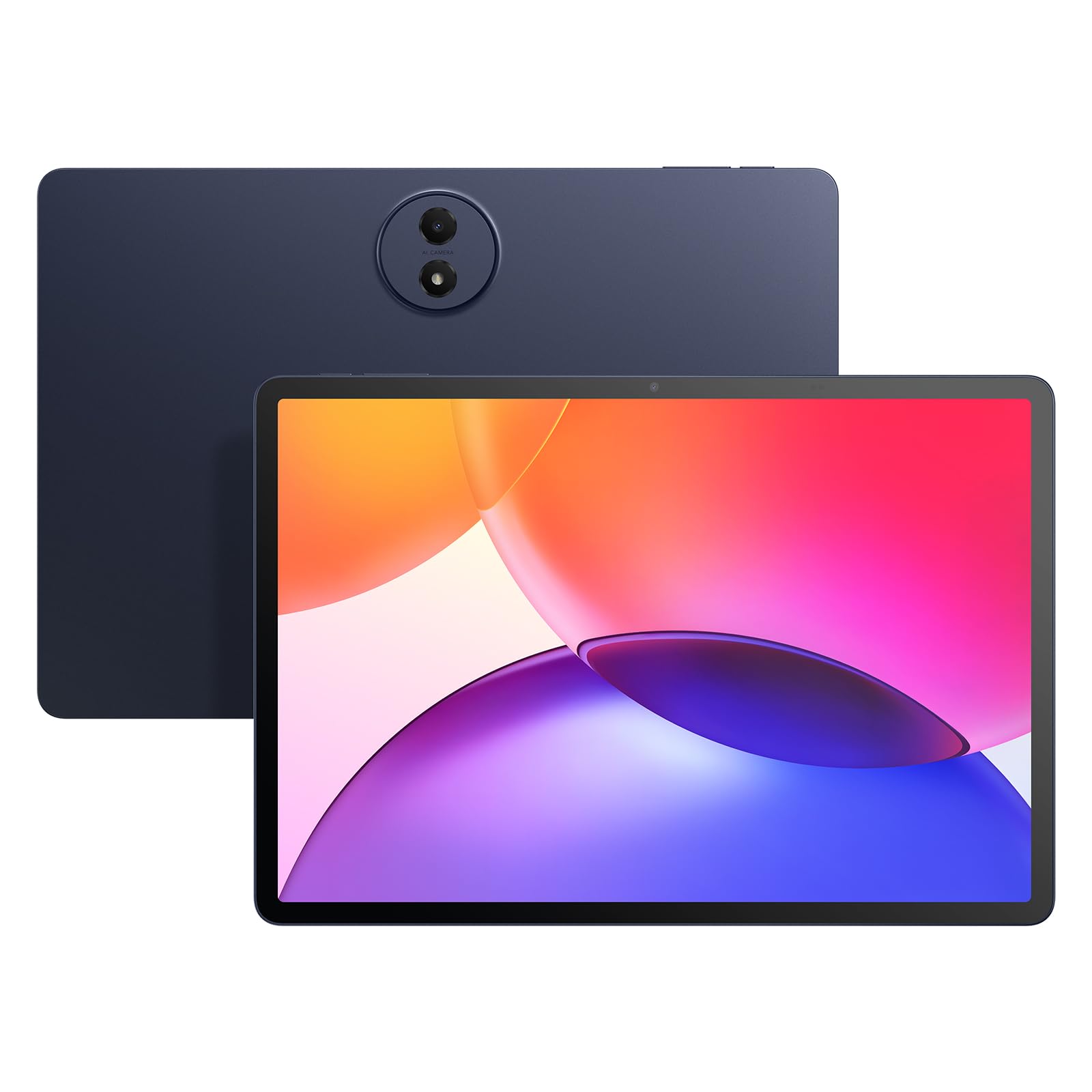
A massive, beautiful canvas that makes every game look richer than its price suggests.
The TCL delivers sharper and smoother visuals than the Lenovo because its 12.2-inch 2.4K display runs at a fluid 120Hz — the highest resolution and refresh rate (screen update speed) combo in this roundup. The 3:2 aspect ratio (a squarer shape than a widescreen movie) gives you more vertical space than a typical 16:10 screen, which means less letterboxing on movies and more room for game HUD elements. TCL’s NXTVISION engine adjusts color and contrast in real-time, so games pop with 100% sRGB coverage (a wide color standard that makes colors look rich).
The Snapdragon 4 Gen 2 chip keeps things moving without drama, and the 16GB of total RAM (6GB physical + 10GB extended) handles split-screen between a game and a walkthrough video without breaking a sweat. The 8000mAh battery supports 20W fast charging, and the slim metal unibody design is only 6.7mm thin and weighs 1.19 lbs — lighter than the Lenovo despite a larger screen. The catch, as some owners mention, is that the included T Pen lacks tilt sensitivity and can feel laggy for detailed note-taking, while the quad speakers deliver loud but only average audio quality for music.
The display argument: At 2.4K and 120Hz on a 12.2-inch screen, the TCL delivers noticeably sharper and smoother visuals than the Raemond’s 11-inch 90Hz panel — a decisive upgrade for anyone who prioritizes image quality in their games and streaming.
Reach for this if: screen quality is your top priority and you want the largest, sharpest, smoothest display available in this price bracket for gaming and media.
Look elsewhere if: you need a precise stylus for creative work or note-taking — the T Pen is a basic inclusion, not a pro tool.
3. TECLAST Android 16 T65

A 13.4-inch gaming canvas with 120Hz smoothness that undercuts the competition on price.
The TECLAST T65 gives you the largest screen in this guide at 13.4 inches with a 120Hz refresh rate (updates 120 times per second), making scrolling and gaming feel exceptionally fluid — much bigger than the 8.4-inch BNCF option. The 1920×1200 IPS panel is bright enough for outdoor use (customers note it is readable in direct sunlight on a golf cart), though the blacks can appear grayish at high brightness. The T7280 octa-core processor (a chip with eight cores for better speed) clocked at 2.2GHz paired with 20GB of total RAM (8GB physical + 12GB extended) and 128GB of storage keeps games running without major lag in most titles.
An 8000mAh battery powers up to 11 hours of mixed use — a solid 45% more capacity than the BNCF’s 5500mAh pack for those longer sessions. 4G LTE support means you can play online without hunting for Wi-Fi. The unit weighs just 720g and is only 8.5mm thin, making it portable despite the large screen. Reviewers love it for sheet music and GPS use, and note it includes a factory-installed tempered glass screen protector. The downside: no case or keyboard is included, so you will need to budget for those separately.
Size & Speed
- Largest display in its price bracket at 13.4 inches with 120Hz smoothness
- 4G LTE and dual-band WiFi offer flexible connectivity for gaming on the go
- Lightweight build at 720g with a slim 8.5mm profile
Missing Pieces
- No included case, keyboard, or stylus — you will need to buy accessories separately
- Speakers need a sound booster app for louder volume, per some buyers
- IPS panel shows grayish blacks at high brightness settings
Grab it for: the biggest 120Hz screen you can get at a low price, plus LTE freedom and impressive battery life for all-day gaming away from Wi-Fi.
skip it if: you want an all-in-one bundle with a keyboard and stylus — the QDDQ offers that at a similar price.
4. QDDQ 13 Inch Tablet
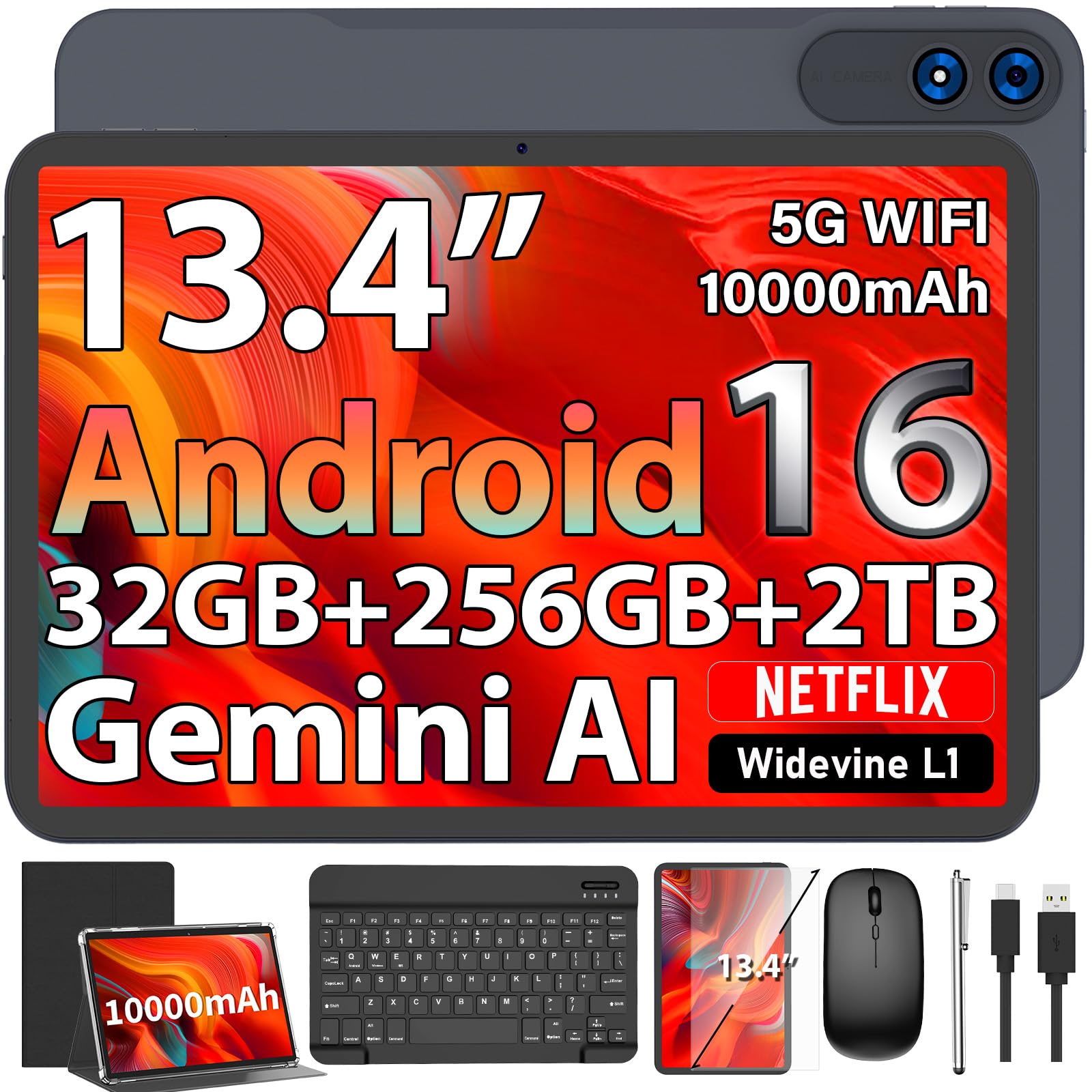
The marathon runner of cheap gaming tablets — 12 hours of play with a full accessory kit.
The QDDQ 13 Inch Tablet outlasts every other pick in this guide because its massive 10000mAh battery delivers up to 12 hours of video streaming, double the playback time of the BNCF’s 5500mAh battery (a 2.0x gap). The 13.4-inch 1920×1200 TDDI display (a touchscreen that combines touch and display in one layer for better response) runs at 120Hz for smooth gaming visuals, and the Unisoc T615 octa-core processor paired with 32GB of total RAM (8GB physical + 24GB virtual) keeps multitasking snappy. Reviewers point out “no issues after 5 months” of use, even with a toddler handling the tablet.
What really sets this bundle apart is the included package: you get a keyboard, mouse, stylus, foldable protective case, and screen protector right in the box — a complete 2-in-1 laptop replacement kit that the TECLAST and Lenovo charge extra to assemble. The 256GB of internal storage is generous for game installs, and expandable up to 2TB via a TF card (a memory card like microSD). The catch is that the Unisoc T615 processor is less powerful than the MediaTek Dimensity 6300 in the Lenovo or the Snapdragon 4 Gen 2 in the TCL, so the smoothest high-end gaming experience comes from those alternatives.
Battery dominance: With 10000mAh versus the Lenovo’s 7216mAh and the Raemond’s 8000mAh, the QDDQ outlasts every other pick in this guide for uninterrupted gaming sessions.
Perfect for: gamers who need all-day battery life without recharging and want a full keyboard-mouse-stylus setup thrown in at no extra cost.
Consider the alternative if: you need top-tier gaming processor performance — the Lenovo or TCL chips outperform the Unisoc T615 in demanding titles.
5. Raemond 11 Inch Tablet
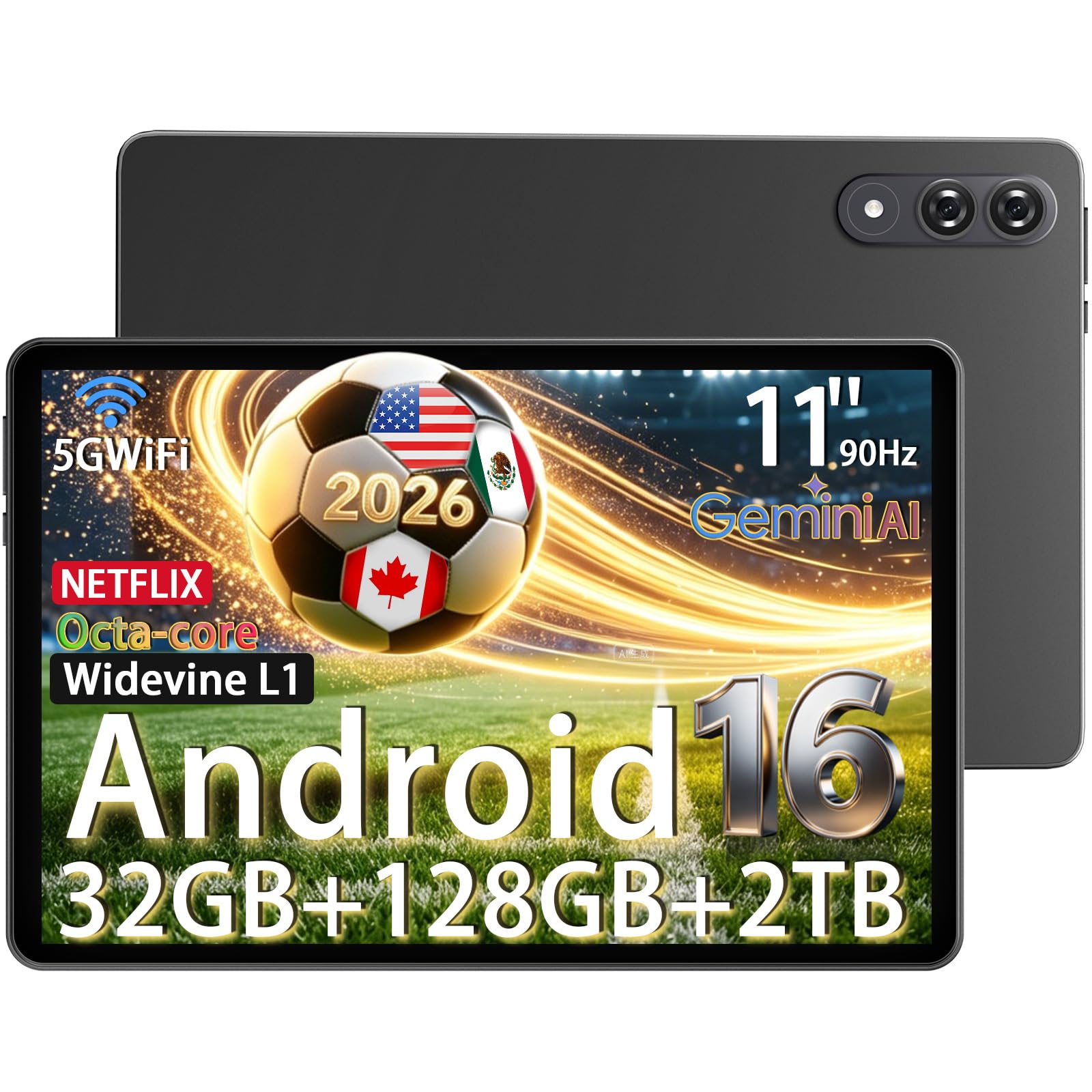
A budget-friendly 11-inch slate with a 90Hz screen and a battery that lasts all day.
The Raemond 11 Inch Tablet gives you a solid gaming experience without the highest price. Its 1920×1200 IPS FHD display runs at 90Hz, delivering noticeably smoother scrolling and gameplay than a standard 60Hz tablet, and the 8000mAh battery with fast charging provides up to 6 hours of continuous use — enough for a long session. The 16MP main camera handles low-light photos better than most budget tablets, and dual-band WiFi keeps your connection stable.
The 32GB of total RAM (8GB physical + 24GB extended) ensures snappy app launches and no lag under heavy multi-app load, as buyers confirm. The 128GB of onboard storage easily holds a library of games, with room for expansion. It runs Android 16 with Gemini AI for smart features. The trade-off? The 90Hz refresh is good but not as fluid as the 120Hz panels on the QDDQ and TCL, and the tablet lacks LTE connectivity, so gaming is Wi-Fi dependent.
Smart Buy Points
- 32GB total RAM (8+24) provides smooth multitasking for gaming and streaming
- Massive 8000mAh battery with fast charging supports extended play sessions
- 16MP camera outperforms most budget tablets for low-light photos and video calls
Acceptable Compromises
- 90Hz refresh is smooth but not as fluid as the 120Hz panels on competing models
- Wi-Fi only — no 4G LTE option for gaming away from home networks
Choose this for: the best balance of 90Hz smoothness, monster RAM, and all-day battery at a price that leaves room for accessories.
Move up if: 120Hz refresh is a must for your competitive gaming — the TCL or QDDQ will feel noticeably smoother.
6. BNCF BPad T1 (8.4″)
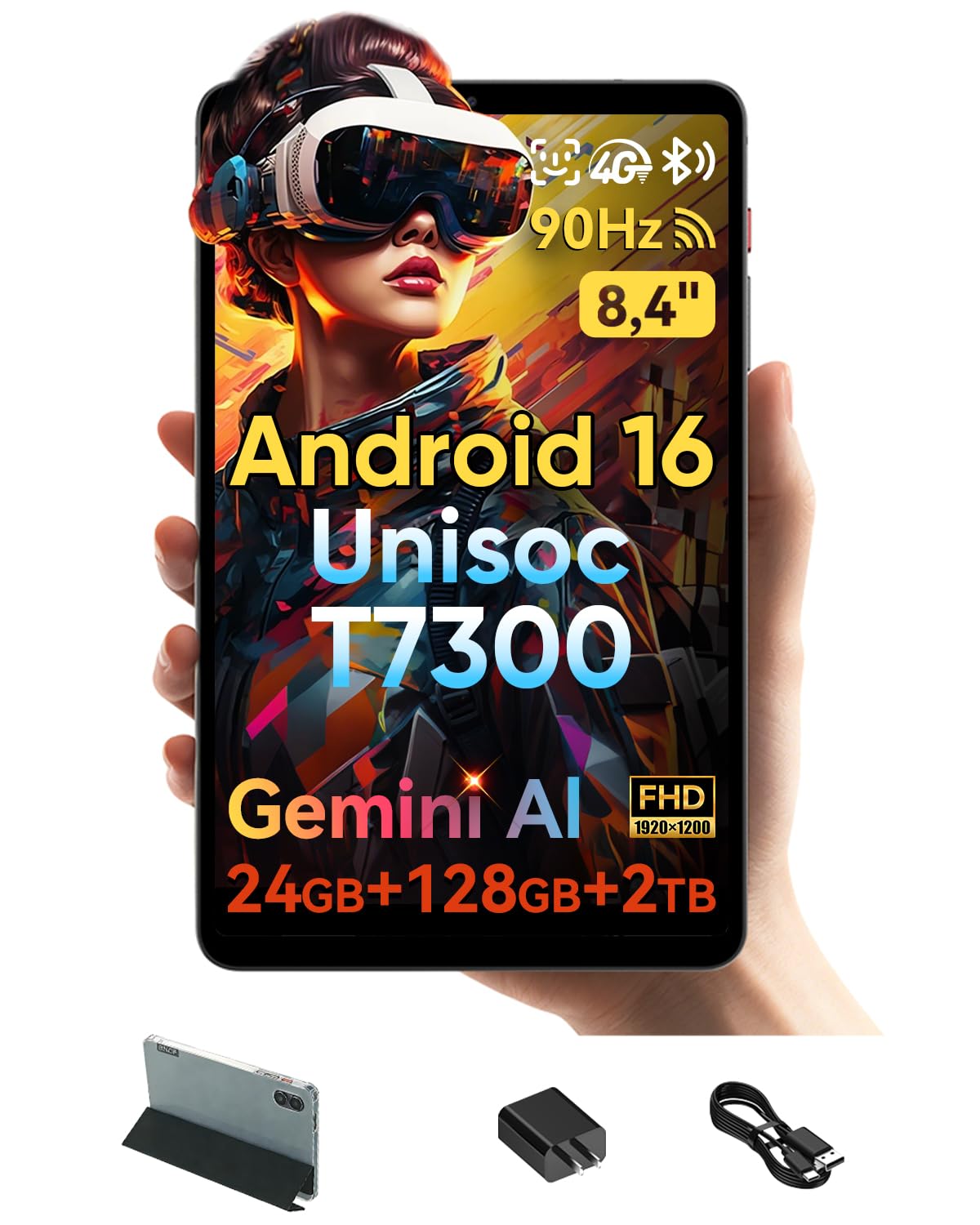
The pocket-friendly gaming companion that weighs less than your water bottle.
The BNCF BPad T1 is the lightest and most portable tablet in this lineup at just 316 grams and 7.6mm thick — perfect for slipping into a small bag for gaming on the commute. The 8.4-inch 1920×1200 IPS display with a 90Hz refresh rate delivers smooth visuals in a compact form factor that fits easily in one hand. The Unisoc T7300 octa-core processor on a 6nm architecture (a small, efficient chip design) balances performance with energy efficiency, handling graphic games well according to buyers.
The 5500mAh battery is the smallest capacity here — a reasonable trade-off for the ultra-light profile. 4G LTE support means you can game online without relying on Wi-Fi, a feature the Raemond lacks. The 24GB total RAM (8GB physical + 16GB extended) provides snappy app switching, and you get a protective case and screen protector included. The realistic trade-offs: no fingerprint reader (face open up works about 50% of the time as one buyer mentioned), and the 8.4-inch screen means a less rich gaming experience than the 13.4-inch slabs from TECLAST and QDDQ.
Travel-Ready Design
- Ultra-light 316g body and slim 7.6mm profile is the most portable in this guide
- 4G LTE support allows online gaming without a Wi-Fi connection
- Latest Android 16 with Gemini AI and 90Hz display at a low price
Small Screen Limits
- 5500mAh battery is smaller than every other pick — expect shorter play sessions
- 8.4-inch display is less rich for gaming compared to 11-inch and larger options
- Face open up is less reliable than a fingerprint reader, per buyer feedback
Ideal for: gamers who prioritize portability and need a super-light tablet that slips into a coat pocket, with 4G LTE for always-on connectivity.
Not for you if: you want a large screen for rich gaming or need marathon battery life — the QDDQ or TECLAST will serve you better.
Understanding the Specs
Refresh Rate (Hz)
Think of refresh rate as how many times per second your screen paints a new picture. A standard 60Hz screen shows 60 frames per second — fine for email but sluggish for fast games. A 90Hz screen shows 90 frames, making swipes and game animations noticeably smoother. A 120Hz screen is the gold standard for budget gaming, eliminating almost all motion blur and making competitive games feel responsive. Every tablet here runs at 90Hz or 120Hz, so you never settle for a stuttery experience.
Physical vs. Virtual RAM
RAM is where your tablet keeps active apps ready for instant switching. Physical RAM is actual memory chips — faster and more reliable. Virtual (or extended) RAM borrows a portion of your storage drive to act like extra memory when physical RAM fills up. A spec like “32GB (8+24)” means 8GB of physical RAM plus 24GB of virtual. Extended RAM helps with keeping many apps open, but physical RAM matters more for raw gaming performance. Aim for at least 6GB physical RAM as a gaming baseline.
Processor & Gaming
The chipset (CPU) is the engine that runs everything. In this price range, you will see Unisoc T615/T7300, MediaTek Dimensity 6300, and Qualcomm Snapdragon 4 Gen 2. The Snapdragon and MediaTek chips generally offer better gaming performance, handling titles like Genshin Impact and Call of Duty Mobile at medium-to-high settings. Unisoc chips are capable for casual and mid-tier gaming but may struggle with the most demanding 3D titles at maximum settings.
Battery Capacity & Charging
Battery capacity is measured in milliamp-hours (mAh). A higher number means more energy storage — 8000mAh to 10000mAh is the balance for a full day of gaming and streaming. Fast charging (measured in watts) determines how quickly the battery refills. 20W charging is common here and will top up an 8000mAh battery in around 3 hours. If you game heavily away from outlets, prioritize capacity over raw speed.
FAQ
Can a cheap tablet really handle modern gaming?
What does virtual RAM mean for gaming performance?
Is 90Hz enough for gaming or do I need 120Hz?
How long does an 8000mAh battery last for gaming?
Do these tablets support controllers for gaming?
Which tablet has the best processor for heavy games?
Can I expand storage on these cheap gaming tablets?
What is Widevine L1 and why does it matter for streaming?
Does the cheap price mean poor build quality?
Final Thoughts: The Verdict
For most people, the best cheap gaming tablet winner is the Lenovo Idea Tab because it pairs a sharp 2.5K 90Hz display with a powerful MediaTek Dimensity 6300 processor and 8GB of physical RAM, all wrapped in a premium metal body with an included stylus and case. If you want the largest, smoothest screen for rich play, grab the TCL TAB A1 Plus for its stunning 12.2-inch 2.4K 120Hz display. And for marathon battery life with a full accessory kit, the QDDQ 13 Inch Tablet delivers 10000mAh of endurance plus a keyboard, mouse, and stylus from the start.
How We Picked
We do not accept paid placement. Every pick is matched to a real buyer and a real use-case; we do not hands-on test units.
Sources & Methodology
Specifications: manufacturer listings and product documentation. Review insights: verified customer reviews, as of July 2026. Pricing: not shown on this page (it changes often); check the current price via the retailer link.
As an Amazon Associate, WellFizz earns from qualifying purchases. This does not affect which products we feature.
Related Guides

Mo Maruf
I created WellFizz to bridge the gap between vague wellness advice and actionable solutions. My mission is simple: to decode the research and give you practical tools you can actually use.
Beyond the data, I am a passionate traveler. I believe that stepping away from the screen to explore new environments is essential for mental clarity and physical vitality.