Our readers keep the lights on and my smoothie glass nicely filled. As an Amazon Associate, I earn from qualifying purchases.
Specs are compiled from manufacturer listings and verified buyer reviews and can change over time — please confirm the key details on the product page before buying.
If your monitor is sitting on the original stand, it is taking up valuable desk space and likely forcing your neck into an awkward angle all day. A wall mount fixes both problems at once — it clears your surface and lets you move the screen exactly where your eyes need it. But not all mounts handle the weight of a big ultrawide, and some tilt mechanisms are frustratingly stiff. This guide picks mounts that adjust smoothly and hold firm..
I’m Mohammad Maruf — the founder and writer behind WellFizz. This guide is built by comparing the manufacturers’ published specifications and the patterns across verified customer reviews, so you get each pick’s real strengths and trade-offs instead of marketing spin.
if you need a single heavy-duty arm or a dual-screen setup, the right computer monitor wall mount depends on your screen size, weight, and how much flexibility you actually need day to day.
Quick Picks
- VIVO Premium Aluminum Heavy Duty Monitor Arm — Best Overall
- ARES WING Monitor Wall Mount for 24-57 Inch Screens (60 lbs) — Heavy Lifter
- monTEK Ultra Wide Wall Mount Monitor Arm — Best Value
- ARES WING Wall Mount Monitor Arm for 17-49 Inch Screens — Full Motion
- UPGRAVITY Dual Monitor Wall Mount — Dual Pick
- Mount-It! Dual Monitor Wall Mount — Compact
How To Choose The Best Computer Monitor Wall Mount
Picking the wrong mount means a bracket that cannot support your screen or a tilt that never stays put.. These three specs make or break your setup..
Weight Capacity vs Screen Size
A mount rated for 44 lbs can handle most ultrawide monitors up to 49 inches, but a smaller mount with a 17.6 lbs limit is fine for standard 27-inch screens. Always check the weight of your monitor — not just the diagonal size — before buying.
VESA Compatibility
Every wall mount here fits VESA patterns of 75x75mm or 100x100mm (the standard 4-hole pattern on the back of a monitor). That covers the vast majority of modern monitors. If your monitor does not have VESA holes on the back, you will need a separate adapter (not included with any of these mounts).
Wall Type Matters
Every mount must be attached to a wood stud, solid concrete, or brick wall. Drywall alone cannot support the weight of a monitor on an articulating arm. If you live in an apartment with thin walls, consider a desk-mounted arm instead.
Quick Comparison
| Model | Best For | Weight Capacity | Max Screen Size | Tilt Range | Amazon |
|---|---|---|---|---|---|
| VIVO Premium Aluminum Heavy Duty | Single premium ultrawide | 44 lbs | 49 Inches | 45 Degrees | Amazon |
| ARES WING (60 lbs) | Extra-large 57″ gaming screens | 60 lbs | 57 Inches | 60 Degrees | Amazon |
| monTEK Ultra Wide | Heavy 49″ ultrawide on a budget | 44 lbs | 49 Inches | 50 Degrees | Amazon |
| ARES WING (44 lbs) | Mid-size ultrawide with full motion | 44 lbs | 49 Inches | 50 Degrees | Amazon |
| UPGRAVITY Dual Monitor | Two standard monitors on one mount | 17.6 lbs | 32 Inches | 35 Degrees | Amazon |
| Mount-It! Dual Monitor | Space-saving dual 27″ setup | 14.3 lbs | 27 Inches | 90 Degrees | Amazon |
In‑Depth Reviews
1. VIVO Premium Aluminum Heavy Duty Monitor Arm
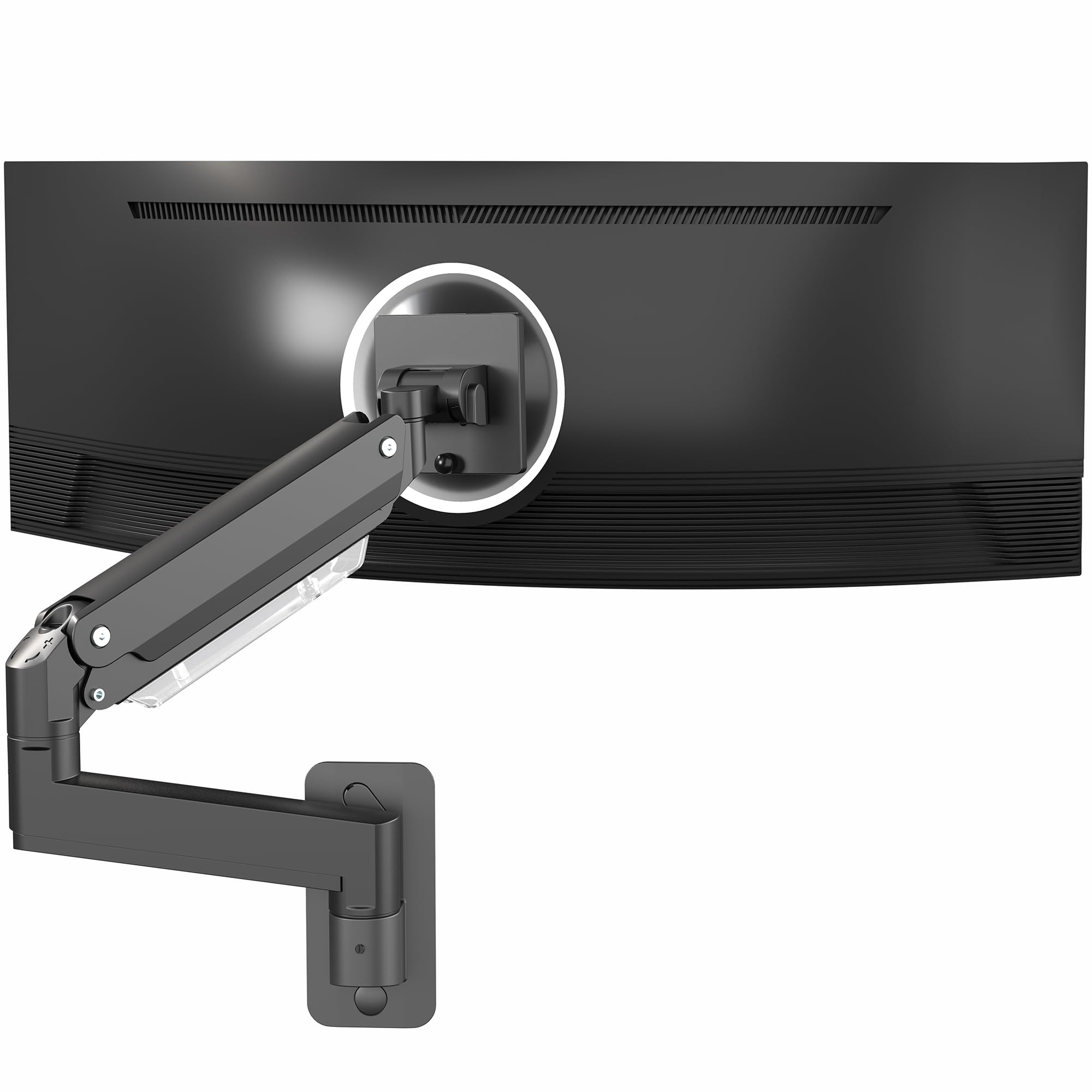
The VIVO arm for 49-inch screens that stays put without sagging.
You get 13 inches of pneumatic height adjustment (it uses air pressure to hold the screen at whatever height you set). That extra reach makes a real difference when switching between sitting and standing at an adjustable desk. The quick-release VESA plate (the bracket that bolts to your monitor) lets you snap the monitor on and off, so you do not have to hold the screen in place while tightening screws.
Buyers report this arm holds a massive curved monitor perfectly and note that after setting the tension, the position stays precise with zero drift. The build quality uses premium aluminum that matches expensive arms, owners mention, and it can fold flat against the wall to just a few inches when not in use. One catch: you must mount directly into studs — the instructions are clear about that, and owners who tried drywall anchors regretted it.
Heavy duty aluminum
- 13 inches of smooth pneumatic height adjustment
- Holds up to 44 lbs with premium aluminum build
- Quick-release VESA plate for easy monitor installation
- Can fold flat against the wall to save space
Premium price point
- Maximum tilt is 45 degrees, less than the 60 degrees on the ARES WING (60 lbs) heavy lifter
- Installation requires a stud — not compatible with drywall alone
- VESA adapter needed if your monitor lacks VESA holes
Best for heavy monitors: Anyone with a 32-49 inch monitor who wants premium build quality and the widest height range for sit-stand desks.
Skip if budget limited: Your monitor is under 17 inches or you need a 60-degree tilt for extreme viewing angles.
2. ARES WING Monitor Wall Mount for 24-57 Inch Screens (60 lbs)
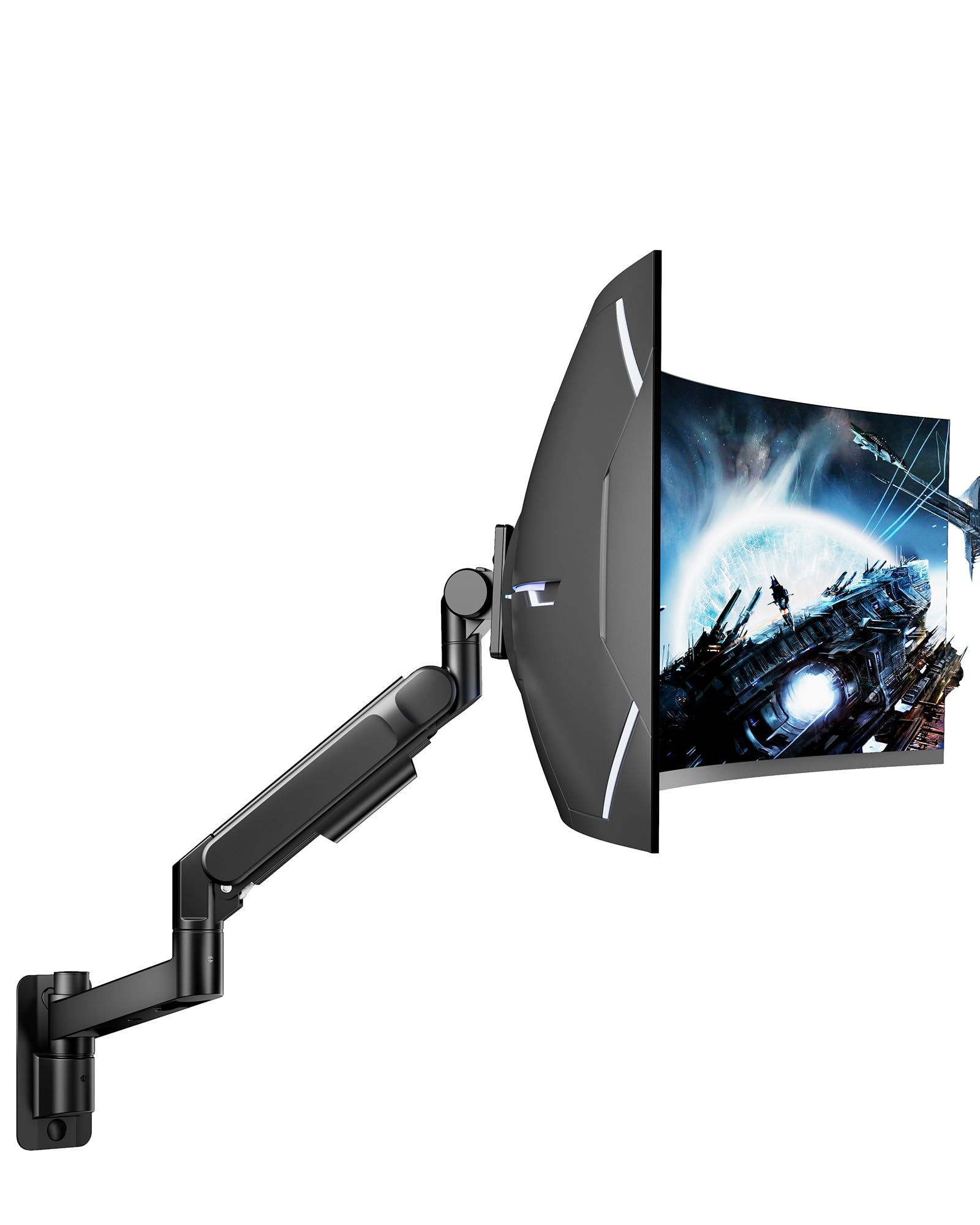
A heavy-duty arm that handles a 57-inch screen without breaking a sweat.
Most mounts top out at 44 lbs for a 49-inch screen, but this ARES WING supports up to 60 lbs and fits monitors up to 57 inches. If you own a Samsung Odyssey Neo G9 or another giant gaming panel, this is the mount that actually fits. The bearing head design makes tilting heavy monitors upward much smoother than typical friction-based arms — a common complaint on cheaper mounts. The tilt range goes from +60° to -20°, so you get more upward angle than the VIVO’s 45-degree tilt.
Buyers describe the build as tank-like and say it handles a 32-inch Samsung G5 with room to spare. Owners also note that the easy adjustments allow precise tensioning for awkward placement, and a heavier monitor does not phase it. One limitation: unlike the VIVO, the tilt range here is 60 degrees, while the Mount-It! dual mount offers 90 degrees — but that mount supports only 14.3 lbs, so there is a clear trade-off between weight capacity and range.
Universal large screen
- Massive 60 lbs capacity supports the largest gaming monitors
- Bearing head design allows smooth tilt adjustments on heavy screens
- Tilt range of +60° to -20° for versatile angles
- High-strength steel and aluminum with powder-coated finish
Limited tilt range
- Minimum screen size is 24 inches — too large for small monitors
- Mounting requires a wood stud, concrete, or brick wall
- VESA adapter needed for monitors without VESA holes
Best for large TVs: You own a display larger than 49 inches or a monitor that weighs more than 44 lbs and you need a mount that can actually handle it.
Skip if need tilt: Your monitor is under 24 inches or you only need a lightweight dual-arm setup.
3. monTEK Ultra Wide Wall Mount Monitor Arm
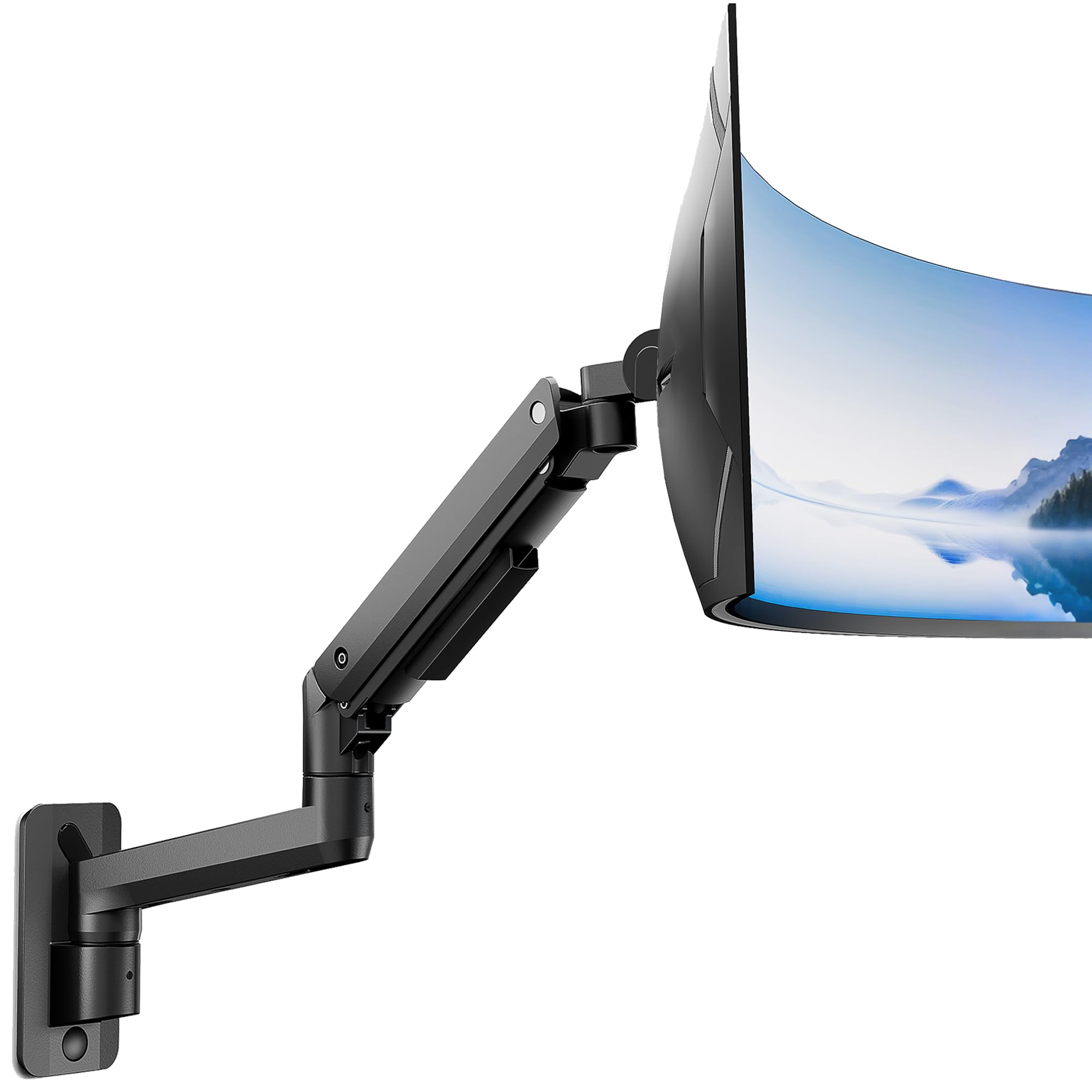
Solid build for 49-inch ultrawides without the premium price tag.
If you are looking for a single heavy-duty arm but the premium VIVO costs too much, the monTEK hits a balance. It holds the same 44 lbs and supports up to 49-inch screens, same as the VIVO, but costs less. One reviewer noted that the mount held their giant 49-inch Samsung ultra wide without issues, calling it impressive stability for the price.
The catch here is a real one: customers note that while swivel and height adjustments are smooth, the tilt adjustment is stiff. One owner reported that even after adjusting the spring tension, the tilt remains stiff and uncomfortable to change. That is a trade-off you accept for the lower cost. Compared to the ARES WING (44 lbs model), the monTEK has a similar arm span of 23.5 inches versus 23.9 inches, so reach is nearly identical.
Ultra wide support
- Same 44 lbs capacity as premium models at a lower price
- 50-degree tilt range reduces glare effectively
- The gas spring is rated for 20,000+ cycles.
- Arm folds to just 4.8 inches from the wall when not in use
Complex installation
- Tilt adjustment is stiff according to multiple reviewers
- Maximum arm extension is 23.5 inches, slightly less than the ARES WING’s 23.9 inches
- Installation needs a stud — drywall alone not supported
Smart pick for ultrawide: A buyer who needs 44 lbs of support for a 49-inch ultrawide but wants to save a few dollars and does not adjust tilt frequently.
Not ideal if novice: You constantly change your monitor’s tilt angle throughout the day — the VIVO or one of the ARES WING models will feel smoother.
4. ARES WING Wall Mount Monitor Arm for 17-49 Inch Screens (44 lbs)

A 50-degree tilt range, compared to the UPGRAVITY dual mount’s 35 degrees.
This ARES WING model offers 50 degrees of tilt compared to the UPGRAVITY’s 35 degrees, which is 43% more angle for reducing glare or leaning back in your chair. It also features 360-degree rotation and 180-degree swivel, so you can turn the entire screen to share with someone beside you. The arm extends up to 23.9 inches and folds back to just 5 inches from the wall. Reviewers point out the mount is secure and solid for a 32-inch curved monitor, with smooth articulation that stays in place without drift.
One reviewer called it comparable to pricier models, noting that even a DIY-er can install it alone. The gas spring is rated for 20,000+ cycles, matching the monTEK’s durability.. The only real difference between this and the monTEK is a slightly longer arm span (23.9 vs 23.5 inches) and a smoother reported tilt experience from users — making it a step up in daily use feel.
Compact wall mount
- 50-degree tilt range beats the 35-degree UPGRAVITY by a meaningful margin
- 360-degree rotation for versatile viewing orientations
- 23.9-inch arm extension provides wide positioning range
- The gas spring is rated for 20,000+ cycles.
Lower weight limit
- Weight capacity is 44 lbs, same as most competitors — not suitable for 57-inch screens
- Arm sits 5 inches from the wall, a bit more than the monTEK’s 4.8 inches
- Stud-mount only — no drywall installation
Who it suits small screens: Someone with a 17-49 inch monitor who wants the maximum tilt range and full 360-degree rotation in a mid-priced single arm.
Who it disappoints heavy: Anyone with a monitor over 49 inches or needing a dual-screen setup — this is a single-arm mount only.
5. UPGRAVITY Dual Monitor Wall Mount

A dual-arm mount that clears desk space for two monitors at once.
If you are running two standard monitors (up to 32 inches each), the UPGRAVITY lets each arm move independently with 35 degrees of tilt, 90 degrees of swivel, and 180 degrees of rotation. The weight capacity is 17.6 lbs per monitor — compared to the VIVO’s 44 lbs, which makes sense because this is splitting the load across two arms. Shoppers say it has a great range of motion and is easy to install, and one owner noted the build quality is terrific and it holds two 32-inch monitors without any issues.
The trade-off with a dual mount: two screens in one bracket, but no ultrawide monitors.. Reviewers caution that fitting two 32-inch monitors side by side can be frustrating, and the positioning is tight for curved monitors.
Dual monitor setup
- Holds two monitors up to 32 inches each independently
- Full motion with 35-degree tilt and 180-degree rotation
- Built-in cable management for a clean look
- Backed by a 5-year warranty
Single arm wobble
- Maximum 17.6 lbs per arm — not suitable for heavy ultrawide monitors
- Fitting two 32-inch monitors side by side is a tight squeeze
- Must mount into a wood stud or concrete wall
Grab this if dual: You need both monitors off the desk and each one is a standard 27-32 inch screen weighing under 17.6 lbs.
Pass it by if single: Either of your monitors is an ultrawide or heavier than 17.6 lbs — the single-arm mounts above will serve you better.
6. Mount-It! Dual Monitor Wall Mount

A dual mount that tilts 90 degrees but tops out at 14.3 lbs per arm.
The Mount-It! offers the widest tilt range of any mount in this roundup at 90 degrees, plus 90 degrees of swivel and 180-degree rotation. If you need to angle a monitor almost flat downward for a drawing tablet setup or a shared workspace, this range beats the UPGRAVITY’s 35-degree tilt by a large margin. However, the weight capacity per arm is just 14.3 lbs, and the maximum screen size is 27 inches. Buyers report the build quality is excellent and the gas strut adjusts smoothly, but very light monitors may not stay low enough because the gas spring has a minimum tension threshold.
Reviewers also mention that the plastic covers on the joints feel a bit cheap compared to the all-metal VIVO or ARES WING mounts. Another catch: with a desk against the wall, the screens sit about 7-11 inches from the wall, which crowds the workspace. The VESA screws included are short — one buyer suggests having longer M4 screws on hand if your monitor has deep mounting holes.
Budget dual mount
- 90-degree tilt range — the widest of any pick here
- Full motion with independent arm adjustments for two monitors
- Slide-in VESA plate makes installation quick
- Integrated cable management keeps wires organized
Plastic components
- Only supports monitors up to 27 inches and 14.3 lbs
- Arms sit 7-11 inches from the wall with a desk behind
- Plastic covers feel less premium than all-metal competitors
- Included VESA screws may be too short for some monitors
Works best for budget: Small 13-27 inch monitors in a compact office or gaming room where you need extreme tilt angles.
Not right for durability: Larger ultrawide screens or monitors heavier than 14.3 lbs — you will overload the arms.
Understanding the Specs
VESA Patterns
VESA (Video Electronics Standards Association) is the hole pattern on the back of your monitor that the mount attaches to. The two most common sizes are 75x75mm (a square about 3 inches across) and 100x100mm (about 4 inches across). All the mounts in this guide support both. If your monitor does not have these holes, you need a separate VESA adapter — check your monitor’s manual before buying a mount.
Gas Spring vs Friction Hinge
A gas spring uses compressed gas to counterbalance your monitor’s weight, so height adjustments feel easy and stay in place. Friction hinges rely on tightened bolts to hold the position and can loosen over time or require more force to adjust. Every mount reviewed here uses a gas spring mechanism for smoother motion.
FAQ
Does a monitor wall mount fit all monitors?
Can I install a monitor arm on drywall alone?
What weight capacity do I need for a 32-inch monitor?
How do I adjust the gas spring tension on my mount?
Can I use a single-arm mount for two monitors?
What is the difference between tilt and swivel?
How far from the wall will my monitor sit?
Is a wall mount better than a desk mount?
Final Thoughts: The Verdict
Across the board, the computer monitor wall mount winner is the VIVO Premium Aluminum Heavy Duty Monitor Arm because it combines a 44 lbs capacity, 13 inches of pneumatic height adjustment, and premium aluminum build quality at a price that still feels reasonable. If you need an absolute beast for a 57-inch gaming screen, grab the ARES WING 60 lbs model. And for a dual-monitor setup on a budget, the UPGRAVITY Dual Monitor Wall Mount gets the job done with a 5-year warranty to back it up.
How We Picked
We do not accept paid placement. Every pick is matched to a real buyer and a real use-case; we do not hands-on test units.
Sources & Methodology
Specifications: manufacturer listings and product documentation. Review insights: verified customer reviews, as of July 2026. Pricing: not shown on this page (it changes often); check the current price via the retailer link.
As an Amazon Associate, WellFizz earns from qualifying purchases. This does not affect which products we feature.
Related Guides

Mo Maruf
I created WellFizz to bridge the gap between vague wellness advice and actionable solutions. My mission is simple: to decode the research and give you practical tools you can actually use.
Beyond the data, I am a passionate traveler. I believe that stepping away from the screen to explore new environments is essential for mental clarity and physical vitality.