Our readers keep the lights on and my smoothie glass nicely filled. As an Amazon Associate, I earn from qualifying purchases.
Specs are compiled from manufacturer listings and verified buyer reviews and can change over time — please confirm the key details on the product page before buying.
Your office, hotel, or large home gets either rock-solid WiFi in every room or a frustrating dead zone in the back corner, and the single piece of hardware that decides which is the commercial access point. Unlike a consumer router that tries to do everything at once, these purpose-built units focus all their power on broadcasting a strong, stable signal to dozens of devices at the same time. This guide cuts through the tech clutter to show you which model actually fits your space, your device count, and your budget.
I’m Mohammad Maruf — the founder and writer behind WellFizz. This guide is built by comparing the manufacturers’ published specifications and the patterns across verified customer reviews, so you get each pick’s real strengths and trade-offs instead of marketing spin.
By the end, you’ll know exactly which commercial access point delivers the range, speed, and reliability your specific setup demands without overpaying for features you don’t need.
Quick Picks
- TP-Link Omada WiFi 6 AX3000 (EAP650) — Best Overall
- Ubiquiti U6+ Dual Band Access Point — Ecosystem Powerhouse
- Tenda BE5010 WiFi 7 Access Point (i36) — Future-Ready
- TP-Link EAP615-Wall (AX1800) — Space-Saver
- Ubiquiti UniFi U7-LR (Long-Range) — Long-Reach Specialist
- NETGEAR WAX610 (Insight Managed) — High-Density Cloud AP
How To Choose The Best Commercial Access Point
The right access point for you depends on three things: how much physical space you need to cover, how many devices will connect at once, and if you want to manage it through a single cloud dashboard or prefer local control. The good news is that most modern units share a common foundation — Power over Ethernet (PoE) for one-cable installation and support for the latest Wi-Fi standards — so you mainly need to match the model to your layout.
Wi-Fi Standard: 6, 6E, or 7
Wi-Fi 6 is the reliable workhorse today, handling dense device loads without slowdowns. Wi-Fi 7 is the newest generation, offering higher peak speeds (up to 5010 Mbps on the Tenda BE5010) and better efficiency for future-proofing, but it costs more and you need Wi-Fi 7 client devices to see the full benefit. For most offices and homes, a good Wi-Fi 6 model is still plenty.
Coverage Area and Placement
Don’t just look at the square footage number — think about construction. A single unit rated for 2,500 square feet might struggle if you have concrete walls or multiple floors. Ceiling-mounted APs like the Ubiquiti U7-LR throw signal outward in a broad pattern, while wall-plate units like the TP-Link EAP615-Wall project signal forward and are better for individual rooms or hotel suites.
Management and Control
If you are managing several units, a cloud-based controller (like TP-Link Omada or NETGEAR Insight) lets you configure, monitor, and update every access point from one screen. If you only need one or two units, standalone mode via a web browser or an app is faster and doesn’t require extra hardware. Make sure the ecosystem you pick — Ubiquiti UniFi, TP-Link Omada, or NETGEAR Insight — matches how much hands-on time you want to spend.
Quick Comparison
| Model | Best For | Wi‑Fi Standard | Max Speed | Coverage | Amazon |
|---|---|---|---|---|---|
| TP-Link EAP650 (Omada AX3000) | Best overall balance of speed, range, and price | Wi‑Fi 6 | 3000 Mbps | Wide/Extended | Amazon |
| Ubiquiti U6+ | Rock-solid UniFi ecosystem for multi-AP setups | Wi‑Fi 6 | 3 Gbit/s | 140 m² (1,500 ft²) | Amazon |
| Tenda BE5010 (i36) | Future-proof Wi‑Fi 7 with 2.5G uplink | Wi‑Fi 7 | 5010 Mbps | Large Area | Amazon |
| TP-Link EAP615-Wall | Low-profile in‑wall for dorms, hotels, cubicles | Wi‑Fi 6 | 1.8 Gbps | 538 ft² | Amazon |
| Ubiquiti U7-LR | Maximum long-range coverage for large homes | Wi‑Fi 6 | 1000 Mbps | 150 ft indoors | Amazon |
| NETGEAR WAX610 | High client density with cloud insight | Wi‑Fi 6 | AX1800 | 2,500 ft² | Amazon |
In‑Depth Reviews
1. TP-Link Omada WiFi 6 AX3000 (EAP650)

This access point delivers 3000 Mbps dual-band speed (so large files transfer fast even with many devices connected) and a price that undercuts the Ubiquiti U6+, making it the best overall value.
The EAP650 delivers dual-band speeds up to 3000 Mbps using Wi‑Fi 6 technologies like 1024-QAM (a modulation method that packs more data into each signal) and Long OFDM Symbol (a technique that reduces interference). That translates to smooth video calls and fast file transfers even when you have a dozen devices connected. Buyers report it covers a 1300sqft townhouse without issues, and the ultra-slim white design blends into ceilings or walls without sticking out.
You get multiple power options — 802.3at PoE+ (Power over Ethernet, which sends both data and electricity through one cable), passive PoE, or a 12V/1.5A DC adapter included in the box — so you can install it wherever the cable runs end. The 5-year warranty backs it up. Unlike the Ubiquiti U6+ which tops out at 1 Gbps on its data transfer rate, the EAP650 offers up to 3000 Mbps, making it the faster pick on paper for mixed-use offices.
Omada smooth roaming: You get enterprise-grade features like VLAN tagging, band steering, and smooth roaming without the enterprise price tag. The catch is that to open up cloud management and roaming, you need an Omada controller (hardware or software) — the unit works standalone too, but you lose some polish.
This is the one to buy if you run an office, hotel, or larger home that needs reliable Wi‑Fi 6 with centralized management across multiple units.
reliable AX3000: Omada’s cloud-based controller plan requires a separate call to TP-Link for details, so factor that in if you rely on cloud control.
2. Ubiquiti U6+ Dual Band Access Point

If you already have a UniFi gateway or are ready to build a UniFi network, this AP adopts in minutes and owners mention it never needs a reboot — stability that the TP-Link EAP650 sometimes requires a controller to match.
The U6+ runs on the 2.4 GHz frequency band and delivers a wireless transmission speed of 3 Gbit/s using the 802.11ax (Wi‑Fi 6) standard. Customers note that two units improved 5GHz coverage across a home, and the clean, low-profile design (one reviewer called it a “sleek fire alarm”) blends into ceilings without drawing attention. Setup happens through the UniFi software controller, and once adopted, devices stay connected with no reboots needed.
You need a Ubiquiti router and a PoE+ injector (or a PoE switch) to power it, since no adapter is included. Coverage is rated at 140 square meters (about 1,500 square feet) per unit. Data encryption and wall/ceiling mounting are built in. Compared to the TP-Link EAP650’s 3000 Mbps data transfer rate, the U6+ lists a 1 Gigabits Per Second rate, which is a noticeable gap if you are moving large files across the network — but in real-world use, the UniFi ecosystem’s stability often wins fans among IT-minded buyers.
Ubiquiti ecosystem fit
- Rock-solid stability with no crashes or dropouts
- Multiple SSIDs for guest and IoT networks
- Simple adoption process in the UniFi software
no 6GHz band
- Requires a Ubiquiti router and PoE+ injector — not a standalone unit
- Data transfer rate (1 Gbps) is lower than some Wi‑Fi 6 rivals
solid U6+: You are already running a UniFi gateway or switch and want an AP that adopts in minutes and never needs a reboot.
not WiFi 7: You need a higher per-unit throughput or don’t want to invest in the Ubiquiti ecosystem.
3. Tenda BE5010 WiFi 7 Access Point (i36)
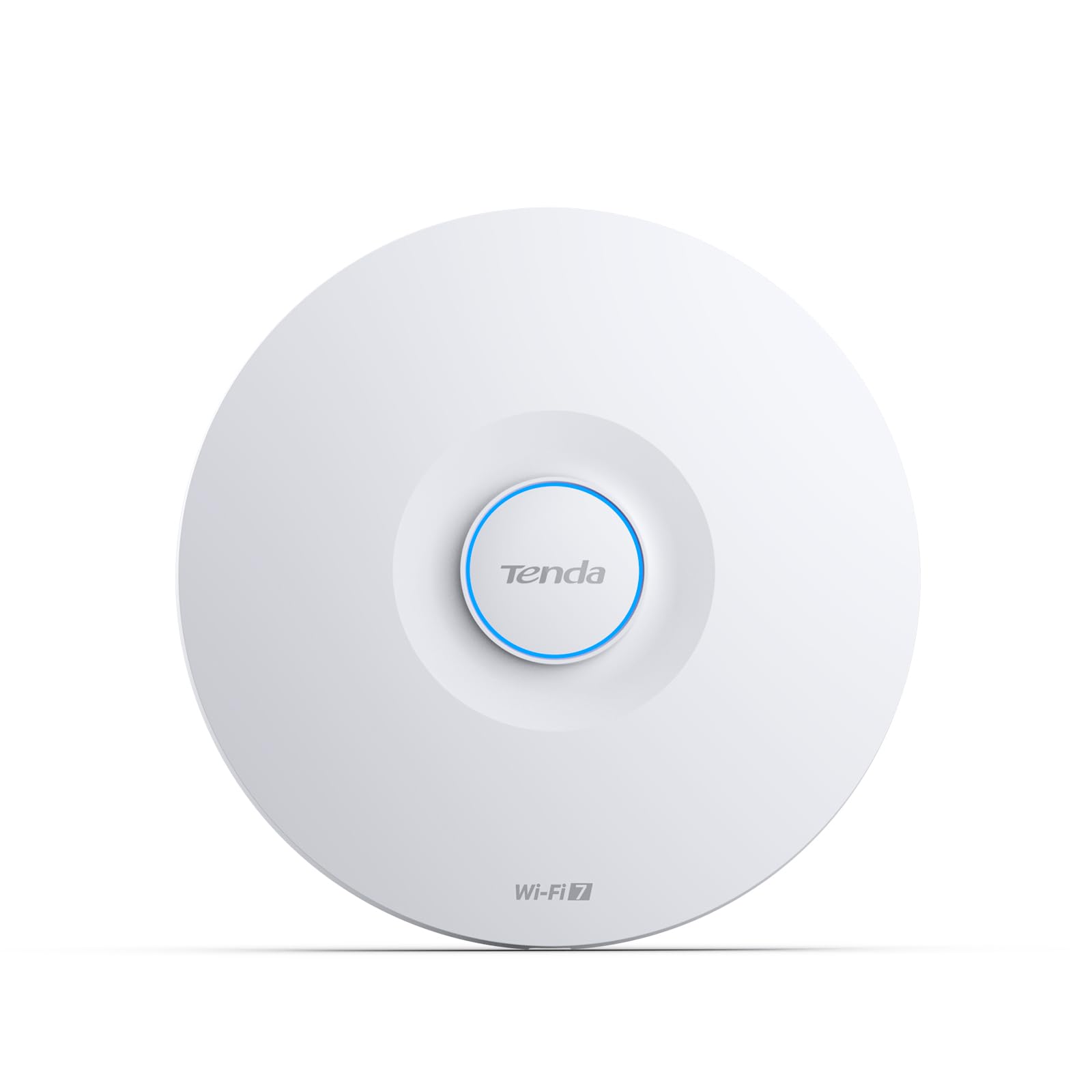
Wi‑Fi 7 gives you 5010 Mbps peak speed and a 2.5G wired uplink (so you avoid bottlenecking the wireless link), an upgrade over the 1G port on the TP-Link EAP650 and Ubiquiti U6+.
The BE5010 pushes dual-band speeds up to 5010 Mbps using 4096-QAM (a denser modulation than Wi‑Fi 6’s 1024-QAM) and 160 MHz channels — meaning it can shovel more data through the air in the same amount of time. The headline feature is the 2.5G PoE+ uplink port, which is a big step up from the 1G ports on most rivals. Reviewers point out that one ceiling-mounted unit improved weak outdoor camera signals to 85%+ strength, a concrete sign of its coverage muscle.
It supports smooth roaming with 802.11k/v/r (standards that let your phone hop between APs without dropping a video call) and enterprise security with WPA3 encryption and VLAN tagging. Management happens through Tenda’s CloudFi app or a local web dashboard.
budget 7: Tech-forward businesses or large homes that want the latest Wi‑Fi standard and a 2.5G wired backbone without paying flagship prices.
short coverage: You need Wi‑Fi 7 client devices to open up the full speed; older gear will still work but at Wi‑Fi 6 speeds.
4. TP-Link EAP615-Wall (AX1800)

This wall-plate AP hides in plain sight and delivers up to 1.8 Gbps to each room (so video calls in hotel suites stay smooth) while the open-plan coverage champions like the EAP650 cover entire floors.
The EAP615-Wall replaces a standard Ethernet wall plate and pumps out AX1800 dual-band Wi‑Fi 6 speeds (up to 1.8 Gbps) from a unit that is barely thicker than a faceplate. It has 4 Gigabit Ethernet ports: one uplink that is 802.3af/at PoE-powered, and three downlink ports (one of which supports PoE pass-through so you can power a wired device like a VoIP phone). Shoppers say it has a “good range” and is an “easy mount” — ideal for hotel rooms, dorms, and office cubicles where you want targeted coverage without taking up desk or ceiling space.
Coverage is rated at 538 square feet, which is smaller than the ceiling-mounted units in this list, but that is by design — this AP is meant to serve one room well rather than try to blanket a whole floor. The directional signal projects forward, so avoid placing it inside a closet or behind a door where the signal gets blocked. Like the EAP650, it integrates into the Omada SDN (Software Defined Networking) platform for cloud or local controller management.
wall-plug design: If you need a dedicated, fast connection in each hotel room or office cubicle and you already have Ethernet in the walls, this is the cleanest install you can get.
space-saver: Hotels, dormitories, and multi-room offices where each room gets its own wired backhaul and you want a low-profile mount.
lower speed: You need to cover an open floor plan from a single unit — the forward-only signal pattern will leave corners weak.
5. Ubiquiti UniFi U7-LR (Long-Range)
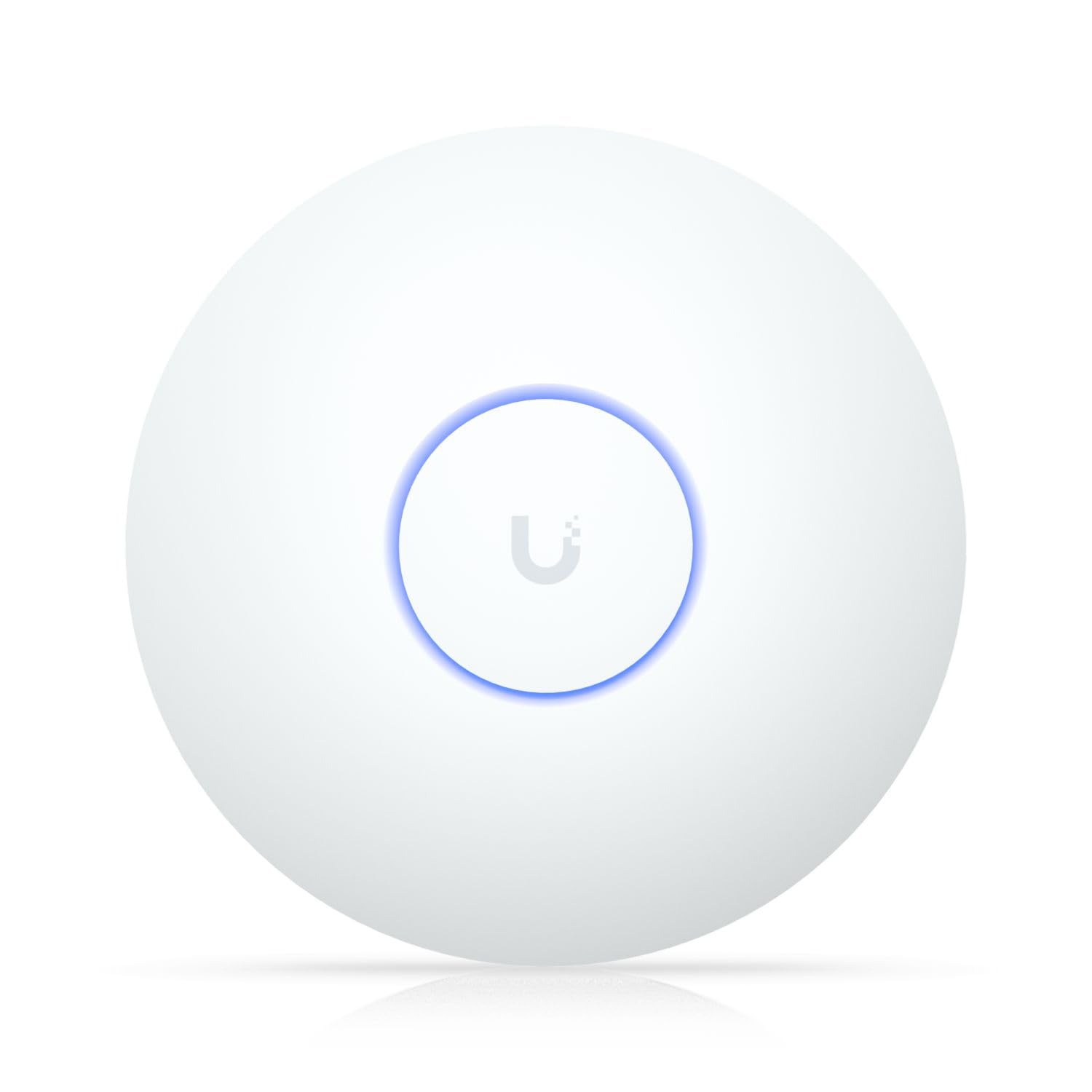
Coverage up to 150 feet indoors means you can skip running extra units in a long home — unlike the Tenda BE5010 which emphasises raw speed over reach.
The U7-LR is built for one job: covering large indoor spaces with fewer access points. Ubiquiti rates its coverage at up to 150 feet indoors, and a connectivity range of 70657 Square Feet is listed for the overall signal potential. Buyers mention it works great for large homes and that one unit can replace two standard APs in many layouts. It supports 802.11ax (Wi‑Fi 6) and the 2.4 GHz band, with a data transfer rate of 1000 Megabits Per Second.
Like the U6+, the U7-LR requires the UniFi ecosystem — a Ubiquiti gateway or router, and a PoE switch or injector — and is managed through the UniFi controller software or mobile app. One reviewer who is a network engineer noted that the reliability compared to consumer routers is “night and day.” The trade-off is that the per-unit throughput (1000 Mbps) is lower than the Tenda BE5010’s 5010 Mbps or the TP-Link EAP650’s 3000 Mbps, so it favors range over raw speed to the nearest device.
wide reach: You have a long, sprawling home or office layout and want to minimize the number of APs you mount on the ceiling.
large unit: The speed to an individual device caps at 1 Gbps, which might bottleneck a busy conference room with many heavy users.
6. NETGEAR WAX610 (Insight Managed)

The 2.5G port and 200-client capacity (so a busy office with dozens of phones and laptops stays snappy) match the Tenda BE5010 on wired throughput while adding cloud management through NETGEAR Insight.
The WAX610 is a dual-band Wi‑Fi 6 AP with AX1800 speed and a 2.5G Ethernet port for the wired uplink — the same high-speed port you get on the more expensive Tenda BE5010. Coverage is rated at 2,500 square feet, and MU-MIMO (a technology that talks to multiple devices at the same time instead of one after another) helps keep latency down when the network is crowded. Buyers report it solved weak signal and buffering in the back of a house and even provided decent signal 75 feet away in an RV.
It ships with a 1-year free NETGEAR Insight subscription, which lets you set up, monitor, and manage the AP remotely through the Insight app or cloud dashboard. The unit supports WPA3 security, rogue AP detection, up to 8 SSIDs, load balancing, band steering, and assisted roaming. One reviewer noted that the AP runs hot, and another pointed out that the Insight software doesn’t expose all configuration options — you can always use the local web UI instead for full control.
managed setup: Growing businesses or dense households that need cloud-based remote management and the capacity for 200 concurrent clients.
ongoing cost: The included 1-year Insight subscription means you will need to budget for a renewal if you want to keep cloud control beyond year one.
Understanding the Specs
Wi‑Fi Generation (6 vs 6E vs 7)
Wi‑Fi 6 (802.11ax) is the current standard for business access points. It handles crowded networks better than older Wi‑Fi 5 because of technologies like OFDMA (splitting a channel into smaller sub-channels so many devices can talk at once) and MU-MIMO. Wi‑Fi 7 adds 4096-QAM and wider 160 MHz channels for higher peak speeds, but you need Wi‑Fi 7 clients to benefit — otherwise the AP talks to your existing devices at Wi‑Fi 6 speeds anyway.
PoE (Power over Ethernet) and Ports
PoE lets you send electricity and data through the same Ethernet cable, so you don’t need a power outlet near the access point. Look for 802.3af (PoE, up to 15.4W) or 802.3at (PoE+, up to 30W) support. A 2.5G uplink port, like those on the Tenda BE5010 and NETGEAR WAX610, is a significant upgrade over a standard 1G port if your wired network can feed it — it avoids bottlenecking your Wi‑Fi speed.
FAQ
Can I use a commercial access point with my existing ISP router?
How many access points do I need for a 3000 square foot office?
What is the difference between a mesh system and a commercial access point?
Do I need a controller for a TP-Link Omada access point?
Will a Wi‑Fi 7 access point work with my older laptop and phone?
What does smooth roaming mean and when do I need it?
Can I mount a ceiling access point on a wall instead?
How important is the 2.5G port on an access point?
Is WPA3 necessary for my business network?
What is the difference between TP-Link Omada and Ubiquiti UniFi?
Final Thoughts: The Verdict
For most buyers, the commercial access point winner is the TP-Link Omada EAP650 because it blends fast dual-band Wi‑Fi 6 speeds (3000 Mbps), easy standalone or cloud management, and a 5-year warranty at a mid-range price that doesn’t force trade-offs. If you want a future-proof network with Wi‑Fi 7 and a 2.5G uplink, grab the Tenda BE5010. And for maximum coverage in a large home or open office with minimal APs, the Ubiquiti U7-LR stretches your signal dollar the farthest per unit.
How We Picked
We do not accept paid placement. Every pick is matched to a real buyer and a real use-case; we do not hands-on test units.
Sources & Methodology
Specifications: manufacturer listings and product documentation. Review insights: verified customer reviews, as of July 2026. Pricing: not shown on this page (it changes often); check the current price via the retailer link.
As an Amazon Associate, WellFizz earns from qualifying purchases. This does not affect which products we feature.
Related Guides

Mo Maruf
I created WellFizz to bridge the gap between vague wellness advice and actionable solutions. My mission is simple: to decode the research and give you practical tools you can actually use.
Beyond the data, I am a passionate traveler. I believe that stepping away from the screen to explore new environments is essential for mental clarity and physical vitality.