Our readers keep the lights on and my smoothie glass nicely filled. As an Amazon Associate, I earn from qualifying purchases.
Specs are compiled from manufacturer listings and verified buyer reviews and can change over time — please confirm the key details on the product page before buying.
You are about to step in front of a room full of people, clicker in hand, ready to own the stage. But nothing kills a presentation faster than a clicker that stalls, a laser that disappears, or a receiver you forgot at your desk. This guide breaks down seven presentation clickers by real usable range, battery type, button count, and compatibility — so you pick the one that keeps your flow, not one that interrupts it.
I’m Mohammad Maruf — the founder and writer behind WellFizz. This guide is built by comparing the manufacturers’ published specifications and the patterns across verified customer reviews, so you get each pick’s real strengths and trade-offs instead of marketing spin.
Whether you are after a budget-friendly slide advancer or a premium remote with a long-range laser, we have sorted through the key specs to help you find the best presentation clicker for your specific setup and stage size.
Quick Picks
- Norwii N76 Rechargeable Presentation Clicker — Best Overall
- VILNIU WP37-R Wireless Presentation Clicker — Best Value
- NinjaABXY Q91 2-in-1 USB Type C Presentation Clicker — Extreme Range
- Microsoft Presenter+ (2022) Wireless and Bluetooth Presentation Clicker — Teams Certified
- CLIKBUTM WP08-R Presentation Clicker with Case — Travel Ready
- Logitech Wireless Presenter R500s — Premium Pick
- Kensington Wireless Presenter K33272WW — Secure & Simple
How To Choose The Best Presentation Clicker
You need a clicker that reaches the back of your room, works with your laptop or tablet, and has just the buttons you need — no more, no less. Here is what to look for.
Wireless range — match it to your room
If you ever walk to the back of an auditorium or behind a partition, range is the single spec that matters most. A clicker with 65 feet of range works for most standard conference rooms. But if you need to stand 100 feet or more from the receiver, you need a model that specifically states that range, like the NinjaABXY with 656 feet. The real distance you get will always be lower with walls or electronics in the way, so aim for a published range that is at least double your actual room length.
Battery type — convenience versus longevity
Rechargeable clickers with built-in lithium batteries, like the Norwii N76, save you from buying AAA batteries but require remembering to charge them every couple of weeks. AAA-powered clickers, like the Logitech R500s, can last up to 12 months on a single battery, which is ideal if you present infrequently and want to grab it from a drawer without checking the charge level first.
Button count and extras
Most basic clickers have three buttons (forward, back, laser). If you also control volume, hyperlinks, or a full-screen blackout from the remote, look for a model with 4 to 6 dedicated buttons. The Norwii N76 offers six buttons and even lets you reprogram them via software — a rare feature for this category.
Receiver type — USB-A or USB-C
Modern laptops (MacBooks, many Windows ultrabooks) have only USB-C ports. If you have one, you need a clicker that either includes a USB-C receiver, like the NinjaABXY and the CLIKBUTM, or has Bluetooth as a secondary connection method. A clicker with only a USB-A receiver requires an adapter, which is one more thing to lose.
Quick Comparison
| Model | Best For | Wireless Range | Battery Type | Button Count | Amazon |
|---|---|---|---|---|---|
| Norwii N76 | Custom Controls | 328 ft | Rechargeable (360mAh) | 6 | Amazon |
| VILNIU WP37-R | Thesis & Classrooms | 100 ft | AAA (x2) | — | Amazon |
| NinjaABXY Q91 | Extreme Range | 656 ft | Rechargeable (300mAh) | 5 | Amazon |
| Microsoft Presenter+ | Teams Meetings | 33 ft | AAA | 3 | Amazon |
| CLIKBUTM WP08-R | Travel with Case | 100 ft | Rechargeable | — | Amazon |
| Logitech R500s | Battery Life & Brand | 65 ft | AAA | 3 | Amazon |
| Kensington K33272WW | Security & Simplicity | 65 ft | AAA | 4 | Amazon |
In‑Depth Reviews
1. Norwii N76 Rechargeable Presentation Clicker
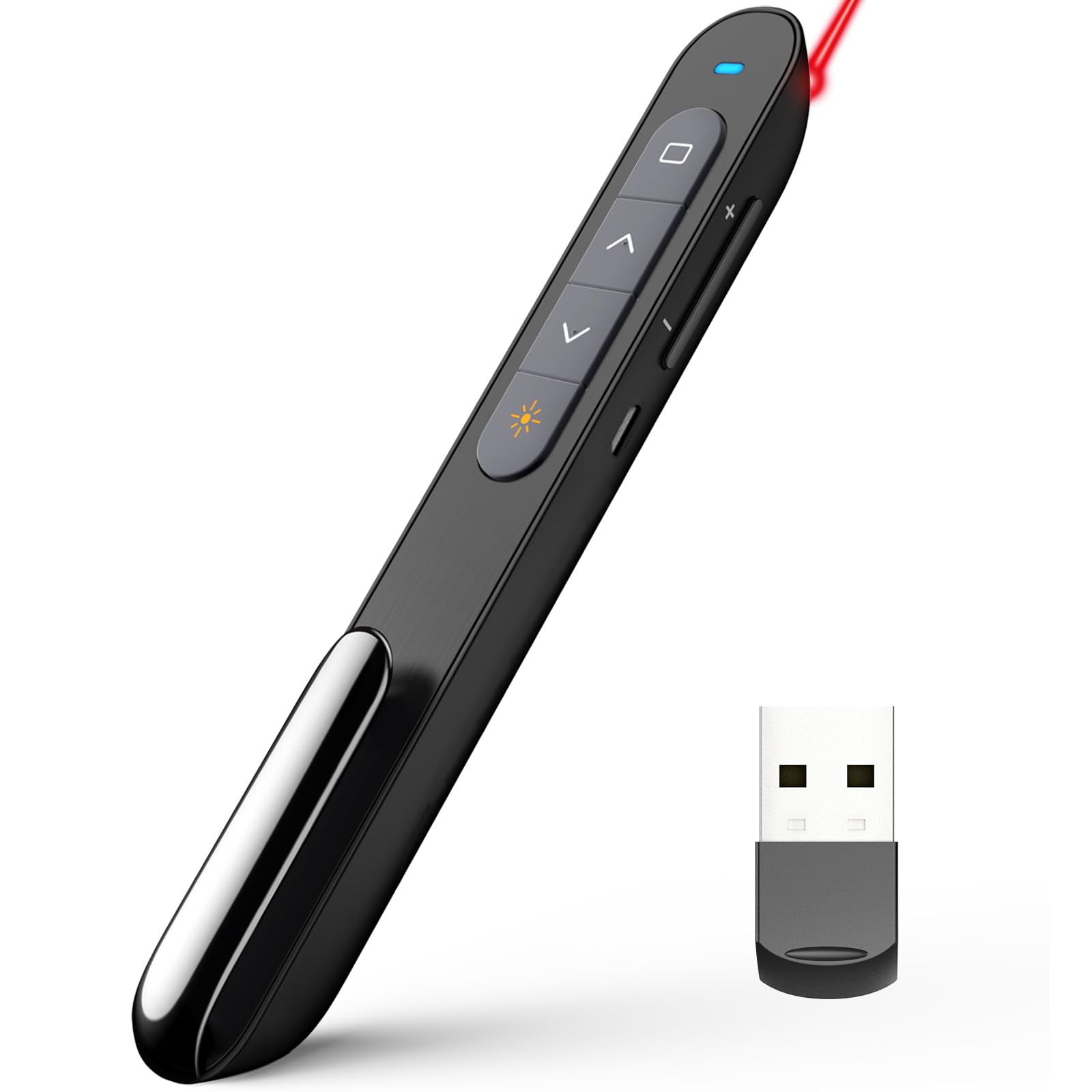
Six buttons and 328 feet of range, plus a custom software twist.
The Norwii N76 is the most configurable clicker in this lineup, giving you 6 buttons — double the count of the Microsoft Presenter+ with its 3 buttons. You can reassign functions like volume control and hyperlink access through the Norwii Presenter software, turning it into a personalized remote workhorse. With a 328-foot wireless range, you could walk from one end of a football field to the other and still control your slides.
It has a built-in 360mAh rechargeable lithium battery that charges fully in 2 to 3 hours and lasts for weeks of typical use, according to the maker. One quirk: you can pair up to 6 different presenters to a single device, or have one presenter control up to 6 devices, which is useful in training rooms or classrooms with multiple screens. Buyers report it is plug-and-play on Windows, macOS, Android, and Linux.
What stands out
- Reassignable buttons on a 6-button layout — far more control than typical 3-button rivals
- Huge 328-foot range for large auditoriums or classrooms with obstacles
- Rechargeable 360mAh battery with weeks of runtime
- Supports multi-device pairing (1-to-N or N-to-1)
One real limit
- USB-A receiver only — no built-in USB-C adapter for modern laptops
- Customization requires downloading Norwii software, which may not be allowed on locked-down corporate machines
Reach for this if: you want the most flexible button layout and need to cover a large room, and are comfortable using a USB-A receiver.
Look elsewhere if: your laptop only has USB-C ports and you want to avoid carrying an adapter.
2. VILNIU WP37-R Wireless Presentation Clicker

A 2-in-1 receiver that fits USB-A and USB-C, and a budget price.
The VILNIU WP37-R solves the single biggest compatibility headache for modern presenters: the receiver works as both a standard USB-A plug and a USB-C plug. You do not need a dongle for a MacBook. It runs on two included AAA batteries, so there is no built-in battery to degrade over time. Owners mention the buttons are large and spaced well to avoid accidental presses, and one reviewer called it “love having my own clicker” after using it for a thesis defense presentation.
Its wireless range is listed at 100 feet for slide control, with the red laser reaching 328 feet. That is a 6.6x gap in laser-to-control range versus the NinjaABXY’s 656-foot control range, but in a standard classroom or conference room up to 30 meters across, this clicker works without hesitation. The side-mounted on/off switch saves battery when the clicker sits in a drawer.
Why it works
- 2-in-1 USB-A / USB-C receiver — no dongle needed for modern laptops
- Large, clearly spaced buttons reduce accidental clicks
- Runs on standard AAA batteries (included), so you can swap in seconds
- On/off switch helps preserve battery life between uses
The trade-off
- 100-foot range is fine for most rooms, but falls short for very large auditoriums
- Only controls slides (forward/back/laser) — no volume or hyperlink buttons
Best for: students and professionals who need a reliable, budget-friendly clicker that works with both USB-A and USB-C laptops right from the start.
skip it if: you need to control volume or hyperlinks from the remote, or regularly present in rooms larger than 100 feet across.
3. NinjaABXY Q91 2-in-1 USB Type C Presentation Clicker
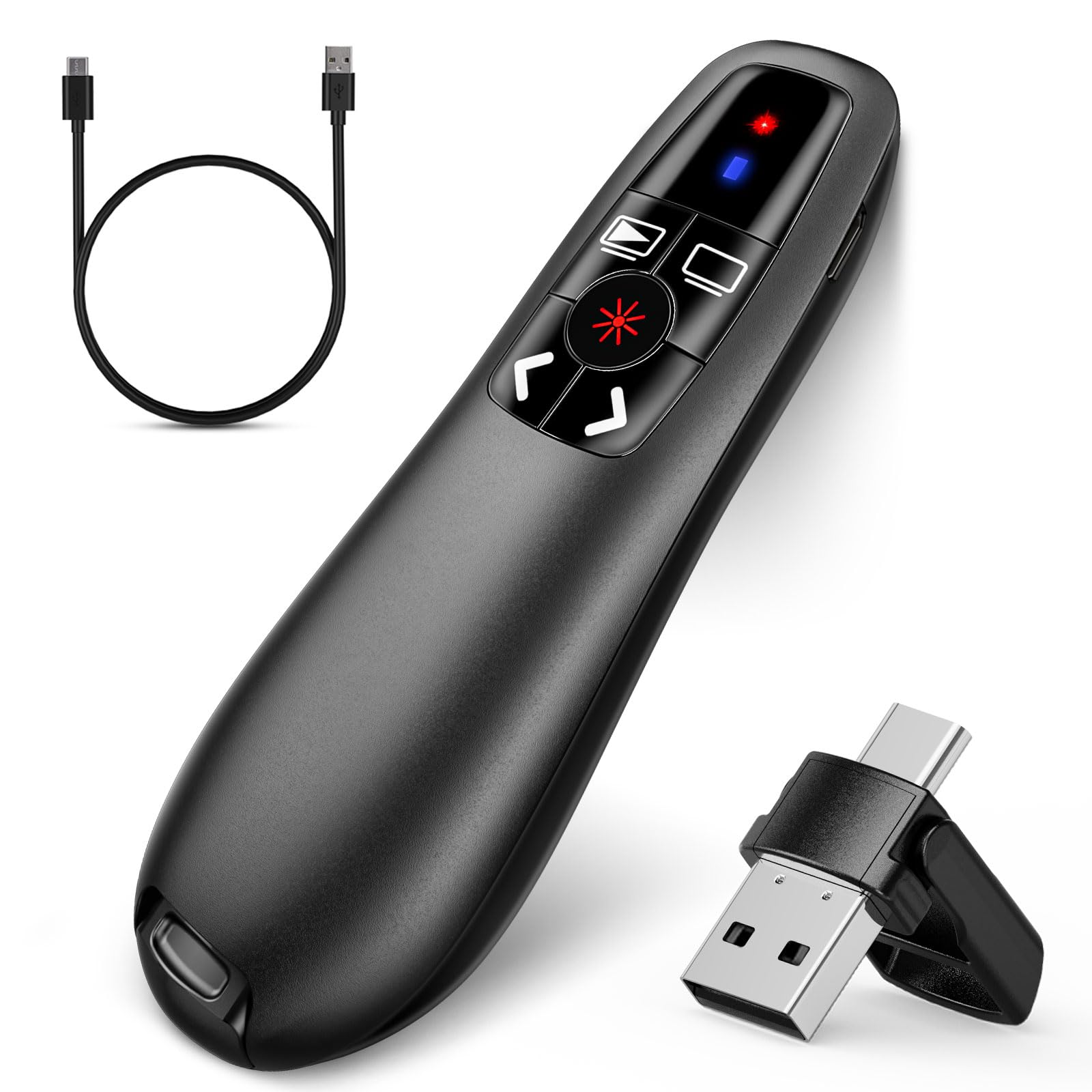
A 656-foot range that leaves every other clicker in the room.
The NinjaABXY Q91 claims a maximum wireless range of 656 feet — that is 6.6 times farther than the VILNIU WP37-R’s 100-foot control limit, and more than enough to work across a convention hall or through walls. It also packs a 2-in-1 USB Type-C receiver, so it works with both older USB-A ports and modern USB-C laptops without an extra adapter.
It is rechargeable via a built-in 300mAh lithium battery that supports one week of use after a two-hour charge, per the manufacturer. Customers note that the battery lasts about two weeks with 1 to 2 hours of daily use. One reviewer noted that the material feels “kind of cheap” for the price, but called it “a very good deal” overall. It also has 5 buttons that control hyperlinks, volume, full/black screen, and slide navigation — more versatile than a basic 3-button clicker.
What justifies its spot
- Class-leading 656-foot range — covers the largest auditoriums and convention halls
- USB-C and USB-A receiver covers both old and new laptops
- 5 buttons give you volume, hyperlink, and screen control on top of slide advance
- Rechargeable battery avoids the need for disposable cells
The catch
- Build quality feels less premium than the Logitech or Kensington, per buyer reports
- Laser is not recommended for use on TV, LED, or LCD screens
Reach for this if: you present in large spaces (auditoriums, lecture halls, convention centers) and need the longest possible range with USB-C compatibility.
Look elsewhere if: a premium build feel is important to you, or you present mostly in small rooms where range is not a factor.
4. Microsoft Presenter+ (2022) Wireless and Bluetooth Presentation Clicker

The remote built specifically for Microsoft Teams and virtual meeting hosts.
The Microsoft Presenter+ is not a typical RF clicker — it uses Bluetooth (a wireless technology that pairs directly to your computer without a dongle) and is certified for Microsoft Teams. It has a dedicated Teams button that lets you join meetings instantly, plus an integrated mute control with a status light. This makes it a very different tool from the other picks here: it is as much a meeting remote as it is a slide advancer.
It has just 3 buttons (advance, back, and digitally point onscreen with PowerPoint Live). The wireless range is 10 meters (33 feet), so you stay close to your laptop. According to the manufacturer, the battery lasts up to 6 days on a single AAA cell. If your daily workflow revolves around Microsoft Teams and PowerPoint Live, this clicker integrates more deeply than any other pick here.
Where it excels
- Teams certification with a dedicated join button and mute control with status light
- Bluetooth pairing means no USB receiver to lose or break
- Digitally points onscreen via PowerPoint Live, not just a laser
The limits
- 33-foot range keeps you tethered to the front of the room
- Only 3 buttons — no volume, hyperlink, or screen-blackout controls
- No dedicated laser pointer; the “pointing” is digital only
Best for: Microsoft Teams power users who join virtual meetings from conference rooms and want mute and slide control in one hand.
pass on it if: you need a physical red laser for in-person presentations or need more than 33 feet of range.
5. CLIKBUTM WP08-R Presentation Clicker with Case
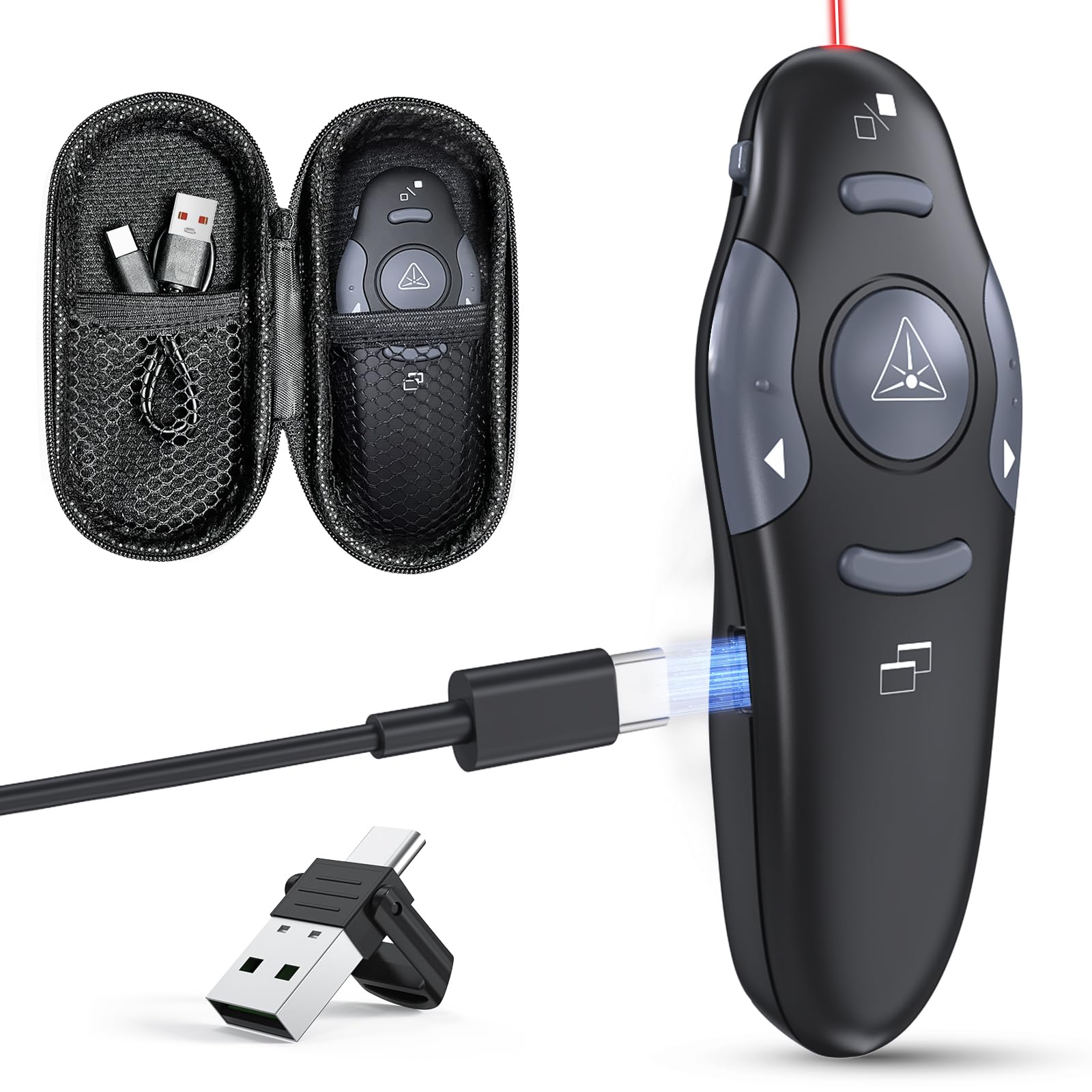
A compact rechargeable clicker that travels in its own protective case.
The CLIKBUTM WP08-R is built for people who toss their clicker into a bag and need it to survive the trip. It comes with a dedicated storage case that holds the remote and its charging cable, so you are less likely to arrive at a presentation with a dead battery. A five-minute charge gives you one hour of use, according to the maker — a useful emergency feature if you forget to charge overnight.
It uses a rechargeable battery that charges via a USB-C port on the remote itself, not through a separate cradle. The wireless control range is 100 feet, and the red laser pointer reaches 328 feet. Reviewers point out the buttons make a “sharp clicking sound” due to the hard plastic construction — louder than silicone-button alternatives. One buyer mentioned the clicker works great for “kitty playtime” as well as presentations, proof of its simple usability and bright laser.
What makes it different
- Comes with a storage case that keeps the remote and charging cable together
- Fast charge: 5 minutes of charging gives you an hour of use
- USB-C charging avoids proprietary cables
- Compact size fits in a pocket for Q&A sessions
Note before buying
- Buttons are loud — the hard plastic makes a sharp click that may be distracting in quiet rooms
- Laser does not work on LED or LCD screens, only on projection screens
Reach for this if: you travel frequently with your clicker and want a case to keep everything organized, plus the safety net of a 5-minute quick charge.
Look elsewhere if: you present in very quiet rooms and need silent, soft-touch buttons.
6. Logitech Wireless Presenter R500s

Logitech’s answer to battery anxiety: 12 months on one AAA.
The Logitech R500s stands out for its tiny USB receiver, which stows inside the clicker for easy transport. It is tune to work with major presentation software like PowerPoint, Keynote, and Google Slides.
You get a 20-meter (65-foot) operating range — fine for medium to large rooms, versus the NinjaABXY Q91’s 656-foot range. Where the R500s really shines is smart battery management: it runs for 12 months on a single AAA battery, and when power gets low it disables the laser to keep the clicker working for another week. Shoppers say it is “smooth for Zoom presentations” and that the compact design looks professional on camera. One user’s speech coach recommended this exact model.
Why it earns the premium price
- 12-month battery life on one AAA — the longest runtime in this roundup
- USB receiver stows inside the clicker body
- Logitech Presentation app allows customization, battery monitoring, and an on-screen timer
- USB receiver stows inside the clicker body
One honest caveat
- 65-foot range is fine for most rooms, but falls short for auditoriums
- Laser pointer works only on old-fashioned screens, not modern LED or LCD displays
Best for: professionals who want a set-and-forget clicker with a 12-month battery, a USB receiver, and a brand backed by tons of support.
it’s not for you if: you need to present in very large rooms requiring 100+ feet of range, or need a built-in USB-C receiver.
7. Kensington Wireless Presenter K33272WW
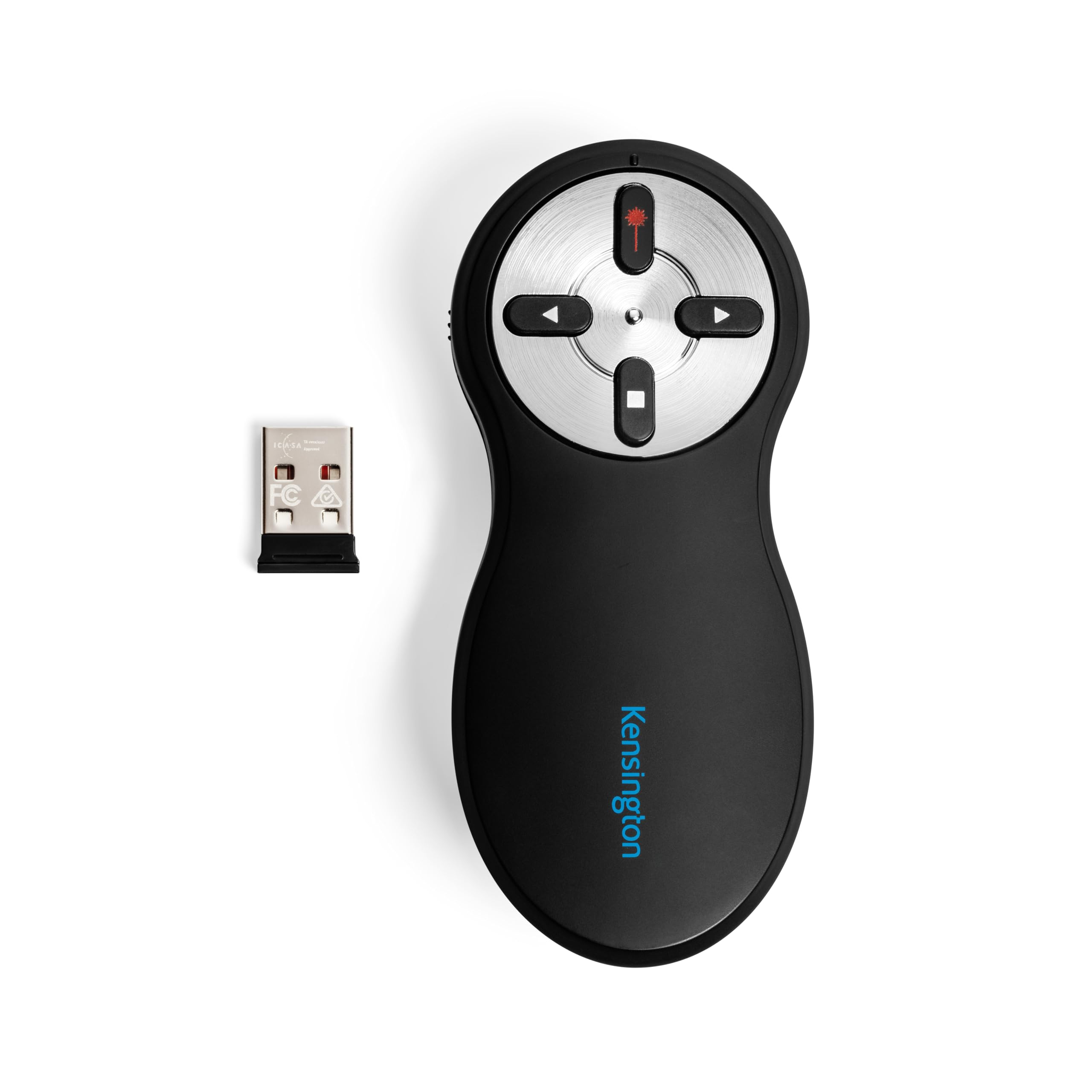
AES-128 encryption in a clicker — security you will not find elsewhere.
The Kensington K33272WW is the only clicker in this list that includes AES 128-bit encryption. This is a security standard adopted by the U.S. government, meaning the wireless signal between the remote and the receiver is scrambled so nearby devices cannot intercept your slide commands. It uses a 2.4GHz wireless connection with a 65-foot range — the same as the Logitech R500s — and is plug-and-play with no driver installation required on Mac or PC.
It has an intuitive four-button layout: forward, back, screen-hide, and red laser pointer. The USB nano receiver stores inside the battery compartment when not in use, but some buyers report that opening the battery door to access it is less convenient than the Logitech’s external dock. Kensington backs this with a 3-year warranty and lifetime technical support. Owners mention it is “extremely helpful when presenting” and note the comfortable grip.
Its strongest arguments
- AES 128-bit encryption protects against wireless interference and eavesdropping
- Four buttons in a simple to use layout: forward, back, screen-hide, laser
- TAA compliant for government and enterprise procurement, with a 3-year warranty
- Comfortable, ergonomic grip that reviewers consistently praise
What could be better
- USB receiver stored under the battery door — less convenient than an external dock
- On/off switch is not color-coded, making it hard to find in the dark
Best for: presenters in corporate, government, or security-conscious environments who need encrypted wireless and a simple, reliable layout.
look elsewhere if: you need USB-C compatibility, a longer range than 65 feet, or prefer the receiver to dock externally.
Understanding the Specs
Wireless Range
The distance, measured in feet, that the clicker can reliably send a signal to the receiver plugged into your computer. A higher number means you can stand further from your laptop — useful in large auditoriums or when you want to walk to the back of the room. Real-world range is always lower than the published spec if there are walls, metal cabinets, or other electronics in the way. For a standard conference room (up to about 40 feet long), a 65-foot range is plenty. For a lecture hall or convention space, look for 300 feet or more.
Button Count
The number of physical buttons on the remote. A basic 3-button clicker lets you advance slides, go back, and activate the laser. A 4-button layout typically adds a screen-blackout or hide function. A 5- or 6-button layout often includes volume control, hyperlink support, and full-screen toggle. More buttons give you more control without touching the keyboard, but also increase the chance of pressing the wrong button in the heat of a presentation.
FAQ
Can I use a presentation clicker with a MacBook that only has USB-C ports?
How far away from the laptop can I stand with a 65-foot clicker?
Are rechargeable presentation clickers better than AAA battery ones?
Why does my presentation clicker laser not show up on modern screens?
What does AES encryption mean in a presentation clicker?
Can I use one clicker to control multiple computers or screens?
Do I need to install software to use a presentation clicker?
How long do presentation clicker batteries usually last?
Final Thoughts: The Verdict
For most people, the best presentation clicker winner is the Norwii N76 because it offers the most customizable button layout, a 328-foot range, and a rechargeable battery at a very accessible price. If you want the longest possible range for large auditoriums, grab the NinjaABXY Q91. And for a set-and-forget premium experience with a 12-month battery and a USB receiver, the Logitech R500s is the one to pick.
How We Picked
We do not accept paid placement. Every pick is matched to a real buyer and a real use-case; we do not hands-on test units.
Sources & Methodology
Specifications: manufacturer listings and product documentation. Review insights: verified customer reviews, as of July 2026. Pricing: not shown on this page (it changes often); check the current price via the retailer link.
As an Amazon Associate, WellFizz earns from qualifying purchases. This does not affect which products we feature.

Mo Maruf
I created WellFizz to bridge the gap between vague wellness advice and actionable solutions. My mission is simple: to decode the research and give you practical tools you can actually use.
Beyond the data, I am a passionate traveler. I believe that stepping away from the screen to explore new environments is essential for mental clarity and physical vitality.