Our readers keep the lights on and my smoothie glass nicely filled. As an Amazon Associate, I earn from qualifying purchases.
Specs are compiled from manufacturer listings and verified buyer reviews and can change over time — please confirm the key details on the product page before buying.
Finding a tablet that doesn’t overwhelm you with tiny icons, complex menus, or a screen that’s hard to see is the single biggest challenge when shopping for an older adult. This guide skips the jargon and cuts straight to what matters: a display you can actually read, a battery that lasts all day, and a simple interface that makes video calls and emails feel easy. Every pick here has been chosen for a large screen (10 inches or bigger) and a senior-friendly mode or straightforward layout so you don’t have to waste time on devices that just don’t fit.
I’m Mohammad Maruf — the founder and writer behind WellFizz. This guide is built by comparing the manufacturers’ published specifications and the patterns across verified customer reviews, so you get each pick’s real strengths and trade-offs instead of marketing spin.
We looked for crisp displays, simple navigation, and solid battery life to find options that keep you connected without the headache. Here are the top computer tablets for seniors that deliver exactly that.
Quick Picks
- Samsung Galaxy Tab A9+ Plus 11” 64GB Android Tablet — Best Overall
- Apple iPad (10th Generation) 10.9-inch — Premium Simplicity
- Samsung Galaxy Tab S10 FE+ 13.1” 128GB WiFi Android Tablet — Extra Room
- TCL NXTPAPER 11 Gen 2 Android Tablet — Eye-Friendly Pick
- MESWAO 15.6 Inch Android 14 Tablet — Jumbo Screen
- GrandPad Easy to Use Tablet & Phone for Seniors — Zero-Fuss Connection
- Amazon Fire HD 10 Tablet, 10.1″ Full HD — Budget Entertainment
- Pix Star Touch Easy to Use Tablet for Seniors — Simplified Interface
How To Choose The Best Computer Tablets For Seniors
Not every tablet is built with aging eyes or a preference for simplicity in mind. The best option for you or a loved one balances screen clarity, ease of navigation, and battery endurance without demanding a tech degree to set up. Focus on these three areas to narrow the field.
Screen Size and Display Quality
A larger screen makes text, buttons, and photos easier to see without needing reading glasses. Look for a display at least 10 inches diagonally, with a resolution of 1920×1200 or higher for sharp text. An anti-glare coating or a mode that reduces blue light can help prevent eye strain during long reading sessions or video calls.
Interface Simplicity and Accessibility
A tablet designed for seniors often includes a custom launcher with oversized icons, a simplified home screen, and fewer menus to get lost in. Standard tablets like the iPad and Samsung Galaxy series have built-in accessibility features such as magnifiers, high-contrast text, and voice control, which can make any tablet easier to use once configured. The key is finding a device that feels natural the first time it’s turned on.
Battery Life and Storage
A tablet that needs charging twice a day is a frustration, not a help. Aim for a battery rated for at least 10 hours of mixed use so it lasts through a day of web browsing, email, and streaming. Storage of 64GB or more is ideal for holding photos, music, and apps without worrying about running out of space, though expandable microSD card slots offer a cheap way to add room later.
Quick Comparison
| Model | Best For | Screen Size | Resolution | Storage | Amazon |
|---|---|---|---|---|---|
| Samsung Galaxy Tab A9+ Plus | Best Overall | 11″ | 1920×1200 | 64 GB (plus microSD support) | Amazon |
| Apple iPad 10th Gen | Premium Simplicity | 10.9″ | Liquid Retina | 64 GB | Amazon |
| Samsung Galaxy Tab S10 FE+ | Large Display Power | 13.1″ | WQXGA | 128 GB (plus microSD support) | Amazon |
| TCL NXTPAPER 11 Gen 2 | Eye Comfort | 11″ | 1920×1200 | 128 GB (expandable up to 1TB) | Amazon |
| MESWAO 15.6 Inch Android 14 Tablet | Jumbo Screen | 15.6″ | 1920×1080 | 128 GB (expandable up to 1TB) | Amazon |
| GrandPad | Zero-Fuss Senior Device | — | 1920×1200 | — | Amazon |
| Amazon Fire HD 10 | Budget Entertainment | 10.1″ | 1080p Full HD | 32 GB (expandable up to 1TB) | Amazon |
| Pix Star Touch | Designed for Simplicity | 10.1″ | 800×1280 | 32 GB | Amazon |
In‑Depth Reviews
1. Samsung Galaxy Tab A9+ Plus 11” 64GB Android Tablet

The 11-inch A9+ Plus packs a crisp 1920×1200 display with a smooth 90Hz refresh rate for easy scrolling.
This tablet leads the list because it nails the balance of a big, bright screen and a price that doesn’t hurt. The 1920×1200 resolution gives you sharp text and clear images — a full 2.4x sharper than lower-resolution screens like the 800×1280 panel on the Pix Star Touch, which means menus and web pages look noticeably less fuzzy. Buyers report that the tablet reads a 256GB microSD card formatted as exFat without any issue, so adding plenty of storage for photos or music is simple.
You get four speakers with Dolby Atmos (a surround-sound technology) that fill a room, so video calls and shows feel more rich. An upgraded chipset and a slim, light body let you handle everyday tasks like email and web browsing without lag. The Samsung Kids app adds a safe mode if younger grandchildren visit, but the real draw for seniors is the large canvas and simple Android interface you can customize with bigger icons and fonts.
Standout screen: At 11 inches with a resolution of 1920×1200, this is the sharpest display in the mid-range group, making reading and video clearer than on the 10.1-inch 1080p Fire HD 10.
Honest trade-off: The cameras are basic, so don’t expect high-quality photos, but for video calls they get the job done.
Reach for this if: You want the best combination of a large, sharp screen, good speakers, and expandable storage without stepping into premium pricing.
Look elsewhere if: You need a device with a simplified interface pre-loaded — this is a standard Android tablet that you will need to set up with accessibility features yourself.
2. Apple iPad (10th Generation) 10.9-inch

The iPad’s 10.9-inch Liquid Retina display and intuitive interface make it the gold standard for ease of use.
Apple’s iPad has long been the benchmark for simplicity, and the 10th generation model strengthens that reputation. The 10.9-inch Liquid Retina display adjusts brightness and color temperature with True Tone, so the screen looks natural in any room lighting. The A14 Bionic chip ensures apps open instantly and streaming never stutters, and the all-day battery life easily covers a full day of browsing and video calls.
Buyers consistently highlight the iPad’s long-lasting battery, with one reviewer noting it lasts 4 days with regular use. The 12MP front camera with Center Stage (a feature that keeps you centered during video calls) is a thoughtful touch for staying in touch with family. While the 64GB base storage can feel tight for photo hoarders, the reliable performance and huge app library make this a device that works for years without slowing down. The iPad also offers sturdy accessibility features like VoiceOver (a screen reader) and Magnifier built right into iPadOS, requiring no extra setup.
Long-term value: The build quality and software support mean this tablet will stay smooth and secure for many years, unlike many budget Android tablets that slow down over time.
Honest trade-off: The 64GB storage can fill up if you download many apps and movies, and you cannot expand it with a memory card.
Best for those who value longevity: A premium pick for anyone who wants a tablet that works intuitively, receives updates for years, and has a vast selection of apps tune for a larger screen.
skip it if: You need built-in expandable storage or want a very large screen without spending more for the larger iPad models.
3. Samsung Galaxy Tab S10 FE+ 13.1” 128GB WiFi Android Tablet
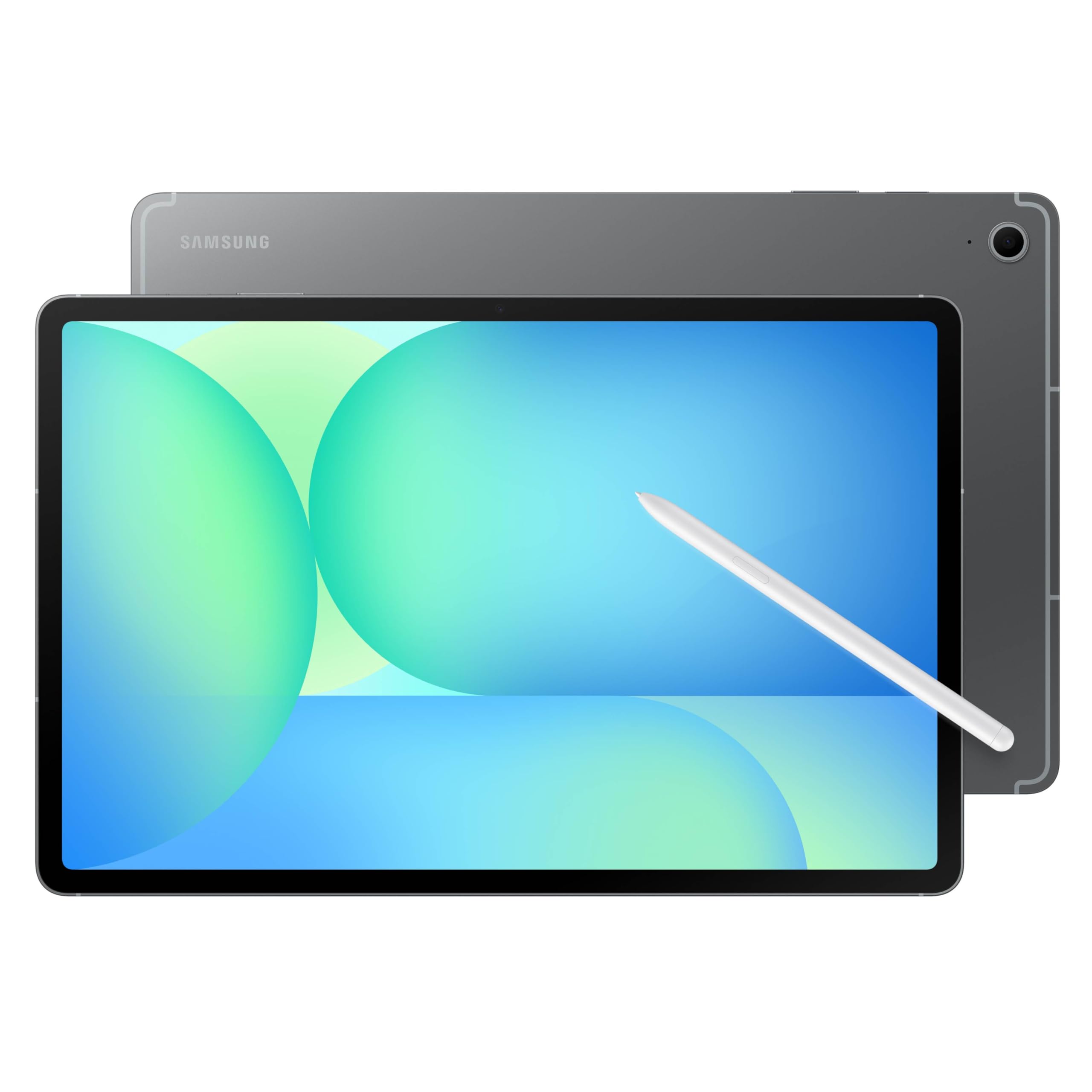
A massive 13.1-inch screen and a long 21-hour battery rating push this into a class of its own for readability.
If your priority is seeing everything in the largest possible size without stepping up to a laptop, the Galaxy Tab S10 FE+ delivers. The 13.1-inch display offers plenty of space for reading digital newspapers, viewing photos, or playing word games without squinting. It runs on the Samsung Exynos 1580 processor, and the 10090mAh battery is rated for 21 hours of video playback — a number that buyers confirm goes well beyond a full day of light use.
This tablet also comes with the S Pen, a responsive stylus that can be used for jotting down notes, circling items to search, or solving math problems by hand using the Math Solver feature. It is IP68 water-resistant, meaning it can survive a drop in the sink or a splash from a cup of coffee. At this size, it is heavier and bulkier than smaller tablets, but users report the large screen makes it a great laptop replacement for browsing and emails. Buyers also praise the reliable fingerprint open up and the clear, sharp graphics.
Epic battery: The 21-hour battery life rating is the highest in this entire list, so you can go days between charges with moderate use.
Honest trade-off: Because of the 13.1-inch screen, this tablet is heavy and bulky, making it less comfortable to hold one-handed for long periods.
Ideal for home-body browsing: Perfect for seniors who spend most of their time reading, gaming, or video-calling at a desk or table and want the biggest possible screen.
Not ideal for: Frequent travel or holding in one hand while reading in a chair — the size and weight are a practical issue here.
4. TCL NXTPAPER 11 Gen 2 Android Tablet

The NXTPAPER 4.0 technology makes reading feel like paper, with zero glare and reduced blue light.
For anyone who spends hours reading e-books, news articles, or recipes, the TCL NXTPAPER 11 Gen 2 is a standout. Its 11-inch 2K display uses a special matte screen with an anti-glare coating and DC dimming, which eliminates the harsh glare you get from standard glossy tablets. You can switch between three display modes in Settings: Regular Mode for vibrant video, Ink Paper Mode for a black-and-white e-reader feel, and Color Paper Mode for soft, muted colors on comics and art.
Inside, an 8000mAh battery gives you around 8 hours of usage, and the 8GB + 8GB RAM keeps multitasking smooth. The tablet also includes a T-PEN stylus with 4096 levels of pressure sensitivity and a flip case, so you can start taking notes or sketching right away. Owners mention that the matte screen is crisp and reduces eye strain significantly, though they also caution that the boot-up time is a bit slow and the speakers are just okay. The reversible charging feature lets you use the tablet to charge your phone in a pinch, a nice bonus when traveling.
Reading-first design: The NXTPAPER display mimics the texture of paper and cuts out reflections, making it much easier on aging eyes than a glass screen.
Honest trade-off: The 60Hz refresh rate feels less smooth than the 90Hz panels on Samsung tablets, and the lack of a headphone jack is inconvenient.
Grab this if reading is your main activity: Ideal for seniors who primarily use a tablet for reading digital books, browsing websites, and watching light video content, with an emphasis on eye comfort.
pass on it if: You need great speakers, a super-fast boot time, or plan to do heavy gaming — this device shines in media consumption, not demanding performance.
5. MESWAO 15.6 Inch Android 14 Tablet
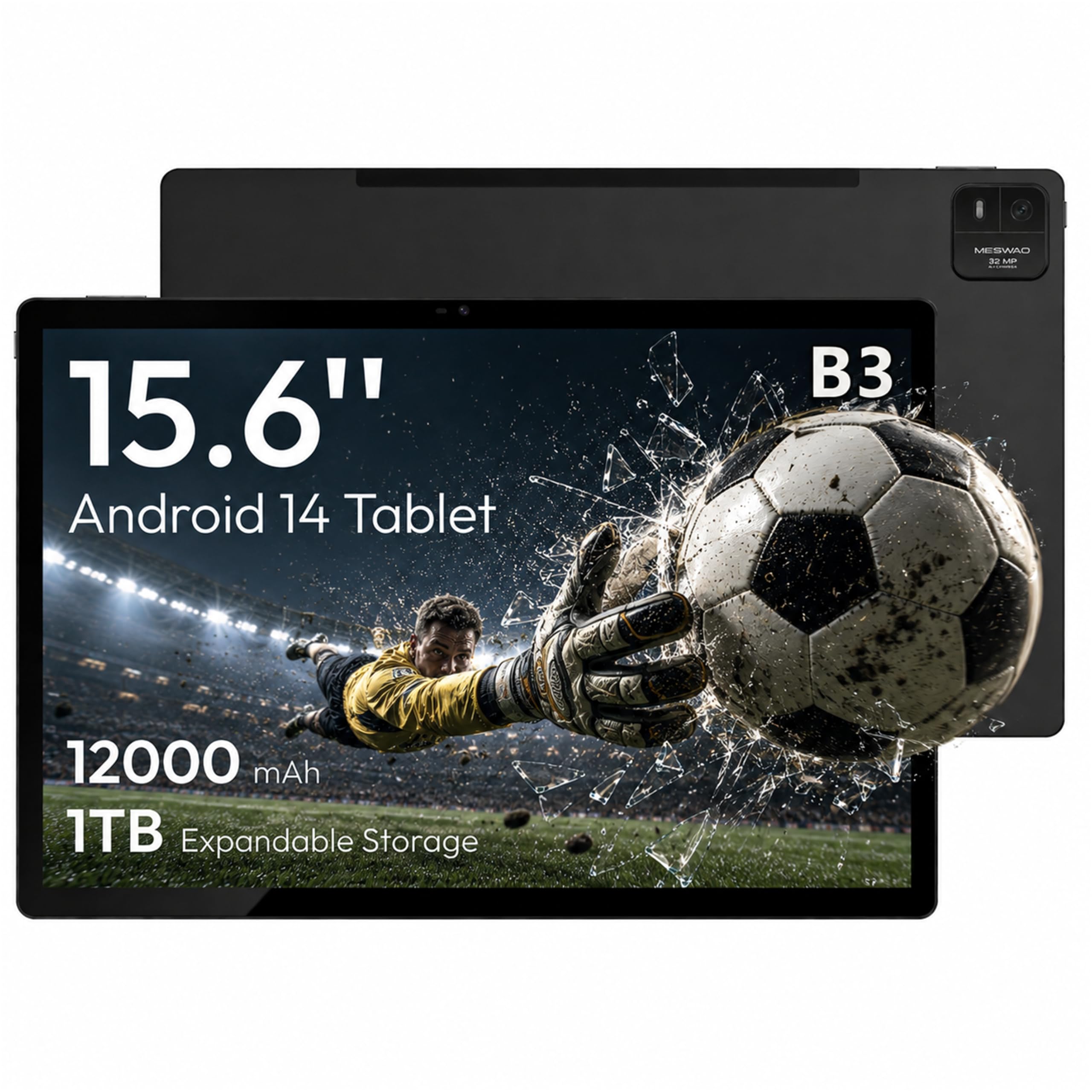
With a 15.6-inch screen and a 12000mAh battery, this tablet is more like a portable TV than a standard tablet.
If the Galaxy Tab S10 FE+ is big, this MESWAO is enormous. The 15.6-inch IPS display is larger than many laptop screens, making it incredible for watching movies, viewing family photos in detail, or reading digital sheet music at a true 1:1 scale. It runs on Android 14 with a MediaTek Helio G99 processor, a 6nm chip that keeps video streaming and basic apps snappy. The 128GB of internal storage can be expanded up to 1TB with a TF card, and the 12000mAh battery is rated for 12 hours of use — customers note about 10 hours in real-world conditions.
The quad speakers deliver loud, clear audio, and the 32MP rear camera is strong enough for scanning documents. However, the build is not as premium as the Samsung or Apple options, and one reviewer noted the screen is dim and reflective if you try to use it outdoors. The sheer size means it is best used on a table or desk rather than held in your lap. It is a great choice for seniors who need a large, clear screen for specific tasks like reading music or catching up on digital photo albums, but less practical for casual couch surfing.
Max viewable area: The 15.6-inch 1920×1080 display offers a 1:1 scale for sheet music and shows full-page content without any need for zooming.
Honest trade-off: It is not designed for outdoor use due to a reflective screen, and the 6GB of RAM feels less snappy than higher-end models when multitasking heavily.
Perfect for stationary use: A fantastic option for seniors who want a near-monitor-sized screen for reading sheet music, viewing large-format photos, or enjoying videos from a fixed spot.
Not right for: Portability or anyone who needs to move the tablet around the house frequently — it functions more like a desktop screen.
6. GrandPad Easy to Use Tablet & Phone for Seniors

The GrandPad is a locked-down senior-only device with a private network that blocks spam calls and scams.
Unlike every other tablet on this list, the GrandPad is designed specifically for older adults who have never used a tablet before. It arrives with a wireless charging cradle, protective case, and stylus included, and it requires activation with a monthly plan starting at /month. The interface uses large icons and simple navigation, with no confusing menus or pop-ups. It runs on a private 4G network that filters out spam and scam calls automatically, and it has a dedicated U.S.-based customer care team available 24/7.
Buyers consistently praise how easy it is for their elderly parents to use right from the start, with one reviewer calling it the primary way their 90-year-old mother connects with family photos, email, and video calls. The companion app for family members lets them share photos and videos securely. The catch is that it is carrier-locked and not compatible with any other carrier, so if you don’t like the service, you can’t switch. Also, the monthly fee adds up over time, and the screen resolution, while good at 1920×1200, is average for the price point.
True simplicity: The GrandPad is the easiest device to start using — it is designed from the ground up for seniors, not a standard tablet with a simplified launcher added on.
Honest trade-off: The monthly plan cost and locked carrier make this a subscription-based purchase rather than a one-time buy, which may not suit every budget.
Best for a senior with no tech interest: Ideal for an older adult who has never used a tablet and needs a device that works perfectly with zero setup, supported by real human customer service.
it’s not for you if: You want a standard tablet experience, want to avoid a monthly fee, or need flexibility to use any carrier.
7. Amazon Fire HD 10 Tablet, 10.1″ Full HD

The Fire HD 10 offers 13 hours of battery and a 1080p Full HD screen at a very low entry price.
For a budget-friendly option that covers the basics well, the Amazon Fire HD 10 is a solid pick. The 10.1-inch 1080p Full HD display is vibrant and clear for streaming shows, reading Kindle books, or browsing photos. The octa-core processor and 3GB of RAM provide 25% faster performance than the previous generation, so apps open quicker and scrolling feels more responsive. The 13-hour battery means you can read a long novel or watch movies through a flight without scrambling for a charger.
One real drawback is that the lock screen shows ads — reviewers point out it costs an additional fee to remove them. Another reviewer noted that the battery dropped to 54% after 8 hours idle, which suggests some power drain when not in use. The Fire OS is a customized version of Android that relies heavily on Amazon’s ecosystem (Prime Video, Kindle, Alexa), but with a bit of technical expertise, you can install Google Play Store. For a senior who just wants a cheap, durable tablet for reading and streaming, it is a great value, but the ads and slightly clunky interface may frustrate someone expecting a pure Android or iPad experience.
Great value for media: The combination of a 1080p screen and a 13-hour battery makes this a fantastic device for reading and streaming, especially for the price.
Honest trade-off: The lock screen ads can be annoying, and the operating system is not as intuitive or as fast as the iPad or Samsung Galaxy options for multi-app use.
Reach for this if: You are looking for a cheap, durable tablet for reading, watching videos, and light web browsing, and you don’t mind the Amazon-centric interface.
Look elsewhere if: You want a simple, ad-free experience from the start, or if you need a tablet that supports a wide variety of third-party apps without requiring extra setup.
8. Pix Star Touch Easy to Use Tablet for Seniors

The Pix Star Touch markets itself as a senior-friendly tablet with a simple interface and a built-in zoom feature.
This tablet comes with a custom user interface designed to make the most important buttons large and easy to tap, and it includes a clever zoom function that lets you enlarge or reduce the whole interface as needed. It has a 10.1-inch screen with 800×1280 resolution, which is a 2.4x gap in sharpness compared to the 1920×1200 screen on the Samsung Galaxy Tab A9+, meaning text and images will appear less crisp. The storage is limited to 32GB, though it does have a USB-C port and a microSD card slot for expansion.
Shoppers say mixed experiences. The device has been praised for being great for seniors who are not tech-savvy, but a significant number of reviewers found it difficult to use. One buyer specifically noted it was “hard to switch from French to English and Celsius to Fahrenheit,” indicating a frustrating setup process for some users. Another reviewer called it slow to load and regretted the purchase, suggesting a better deal could be had with a standard kids Kindle. The simple interface idea is solid, but the execution seems inconsistent, and the lower resolution screen does not help with readability.
The Intended Upside
- Custom interface is supposed to simplify navigation for beginners
- Built-in zoom function lets you resize everything on screen
Real-World Issues
- Setup can be confusing, with locked language settings reported
- The 800×1280 display is noticeably less sharp than other options
Consider if you need the custom UI: A potential pick if you are specifically looking for a tablet with a pre-loaded senior interface and are willing to spend time setting it up correctly.
look elsewhere if: You want a reliable, high-resolution screen or a device that works intuitively from the start — the Samsung or Apple options offer a better overall experience with a bit of accessibility setup.
Understanding the Specs
Display Resolution
This refers to how many tiny dots (pixels) make up the image on the screen. The more pixels, the sharper the text and images will look. A resolution of 1920×1200 (often called Full HD) makes small fonts crisp and clear, which is vital for seniors who may not want to wear reading glasses. Lower resolutions like 800×1280 can make text look fuzzy and cause eye strain. For a tablet you’ll read on, higher is always better.
Battery Capacity
Measured in milliamp-hours (mAh), this tells you how much energy the battery can hold. A larger number generally means longer run time. Tablets with a 7000mAh to 8000mAh battery usually last a full day of mixed use. A 12000mAh battery can stretch beyond a day. However, bigger batteries also mean the tablet is heavier and takes longer to charge. Look for a balance that fits your daily routine.
FAQ
Will any tablet work for a senior, or do I need a special device?
What is the minimum screen size I should look for?
How do I set up a standard Android tablet to be senior-friendly?
Can a senior use a tablet without a Wi-Fi connection?
Is 32GB of storage enough for a senior?
How important is a high-refresh-rate display for seniors?
What type of customer support should I expect from these tablets?
Can a senior use a tablet to stay in touch with family?
Final Thoughts: The Verdict
For the majority of shoppers, the computer tablets for seniors winner is the Samsung Galaxy Tab A9+ Plus because it offers the best balance of a large, sharp 11-inch screen, expandable storage, and solid performance at a mid-range price. If you want the ultimate in simplicity and don’t mind a monthly fee, grab the GrandPad. And for the largest, most rich reading or viewing experience, the Samsung Galaxy Tab S10 FE+ stands out with its massive 13.1-inch display and all-day battery.
How We Picked
We do not accept paid placement. Every pick is matched to a real buyer and a real use-case; we do not hands-on test units.
Sources & Methodology
Specifications: manufacturer listings and product documentation. Review insights: verified customer reviews, as of July 2026. Pricing: not shown on this page (it changes often); check the current price via the retailer link.
As an Amazon Associate, WellFizz earns from qualifying purchases. This does not affect which products we feature.

Mo Maruf
I created WellFizz to bridge the gap between vague wellness advice and actionable solutions. My mission is simple: to decode the research and give you practical tools you can actually use.
Beyond the data, I am a passionate traveler. I believe that stepping away from the screen to explore new environments is essential for mental clarity and physical vitality.