Our readers keep the lights on and my smoothie glass nicely filled. As an Amazon Associate, I earn from qualifying purchases.
Specs are compiled from manufacturer listings and verified buyer reviews and can change over time — please confirm the key details on the product page before buying.
You do not have to spend a fortune to get a tablet that handles your daily needs. Whether you are after a device for streaming shows, helping your kids learn, or catching up on emails, the real challenge is finding a budget-friendly slate that does not feel sluggish or break down quickly. This guide cuts through the confusion to help you pick the right budget tablet.
I’m Mohammad Maruf — the founder and writer behind WellFizz. This guide is built by comparing the manufacturers’ published specifications and the patterns across verified customer reviews, so you get each pick’s real strengths and trade-offs instead of marketing spin.
We have evaluated six top contenders in the value tablet space to help you find the perfect daily driver. Here is everything you need to know before buying a set of great cheap computer tablets.
Quick Picks
- Lenovo Idea Tab – College Tablet — Best Overall
- Amazon Fire HD 10 tablet — Premium Media
- Lenovo Tab One – Lightweight Tablet — Best Value
- Like-New Amazon Fire HD 8 tablet (newest model) — Compact Power
- WXUNJA Android 15 Kids Tablet — Kid-Friendly Pick
- Samsung Galaxy Tab A 8.0-Inch (2019, Renewed) — Budget Entry
How To Choose The Best Cheap Computer Tablets
When you are shopping on a budget, a few key specifications determine whether your new tablet feels fast or frustrating.
RAM and Processor
RAM is your tablet’s short-term memory. 4GB of RAM is the balance for smooth multitasking on a budget tablet, allowing you to switch between apps without heavy lag. An older processor, like a hexa-core chip, is fine for basic browsing and video streaming, but an octa-core processor offers more headroom for gaming and heavier apps.
Battery Life and Capacity
A tablet’s battery capacity is measured in milliamp-hours (mAh). A larger number generally means longer run time, but the processor and screen size also affect battery life. Look for at least a 5,100mAh battery to comfortably get through a full day of mixed use. Check the stated average battery life to set your expectations, but remember that heavy gaming or video calls will drain the battery faster.
Storage and Expandability
Internal storage determines how many apps, photos, and videos you can keep on the device. 32GB is the bare minimum, but 64GB is much safer for most users. A microSD card slot is a crucial feature on a cheap tablet, as it lets you add external storage cheaply. Many of these tablets support up to 1TB of expandable storage.
Display and Durability
An HD display (typically 1280 x 800 or 1920 x 1080 pixels) is standard. For kids or on-the-go use, look at the construction. Some tablets come with a reinforced frame or strengthened glass, while others rely on an included protective case to prevent damage from drops.
Quick Comparison
| Model | Best For | Battery | Storage (GB) | RAM (GB) | Amazon |
|---|---|---|---|---|---|
| Lenovo Idea Tab | Students & Productivity | 7,216 | 128 | 4 | Amazon |
| Amazon Fire HD 10 | Media & Relaxation | — | 32 | 3 | Amazon |
| Lenovo Tab One | Portability & Value | 5,000 | 64 | 4 | Amazon |
| Amazon Fire HD 8 | Everyday Entertainment | — | 64 | 4 | Amazon |
| WXUNJA Kids Tablet | Kids & Families | 6,000 | 64 | 3 | Amazon |
| Samsung Galaxy Tab A 8.0 | Budget Basics | 5,100 | 32 | — | Amazon |
In‑Depth Reviews
1. Lenovo Idea Tab – College Tablet

The student-focused tablet that packs a powerhouse display and stylus without asking a premium.
If you need a tablet for more than just passive consumption, this Lenovo brings serious value. It features an 11″ 2.5K IPS touchscreen display with a smooth 90Hz refresh rate, making scrolling through documents and web pages feel fluid. Under the hood, the MediaTek Dimensity 6300 processor paired with 4GB of memory and a large 128GB of storage handles multitasking with ease. The included Lenovo Tab Pen and folio case add significant utility right from the start.
Buyers report that this tablet is fast, reliable, and has a crisp screen, with one reviewer calling it “the best writing tablet I’ve ever had.” The 7,216mAh battery provides up to 12 hours of YouTube streaming, which translates to serious all-day stamina. It also comes with four pre-installed learning apps (Lenovo AI Note, Squid, Nebo, and MyScript Calculator) to boost your study workflow. It offers 128GB of storage, while the Amazon Fire HD 10 offers 32GB, making it a better pick for storing files and apps without needing an SD card immediately.
A serious study companion: The 11-inch 2.5K display (2560 x 1600 resolution) is noticeably sharper than standard HD screens, and the 90Hz refresh rate makes every touch feel more responsive. The integrated Arm Mali-G57 MC2 graphics handle light gaming without a hitch.
Reach for this if: You are a student or professional who wants a responsive tablet for note-taking, streaming, and productivity without spending a small fortune.
Look elsewhere if: You rely heavily on the Amazon ecosystem; a few buyers noted the Amazon shopping app refused to install, requiring a web-based workaround.
2. Amazon Fire HD 10 tablet

A big-screen entertainment hub that is built to last and designed for relaxation.
The Fire HD 10 is Amazon’s flagship budget model, delivering a 10.1″ vibrant Full HD (1080p) display. The octa-core processor and 3GB of RAM offer 25% faster performance than the previous generation, making it ideal for smooth streaming, reading, and light gaming. With a 13-hour battery life, you can binge watch shows through a full day of travel without hunting for an outlet.
One of the standout claims from the manufacturer is its durability. As measured in a tumble test, Amazon says the Fire HD 10 is more durable than the Samsung Galaxy Tab A8 (2022), thanks to strengthened aluminosilicate glass. It also offers 32GB or 64GB of internal storage with up to 1TB expandable via microSD. Note that it runs on Amazon’s Fire OS, which means Google Play is not supported; you get apps from the Amazon Appstore instead.
All-day binge machine: With 13 hours of mixed use and a 10.1-inch Full HD screen, this is the best pick for movie lovers. It also supports the Made for Amazon Stylus Pen, giving you 4,096 levels of pressure sensitivity for sketching and note-taking.
Grab this for: Streaming video, reading, and casual gaming with a durable, light design that Amazon claims outlasts the Samsung Galaxy Tab A8 in drop tests.
skip it if: You need full access to the Google Play Store; Fire OS is a walled garden with a smaller app selection.
3. Lenovo Tab One – Lightweight Tablet

A compact, lightweight tablet that feels more premium than its price tag suggests.
The Lenovo Tab One is an excellent alternative to the Kindle Fire for those who want pure Android. It features an 8.7-inch HD display with a peak brightness of 480 nits, ensuring good visibility even in bright indoor spaces. At under a pound, it is incredibly portable, fitting easily into a purse or bag. The included folio case provides all-around protection and a built-in stand for hands-free viewing, saving you the extra cost of an accessory.
Owners mention it is a “great kindle alternative using android,” praising its amazing battery life and snappy performance after removing a bit of bloatware. The storage capacity is 64GB; customers note it supports up to 512GB of expandable storage via microSD. The dual Dolby Atmos speakers provide impressive sound depth for its size, and the device runs on Android 14 with two years of security patches promised.
In the battery department, it offers up to 12.5 hours of YouTube streaming, compared with the WXUNJA Kids Tablet’s 6 hours. The MediaTek Helio G85 processor and 60Hz refresh rate deliver fluid browsing and responsive gaming for basic titles.
Why it stands out
- Light, portable design with a vivid HD display and 480 nits of brightness
- Impressive battery life at 12.5 hours of video playback
- Includes a quality folio case with a kickstand
A few trade-offs
- Mediocre cameras (8MP rear, 2MP front) compared to pricier options
- No charger included in the box
- Not powerful enough for demanding 3D gaming
The budget winner for most people: A fantastic all-rounder with strong battery life, a clear screen, and full Android access at a price that is tough to top.
One thing to note: The 1340×800 display resolution is slightly lower than the Fire HD 10’s 1080p screen, though it looks excellent for daily tasks.
4. Like-New Amazon Fire HD 8 tablet (newest model)
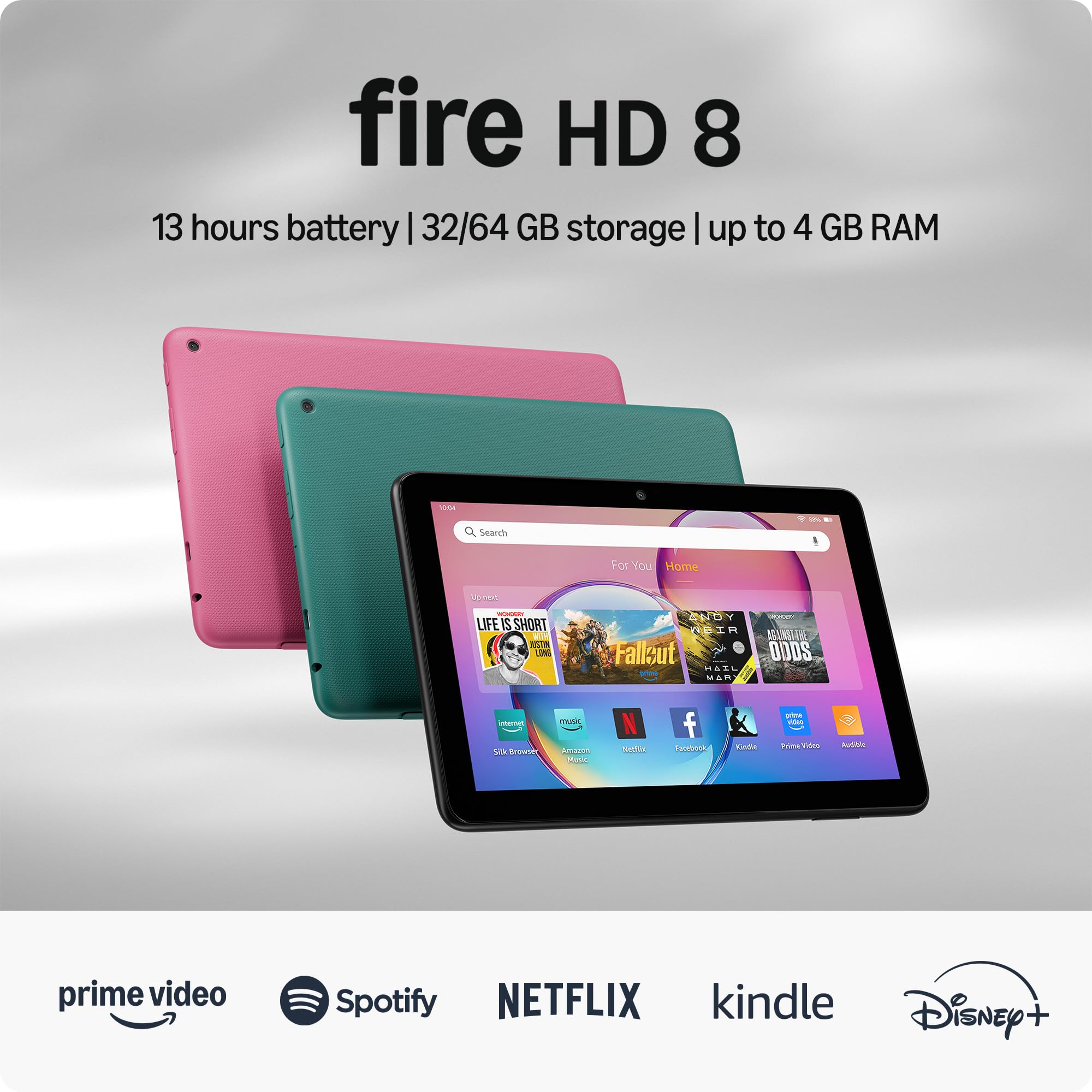
A certified refurbished tablet that offers flagship-like RAM and battery life for a fraction of the cost.
This is a “Like-New” Amazon device, meaning it is refurbished, tested, and certified to work like a new tablet, backed by the same limited warranty. It is an excellent choice if you want premium features without the premium price tag. The 8-inch HD display is compact enough for one-handed use while being vibrant and responsive. The hexa-core processor ensures snappy performance, and the 4GB of RAM is double the amount found in the previous 2022 model.
Buyers consistently praise its battery life, with reports of it running “all day on a charge.” Amazon claims up to 13 hours of reading, browsing, and watching videos. The 64GB of internal storage (up to 1TB expandable) provides ample space for your media. A common user sentiment is that it handles games, books, and sleep sounds well, with one reviewer noting the vivid colors and easy setup. However, it runs on Fire OS, meaning the Google Play Store is not supported; you are limited to Amazon’s Appstore.
The 5MP rear-facing camera is fine for basic photos and video calls. The thin and light design makes it easy to carry around the house or on trips.
An incredible value: With 4GB of RAM and a 13-hour battery life, this is the cheapest way to get a powerful, long-lasting media tablet. The refurbished status adds a touch of uncertainty, but most reviews confirm it arrives in like-new condition.
Perfect for: Someone who wants a highly portable tablet for reading, web browsing, and casual video streaming at the lowest possible cost.
A potential downside: If you are an Android user, the lack of Google Play Services might be annoying; you will need to rely on the Amazon Appstore.
5. WXUNJA Android 15 Kids Tablet
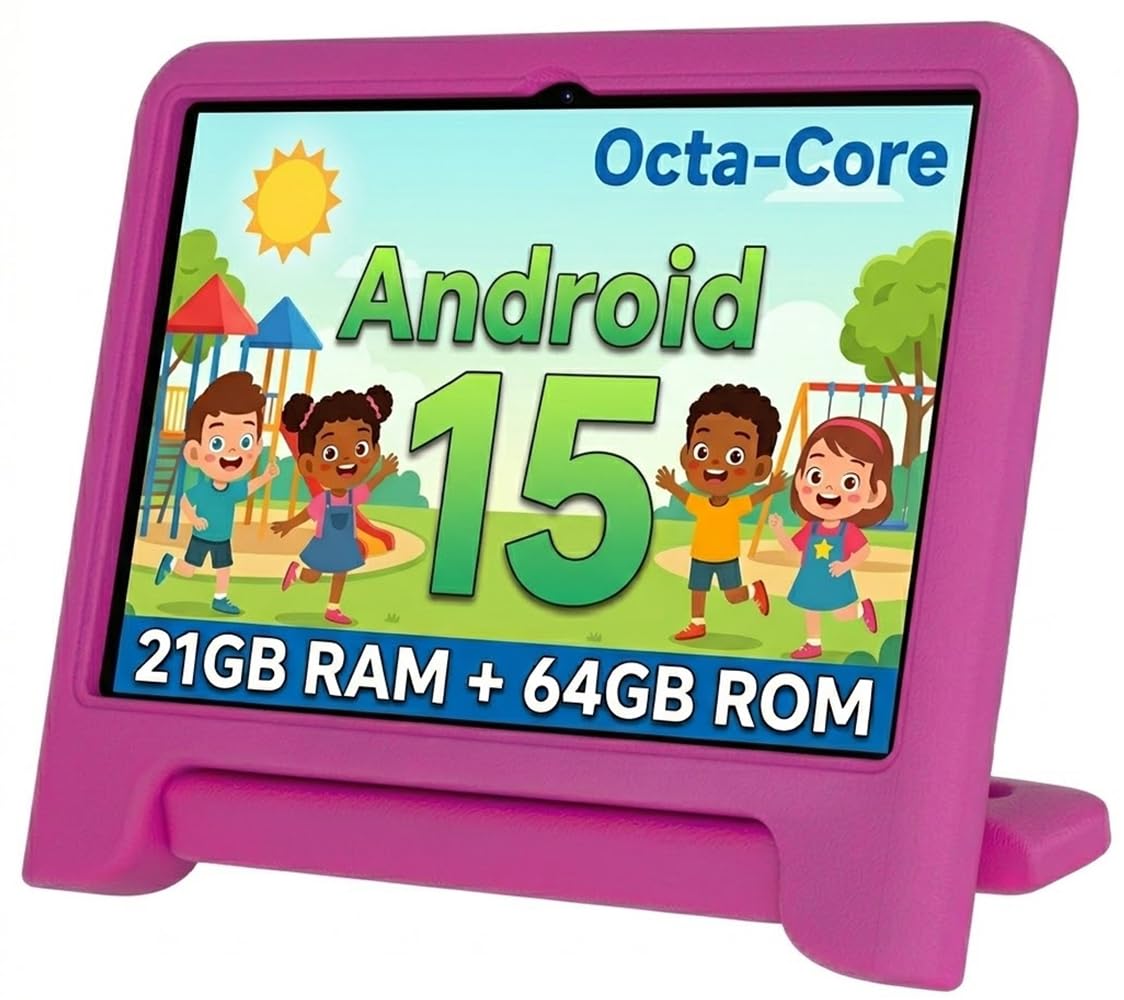
A fully-loaded kids tablet with a massive battery and sturdy parental controls from the start.
This tablet is designed specifically for children aged 2-12, running the latest Android 15.0 operating system. It features a 2.0 GHz octa-core processor, which the manufacturer claims is faster than a normal processor. The large 6,000mAh battery is the biggest in this list, offering up to 6 hours of continuous video playback, while the Samsung Galaxy Tab A 8.0 has a 5,100mAh battery. It comes with a durable, shockproof silicone case and a free stylus, plus it has Google Kids Space for safe content.
The 10.1-inch screen (1280 x 800) has a blue light filter to reduce eye strain. The included software gives parents strong control over screen time and app approval. However, the positive review picture is complicated by one verified buyer report: “Internal screen broke after falling from bed onto carpet within a month, despite included case and tempered glass screen protector; external screen intact; tablet now unusable; extremely disappointed given advertised durability.” This suggests the advertised durability might not match real-world drops.
Storage is a solid 64GB ROM with up to 1TB expandable via microSD. The tablet supports 2.4/5GHz dual-band WiFi, Bluetooth, and even an FM radio. For the price, the feature list is generous, but the single durability concern is something to keep in mind.
What makes it great for kids
- Huge 6,000mAh battery lasts through long car rides
- Heavy-duty included case and pre-loaded educational apps
- Strong parental controls and Google Kids Space
Areas of concern
- One real-world report of internal screen failure from a low drop
- Battery life average is 6 hours, versus 12.5 hours on the Lenovo Tab One
Best suited for: Parents who want a feature-rich, budget-friendly tablet for a young child with strong content filters and a long-lasting battery.
Be cautious if: Your child is prone to drops; the apparent fragility of the internal screen is a real risk despite the included case.
6. Samsung Galaxy Tab A 8.0-Inch (2019, Renewed)

The classic budget-friendly Samsung slate, available renewed, for anyone who needs a simple tablet.
This is an older model (2019) that is available as a renewed (refurbished) device. It is a reliable entry point into the Samsung ecosystem for basic tasks. The 8.0-inch display with minimized bezels makes it lightweight and durable. The 5,100mAh battery provides up to 10 hours of mixed use, which is still competitive for light browsing and video watching. It includes 32GB of internal storage with support for up to 512GB of expandable memory via microSD card.
Buyer reviews are mostly positive, with many noting it is a great tablet for the price. However, one reviewer noted a specific issue: “Not sure if it is Android OS or the hardware itself, but response time of touch screen is slow.” This is an important caveat for anyone expecting a snappy, modern experience. The 32GB of internal storage is lower than the Lenovo Tab One’s 64GB, so you will likely need a microSD card to install many apps.
The 8MP rear camera does the job for basic document scanning, and the lightweight design is a plus for travel.
The most affordable Samsung option: If you want a name-brand tablet for the absolute minimum spend, this is your pick. The potential for a slow touch screen means it is not for power users.
Only for the most casual user: Fits someone who needs a super cheap tablet for occasional reading, YouTube, and web browsing, and who values the Samsung brand over raw performance.
A clear limitation: The 2019 hardware can feel sluggish. If smooth performance is a priority, skip this and go for the Lenovo Tab One or the Fire HD 8.
Understanding the Specs
RAM (Memory)
RAM is how many apps your tablet can keep open at once without slowing down. For a cheap tablet, 4GB of RAM is the ideal minimum. A 3GB tablet might lag when you switch between a video, a game, and a web browser. More RAM means a smoother, more responsive experience.
Internal Storage & microSD
Internal storage is where your apps, photos, and downloads live. Aim for 64GB as a safe starting point. A microSD card slot is crucial on a budget tablet because it lets you add up to 1TB of extra space cheaply. Without it, you will quickly run out of room for games and offline movies.
Battery Capacity (mAh)
Measured in milliamp-hours (mAh), this tells you the energy capacity of the battery. A higher number generally equals longer run time. A 6,000mAh battery is great for a day of heavy use, while a 5,000mAh battery will handle a full day of light tasks. Look at the stated “battery average life” in hours for a real-world estimate.
Display Quality
Most cheap tablets offer an HD display (1280 x 800 or 1920 x 1080 resolution). A Full HD (1080p) screen is noticeably sharper for video. The refresh rate, measured in hertz (Hz), controls how smooth motion looks; 60Hz is standard, but 90Hz screens feel much more fluid when scrolling.
FAQ
Will a cheap tablet work for taking notes in class?
How long do cheap computer tablets typically last?
Can I install Google apps on an Amazon Fire tablet?
What is a microSD card and why is it important?
Is a 32GB tablet enough storage?
Which is better for kids: a dedicated kids tablet or a regular tablet with a case?
Do cheap tablets work with Bluetooth keyboards?
How do I know if a “renewed” or “refurbished” tablet is safe to buy?
What does a 60Hz refresh rate mean for everyday use?
Can I use a cheap tablet for video calls?
Final Thoughts: The Verdict
For the majority of shoppers, the cheap computer tablets winner is the Lenovo Idea Tab because it offers the best balance of processing power, a stunning 2.5K display with a 90Hz refresh rate, ample 128GB of storage, and an included stylus—all at a very competitive price. If you want pure media and a bigger 1080p screen, grab the Amazon Fire HD 10. And for a portable, full-Android experience with great battery life, the standout is the Lenovo Tab One.
How We Picked
We do not accept paid placement. Every pick is matched to a real buyer and a real use-case; we do not hands-on test units.
Sources & Methodology
Specifications: manufacturer listings and product documentation. Review insights: verified customer reviews, as of July 2026. Pricing: not shown on this page (it changes often); check the current price via the retailer link.
As an Amazon Associate, WellFizz earns from qualifying purchases. This does not affect which products we feature.

Mo Maruf
I created WellFizz to bridge the gap between vague wellness advice and actionable solutions. My mission is simple: to decode the research and give you practical tools you can actually use.
Beyond the data, I am a passionate traveler. I believe that stepping away from the screen to explore new environments is essential for mental clarity and physical vitality.