Our readers keep the lights on and my smoothie glass nicely filled. As an Amazon Associate, I earn from qualifying purchases.
Specs are compiled from manufacturer listings and verified buyer reviews and can change over time — please confirm the key details on the product page before buying.
A cheap motherboard can be the smartest move in a PC build — or the one part that causes headaches for years. The difference is knowing which corners were cut (RAM slots, VRM cooling, PCIe generation) and which ones don’t matter for your actual use. This guide focuses on the specific trade-offs you need to look for at the budget end of the market.
I’m Mohammad Maruf — the founder and writer behind WellFizz. This guide is built by comparing the manufacturers’ published specifications and the patterns across verified customer reviews, so you get each pick’s real strengths and trade-offs instead of marketing spin.
A good cheap motherboard balances the features you actually need with a price that doesn’t force you to sacrifice reliability or upgrade potential.
Quick Picks
- ASUS Prime B550M-A WiFi II AMD Micro ATX Motherboard — Best Overall
- GIGABYTE B550M K AMD AM4 Micro-ATX Motherboard — Excellent Value
- ASUS B760M-AYW WiFi D4 II Intel B760 Micro-ATX Motherboard — Intel DDR4 Pick
- ASRock B550M-HDV Socket AM4 Micro-ATX Motherboard — Compact PCIe 4.0
- MSI A520M-A PRO Gaming Motherboard — Basic Workhorse
- ASRock H610M-HDV/M.2+ D5 LGA 1700 Micro ATX Motherboard — Budget DDR5
How To Choose The Best Cheap Motherboard
The key to a successful budget motherboard purchase is locking down your processor socket and then deciding which features you can live without. Not all budget boards are equal — some skimp on power delivery, others on memory support or connectivity.
Socket and Chipset Compatibility
Before you buy, match the motherboard to your CPU. An AMD Ryzen 3000-5000 series processor needs an AM4 board (the socket type for those chips). An Intel 12th-14th Gen Core processor needs an LGA 1700 board. The chipset (the controller chip that manages features) — A520 or B550 for AMD, H610 or B760 for Intel — controls what you get, like PCIe generation (the speed of the connection to your graphics card and storage) and overclocking support (the ability to run your CPU faster than stock). Check your CPU first.
Memory: Speed, Capacity, and Slots
Budget motherboards often come with only two DIMM slots, meaning you max out at 64GB or 96GB. More importantly, check the supported memory speed — a board with a 4600 MHz cap can handle faster RAM than one stuck at 2133 MHz, which will slow down your whole system.
PCIe Generation for Future-Proofing
PCIe 4.0 support is the single biggest differentiator at the budget level. A PCIe 4.0 slot allows modern graphics cards and NVMe SSDs to run at their full speed. PCIe 3.0 is still fine for most mid-range cards, but you lose some headroom if you upgrade later.
Physical Size and Port Selection
Most cheap motherboards use the Micro-ATX form factor, which is smaller than standard ATX. Make sure your case fits it. Check how many SATA ports you need, whether you require built-in Wi-Fi, and if the rear I/O has enough USB ports for your peripherals.
Quick Comparison
| Model | Best For | Memory Speed | Memory Slots | Max Capacity | Amazon |
|---|---|---|---|---|---|
| ASUS Prime B550M-A WiFi II | All-rounder with Wi-Fi | 2133 MHz | 4 | 128 GB | Amazon |
| GIGABYTE B550M K | Four DIMM slots on a budget | 3200 MHz | 4 | 128 GB | Amazon |
| ASUS B760M-AYW WiFi D4 II | Intel DDR4 build | 8000 MHz | 2 | 96 GB | Amazon |
| ASRock B550M-HDV | Compact PCIe 4.0 | 2400 MHz | 2 | 128 GB | Amazon |
| MSI A520M-A PRO | Ultra-basic reliability | 4600 MHz | 2 | 64 GB | Amazon |
| ASRock H610M-HDV/M.2+ D5 | DDR5 on a tight budget | — | 2 | 96 GB | Amazon |
In‑Depth Reviews
1. ASUS Prime B550M-A WiFi II AMD Micro ATX Motherboard

A feature-packed B550 board that skips the gimmicks and keeps the essentials.
This board gives you built-in Wi-Fi 6 (802.11ax) right from the start, so you don’t have to buy a separate adapter. That alone saves you money and a PCIe slot. It also has four memory slots versus two on the MSI A520M-A PRO, supporting up to 128 GB of RAM versus that board’s 64 GB limit.
The memory clock speed runs at 2133 MHz stock, but the board supports overclocked kits up to 4866 MHz. Buyers report using it with a 3400g with no issues and no BIOS update needed — it just works from the start. The PCIe 4.0 x16 slot gives you full bandwidth for modern graphics cards.
One downside: the board lacks an M.2 heatsink (a metal plate that cools your SSD), and it weighs 2.6 pounds versus the ASRock B550M-HDV at 1.54 pounds, so you will feel the extra heft during installation. But if you want 128 GB of expandable memory plus built-in Wi-Fi without paying for a pricier board, this is your best value.
Why it stands out
- Built-in Wi-Fi 6 and Bluetooth work reliably without extra hardware
- Four DIMM slots allow up to 128 GB RAM
- PCIe 4.0 ready for current-gen graphics cards
A couple of trade-offs
- No M.2 heatsink included
- Weighs 2.6 pounds — more than competing budget boards
Reach for this if: you want built-in Wi-Fi 6 and room to upgrade to 128 GB of RAM without stepping up to a premium board.
Look elsewhere if: you are building the lightest possible rig — the ASUS board weighs 2.6 pounds, while the ASRock B550M-HDV weighs 1.54 pounds.
2. GIGABYTE B550M K AMD AM4 Micro-ATX Motherboard

Four DIMM slots (memory slots) and a sturdy power delivery system make this a great deal for anyone building a Ryzen PC.
Most cheap motherboards cap you at two memory sticks, but the GIGABYTE B550M K gives you four DIMM slots supporting up to 128 GB of DDR4 RAM at 3200 MHz. That is the same memory capacity as the ASUS Prime B550M-A WiFi II, but at a lower entry price. The digital 3+3 VRM design with premium chokes delivers stable power to Ryzen 5000 series CPUs.
It comes with two M.2 slots — one PCIe 4.0 and one PCIe 3.0 — so you can run a fast boot drive and a secondary storage SSD without SATA cables. Owners mention running a Ryzen 5, 2x8GB DDR4 3200MHz, 8GB RX 5700 XT, and 650W PSU for excellent 1080p gaming, including on SteamOS with all-AMD hardware. The caveat: two SATA ports sit on the edge facing the front of the case, which can create a cabling squeeze in smaller enclosures.
If you want the headroom of four RAM slots and dual M.2 storage on a B550 chipset, this board gives you exactly that. It fits Micro-ATX cases and includes a legacy PS2 port for older peripherals.
What you gain
- Four DIMM slots for up to 128 GB RAM
- Two M.2 slots (PCIe 4.0 + PCIe 3.0)
- Stable 3+3 VRM power delivery for Ryzen 5000
What to watch
- Two SATA ports face the front of the case — cable management is tighter
- No M.2 heatsink included
Best for: anyone building a Ryzen system who wants four RAM slots and dual M.2 support at a true budget price.
skip it if: you need a board with an M.2 heatsink or prefer more conveniently placed SATA ports.
3. ASUS B760M-AYW WiFi D4 II Intel B760 Micro-ATX Motherboard
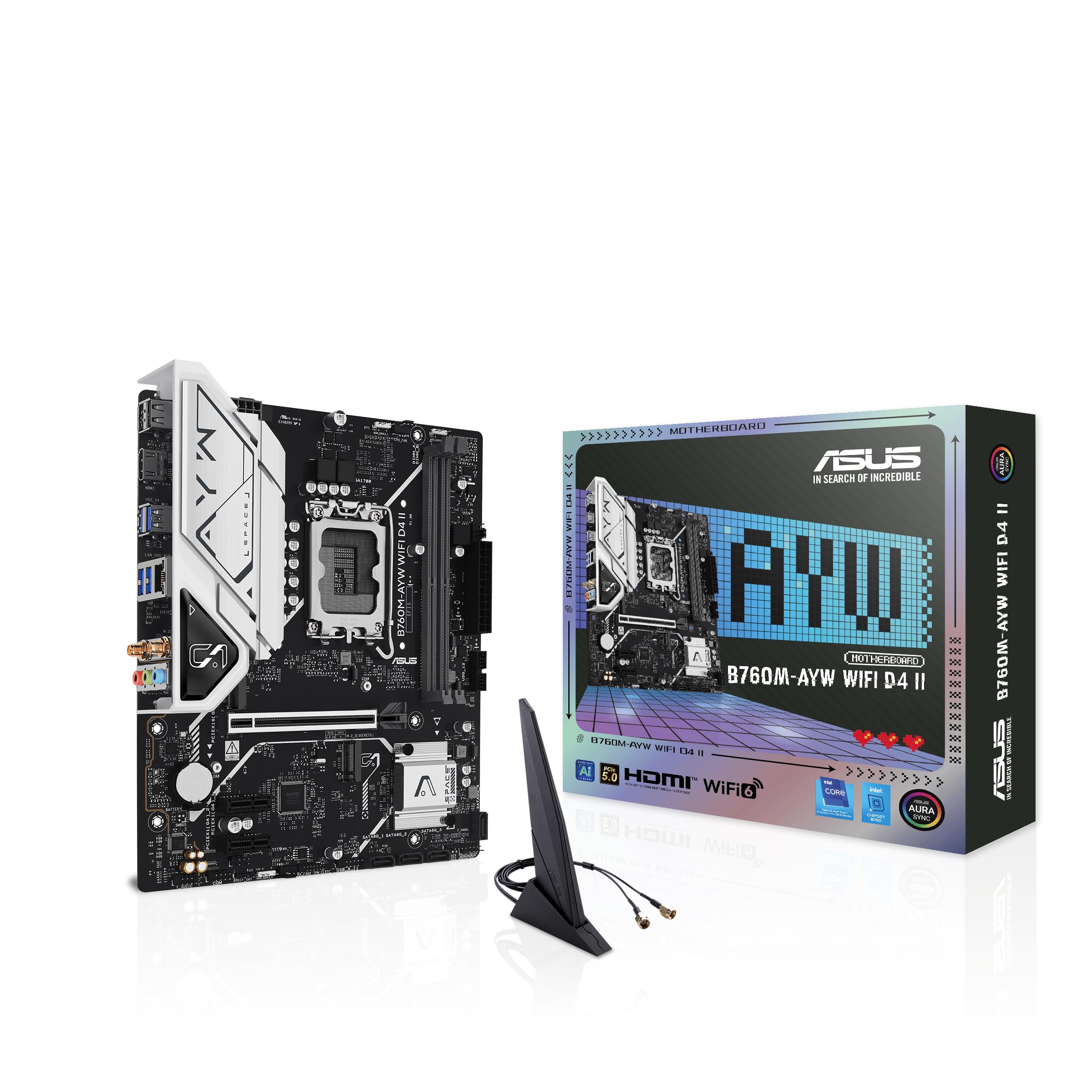
Intel 12th-14th Gen support with DDR4 memory keeps your build affordable and fast.
This board is built for Intel LGA 1700 processors (12th, 13th, and 14th Gen) and uses DDR4 RAM, which is currently significantly cheaper than DDR5. It supports memory speeds up to 8000 MHz, which is a massive headroom compared to many budget boards. You get Wi-Fi 6 and Realtek 2.5Gb Ethernet built in, so both wireless and wired connections run at modern speeds.
The PCIe 5.0 x16 slot is a rare find at this price point — future graphics cards will be able to run at full bandwidth. It has two M.2 slots for storage. Customers note that it can handle an i5 14600K comfortably while providing stable power, though 14700 and 14900 chips require more expensive motherboards. If you are building a modest gaming machine that isn’t looking to be overclocked, reviewers point out this board is a very decent choice.
The catch: only two memory slots, so you max out at 96 GB. And there is no USB-C header on the board for a front-panel USB-C port. If you are on a strict budget for an Intel build and want PCIe 5.0 readiness, this justifies the slight premium.
What makes it special
- PCIe 5.0 x16 slot for future graphics cards
- Supports DDR4 memory up to 8000 MHz
- Built-in Wi-Fi 6 and 2.5Gb Ethernet
Limitations to know
- Only two DIMM slots available
- No USB-C front-panel header
Grab it when: you want an Intel 12th-14th Gen build with PCIe 5.0 and Wi-Fi, but want to keep costs down with DDR4 RAM.
Look elsewhere if: you need four RAM slots for future expansion or a front USB-C port on the case.
4. ASRock B550M-HDV Socket AM4 Micro-ATX Motherboard

A tiny AM4 board that packs PCIe 4.0 into a space-saving Micro-ATX frame.
At 1.54 pounds and measuring 9.5″ x 11″, the ASRock B550M-HDV is lighter and slightly more compact than the ASUS Prime B550M-A WiFi II at 2.6 pounds and 10.5″ x 10.8″. The 6 power phase design with 50A chokes delivers stable power for Ryzen 5000 and 4000 series CPUs without taking up much room. It supports PCIe 4.0 on the primary x16 slot, while some cheaper boards in this guide use PCIe 3.0.
It only has two DIMM slots, though, and one reviewer noted that it is a “great AM4 mATX board; only 2 RAM slots.” Memory overclocking can reach up to 4733+ MHz when using compatible kits. Shoppers say it works well for budget builds like a Ryzen 5 5600X paired with a 1660 Super, running stable with crisp performance. There is no MOSFET heatsink, so heavy overclocking is off the table.
Choose this board when your priority is a compact, lightweight build with PCIe 4.0 support and you are fine with two RAM sticks. It includes three video outputs (HDMI 4K 60Hz, DVI-D, D-Sub), making it versatile for office builds too.
Strengths
- Very compact and lightweight at 1.54 pounds
- PCIe 4.0 ready for modern GPUs
- Three video outputs for multi-monitor setups
Weaknesses
- Only two RAM slots available
- No MOSFET heatsink — not for heavy overclocking
Choose this for: a space-efficient, lightweight Ryzen build that needs PCIe 4.0 and doesn’t need more than 64 GB of RAM.
pass on it if: you plan to overclock your CPU heavily or want room for four memory sticks.
5. MSI A520M-A PRO Gaming Motherboard
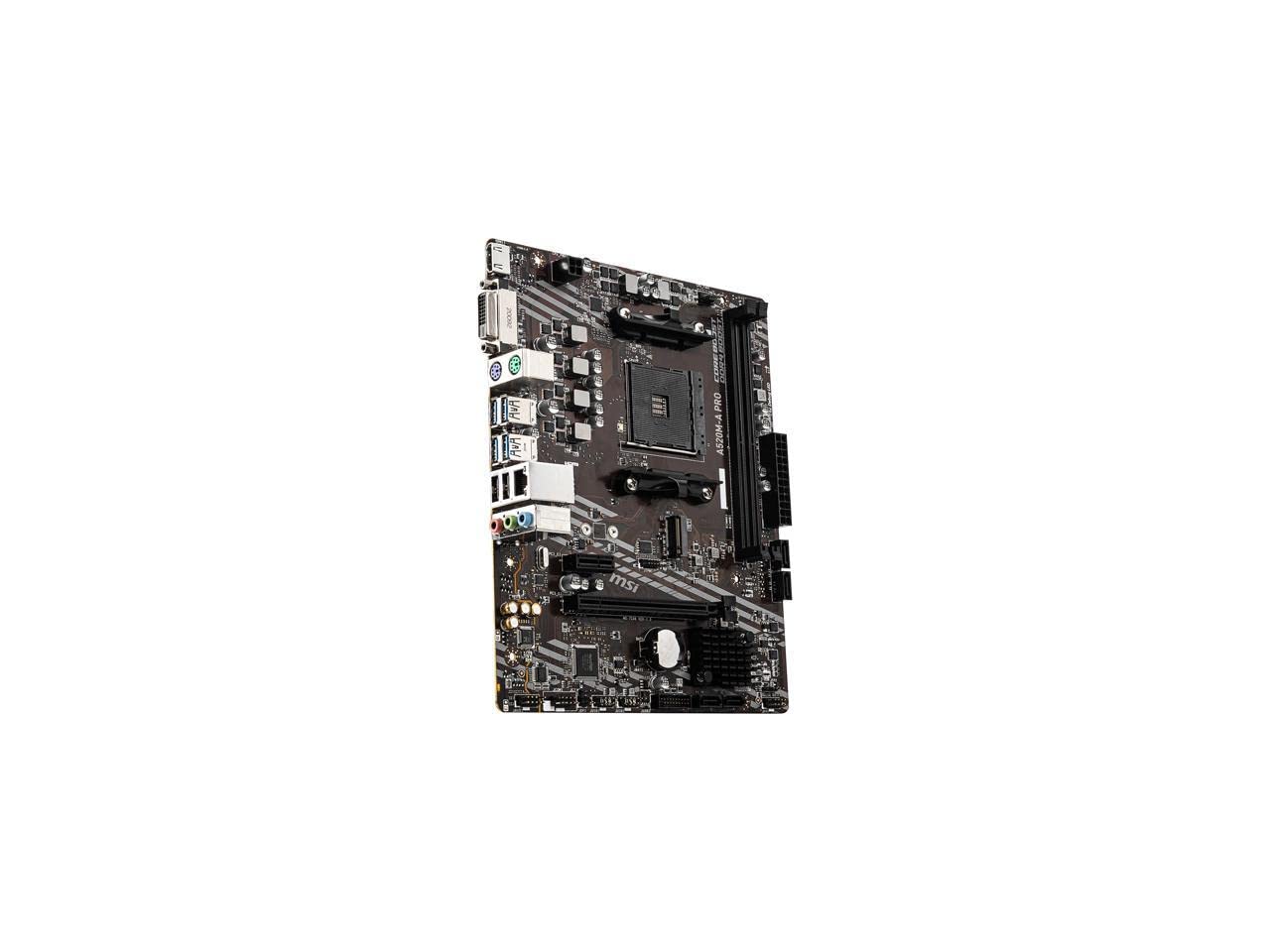
The bare-bones AMD board that just works — no frills, no fuss, no extra cost.
If your budget demands the lowest possible price for a working AM4 platform, the MSI A520M-A PRO delivers. It supports memory speeds up to 4600 MHz, compared with the ASUS Prime B550M-A WiFi II’s 2133 MHz stock speed. This means you can pair it with fast RAM and still get good performance for gaming.
The catch is it only has two DIMM slots, capping you at 64 GB, compared to 128 GB supported by the ASUS and GIGABYTE boards. It uses PCIe 3.0, not 4.0, so your graphics card and SSD are limited to third-generation bandwidth. Buyers report it works well with a Ryzen 5 5500, 2060 Super, and 32GB RAM for games like Overwatch 2 and Marvel Rivals, though you may need to turn down graphics for more demanding titles.
It weighs just 0.4 kilograms (about 0.88 pounds), making it one of the lightest boards in this roundup. One buyer mentioned it is a reliable replacement for a faulty Asrock board, with easy BIOS navigation. There is only one case fan header, so plan your cooling layout carefully.
What it does right
- Supports fast RAM up to 4600 MHz
- Lightweight at 0.88 pounds — easy to install
- Reliable plug-and-play operation with Ryzen CPUs
The trade-offs
- Only two RAM slots, max 64 GB total
- PCIe 3.0 instead of 4.0
- Only one case fan header
Ideal for: an ultra-budget Ryzen build where every dollar counts and you only need two RAM sticks.
Not for: anyone who wants PCIe 4.0 speeds or plans to install more than 64 GB of RAM later.
6. ASRock H610M-HDV/M.2+ D5 LGA 1700 Micro ATX Motherboard
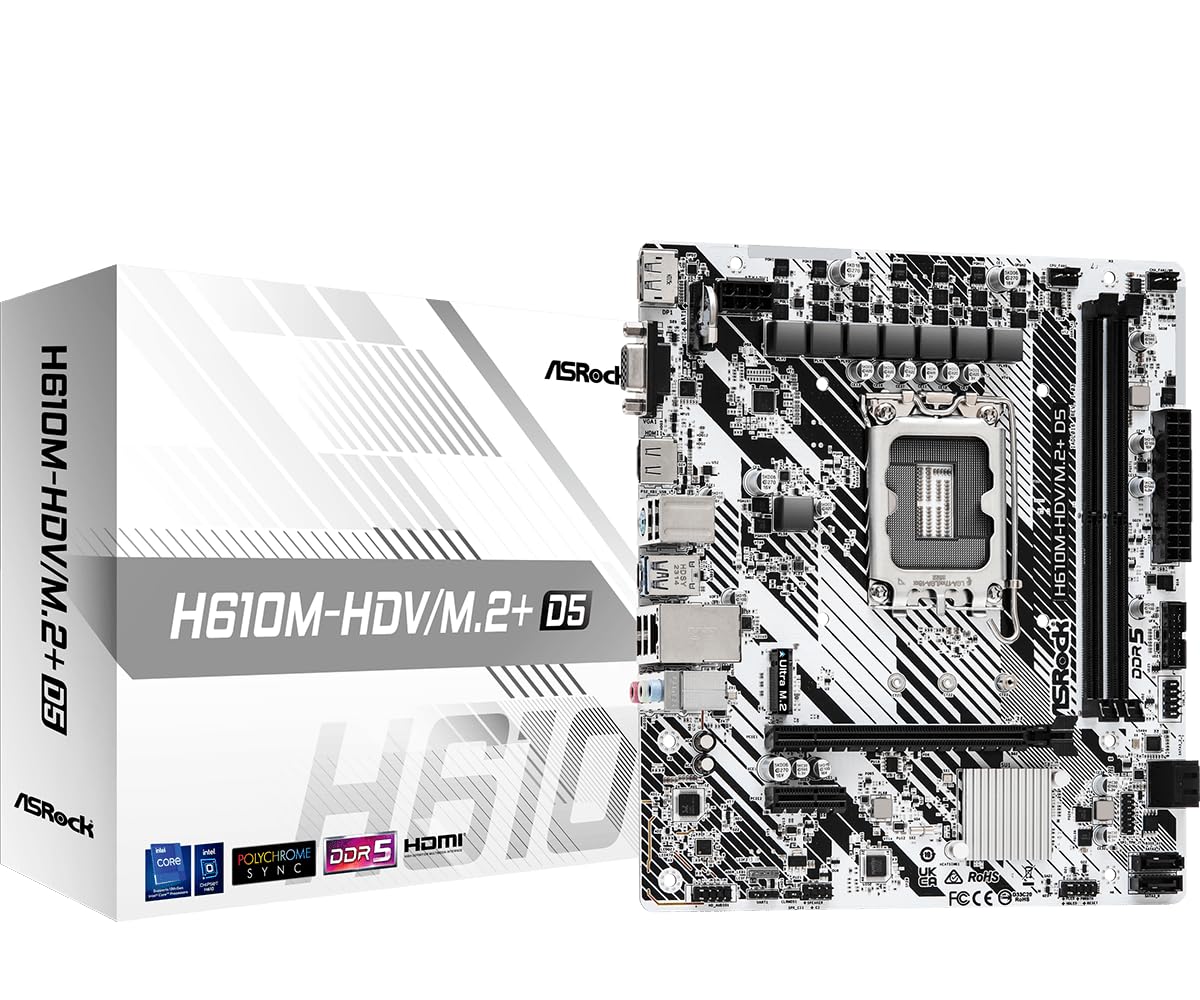
The cheapest way to run DDR5 memory with an Intel 12th-14th Gen processor.
If you want to build a DDR5 system without spending on a high-end Z790 board, this ASRock H610 board is the entry ticket. It supports 14th, 13th, and 12th Gen Intel Core processors on the LGA 1700 socket, and runs DDR5 memory at 5600 MHz from the start. The 6+1+1 power phase design delivers enough juice for mainstream CPUs.
The trade-offs are significant. It has only two memory slots (up to 96 GB) and two adjacent PCIe slots — owners mention that when you install a GPU, it blocks the second slot for a Wi-Fi card. Customers note one unit “failed after one month: intermittent freezing, then no POST/beep, finally dead.” Another reviewer mentions it will not allow a 12600KF to run more than 65W, calling it useless e-waste for higher-end chips.
If you are pairing this with an i3-12100 or i3-13100T for a basic office PC, it works reliably — buyers have confirmed it powers up without issues. But for anything above an i5, you risk power limitations and BIOS frustration. Approach this board knowing exactly what CPU you plan to use.
What you get
- Supports DDR5 5600 MHz for faster memory bandwidth
- Compatible with 12th-14th Gen Intel processors
- Small Micro-ATX footprint
Risks to consider
- Two adjacent PCIe slots block each other with a GPU installed
- Power limited to 65W — not suitable for i5 or higher CPUs
- Multiple reports of early failure and stability issues
Only buy this for: a low-power Intel office build with an i3 processor and DDR5 RAM, where cost is the absolute priority.
Avoid it if: you plan to use an i5, i7, or i9 CPU, or need reliable long-term stability — the failure reports are concerning.
Understanding the Specs
DIMM Slots and Memory Capacity
The number of RAM slots on a cheap motherboard is often the first cost-cutting target. Two slots means you can only install two sticks of RAM, limiting you to 64 GB or 96 GB depending on the board. Four slots gives you room to upgrade later without replacing your existing sticks. If you plan to keep this board for several years, four slots is worth the extra few dollars.
PCIe Generation (3.0 vs 4.0 vs 5.0)
PCIe (Peripheral Component Interconnect Express) is the connection between your motherboard and parts like your graphics card and SSD. PCIe 4.0 gives you double the data speed of PCIe 3.0, so modern graphics cards and NVMe drives (fast solid-state storage) can run at full speed. PCIe 5.0 is even faster but only helps future high-end graphics cards. A budget board with PCIe 4.0 gives you the best balance of value and performance right now.
FAQ
Can I use a cheap motherboard for gaming?
What is the difference between A520 and B550 chipsets?
Is DDR5 worth it on a budget motherboard?
How many RAM slots do I really need?
Will a cheap motherboard limit my CPU performance?
Do I need built-in Wi-Fi on a cheap motherboard?
What is Micro-ATX and does it fit in my case?
Can I overclock on a cheap motherboard?
What is the difference between Intel H610 and B760 chipsets?
How do I know if a motherboard supports my CPU without a BIOS update?
Final Thoughts: The Verdict
For most buyers, the top cheap motherboard is the ASUS Prime B550M-A WiFi II because it gives you built-in Wi-Fi 6 (the latest wireless standard), four DIMM slots for up to 128 GB of RAM, and PCIe 4.0 support — all at a low price that just works. If you want the most memory expandability for the least money, choose the GIGABYTE B550M K. And for an Intel DDR4 build (using older, cheaper RAM) with PCIe 5.0 readiness, the ASUS B760M-AYW WiFi D4 II is the clear pick.
How We Picked
We do not accept paid placement. Every pick is matched to a real buyer and a real use-case; we do not hands-on test units.
Sources & Methodology
Specifications: manufacturer listings and product documentation. Review insights: verified customer reviews, as of July 2026. Pricing: not shown on this page (it changes often); check the current price via the retailer link.
As an Amazon Associate, WellFizz earns from qualifying purchases. This does not affect which products we feature.

Mo Maruf
I created WellFizz to bridge the gap between vague wellness advice and actionable solutions. My mission is simple: to decode the research and give you practical tools you can actually use.
Beyond the data, I am a passionate traveler. I believe that stepping away from the screen to explore new environments is essential for mental clarity and physical vitality.