You sit down for a video call, and your face looks blurry, your voice sounds distant. A bad computer camera and microphone is the culprit. The fix is a single device that captures clear video and crisp audio — no extra gear, no headaches. This guide covers seven top options, each with a built-in microphone, so you can look and sound professional without the stress.
I’m Mohammad Maruf — the co-founder and writer behind WellFizz. This guide is built by comparing the manufacturers’ published specifications and the patterns across verified customer reviews, so you get each pick’s real strengths and trade-offs instead of marketing spin.
Whether you work remotely, game, or create content, finding the right computer camera and microphone means matching resolution, audio quality, and features to how you use your screen every day.
How To Choose The Best Computer Camera And Microphone
A good webcam changes how people see and hear you online, but specs can feel confusing. You do not need a degree — just know which numbers affect your daily use. Focus on these three things.
Video Resolution: 1080p vs 4K
Resolution tells you how many tiny dots (pixels) make up your image. A 1080p (1920 x 1080 pixels) camera gives you clear, sharp video for everyday Zoom calls — your face looks crisp, not blocky. A 4K (3840 x 2160 pixels) camera packs four times the detail, so your face, background, and any text behind you look incredibly sharp. If you stream or record for an audience, 4K is worth the upgrade. For standard office calls, 1080p is all you need.
Microphone Quality: Single vs Dual Noise-Cancelling Mics
Every webcam in this guide has a built-in microphone, but not all mics work the same. A basic single mic picks up your voice, but also picks up the dog barking, the AC hum, and your keyboard. A dual noise-cancelling microphone setup actively filters those background sounds so your voice stays front and center. If you work from a noisy home or share an office, dual mics are a big step up in audio clarity.
Autofocus and Low-Light Performance
Standard autofocus (contrast detection or CDAF) works well in good light but can hunt for focus when you move. Phase-detection autofocus (PDAF) locks on much faster — useful if you shift around during calls. Low-light correction is another spec to watch: cameras that automatically brighten and balance colors in dim rooms save you from looking dark and grainy when your desk lamp is the only light source.
Quick Comparison
On smaller screens, swipe sideways to see the full table.
| Model | Category | Best For | Key Spec | Amazon |
|---|---|---|---|---|
| Acer 4K Webcam | Premium | Top-tier clarity and build | 4K at 2160p / Sony 1/2″ sensor | Amazon |
| EMEET C960 | Mid-Range | Solid 1080p with dual mics | 1080p / 2 MP | Amazon |
| Aluratek AWCS06F | Mid-Range | All-in-one with speakers | 1080p / 95° wide angle | Amazon |
| 4K Webcam with Ring Light | Premium | 4K with built-in ring light | 4K / 8 MP / TOF autofocus | Amazon |
| ROCWARE RC08 | Mid-Range | 2K with tuned speaker | 2K / 2.07 MP / Harman speaker | Amazon |
| Microsoft Modern Webcam | Mid-Range | Teams/Zoom certified | 1080p / HDR / fixed focus | Amazon |
| NEWORK 4K Webcam | Mid-Range | Dual autofocus value | 4K / 1200 MP / PDAF + CDAF | Amazon |
In‑Depth Reviews
1. Acer 4K Webcam
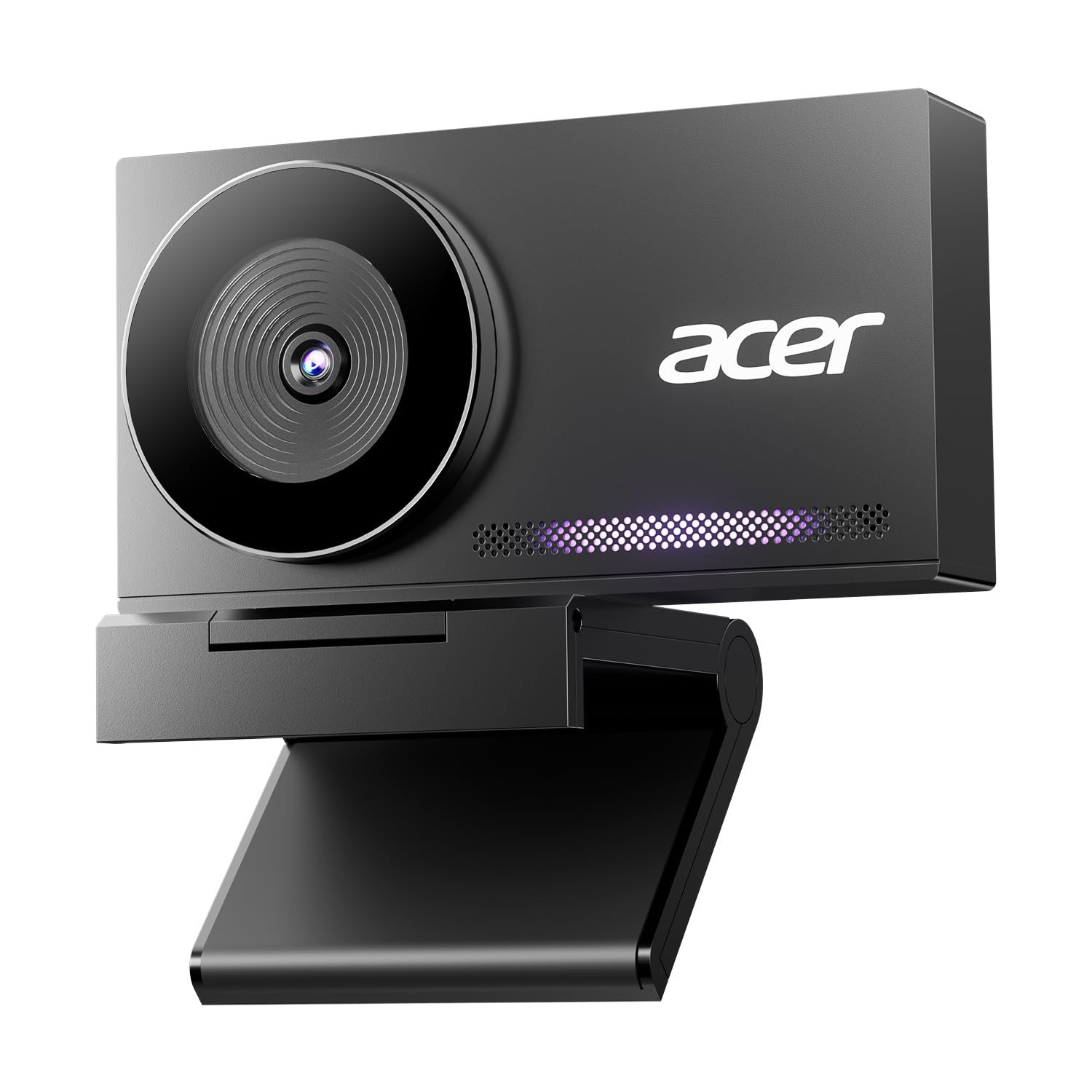
The 4K at 2160 pixels resolution — twice as detailed as a 1080p camera — makes the Acer 4K Webcam the top pick for anyone who wants genuinely sharp video without fiddling with settings. The EMEET C960, for instance, delivers 1080 Pixels. Faces, text, and background details all come through crisp. It uses a genuine Sony Japan 1/2″ image sensor (a high-quality chip that captures more light and detail), paired with Phase Detection Autofocus (PDAF) that buyers report “locks focus instantly.”
Premium hardware meets smart design here. The all-metal unibody — machined from aerospace-grade aluminum — is much sturdier than the plastic on most webcams, and it weighs just 57 grams (about the weight of a pair of earbuds). The dual noise-reduction microphones pick up your voice clearly from up to 2.5 meters (about 8 feet) away while filtering out background hums like keyboard clicks, a real benefit for open-office or home-office setups.
The catch? A few owners mention colors are “slightly dark” compared to other cameras. But the overall clarity and build quality make this the best all-around choice for anyone who wants a single upgrade covering video, audio, and durability. You get a magnetic privacy cover, plug-and-play USB-A connection, and compatibility with Windows, Mac, and ChromeOS. This is for anyone who wants the best picture quality without any headache. skip it if you need a ring light for very dark rooms — the image can look slightly dark. For the best picture quality without any headache, this is the one to get.
Why it’s great
- True 4K resolution (2160p) with a high-quality Sony sensor
- All-metal unibody is durable and dissipates heat well
- Dual noise-cancelling mics with 2.5m pickup range
Good to know
- Colors can appear slightly dark in some lighting conditions
- No built-in ring light for low-light situations
2. EMEET C960 1080P Webcam

Compared to the Acer 4K pick above, the EMEET C960 drops from 4K to 1080p resolution (1080 pixels, exactly half the detail of the Acer’s 2160 pixels), but it more than compensates with a much friendlier price and audio that punches above its tier. You get Full HD 1920x1080p video with a 5-layer anti-glare lens, so your picture stays clear and smooth on Zoom, Teams, or Google Meet calls — no graininess like a built-in laptop camera.
Reviewers consistently call this a “solid upgrade over [an] HP built-in camera,” with one buyer calling it a “clear upgrade” in both video quality and mic performance. The dual omnidirectional noise-reduction microphones are the standout feature here — they pick up your voice from all directions while filtering out background noise, so you sound clear even if you are not sitting directly in front of the lens. The 90° field of view is wide enough for a small group or to show a whiteboard behind you.
Pick this over the Acer if you take standard video calls and want to save money for other gear. If you need 4K for professional streaming, move up to the Acer. One thing to note: the clip is basic, and some buyers needed a separate stand to secure it on a monitor.
Where it shines
- Clear 1080p video with automatic low-light correction
- Dual noise-cancelling mics reduce background hum
- Plug-and-play with no drivers required
Worth noting
- Clip doesn’t hold firmly on all monitors
- Low-light performance is limited in dim rooms
3. Aluratek AWCS06F HD Webcam
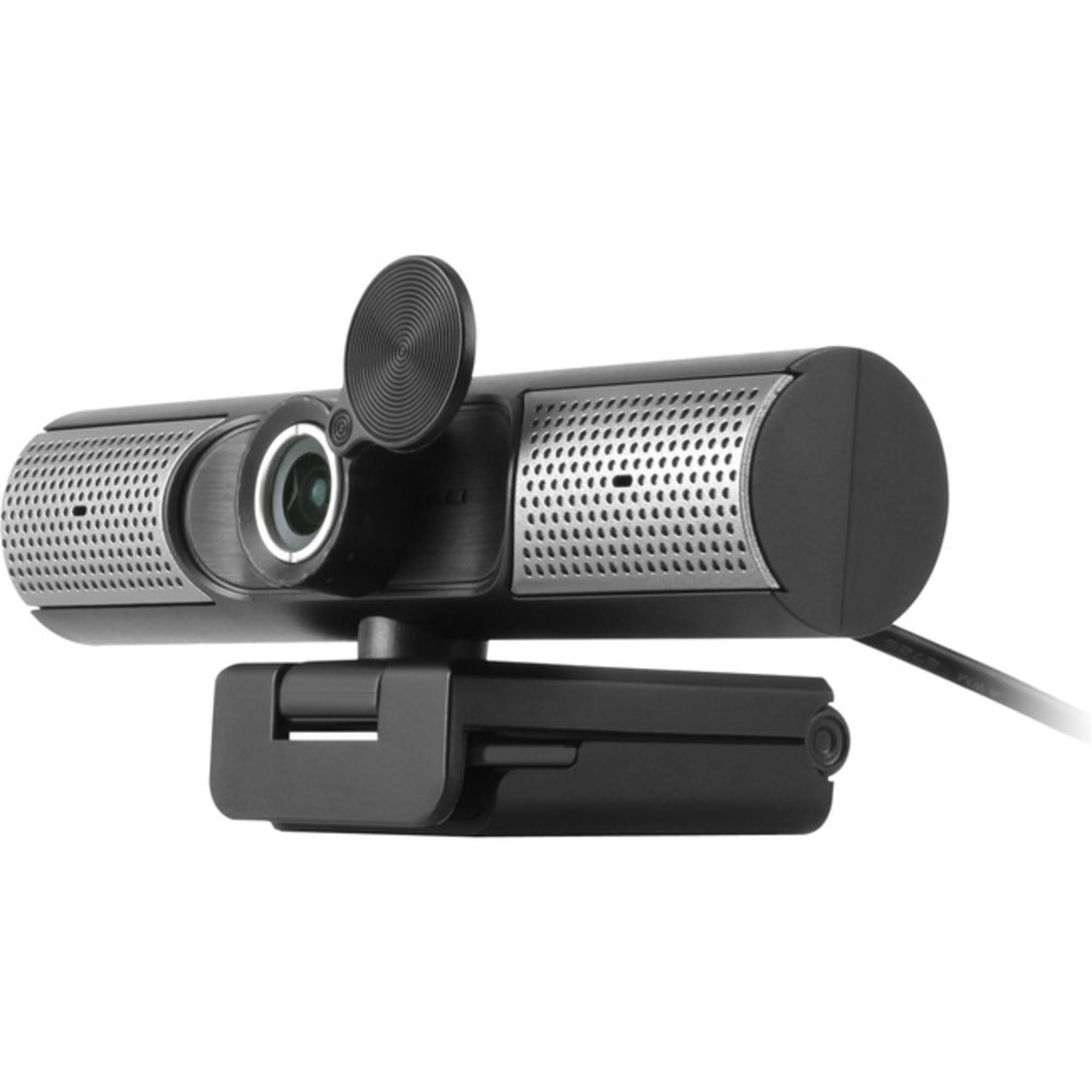
You need camera, microphone, AND speakers from one box — the Aluratek AWCS06F is designed for that exact scenario. It delivers Full HD 1080p video and pairs it with built-in stereo speakers and an omnidirectional microphone (a mic that picks up sound evenly from all directions). No need for separate speakers or a standalone mic for basic calls. A buyer who bought two and then two more said it is “great for office or home” and praised the plug-and-play setup.
The 95° wide-angle lens captures a distortion-free view that is wider than the EMEET’s 90°, making it a slightly better choice for showing more of your room or including more people in a frame. It also includes a camera lens cover for privacy and a 3x digital zoom (a software zoom that lets you get closer without moving the camera).
This webcam handles three jobs at once. If your biggest problem is clutter or you run training sessions where attendees need to hear without extra gear, this all-in-one design is a clean solution. pass on it if you need top-quality speakers for music — the built-in speakers are fine for voice but not for music.
What stands out
- Built-in stereo speakers eliminate the need for separate audio output
- 95° wide-angle captures more without distortion
- Includes both USB-C and USB-A connectivity
The trade-offs
- Speakers are adequate for voice but not for music
- Microphone is a single omnidirectional design, not noise-cancelling
4. 4K Webcam with Ring Light
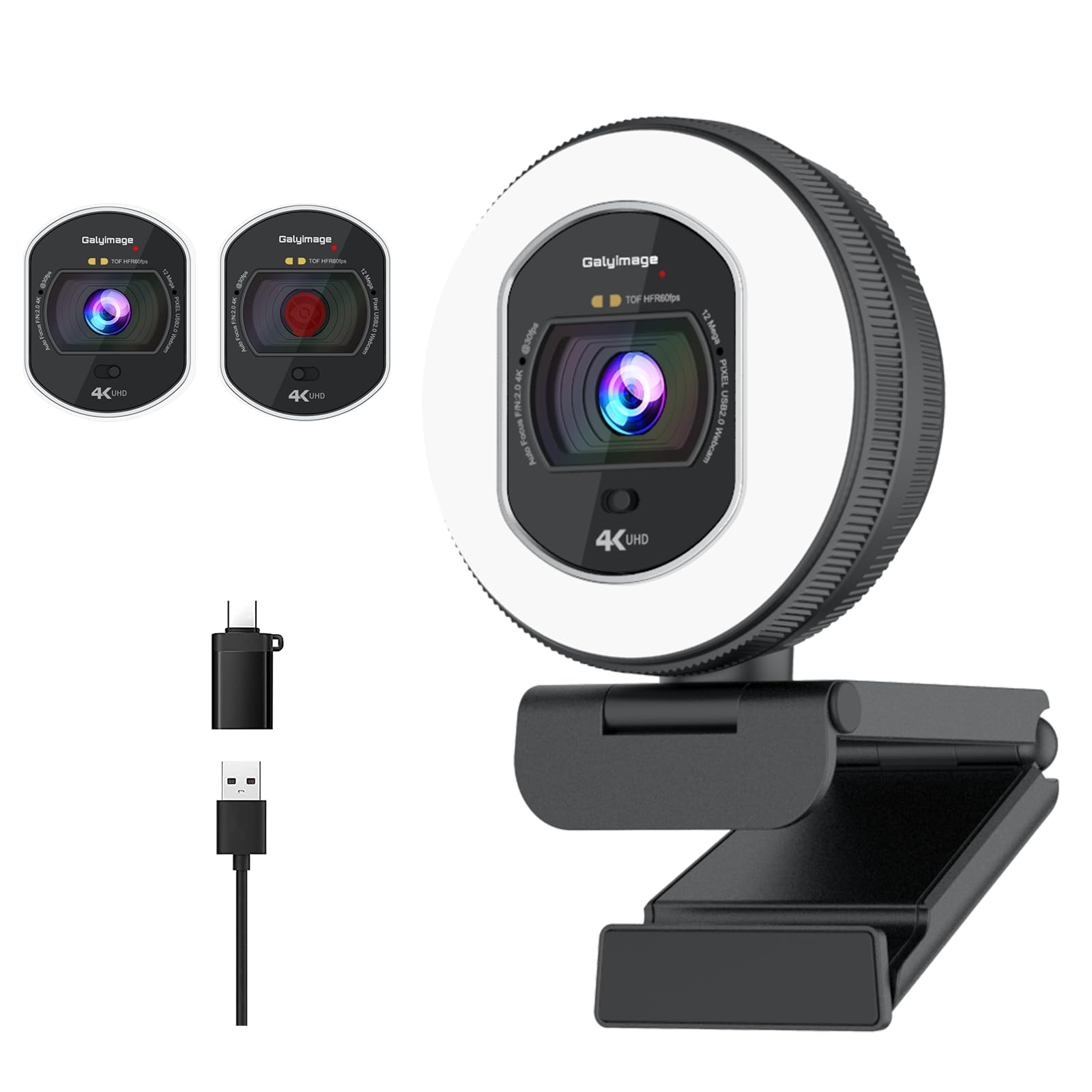
The single number that matters most in this category is 4K at 30FPS, and this webcam scores it with a built-in ring light that has three color temperature settings (white, natural, and warm). You adjust them by touching a sensor on the back. It shoots true 4K at 30FPS or drops to 1080p at a smoother 60FPS for less lag. It also uses Time-of-Flight (TOF) autofocus — a faster system than standard autofocus that instantly locks onto your face, even if you move during a call.
The downside is that the construction is plastic, not metal, and the ring light, while effective, is not as bright as a professional studio light. Customers note it is “smaller than it appears online” and that the light can be dimmed or brightened easily, but one reviewer wished it was “a bit more bright.” Still, if you frequently take calls in dim rooms — bedrooms at night, basements, or cafes — the ability to dial in flattering light without extra equipment is a huge plus.
This is for anyone who prioritizes looking their best in less-than-ideal lighting and wants 4K flexibility. Choose this over the Acer if you need the built-in light, which gives this webcam a strong price-to-value read for its integrated lighting and 4K capability.
The upsides
- Built-in ring light with adjustable brightness and color temperature
- TOF autofocus snaps into focus instantly
- Supports 4K at 30FPS and 1080p at 60FPS
Keep in mind
- Plastic build won’t feel as premium as all-metal alternatives
- Ring light could be brighter for very dark rooms
5. ROCWARE RC08 2K Webcam

You get a webcam that does something most rivals do not: it includes a full-range speaker tuned by Harman (a respected audio brand), so you can hear callers clearly without plugging in separate speakers or headphones. The video resolution is 2K (sharper than 1080p but not quite 4K). The camera uses a 3A noise-cancelling microphone system (advanced audio processing that dampens busy background chatter) and a 0.2-second TOF autofocus that locks focus extremely fast.
What you give up is speaker quality for music — reviewers point out the speaker is “loud but disappointing” for anything beyond voice calls, and the microphone is described as “average” rather than excellent. The clip also does not hold well on some monitors, as one reviewer noted. However, for someone whose primary use is Zoom or Teams meetings in a quiet office, the RC08 solves the common problem of laptop speakers being too quiet or tinny.
This is the pick for anyone who hates wearing headphones all day but still wants to hear meeting participants clearly.
Why we’d pick it
- Built-in Harman-tuned speaker for clear audio without headphones
- Fast 0.2-second TOF autofocus keeps you in focus as you move
- 4x electronic pan-tilt-zoom (EPTZ) for flexible framing
A few caveats
- Speaker is good for voice calls but poor for music
- Clip doesn’t secure well on all monitors
6. Microsoft Modern Webcam

If you live in Microsoft Teams or Zoom and want a camera certified to work flawlessly with those platforms, the Microsoft Modern Webcam is your safest bet. It captures 1080p video with High Dynamic Range (HDR) — a feature that balances bright and dark areas in your frame, so you do not look washed out by a window behind you or lost in shadow. Users report the HDR image quality is “much better than a built-in laptop webcam.”
The feature that best serves a business user is the integrated privacy shutter with a usage indicator light — a physical slider you can engage for total privacy, plus a light that shows when the camera is active. It has a fixed-focus lens calibrated for distances from 0.4 to 1.5 meters (about 1.3 to 5 feet), which means you will not get the sharpest detail if you are very close or far away, but for a standard desk setup, you will look clear and professional without autofocus hunting.
The honest limit is that the microphone may need manual enabling in your system settings, and some users report it does not work with Slack huddles. One buyer even had to buy a separate mic dock because the built-in mic was not detected. For a seamless out-of-box experience, you might prefer the Acer or EMEET, but if Microsoft ecosystem integration matters most, this is a reliable, compact choice.
Strong points
- Officially certified for Microsoft Teams and Zoom
- HDR video balances lighting for a natural look
- Integrated privacy shutter with activity indicator light
Before you buy
- Microphone may need manual configuration in settings
- Fixed focus means less sharpness outside a 0.4–1.5m range
7. NEWORK 4K Webcam

On the value spectrum, the NEWORK 4K Webcam sits in the same mid-range zone as the EMEET but delivers a significant resolution leap — true 4K at 30FPS (or 1080p at 60FPS for smoother motion) with a 79° field of view. What it adds that many in its price class do not is a hybrid dual-autofocus system combining Phase Detection Autofocus (PDAF) and Contrast Detection Autofocus (CDAF) — the first locks onto moving subjects quickly, and the second fine-tunes the sharpness for a crisp final image.
That money buys you dual noise-cancelling microphones with a 3-meter pickup range (about 10 feet), which is a longer reach than the Acer’s 2.5-meter range, so you can sit further back and still be clearly heard. The built-in privacy cover is a standard inclusion here, and the camera is plug-and-play on Windows, Mac, and Linux without any driver installation. One buyer described it as the “best webcam I’ve ever owned,” specifically praising the microphone quality.
The one clear reason to choose it is if you want a 4K experience at a gentler price and value the dual-autofocus system for fast, blur-free tracking during presentations or movements.
What we like
- Hybrid PDAF + CDAF autofocus for fast, precise focusing
- Dual noise-cancelling mics with a 3-meter pickup range
- Supports both 4K@30FPS and 1080p@60FPS
The downsides
- No built-in software for adjusting image settings
- Plastic build feels less premium than metal alternatives
Understanding the Specs
Resolution (4K vs 1080p)
Resolution tells you how many pixels make up your image. A 4K webcam (2160p or 3840×2160 pixels) gives you four times the detail of a 1080p camera (1920×1080 pixels). That extra detail matters if you are recording content, streaming, or presenting where people can see text or fine details. For everyday video calls, 1080p is still the standard and looks perfectly sharp on most screens.
Autofocus Types (PDAF, CDAF, TOF)
Standard autofocus (CDAF) works by adjusting the lens to find the highest contrast point — it works well but can “hunt” when you move. Phase Detection Autofocus (PDAF) is faster because it calculates where the focus should be in advance. Time-of-Flight (TOF) uses infrared pulses to measure distance, locking onto faces nearly instantly. If you move around during calls, PDAF or TOF are worth prioritizing.
Microphone Configuration
A single microphone picks up sound evenly from all directions (omnidirectional) but also picks up background noise. Dual or multi-microphone arrays add noise cancellation: the camera compares the signals from two mics and subtracts sounds that are not coming from your direction, cutting out keyboard clicks, fans, and hallway chatter. The pickup range (e.g. 2.5m or 3m) tells you how far you can sit and still be heard clearly.
Privacy Shutter
A privacy shutter is a physical cover, usually sliding, that blocks the camera lens when you are not using it. This is a simple but important security feature that prevents anyone — hackers, apps, or curious passersby — from seeing through your webcam without your knowledge. Some cameras also have an indicator light that shows when the camera is active, but a physical shutter is the most reliable protection.
FAQ
Is 4K worth getting for regular Zoom calls?
How do I know if the built-in microphone is active?
What does a privacy shutter look like and how does it work?
Final Thoughts: The Verdict
For the majority of shoppers, the computer camera and microphone winner is the Acer 4K Webcam because it combines true 4K clarity with a premium all-metal build and reliable dual noise-cancelling mics. If you want the best all-in-one value that includes speakers, grab the Aluratek AWCS06F. And for the tightest budget without sacrificing call quality, go with the EMEET C960.

Mo Maruf
I created WellFizz to bridge the gap between vague wellness advice and actionable solutions. My mission is simple: to decode the research and give you practical tools you can actually use.
Beyond the data, I am a passionate traveler. I believe that stepping away from the screen to explore new environments is essential for mental clarity and physical vitality.