Your gaming laptop runs hot, throttles performance mid-game, and the fan noise drives you crazy. This guide walks through which cooling pads actually drop temperatures fast, how many fans you need, and what makes a pad worth your money without burying you in jargon. After reading this, you will know exactly which model solves your overheating problem.
I’m Mohammad Maruf — the co-founder and writer behind WellFizz. This guide is built by comparing the manufacturers’ published specifications and the patterns across verified customer reviews, so you get each pick’s real strengths and trade-offs instead of marketing spin.
Laptop cooling pads work by pushing fresh air into your laptop’s bottom vents to pull heat away from the CPU and GPU. We have broken down the seven best cooling pads for gaming to show you what each one actually delivers — from an inexpensive fan array to a premium smart cooler that reads your laptop’s temperature automatically — so you can pick the right match for your rig and your budget without wasting time on models that barely move air.
How To Choose The Best Cooling Pads For Gaming
Picking the right cooling pad comes down to how much heat your laptop throws off, how big it is, and how much noise you can tolerate. Here are the three specs that separate the coolers that work from the ones that just look good on your desk.
Fan Count vs. Fan Size
A pad with 13 small fans sounds impressive, but each fan moves a tiny amount of air. A single 5.5-inch turbo fan often pushes more total air volume (measured in cubic feet per minute, or CFM) than a dozen 2-inch fans. Check the fan diameter and motor type — a copper motor inside a larger fan will almost always cool your laptop better than a crowd of tiny plastic blades.
The Seal Matters More Than You Think
If air leaks out around the edges of your laptop, the cooling pad is mostly just blowing into the room. Premium pads use a soft foam seal that presses snugly against your laptop’s bottom panel so every bit of airflow goes into the intake vents. An airtight chamber design, like the one used by Razer and KLIM, can drop temperatures 10-15°C more than a pad with no seal.
Noise and Power Trade-Off
Faster fans cool better but sound louder. A turbo fan spinning at 3000+ RPM will easily overpower a laptop’s own cooling fans, but it may be loud enough that you need headphones during gaming. Many pads offer adjustable fan speeds — a lower setting keeps things quiet for light work, while max speed flips on for intense gaming sessions. Entry-level pads run off your laptop’s USB port, while high-end models need a wall outlet to reach full RPM.
Quick Comparison
On smaller screens, swipe sideways to see the full table.
| Model | Category | Best For | Key Spec | Amazon |
|---|---|---|---|---|
| llano V10 | Premium Turbo | Big temp drops on 13-17.3″ laptops | 4.72-inch turbo fan at 3500 RPM | Amazon |
| KLIM Turbofrost MAX | Sealed-Cell Cooler | No air leak with foam seal | Smart foam inlay for up to 17.3″ laptops | Amazon |
| llano V12 Ultra | AI Smart Cooler | Automatic fan speed via software | 5.5-inch turbo fan at 2800 RPM | Amazon |
| Razer Cooling Pad | Smart Hub | Auto fan curves + USB hub | 140 mm brushless fan at 3000 RPM | Amazon |
| YICOSUN Adjustable | Portable Stand | Travel-friendly and adjustable | Aluminum alloy, 1.9 pounds | Amazon |
| KYOLLY 13-Fan | Budget Fan Array | Lots of fans for a low price | 13 fans, 1.59 kilograms | Amazon |
| Heymaster Touch Screen | Single Turbofan | Single-fan simplicity with touch control | 3500 RPM turbofan for 12-21″ laptops | Amazon |
In‑Depth Reviews
1. llano V10 Gaming Laptop Cooling Pad

With a 4.72-inch turbo fan spinning up to 3500 RPM using a pure copper motor, the llano V10 delivers the most brute-force cooling of any pad here — ideal for anyone whose gaming laptop suffers thermal throttling mid-raid. Buyers report that idle temps on a 15.6-inch gaming laptop dropped from 42-48°C to 29-35°C, and GPU temps fell from 80-95°C down to 55-75°C during gaming, a roughly 20°C improvement enough to keep number-crunching chips from overheating.
The V10 uses physical buttons for fan speed and RGB control, so you never fumble with a touchscreen mid-game. It fits laptops from 13 to 17.3 inches, and extra foam inserts are included for smaller 13-14 inch models so the pad still provides a snug fit. A removable dust filter catches debris — you can pop it out, clean it, and reattach it without tools.
The catch is noise: above 2000 RPM it is loud enough that you will likely want headphones. The USB-A port also has a quirk where it does not fit some wireless mouse dongles, so check your peripherals. Overall, if raw cooling power is your top priority and you can handle the noise, this is the best temperature-crusher in the lineup.
Why it’s great
- Huge 4.72-inch fan with copper motor delivers real 20°C drops
- Removable dust filter makes cleaning easy
- Physical buttons for controls — no accidental changes mid-game
Good to know
- Loud above 2000 RPM — headphones are essential for gaming
- USB-A port may not fit some mouse dongles
- Low tilt angle may not be enough for everyone
2. KLIM Turbofrost MAX RGB Laptop Cooling Pad
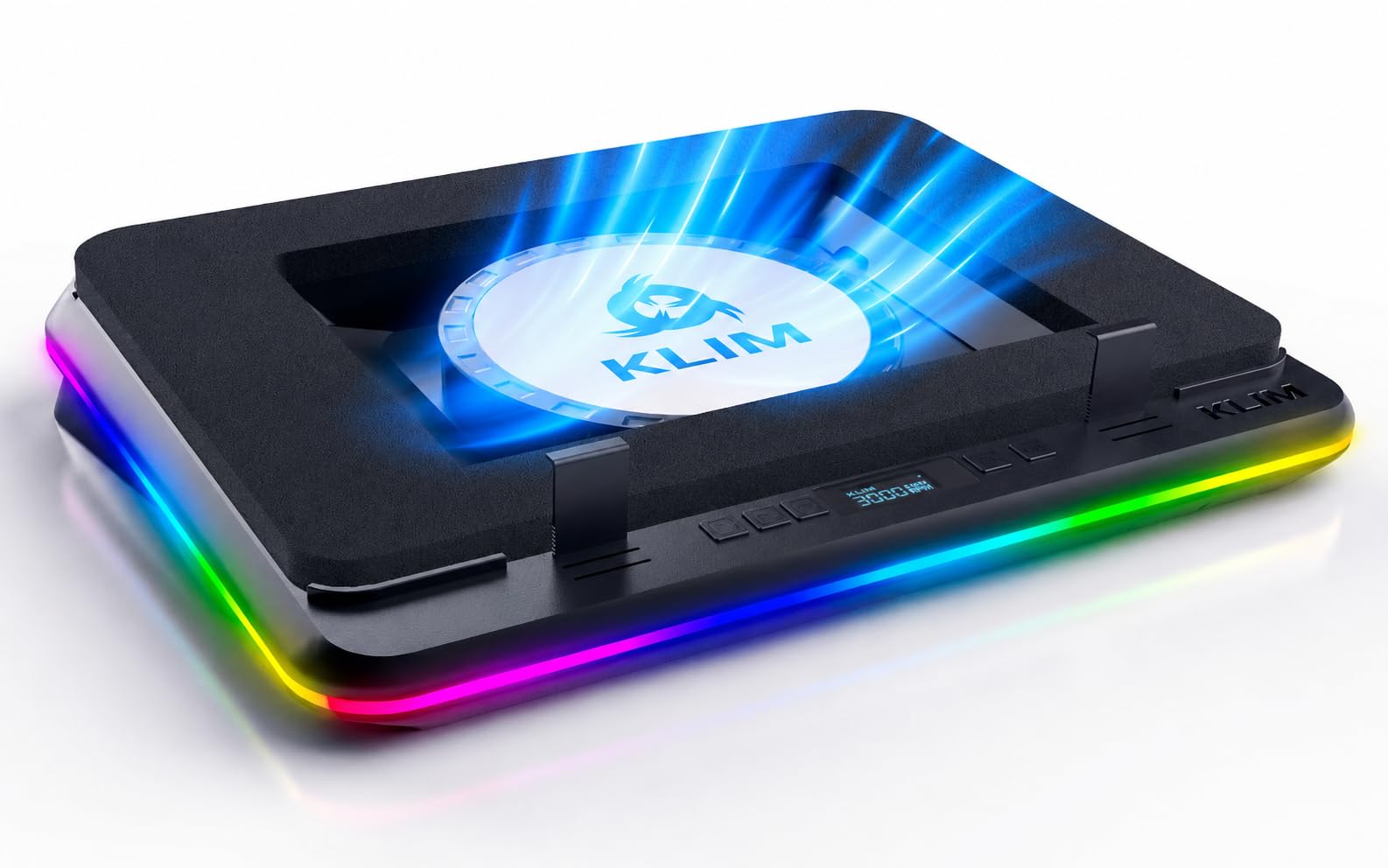
The KLIM Turbofrost MAX beats the top pick on one key front: it uses a patented foam inlay (called a “smart inlay”) that presses against the bottom of your laptop so zero air escapes. This foam seal concentrates all airflow into the intake vents, so the KLIM can drop temperatures 10-15°C even at lower fan speeds. One reviewer with an Acer Nitro 5 (i5-12650H, RTX 4060) reported CPU around 64°C and GPU around 51°C under load — impressive numbers for a cooling pad that spins a single powerful turbofan, and cooler than the llano V10 would likely achieve at the same RPM.
You get dual power options: plug into a wall outlet for full 3000 RPM performance, or run it off your laptop’s USB-C port at a quieter 1800 RPM for everyday office use. The front-mounted buttons control 64 customizable RGB effects and fan speed, and the settings auto-save so you don’t need to reconfigure every time you power it on.
At higher speeds (above 1500 RPM), owners mention it gets loud enough that game audio becomes hard to hear without headphones. This is a trade-off shared with most powerful single-fan coolers. If your laptop is a thin model that struggles with air intake, the foam seal makes the KLIM the smarter choice over open-design pads.
Where it shines
- Foam seal concentrates all airflow under your laptop — no wasted air
- Dual power (USB-C for quiet, wall plug for max cooling)
- 64 RGB effects with auto-save memory
Worth noting
- Noisy past 1500 RPM — you will need headphones
- Plastic enclosure does not feel as premium as aluminum options
3. llano V12 Ultra Laptop Cooling Pad
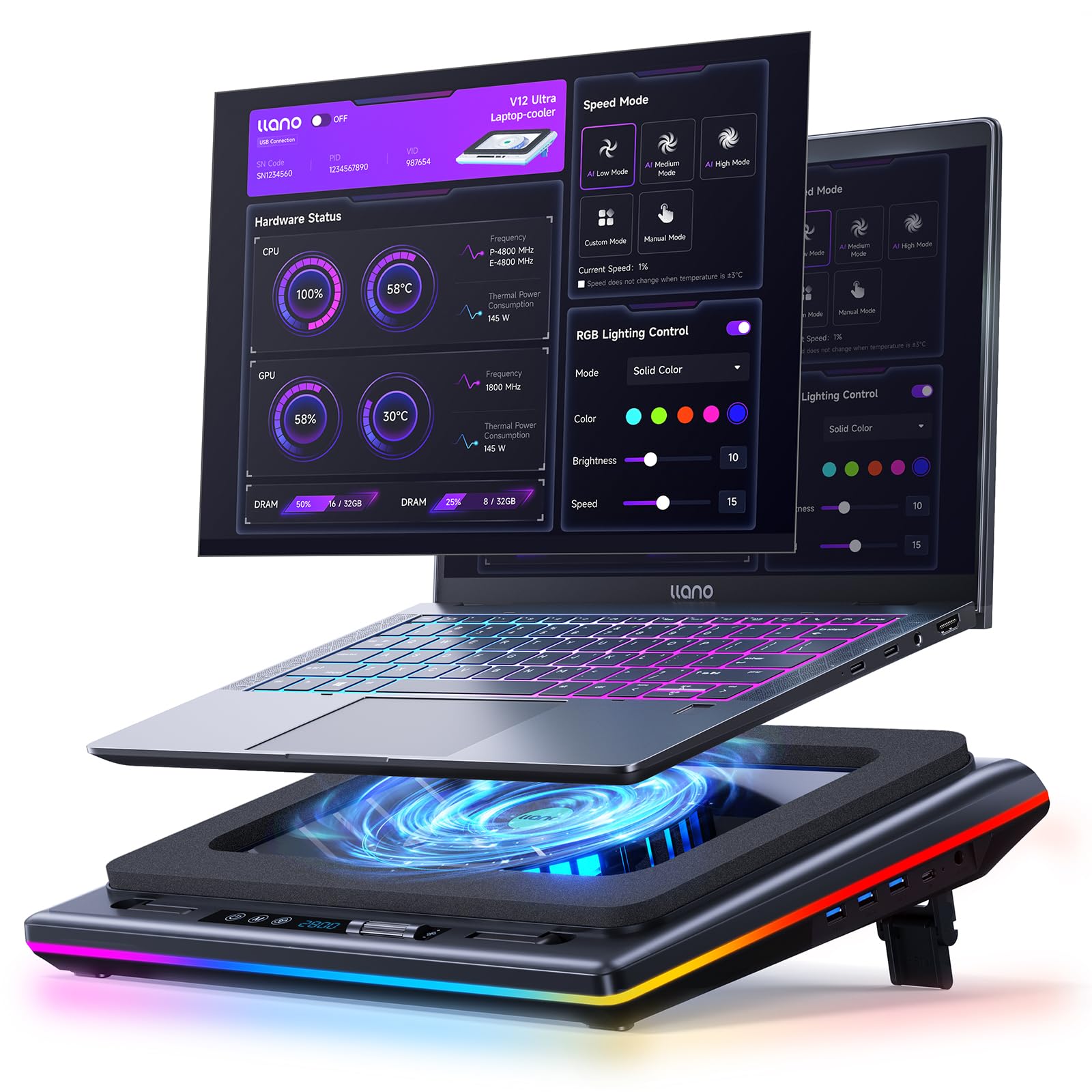
If you own a massive 15.6-19 inch gaming laptop like an MSI Titan or Alienware and want the fan speed to adjust itself automatically, the llano V12 Ultra is the first pad here with AI temperature control (a software system that reads your laptop’s temp and adjusts fan speed on its own). Its 5.5-inch turbo fan reaches 2800 RPM, and the Myth.cool software (downloadable from the manufacturer’s site) lets you set custom fan curves — the pad reads your laptop’s temperature and speeds up or slows down automatically.
Reviewers with a Lenovo Legion 7i (i9-14900HX, RTX 4070) saw drops of 8-15°C during 4K video editing and gaming, while another user with a Framework 16 (RTX 5070) reported a 20°C drop. The included 36W power adapter gives it plenty of juice to keep that large fan spinning at full force. The 3-level ergonomic stand offers tilt angles of 3°, 12°, and 15° to reduce neck strain during long sessions.
The downside: at 4 pounds it is the heaviest pad here, and the software has bugs with multi-GPU laptops (it may only see the integrated Intel graphics instead of the discrete Nvidia card). The built-in USB 3.0 hub runs at 5Gbps, so you can plug in a mouse and keyboard without losing speed. It is the go-to choice for anyone who wants a “set it and forget it” cooling solution — a 5.5-inch turbo fan that reads your laptop’s temperature and adjusts itself automatically.
What stands out
- AI software auto-adjusts fan speed based on your laptop’s temp
- Massive 5.5-inch fan with 36W power supply
- Fits the largest 15.6-19 inch laptops, including Alienware and MSI
The trade-offs
- Heaviest pad at 4 pounds — not portable
- Software may not detect discrete GPU on dual-GPU laptops
- Loud at maximum RPM
4. Razer Laptop Cooling Pad

The single number that matters most in this category is fan speed, and the Razer Cooling Pad’s 140 mm brushless fan hits 3000 RPM within an airtight pressure chamber — three magnetic foam frames are included to seal out air leaks for laptops from 14 to 18 inches. A reviewer with an 18-inch Acer Predator saw temps drop from 80°C to 68-72°C after setup, which directly improved FPS in demanding games.
You can set preset or custom fan curves: tell Synapse to keep the laptop under a specific temperature, and the pad automatically speeds up or slows down. The multi-function buttons can be remapped to control volume, launch apps, or toggle RGB — giving it versatility beyond just cooling. It is the only model here that pairs intelligent fan control with a built-in 3-port USB-A hub, all configurable through Razer Synapse software.
The downsides: at 2.61 kilograms it is bulky to store, and the front hook can interfere with a thin laptop’s trackpad if you rest your hands there. It also lacks USB-C ports, so all your connections go through USB-A. If you already use Razer peripherals and want everything controlled from one app, this is the most polished smart cooling pad available for its price.
The upsides
- Intelligent fan curves via Razer Synapse software
- 3 magnetic foam frames ensure an airtight seal for any 14-18 inch laptop
- 3-port USB-A hub with programmable buttons
Keep in mind
- Expensive — clearly a premium investment
- Bulky and heavy at nearly 6 pounds
- No USB-C ports on the hub
5. YICOSUN Adjustable Laptop Cooling Stand

At 1.9 pounds and folding flat, the YICOSUN is the most portable cooling pad here — it is 16% lighter than the llano V10, which weighs 2.2 pounds. Made from aluminum alloy with anti-slip silicone pads, it holds laptops from 10 to 16 inches securely. A reviewer described it as “sturdy, portable, adjustable aluminum stand” that raises the screen for better posture.
Two quiet fans spin at three adjustable speeds, and RGB lighting adds a bit of style without being overwhelming. The foldable design means it slides into a backpack ready for a DJ gig, coffee shop, or LAN party. The fans are powered through a single USB cable, so you don’t need a wall outlet.
What you give up: the cooling power is mild compared to a turbo-fan pad — two small fans cannot match a single 5.5-inch blower. It also cannot seal around your laptop’s vents like the KLIM or Razer. If your laptop runs very hot under load (CPU above 90°C), look at one of the premium options like the llano V10 instead. But for everyday use and easy travel, this is the most practical companion.
Why we’d pick it
- Foldable and lightweight — easy to take anywhere
- Durable aluminum alloy construction with anti-slip pads
- Raises screen for better posture during work or gaming
A few caveats
- Mild cooling power — not for extremely hot gaming laptops
- Fan and LED controls are underneath, which is awkward to reach
6. KYOLLY Gaming Laptop Cooler with 13 Fans
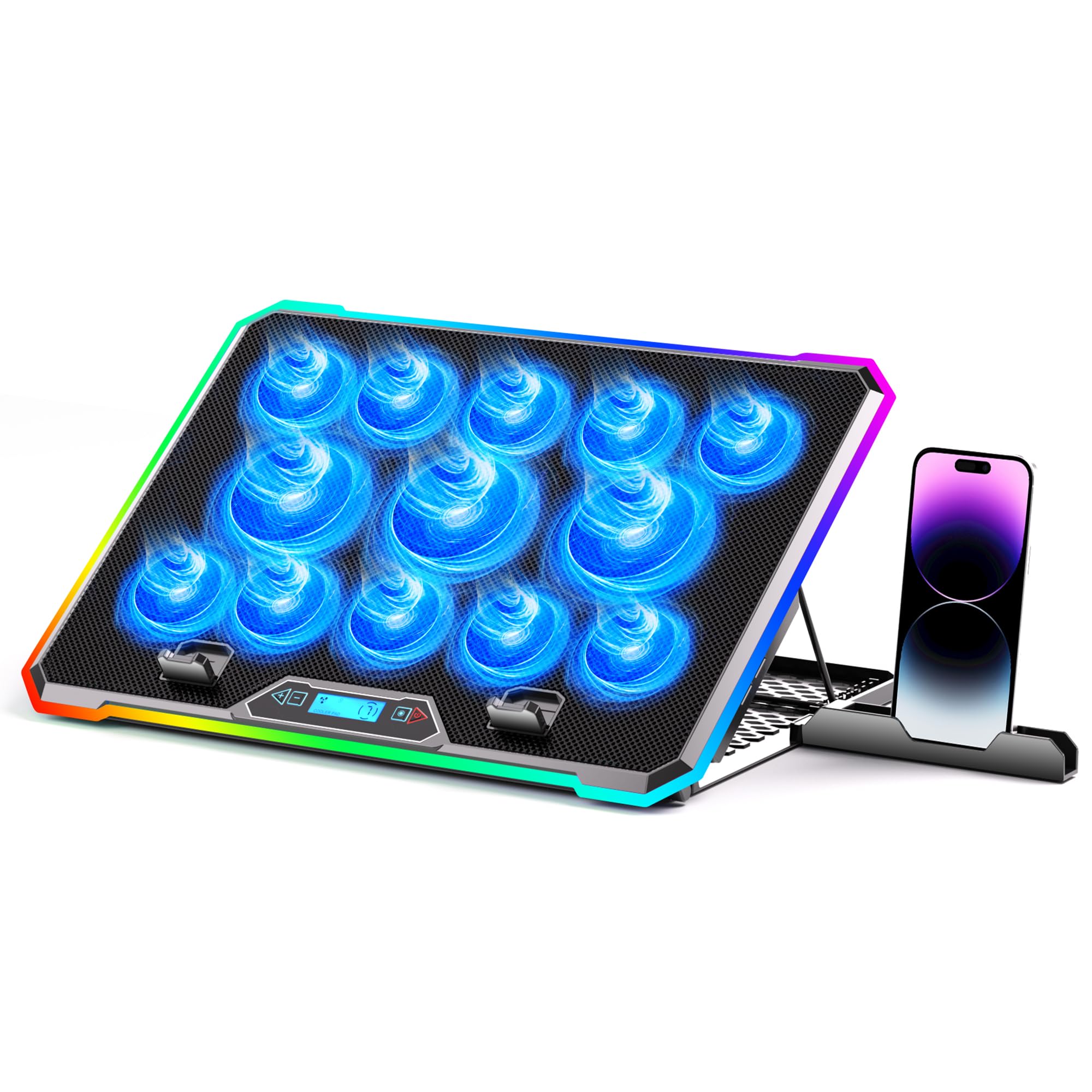
This cooler is perfect for a gamer on a budget who wants a feature-packed pad with lighting, an LCD screen, and adjustable angles for casual to moderate gaming sessions. For the price of a couple of games, the KYOLLY gives you 13 fans (three large ones flanked by ten smaller ones), an LCD screen for fan speed and temperature monitoring, and 10 RGB lighting modes with auto-save memory. One buyer who has owned it for nearly two years said, “mostly it keeps my laptop from over heating!” and noted the colors and color change are a fun bonus. At 1.59 kilograms, it is 28% lighter than the Heymaster turbofan pad (2.03 kg), so it is easier to move around.
The 9 adjustable height angles range from 10° to 45°, meaning you can tilt the laptop to reduce neck strain whether you are on a desk, bed, or sofa. Dual USB ports let you plug in a mouse and keyboard without losing a laptop port, and the whole thing runs off your laptop’s USB connection — no extra power brick needed.
Do not expect the brute-force cooling of a turbo fan like the llano V10. Thirteen small fans move less total air than one big one, so this pad works best for laptops that run moderately warm (CPU in the 70-80°C range) rather than extreme heat. The phone holder is also shallow and may block your charging port. If you want maximum cooling for a very hot rig, consider the llano V10 or the Razer pad instead.
Strong points
- Excellent value for the number of fans and features included
- LCD screen gives live fan speed and temperature feedback
- 9 height angles with non-slip base for lap or desk use
Before you buy
- Cooling power is moderate — not for laptops that run very hot
- Phone holder is flimsy and may block charging cable
- Button layout can be confusing at first
7. Heymaster RGB Laptop Cooling Pad with Touch Screen
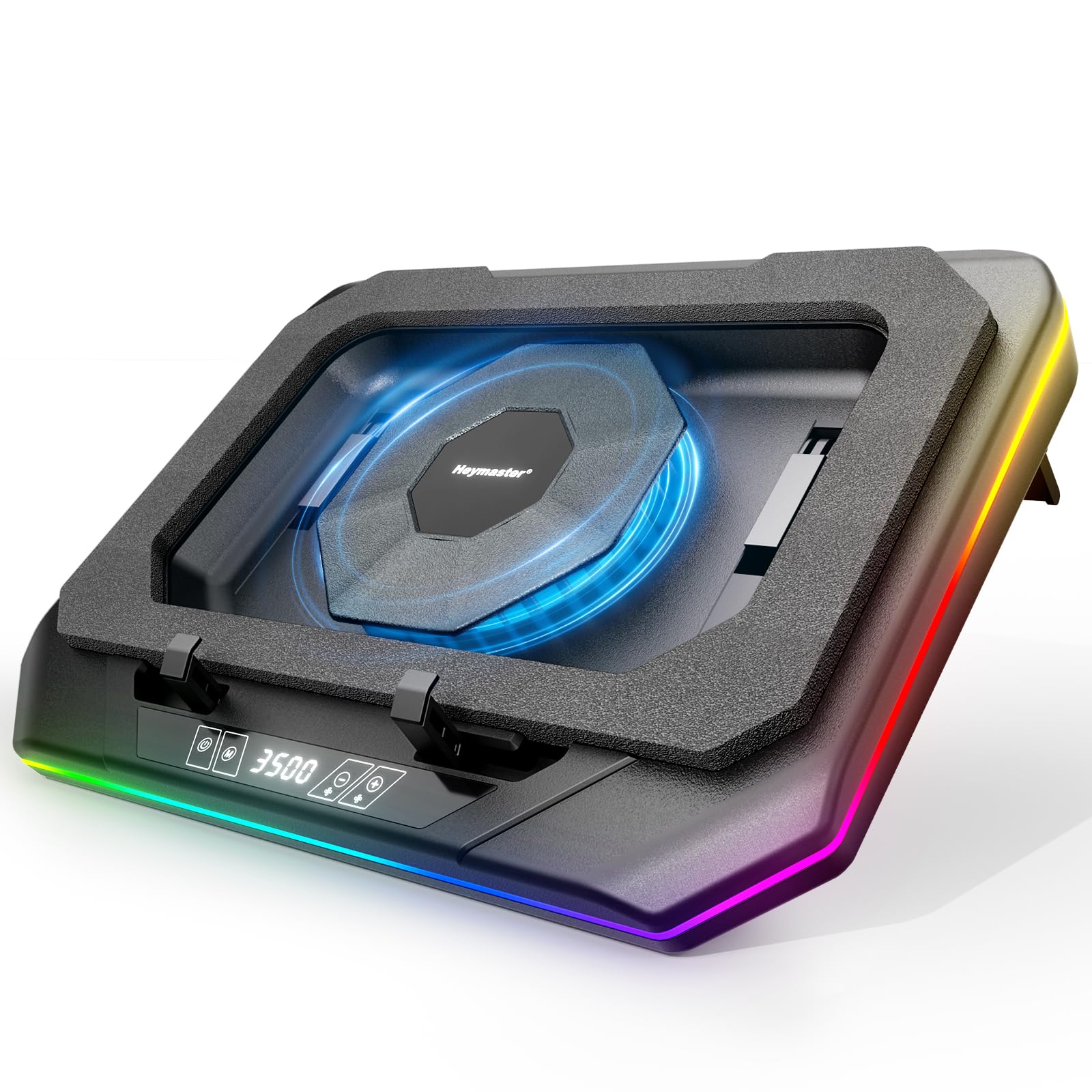
The Heymaster pad competes directly with the KYOLLY on price but takes a different approach: one massive 3500 RPM turbofan (a high-speed fan like a miniature jet engine) instead of a crowd of small fans. Reviewers report real results — one buyer measured a drop from 80°C to 60°C on the GPU and 75°C to 60°C on the CPU, which is a meaningful 15-20°C improvement for a single-fan design. It fits laptops from 12 to 21 inches, making it one of the few pads that can handle a huge 21-inch workstation.
The standout feature is the LED touch screen on the front — tap to adjust fan speed or switch between RGB lighting modes without searching for tiny buttons. A built-in 3-port USB hub expands your laptop’s connectivity for a mouse, keyboard, and flash drive at the same time. The ergonomic stand tilts to reduce neck strain during long sessions.
There is a catch: the touch button for power can be unreliable. One reviewer noted it “requires many presses to turn on.” The pad also needs a wall adapter (included) to reach full RPM, and the power cord is short. If you are willing to accept a slightly finicky power button in exchange for a real 15-20°C temperature drop at a budget-friendly price, this is a solid choice.
What we like
- Single 3500 RPM turbofan delivers proven 15-20°C drops
- LED touch screen for easy fan speed and lighting control
- 3-port USB hub adds connectivity for peripherals
The downsides
- Touch power button can be unresponsive at times
- Requires wall outlet for full power — short cord included
- Large footprint may not fit on small desks
Understanding the Specs
RPM (Revolutions Per Minute)
This is how fast the fan blade spins. A higher RPM moves more air, which cools your laptop faster. But faster spinning also creates more noise. A pad rated at 3500 RPM will push serious air but will sound about as loud as a vacuum cleaner on low. Many pads let you dial the RPM down for quieter use and crank it up only when you are gaming.
CFM (Cubic Feet per Minute)
CFM measures the actual volume of air the fan pushes out each minute. Bigger fans with a larger diameter (like the 5.5-inch fan in the llano pads) produce higher CFM at the same RPM compared to smaller fans. You want at least 30-40 CFM for a 15-inch gaming laptop; anything below 20 CFM is mostly stirring air around rather than cooling components.
FAQ
Will a cooling pad stop my laptop from thermal throttling?
Do I need a cooling pad if my laptop already has good fans?
How many fans should a good gaming cooling pad have?
Can I use a cooling pad on my lap?
Final Thoughts: The Verdict
Across the board, the best cooling pads for gaming winner is the llano V10 because its powerful 4.72-inch turbo fan and copper motor deliver the most significant real-world temperature drops without needing software or a smartphone app. If you want a pad that seals perfectly and runs quieter at lower speeds, grab the KLIM Turbofrost MAX. And for a smart cooling solution that automatically adjusts fan speeds based on your laptop’s temperature, the llano V12 Ultra is the one to beat.

Mo Maruf
I created WellFizz to bridge the gap between vague wellness advice and actionable solutions. My mission is simple: to decode the research and give you practical tools you can actually use.
Beyond the data, I am a passionate traveler. I believe that stepping away from the screen to explore new environments is essential for mental clarity and physical vitality.