Our readers keep the lights on and my smoothie glass nicely filled. As an Amazon Associate, I earn from qualifying purchases.
A new mouse, webcam, or headset can change how your computer feels to use every single day — but with so many options, you can easily end up with something that does not quite fit your hands, your desk, or your workflow. This guide breaks down six computer peripherals by what they actually do well and where they fall short, so you can pick the ones that genuinely improve your setup without wasting money on features you will never use.
I’m Mohammad Maruf — the co-founder and writer behind WellFizz. This guide is built by comparing the manufacturers’ published specifications and the patterns across verified customer reviews, so you get each pick’s real strengths and trade-offs instead of marketing spin.
Whether you need a sharper webcam for video calls, a lighter mouse for competitive gaming, or a headset that does not crush your ears after an hour, the best computer peripherals are the ones that solve a specific problem you actually have — not the ones with the most RGB lights or the biggest numbers on the box.
How To Choose The Best Computer Peripherals
Before you click “add to cart”, three things decide whether a peripheral feels great or collects dust. Each one affects how you interact with your computer every time you sit down.
Match the Sensor to Your Screen and Game
The DPI (dots per inch — how far the cursor moves for every inch you move the mouse) number is not a bragging contest. A 12,000 DPI sensor is overkill if you play on a standard 1080p monitor; you will likely never need more than 1,600-3,200 DPI for daily use. A higher DPI ceiling helps if you run a 4K monitor or play twitch shooters at low sensitivity, because it gives you more room to tune the cursor speed without adding software smoothing.
Pick the Right Microphone Type for Your Room
The two main microphone types for PC audio are condenser and dynamic. A condenser mic is very sensitive and picks up everything in the room — keyboard clacks, a fan, street noise — which is great for a treated studio but terrible for a typical desk setup. A dynamic microphone, like the one in the FIFINE AM8T, is less sensitive and naturally rejects off-axis sound, so your teammates hear your voice and not your mechanical switches.
Prioritize Comfort Over Specs for Long Sessions
A headset with 50mm drivers (the speakers inside the earcups) and 7.1 virtual surround sound means nothing if the clamping force hurts your jaw after 45 minutes. Weight is the one spec that predicts comfort best: look for headsets around 240g to 280g for all-day wear. Heavier headsets with metal frames often feel more durable but can push down on your head and cause fatigue during long gaming or work sessions.
Quick Comparison
On smaller screens, swipe sideways to see the full table.
| Model | Category | Best For | Key Spec | Amazon |
|---|---|---|---|---|
| Redragon S101-3 PRO | Keyboard & Mouse Combo | Budget gaming value | Membrane keyboard + 7200 DPI mouse | Amazon |
| Logitech G502 Hero | Wired Gaming Mouse | Max customization | 25,600 DPI, 11 buttons, adjustable weights | Amazon |
| Razer BlackShark V2 X | Gaming Headset | Comfort for long sessions | 240g, 50mm drivers, 7.1 surround | Amazon |
| FIFINE AM8T | USB/XLR Microphone | Crystal clear voice capture | Dynamic, cardioid, -50dB sensitivity | Amazon |
| Logitech G305 Lightspeed | Wireless Gaming Mouse | Portable wireless performance | 12,000 DPI, 250h battery, 3.4 oz | Amazon |
| RUWBY Pro HD Webcam | 1080p Webcam | Affordable video calls | 1080p/30fps, dual mics, auto-focus | Amazon |
In‑Depth Reviews
1. Logitech G502 Hero Wired Gaming Mouse

25,600 DPI with sub-micron tracking precision makes the Logitech G502 Hero Wired Gaming Mouse the top pick for gamers and power users who demand extreme sensitivity and deep customization.
You get the most customization of any mouse on this list with 11 programmable buttons and adjustable weights. The G502 Hero packs a Hero 25K sensor that tracks movement at the sub-micron level (it can detect movement less than one millionth of a meter) with no smoothing applied to the signal, and it tops out at 25,600 DPI — more than double the 12,000 DPI ceiling of the Logitech G305, which gives you a 2.1x headroom gap for high-resolution screens so you never run out of fine-tuning room. The 11 programmable buttons let you map everything from push-to-talk to a rapid melee attack without lifting your hand off the mouse, and the adjustable weight system (five 3.6-gram weights) lets you dial in the exact heft you like. Buyers report the scroll wheel with its toggle between free-spin and notched modes is “amazing”, and the dual-mode scroll wheel together with the metal construction gives the whole mouse a “premium feel”. If you need more buttons than the G305’s six, the 11 here give you an 83% larger button count for complex macros.
The catch is shape: this is a right-handed design with a pronounced thumb rest, and owners mention it is “comfortable but less so than taller MX Master” mice for palm grippers. It is wired only, so you give up the portability of the wireless G305. For anyone who wants a wired connection for zero-latency performance and a button count that beats the G305, the G502 Hero is the complete package.
Why it’s great
- Industry-leading 25,600 DPI sensor with no smoothing
- 11 programmable buttons with onboard profile memory
- Adjustable weight tuning system (five 3.6g weights)
Good to know
- Right-hand only, not for lefties or ambi grip
- Wired only — no wireless option
- Heavier than many competitors at roughly 121g without weights
2. FIFINE XLR/USB Gaming Microphone Set (AM8T)

Compared to the top-pick Razer BlackShark V2 X headset mic, the FIFINE XLR/USB Gaming Microphone Set (AM8T) delivers superior raw voice clarity because it is a dedicated dynamic microphone, not a headset mic. Its cardioid polar pattern picks up sound mostly from the front and rejects noise from the sides and back, with -50dB sensitivity, so your keyboard clicks stay off the stream and your teammates hear only your voice.
It connects via USB for simple plug-and-play with your PC, or via XLR if you eventually upgrade to a mixer or audio interface. The included boom arm holds the mic in place and frees up desk space, and the RGB lighting adds a visual punch to your setup without needing separate software to control it. Reviews highlight “crystal clear vocal quality” and note the dynamic design is “great for podcasting, streaming, music recording.”
One honest weakness: the boom arm lacks a shock mount, so customers note it “picks up desk vibrations” if you bump the table. Also, you must buy an XLR cable separately — it is not included. Choose this over the top pick if you are a streamer or podcaster who wants broadcast-quality voice without spending hundreds, as the AM8T is the standout value in this entire field.
Where it shines
- Dynamic cardioid design naturally rejects background noise
- Dual USB/XLR connectivity for future upgrades
- Includes boom arm stand and customizable RGB lighting
Worth noting
- No XLR cable included — you must buy one separately
- Boom arm transmits desk vibrations without a separate shock mount
- Touch mute button is easy to accidentally trigger
3. Redragon S101-3 PRO Gaming Keyboard and Mouse Combo

You’re a student setting up your first gaming rig on a tight budget, and you need everything in one box—the Redragon S101-3 PRO delivers a full keyboard and mouse set that buyers call the entry-level bargain of the list. The membrane keyboard uses soft rubber-dome keys for a “pleasant typing feel” that stays quiet enough for a dorm room, while the mouse offers on-the-fly DPI switching from 800 to 7200 DPI, covering everything from precise photo editing to fast-paced gaming.
The keyboard includes six backlight modes and five dedicated macro keys, plus a detachable wrist rest, and reviewers point out the mouse “has adjustable weights” and the combo feels “high-quality” for the price. A 5-10 second reconnect delay after waking from sleep was flagged by some reviewers, but overall the build quality is called “superior” to competing budget brands.
The downside is the mouse uses monochromatic red LEDs that don’t match the keyboard’s full RGB, and it won’t remember your custom DPI setting after a restart. If you want a big upgrade from a standard office keyboard and mouse, the Redragon S101-3 PRO delivers a complete package that punches well above its entry-level price.
What stands out
- Complete keyboard and mouse set in one box
- Quiet membrane keys with anti-ghosting for gaming
- Include wrist rest, macro keys, and programmable mouse DPI
The trade-offs
- Membrane keys lack the tactile feedback of mechanical switches
- Mouse RGB is red-only, not full RGB
- Keyboard has a short reconnect delay after sleep
4. Razer BlackShark V2 X Gaming Headset
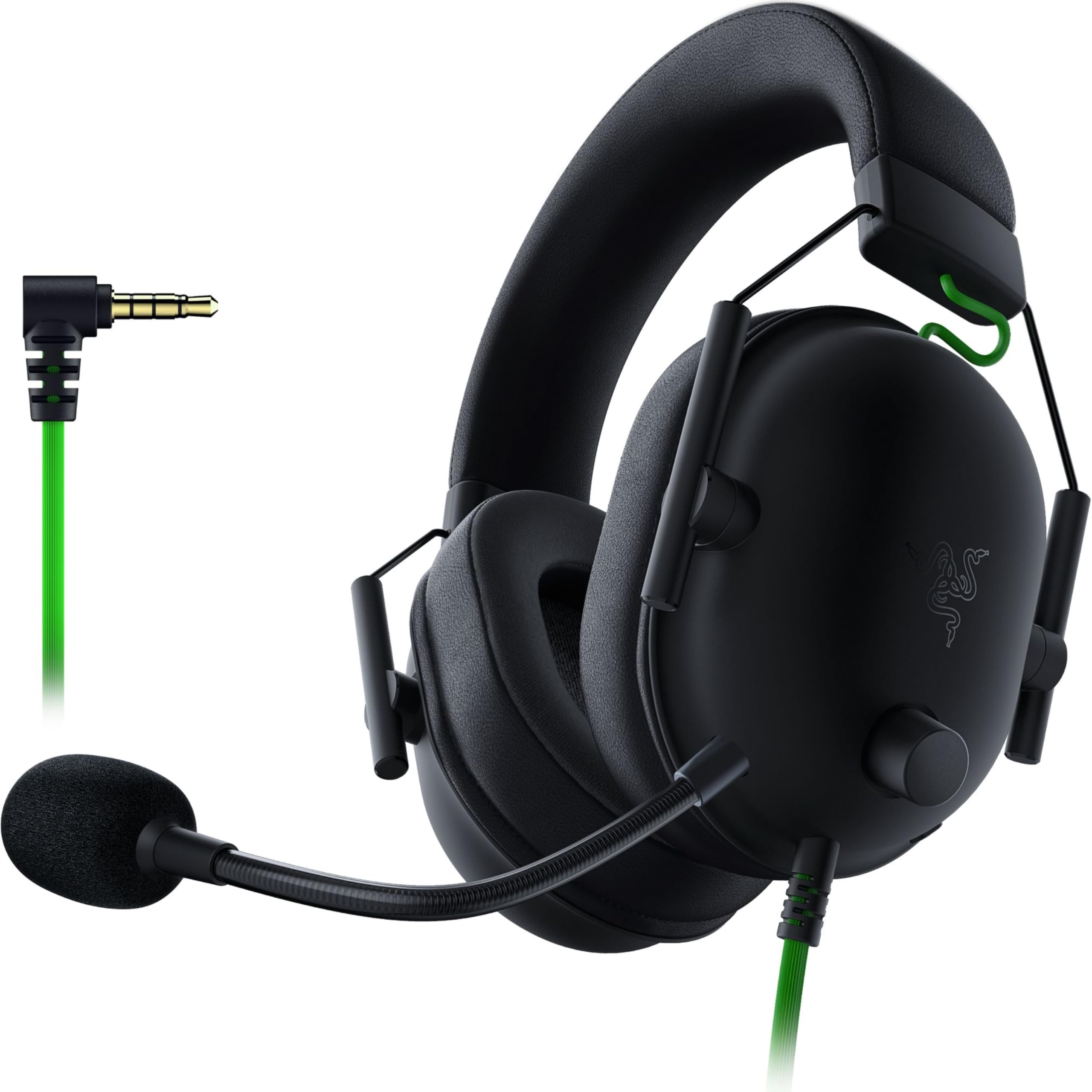
At just 240g, this is the lightest peripheral on the list, and that weight matters more than any spec when you are wearing a headset for four-hour gaming sessions. The BlackShark V2 X uses 50mm Triforce Titanium drivers that split the driver into three parts to tune highs, mids, and lows separately, delivering bright audio with clear directional cues — shoppers say “accurate directional audio” gives a clear advantage in competitive shooters.
The memory foam ear cushions are breathable, and the closed-back design provides passive noise cancellation (it physically blocks sound by covering the ears completely, without any active electronics). The HyperClear cardioid mic picks up your voice clearly and rejects keyboard noise, and the headset works with PC, PS4, PS5, and Switch via a single 3.5mm jack. Reviewers call it “comfortable for large heads” with moderate clamping force that does not squeeze.
The limitation is that the 7.1 virtual surround sound only works on Windows 10 64-bit, and the volume knob turns the opposite direction (clockwise lowers volume), which some buyers find annoying. Compared to the heavier competition, this is the headset that gets the comfort equation right for anyone who has ever returned a headset because it hurt after an hour.
The upsides
- Ultra-light 240g design for all-day wear
- 50mm drivers with clear positional audio
- Breathable memory foam ear cushions
Keep in mind
- 7.1 surround sound is Windows 10 64-bit only
- No inline mute LED indicator on the cable
- Volume knob turns opposite direction (CW lowers)
5. Logitech G305 Lightspeed Wireless Gaming Mouse

At this lower price, you get genuine Logitech Lightspeed wireless technology (a 1ms report rate — the same connection speed professional esports mice use) plus the Hero sensor that delivers 12,000 DPI tracking with up to 10x the power efficiency of older sensors. The result is a wireless mouse that feels exactly as responsive as a wired one, but weighs only 3.4 oz and runs for 250 hours on a single AA battery — so you won’t be hunting for a replacement battery mid-game.
Six programmable buttons and onboard memory mean your DPI settings and button assignments travel with the mouse even if you plug it into a different PC. The compact ambidextrous shape makes it a natural fit for travel — you can toss it in a bag with a laptop and the nano receiver stores inside the mouse body. Reviewers highlight “excellent months-long AA battery life” and call it “great for college dorm setup.”
What you give up: no RGB lighting, only six buttons compared to the G502’s 11, and some buyers report durability concerns — one reviewer noted “my left mouse button doesn’t work after about a year.” The G305 is the perfect budget buyer who needs top-tier sensor performance and doesn’t want the bulk of a fully-loaded wired mouse like the G502.
Why we’d pick it
- Lightspeed wireless with 1ms report rate — feels like wired
- Hero sensor with 12,000 DPI and incredible power efficiency
- 250-hour battery life on one AA battery
A few caveats
- No RGB lighting
- Only 6 programmable buttons
- Build quality concerns reported on long-term durability
6. Pro HD 1080p/30fps Webcam with Dual Microphones (RUWBY)
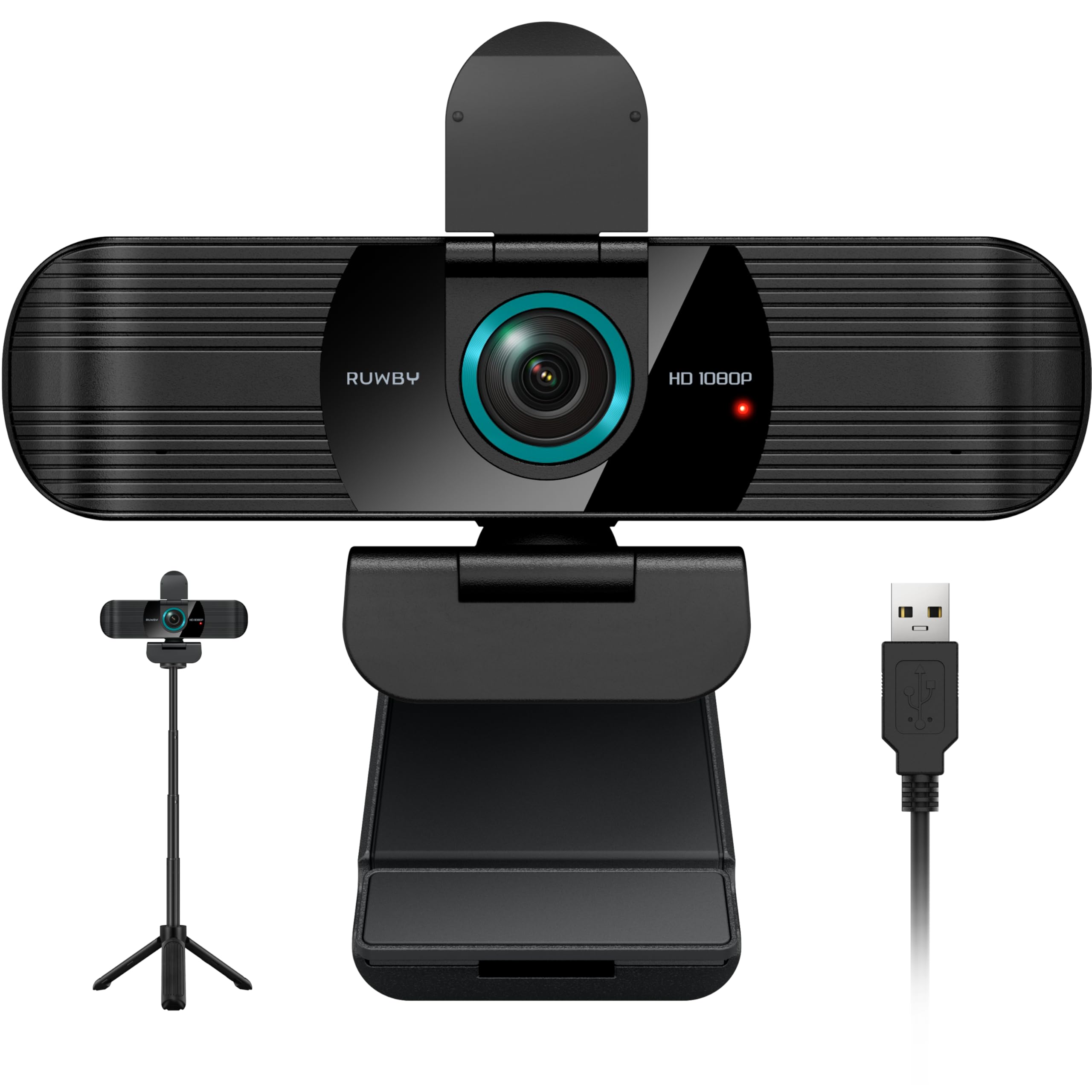
This webcam is perfect for the laptop user who wants a simple visual upgrade from their built-in camera without spending much. The RUWBY webcam delivers true 1080p resolution at 30 frames per second with a CMOS image sensor that keeps video “crisp and clear” according to buyers, plus low-light correction that brightens your face automatically in dim rooms — so you do not look like you are in a basement during your 9 AM meeting.
Dual noise-cancelling microphones capture your voice clearly up to 10 feet away, and the wide-angle lens shows your full workspace. The 360-degree rotation and included aluminum tripod let you position the camera exactly where you need it. Buyers praise the “plug-and-play setup” and note the privacy shutter gives “peace of mind” when you are not on camera.
The honest caution: reliability is a split decision. One buyer mentioned “first camera quit; replacement also stopped working,” which suggests quality control can vary between units.
Strong points
- True 1080p/30fps with fast auto-focus
- Dual noise-cancelling mics pick up voice clearly
- Includes aluminum tripod and privacy shutter
Before you buy
- Mixed reliability reports — some units fail after short use
- 30fps maximum, not suitable for high-frame-rate streaming
- Microphone quality is good but not professional-grade
Understanding the Specs
DPI (Dots Per Inch)
This tells you how many pixels the cursor moves for every inch you physically move the mouse. A higher DPI means the cursor zips across the screen faster with less hand movement. For a standard 1920×1080 monitor, anything above 3,200 DPI is usually overkill — you will just be chasing the cursor around. The real value of a high-DPI sensor like the G502’s 25,600 is that you can run a low in-game sensitivity for precise aiming while still having a fast desktop cursor.
Cardioid Polar Pattern
This describes the shape of the area a microphone picks up sound from. A cardioid pattern looks like a heart shape pointing forward from the mic, meaning it captures sound mostly from the front and rejects noise from the sides and back. This is why the FIFINE AM8T is ideal for a desk setup — it picks up your voice and filters out your keyboard, mouse clicks, and the hum of your computer fans.
FAQ
Can I use a gaming headset for work calls?
Is a wired mouse better than wireless for competitive gaming?
Do I need 25,600 DPI on my mouse?
What is the difference between a dynamic and a condenser microphone?
Final Thoughts: The Verdict
For most buyers, the best computer peripherals lineup starts with the Logitech G502 Hero because it gives you every control you could want in a mouse — 11 buttons, adjustable weights, and a sensor that tracks anything — all at a fair price. If you want broadcast-quality voice without the background noise, grab the FIFINE AM8T microphone. And for all-day comfort that does not crush your head, the Razer BlackShark V2 X is the headset that disappears on your ears while you play.

Mo Maruf
I created WellFizz to bridge the gap between vague wellness advice and actionable solutions. My mission is simple: to decode the research and give you practical tools you can actually use.
Beyond the data, I am a passionate traveler. I believe that stepping away from the screen to explore new environments is essential for mental clarity and physical vitality.