Our readers keep the lights on and my smoothie glass nicely filled. As an Amazon Associate, I earn from qualifying purchases.
Your new RTX 5090 runs hot — like a 600W space heater — and if the case cannot move that heat out fast, your card will slow down to protect itself. You need a case with extreme airflow, huge GPU clearance, and enough fan mounts to keep everything stable under load. The real question is which case is actually built to let that card breathe without turning your desk into a furnace.
I’m Mohammad Maruf — the co-founder and writer behind WellFizz. This guide is built by comparing the manufacturers’ published specifications and the patterns across verified customer reviews, so you get each pick’s real strengths and trade-offs instead of marketing spin.
I’ll show you five cases that genuinely fit the requirements for a 5090 build — from full-tower monsters to clever dual-chamber designs — so you can pick the right foundation for your next flagship PC. Keep reading to find the best computer cases for 5090.
How To Choose The Best Computer Cases For 5090
The RTX 5090 is a physically large card with a high 600W thermal design power (TDP) — that is the maximum heat it can throw out under full load. If your case cannot push that heat away fast enough, your GPU will throttle down and you lose performance. Here is what to check first.
GPU Length Clearance — The Dealbreaker Number
Every card in the 5090 family will be long — think 350mm to 420mm depending on the third-party cooler design (the metal bracket holding the fans and heatsink). If your case only supports 350mm, you are locked to specific models. Look for cases advertising at least 380mm to 400mm of GPU length clearance so you can choose any brand’s version when you upgrade.
Fan Count and Radiator Support
More fans mean more airflow, but what really matters is the volume of air moved, not just the blade count. A case that supports three 140mm fans in the front and a 360mm radiator at the top (a water-cooling radiator that fits three 120mm fans) is a good baseline for a 5090 build. Cases with reverse-flow fans (blades that spin opposite directions) can pull cool air directly into the GPU area without fighting the main airflow path.
Chassis Size and Layout — Full Tower vs Mid Tower
A full-tower case gives you maximum room for cable management, extra storage drives, and giant 420mm radiators, but it is extremely heavy and takes up a lot of desk or floor space. A mid-tower with a dual-chamber design (separate compartment for the power supply and cables) can still fit a 5090 while keeping the build clean and compact. Your choice depends on whether you want the easiest building experience or a smaller footprint.
Quick Comparison
On smaller screens, swipe sideways to see the full table.
| Model | Category | Best For | Key Spec | Amazon |
|---|---|---|---|---|
| Antec Flux Pro White | Best Overall | Maximum airflow and premium build quality | 455mm GPU clearance, 6x PWM fans included | Amazon |
| ASUS TUF Gaming GT502 | Premium Pick | Dual-chamber design for clean cable management | 400mm GPU clearance, tool-free panels | Amazon |
| Fractal Design Define 7 XL | Top Performer | Silent operation with massive storage capacity | 530mm GPU clearance, up to 480mm radiator | Amazon |
| Vetroo CT3 | Best Value | Budget-friendly dual-chamber fish tank style | 410mm GPU clearance, 160mm CPU cooler support | Amazon |
| darkFlash C280 | Budget Champion | RTX 5090-ready with 7 ARGB fans included | 420mm GPU clearance, 270° panoramic glass | Amazon |
In-Depth Reviews
1. Antec Flux Pro White

Six pre-installed PWM fans and a 29-pound steel-and-dampening build make the Antec Flux Pro White the top pick for builders who want a 5090 to run cool without buying extra fans or dealing with thin metal.
Buyers report that this case keeps a 9800X3D CPU under 76°C under load while staying very quiet — impressive for a chassis that supports up to twelve fans total alongside a 420mm radiator and a 360mm radiator simultaneously. The iShift PSU mount rotates your power supply 90 degrees, so its cables exit toward the side of the motherboard tray instead of the bottom, keeping cables short and hidden. The front panel mixes real birch wood accents with metal and tempered glass, giving your build a classy look that stands apart from the usual all-glass fish tanks.
The catch is weight: at 20.86 inches deep, this case is 20% larger than the darkFlash C280 in depth, so you need plenty of desk or floor space. If you want the best thermal performance and premium materials for your 5090 build — and you have the room — this is the one to buy.
Why it’s great
- Six PWM fans included with temperature display
- 455mm GPU clearance — fits any 5090 model easily
- Birch wood front panel for premium aesthetic
Good to know
- Very heavy at 29 pounds
- Front panel cables may be short for some motherboard layouts
- Large footprint requires significant desk space
2. ASUS TUF Gaming GT502

The ASUS GT502 takes a different approach than the Antec Flux Pro — it uses a dual-chamber design where the power supply, storage drives, and excess cables live in a separate compartment behind the motherboard tray, giving you a super clean front view of your components. It falls 55mm short of the Antec’s 455mm GPU clearance by supporting cards up to 400mm, but that still fits all known 5090 third-party models comfortably.
Owners mention that this case supports up to 10 case fans (16 total when counting fans on your GPU AIO cooler), which means you can build an extremely aggressive airflow setup for the 5090’s heat output. The tool-free side panels use a hidden button release, so you can pop open the glass without a screwdriver — a real convenience when testing different fan configurations or swapping parts. The included vertical GPU mount lets you show off your 5090’s front fans, and the bundled anti-sag bracket keeps the heavy card level.
Choose this case over the Antec if you value clean cable management and a smaller overall footprint (it is a mid-tower, not a full tower) but still want enough fan capacity to cool a 5090. The dual-chamber layout means less time wrestling with cables and more time gaming.
Where it shines
- Dual-chamber design for extremely tidy cable management
- Tool-free push-button side panels
- Supports up to 10 case fans with included vertical GPU mount
Worth noting
- GPU clearance of 400mm is less than some full-tower options
- Mid-tower size may feel cramped for custom water loops
- Tempered glass is tinted, not fully clear
3. Fractal Design Define 7 XL
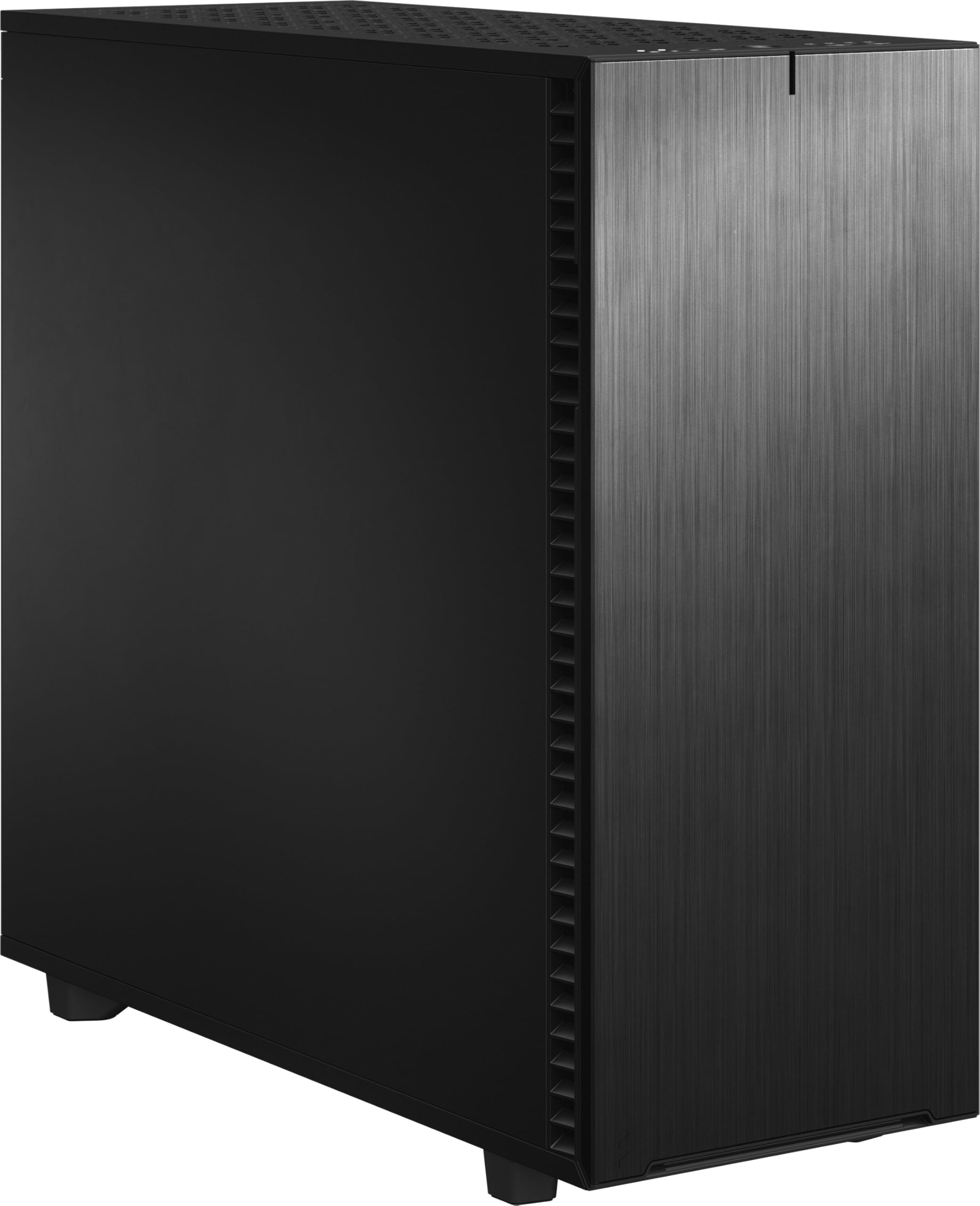
If you are building a 5090 workstation or a high-capacity NAS (network-attached storage server) alongside your gaming rig, the Fractal Define 7 XL is in a league of its own — it supports GPUs up to a massive 530mm in length, meaning even the longest custom-cooled 5090 cards will have inches of clearance to spare. It also uses brushed aluminum panels with sound-dampening foam insulation, so the dual 480mm radiators and 18 hard drives run whisper-quiet instead of humming.
The modular interior lets you switch between a Storage Layout (mounting up to 18 hard drives alongside 5 SSDs) and an Open Layout (removing drive cages for giant reservoirs and radiators), which is rare flexibility for a case that still fits a 5090. Customers note it is the best case they have used for a server or workstation because of the thoughtful velcro cable ties, rubber cable routing channels, and swappable vented or solid top panels to control airflow direction. It weighs over 41 pounds loaded, so it is not something you move often, but the build quality is unmatched.
The standout spec here is the 530mm GPU clearance — no other case in this roundup comes close, and it means you never have to worry about fitment across any GPU generation for years.
What stands out
- 530mm GPU clearance — fits any card including massive custom-cooled models
- Sound-dampening insulation for near-silent operation
- Modular interior supports 18 HDDs or giant custom loops
The trade-offs
- Extremely heavy at over 41 pounds
- No included fans for a case at this price point
- Not designed for RGB showcase builds
4. Vetroo CT3
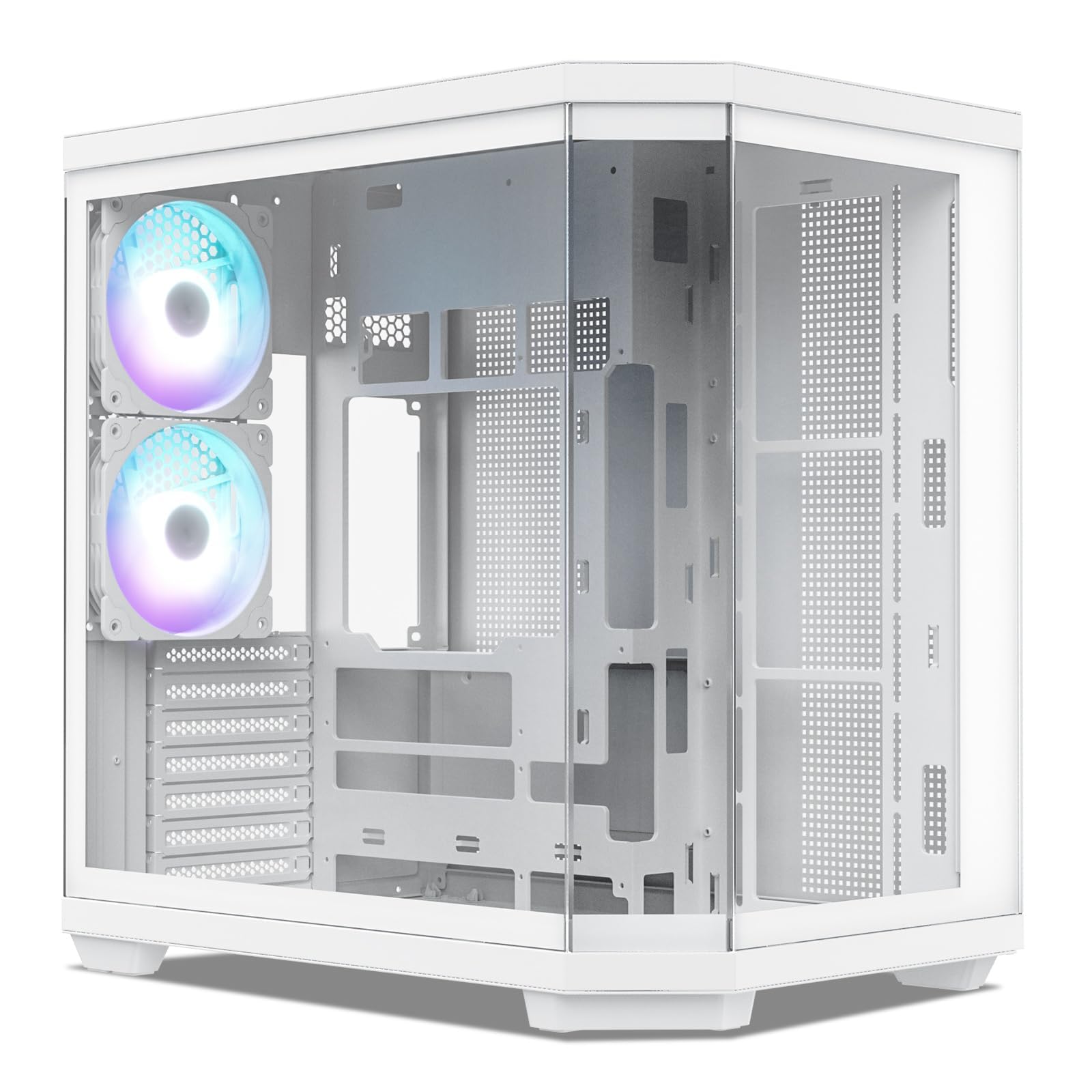
The single number that matters most in this category is GPU clearance, and the Vetroo CT3 offers 410mm — enough for all but the very longest third-party 5090 coolers. It also supports CPU coolers up to 160mm tall, which is 3% more clearance than the darkFlash C280 gives you at 155mm; that extra 5mm can mean fitting a top-tier air cooler like the Noctua NH-D15 or having to switch to liquid cooling.
Buyers love that it is a solid entry-level dual-chamber case, with one reviewer noting that for the price, it does not feel cheap despite being affordable. The YTX layout supports hidden-connector motherboards, so you can route cables behind the tray for a spotless front view — similar to the ASUS GT502 but at a lower price tier. It supports up to 11 fans and a 360mm radiator, which is enough cooling for a 5090 as long as you add your own high-static-pressure fans (fans designed to push air through tight radiator fins).
The downside is that with an ATX motherboard fitted, you can only install one fan on the back panel for exhaust airflow instead of two, as one reviewer noted — so you may need to rely more on top-mounted exhaust fans. If you want the dual-chamber look and 5090 compatibility without spending premium money, this is the smart choice, delivering strong price-to-value for a balanced-budget build.
The upsides
- Affordable dual-chamber design with hidden-connector motherboard support
- 410mm GPU clearance fits most 5090 cards
- Supports up to 11 fans and 360mm radiator
Keep in mind
- ATX motherboard limits rear fan placement to one fan
- No fans included — you need to buy your own
- Mid-tower size limits extreme radiator configurations
5. darkFlash C280
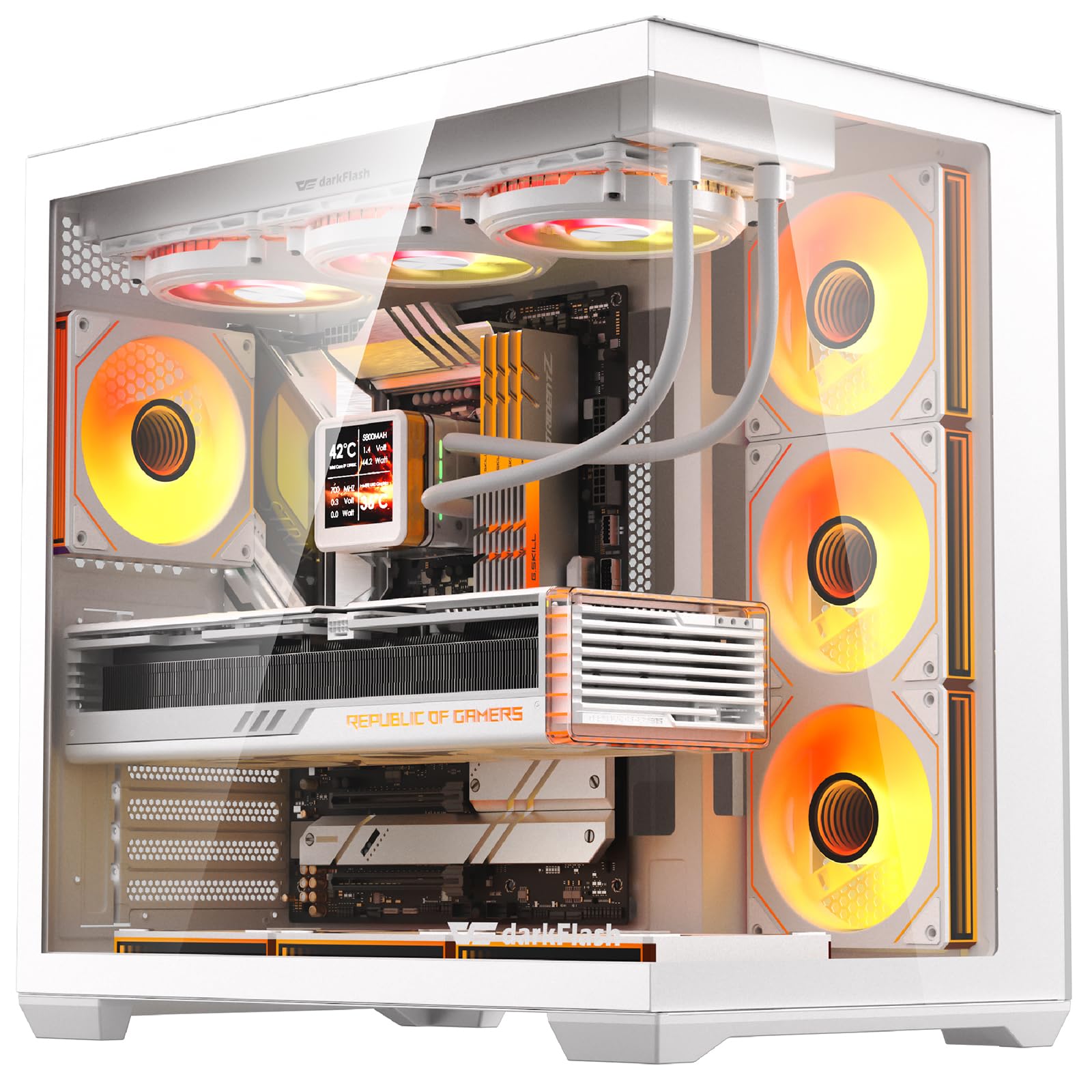
The darkFlash C280 is the most cost-effective way to house an RTX 5090 because it comes with seven ARGB fans already installed — you plug in your components and have full fan cooling without spending an extra cent. It delivers 420mm of GPU clearance, enough for every 5090 card on the market, and it does it at a lower price than other cases here.
Buyers confirm that airflow is on point, with the seven ARGB fans moving air perfectly right out of the box. The 270-degree panoramic tempered glass wraps around the front and side, giving you a clear view of your 5090 and any RGB components without the visual obstruction of metal pillars. Build quality is solid with 0.7mm steel, though some reviewers point out the metal can bend slightly during shipping — a trade-off you accept for the price. The case includes dual quick-release dust filters on the top and bottom, so you can clean them easily without pulling the whole system apart.
You give up premium touches like sound-dampening material or a wooden front panel, but you get a fully functional 5090-ready case with seven fans and great GPU clearance for a very low entry point. This is the exact pick for someone building their first high-end PC who wants maximum visual impact and cooling for their money.
Why we’d pick it
- Seven ARGB fans included — no extra fan purchases needed
- 420mm GPU clearance fits all 5090 cards
- 270° panoramic glass for full component display
A few caveats
- Thin metal construction may bend slightly during shipping
- One-time-use breakaway PCI covers
- Limited radiator support — AIO can only push or pull, not both
Understanding the Specs
GPU Length Clearance
This is the maximum length of a graphics card that fits inside the case, measured in millimeters. For the RTX 5090, you want at least 380mm because third-party coolers are enormous — the Founders Edition alone is expected near 350mm, and custom AIB (add-in board partner) models with triple-fan coolers can reach 420mm. If your case says 350mm, you cannot fit many 5090 variants.
CPU Cooler Height Support
Measured in millimeters, this tells you the tallest air cooler (a heatsink-and-fan cooler that sits directly on your processor) that your case’s side panel can close over. For a 5090 build, you do not need air cooler height as much as you need GPU clearance, but if you prefer a large air cooler like the Noctua NH-D15 (165mm tall), make sure your case supports at least 165mm. Many dual-chamber cases limit this to 155mm-160mm.
Radiator Support
This tells you how large a water-cooling radiator (the metal grid where heat is transferred to liquid) can fit inside the case. A 360mm radiator supports three 120mm fans and is the standard for CPU liquid coolers. For a 5090, you may want a 420mm or 480mm radiator if you are building a custom loop that also cools the GPU. The larger the radiator number, the more heat it can dissipate before fans spin up.
PSU Mounting Orientation
Standard cases mount the power supply at the bottom, forcing its cables to run up into the main compartment. Some cases like the Antec Flux Pro use an iShift 90-degree mount, rotating the PSU so its cables exit toward the side of the motherboard tray instead of the bottom. This simplifies cable management and frees up space under the PSU shroud for additional intake fans that blow directly onto your GPU.
FAQ
Does the RTX 5090 fit in a standard mid-tower case?
How many fans do I need for a 5090 build?
What is the difference between PWM and ARGB fans?
Can I use a 420mm radiator in a mid-tower case?
Final Thoughts: The Verdict
When it comes down to it, the best computer cases for 5090 winner is the Antec Flux Pro because it combines six PWM fans, a massive 455mm GPU clearance, and a premium wood-and-glass design that outperforms almost everything else in this roundup. If you prioritize clean cable management and a smaller footprint, grab the ASUS TUF Gaming GT502. And for maximum storage flexibility and near-silent operation with any GPU size, the standout is the Fractal Design Define 7 XL.

Mo Maruf
I created WellFizz to bridge the gap between vague wellness advice and actionable solutions. My mission is simple: to decode the research and give you practical tools you can actually use.
Beyond the data, I am a passionate traveler. I believe that stepping away from the screen to explore new environments is essential for mental clarity and physical vitality.