Our readers keep the lights on and my smoothie glass nicely filled. As an Amazon Associate, I earn from qualifying purchases.
The hunt for an affordable workstation usually ends with a gamble on cheap particleboard and wobbly legs, but a well-designed cheap desk doesn’t have to feel like a temporary compromise. Whether you’re outfitting a dorm, a cramped bedroom, or a first apartment, today’s budget market offers surprisingly rigid steel frames, smart storage, and desktop dimensions that rival mid-tier models—if you know where to focus your attention.
I’m Mohammad Maruf — the founder and writer behind WellFizz. I’ve spent the last month analyzing customer reviews, technical specs, and build quality across dozens of sub- workstations to separate the genuinely functional from the flimsy.
This guide breaks down the seven most compelling options for a practical, stable, and space-efficient cheap desk, highlighting what each does best and where they cut corners so you can shop with confidence.
How To Choose The Best Cheap Desk
A truly functional budget desk balances three things: a frame that doesn’t wobble under normal typing, a desktop large enough for your gear without overwhelming your room, and storage that actually organizes your space instead of adding clutter. Here’s what to inspect before you click add to cart.
Frame Construction and Stability
The biggest mistake in this category is assuming a heavy desktop means a stable desk. Steel tube thickness (anything under 1mm is risky) and the presence of a rear crossbar directly determine how much a desk shakes during typing. Adjustable foot pads are a bonus—they level the desk on uneven floors and prevent rocking on carpet.
Desktop Surface and Dimensions
Most cheap desks use laminated particleboard or thin MDF. For a dual-monitor setup, look for at least 48 inches of width and 24 inches of depth. A textured or wood-grain finish hides scratches better than a glossy coating. FSC-certified wood is a nice ethical bonus but rare at this price point.
Legroom and Ergonomic Fit
Open-bottom designs with no crossbar near your knees let you stretch and shift positions during long work sessions. If you’re taller than 5’10”, a desk height of 29 inches is standard, but the distance from the front edge of the desk to the floor should be clear of obstructions for comfortable leg movement.
Quick Comparison
On smaller screens, swipe sideways to see the full table.
| Model | Category | Best For | Key Spec | Amazon |
|---|---|---|---|---|
| VECELO Corner Desk | Corner Unit | Keyboard tray and corner spaces | 41 x 28 x 30 inch footprint | Amazon |
| PRAISUN 55″ Desk | Standard Rectangle | Dual monitors and open legroom | 55 x 23.6 inch desktop | Amazon |
| Mericonia L-Shaped Desk | L-Shape Corner | Small corners with power outlets | 27.5 x 39.4 x 28.7 inches | Amazon |
| Lufeiya 40″ LED Desk | Compact Gaming | Gaming with RGB and built-in outlets | 40 inch width with monitor riser | Amazon |
| Mericonia 48″ Desk | Standard Rectangle | Minimalist build with tower shelf | 48 inch width with included shelf | Amazon |
| AODK 32″ Desk with Drawers | Compact Storage | Tight spaces needing drawer storage | 31.5 inch width with 3 fabric drawers | Amazon |
| Dripex 27.5″ Desk | Ultra-Compact | Very small spaces and laptop only | 27.5 x 23.6 inch 3-tier design | Amazon |
In‑Depth Reviews
1. PRAISUN 55 X 24 Inch Computer Desk
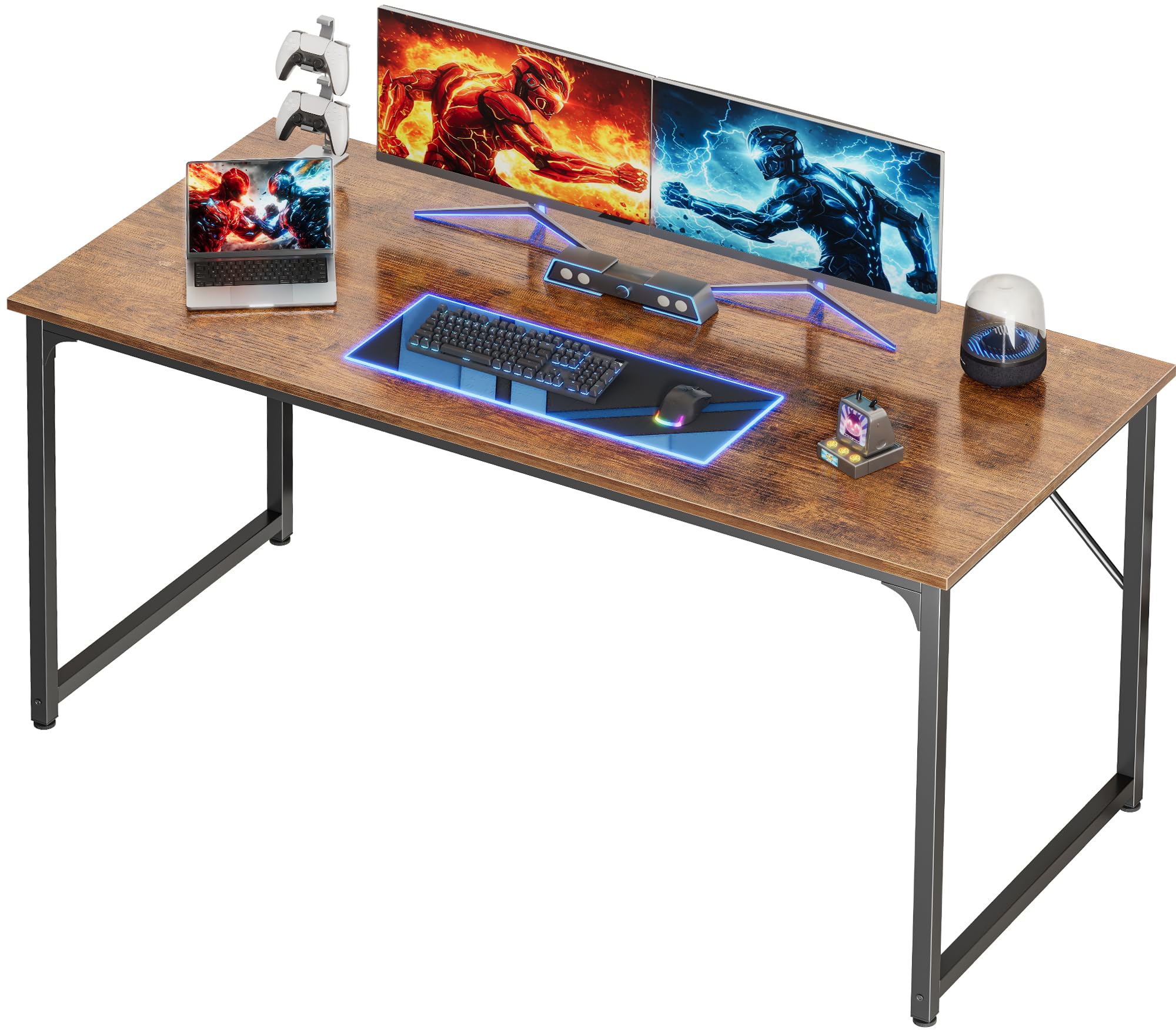
The PRAISUN 55-inch desk stands out in this lineup because it delivers true dual-monitor width (55 x 23.6 inches) without the wobble that plagues many cheap desks. The reinforced thick steel tubes and support bars create a stable platform that doesn’t transmit vibrations during typing, and the adjustable feet let you level it on hardwood or carpet. The FSC-certified wood desktop has a textured rustic brown finish that resists minor scratches and looks more premium than its price suggests.
Legroom is the second defining feature here. The open-bottom design has no rear crossbar near your knees, which means taller users can stretch or cross their legs freely—a rare comfort in the budget bracket. Assembly takes under 40 minutes with labeled parts, though the bolts can strip if overtightened, so hand-tighten until snug. The 12mm desktop thickness and 1mm steel frame confirm this is light-duty construction, but for general work-from-home, studying, or a dual-monitor office setup, it offers the best balance of surface area and stability at this price.
Customer feedback consistently praises the depth for fitting a 27-inch monitor with a laptop alongside it, and the leveling feet solve the uneven-floor wobble that cheaper desks ignore. The only real compromises are a textured surface that isn’t glass-smooth and the absence of built-in storage or power outlets. If you want a straightforward, stable, spacious desk without gimmicks, this is the one to buy.
Why it’s great
- True 55-inch depth fits two monitors plus peripherals
- Open legroom design is comfortable for tall users
- Reinforced steel frame stays stable during heavy typing
Good to know
- Bolts strip easily if overtightened during assembly
- Desktop is only 12mm thick—don’t exceed the weight limit
- No storage shelves or power ports included
2. VECELO Corner Desk with Keyboard Tray

The VECELO corner desk is the only triangular option in this roundup, and it proves that a well-designed corner unit can reclaim dead space better than a straight desk. The 41 x 28 x 30 inch dimensions fit neatly into a small corner, and the spacious triangular desktop easily holds a 27-inch monitor with room for a laptop and accessories. The standout feature is the smooth slide-out keyboard tray, which keeps your typing surface clear and supports proper ergonomic wrist angle.
Build quality is decent for the price—MDF construction with a black painted finish that wipes clean easily. Assembly is straightforward but requires your own Phillips screwdriver for the keyboard tray screws; all other hardware is included. The two open shelves on the side provide storage for books, a printer, or a CPU tower, though the screw holes for the bottom shelf have been reported as slightly misaligned in some units, requiring extra patience during assembly. The desk feels sturdy once assembled, with no wobble during normal use, but the MDF surface can scuff if you slide heavy objects across it.
If you’re working with a tight corner and need a keyboard tray to free up desktop space, this desk delivers unmatched utility in its form factor. The corner design also leaves the rest of the room open for other furniture, making it a smart choice for small bedrooms or studio apartments where every square foot counts. Just be prepared for a bit of assembly fiddling and handle the screws gently to avoid stripping them.
Why it’s great
- Triangular shape fits unused corners perfectly
- Smooth keyboard tray keeps the main surface clear
- Two side shelves offer practical storage for a CPU or office supplies
Good to know
- Some units have misaligned screw holes for the bottom shelf
- MDF surface scuffs relatively easily
- Heavy to flip upright during assembly—needs two people
3. Mericonia L Shaped Computer Desk with Power Outlets

The Mericonia L-shaped desk packs a surprising amount of functionality into a compact corner footprint (27.5 x 39.4 x 28.7 inches). The reinforced X-steel frame eliminates wobble even when gaming with a dual-monitor setup, and the reversible design lets you install the longer side on either the left or right to suit your room layout. The built-in power outlets and USB ports keep your charging cables organized without a separate power strip cluttering the desktop.
Storage is handled by double-tier shelves under the return section, with two height settings so you can adjust for a CPU tower or storage bins. A side headphone hook and storage bag are included, giving you basic cable and accessory management. Assembly takes under an hour with clear instructions and all tools provided, though the instructions can be ambiguous about the shelf orientation. The wood-finish desktop looks clean and the adjustable feet keep the desk stable on uneven surfaces. Customer feedback confirms it holds two monitors comfortably, with no squeaking or shaking reported even after extended use.
The main trade-off is the relatively small main desktop area compared to a 55-inch straight desk. If you require a large continuous surface for drafting or paperwork, this L-shape might feel cramped. But for a corner that would otherwise be wasted, and for users who want a dedicated gaming or multi-monitor workstation with integrated power, the Mericonia offers excellent value and space efficiency.
Why it’s great
- Reversible L-shape fits left or right corners
- Built-in power outlets and USB ports reduce cable clutter
- X-frame design stays stable and doesn’t shake
Good to know
- Main desktop area is smaller than many straight desks
- Shelf orientation instructions could be clearer
- Limited continuous surface for large paperwork
4. Lufeiya 40 Inch Gaming Desk with LED Lights and Power Outlets
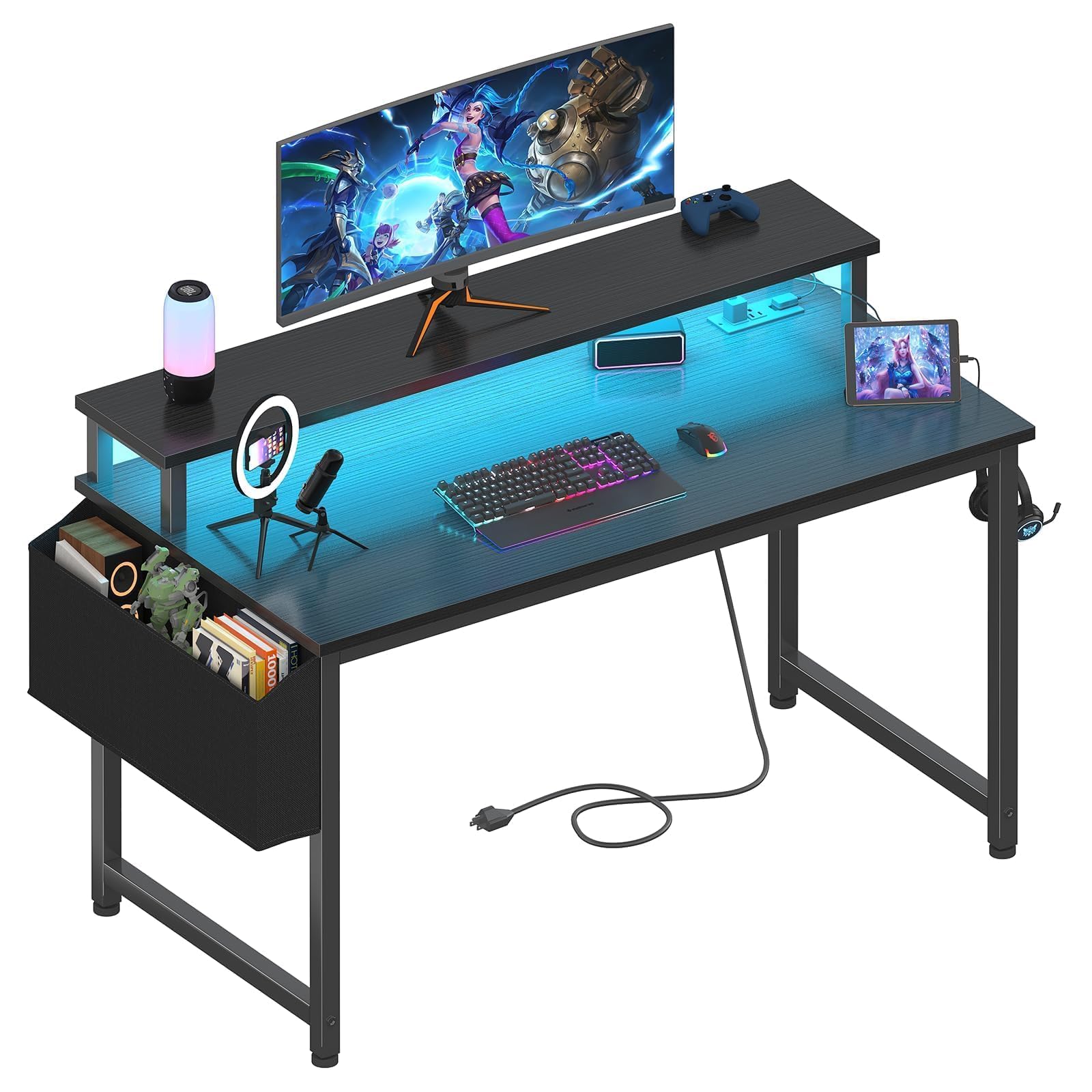
The Lufeiya 40-inch gaming desk blends aesthetics with practical tech features that appeal to younger users and remote workers alike. The integrated RGB LED light strip offers 7 adjustable colors and 4 dynamic modes, creating a customizable ambient glow that’s surprisingly bright for a budget desk. The built-in power strip includes 2 AC outlets and 2 USB ports, letting you charge a phone, tablet, and gaming headset without an external hub cluttering the monitor riser.
The monitor riser doubles as a storage shelf and helps maintain proper eye level for neck and spine health—a thoughtful ergonomic touch at this price. The particleboard desktop has a scratch-resistant, waterproof coating that handles daily wear better than raw MDF. A removable storage bag and two headphone hooks add basic organization. Assembly is straightforward with included tools, though some users report misaligned screw holes that require a bit of muscle to align. The desk is lightweight but can wobble during intense gaming sessions; adding a wall stabilizer or Velcro patch solves this easily.
If you’re outfitting a teen’s room or a compact gaming corner, the Lufeiya delivers the visual impact and charging convenience that generic cheap desks lack. The 40-inch width is too small for dual monitors side by side, but it works well for a single monitor or a laptop setup. The particleboard construction and plastic components mean it won’t survive a move unscathed, but for a starter gaming desk, the feature set is hard to beat at this price.
Why it’s great
- Integrated RGB lighting with multiple color modes
- Built-in power outlets and USB ports for easy charging
- Monitor riser improves ergonomic viewing angle
Good to know
- Wobbles during intense gaming without wall stabilization
- 40-inch width won’t fit dual monitors comfortably
- Particleboard construction is less durable than metal frames
5. Mericonia 48 Inch Computer Desk
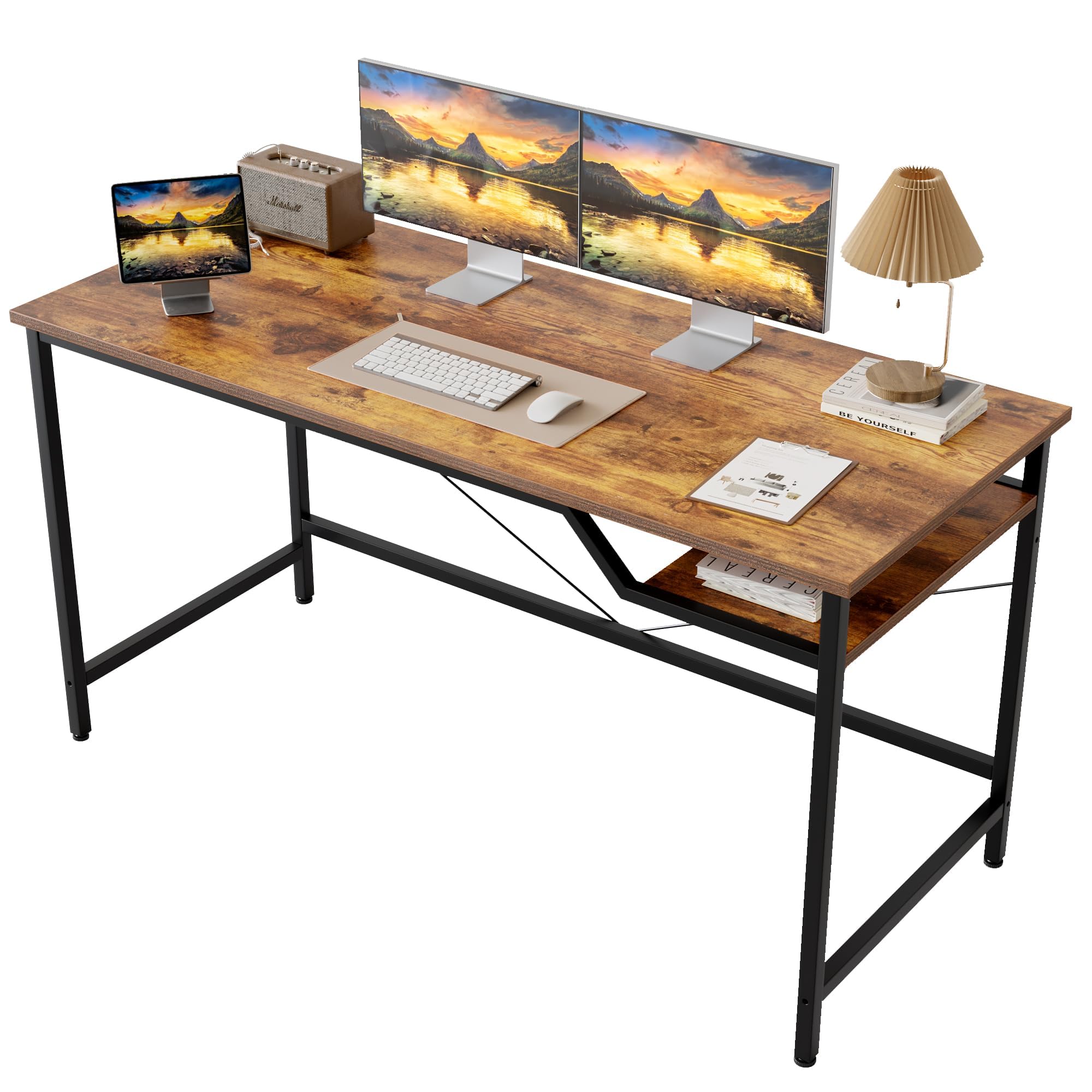
The Mericonia 48-inch desk offers a clean, minimalist look with a rustic brown wood-grain finish that blends easily into farmhouse, industrial, or modern rooms. The 48 x 24 inch desktop provides enough surface area for a dual-monitor arm setup (users have confirmed three monitors on arms with no wobble), and the included tower shelf keeps your computer case off the floor for improved airflow and easier cleaning. The metal frame is powder-coated black and the legs are thin enough to make sweeping underneath effortless.
Assembly is quick—often under 30 minutes—thanks to pre-labeled parts and an included Allen key. The desk feels solid after assembly, with no wobble reported even on carpet when the adjustable feet are leveled. The desktop surface has a textured wood grain that resists fingerprints and smudges, though the edges and corners are sharp; this is a safety consideration if you have young children or tend to bump into furniture. The shelf under the desk is mandatory unless you drill extra holes, which limits your flexibility if you prefer an open-bottom layout.
For the price, this desk offers one of the best finish-to-frame ratios in the category. The rustic brown looks more expensive than it is, and the included shelf makes it a practical choice for users who want a tidy, elevated CPU position. The sharp edges are the main drawback, so plan your desk placement accordingly. It’s a strong pick for students, remote workers, or anyone who values a clean aesthetic over flashy extras.
Why it’s great
- Wood-grain finish looks premium and resists smudges
- Included tower shelf keeps the CPU off the floor
- Sturdy enough for a triple-monitor arm setup
Good to know
- Table edges and corners are sharp—caution around children
- Shelf is mandatory without drilling extra holes
- Not designed for heavy industrial use—light duty only
6. AODK 32 Inch Small Computer Desk with Fabric Drawers

The AODK 32-inch desk is designed for maximum storage efficiency in a minimal footprint. The 31.5 x 15.7 inch desktop is narrow but deep enough for a laptop and a small monitor, while the three fabric drawers provide dust-free storage for office supplies, notebooks, and personal items. The drawers slide smoothly on metal glides and feel more substantial than typical cloth baskets at this price. A side storage bag adds extra pocket space for charging cables and small accessories.
The desk features a reversible modular design—you can mount the drawer unit on either the left or right side to fit your room layout. The vintage wood finish is clean and understated, blending into bedrooms, dorms, or children’s rooms. Adjustable non-slip foot pads protect hardwood floors and level the desk on slightly uneven surfaces. Assembly takes about 2 hours with clear instructions, though the leg orientation requires careful attention to avoid rework. The MDF desktop is sturdy for its size and the metal frame provides adequate stability for a laptop-based workspace.
If drawer storage is a priority and you’re working with a very tight space, this desk outperforms any open-shelf alternative in the same footprint. The 32-inch width is not suitable for dual monitors or a large desktop computer, but it excels as a dedicated writing station, a compact study desk, or a vanity table. The fabric drawers hold a moderate amount but aren’t designed for heavy items. For organized minimalism in a small room, this is the best option among these seven desks.
Why it’s great
- Three fabric drawers keep small items dust-free and organized
- Reversible drawer placement adapts to left or right layouts
- Compact 32-inch width fits tight corners and small rooms
Good to know
- Desktop is too narrow for dual monitors or a full tower PC
- Assembly takes around 2 hours with careful orientation needed
- Drawers aren’t designed for heavy loads or frequent heavy use
7. Dripex 27.5 Inch 3-Tier Compact Desk

The Dripex 27.5-inch desk is the smallest in this lineup, but its three-tier shelving system makes the most of every inch. The design includes a top shelf for a monitor riser effect, a main desktop for your keyboard and mouse, and a bottom storage shelf for a printer, books, or a small CPU. This vertical stacking approach gives you three functional surfaces in the footprint of a single small desk, making it ideal for dorm rooms, children’s bedrooms, or any nook where horizontal space is at a premium.
The frame uses a solid wood desktop combined with an alloy steel frame, which feels more substantial than all-particleboard alternatives at this price. Assembly is quick, with clear instructions and included tools, though the Z-shaped leg component requires careful alignment. The desk is lightweight enough to be moved easily, and users have noted it works well with casters for mobility. The 27.5-inch width is best suited for a single laptop or monitor—any larger display will feel cramped. The bottom shelf height is also limited, so a full-size desktop tower may not fit unless placed beside the desk.
Customer feedback consistently praises this desk for its compact footprint and stable feel, but several owners note that the legs make it difficult to fit a PC tower underneath. This design is clearly optimized for laptop users or those with an all-in-one machine. If your workflow is laptop-centric and you need a small, organized workstation with built-in shelving, the Dripex delivers the best space efficiency in this group. Just verify that your gear dimensions will fit within the shelf heights before buying.
Why it’s great
- Three-tier shelving maximizes vertical storage in a tiny footprint
- Solid wood desktop and steel frame feel sturdier than particleboard
- Very easy to assemble and lightweight enough to move
Good to know
- Too narrow for dual monitors or a large desktop tower
- Bottom shelf height is limited for many PC cases
- Best suited for laptop-only or all-in-one users
FAQ
What size cheap desk do I need for a dual monitor setup?
Are cheap desks stable enough for a monitor arm clamp?
How long does a budget desk usually last?
Final Thoughts: The Verdict
For most users, the cheap desk winner is the PRAISUN 55-inch Desk because it offers the largest usable surface area and the most stable open-legroom frame in the entire lineup. If you want an L-shape for a corner with built-in power outlets, grab the Mericonia L Shaped Desk. And for ultra-compact spaces where every inch counts, nothing beats the storage efficiency of the AODK 32-inch Desk with Fabric Drawers.

Mo Maruf
I created WellFizz to bridge the gap between vague wellness advice and actionable solutions. My mission is simple: to decode the research and give you practical tools you can actually use.
Beyond the data, I am a passionate traveler. I believe that stepping away from the screen to explore new environments is essential for mental clarity and physical vitality.