Our readers keep the lights on and my smoothie glass nicely filled. As an Amazon Associate, I earn from qualifying purchases.
Holding XRP means you’re betting on speed and global utility, but leaving it on a hot exchange negates the entire point of self-custody. The XRP Ledger settles in seconds, yet the primary threat to your seed isn’t network latency—it’s a compromised internet connection, phishing pop-ups, or a clipboard hijacker that swaps your destination address at the last second. That reality demands a hardware wallet where the private key never touches the air you breathe, let alone an active network port.
I’m Mohammad Maruf — the founder and writer behind WellFizz. I’ve spent countless hours cross-referencing secure element certifications, firmware audit logs, and real-user workflows across XRP-compatible cold storage devices to cut through the marketing noise and identify which models actually protect Ripple’s native asset without adding friction to everyday transactions.
What follows is a meticulously curated guide to the best cold wallet for xrp available today, filtered by security architecture, user experience, and direct compatibility with the XRP Ledger.
How To Choose The Best Cold Wallet For XRP
Selecting a cold storage device for XRP requires more than picking the cheapest model with a Ripple logo on the box. You need to evaluate the wallet’s communication method, its secure element strength, and how it handles XRP’s unique data fields like the destination tag. Ignoring any of these three corners exposes you to either a remote exploit or a transaction that never arrives.
Communication method — air-gap versus USB versus NFC
The wallet’s connection style determines its primary vulnerability profile. Air-gapped wallets (QR-code based) never plug into or pair with any device, making them immune to Bluetooth or USB-based malware attacks. NFC wallets offer tap-to-sign convenience but require your phone to be nearby and trusted. USB-connected wallets like the Ledger Nano S Plus are battle-tested but assume your host computer is malware-free — a risk that grows with Windows or browser-based dApp interactions.
Secure element certification — the real security floor
XRP holders are high-value targets because ripple transactions are irreversible and fast. A wallet without a certified secure element (CC EAL5+ minimum) stores your private key in a general-purpose microcontroller, leaving it vulnerable to physical probing or voltage glitching. EAL6+ certified chips, found in premium models, actively resist decapping and side-channel attacks. Budget-tier wallets that omit this hardware can still sign transactions, but they rely solely on software isolation, which a sophisticated attacker can bypass.
XRP-specific compatibility — destination tags and address formats
Every XRP transaction to an exchange requires a correct destination tag, and many hardware wallets bury this field behind a secondary confirmation screen. A wallet that forces you to enter the tag manually on a tiny touchscreen invites typos that lose funds. Look for wallets that surface the destination tag clearly during address verification and support the full XRP address format (r-address starting with a specific letter). Wallets that treat XRP as a generic ERC-20 token often mishandle these nuances.
Quick Comparison
On smaller screens, swipe sideways to see the full table.
| Model | Category | Best For | Key Spec | Amazon |
|---|---|---|---|---|
| SecuX V20 Plus | Premium | Large touchscreen & Bluetooth | 2.8″ color touchscreen, USB-C | Amazon |
| ELLIPAL Titan Mini | Premium | Air-gapped maximum security | Metal casing, 2.4″ touchscreen | Amazon |
| Trezor Safe 5 | Premium | Bitcoin-first with XRP support | EAL6+ Secure Element, haptics | Amazon |
| Arculus Card | Mid-Range | Ultra-portable NFC signing | Metal card, tap-to-transact | Amazon |
| TANGEM Wallet | Mid-Range | Card-form convenience & backup | EAL6+ secure element, NFC tap | Amazon |
| Ledger Nano S Plus | Mid-Range | Budget-friendly, reliable USB | CC EAL6+ Secure Element, 128GB | Amazon |
| Blockstream Jade Plus | Mid-Range | Open-source Bitcoin-focused | Camera for QR signing, metal case | Amazon |
In‑Depth Reviews
1. SecuX V20 Plus

The SecuX V20 Plus earns the top spot because it pairs a military-grade EAL5+ secure element with a 2.8-inch color touchscreen that makes address verification and destination tag entry genuinely easy — no squinting at a monochrome OLED. The rugged aluminum case protects the internal chip from physical tampering, and the USB-C port charges the battery for months of standby time. Bluetooth connectivity works reliably with iOS and Android apps, giving you cable-free transaction signing when you are on the move.
XRP compatibility is baked directly into the SecuX mobile and desktop apps, so you can manage Ripple balances alongside Bitcoin, Ethereum, and over 1,000 ERC-20 tokens without juggling multiple browser extensions. The on-screen keyboard lets you type long XRP addresses and destination tags on the touchscreen itself, reducing the risk of copy-paste attacks from a compromised computer. The device also supports secure firmware updates over USB-C, keeping the wallet’s attack surface current without requiring an internet connection on the device itself.
The main trade-off is that SecuX’s firmware is closed-source, which matters to users who want full transparency into how their private keys are handled. Bluetooth occasionally drops the connection on Windows desktops, though re-pairing is quick. For most XRP holders, the convenience of the large screen and wireless signing outweighs those concerns, making this the most complete cold storage solution for frequent transactors.
Why it’s great
- Large 2.8″ touchscreen for easy address and tag verification
- Bluetooth and USB-C for flexible device pairing
- Battery lasts over 3 months on a single charge
Good to know
- Closed-source firmware may deter open-source purists
- Bluetooth pairing can be unreliable with Windows 10
- Full setup guide needed for ERC-20 tokens like Shiba Inu
2. ELLIPAL Titan Mini

If your threat model assumes your computer is already compromised — and for XRP holders with large balances, that is a rational assumption — the ELLIPAL Titan Mini removes the attack vector entirely. The wallet is air-gapped by design: it never connects via USB, Bluetooth, Wi-Fi, or any other electronic interface. Transactions are signed offline and transmitted through QR codes scanned by the ELLIPAL app, so the private key never crosses a data line. The reinforced metal casing goes further with anti-tamper and anti-disassembly technology that self-destructs the secure chip if anyone tries to open the device forcibly.
The wallet supports over 10,000 coins and tokens including XRP, and the 2.4-inch HD color touchscreen makes on-device navigation smooth. The magnetic safety adapter handles offline firmware updates via a microSD card (included), keeping the wallet current without connecting to any network. The device also works with the ELLIPAL companion app for real-time market data, staking, and swapping — though all trades require the cold wallet’s two-step verification to complete.
The trade-off is the same as its security promise: air-gapped signing is slower than USB or Bluetooth because you must scan QR codes for every transaction. The touchscreen, while clear, is small enough that typing addresses or destination tags with your thumb feels cramped — a stylus helps. For a dedicated cold storage vault that you rarely move, the Titan Mini’s physical isolation and metal build offer peace of mind no cabled wallet can match.
Why it’s great
- True air-gap — private key never touches any network
- Anti-tamper metal casing with self-destruct mechanism
- Supports 10,000+ coins including full XRP compatibility
Good to know
- Touchscreen is small for thumb-based typing
- QR code signing is slower than USB or Bluetooth methods
- Requires SD card for firmware updates
3. Trezor Safe 5

Trezor has long been the gold standard for Bitcoin security, but the Safe 5 extends that ethos to XRP with an NDA-free EAL6+ Secure Element that provides transparent, auditable protection for your Ripple private keys. The device features a vibrant color touchscreen with haptic feedback — the Trezor Touch Haptic Engine — giving each tap a physical confirmation that reduces accidental inputs. Gorilla Glass on the front adds scratch resistance, and the aluminum casing keeps the weight under 23 grams for true pocket portability.
XRP management happens through Trezor Suite, the desktop and mobile app that handles balance tracking, send/receive, and integration with exchanges. The device supports PIN protection, optional passphrase, and seed-based recovery that works seamlessly across Trezor models. The haptic engine is especially useful when confirming destination tags on XRP transactions — you feel the buzz confirming the press, so you know your funds are going to the right exchange tag.
The biggest drawback is the lack of a battery — the Safe 5 must remain plugged into a USB-C port to function, which ties you to a computer or charger. The small touchscreen also makes recovery seed entry tedious if you ever need to restore a wallet. But for XRP holders who value an audited open-source platform and a brand with a decade-long track record, the Trezor Safe 5 delivers rock-solid fundamentals.
Why it’s great
- NDA-free EAL6+ Secure Element for transparent auditing
- Haptic feedback reduces transaction confirmation errors
- Lightweight aluminum design with Gorilla Glass protection
Good to know
- No battery — requires constant USB-C connection
- Small touchscreen makes seed phrase entry difficult
- Higher price point than comparable mid-range models
4. Arculus Card

The Arculus Card reimagines cold storage in a format that fits inside your physical wallet. This metal card communicates with your phone exclusively through NFC — no cables, no Bluetooth, no internet required for key operations. The security architecture rests on three factors: the metal card itself (something you have), a 6-digit PIN (something you know), and biometric verification via your phone (something you are). Together, they lock down the CC EAL6+ secure element embedded inside the card.
XRP is fully supported as one of the wallet’s native assets, and the Arculus app surfaces destination tags clearly during send workflows. Tapping the card to your phone signs a transaction in about two seconds, making this one of the fastest cold storage methods for frequent XRP transfers. The lack of a battery or any moving parts means the card lasts indefinitely — there is nothing to charge or replace. Recovery is handled through a standard BIP39 seed phrase, which you can use to restore your wallet even if the card is lost or damaged.
NFC range can be finicky through thick phone cases, so you may need to remove the case or position the card carefully. The Arculus app supports a broad but not comprehensive range of assets — verify that your specific XRP-based tokens or NFTs are compatible before committing. For XRP investors who want the maximum convenience of a card-sized cold wallet, the Arculus delivers an unmatched balance of portability and certified security.
Why it’s great
- Ultra-thin metal card form factor fits in a standard wallet
- Tap-to-transact NFC is fast and requires no cables
- EAL6+ secure element with 3-factor authentication
Good to know
- NFC pairing can be inconsistent with thick phone cases
- Asset support, while broad, does not cover every token
- Requires careful seed phrase backup — no second card included
5. TANGEM Wallet
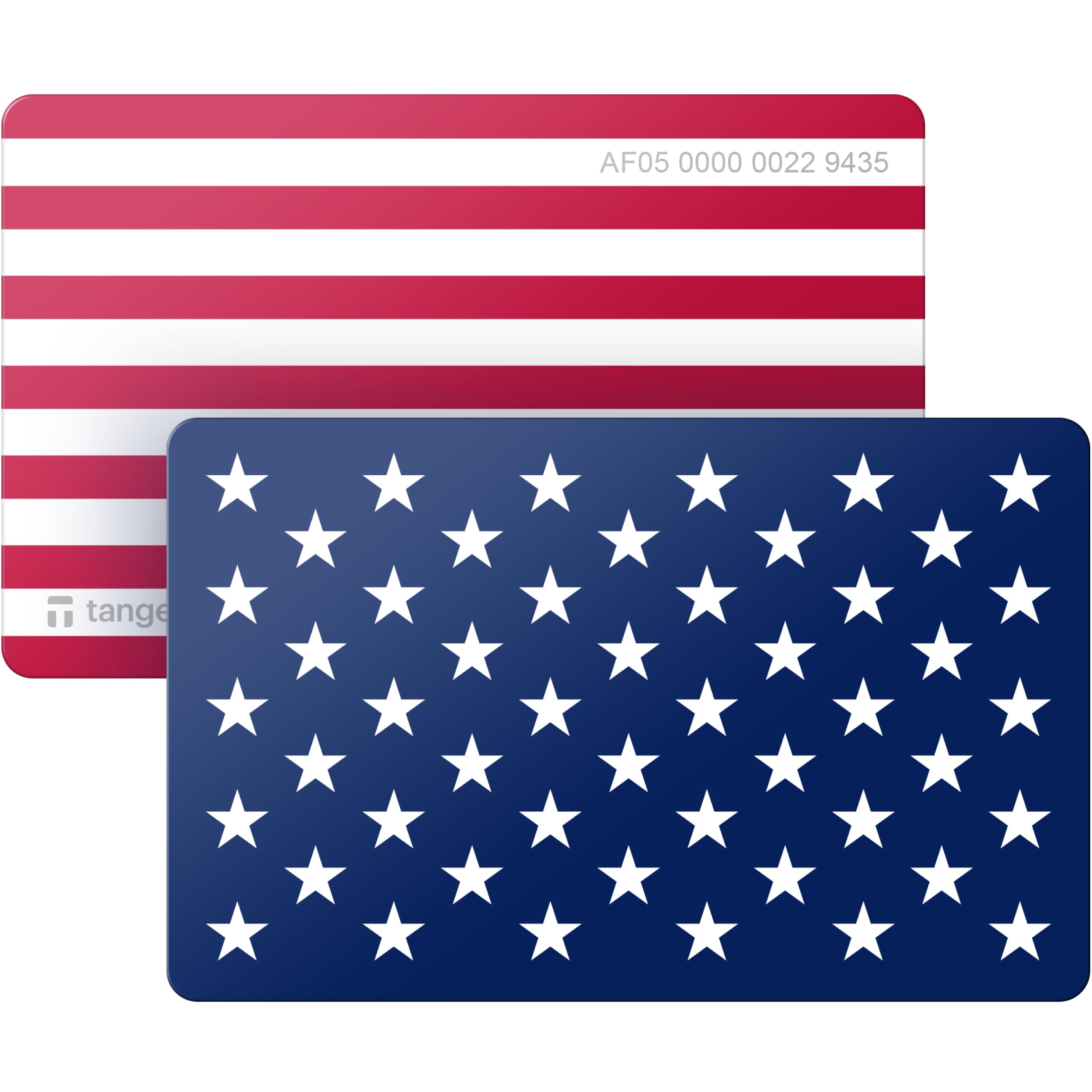
TANGEM takes the card-form concept and refines it into what is arguably the most user-friendly cold storage experience for new XRP holders. The wallet arrives as a set of two identical NFC cards — one primary, one backup — and uses a proprietary backup system that mirrors your private keys across both cards without ever exposing the seed phrase. You tap a card to your phone, set an access code, and start transacting. There are no batteries, no USB ports, and no cables to manage. The IP68 rating means the card survives dust, water, and even accidental trips through the wash.
The wallet’s EAL6+ secure element is among the highest certifications in the consumer hardware wallet market, matching Trezor and Arculus at a significantly lower entry point. XRP management is handled through the TANGEM app, which supports buying, selling, swapping, and dApp interactions via WalletConnect. The card can hold 600+ tokens across 20 blockchains, and the 25-year manufacturer warranty signals confidence in the card’s long-term durability.
The main limitation is that the card-form factor means there is no screen to verify addresses on the wallet itself — you must trust your phone’s display, which introduces a potential attack surface if your phone is compromised. The backup system, while convenient, locks you into the TANGEM ecosystem for restores rather than the universal BIP39 standard. For XRP users who prioritize simplicity and want to avoid managing a paper seed phrase, the TANGEM Wallet offers a compelling, low-friction entry to cold storage.
Why it’s great
- Multi-card backup eliminates seed phrase management
- IP68 waterproof and dustproof with no batteries to fail
- EAL6+ secure element at a budget-friendly price point
Good to know
- No on-card screen means address verification happens on phone
- Backup system is not standard BIP39 — ecosystem-dependent
- Limited to 20 blockchains despite 600+ token support
6. Ledger Nano S Plus

The Ledger Nano S Plus is the most widely adopted cold wallet on the market, and for good reason: it packs a CC EAL6+ certified secure element into a USB-drive-sized form factor that costs less than most premium models. XRP compatibility is native through the Ledger Live app, which handles sending, receiving, and staking across 15,000+ coins and tokens. The device connects via USB-C to desktop (Windows, macOS, Linux) and Android devices, and the small OLED screen lets you verify addresses and destination tags before confirming each transaction.
The secure element is the same hardware that Ledger’s white-hat hacking team — the Donjon — tests against side-channel and fault-injection attacks. The ledger OS receives constant security patches, and the Genuine Check feature ensures your device hasn’t been tampered with during shipping. The Nano S Plus is also one of the few wallets that stores over 128GB of app data, letting you load multiple coin apps without constantly installing and uninstalling.
The downsides are the lack of Bluetooth — you must plug it in every time — and the small screen that makes on-device navigation feel cramped. The device is not compatible with iOS, so iPhone users must look at the Nano X or another wallet. For XRP holders on a budget who want a proven, well-audited cold storage solution, the Nano S Plus delivers reliable protection without the frills.
Why it’s great
- CC EAL6+ certified secure element at a budget-friendly price
- Large 128GB storage capacity for multiple coin apps
- Extensive Ledger Live app for portfolio management
Good to know
- No Bluetooth — USB-C cable required for each connection
- Not compatible with iOS devices
- Small OLED screen makes address verification challenging
7. Blockstream Jade Plus
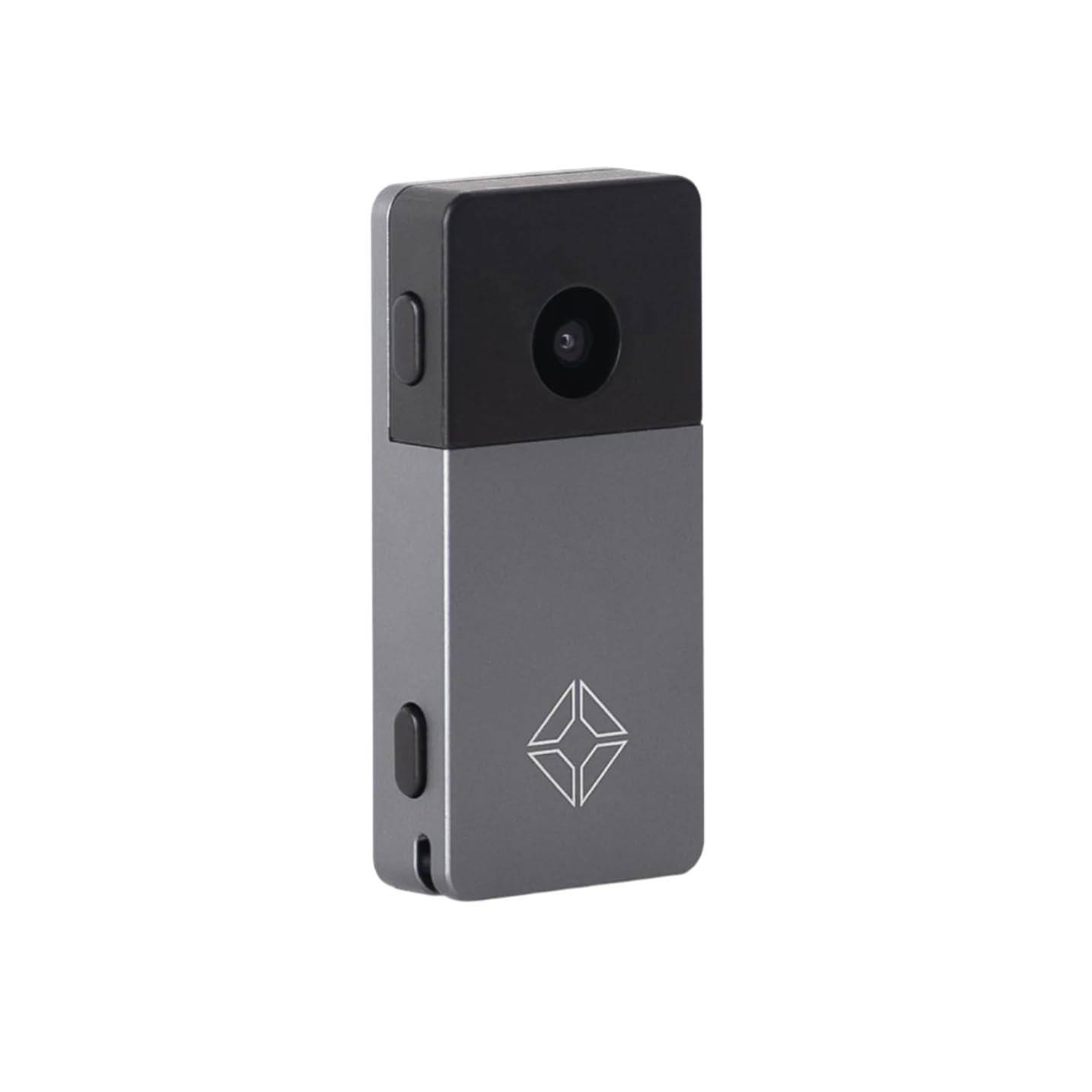
The Blockstream Jade Plus is engineered primarily for Bitcoin maximalists, but its hardware and connectivity features make it a versatile cold storage companion for XRP wallets running on compatible companion apps like Blockstream Green or Electrum. The device features a built-in camera for air-gapped QR code signing, Bluetooth for wireless pairing, USB-C for direct connections, and an SD card slot for offline firmware updates. The metal case and color screen give it a premium build that exceeds its mid-range positioning.
The wallet’s fully open-source nature — both hardware schematics and firmware — means anyone can audit the code for backdoors or vulnerabilities. For XRP holders who want to verify exactly how their private keys are generated and stored, this transparency is unmatched. The camera-based air-gap mode lets you sign XRP transactions without ever connecting the Jade Plus to your phone or computer via wire or radio, providing the same isolation as the ELLIPAL Titan Mini but at a lower price.
The catch is that XRP support is not built into the first-party Green app — you must use a third-party wallet like Electrum or Sparrow that understands the XRP Ledger’s address format. This adds a layer of complexity that casual users may find frustrating. The Jade Plus also has a narrower coin support list compared to Ledger or SecuX. For security-conscious XRP enthusiasts who value open-source transparency and want the option of fully air-gapped signing, the Jade Plus rewards the extra setup effort.
Why it’s great
- Fully open-source hardware and firmware for complete transparency
- Camera enables true air-gapped QR code signing
- Multiple connectivity options — USB-C, Bluetooth, SD card
Good to know
- XRP support requires third-party companion wallets
- Narrower native coin support than competing models
- Setup process is less streamlined for multi-asset users
FAQ
Can I stake XRP directly from these cold wallets?
What happens if my cold wallet is lost or destroyed?
Does every cold wallet support the XRP destination tag?
Final Thoughts: The Verdict
For most XRP holders, the best cold wallet for xrp overall is the SecuX V20 Plus because it combines an EAL5+ secure element with a large color touchscreen and Bluetooth flexibility, making everyday transactions smooth without sacrificing fundamental security. If you want an air-gapped fortress that never touches a network cable, grab the ELLIPAL Titan Mini. And for an open-source, fully transparent signing experience, the Blockstream Jade Plus delivers uncompromising auditability. Whichever you choose, ensure your seed phrase is backed up offline before transferring a single XRP.

Mo Maruf
I created WellFizz to bridge the gap between vague wellness advice and actionable solutions. My mission is simple: to decode the research and give you practical tools you can actually use.
Beyond the data, I am a passionate traveler. I believe that stepping away from the screen to explore new environments is essential for mental clarity and physical vitality.