Our readers keep the lights on and my smoothie glass nicely filled. As an Amazon Associate, I earn from qualifying purchases.
Electrical engineering demands a laptop that can simulate circuits, compile code, and run SPICE models without stuttering mid-calculation. A consumer-grade machine built for web browsing simply cannot handle the sustained multi-threaded loads that tools like MATLAB, LTspice, and AutoCAD place on the processor and memory system.
I’m Mohammad Maruf — the founder and writer behind WellFizz. I have spent hundreds of hours analyzing benchmark results, thermal designs, port configurations, and real-world student feedback to identify the laptops that genuinely support the electrical engineering workflow without compromise.
After reviewing more than a dozen current models across every performance tier, the computer for electrical engineering students that delivers the best blend of raw computational power, build quality, and feature completeness is the NIMO 17.3″ AMD Ryzen 7 8745HS with 32GB of RAM and the Radeon 780M integrated graphics.
How To Choose The Best Computer For Electrical Engineering Students
Selecting the right machine for electrical engineering coursework goes far beyond looking at a single benchmark number. The processor architecture, memory bandwidth, storage interface, and even the thermal solution all interact to determine whether your laptop can complete a Monte Carlo simulation in minutes rather than hours. Here are the critical specifications that separate a capable engineering workstation from a general-purpose consumer laptop.
Processor Architecture and Core Configuration
Electrical engineering software like MATLAB, Simulink, and Altium Designer benefits heavily from both high single-core clock speeds for serial tasks and a high core count for parallelized operations. AMD Ryzen 7 processors with eight cores and sixteen threads offer an exceptional balance, beating many Intel Core i7 equivalents in multi-threaded simulation workloads while maintaining competitive single-thread performance. Look for processors with a base TDP of at least 28W and boost clocks exceeding 4.5 GHz to avoid bottlenecks during iterative solver runs.
Memory Capacity and Bandwidth
Running a full PCB layout tool alongside a SPICE simulation and a browser with multiple datasheet PDFs can quickly consume 16 GB of RAM. A minimum of 32 GB of DDR5 memory is the realistic baseline for efficient multitasking in this field. The switch to DDR5 brings significantly higher bandwidth — 4800 MT/s or faster — which directly reduces latency when handling large matrices and FFT computations common in signal processing projects. Dual-channel configuration is non-negotiable for integrated graphics performance.
Storage Interface and Capacity
Project files for electrical engineering can balloon rapidly, especially when storing high-resolution oscilloscope captures, simulation result archives, and PCB design files. A PCIe Gen 4 NVMe SSD with at least 1 TB of capacity provides the sequential read speeds necessary to load large simulation environments in seconds rather than minutes. Dual M.2 slots are a strong advantage, allowing you to add a second drive later without replacing your primary storage.
Quick Comparison
On smaller screens, swipe sideways to see the full table.
| Model | Category | Best For | Key Spec | Amazon |
|---|---|---|---|---|
| GIGABYTE AERO X16 | Premium Ultrabook | AI acceleration & high-fidelity simulation | RTX 5070 · 32GB DDR5 · 165Hz WQXGA | Amazon |
| Dell Precision 3490 | Mobile Workstation | ISV-certified CAD & reliability | Core Ultra 5 135H · 32GB DDR5 · MIL-STD 810H | Amazon |
| Alienware 16 Aurora | Gaming Powerhouse | GPU-accelerated simulation & rendering | RTX 5060 8GB · 16:10 WQXGA · 240H CPU | Amazon |
| Lenovo IdeaPad 16″ i7 | Mid-Range Workhorse | Long battery life & large display | i7-13620H · 24GB DDR5 · 1.68 kg | Amazon |
| Lenovo ThinkPad E16 Gen 2 | Business Class | Professional durability & security | Ryzen 7 7735HS · 16GB DDR5 · Fingerprint reader | Amazon |
| NIMO 17.3″ Ryzen 7 32GB | Premium Gaming | Multi-threaded simulation & 4K display | Ryzen 7 8745HS · 32GB DDR5 · 4K IPS | Amazon |
| HP 17.3″ AMD Ryzen 5 | Value Large Screen | High RAM capacity & big display | Ryzen 5 · 32GB RAM · 1TB+512GB storage | Amazon |
| HP 15.6″ Core i5 32GB | Business Value | Office suite & moderate multitasking | Core i5 · 32GB RAM · 1TB SSD · Iris Xe | Amazon |
| ASUS Vivobook 14″ | Ultraportable | Lightweight daily carry & browsing | Core 5 120U · 12GB RAM · 1TB SSD | Amazon |
| HP 250 G10 i7 | Business Compact | Reliable office performance | i7-1355U · 20GB RAM · 512GB SSD | Amazon |
| NIMO 17.3″ Ryzen 7 16GB | Entry Gaming | Affordable 4K display & gaming | Ryzen 7 8745HS · 16GB DDR5 · 4K IPS | Amazon |
| Lenovo IdeaPad Touch | Touch Screen Value | Touch-based navigation & student budget | i5-1235U · 24GB RAM · 1.5TB Storage | Amazon |
| HP 17″ AMD Ryzen 5 | Budget Large Screen | Maximum screen real estate on a budget | Ryzen 5 · 32GB RAM · 1TB SSD | Amazon |
In‑Depth Reviews
1. GIGABYTE AERO X16
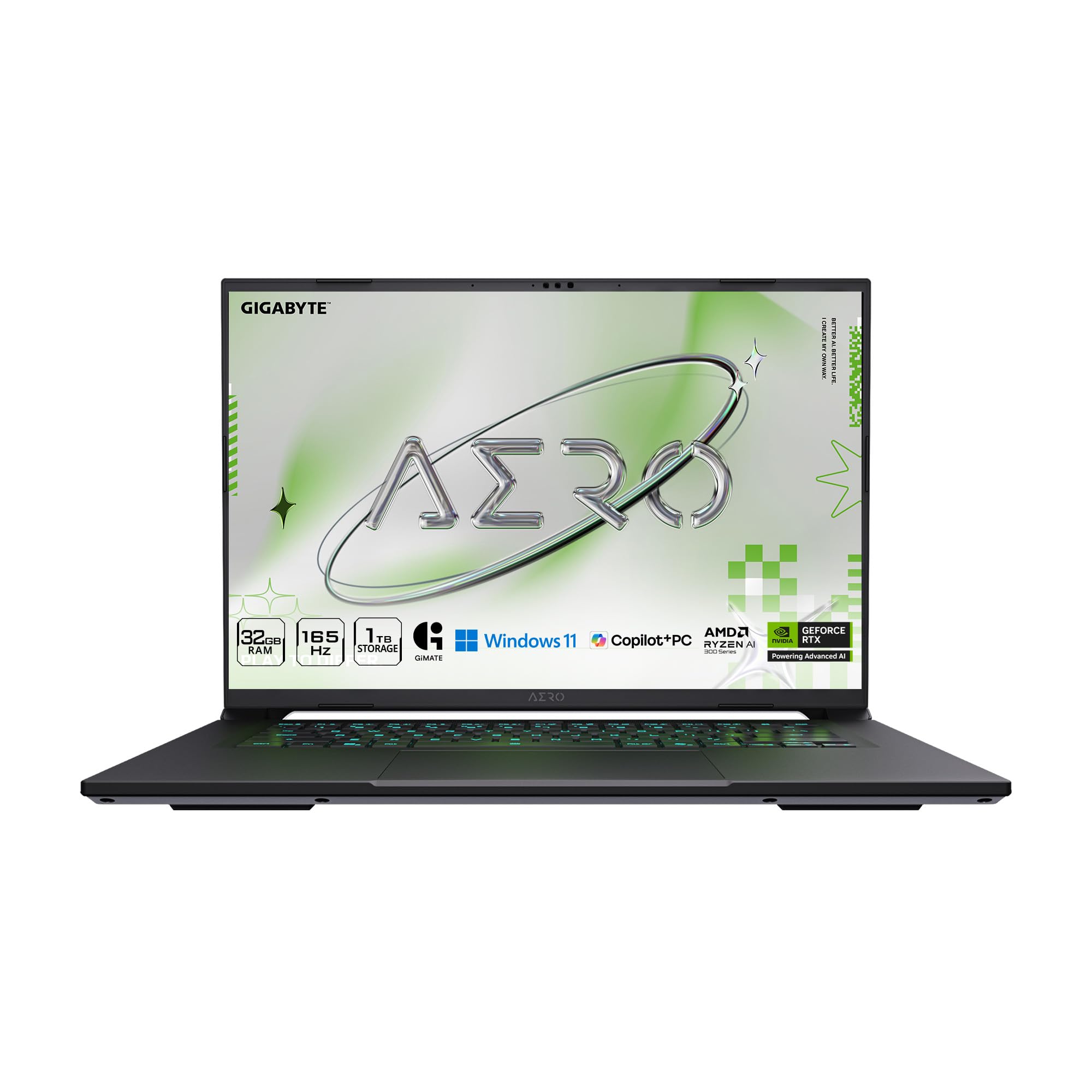
The GIGABYTE AERO X16 represents a new class of Copilot+ PC specifically engineered for the AI-accelerated workloads that modern electrical engineering software is beginning to leverage. The AMD Ryzen AI 9 HX 370 processor, with its dedicated neural processing unit, can offload certain matrix operations and simulation preprocessing tasks from the CPU cores, freeing up compute resources for the solver itself.
The inclusion of the NVIDIA GeForce RTX 5070 laptop GPU with 8 GB of VRAM means that GPU-accelerated simulation tools like CUDA-based MATLAB functions and Ansys Discovery will run at full speed. The 165 Hz 2560×1600 WQXGA display provides exceptional pixel density for reading complex schematics and PCB layouts without constant zooming. At only 16.75 mm thick and 1.9 kg, this machine is genuinely portable for a 16-inch device.
Owners report that the laptop maintains CPU and GPU temperatures around 65°C under sustained load with a cooling pad, avoiding thermal throttling during long simulation runs. The fan noise is audible only under full stress, making it acceptable for library use when set to a balanced power profile.
Why it’s great
- Dedicated NPU accelerates AI-driven simulation preprocessing
- RTX 5070 GPU with 8GB VRAM handles CUDA workloads
- Ultra-slim 16.75 mm chassis with premium metal build
- High-resolution 165 Hz WQXGA display for schematics
Good to know
- Only one USB-C port limits peripheral expansion
- Premium price point may exceed strict student budgets
- Single USB-C port can be limiting for lab setups
2. Dell Precision 3490 Mobile Workstation
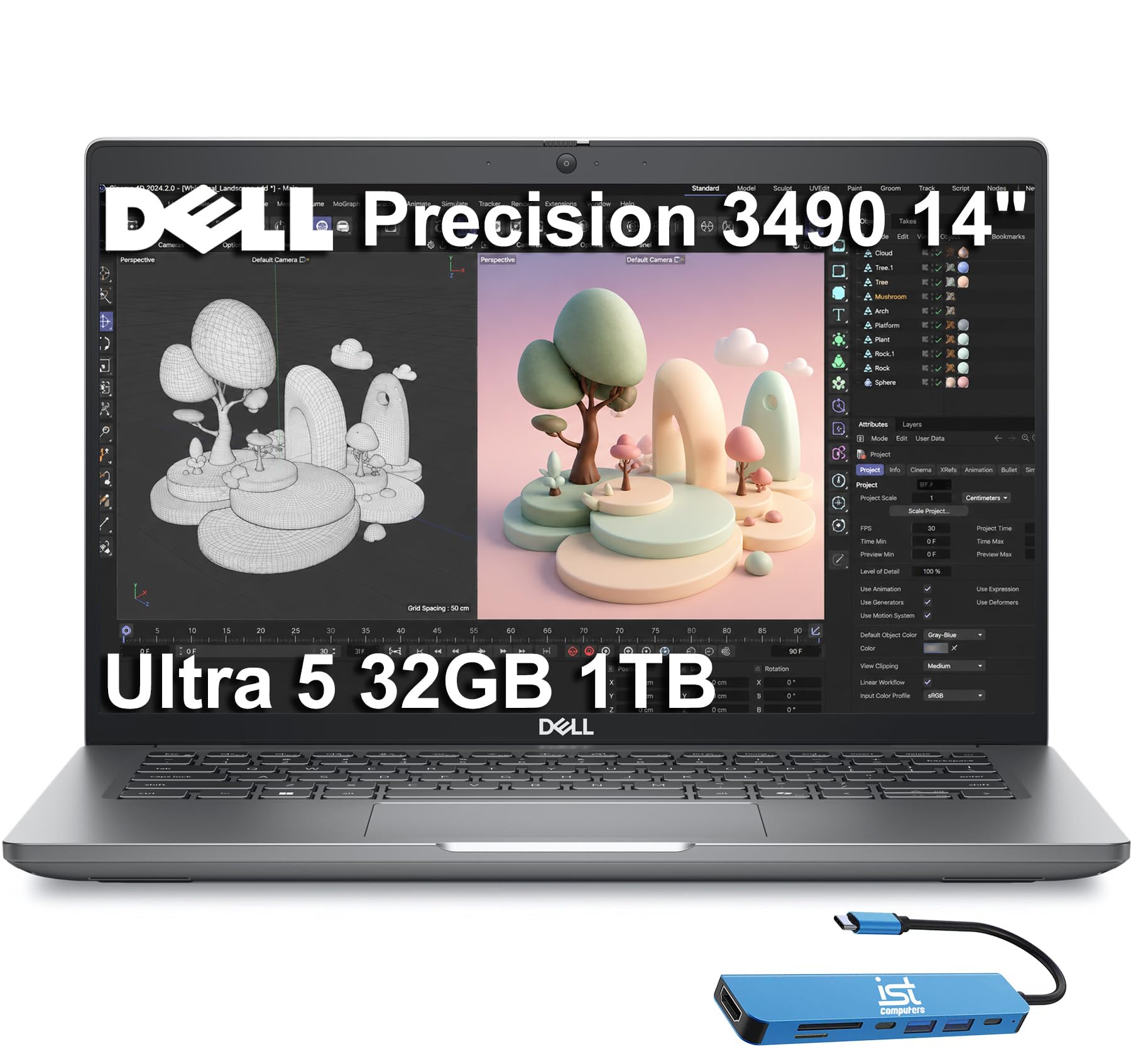
The Dell Precision 3490 is a true mobile workstation, built from the ground up for professional engineering applications. It is ISV-certified, meaning that software vendors like Autodesk, ANSYS, and Dassault Systèmes have tested and validated the hardware and driver combination for stability, a critical advantage when running complex finite element analysis or signal integrity simulations that cannot afford random crashes.
Powered by the Intel Core Ultra 5 135H with 14 cores and 32 GB of DDR5 RAM, this laptop handles multi-threaded simulation tasks with ease. The dual Thunderbolt 4 ports provide 40 Gbps bandwidth each, enabling connection to high-speed external storage arrays or multiple 4K monitors without a docking station — ideal for lab environments where you need to reference datasheets on one screen and run SPICE on another. The MIL-STD 810H certification guarantees it can survive the bumps of daily campus life.
Weighing just 3.09 lbs, it is exceptionally portable for a workstation-class machine. The 14-inch FHD display is adequate for its size, and the 1080p HDR webcam with privacy shutter ensures clear video calls with project groups. As a business-class machine, it lacks a discrete GPU, so GPU-accelerated simulations will run on integrated graphics.
Why it’s great
- ISV-certified for CAD and simulation software stability
- Lightweight 3.09 lbs with MIL-STD 810H durability
- Two Thunderbolt 4 ports for high-speed peripherals
- Windows 11 Pro with enterprise security features
Good to know
- Integrated graphics only; no discrete GPU for CUDA workloads
- 14-inch display may feel small for complex PCB layouts
- Some units may require BIOS update for full driver support
3. Alienware 16 Aurora

The Alienware 16 Aurora is built for maximum graphics compute performance, making it a strong contender for electrical engineering students who work with GPU-accelerated simulation tools and AI models. The NVIDIA GeForce RTX 5060 with 8 GB of GDDR7 VRAM delivers exceptional throughput for CUDA-accelerated MATLAB functions, TensorFlow model training, and real-time signal processing visualization.
The 16-inch 16:10 WQXGA display (2560×1600) provides extra vertical resolution, reducing scrolling when reading lengthy code files or schematics. The Intel Core 7 240H Series 2 processor, with its 5.2 GHz boost clock, handles serial solver tasks aggressively. The Cryo-Chamber cooling structure focuses airflow directly on the CPU and GPU heat pipes, allowing sustained performance without aggressive thermal throttling during long simulation runs.
Users report excellent gaming performance as a side benefit, but the real value for an engineering student is the capability to run Ansys and SolidWorks simulations with full GPU acceleration. The laptop is heavier than ultrabooks, so it is best suited for students who do not need to carry it between every class.
Why it’s great
- RTX 5060 with 8GB GDDR7 for CUDA/GPU compute
- 16:10 WQXGA display for code and schematics
- High single-core clock speed for serial solver tasks
- Dell onsite service provides peace of mind
Good to know
- Heavy and less portable for daily campus carry
- Battery life shorter under load due to GPU power draw
- Fan noise can be loud during sustained simulations
4. Lenovo IdeaPad 16″ i7
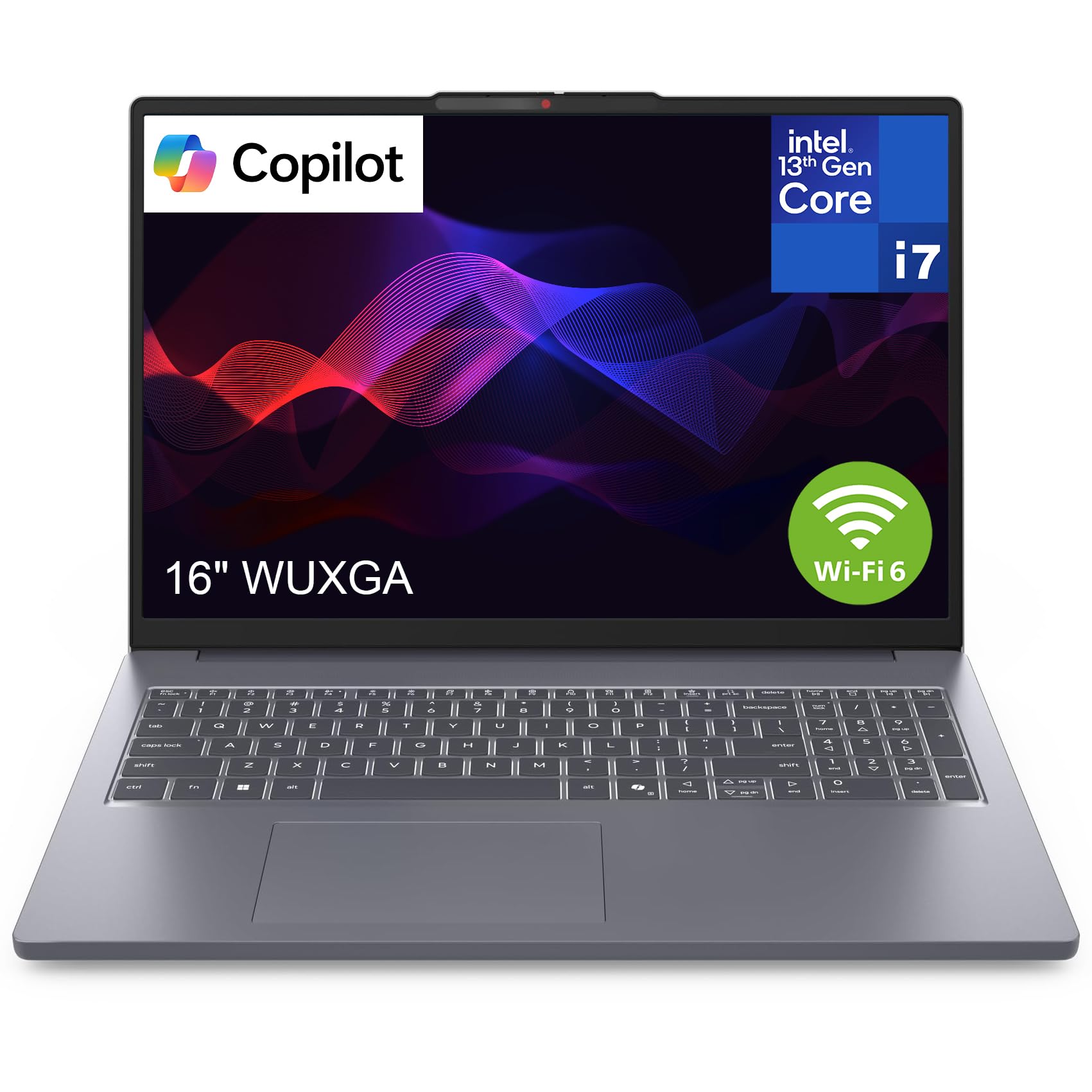
The Lenovo IdeaPad 16 with an Intel Core i7-13620H and 24 GB of DDR5 RAM strikes an excellent balance between computational power and battery endurance. The 13th Gen Intel processor features 10 cores (6 performance, 4 efficient) that handle multi-threaded simulation workloads while the efficient cores manage background tasks, extending battery life significantly compared to older architectures.
With USB-C fast charging and a battery rated for all-day productivity, this laptop can survive a full day of lectures, lab sessions, and library study without needing a wall outlet. The 16-inch anti-glare display reduces eye strain during long documentation sessions, and the slim 1.68 kg profile makes it genuinely portable. The full array of I/O ports — USB-C, USB-A, HDMI, and SD card reader — means you can connect to lab equipment without a dongle.
The primary limitation is the integrated Intel UHD Graphics, which means GPU-accelerated simulation tasks will rely on the CPU alone. For coursework that does not require CUDA acceleration, this is a non-issue. The power button location on the side takes some adjustment.
Why it’s great
- Excellent battery life for all-day campus use
- Lightweight 1.68 kg with 16-inch display
- USB-C fast charging for quick top-ups
- Full port selection including SD card reader
Good to know
- Integrated graphics limit GPU simulation acceleration
- Power button on the side can be awkward to reach
- 24GB RAM is not dual-channel symmetrical
5. Lenovo ThinkPad E16 Gen 2
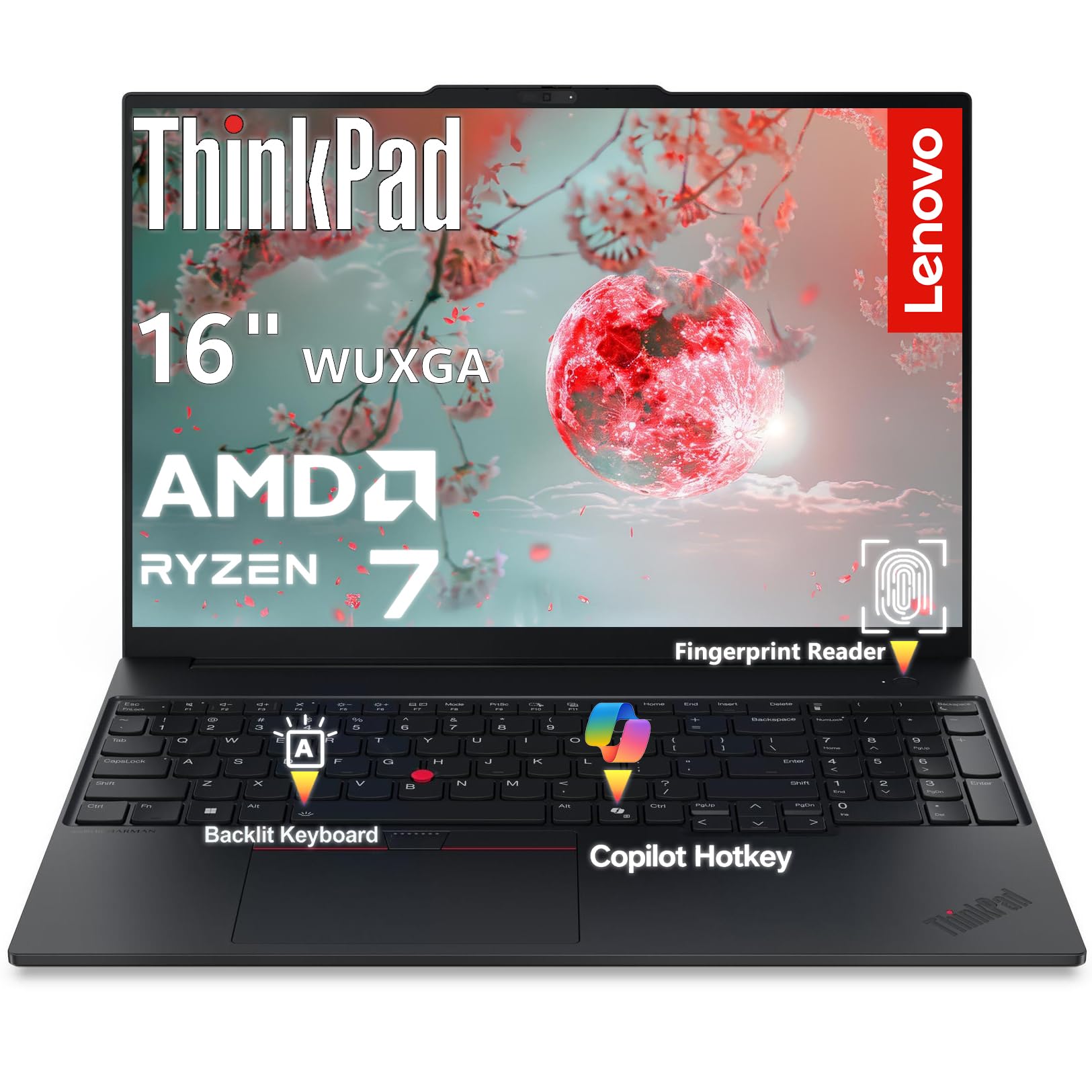
The Lenovo ThinkPad E16 Gen 2 brings the legendary ThinkPad build quality and security features to the engineering student market. The AMD Ryzen 7 7735HS processor, with eight cores and sixteen threads running up to 4.75 GHz, delivers outstanding multi-threaded performance for simulation workloads, while the Radeon 680M integrated graphics handles light GPU acceleration tasks like hardware-accelerated video encoding and basic rendering.
The 16-inch WUXGA display (1920×1200) uses a 16:10 aspect ratio, providing 11% more vertical workspace than a standard 16:9 panel — a real advantage when scrolling through lines of Verilog code or viewing schematic hierarchy trees. The fingerprint reader integrated into the power button and the discrete TPM 2.0 chip provide enterprise-grade security, which is valuable if you are handling sensitive research data. The aluminum chassis feels premium and durable.
The 512 GB SSD is adequate for starting out, but power users may find themselves upgrading storage sooner than with 1 TB options. The 45% NTSC color gamut is sufficient for engineering work but not ideal for color-critical tasks. The included Gigabit Ethernet port is a rare find on modern laptops and ensures reliable wired connections in lab environments.
Why it’s great
- Premium aluminum chassis with MIL-spec durability
- 16:10 display aspect ratio for extra vertical screen space
- Fingerprint reader and TPM 2.0 for data security
- Gigabit Ethernet for reliable lab connectivity
Good to know
- 512 GB SSD fills quickly with project files and tools
- Display color gamut limited to 45% NTSC
- 16 GB RAM may require upgrade for heavy multitasking
6. NIMO 17.3″ AMD Ryzen 7 8745HS 32GB

The NIMO 17.3-inch laptop with the AMD Ryzen 7 8745HS processor, 32 GB of DDR5 RAM, and a 1 TB SSD represents the sweet spot for electrical engineering students who need uncompromised performance without stepping into ultra-premium pricing territory. The Ryzen 7 8745HS, with its 54W TDP, delivers sustained multi-threaded performance that beats many desktop-class processors, making it ideal for running iterative simulation sweeps overnight.
The Radeon 780M integrated graphics is a revelation for this class — it rivals entry-level discrete GPUs in compute tasks, providing genuine GPU acceleration for MATLAB and TensorFlow without needing a separate graphics card. The 17.3-inch 4K IPS display offers exceptional pixel density for viewing complex schematics and multi-lane PCB designs at full resolution. The 180-degree hinge allows you to lay the screen flat for collaborative project reviews.
The dual M.2 PCIe 4.0 SSD slots and dual DDR5 SODIMM slots (supporting up to 64 GB) ensure this machine can grow with you through graduate-level work. The 100W USB-C PD charging means a single charger can power both the laptop and your phone. The 2-year warranty provides coverage that exceeds the typical one-year term.
Why it’s great
- 32 GB DDR5 RAM handles multi-simulation multitasking
- Radeon 780M provides near-discrete GPU compute performance
- 17.3-inch 4K IPS display for detailed schematics
- Dual M.2 and dual DDR5 slots for future upgrades
Good to know
- Some units may require driver updates for optimal stability
- Large 17.3-inch size less portable than 14-inch alternatives
- Speaker quality is mediocre; external speakers recommended
7. HP 17.3″ AMD Ryzen 5 32GB

The HP 17.3-inch laptop with the AMD Ryzen 5 processor and 32 GB of RAM offers exceptional memory capacity for students who need to keep multiple simulation environments and development tools open simultaneously. The six-core Ryzen 5 processor, with a 4.3 GHz boost clock, provides adequate compute power for most undergraduate-level simulation tasks, including moderate circuit simulations and signal processing projects.
The 17.3-inch FHD IPS display at 300 nits brightness provides clear, comfortable viewing for extended study sessions. The numeric keypad is a practical addition for data entry in lab reports. The included 512 GB docking station set effectively doubles your storage, giving you 1.5 TB total for project files, datasets, and software installations. The HP Fast Charge technology brings the battery from 0 to 50 percent in approximately 45 minutes.
The lack of a backlit keyboard is a notable omission for students who work in dimly lit environments. The 720p front-facing camera is adequate but not exceptional for video calls. The battery life of approximately 9 hours is reasonable for a large-screen laptop but falls short of ultrabook endurance standards.
Why it’s great
- 32 GB RAM enables heavy multitasking on a budget
- 1.5 TB total storage via included docking station set
- 17.3-inch FHD display with numeric keypad
- Fast Charge reaches 50% in 45 minutes
Good to know
- Keyboard does not have backlighting
- 720p webcam quality is average
- Battery life is adequate but not outstanding
8. HP 15.6″ Core i5 32GB

The HP 15.6-inch laptop with a 10-core Intel Core i5 processor and 32 GB of DDR4 RAM delivers strong multitasking capability at a mid-range price point. The Iris Xe graphics provide a noticeable improvement over older integrated solutions, enabling basic GPU acceleration for lightweight simulation tasks and smooth 4K video playback for instructional content.
Windows 11 Pro includes BitLocker encryption and remote desktop features that engineering students working with sensitive research data will appreciate. The included Microsoft Office Lifetime Suite removes the recurring subscription cost, which is a real financial benefit over a four-year degree program. The anti-glare 300-nit display is comfortable for long work sessions, and the AI noise removal improves the clarity of video calls with project teams.
The 1 TB SSD provides plenty of space for engineering software suites that can consume 50 GB or more each. However, the processor generation is labeled as 11th or 12th Gen depending on configuration, so verify the exact CPU before purchase. Some users have reported wireless card failures, highlighting the importance of checking warranty coverage and return policies.
Why it’s great
- 32 GB RAM and 1 TB SSD for engineering software
- Windows 11 Pro with BitLocker security
- Included Microsoft Office Lifetime Suite saves subscription costs
- Anti-glare 300 nit display with AI noise removal
Good to know
- Processor generation varies by configuration
- Some units reported wireless card defects
- Cannot support multiple external monitors easily
9. ASUS Vivobook 14″

The ASUS Vivobook 14 is designed for students who prioritize portability above all else, offering a lightweight 14-inch form factor that slips easily into a backpack for a day of classes. The Intel Core 5 120U processor, with 10 cores and a 5 GHz boost clock, provides responsive performance for everyday tasks and can handle lighter simulation workloads without complaint.
The 14-inch FHD IPS display with an anti-glare coating is comfortable for reading datasheets and documentation. The included PLUSERA 8-in-1 hub expands the port selection significantly, adding USB-A, HDMI, and SD card connectivity that the slim chassis lacks. The SonicMaster-tuned speakers deliver better audio than most budget laptops, which is useful for watching instructional videos or participating in online lectures.
The 12 GB of RAM is the clear limitation here — it will handle basic multitasking but will struggle if you try to run MATLAB, a SPICE simulation, and a web browser with multiple tabs simultaneously. This machine is best suited for first-year students or as a secondary laptop for note-taking and light coding.
Why it’s great
- Lightweight and portable 14-inch design
- Included 8-in-1 hub adds essential connectivity
- SonicMaster speakers offer above-average audio
- Camera privacy shutter for security
Good to know
- 12 GB RAM insufficient for heavy simulation multitasking
- Integrated graphics limited for GPU-accelerated tasks
- Smaller screen requires more scrolling for schematics
10. NIMO 17.3″ AMD Ryzen 7 8745HS 16GB

The NIMO 17.3-inch laptop with 16 GB of RAM shares the same powerful Ryzen 7 8745HS processor and Radeon 780M integrated graphics as its 32 GB sibling but at a lower entry point. The processor is the star here — with 8 cores and 16 threads at up to 4.9 GHz, it handles multi-threaded simulation tasks with authority, and the Radeon 780M provides GPU compute capabilities that rival entry-level discrete GPUs.
The 17.3-inch display supports up to 4K resolution, offering the pixel density needed for detailed schematic work without zooming. The 180-degree hinge is useful for collaborative settings. USB4 support provides 40 Gbps bandwidth for external GPU enclosures or high-speed storage, future-proofing the machine for advanced projects. The backlit keyboard and fingerprint reader add convenience and security.
The 16 GB of RAM is the bottleneck here — it will handle most undergraduate simulation tasks, but running multiple heavy applications simultaneously will push the memory limit. Upgrading to 32 GB later is possible thanks to the dual DDR5 slots. The 58 Wh battery provides approximately 4 hours of real-world use under load, which is typical for a high-performance 17.3-inch machine.
Why it’s great
- Powerful Ryzen 7 8745HS processor with 8 cores
- Radeon 780M GPU for compute acceleration
- 4K IPS display and 180-degree hinge
- USB4 and dual DDR5 slots for future upgrades
Good to know
- 16 GB RAM may need upgrading for heavy users
- Battery life is approximately 3-4 hours under load
- Some users report learning curve with trackpad gestures
11. HP 250 G10 i7
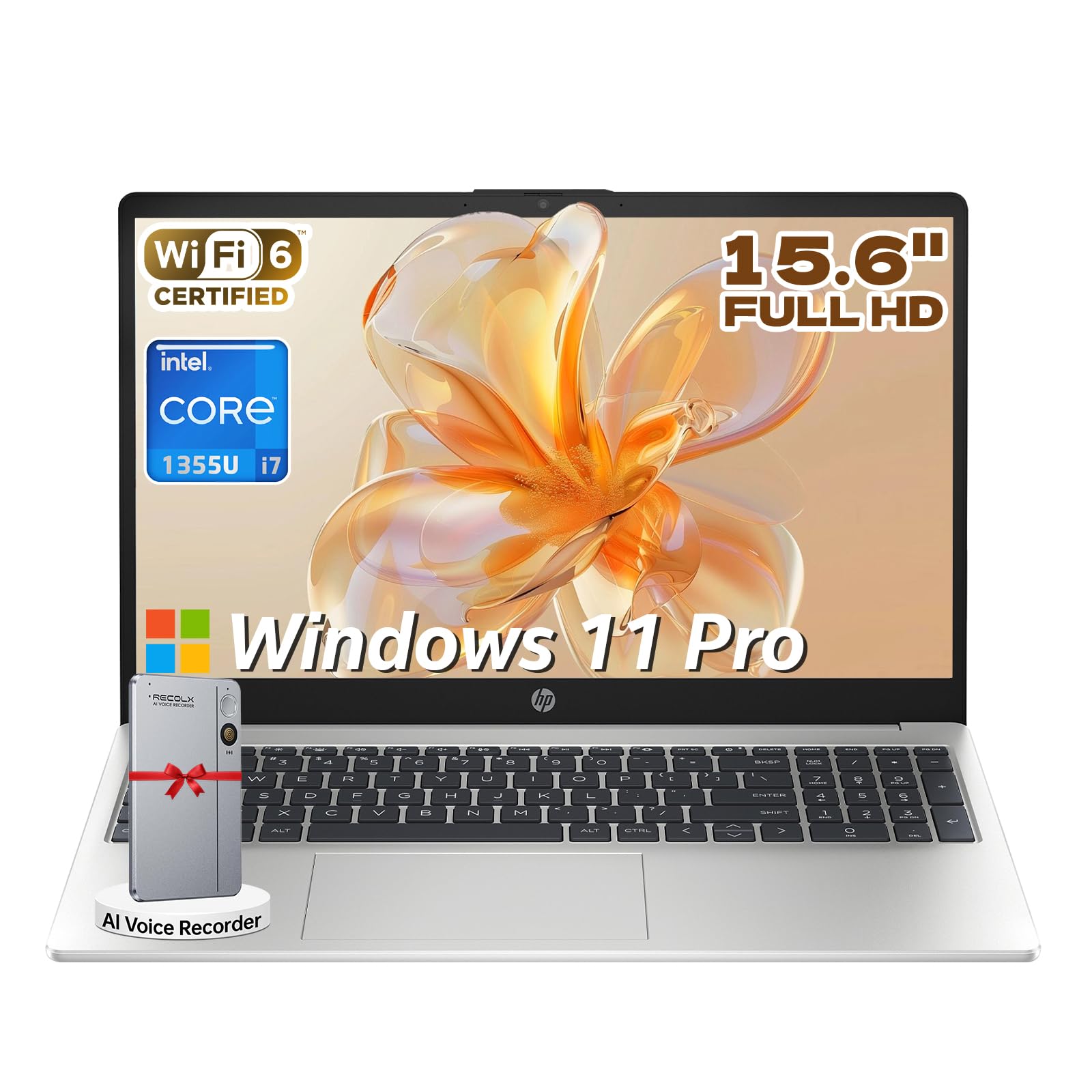
The HP 250 G10 with the Intel Core i7-1355U processor brings a high-performance CPU to a business-class chassis. The 13th Gen i7 features 10 cores (2 performance, 8 efficient) with a maximum boost clock of 5.0 GHz, delivering strong single-threaded performance for serial solver tasks in simulation software, while the efficient cores handle background system processes.
The 15.6-inch FHD anti-glare display provides comfortable viewing for long study sessions, and the numeric keypad is a practical addition for data entry. Windows 11 Pro includes enterprise-grade management features that some university IT departments require for network access. The included RECOLX AI Voice Recorder is an unusual but potentially useful addition for recording lectures and generating meeting summaries.
The 512 GB SSD is the primary limitation for engineering students, as a full installation of MATLAB, Altium Designer, and supporting toolchains can consume a significant portion of that space. The 20 GB RAM configuration is adequate but not generous for heavy multitasking. Some customers reported receiving units with prior service history, so verifying the warranty status at delivery is important.
Why it’s great
- Intel i7-1355U with 5.0 GHz single-core boost
- Windows 11 Pro for enterprise network compatibility
- Anti-glare display for reduced eye strain
- Included AI voice recorder for lecture capture
Good to know
- 512 GB SSD is limited for engineering software suites
- Some units may have been previously serviced
- USB-C port supports data only, not display output
12. Lenovo IdeaPad Touch 15.6″
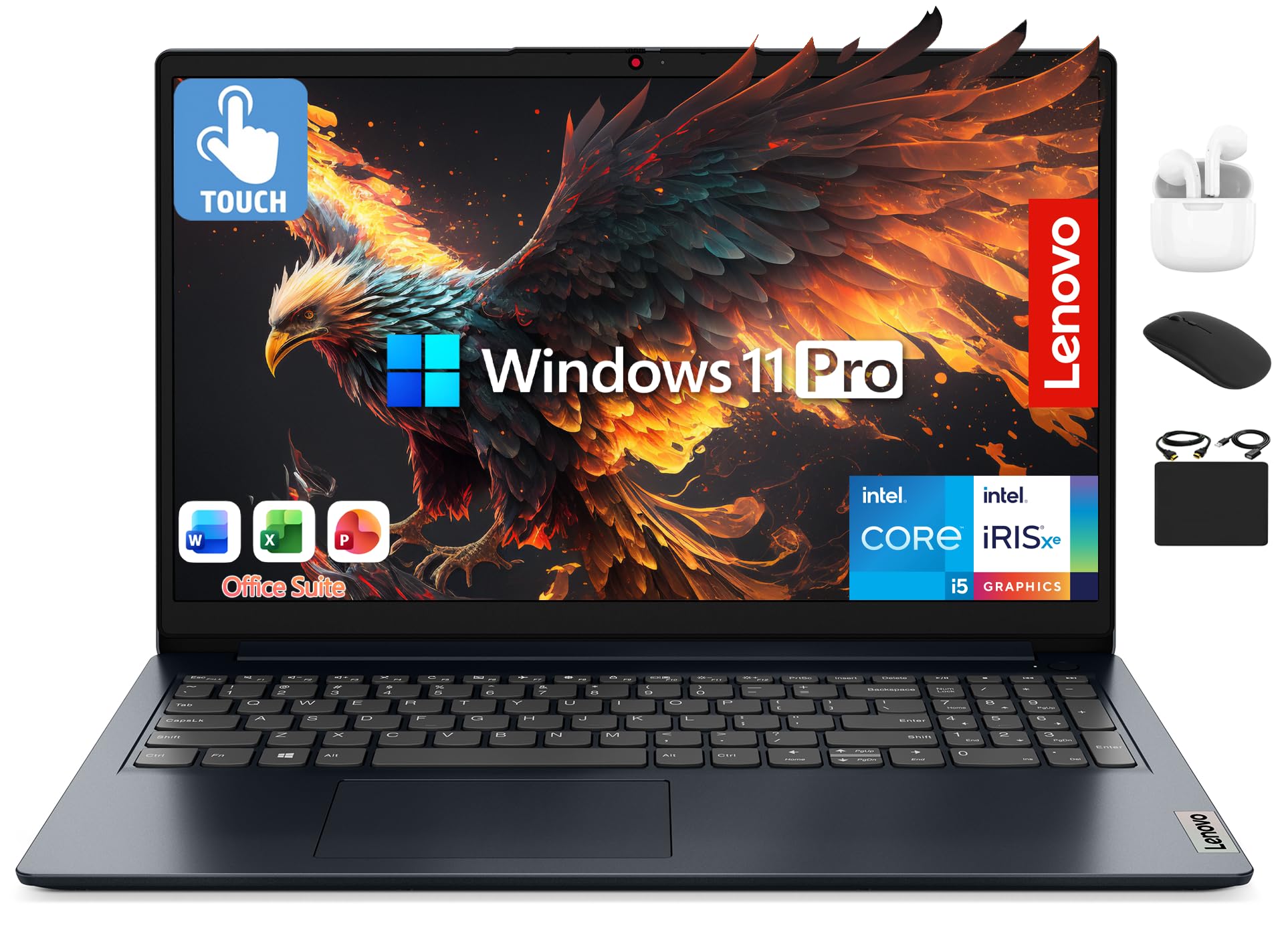
The Lenovo IdeaPad with a 15.6-inch FHD touchscreen offers an interactive dimension that can be useful for navigating complex schematics and zooming into PCB layout details. The 10-core Intel Core i5-1235U processor provides adequate compute power for undergraduate coursework, with the 12th Gen architecture handling multi-threaded tasks reasonably well.
The 24 GB of RAM is generous for this price tier, allowing for comfortable multitasking across simulation software, browser tabs, and documentation. The 1 TB SSD plus a 500 GB external drive provides 1.5 TB of total storage, which is sufficient for multiple years of project files, simulation results, and engineering software installations. The included wireless earbuds, mouse, and hub add value for students who need peripherals.
The battery life falls short of the advertised 11 hours, with users reporting that real-world usage requires charging after several hours of work. The touchscreen, while useful for some tasks, does consume additional battery power. The bundled Microsoft Office 2024 license is a financial benefit that eliminates subscription costs during your studies.
Why it’s great
- FHD touchscreen for interactive schematic navigation
- 1.5 TB total storage with included external drive
- 24 GB RAM for comfortable multitasking
- Included peripherals and Office license add value
Good to know
- Battery life shorter than advertised in real use
- Touchscreen consumes additional battery
- Processor is last-gen 12th Gen architecture
13. HP 17″ AMD Ryzen 5 32GB

The HP 17-inch laptop with an AMD Ryzen 5 processor and 32 GB of RAM offers the largest screen and highest memory capacity in the budget tier, making it a compelling choice for students who need a big display for schematics and the RAM to keep multiple simulation environments running. The Ryzen 5 7430U provides 6 cores and 12 threads with a 4.3 GHz boost clock, delivering competent performance for undergraduate simulation tasks.
The 17.3-inch HD+ display (1600×900) is the primary compromise here — the resolution is lower than the FHD panels found on most competitors, which means less screen real estate for toolbars and code windows. The 1 TB PCIe SSD provides fast storage for your OS and applications. The numeric keypad is standard on this large chassis, aiding data entry in lab reports and datasheets.
Multiple customer reviews raise serious concerns about the reliability of this specific configuration, with one report of a unit showing modified specifications after delivery. The included Office 2021 license appears to be a third-party activation key that may not work as advertised. Given these risks, this laptop is only recommended if you can verify the specifications immediately upon delivery and have a clear return path.
Why it’s great
- 32 GB RAM at a budget price point
- Large 17.3-inch screen with numeric keypad
- 1 TB PCIe SSD for fast storage
- AMD Ryzen 5 provides good multi-threaded performance
Good to know
- HD+ resolution (1600×900) is lower than FHD standard
- Multiple reports of specification discrepancies
- Bundled Office license may have activation issues
FAQ
How much RAM do I actually need for MATLAB and SPICE simulations?
Is a dedicated GPU necessary for electrical engineering programs?
Should I prioritize a higher resolution display for schematic work?
What storage capacity do I need for engineering software and projects?
Final Thoughts: The Verdict
For most electrical engineering students, the computer for electrical engineering students that offers the best balance of raw performance, upgradeability, and display quality is the NIMO 17.3″ with the AMD Ryzen 7 8745HS and 32 GB of RAM because it delivers workstation-class compute power with a 4K display and dual upgradeable slots at a mid-range price. If you need dedicated GPU acceleration for CUDA-based simulation tools and AI workloads, the GIGABYTE AERO X16 with the RTX 5070 is the uncompromised choice. And for students who prioritize portability and ISV certification above all else, the Dell Precision 3490 mobile workstation offers professional-grade stability in a lightweight chassis.

Mo Maruf
I created WellFizz to bridge the gap between vague wellness advice and actionable solutions. My mission is simple: to decode the research and give you practical tools you can actually use.
Beyond the data, I am a passionate traveler. I believe that stepping away from the screen to explore new environments is essential for mental clarity and physical vitality.