Our readers keep the lights on and my smoothie glass nicely filled. As an Amazon Associate, I earn from qualifying purchases.
A touchscreen computer isn’t just a screen you can poke at—it’s a fundamental shift in how you interact with your data. For creative professionals sketching concepts, medical staff updating charts, or anyone who has grown tired of a mouse cursor’s friction, a responsive touch display turns passive viewing into a direct, tactile experience. The challenge today isn’t finding a touch screen model; it’s sorting through a market flooded with varying touch technologies, processor power, and form factors that range from budget all-in-ones to ultra-premium business laptops.
I’m Mohammad Maruf — the founder and writer behind WellFizz. I’ve spent hundreds of hours analyzing processor benchmarks, touch digitizer accuracy, display brightness and color gamut, and real-world port selection to isolate the machines that genuinely excel in a touch-first workflow.
This guide cuts through the noise to help you identify the machine that matches your specific needs. Whether you’re a student, a creative, a business professional, or a home user, the right computer with touch screen balances display quality, processing power, and ergonomic flexibility for a seamless interactive experience.
How To Choose The Best Computer With Touch Screen
Most buyers assume any touch screen is the same. In reality, the touch digitizer, display panel, processor, and RAM profoundly impact whether your machine feels natural or frustrating. Focus on these four areas to make the right choice.
Form Factor: All-in-One or Laptop?
All-in-one desktops like the HP or ASUS models provide a large, stable touch canvas ideal for design work, education, and home use where portability isn’t needed. Laptops like the Samsung Galaxy Book5 Pro 360 or LG Gram 17 offer a convertible design, allowing you to fold the screen back for tablet-mode drawing or presentations. Your desk space and mobility needs drive this decision.
Touch Digitizer & Pen Support
Not all touch screens are equal. Basic multi-touch screens register fingers well but lack the sensitivity for fine pen strokes. Premium models like the ThinkPad X1 Carbon and Galaxy Book5 Pro 360 include active pen support with 4,096 levels of pressure sensitivity, letting you sketch, annotate, and take handwritten notes with precision. If you plan to draw or sign documents, active pen compatibility is non-negotiable.
Processor & Memory for Touch Workloads
A touch interface demands fluid response. Entry-level processors like the Intel N100 handle basic web browsing and document editing, but stutter when running multiple touch-optimized apps. Mid-range chips like the Intel Core i5-13420H or AMD Ryzen 5 7520U offer smooth multitasking. For heavy creative work, the Intel Core Ultra 7 series in the Dell and HP premium models provides the horsepower needed for video editing and data visualization without lag. 16GB of RAM is the baseline for a responsive touch experience; 32GB ensures future-proofing.
Display Quality: Resolution, Brightness, and Glare
Touch naturally brings your fingers and face closer to the screen. A 1920×1080 (Full HD) resolution is adequate for most users, but the 3K AMOLED panel on the Samsung Galaxy Book5 Pro 360 delivers stunning color and contrast for photo editing and media consumption. Anti-glare technology is crucial on touch computers because fingerprints are more visible—and reflections more distracting—when you’re reaching for the screen. Look for at least 250 nits of brightness, with 400+ nits preferred for bright rooms or outdoor use.
Quick Comparison
On smaller screens, swipe sideways to see the full table.
| Model | Category | Best For | Key Spec | Amazon |
|---|---|---|---|---|
| Samsung Galaxy Book5 Pro 360 | Premium Convertible | Creative Professionals & Business | 3K AMOLED Touch, 120Hz, S Pen | Amazon |
| LG Gram 17 (2025) | Ultra-Light Laptop | Mobile Professionals & Students | 17″ WQXGA Touch, 3.2 lbs | Amazon |
| Lenovo ThinkPad X1 Carbon Gen 13 | Business Flagship | Enterprise & Power Users | 14″ WUXGA 100% sRGB, 2.54 lbs | Amazon |
| Dell 27 All-in-One (Intel Core 7, 32GB) | Premium Desktop | Content Creation & Home Office | 27″ FHD Touch, 32GB DDR5, NVIDIA MX570A | Amazon |
| HP All-in-One 27″ Touch (Ultra 7) | Mid-Range Desktop | All-Round Family Computing | 27″ FHD IPS Touch, 32GB DDR5 | Amazon |
| ASUS V470 All-in-One | Mid-Range Desktop | Home Office & Everyday Use | 27″ FHD Anti-Glare Touch, i5-13420H | Amazon |
| HP 24 Touchscreen All-in-One | Entry Desktop | School & Home | 23.8″ FHD Touch, 1TB PCIe SSD | Amazon |
| Dell 27 All-in-One (Intel Core 7) | Mid-Range Desktop | Productive Home Office | 27″ FHD Touch, 16GB DDR5, 1TB SSD | Amazon |
| HP 27 Touchscreen All-in-One (Ryzen 5) | Mid-Range Desktop | Remote Work & Streaming | 27″ FHD IPS Touch, Ryzen 5 7520U | Amazon |
| HP 17.3″ Touchscreen Laptop | Budget Laptop | Budget-Conscious Users | 17.3″ HD+ Touch, Intel Quad-Core N100 | Amazon |
| SAINTDISE 23.8″ All-in-One PC | Budget Desktop | Simple Home & Office Tasks | 23.8″ FHD Touch, Core i7 (3rd Gen) | Amazon |
In‑Depth Reviews
1. Samsung Galaxy Book5 Pro 360

The Galaxy Book5 Pro 360 redefines what a touchscreen laptop can be. Its 16-inch 3K AMOLED display with 120Hz refresh rate delivers fluid scrolling and deep, vibrant colors that make photo editing and media consumption a joy. The included S Pen with 4,096 levels of pressure sensitivity lets you sketch, annotate, and sign documents with natural precision, and the 360-degree hinge transforms the machine into a tablet for drawing or presentations. Powered by the Intel Core Ultra 7 258V processor with an AI-focused NPU, this laptop handles creative suites and multitasking without hesitation.
The all-aluminum build is remarkably thin at 12.7mm and light at 3.72 lbs, making it one of the most portable high-performance touch laptops available. The Vision Booster technology and anti-reflective Corning Gorilla Glass keep content readable even in bright environments, a common pain point for glossy touch screens. The 32GB of LPDDR5X RAM ensures that heavy browser tab loads and design software run with zero stutter. The integrated Intel Arc graphics provide enough power for casual gaming and video editing, though serious gamers will want a dedicated GPU.
Connectivity is strong with Thunderbolt 4, USB-C, and HDMI 2.1 ports, plus Wi-Fi 7 for future-proof networking. The built-in AKG speakers with Dolby Atmos deliver immersive audio for video calls and entertainment. The main tradeoff is mediocre battery life under full load—typical for high-refresh AMOLED panels—but for a touch-first creative professional, the display quality and pen support are worth the compromise.
Why it’s great
- Stunning 3K AMOLED touchscreen with 120Hz refresh rate.
- Included S Pen with 4,096 pressure levels for precise input.
- Thin, light aluminum build at 3.72 lbs.
- Powerful Intel Core Ultra 7 processor with AI NPU.
Good to know
- Battery life is average under heavy use.
- No dedicated GPU for intensive gaming or 3D rendering.
- Premium price point reflects the high-end specs.
2. LG Gram 17 (2025)

The LG Gram 17 is an engineering marvel: a 17-inch touchscreen laptop that weighs just 3.2 pounds. For mobile professionals who need a large canvas for spreadsheets, design work, or multitasking, this machine delivers a high-resolution 2560×1600 WQXGA touch display with excellent color accuracy (99% sRGB) and an anti-glare coating that reduces reflections. The Intel Core Ultra 7 258V processor with Intel Arc graphics handles creative tasks and productivity apps with ease, while 32GB of LPDDR5X RAM keeps everything smooth.
What sets the Gram 17 apart is its portability without compromise. You get a full-size keyboard with a numeric keypad, a generous port selection including Thunderbolt 4 and HDMI 2.1, and Wi-Fi 7 for ultra-fast connectivity. The 80Wh battery delivers all-day productivity—often 11-14 hours of mixed use—making it a true mobile workstation. The touchscreen is responsive and supports active pens, though the LG Pen is sold separately. The chassis uses a magnesium alloy that feels rigid despite the low weight, but some users note screen flex when using the touch display in laptop mode.
The bottom-firing speakers can sound muffled on soft surfaces, and the display brightness at 320 nits is adequate indoors but struggles in direct sunlight. For students or professionals who need a massive touch screen on the move, the Gram 17 is a unique and compelling choice that few competitors can match in its weight class.
Why it’s great
- Exceptional 17-inch WQXGA touch display in a 3.2 lb chassis.
- Intel Core Ultra 7 processor with impressive battery life.
- Thunderbolt 4 and Wi-Fi 7 for future-proof connectivity.
- All-day battery (11-14 hours) for mobile work.
Good to know
- Bottom-firing speakers can sound muffled on soft surfaces.
- Screen flex when using touch in laptop mode.
- Active pen not included.
3. Lenovo ThinkPad X1 Carbon Gen 13
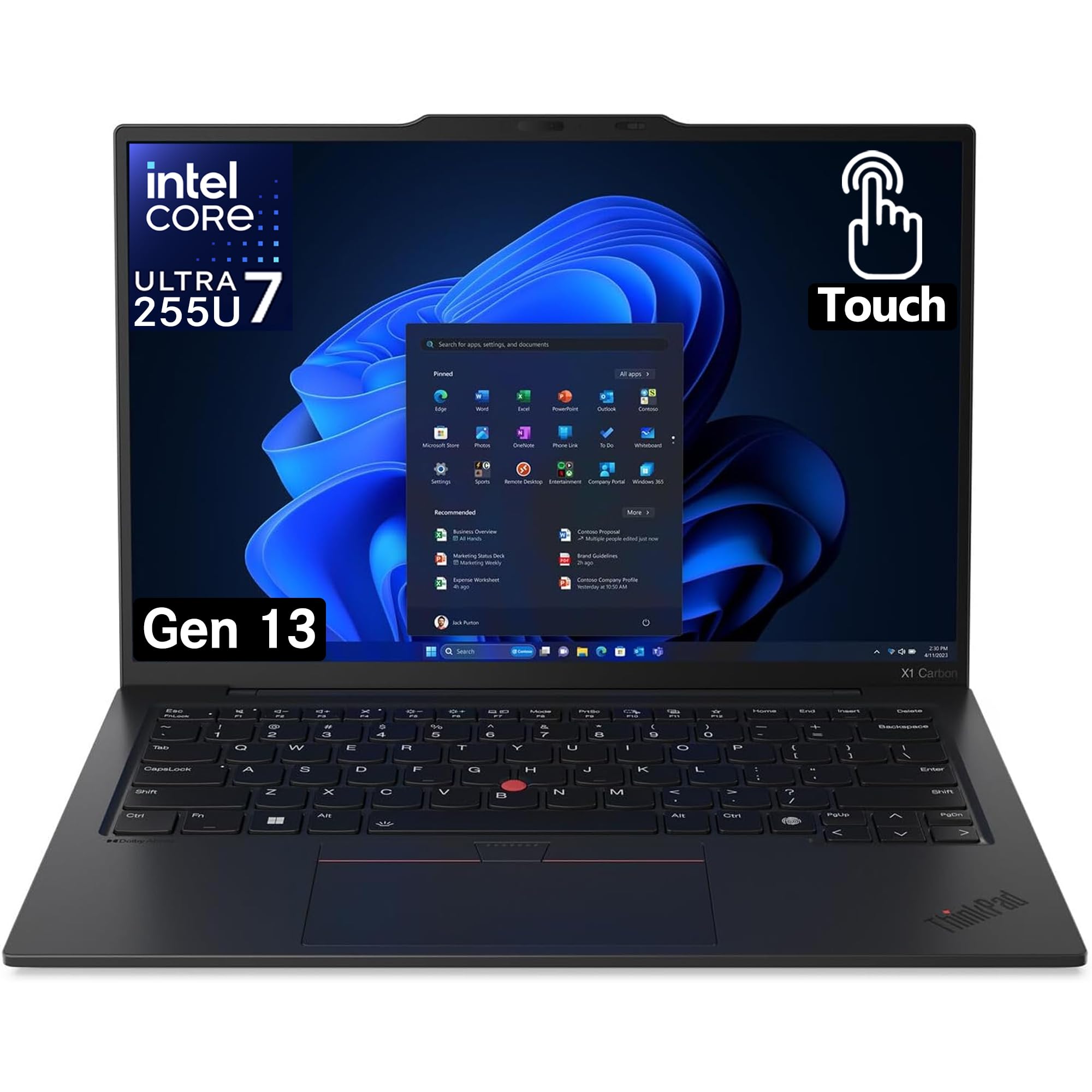
The ThinkPad X1 Carbon has long been the gold standard for business laptops, and the Gen 13 model elevates the touchscreen experience with a 14-inch WUXGA display covering 100% of the sRGB color gamut. The touch digitizer is highly responsive, and the machine supports the Lenovo Precision Pen for detailed annotation and note-taking. Powered by the Intel Core Ultra 7 265U processor with 32GB of DDR5 RAM, this laptop handles complex spreadsheets, virtual meetings, and heavy multitasking with zero lag.
At just 2.54 pounds, the X1 Carbon Gen 13 is ridiculously light for a 14-inch business machine with a touch screen. The carbon fiber and magnesium construction feels premium while meeting MIL-STD-810H durability standards. The keyboard is second to none—thinkpad fans will appreciate the deep key travel and tactile bump feedback. The 120mm glass touchpad is larger than previous generations and includes the classic TrackPoint nub for cursor control. Port selection includes two Thunderbolt 4, two USB-A, and HDMI, covering all business docking needs.
The FHD IR+RGB camera supports Windows Hello for instant facial login, and the dual microphone array with AI noise cancellation ensures crystal-clear conference calls. The main drawbacks are the price, which sits at the premium tier, and the soldered RAM that cannot be upgraded. For enterprise users who value build quality, security features like the fingerprint reader, and a top-tier touch display in an ultraportable package, this is the definitive choice.
Why it’s great
- Ultra-light 2.54 lb carbon fiber chassis with MIL-STD-810H durability.
- 100% sRGB touch display with precise digitizer.
- Best-in-class ThinkPad keyboard with tactile bumps.
- 32GB DDR5 RAM and Thunderbolt 4 connectivity.
Good to know
- RAM is soldered, no upgrade path after purchase.
- Premium price reflects flagship business status.
- No dedicated GPU for heavy graphics work.
4. Dell 27 All-in-One (Intel Core 7, 32GB, NVIDIA)

For desktop users who need touch interaction plus dedicated graphics power, the Dell 27 All-in-One with the NVIDIA GeForce MX570A is a standout. The 27-inch FHD IPS touchscreen features 99% sRGB coverage and 50% higher contrast than previous Dell AIOs, delivering vivid colors and deep blacks. The Dell ComfortView Plus reduces harmful blue light emissions without washing out the display, making extended work sessions easier on the eyes. The touch interface is accurate and responsive, with multi-touch gestures working smoothly for zooming, scrolling, and app navigation.
Under the hood, the Intel Core 7 Processor 150U (12 cores, up to 5.4 GHz) paired with 32GB of DDR5 RAM ensures that demanding applications like Photoshop, Lightroom, and even light 3D modeling run without hiccups. The dedicated NVIDIA MX570A with 2GB GDDR6 VRAM provides a significant boost over integrated graphics for rendering tasks and casual gaming. Storage is handled by a fast 1TB PCIe SSD, and the 5MP+IR camera with HDR and pop-up privacy shutter keeps video calls looking professional.
The all-in-one design keeps the desk clean, with a stand that allows keyboard storage underneath the screen. The 1-year onsite service means Dell will come to your home for hardware issues, a valuable peace of mind for a premium desktop. The downside is the price, which sits in the premium tier, and the lack of height adjustability on the stand. For creative professionals and home office users who want a large, vibrant touch display with graphics muscle, this Dell delivers.
Why it’s great
- Dedicated NVIDIA MX570A GPU for rendering and light gaming.
- 27-inch FHD IPS touchscreen with 99% sRGB and ComfortView Plus.
- 32GB DDR5 RAM and 1TB PCIe SSD for fast multitasking.
- 1-year onsite service included.
Good to know
- Premium price tier for the NVIDIA configuration.
- Stand does not adjust in height.
- Windows 11 Pro, but some bloatware may be present.
5. HP All-in-One 27″ Touch (Ultra 7)

The HP All-in-One 27-inch Touch Desktop offers a rare feature in the all-in-one space: a height-adjustable display. This ergonomic advantage means you can position the touch screen at the perfect angle for extended work without neck strain. The 27-inch FHD IPS LED panel with three-sided micro-edge bezels provides wide 178-degree viewing angles, and the touch layer is responsive to taps, swipes, and multi-touch gestures for controlling Windows 11 directly. The Intel Core Ultra 7-155U processor with 12 cores delivers powerful performance for multitasking, video conferencing, and creative work.
With 32GB of DDR5 RAM, this HP handles heavy browser tab loads and office applications effortlessly. The 1TB PCIe SSD provides ample fast storage for projects and media. The HP True Vision FHD IR camera supports secure Windows Hello login, and the pop-up design ensures physical privacy when not in use. The built-in bottom-firing sound bar produces clear audio with Dolby Atmos, which is surprisingly good for an all-in-one. Connectivity includes Wi-Fi 6 and Bluetooth 5.3, plus USB-C and multiple USB-A ports for peripherals.
The keyboard and mouse included are basic, and some users noted the keyboard is compact with missing F-keys. The ultra-thin design limits future upgrade options, as the RAM is soldered. For families or professionals who prioritize ergonomic touch interaction in a clean, all-in-one package, the height-adjustable HP offers a premium experience at a mid-range price.
Why it’s great
- Height-adjustable stand for ergonomic touch interaction.
- 27-inch FHD IPS touchscreen with wide viewing angles.
- Intel Core Ultra 7 with 32GB DDR5 for smooth multitasking.
- Pop-up IR camera with Windows Hello support.
Good to know
- RAM is soldered, no upgrade path.
- Basic keyboard may feel cramped for some users.
- Speakers are bottom-firing and adequate but not exceptional.
6. ASUS V470 All-in-One

The ASUS V470 hits a sweet spot between performance and price. The 27-inch Full HD touchscreen with anti-glare coating reduces reflections significantly, making it practical for bright rooms. The touch digitizer responds accurately to taps and swipes, and the 1080p camera with built-in array microphones ensures clear video calls. The Intel Core i5-13420H processor—a 12th-gen chip with 8 cores—outperforms many desktop processors at this price point, handling multitasking, streaming, and office software with ease.
The 16GB DDR5 RAM is a step above the DDR4 found in many competitors at a similar level, enabling faster data transfer and snappier app loading. The 1TB PCIe SSD provides plenty of room for files and quick boot times. AI noise-canceling technology improves meeting audio by filtering out background distractions. The I/O selection is generous: one USB 3.2 Type-C, three USB 3.2 Type-A, HDMI-out, Ethernet, and a headphone jack. Wi-Fi 6E support future-proofs wireless connectivity.
The all-in-one design is clean and saves desk space. However, the RAM and storage are not user-upgradeable. The display is glossy despite the anti-glare coating, and some users noted bloatware on first boot. For home office users or students who want a large, responsive touchscreen and solid performance without jumping to the highest price tier, the ASUS V470 is a compelling choice.
Why it’s great
- 27-inch anti-glare FHD touchscreen with accurate digitizer.
- Intel Core i5-13420H processor with 8 cores.
- 16GB DDR5 RAM and 1TB PCIe SSD.
- AI noise-canceling microphones for clear video calls.
Good to know
- RAM and storage are not user-upgradeable.
- Some pre-installed bloatware on first boot.
- Glossy screen coating may still reflect in bright light.
7. HP 24 Touchscreen All-in-One

The HP 24 Touchscreen All-in-One is tailored for families and students who need a reliable touch computer for everyday tasks. The 23.8-inch Full HD IPS display with anti-glare coating provides clear, vivid visuals whether you’re streaming educational videos, browsing the web, or working on homework. The touch interface is responsive, and the 720p HP True Vision privacy camera with a physical shutter gives parents control over when the camera is active. The Intel N100 processor with 4 cores handles basic multitasking—browsing with multiple tabs, office apps, and streaming—without fuss.
The 16GB DDR4 RAM ensures smooth operation for typical home and school workloads, and the 1TB PCIe SSD provides massive storage for family photos, movies, and files. The all-in-one design eliminates cable clutter, and the included white keyboard and mouse match the clean aesthetic. Connectivity includes Wi-Fi 6, Bluetooth 5.3, USB-C, and multiple USB-A ports, making it easy to connect printers, external drives, and other peripherals. The speakers deliver decent sound for casual use.
The Intel N100 processor is not designed for heavy gaming or video editing—it will struggle with demanding software. The 720p camera is adequate but not high-definition for professional video calls. For a household that wants a straightforward, user-friendly touchscreen computer that kids and adults can operate intuitively, this HP is a strong value at its mid-range price.
Why it’s great
- 23.8-inch FHD IPS touchscreen with anti-glare coating.
- 16GB DDR4 RAM and large 1TB PCIe SSD storage.
- Physical privacy shutter for webcam.
- Clean, family-friendly all-in-one design with Wi-Fi 6.
Good to know
- Intel N100 processor is entry-level, not for heavy tasks.
- 720p webcam is functional but not sharp for professional use.
- Graphics are integrated, unsuitable for gaming.
8. Dell 27 All-in-One (Intel Core 7, 16GB)

Dell’s 27-inch All-in-One balances a vivid FHD touch display with the performance of the Intel Core 7 Processor 150U (12 cores, up to 5.4 GHz). The 27-inch IPS panel delivers 99% sRGB color coverage and 50% higher contrast than the previous generation, making it suitable for color-sensitive tasks. Dell’s ComfortView Plus reduces blue light without yellowing the display, a real benefit for those who spend full workdays in front of the screen. The touch layer responds crisply to multi-touch gestures like pinch-to-zoom and swipe navigation.
The 16GB DDR5 RAM and 1TB PCIe SSD provide snappy performance for office suites, web browsing, and media consumption. The 5MP+IR camera with HDR technology adjusts to challenging lighting, and the pop-up design ensures privacy. Dual Bluetooth speakers with Dolby Atmos deliver room-filling audio for streaming and video calls. The stand’s innovative design includes a space underneath to tuck the keyboard, keeping the desk tidy. Wi-Fi 6 and Bluetooth 5.3 offer reliable wireless connections.
The integrated graphics limit this model to everyday tasks and light photo editing—no serious gaming or 3D rendering. Office apps come as a 30-day trial, requiring a subscription beyond that. For home office workers who want a large, comfortable touch display with solid performance and a clean setup, the Dell 27 AIO is a well-rounded mid-range pick.
Why it’s great
- 27-inch FHD IPS touchscreen with 99% sRGB and ComfortView Plus.
- Intel Core 7 Processor with 12 cores for smooth multitasking.
- 16GB DDR5 RAM and 1TB PCIe SSD.
- Innovative keyboard storage under the display.
Good to know
- Integrated graphics, not for intensive gaming or 3D work.
- Office apps are a 30-day trial only.
- No fingerprint reader for biometric login.
9. HP 27 Touchscreen All-in-One (Ryzen 5)

The HP 27 Touchscreen All-in-One with the AMD Ryzen 5 7520U processor delivers a well-balanced experience for remote workers and students. The 27-inch Full HD IPS touchscreen with three-sided micro-edge bezels provides a modern, clean look and responsive touch input for navigating Windows 11. The Ryzen 5 chip, with 4 cores and 8 threads boosting to 4.3 GHz, handles multitasking, video streaming, and productivity software smoothly. The AMD Radeon Graphics integrated into the processor is capable of casual gaming and light video editing.
The 16GB DDR5 RAM ensures apps open quickly, and the 1TB PCIe SSD offers plenty of fast storage for files and projects. Connectivity includes USB-C, USB-A, HDMI, and Ethernet ports, plus Wi-Fi and Bluetooth for wireless peripherals. The HP True Vision camera with temporal noise reduction delivers decent video quality for Zoom calls, and the system is certified for remote learning and professional environments. The white finish matches well with modern home office décor.
Some users reported inconsistent touch responsiveness in browsers, though this may be a driver issue that is addressable. The wireless mouse included has been noted to have erratic cursor behavior on occasion. For users who prefer the AMD platform and need a large, touch-enabled all-in-one for routine work, this HP offers a solid mid-range option with good performance.
Why it’s great
- 27-inch FHD IPS touchscreen with wide viewing angles.
- AMD Ryzen 5 7520U processor with capable integrated graphics.
- 16GB DDR5 RAM and fast 1TB PCIe SSD.
- USB-C and Ethernet for versatile connectivity.
Good to know
- Some users report inconsistent touch response in browsers.
- Wireless mouse cursor can be erratic at startup.
- Not suitable for heavy gaming or 4K video editing.
10. HP 17.3″ Touchscreen Laptop

The HP 17.3-inch Touchscreen Laptop is an entry-level machine for users who want a large touch display on a tight budget. The HD+ (1600 x 900) anti-glare screen is spacious for web browsing, streaming, and basic office tasks, and the touch layer works for taps and simple navigation. The Intel Quad-Core N100 processor with 4 cores and 6MB cache is adequate for web-based applications and light email management but will lag under heavier multitasking loads. The 8GB DDR4 RAM is enough for basic workflows.
The 128GB SSD provides limited storage for the operating system and a few essential applications. The full-size backlit keyboard with a numeric keypad is comfortable for data entry, and the fingerprint reader offers quick login via Windows Hello. The laptop weighs 4.6 pounds, which is reasonable for a 17-inch model. HP Fast Charge can take the battery from 0 to 50% in 45 minutes, a convenient feature for quick top-ups. Wi-Fi 6 and Bluetooth 5.4 support modern wireless standards.
The 128GB SSD will likely require cloud storage or external drives for most users. The N100 processor is not designed for gaming or heavy creative applications. The battery life is decent but not exceptional—about 6-8 hours under light use. For students or home users on a budget who need a large touch display for note-taking and web-based learning, this HP offers a very accessible entry point.
Why it’s great
- Large 17.3-inch HD+ touch display for budget price.
- Backlit keyboard with numeric keypad for data entry.
- Fingerprint reader for secure login.
- HP Fast Charge reaches 50% in 45 minutes.
Good to know
- Entry-level N100 processor is slow for multitasking.
- Only 128GB SSD storage; will need external expansion.
- 8GB RAM is the lower limit for modern Windows 11.
11. SAINTDISE 23.8″ All-in-One PC
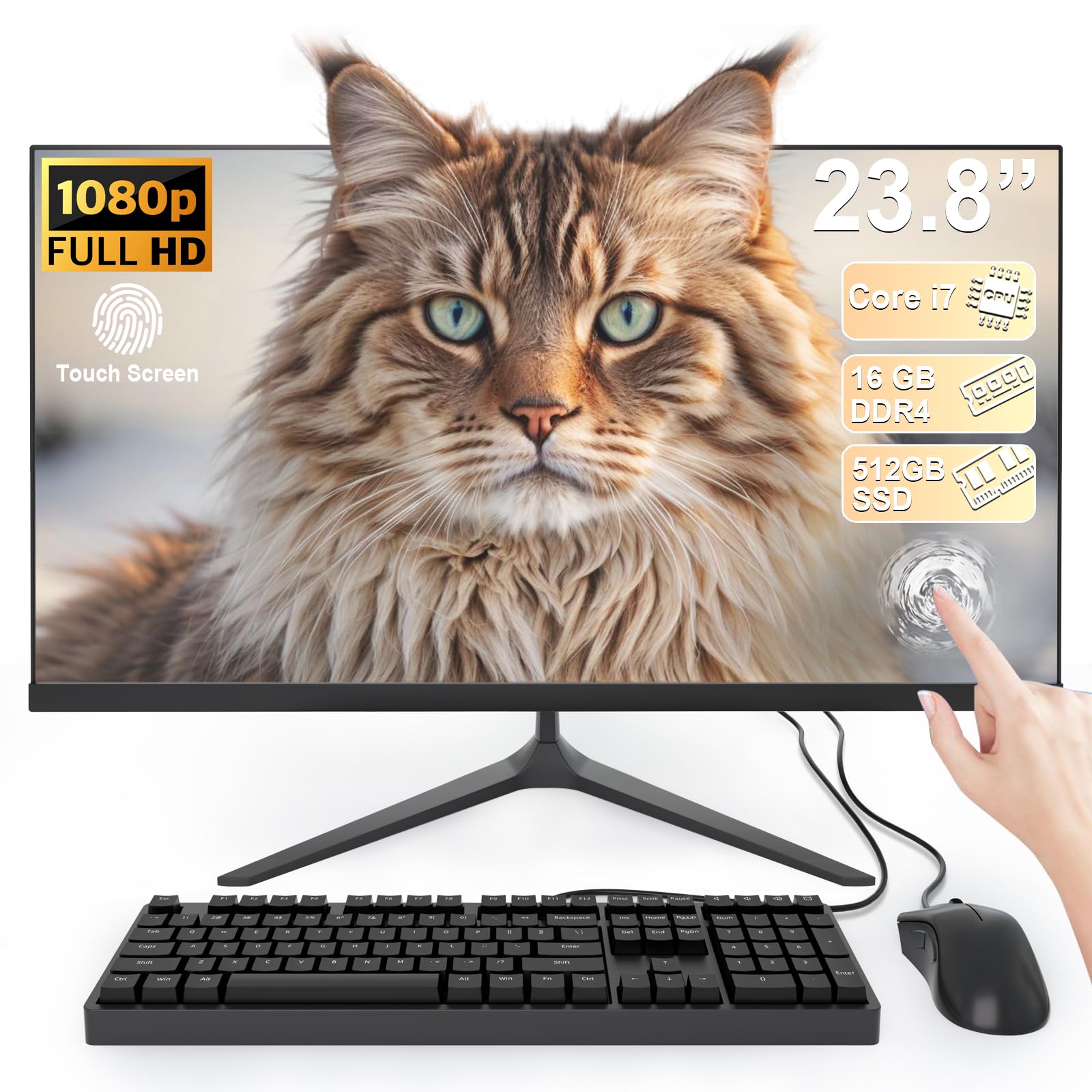
The SAINTDISE 23.8-inch All-in-One PC offers the most budget-friendly entry into a full-size touchscreen desktop. The 23.8-inch Full HD LED display with anti-glare technology is comfortable for long sessions, and the 10-point multi-touch interface supports intuitive gestures like swiping and pinching. The Core i7 processor (4 cores, turbo up to 3.0 GHz) is an older generation chip, but paired with 16GB of RAM and a 512GB SSD, it handles everyday office tasks, email, streaming, and web browsing without major issues.
For the price, this machine includes a wired keyboard and mouse, eliminating the need for immediate accessory purchases. The port selection is surprisingly generous: HDMI, VGA, four USB 3.0, two USB 2.0, and LAN ports, allowing connection to older monitors or network storage. Wi-Fi 6 and Bluetooth 5.3 are modern inclusions that keep the system current for wireless connectivity. The all-in-one design eliminates tower clutter, making it suitable for dorm rooms or small desks.
The older Core i7 processor lacks the efficiency and performance of modern chips; it will struggle with heavy multitasking, video editing, or any gaming beyond basic titles. The 512GB SSD is adequate but will fill up quickly with large media files. For users on a very limited budget who simply need a functional touchscreen computer for web surfing, document editing, and casual use, the SAINTDISE provides the basics at an entry-level price.
Why it’s great
- Budget-friendly entry to a full-size touchscreen all-in-one.
- 23.8-inch FHD anti-glare display with 10-point touch.
- 16GB RAM and 512GB SSD for basic multitasking.
- Includes wired keyboard and mouse, plus Wi-Fi 6.
Good to know
- Older Core i7 processor, not for heavy workloads.
- 512GB SSD may fill up quickly.
- Not suitable for gaming or video editing.
FAQ
Do all touch screen computers support an active stylus pen?
Can I upgrade the RAM or SSD in an all-in-one touch computer?
What is the ideal screen size for a touch screen computer at a desk?
Does a touch screen drain more battery than a non-touch display?
Final Thoughts: The Verdict
For most users, the computer with touch screen winner is the Samsung Galaxy Book5 Pro 360 because its 3K AMOLED display, precise S Pen, and powerful Core Ultra 7 processor deliver the best combination of portability and creative capability. If you want a large, affordable all-in-one for your home office, grab the ASUS V470. And for the lightest 17-inch touch laptop that doesn’t compromise on performance, nothing beats the LG Gram 17.

Mo Maruf
I created WellFizz to bridge the gap between vague wellness advice and actionable solutions. My mission is simple: to decode the research and give you practical tools you can actually use.
Beyond the data, I am a passionate traveler. I believe that stepping away from the screen to explore new environments is essential for mental clarity and physical vitality.