Our readers keep the lights on and my smoothie glass nicely filled. As an Amazon Associate, I earn from qualifying purchases.
A trading desk is only as good as its command center. When your P&L depends on reading a dozen timeframes and news feeds simultaneously, a single 60Hz office panel is a bottleneck that costs money. The right display transforms scattered windows into a cohesive war room, letting you spot a breakout before the ticker refreshes.
I’m Mohammad Maruf — the founder and writer behind WellFizz. I’ve spent countless hours analyzing panel technologies, refresh architectures, color calibration standards, and real-world ergonomic data for the traders who demand precision from their hardware.
After deep-diving into the specs and community feedback for the top contenders, I compiled this guide to the very best computer monitors for trading — covering every resolution tier and screen size that actually makes a difference during market hours.
How To Choose The Best Computer Monitors For Trading
Reading buy and sell signals across multiple windows is the core of a trader’s workflow. A monitor that excels in pure gaming or content creation often fails in this environment because it neglects static text clarity, multi-window management, and sustained comfort during 10-hour sessions. Focus on the following four areas to find the screen that matches your strategy.
Screen Real Estate and Aspect Ratio
Standard 27-inch 16:9 panels give you one main chart and a few order books, but 49-inch super-ultrawide 32:9 or 45-inch 32:9 models let you run four timeframes side by side without overlapping windows. On the premium side, a 38-inch 21:9 curved display at 3840×1600 provides enough vertical pixels for multiple indicator panels while keeping the horizontal span within reasonable head-turn range. For traders who prefer a pure multi-monitor setup, a 32-inch 16:9 4K panel can serve as a primary screen flanked by secondary QHD monitors.
Panel Technology for Static Readability
IPS offers wide viewing angles and consistent color, which helps when you glance at a screen from an angled seating position. VA delivers deeper blacks and higher native contrast, making white text on dark backgrounds pop — a common setting for trading platforms. OLED provides infinite contrast and perfect blacks but carries burn-in risk for static UI elements like a fixed open-order list. For pure trading without gaming or media consumption, most serious day traders favor IPS or high-quality VA panels that avoid long-term burn-in concerns.
Refresh Rate and Tearing Prevention
Trading software rarely exceeds 60 FPS, but a monitor that supports a higher refresh rate (120Hz or 144Hz) can still benefit from adaptive sync technologies (FreeSync or G-Sync Compatible). When you drag a chart or scroll through a long trade log, adaptive sync eliminates micro-tearing that can visually distract your focus. A 100Hz or 120Hz panel is the sweet spot: it smooths on-screen motion without costing the premium of a 240Hz high-end gaming model.
Ergonomics and Long-Session Comfort
A stand that offers height, tilt, and swivel adjustment lets you align the monitor so the top bezel is at or slightly below eye level, reducing neck strain. Curved panels with a 1500R or 1000R radius wrap the screen into your peripheral vision, which reduces eye movement across a wide ultrawide. Flicker-free backlight technology and a low-blue-light mode are non-negotiable for traders who sit in front of the screen through pre-market, regular session, and after-hours action.
Quick Comparison
On smaller screens, swipe sideways to see the full table.
| Model | Category | Best For | Key Spec | Amazon |
|---|---|---|---|---|
| ASUS ROG Swift PG32UCDM | Premium QD-OLED | High-end 4K primary display | 240Hz, 0.03ms, 99% DCI-P3 | Amazon |
| MSI MPG 321URX | Premium QD-OLED | 4K productivity and binge-watching | 240Hz, 0.03ms, True Black 400 | Amazon |
| Samsung Odyssey G9 49″ | Super Ultrawide VA | Ultimate multi-window trading | 5120×1440, 240Hz, 1000R curve | Amazon |
| Dell U3818DW | Professional Ultrawide IPS | Color-critical workflow | 3840×1600, 21:9, USB-C | Amazon |
| Alienware AW2725DF | Premium QD-OLED | Fast-paced esports and trading | 360Hz, 0.03ms, QHD | Amazon |
| Gawfolk 45″ 5K2K | Super Ultrawide VA | Budget-friendly super ultrawide | 5120×1440, 200Hz, 1500R | Amazon |
| LG 34WQ73A-B | Mid-Range IPS Ultrawide | WFH multitasking | 3440×1440, 1000:1 contrast | Amazon |
| Dell S3425DW | Mid-Range VA Ultrawide | Comfortable all-day work | 3440×1440, 120Hz, USB-C | Amazon |
| Samsung ViewFinity S50GC | Value VA Ultrawide | Spreadsheets and light trading | 3440×1440, 100Hz, HDR10 | Amazon |
| Alienware AW3425DWM | Budget Ultrawide LED | Entry-level ultrawide immersion | 3440×1440, 180Hz, 1500R | Amazon |
| LG 27GR83Q-B | Compact QHD IPS | Secondary or single 16:9 desk | 2560×1440, 240Hz, 1ms | Amazon |
In‑Depth Reviews
1. ASUS ROG Swift PG32UCDM

The ASUS PG32UCDM delivers a 32-inch 4K QD-OLED panel with a 240Hz refresh rate and a 0.03ms response time, making it the most visually complete monitor for a trader who also uses the same desk for analysis after hours. Its 99% DCI-P3 coverage means the price-action candles remain crisp and accurate, while the custom heatsink and graphene film reduce burn-in risk — a major concern for any OLED used with static trading interfaces.
The built-in Uniform Brightness setting prevents the OLED from dynamically dimming static white windows like a typical spreadsheet or order book, which is crucial for reliable chart reading. With a 1,500,000:1 contrast ratio, black backgrounds appear truly infinite, allowing a dark-mode trading platform to feel expansive without grayish clouding around white text. The 90W USB-C port also charges a connected laptop while driving the display, simplifying a two-machine setup.
Text fringing on white backgrounds is minimal but perceptible up close, and the stand, while fully adjustable, takes significant desk depth. For a premium single-display trading station, however, this monitor sets the benchmark.
Why it’s great
- Infinite contrast ratio with deep blacks
- Uniform Brightness mode prevents dimming
- 240Hz with FreeSync Premium Pro
Good to know
- Glossy screen requires careful lighting
- Pixel refresh prompts require attention
- Premium investment compared to VA alternatives
2. MSI MPG 321URX QD-OLED

The MSI MPG 321URX packs the same 32-inch 4K QD-OLED panel found in several high-end monitors but distinguishes itself with MSI’s OLED Care 2.0, which includes smart pixel shift and panel refresh routines that operate in the background without disrupting your workflow. With a contrast ratio classified as extremely high and VESA DisplayHDR True Black 400 certification, solid black backgrounds in your trading platform show no light bleed, making white candles and text exceptionally readable.
The 240Hz refresh rate and 0.03ms response time are overkill for trading software, but the adaptive sync support eliminates any micro-tearing when you drag chart windows across the screen. The built-in KVM and PiP/PbP modes let you drive two different computers through one monitor, which is a serious advantage for traders who run a dedicated execution machine alongside a research laptop. The USB-C port delivers up to 90W of power delivery, reducing desktop cable clutter.
Potential limitations include a chunky stand base that consumes significant desk real estate, and a glossy screen that behaves similarly to the ASUS model in bright rooms. The factory calibration covers 99% DCI-P3 with Delta E ≤2, so you do not need a hardware calibrator. For a trader who prioritizes deep blacks and zero backlight bleed, this is a top-tier option.
Why it’s great
- OLED Care 2.0 reduces burn-in risk
- KVM and PiP for dual-computer setups
- True Black 400 with no backlight bleed
Good to know
- Stand footprint is large
- Glossy panel needs controlled ambient light
- Limited adjustment range on the stand
3. Samsung Odyssey G9 49″

The 49-inch Odyssey G9 offers a Dual QHD resolution of 5120×1440 on a VA panel with a 1000R curve, wrapping the screen tightly around your field of vision. For a trader, this means you can place four 1440p windows side by side without needing monitor bezels as dividers — a chart for ES futures, one for NQ, a heatmap, and the order blotter all on a single continuous screen. The 1,000,000:1 contrast ratio delivers deep black bars on the sides of 16:9 content, but more importantly, it makes a dark TradingView layout look rich and legible.
The 240Hz refresh rate and 1ms response time are inherited from its gaming DNA, but the real benefit here is AMD FreeSync Premium Pro that keeps the canvas smooth during rapid window snapping. The auto source switch detects when you power on a connected computer and switches inputs automatically, saving a few seconds during pre-market setup. The 1000-nit peak brightness with VESA DisplayHDR 1000 means white candlesticks on a black background appear punchy even in a moderately lit room.
One consideration is the sheer width; you need a deep desk or a monitor arm to position the screen at the correct distance for the 1000R curve to feel natural. The aggressive curve can also make straight lines appear slightly bowed when viewing spreadsheet rows near the edges. For a multi-window trader who wants a single-panel war room, this is a powerful choice.
Why it’s great
- Five-thousand-one hundred twenty by 1440 resolution for four windows
- 1000R curve wraps into peripheral vision
- Auto Source Switch for multi-device desks
Good to know
- Aggressive curve alters linear perception
- Requires deep desk or arm mount
- Strongly positioned as a gaming monitor
4. Dell U3818DW

The Dell U3818DW is a 38-inch ultrawide with a 3840×1600 resolution on an IPS panel, giving you more vertical pixels than a typical 34-inch ultrawide. This extra vertical space allows you to see more price history on a single chart without scrolling, while the 21:9 ratio holds two full 1920×1600 windows side by side. The factory calibration covers 99% sRGB out of the box, so color fidelity for any indicator overlay or custom script coloring is consistent.
Its standout feature is the built-in KVM with USB-C connectivity that delivers power, video, and USB data over a single cable to a laptop. For traders who dock a MacBook or PC laptop, this monitor turns into the central hub, driving the display and charging the machine simultaneously. The Infinity Edge bezel design keeps the screen border thin, which matters if you later pair it with a secondary monitor. The stand provides smooth height and tilt adjustment without wobble.
The biggest limitation is the 60Hz refresh rate, which is fine for static chart work but produces noticeable stutter when scrolling through fast Level 2 data. The price tag places it firmly in professional-tier territory, and the contrast ratio of 1000:1 is standard IPS territory, meaning blacks will appear grayish in a dark room. For a color-accurate single-cable ultrawide solution, however, the U3818DW remains a staple.
Why it’s great
- 3840×1600 offers extra vertical chart space
- USB-C hub with 90W power delivery
- Color-accurate IPS panel out of the box
Good to know
- 60Hz refresh may feel sluggish during scrolling
- Standard IPS black levels in dark rooms
- Premium price for a professional monitor
5. Alienware AW2725DF OLED

The Alienware AW2725DF is a 27-inch QD-OLED built for extreme motion clarity, but its 360Hz refresh rate and 0.03ms response translate into zero perceptible lag when you drag chart windows or scroll through timeframes. The infinite contrast ratio on the OLED panel ensures that dark-mode trading platforms have true black backgrounds, making every candle and text element stand out without the gray haze common on IPS screens. With AMD FreeSync Premium Pro and VESA AdaptiveSync support, the screen stays perfectly in sync with your GPU, eliminating tearing even at fluctuating frame rates.
The color performance covers 99.3% DCI-P3 with Delta E < 2 accuracy, meaning the green and red of your candlestick patterns will match the actual instrument colors. The 27-inch QHD format provides 2560×1440 pixels, which is sufficient for a primary chart and a side order book, but you will probably want a secondary monitor for additional windows. The stand offers height, tilt, swivel, and pivot adjustment, allowing you to fine-tune the positioning for all-day comfort.
The main trade-off is burn-in susceptibility with static UI elements. Alienware includes a 3-year burn-in warranty and automatic pixel refresh cycles, but you should still use a dark theme and hide the taskbar when possible. The text clarity is slightly less sharp than a 4K IPS at the same viewing distance due to the OLED subpixel layout. For a trader who values deep blacks and ultra-smooth scrolling in a compact package, this is a strong secondary display or primary workstation monitor.
Why it’s great
- Infinite contrast for true black backgrounds
- 360Hz with tear-free adaptation
- Full ergonomic stand adjustments
Good to know
- Burn-in risk with static trading windows
- Text clarity not as sharp as 4K
- Requires periodic pixel refresh
6. Gawfolk 45″ 5K2K
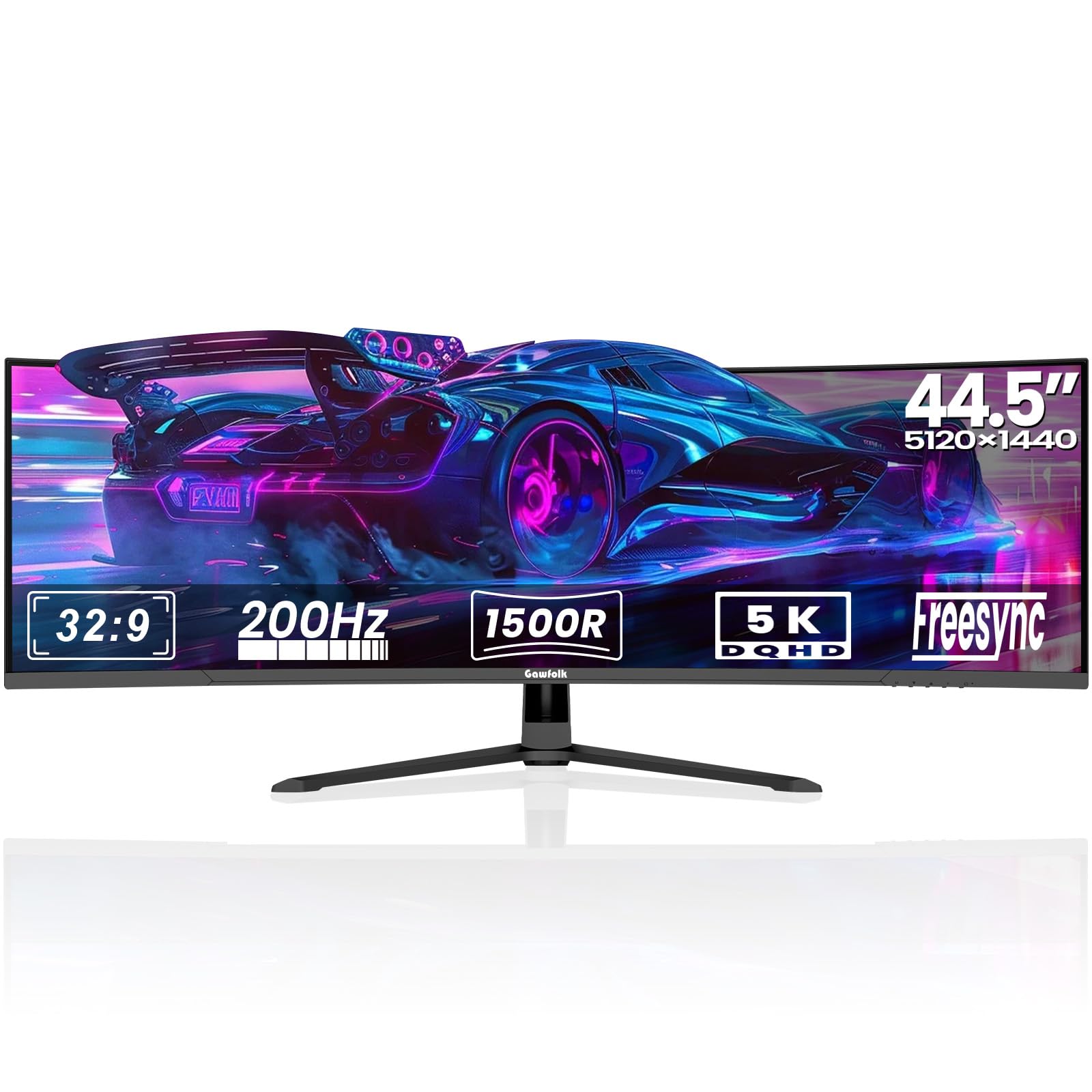
The Gawfolk 45-inch monitor delivers a 5120×1440 DQHD resolution on a VA panel with a 1500R curve, providing a massive canvas for multi-window trading at a price well below the established ultrawide brands. The 32:9 aspect ratio effectively replaces two 24-inch QHD monitors positioned side by side, giving you continuous screen space for four or five distinct windows — perfect for monitoring multiple timeframes, news feeds, and a trading journal simultaneously. The 3000:1 static contrast ratio produces decent black depth for a VA panel, helping dark-mode platforms look clean.
The 200Hz refresh rate and support for AMD FreeSync and G-Sync Compatible keep motion smooth when you drag windows or scroll through charts, though the built-in overdrive (OD) function can introduce slight overshoot at the highest setting. The inclusion of two HDMI 2.1 ports and two DisplayPort 1.4 inputs provides flexible connectivity for a multi-computer setup, and the PiP/PbP modes allow you to view two sources at the same time. The integrated speakers are usable for alerts but lack bass, so a dedicated sound source is recommended for serious trading.
The VA panel can exhibit some gamma shift when viewed from extreme angles, but for a single-user desk setup, this is rarely an issue. Some user reports mention screen cut-out under specific conditions, and the build quality is not as refined as the premium Samsung or Dell offerings. For a cost-conscious trader who wants maximum pixels per dollar, this monitor offers an unbeatable screen area.
Why it’s great
- 45-inch 5120×1440 at a budget-friendly price
- Multi-connectivity with HDMI 2.1 and DP 1.4
- PiP/PbP for dual computer sources
Good to know
- VA gamma shift off-center
- Built-in speakers lack bass clarity
- Quality control reports from some users
7. LG 34WQ73A-B

The LG 34WQ73A-B is a 34-inch IPS ultrawide with a 3440×1440 resolution that brings excellent viewing angles and consistent color reproduction to a trading desk. The 21:9 aspect ratio allows you to place a six-hour chart on one half and a one-minute chart on the other, with enough horizontal headroom for a news feed along the side. The 99% sRGB coverage means your indicators and price-action colors are accurate without calibration.
Its built-in KVM and USB-C connectivity with 90W power delivery simplify a dual-computer workflow significantly — you can plug your trading laptop into the USB-C port and control both machines with a single keyboard and mouse. The Reader Mode reduces blue light without shifting the image to an unusable warm tint, and the Flicker Safe backlight virtually eliminates onscreen flicker during long sessions. The Dynamic Action Sync and Black Stabilizer features are gamer-oriented extras that reduce input lag when scrolling fast charts.
On the downside, the 300cd/m² brightness is adequate for indoor use but may feel dim if you face a window directly. Some users report backlight bleed in dark scenes, though this is typical for IPS panels. The 1000:1 contrast ratio means blacks are not as deep as VA or OLED alternatives, which can affect immersion if you run a full black background trading platform. For a reliable mid-range ultrawide with KVM, this LG model hits a sweet spot.
Why it’s great
- Built-in KVM for dual-computer control
- USB-C with 90W laptop charging
- Consistent color accuracy across the panel
Good to know
- 300cd/m² brightness limits bright use
- IPS black levels are not deep
- Some backlight bleed possible
8. Dell S3425DW

The Dell S3425DW combines a 34-inch VA panel with a 3440×1440 resolution and a 120Hz refresh rate, delivering smooth lineage scrolling without the cost of an OLED. The 3000:1 static contrast ratio on the VA panel provides deeper blacks than IPS, which helps a dark trading platform feel more substantial. The 120Hz rate, paired with AMD FreeSync Premium, eliminates micro-tearing when you drag windows or scroll through a fast-moving Level 2 book.
The improved ComfortView Plus technology reduces harmful blue light emissions to 35% or less while retaining color accuracy, so your eyes do not fatigue as quickly during extended market sessions. The USB-C port handles up to 65W power delivery, enough to charge a thin laptop during use. The integrated speakers offer better audio output than most built-in monitor speakers, with deeper frequency response for hearing trade alerts and news audio clearly.
The main limitation is the connectivity — the monitor includes HDMI, USB-C, and USB-A, but lacks a dedicated DisplayPort, which may complicate setups with older desktop GPUs. The VA panel also shows minor gamma shift when viewed from above or below the ideal angle, though this is less noticeable on a curved 1500R panel. For a comfortable, eye-friendly monitor with usable speakers, this is a strong mid-range pick.
Why it’s great
- 3000:1 contrast for deeper blacks
- 120Hz with FreeSync for smooth scrolling
- ComfortView Plus reduces eye strain
Good to know
- No DisplayPort input
- VA gamma shift at non-optimal angles
- USB-C limited to 65W charging
9. Samsung ViewFinity S50GC

The Samsung ViewFinity S50GC brings a 34-inch ultrawide 21:9 VA panel with 3440×1440 resolution into the entry-level price bracket without sacrificing the wide screen real estate that traders need. The 3000:1 contrast ratio gives you solid black depth for a monitor in this tier, making a dark-mode TradingView layout look crisp rather than washed out. The HDR10 support and the billion-color processing improve color gradation on your candles and volume bars compared to standard SDR monitors.
The 100Hz refresh rate is a meaningful upgrade over typical 60Hz office monitors, smoothing out window dragging and scrolling. AMD FreeSync keeps the refresh in sync with your GPU, preventing the tearing that can occur when your trading software jumps between frame rates. The ambient light sensor automatically adjusts brightness to the room, reducing eye strain during pre-market darkness or afternoon brightness. The PiP and PbP modes allow you to display content from two sources at once, which is useful for keeping a second computer feed visible.
Budget-conscious shoppers should note that the built-in speakers are weak, and the stand feels less sturdy compared to Dell or LG office monitors. The VA panel also has narrower viewing angles than IPS, but for a single-user desk this is rarely a problem. For the trader who wants a wide canvas without a high price tag, the ViewFinity S50GC is an excellent value.
Why it’s great
- 3440×1440 ultrawide at an entry-level price
- Ambient light sensor adjusts automatically
- HDR10 with billion-color support
Good to know
- Speakers are very weak
- Stand lacks height adjustment
- VA viewing angles are limited
10. Alienware AW3425DWM

The Alienware AW3425DWM is a 34-inch ultrawide with a 3440×1440 resolution, 180Hz refresh rate, and a 1500R curvature, offering a highly immersive viewing area at a price that makes it accessible as a primary or secondary trading display. The VA panel delivers a 3000:1 contrast ratio, giving it noticeably deeper blacks than an equivalent IPS monitor in the same price tier, which helps when you keep your trading platform in dark mode for most of the session.
With AMD FreeSync Premium and VESA Adaptive Sync compatibility, the screen eliminates tearing when you scroll through fast market data. The 180Hz refresh rate translates to exceptionally smooth motion, so dragging charts or switching between timeframes feels fluid without any lag. The stand provides height and tilt adjustment, allowing you to set the correct eye level without additional hardware. The included DisplayPort 1.4 cable supports the full resolution and refresh rate out of the box.
The compromise is that the black levels, while good for a VA panel, are not as inky as OLED or high-end Mini-LED monitors, and there is some backlight bloom in dark room scenes. The monitor lacks integrated speakers, so you will need external speakers or headphones for trade alerts. The 180Hz maximum refresh is also lower than some gaming-focused alternatives, but for trading this is more than sufficient.
Why it’s great
- 3440×1440 with 180Hz smooth refresh
- 1500R curve for immersive viewing
- VESA Adaptive Sync for tear-free scrolling
Good to know
- No built-in speakers
- VA backlight bloom in dark rooms
- Black depth not OLED level
11. LG 27GR83Q-B

The LG 27GR83Q-B is a 27-inch QHD (2560×1440) IPS monitor that excels as a secondary display or a primary single screen for a trader with limited desk space. The 240Hz refresh rate and 1ms response time are overkill for charting, but they ensure zero motion blur when you scroll through high-density timeframes or drag a screen-wide analysis. The IPS panel delivers 95% DCI-P3 color gamut coverage, so your volume bars and candlestick colors are accurate and consistent from any viewing angle.
The monitor supports both NVIDIA G-Sync Compatibility and AMD FreeSync Premium, which is particularly useful if your trading PC uses an older GPU that fluctuates in frame output. The HDMI 2.1 and DisplayPort 1.4 inputs handle the full QHD resolution at 240Hz, giving you headroom if you ever use the monitor for fast-paced gaming after market close. The stand includes height, tilt, and pivot adjustment, making it easy to position as a portrait-mode monitor for order entry or account balance windows.
The main issue reported by users is pixel quality control — some units arrive with stuck or dead pixels, and the variance between units can be frustrating. The 27-inch size is also limiting if you want to run multiple full-size charts simultaneously, though it works well when paired with a larger primary display. For a trader who wants a fast, color-accurate secondary monitor that can double as a gaming screen, this LG is a solid choice.
Why it’s great
- 240Hz with 1ms for smooth scrolling
- Dual G-Sync and FreeSync support
- Full ergonomic stand with pivot
Good to know
- Pixel quality control can be inconsistent
- 27-inch screen limits multi-window layouts
- IPS black levels are standard
FAQ
Do I need a 4K monitor for trading?
Is an ultrawide monitor better than dual monitors for trading?
Should I worry about burn-in on OLED monitors for trading?
Final Thoughts: The Verdict
For most users, the best computer monitors for trading winner is the Samsung Odyssey G9 49 because its 5120×1440 resolution on a 1000R VA panel lets you run four large windows side by side without the cost and complexity of a multi-monitor stand. If you want deep blacks and zero backlight bleed for a dark-mode platform, grab the ASUS ROG Swift PG32UCDM. And for budget-conscious traders who still demand a wide ultrawide canvas, nothing beats the Gawfolk 45-inch 5K2K for sheer pixel density per dollar.

Mo Maruf
I created WellFizz to bridge the gap between vague wellness advice and actionable solutions. My mission is simple: to decode the research and give you practical tools you can actually use.
Beyond the data, I am a passionate traveler. I believe that stepping away from the screen to explore new environments is essential for mental clarity and physical vitality.