Our readers keep the lights on and my smoothie glass nicely filled. As an Amazon Associate, I earn from qualifying purchases.
A cheap note-taking tablet shouldn’t feel cheap. The real challenge isn’t the price tag—it’s finding a device that captures handwritten notes as naturally as pen on paper, digitizes them without a fight, and stays responsive through a full semester or a packed workweek. Too many low-cost options force you to choose between a laggy touchscreen, a stylus that skips, or an app that makes organizing your notes harder than writing them in the first place. The right pick delivers real-time sync, decent pressure sensitivity, and enough storage to keep your ideas from vanishing.
I’m Mohammad Maruf — the founder and writer behind WellFizz. I’ve spent dozens of hours analyzing the specs, real-world user feedback, and hardware trade-offs that define the budget note-taking tablet market so you don’t have to gamble on a dud.
Whether you need to digitize lecture notes, sketch meeting ideas, or convert handwriting to text on the go, this guide cuts through the noise to find the best cheap note taking tablet that actually works for how you write and think.
How To Choose The Best Cheap Note Taking Tablet
Picking a budget-friendly note-taking tablet comes down to matching how you work to the hardware. A digital pen that syncs to an app is a different tool than a full Android tablet with a stylus. The decision hinges on three critical factors.
Paper-Based vs. Screen-Based Input
Paper-based digital notebooks (like the Huion Note) let you write on real paper while capturing every stroke digitally. They feel natural, but the digitized file is limited to vector lines—no color layers, no app multitasking. Screen-based tablets (like the Lenovo Idea Tab or TCL NXTPAPER) let you write directly on glass, run note-taking apps, and switch to streaming or browsing. If your priority is pure note-taking with zero LCD eye strain, a paper-based system wins. If you need a versatile device for notes, reading, and media, a full tablet is better.
Stylus Pressure Sensitivity and Accuracy
For basic note-taking, 2048 pressure levels are sufficient. But if you plan to sketch diagrams, annotate PDFs, or convert handwriting to text, look for 4096 levels or higher. The XP-Pen Artist 12 3rd and Artist 13.3 Pro V2 offer 16K pressure sensitivity, which captures every variation in pen pressure—especially useful if you’re also doing digital art. Budget tablets with basic capacitive styli often skip pressure entirely, which leads to inconsistent line weight.
Real-Time Sync, Offline Storage, and OCR
Real-time sync via Bluetooth or WiFi ensures your notes appear on your phone or laptop as you write. Offline storage is non-negotiable for students or professionals who may not always have their phone nearby—the Ophayapen and Huion Note both store notes locally and sync later. OCR (handwriting-to-text) saves hours of manual transcription; the Ophayapen app converts notes to Word documents and makes them searchable by keyword. If you plan to share or search your notes digitally, prioritize devices with strong OCR capabilities.
Quick Comparison
On smaller screens, swipe sideways to see the full table.
| Model | Category | Best For | Key Spec | Amazon |
|---|---|---|---|---|
| Lenovo Idea Tab Pro | Premium Android | Students who want a large screen, pen, and AI tools | 12.7″ 3K LCD, MediaTek Dimensity 8300 | Amazon |
| Lenovo Idea Tab | Mid-Range Android | College note-takers who want a pen and case included | 11″ 2.5K 90Hz IPS, MediaTek Dimensity 6300 | Amazon |
| TCL NXTPAPER 11 Gen 2 | Eye-Care Android | Extended reading, note-taking, and e-reader fans | 11″ 2K NXTPAPER 4.0, 4096-level T-PEN | Amazon |
| XP-Pen Artist 12 3rd | Drawing Tablet | Digital artists on a budget who also take notes | 11.9″ 1080p display, 16384 pressure levels | Amazon |
| XP-Pen Artist13.3 Pro V2 | Drawing Tablet | Artists and designers needing color accuracy | 13.3″ Full HD, 16384 pressure, 99% sRGB | Amazon |
| BOOX Go Color 7 Gen II | E Ink Android | Readers who want color and note-taking on E Ink | 7″ Kaleido 3 (4096 colors), Android 13 | Amazon |
| Ophayapen Smart Pen | Paper-Based | Users who want real paper feel with digital storage | Real-time sync, OCR to Word/PDF | Amazon |
| HUION Note | Paper-Based | Traditionalists who want a digital copy of handwritten notes | 18hr battery, A5 notepad, Bluetooth 5.0 | Amazon |
| Jeazans Android 16 Tablet | Entry-Level Bundle | First-time tablet buyers who want a complete kit | 10.1″ 1280×800, 24GB RAM (3+21), 64GB storage | Amazon |
In-Depth Reviews
1. Lenovo Idea Tab Pro

The Lenovo Idea Tab Pro brings serious value to the budget note-taking market. Its 12.7-inch 3K LCD display with a 90Hz refresh rate delivers sharp text and smooth scrolling for note-taking apps like Squid and Nebo. The included Tab Pen Plus offers reliable palm rejection, and the magnetic attachment keeps it from rolling off your desk. Under the hood, the MediaTek Dimensity 8300 processor and 8GB of RAM handle Circle to Search with Google, Google Gemini integration, and split-screen note-taking without stutter. The 10,200mAh battery sustains over 11 hours of video streaming, which translates to multiple full days of campus use between charges.
The build is premium for the price point. An aluminum unibody frame gives the tablet a sturdy feel, and the included folio case doubles as a stand for typing or drawing. Fast charging at 45W brings the large battery back to life quickly, though you’ll need Lenovo’s proprietary 45W PD charger to reach full charging speed. The quad JBL speakers with Dolby Atmos deliver clear audio for recording lectures or watching study materials.
Where the Idea Tab Pro truly earns its place is in ecosystem features that rival tablets costing twice as much. The Google Gemini assistant is deeply integrated—you can circle anything on screen with the pen to search, translate, or get definitions without switching apps. The PUBG certification and 360Hz touch sampling rate mean gaming is viable, but the real win is how fluid the note-taking experience feels when scrolling through PDFs or zooming into handwritten diagrams.
Why it’s great
- Large 12.7-inch 3K display with 90Hz refresh makes note-taking fluid and sharp
- Included Tab Pen Plus with good palm rejection and magnetic storage
- Circle to Search and AI assistant tools enhance productivity
- Premium aluminum build feels like a much more expensive device
Good to know
- Requires Lenovo’s 45W PD smart charger for full fast charging speed
- Heavier than smaller tablets due to the large screen and metal frame
- No GPS chip—location relies on WiFi networks
2. Lenovo Idea Tab

The Lenovo Idea Tab is the younger sibling of the Pro model but holds its own as a dedicated student tablet. The 11-inch 2.5K IPS touchscreen with a 90Hz refresh rate gives you crisp text and smooth scrolling without breaking the bank. The included Lenovo Tab Pen and folio case add genuine value—most budget tablets make you buy accessories separately. The MediaTek Dimensity 6300 processor is snappy enough for note-taking apps, PDF annotation, and light multitasking, with 4GB of RAM and 128GB of internal storage that can be expanded via microSD.
Lenovo packed in four learning apps right out of the box: Lenovo AI Note, Squid, Nebo, and MyScript Calculator. These aren’t trial versions—they’re fully functional tools designed for handwritten notes, calculations, and sketching. The 20W charger replenishes the battery quickly, though the dual Dolby Atmos-tuned speakers sound decent for lecture recordings and study breaks. The TÜV Rheinland Low Blue Light certification keeps screen fatigue at bay during late-night study sessions.
What sets this tablet apart from cheaper Android alternatives is the software support for the pen. The Circle to Search feature works with both finger and pen, and handwriting recognition in Nebo and Lenovo AI Note is accurate enough to convert messy lecture notes into clean digital text. The 2.5K resolution at this size means text isn’t pixelated when zooming in on PDFs. For a student who needs a single device for notes, reading, and light entertainment, this is a balanced mid-range pick that doesn’t sacrifice pen quality for price.
Why it’s great
- 2.5K resolution at 11 inches with 90Hz refresh is excellent for text and annotation
- Pen and folio case included in the price, saving on accessory costs
- Pre-loaded learning apps (Nebo, Squid, MyScript) are genuinely useful for students
Good to know
- 4GB RAM can feel limited if you run multiple heavy apps simultaneously
- Some users report issues installing the Amazon shopping app via Google Play
3. TCL NXTPAPER 11 Gen 2

The TCL NXTPAPER 11 Gen 2 is the dream tablet for anyone who spends hours reading and taking notes but hates screen glare and eye fatigue. The 11-inch 2K display uses NXTPAPER 4.0 technology—a matte antiglare finish with DC dimming and TÜV-certified low blue light that genuinely mimics paper. The 4096-pressure-level T-PEN stylus writes smoothly on the matte surface, offering a friction-like feel that’s closer to a mechanical pencil on paper than the slippery glass of typical tablets. Three display modes (Regular, Ink Paper, and Color Paper) let you switch between vibrant video, e-reader-like monochrome, and soft color for comics or digital art.
Under the hood, the MediaTek Helio G80 processor paired with 8GB + 8GB RAM handles note-taking apps, split-screen multitasking, and streaming without lag. The 128GB internal storage is expandable up to 1TB. The 8000mAh battery is the star here—it easily lasts two full days of mixed use, and the reverse charging feature lets you top up your phone or earbuds. AI tools like smart voice memo, real-time bilingual subtitles, and a writing assistant add genuine productivity value for bilingual students or professionals.
The build quality is excellent for the price: an ultra-slim 0.29-inch profile, lightweight 1.1-pound metal chassis, and a sturdy adjustable flip cover that doubles as a stand. The dual speakers with volume boost up to 200% are loud enough for group presentations. The lack of guaranteed Android updates beyond what ships with the device is a concern for long-term users, but for the price, the NXTPAPER 11 Gen 2 delivers an eye-friendly note-taking experience that no other LCD tablet in its class can match.
Why it’s great
- NXTPAPER 4.0 matte display reduces glare and eye strain significantly
- 4096-pressure-level T-PEN stylus included with the purchase
- Reverse charging turns the tablet into a power bank for other devices
- Excellent 8000mAh battery life for all-day use
Good to know
- No guarantee of future Android OS updates
- Touchscreen can become less responsive when plugged into a charger
- Speakers are mediocre for music quality, though loud enough for speech
4. XP-Pen Artist 12 3rd
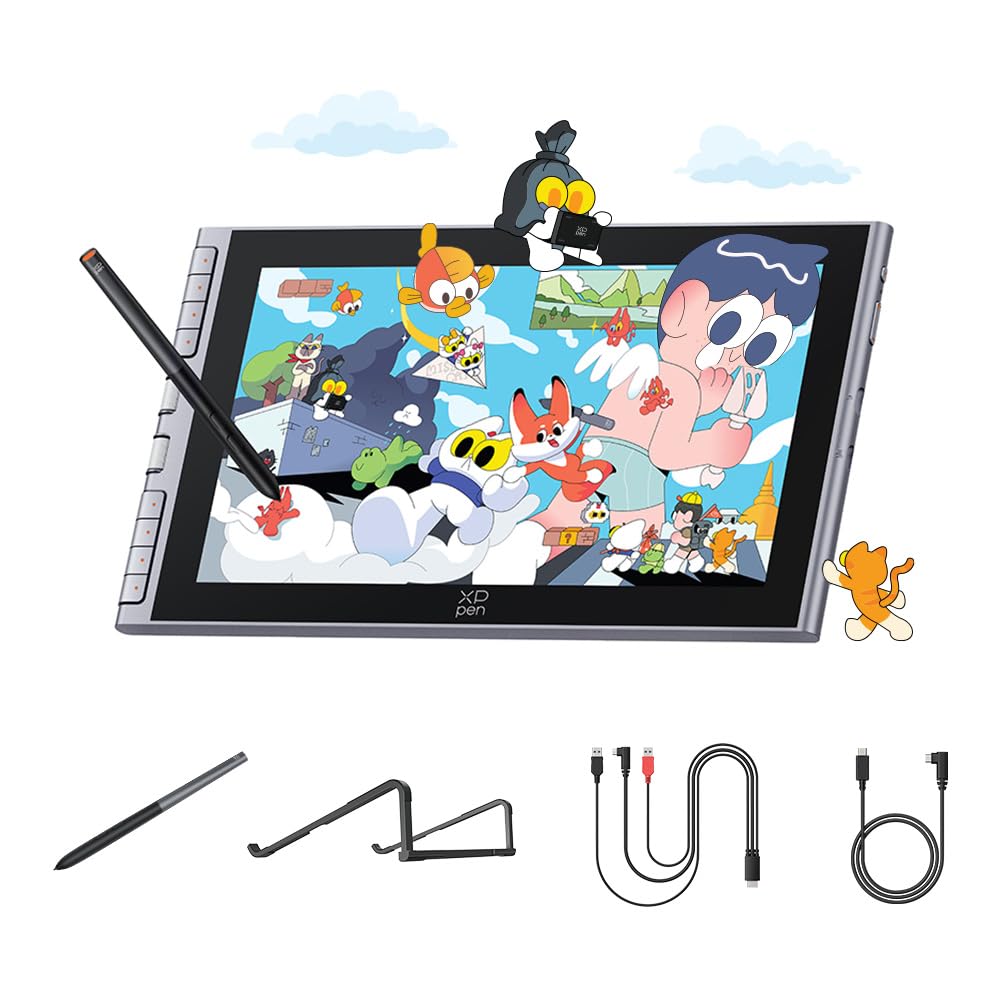
The XP-Pen Artist 12 3rd is a drawing display first, but it doubles as a serious note-taking tool for anyone who needs the highest possible pressure sensitivity. The 11.9-inch full-laminated screen eliminates parallax—the gap between the glass and the display—so your pen tip meets the cursor exactly where you place it. The X4 chip stylus delivers a staggering 16,384 pressure levels with a 2-gram activation force, capturing the lightest touch for shading or the firmest stroke for bold headings. The anti-fingerprint and anti-glare etched glass surface feels pleasant to write on for extended periods.
Beyond the stylus, the tablet features two dual roller wheels that let you adjust brush size and canvas zoom simultaneously. The 8 customizable shortcut keys reduce dependency on a keyboard for frequent commands like undo, save, or toggle between tools. The 99% sRGB color gamut with OSD management ensures accurate color if you use the tablet for digital art alongside note-taking. The ultra-slim 12mm profile and 712g weight make it portable enough to slip into a bag alongside a laptop.
Connectivity is flexible with both a 3-in-1 USB-C hybrid interface and a single full-featured USB-C cable option. It works out of the box with Android smartphones and tablets, Chromebooks, and Windows/Mac PCs. The main caveat is that on Chromebook and Android devices, the shortcut buttons and dual rollers may not function without the driver software, which requires a Windows or Mac computer to install. For students who want a tool that handles both high-precision note-taking and digital art, the Artist 12 3rd is an affordable contender that punches far above its price class.
Why it’s great
- 16K pressure sensitivity with 2g activation force captures every subtle stroke
- Full-laminated display with zero parallax for precise pen placement
- Dual roller wheels and 8 shortcut keys streamline workflow
- Ultra-slim and lightweight for a drawing tablet
Good to know
- Shortcut keys and rollers may not work on Chromebook/Android without driver setup
- Requires connection to a computer or Android device—not standalone
5. XP-Pen Artist 13.3 Pro V2

The XP-Pen Artist 13.3 Pro V2 upgrades the formula with a larger 13.3-inch Full HD display and the same industry-leading 16K pressure sensitivity from the X3 Pro smart chip stylus. The active surface area of about 294 x 166 mm gives you more room for diagrams, mind maps, and detailed notes without constant zooming. The full-laminated anti-glare screen reduces parallax to nearly zero, and the 99% sRGB color gamut coverage (with 125% sRGB area ratio and 107% Adobe RGB) makes it suitable for design work alongside note-taking.
The Red Dial Quick Key and 8 customizable shortcut keys are thoughtfully placed for a natural hand position. The dial lets you adjust brush size, zoom, and navigation without moving your hand from the drawing position, reducing wrist strain during long sessions. The included adjustable stand offers 90-degree angle adjustment and promotes better posture. The AC42 stand has a solid 266 x 223 mm base that keeps the tablet stable even when using heavy-handed strokes. The compatibility list covers Windows, macOS, Chrome OS, Android (USB-C with DP1.2), and Linux.
Setup is beginner-friendly with clear instructions and an updated driver interface, though some users report needing to set both the tablet and external display to the same 1920×1080 resolution to avoid pen misalignment on dual-monitor setups. The built-in media bundle includes a drawing glove, cleaning cloth, multiple nibs, and both USB-C to USB-C and USB-C to USB-A cables. For a hybrid notetaker and artist who wants color accuracy, a large canvas, and professional-grade pen precision, the Artist 13.3 Pro V2 is the most capable display tablet in this guide.
Why it’s great
- Large 13.3-inch Full HD display with high color accuracy (99% sRGB coverage)
- 16K pressure sensitivity with the X3 Pro chip stylus captures every nuance
- Red Dial and 8 shortcut keys streamline navigation and brush control
- Includes adjustable stand, drawing glove, and multiple nibs in the box
Good to know
- Pen may misalign on dual-monitor setups if resolutions don’t match
- Not a standalone tablet—requires connection to a computer or Android device
6. BOOX Go Color 7 Gen II

The BOOX Go Color 7 Gen II is a niche but invaluable tool for readers who want to take handwritten notes without the LCD blue light. The 7-inch Kaleido 3 display offers 4096 colors at 150 ppi and black-and-white at 300 ppi. The E Ink screen is extremely easy on the eyes, making it ideal for extended reading sessions and note-taking in low-light environments. The front light with adjustable warm and cold tones ensures readability without glare. The device runs full Android 13, meaning you can install Kindle, Libby, Kobo, Google Docs, or any note-taking app from the Google Play Store.
Physical page-turn buttons on the side are a welcome touch for one-handed reading, and the G-sensor supports auto rotation between portrait and landscape. The device supports active stylus input via the InkSense protocol (note: the stylus is not included in the box—you need to purchase it separately). The customizable refresh modes (HD, Balanced, Fast, Ultrafast, and Regal) let you minimize ghosting for static text or enable smoother scrolling for web browsing. The microSD card slot supports up to 1TB of expandable storage.
The biggest trade-off is that this is an E Ink device with inherent limitations—video playback is choppy, colors are muted compared to LCD, and the 4GB RAM can feel constrained if you run multiple apps simultaneously. The battery, while good for an E Ink device, only lasts 1-3 weeks with moderate use and can drain faster if you keep the front light on. Slow startup times and app reloads when switching between reading and note-taking apps are common complaints. For the dedicated reader who needs to annotate and take notes on digital textbooks without eye fatigue, the Go Color 7 Gen II is a specialized gem that beats LCD tablets for its one job.
Why it’s great
- Color E Ink display with warm/cold front light is extremely gentle on the eyes
- Full Android 13 OS runs all major reading and note-taking apps
- Physical page-turn buttons for comfortable one-handed reading
- MicroSD slot supports up to 1TB storage expansion
Good to know
- Active stylus (InkSense) sold separately—not included in the box
- E Ink display is darker than LCD, colors are muted, and video playback is poor
- 4GB RAM may struggle with heavy multitasking or complex apps
7. Ophayapen Smart Pen
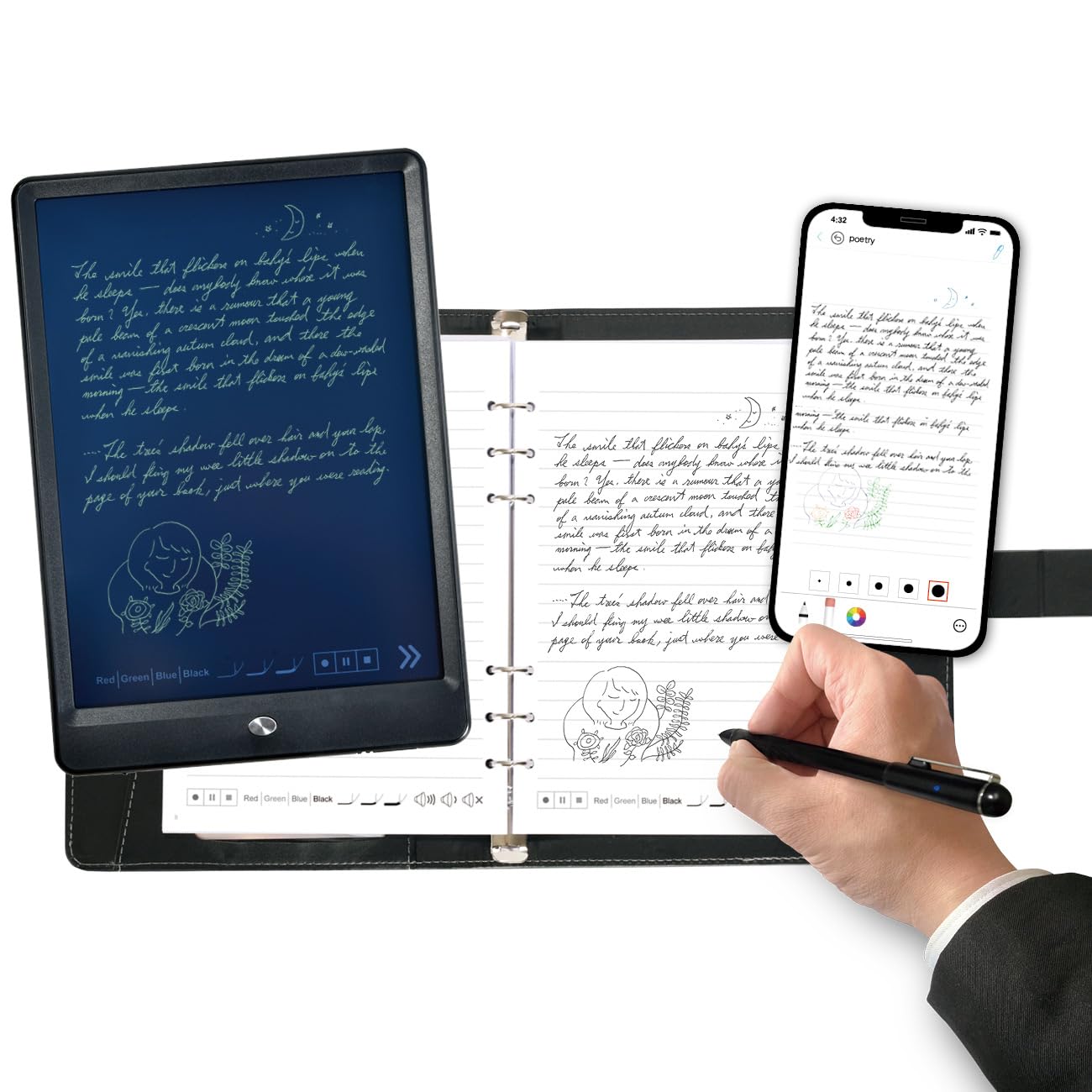
The Ophayapen Smart Pen system is built for anyone who wants the feel of ink on paper but needs digital organization. The kit includes a smart pen, a PU notebook with 60 sheets, and a writing board. Write normally on the paper, and the pen’s camera captures your strokes in real time via Bluetooth, syncing them to the Ophaya Pro+ app on iOS or Android. The real-time sync means your notes appear on your phone or tablet as you write—no scanning or photographing required. The offline storage feature is a lifeline: write without your phone nearby, and the pen stores up to multiple pages locally, then uploads them automatically when reconnected.
OCR handwriting recognition is the standout feature. The app converts handwritten text into digital text that can be saved as a Word document, PDF, PNG, or even MP4 time-lapse of the writing process. The searchable handwriting feature lets you find specific notes by keyword, tag, or timestamp—a massive time-saver when reviewing semester notes. Audio recording syncs with your writing, so tapping on a note plays the audio that was recorded when you wrote that exact line. This is invaluable for lecture review where you need to hear the professor’s explanation alongside your written notes.
The build quality is solid: an aluminum enclosure that feels durable in the hand, and the magnetic cap keeps the pen tip protected. The app supports pen thickness, color, and eraser customization, though some users find the Ophaya Pro+ app interface less polished than competitors like Livescribe or Rocketbook. The main complaint is that the app relies on your phone’s microphone for audio recording, which means it captures phone notifications alongside the lecture. For a student or professional who values paper feel and wants searchable digital archives without buying a full tablet, the Ophayapen is the most affordable OCR-capable solution in this guide.
Why it’s great
- OCR converts handwritten notes to digital text for Word, PDF, and searchable archives
- Real-time sync via Bluetooth and offline storage for no-phone writing
- Audio recording syncs with pen strokes for contextual note review
- Searchable by keyword, tag, and timestamp
Good to know
- App relies on phone microphone for audio recording—notifications may be captured
- App navigation and speed could be improved compared to premium competitors
8. HUION Note

The HUION Note is the most straightforward paper-to-digital tool in this roundup. You write on a standard A5 notepad with a digital pen, and the pen’s internal sensor captures every stroke and syncs it to the Huion Note app via Bluetooth 5.0. The magic is that you use real ballpoint pen refills (three included) on real paper—no special paper required beyond the included refillable A5 notepad. The tactile feedback of ink on paper is preserved exactly as you’d get from a standard gel pen, making it the most natural writing experience of any device here.
The battery life is exceptional at 18 hours of active use with a 30-day standby time. The pen charges via USB-C and stores neatly in a magnetic pen sleeve. The app allows you to organize notes by merging, splitting, or moving pages into groups. Audio recording syncs with your writing—tap on a specific note in the app to hear the audio recorded at that exact moment. The shared file formats include images, PDF, and MP4 time-lapse videos of the writing process. Bluetooth pairing is automatic once you open the app.
A clever extra feature: you can replace the inner pages with the provided panel and connect the HUION Note to your PC via USB to use it as a graphics drawing tablet. The pen’s battery-free technology means you never need to charge the stylus itself. The biggest limitation is that the pen only works with the HUION Note pad—you can’t use it on any random notebook. The included ballpoint refills last about 400 meters of writing, and plastic nibs are provided for drawing tablet mode. For the price, this is the most authentic paper experience with the best battery life among paper-based digital notebooks.
Why it’s great
- Write with real ballpoint ink on real paper for the most natural feel
- 18-hour battery life with 30-day standby is best in class for this category
- Audio recording syncs precisely with written strokes for detailed review
- Can double as a PC drawing tablet by swapping the notepad for the included panel
Good to know
- Pen only works with the HUION Note pad and its magnetic sleeve—not interchangeable
- Ballpoint refills last about 400m of writing, and replacement refills can be pricey
- App lacks some organizational features like auto-page detection and numbering
9. Jeazans Android 16 Tablet

The Jeazans Android 16 Tablet offers the most comprehensive budget bundle in this guide. For the price, you get the tablet, a Bluetooth keyboard, a wireless mouse, a capacitive stylus pen, a protective leather case, and a PD fast charger. The 10.1-inch LCD display with 1280 x 800 resolution is adequate for note-taking apps, PDF reading, and web browsing, though the resolution is noticeably lower than the 2K displays on the Lenovo or TCL tablets. The advertised 24GB RAM (3+21) is best understood as 3GB physical RAM plus 21GB of virtual expansion—real-world multitasking capacity is closer to the 3GB baseline.
The included capacitive stylus works for basic note-taking and sketching, but it lacks pressure sensitivity, so line weight is uniform regardless of how hard you press. The included keyboard and mouse turn the tablet into a passable laptop replacement for typing notes, emails, and light document editing. The 64GB internal storage is expandable up to 1TB via microSD, and the WiFi 6 and Bluetooth 5.4 connectivity provides reliable speeds for cloud-based note apps like Google Keep or OneNote.
Build quality is where this tablet shows its budget roots—the plastic chassis and the leather case feel less premium than the Lenovo or TCL options. Customer reviews mention inconsistent quality control, with some users receiving defective units with screen or connectivity issues. The dual HD cameras are adequate for video calls but not much more. For a first-time tablet buyer who wants a complete kit to explore note-taking, reading, and light productivity without committing more money, the Jeazans bundle is the most affordable entry point—but expect the pen to be more of a starting accessory than a serious note-taking tool.
Why it’s great
- Complete bundle includes keyboard, mouse, stylus, case, and PD charger—no extra purchases needed
- Expandable storage up to 1TB via microSD for storing notes and documents
- WiFi 6 and Bluetooth 5.4 provide fast, reliable connectivity for cloud sync
Good to know
- Capacitive stylus lacks pressure sensitivity—line weight is uniform
- 3GB physical RAM limits multitasking; the ’24GB’ includes virtual expansion
- Build quality and quality control are inconsistent compared to name-brand options
FAQ
Can a cheap note-taking tablet do accurate handwriting-to-text conversion?
What’s the difference between a paper-based digital notebook and an LCD tablet for note-taking?
Do I need a screen protector for a note-taking tablet?
How important is battery life for a budget note-taking tablet?
Final Thoughts: The Verdict
For most users, the best cheap note taking tablet is the Lenovo Idea Tab because it combines a sharp 2.5K 90Hz display, an included pressure-sensitive pen, and pre-loaded learning apps at a price that doesn’t force compromises on build quality or performance. If you need a larger screen and AI tools for deeper productivity, the Lenovo Idea Tab Pro justifies its extra cost with the 12.7-inch 3K display and Google Gemini integration. For the purest paper experience without digitization friction, the HUION Note delivers real ink on real paper with best-in-class battery life and offline storage.

Mo Maruf
I created WellFizz to bridge the gap between vague wellness advice and actionable solutions. My mission is simple: to decode the research and give you practical tools you can actually use.
Beyond the data, I am a passionate traveler. I believe that stepping away from the screen to explore new environments is essential for mental clarity and physical vitality.