Our readers keep the lights on and my smoothie glass nicely filled. As an Amazon Associate, I earn from qualifying purchases.
Finding a computer that balances raw power with a quiet, cool-running chassis is the real challenge in this price bracket. Many machines sacrifice build quality or component speed to hit a number, leaving you with a noisy fan or sluggish multitasking. This guide cuts through the noise to find the rigs that deliver genuine performance without compromise.
I’m Mohammad Maruf — the founder and writer behind WellFizz. I’ve spent hundreds of hours analyzing processor benchmarks, GPU thermals, and real-world user feedback to separate the true performers from the glorified spreadsheets machines.
The most important thing is finding the right balance for your workflow. To help you navigate the options, I’ve put together this comprehensive guide to the best computers under 1000 dollars that actually deliver on their promises.
How To Choose The Best Computer Under 1000 Dollars
In this price band, you’re often deciding between a lean laptop with a powerful CPU or a desktop with a dedicated GPU. The right choice hinges entirely on your primary use case—whether that’s gaming, content creation, or heavy office work.
CPU: The Brain of the Operation
The processor is the single most important component. Look for the latest generation (Intel Core Ultra, 13th/14th Gen, or AMD Ryzen 7000 series) as they offer better efficiency and raw performance. The core count (6 cores or more) is critical for multitasking and rendering tasks. An i5 or Ryzen 5 is the sweet spot for this budget; anything less will bottleneck performance in demanding apps.
GPU: Integrated vs. Dedicated
For office work, streaming, and light photo editing, integrated graphics (like Intel UHD or AMD Radeon Graphics) are sufficient. For gaming, 3D modeling, or video editing, a dedicated GPU like the NVIDIA GeForce RTX 3050 or RTX 5060 is non-negotiable. A desktop with a dedicated GPU will always outperform a laptop for raw graphics processing at this price.
RAM and Storage
16GB of RAM is the absolute minimum for a smooth Windows experience today, while 32GB is ideal for heavy multitasking. DDR5 RAM is faster and more future-proof than DDR4. For storage, a 512GB NVMe SSD is the starting point, but a 1TB drive is far more comfortable for storing games and large files. Avoid any system still using a traditional HDD as the primary drive.
Quick Comparison
On smaller screens, swipe sideways to see the full table.
| Model | Category | Best For | Key Spec | Amazon |
|---|---|---|---|---|
| Dell ECT1250 | Desktop | Productivity & Light Creative Work | Intel Core Ultra 7, 32GB DDR5 | Amazon |
| Thermaltake Quartz i1460 | Gaming Desktop | 1080p Gaming | RTX 5060, 16GB DDR4 | Amazon |
| Skytech Storm | Gaming Desktop | 1080p Gaming | RTX 3050, 16GB DDR4 | Amazon |
| SKYESEV Ryzen 5 | Gaming Desktop | Gaming & Multitasking | RTX 3050, 32GB DDR4 | Amazon |
| Apple MacBook Air M4 | Laptop | Portability & Ecosystem | M4 Chip, 16GB Unified Memory | Amazon |
| GEEKOM X14 Pro | Laptop | Creative Portability | Ultra 5, 32GB LPDDR5x | Amazon |
| HP 255 G10 | Business Laptop | Heavy Multitasking | Ryzen 7, 32GB DDR4 | Amazon |
| NIMO Ryzen 7 | Laptop | Versatile Laptop | Ryzen 7, 16GB DDR5 | Amazon |
| YAWYORE R5 5600GT | Desktop | Office & Light Gaming | Ryzen 5, 16GB DDR4 | Amazon |
| Dell 24 All-in-One | All-in-One | Simple Home Use | Intel Core 3, 8GB DDR5 | Amazon |
| Lenovo V15 Gen 4 | Business Laptop | Budget Business | i5-13420H, 16GB DDR4 | Amazon |
In‑Depth Reviews
1. Dell Tower Desktop ECT1250

This Dell tower is the productivity powerhouse of the list. The Intel Core Ultra 7 processor, with its built-in AI acceleration, breezes through heavy spreadsheets, coding, and stock trading with multiple monitors. The 32GB of DDR5 RAM is a standout, ensuring dozens of Chrome tabs and large applications run without a stutter. The 1TB NVMe SSD offers spacious and fast storage, contributing to its sub-30-second boot time.
The thermal design is conservative and quiet under normal loads, making it an excellent fit for a home office. The tool-less entry and removable side panel make upgrades a simple process, a rarity in pre-built desktops. It’s also built with sustainable materials, which is a nice environmental touch for a business machine.
The integrated UHD graphics are sufficient for office work and video playback, but this is not a gaming rig. The single 32GB RAM stick and 180W power supply limit its immediate upgrade path to a graphics card. For pure, silky-smooth productivity, this desktop is a fantastic value.
Why it’s great
- Blazing fast Intel Core Ultra 7 with AI features
- Generous 32GB of DDR5 RAM for heavy multitasking
- Easy tool-less access for future upgrades
Good to know
- Integrated graphics only; not for gaming
- Single RAM stick and low-wattage PSU limit GPU upgrades
- Front audio jack does not support recording
2. Thermaltake LCGS Quartz i1460

The Thermaltake Quartz i1460 offers the most powerful dedicated GPU in this lineup with the NVIDIA GeForce RTX 5060. This card is a serious step up for 1080p gaming, delivering high frame rates in the latest AAA titles. The Intel Core i5-14400F is a balanced, no-nonsense processor that pairs perfectly with this GPU to eliminate bottlenecks. The 1TB NVMe drive provides ample space for a modern game library.
The build quality is neat and professional, with a 3mm tempered glass side panel and a full-length PSU cover to hide cabling. The ARGB tower air cooler is effective at keeping the CPU temperatures in check during long sessions. The Windows 11 pre-install means you are ready to game straight out of the box.
The 16GB of DDR4 RAM is adequate, but future titles may benefit from an upgrade to 32GB. Some users report the built-in Wi-Fi adapter can be finicky, and the power supply, while adequate, is not the highest tier. For a powerful, future-proof gaming rig at this price, this is the top contender.
Why it’s great
- Top-tier RTX 5060 for high-fps 1080p gaming
- Neat, clean cable management and tempered glass panel
- Fast 1TB NVMe SSD for game storage
Good to know
- 16GB RAM may need an upgrade for future titles
- Wi-Fi adapter can be unreliable for some
- Standard PSU; not the highest efficiency tier
3. Skytech Gaming Storm
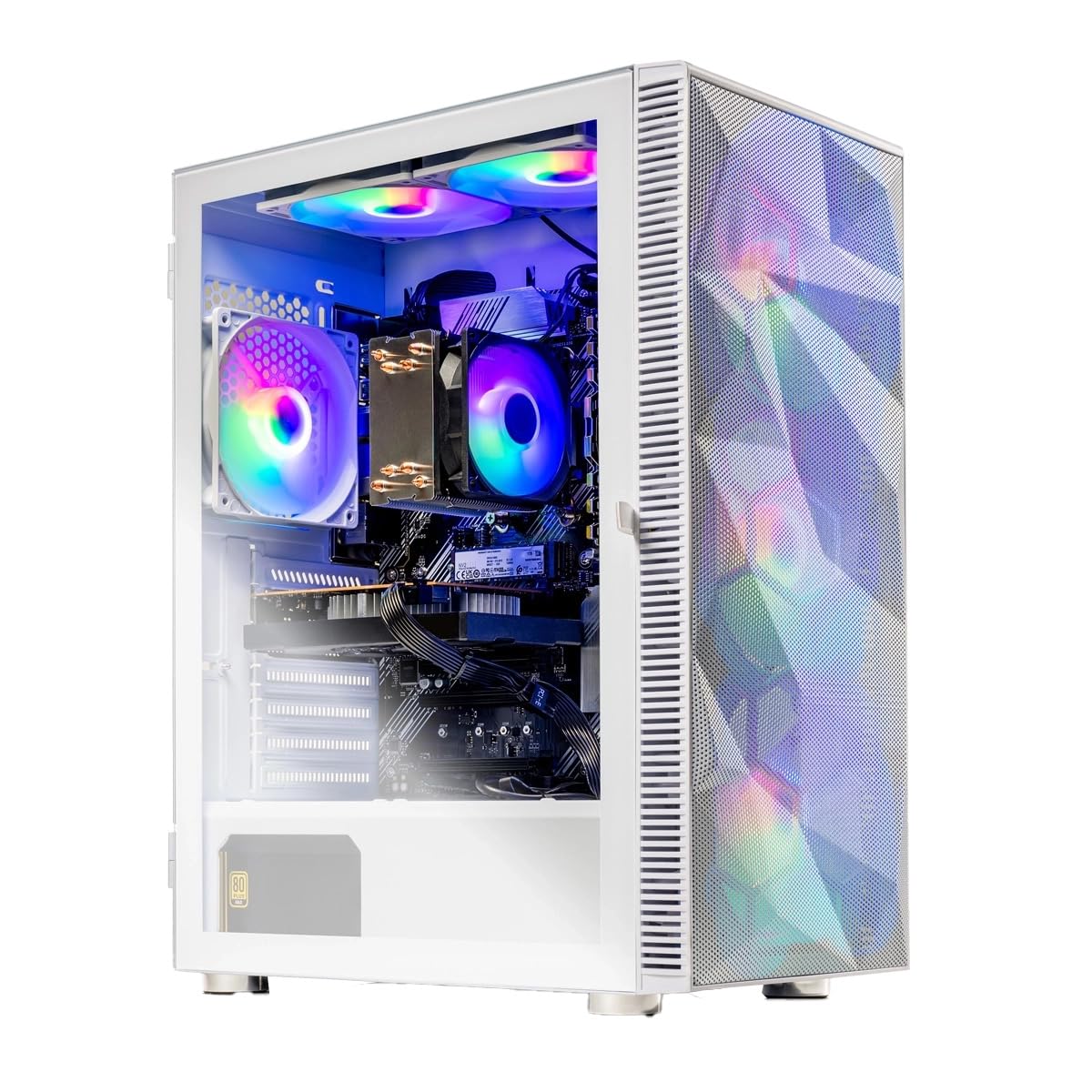
The Skytech Storm is a masterclass in value-focused pre-built gaming. The combination of an AMD Ryzen 5 5500 and an RTX 3050 6GB creates a reliable 1080p gaming machine that handles everything from Fortnite to Cyberpunk 2077 at respectable settings. The 650W Gold-rated power supply is a high-quality component that many budget builds skip, offering better efficiency and headroom for future upgrades. The 1TB NVMe SSD ensures fast load times for games and the OS.
Skytech has done a good job of avoiding bloatware, and the system comes with a free keyboard and mouse, making it a true plug-and-play experience. The white case with front mesh and ARGB fans looks sharp on a desk. The 16GB of DDR4 RAM at 3200MHz is perfectly matched to the CPU.
The Ryzen 5 5500 is an older architecture compared to the 5600, which limits its peak performance in CPU-intensive games. However, for casual and esports gamers, this machine offers incredible value and peace of mind with its 1-year warranty and US-based support.
Why it’s great
- Excellent value for a dedicated gaming PC
- High-quality 650W Gold-rated power supply
- Comes with keyboard and mouse for instant use
Good to know
- CPU is an older Ryzen 5 architecture
- Fans can be loud out of the box, needing adjustment
- Some case panel instructions are incorrect
4. SKYESEV Gaming Desktop (AMD Ryzen 5 5600, RTX 3050)

The SKYESEV desktop offers a fantastic balance for those who want a dedicated gaming GPU without skimping on RAM. The 32GB of DDR4 RAM is a massive advantage for multitasking, allowing you to keep a browser, Discord, and a game open without system slowdown. The AMD Ryzen 5 5600 is a solid six-core processor that pairs well with the RTX 3050 for a smooth 1080p experience.
The 1TB NVMe drive is fast and spacious, and the five ARGB fans with remote control allow for personalized cooling and aesthetics. The case is a “sea view room” design, which typically features a transparent side panel to show off the components. For a first-time desktop buyer, the value proposition here is very strong.
Some users report a critical flaw: the system can power off after a few days of use. This is a risk with less established pre-built brands. The RTX 3050 6GB is a entry-level dedicated GPU, so don’t expect high-refresh-rate gaming at 1440p. It’s a great all-rounder, but reliability is a potential concern.
Why it’s great
- Generous 32GB of DDR4 RAM for heavy multitasking
- Fast 1TB NVMe SSD and dedicated RTX 3050 GPU
- Five ARGB fans with remote control for cooling
Good to know
- Some units may have reliability issues (powering off)
- RTX 3050 is an entry-level gaming GPU
- Setup instructions are minimal
5. Apple 2025 MacBook Air 13-inch M4

The MacBook Air M4 is the benchmark for ultra-portable performance. The Apple M4 chip is incredibly efficient, providing desktop-class speed for video editing, coding, and creative work while remaining completely silent (no fans). The 13.6-inch Liquid Retina display is stunning, with vibrant colors and deep blacks for media consumption. The battery life is a standout feature, easily lasting a full work day on a single charge.
The build quality is sublime, with a premium aluminum unibody that feels far more expensive than it is. The 12MP Center Stage camera and spatial audio speakers make video calls feel more natural and immersive. The integration with the Apple ecosystem is seamless, including iPhone Mirroring and AirDrop.
The 256GB SSD is a serious limitation for power users who store a lot of local files or edit large video projects. The 16GB of unified memory is efficient, but cannot be upgraded later. It is also not a gaming machine in the traditional sense, as its game library is more limited than Windows.
Why it’s great
- Fanless, silent, and incredibly fast M4 chip
- Stunning 13.6-inch Liquid Retina display
- All-day battery life and premium build quality
Good to know
- 256GB SSD storage is limited for heavy users
- Not suitable for AAA gaming
- Limited port selection (needs dongles)
6. GEEKOM GeekBook X14 Pro

The GEEKOM X14 Pro is a dark horse that punches far above its weight. The star of the show is the 14-inch 2.8K OLED display with a 120Hz refresh rate. This panel is a visual feast for creators, offering true blacks and 100% DCI-P3 color coverage. The Intel Core Ultra 5 125H is a powerful and efficient processor that handles multitasking with ease, and the 32GB of LPDDR5x RAM at 7500MHz is overkill for most users, guaranteeing years of smooth performance.
At just 2.2 lbs and 0.23 inches thick, this is one of the lightest and thinnest laptops in its class. The all-metal magnesium alloy chassis feels premium and durable. The 72Wh battery delivers all-day power, and the included 65W GaN charger is compact and fast. The two USB4 ports with Power Delivery offer incredible versatility for displays and data.
GEEKOM is not a household name like Lenovo or Dell, which might concern some buyers. The touchpad feel is not the most premium, and the speakers are underwhelming for media consumption. For the screen and RAM, this is a steal, but build quality is a slight step below the MacBook.
Why it’s great
- Exceptional 2.8K OLED display with 120Hz refresh rate
- Generous 32GB of fast LPDDR5x RAM
- Extremely light (2.2 lbs) and compact design
Good to know
- Lesser-known brand; support may vary
- Touchpad feel is not the most premium
- Speakers are underwhelming for the price
7. HP 255 G10

The HP 255 G10 is a no-nonsense business laptop built for raw productivity. The AMD Ryzen 7 7730U is a powerful 8-core processor that chews through spreadsheets, data analysis, and coding workloads. The 32GB of RAM is a huge win for this price, allowing you to run multiple virtual machines or massive datasets without breaking a sweat. The 1TB SSD provides ample storage for all your files.
The 15.6-inch FHD IPS display is anti-glare, making it comfortable for long office hours in bright rooms. The micro-edge design keeps the footprint relatively small. It comes with Windows 11 Pro, which offers enterprise-grade security features and remote desktop capabilities that are essential for business users.
The build quality is more utilitarian than premium, with a plastic chassis that feels a bit cheap. The keyboard layout is standard, but some may find it takes a bit of getting used to. It has no biometric security features, which is a miss for a business-focused machine.
Why it’s great
- Powerful 8-core Ryzen 7 processor
- 32GB RAM for extreme multitasking
- Anti-glare display ideal for office environments
Good to know
- Plastic build feels less premium
- No biometric login (fingerprint/IR camera)
- Keyboard layout may feel unusual at first
8. NIMO 15.6″ FHD Gaming Laptop (AMD Ryzen 7 8745HS)
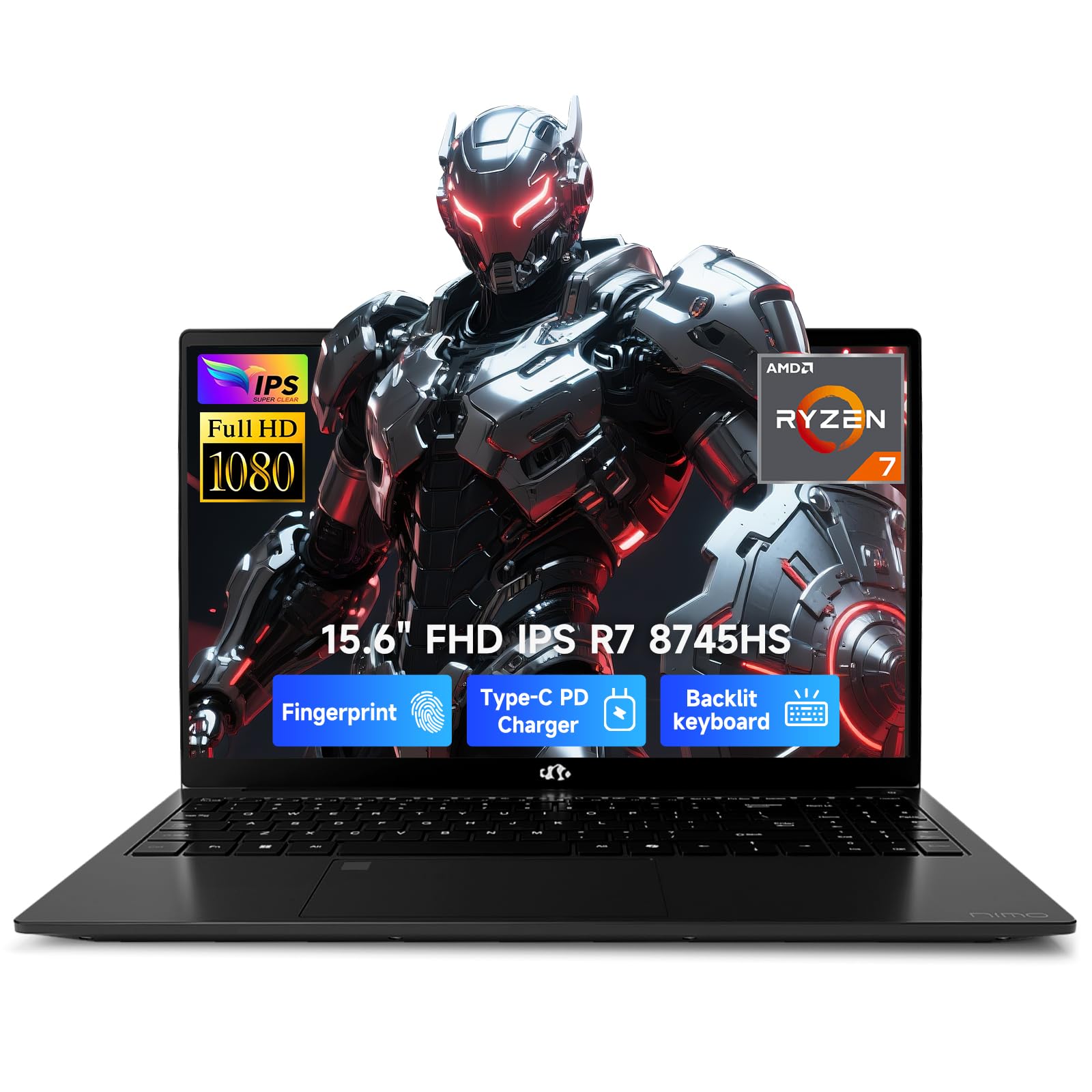
The NIMO laptop is a well-rounded performer that blurs the line between an ultrabook and a gaming machine. The AMD Ryzen 7 8745HS is a top-tier mobile processor, and its integrated Radeon 780M graphics are surprisingly capable, handling games like No Man’s Sky and Borderlands at playable settings. It also features a fast 100W USB-C charger that can get you back up to speed quickly.
The design is sleek and professional, with an 85% screen-to-body ratio that minimizes bezels. The integrated fingerprint reader in the touchpad is a nice security touch, and the backlit keyboard is useful for working in low-light environments. With a 2-year warranty and US-based assembly, NIMO is strong on customer reassurance.
For demanding AAA games, the integrated Radeon 780M will struggle compared to a dedicated RTX 3050. The screen is decent but not exceptional in terms of color accuracy or brightness. Some users find it gets warm under sustained gaming loads, requiring better ventilation.
Why it’s great
- Powerful Ryzen 7 CPU with capable Radeon 780M graphics
- Fast 100W USB-C charging and long battery life
- Sleek design with fingerprint reader and 2-year warranty
Good to know
- Integrated graphics limit AAA gaming
- Screen quality is average for the price
- Gets warm under sustained heavy loads
9. YAWYORE Gaming PC Desktop (AMD R5 5600GT)

This YAWYORE desktop is a smart entry-level workstation that uses powerful integrated graphics from the AMD Ryzen 5 5600GT. The Radeon Vega graphics are surprisingly capable, allowing for 1080p gaming at modest settings and smooth video playback. It’s a silent operator in the office but can handle a game of Fortnite or emulation without issue. The 16GB of DDR4 RAM and 1TB NVMe SSD are a solid pairing, ensuring the system feels snappy for day-to-day use.
The compact tower fits easily on a desk, and the 550W 80 PLUS Bronze power supply is a responsible choice that provides stable power. The five ARGB fans with a remote control for cooling are a nice aesthetic and functional touch. It’s a very quiet machine out of the box, which is a huge plus for a home office.
It does not come with a dedicated graphics card, which means its gaming ceiling is low. Some users noted the GPU power cable inside is tightly zip-tied, making it hard to add a dedicated GPU later. For office work, light coding, and very casual gaming, it’s a fantastic, quiet package.
Why it’s great
- Quiet operation with excellent cooling
- Powerful integrated Vega graphics for casual gaming
- Compact case with 1TB NVMe SSD
Good to know
- No dedicated GPU; limited for serious gaming
- Internal cable management is tight for upgrades
- Integrated graphics share system RAM
10. Dell 24 All-in-One Desktop EC24250

The Dell 24 All-in-One is the ultimate choice for a clutter-free home setup. The 23.8-inch FHD IPS display is the star of the show, offering vivid colors and a slim-bezel design that looks modern on any desk. The Intel Core 3 100U is a competent processor for everyday tasks like web browsing, email, and streaming. The included Dell Pro Keyboard and Mouse are decent, making it a truly out-of-the-box solution.
The 5MP IR camera with HDR is surprisingly good for video calls, and the built-in dual Bluetooth speakers with Dolby Atmos provide decent audio for music and movies. The 1 Year Onsite Service from Dell is a nice peace-of-mind addition, offering in-home support if something goes wrong.
The 8GB of DDR5 RAM is on the low side for heavy multitasking; you may notice slowdowns with many browser tabs open. The integrated Intel UHD graphics are not for gaming or heavy creative work. For a grandparent, a student, or someone who just needs a clean, simple computer, it’s perfect, but power users will find it limiting.
Why it’s great
- Clean, all-in-one design saves desk space
- Great 23.8-inch FHD display with thin bezels
- Excellent 5MP IR camera for video calls
Good to know
- 8GB RAM is limited for multitasking
- Not suitable for gaming or creative work
- Integrated graphics are very basic
11. Lenovo V15 Gen 4 Business Laptop

The Lenovo V15 Gen 4 is a straightforward, reliable workhorse. The Intel Core i5-13420H is a surprisingly quick processor for the price, beating older i7 models in benchmarks. It handles business applications, web browsing, and document editing with ease. The 16GB of RAM is a good starting point for multitasking, and the 512GB SSD provides fast boot times.
It includes practical business features like an RJ45 Ethernet port, a numeric keypad for data entry, and a webcam for video calls. Windows 11 Pro is a welcome inclusion, providing enterprise-grade management tools and security. The build quality feels sturdy for a budget laptop, and the keyboard has a satisfying typing feel.
The chassis is made of a cheaper plastic that feels less premium than some competitors. The 15.6-inch display is only an LCD panel, not IPS, meaning viewing angles and color accuracy are not great. Some users have noted the performance feels “sluggish” compared to a more premium ThinkPad, highlighting that it’s a budget compromise.
Why it’s great
- Excellent value with a fast i5-13420H processor
- Practical ports include RJ45 and HDMI
- Comes with Windows 11 Pro for business users
Good to know
- Plastic build feels less durable
- Display is basic LCD, not IPS
- Runs slower than premium business laptops
FAQ
Can I upgrade the RAM in a pre-built desktop?
Is 8GB of RAM enough for Windows 11 in 2025?
Which is better for gaming: an i5-14400F or a Ryzen 5 5600?
How long should a new computer under last?
Final Thoughts: The Verdict
For most users, the computer under 1000 dollars winner is the Dell Tower Desktop ECT1250 because it offers the best balance of raw productivity power, upgradeability, and generous 32GB RAM for any professional task. If you want a dedicated gaming experience with the strongest GPU, grab the Thermaltake LCGS Quartz i1460. And for a portable, stunning-display creative machine, nothing beats the GEEKOM GeekBook X14 Pro.

Mo Maruf
I created WellFizz to bridge the gap between vague wellness advice and actionable solutions. My mission is simple: to decode the research and give you practical tools you can actually use.
Beyond the data, I am a passionate traveler. I believe that stepping away from the screen to explore new environments is essential for mental clarity and physical vitality.