Our readers keep the lights on and my smoothie glass nicely filled. As an Amazon Associate, I earn from qualifying purchases.
An architecture rendering workstation lives or dies by its ability to balance a multi-core CPU for batch ray tracing, a GPU with enough VRAM for complex texture maps, and a cooling system that won’t throttle during a six-hour Lumion walkthrough. The wrong spec means spinning beach balls, corrupted viewports, and missed deadlines. The right one turns a Revit massing model into a 4K V-Ray production render without breaking a sweat.
I’m Mohammad Maruf — the founder and writer behind WellFizz. My workflow for this guide involved cross-referencing CPU core counts, GPU VRAM bandwidth, and thermal design profiles across seven pre-built systems that sit at the intersection of rendering performance and real-world studio budgets.
We evaluated each machine on how its processor, memory, and graphics stack handles the specific dual pressure of real-time viewport manipulation and final-frame rendering. After sorting through the options, this is the definitive computer for architecture rendering.
How To Choose The Best Computer For Architecture Rendering
Architecture rendering software like V-Ray, Lumion, Enscape, and Blender Cycles places a dual demand on your system: the CPU must crunch through millions of photons for final-frame renders, while the GPU must keep the viewport smooth during material tweaks. Ignoring one side of this equation creates a bottleneck that kills your workflow. Below are the three critical specs that separate a capable workstation from a frustrating one.
GPU VRAM and Ray Tracing Cores
Your graphics card’s VRAM determines how large a texture set and how many lights your scene can hold before the system starts swapping to system RAM — which destroys frame rates. For architecture work, 8GB is a strict minimum for medium-complexity interiors, while 12GB or more is the safety zone for full exterior scenes with vegetation and high-resolution materials. Ray tracing cores accelerate the lighting calculations that make modern renders look photorealistic. A card like the RTX 5070 with 12GB of GDDR7 memory gives you both the raw compute for real-time ray tracing in Enscape and the memory headroom for complex Lumion files.
CPU Core Count for Batch Rendering
Final-frame renders — the ones you leave running overnight — scale almost linearly with core count. A 16-core or 20-core processor will finish a V-Ray render in roughly half the time of an 8-core chip. The Intel Core i7-14700 with its 20 cores and the AMD Ryzen 7 7700X with 8 fast cores represent two different trade-offs: the Intel excels at multi-threaded batch work, while the AMD’s single-core speed keeps the viewport snappy during modeling. The balance depends on whether you spend more time tweaking materials or waiting for final output.
System Memory and Storage Speed
DDR5 RAM at 5600MHz or higher ensures your CPU isn’t starved for data while calculating lighting bounces. 32GB is the baseline for a realistic architecture project with multi-layer Photoshop files and a browser full of reference images; 64GB is wise if you work with point clouds or very large Revit models. A PCIe 4.0 NVMe SSD — at least 1TB — prevents asset-loading stutters when you’re browsing through a library of 4K textures. Anything slower than a Gen4 drive will create noticeable pauses when switching between scene files.
Quick Comparison
On smaller screens, swipe sideways to see the full table.
| Model | Category | Best For | Key Spec | Amazon |
|---|---|---|---|---|
| Skytech Gaming Azure 3 | Mid-Range | Lumion & Enscape real-time viewport | RTX 5070 12GB + 32GB DDR5 | Amazon |
| Alienware Aurora ACT1250 | Premium | High-end single-frame V-Ray renders | RTX 5070 + Intel Core Ultra 7 265F | Amazon |
| Dell Pro Tower QBT1250 | Premium | 64GB RAM for huge BIM models | 64GB DDR5 + 2TB PCIe SSD | Amazon |
| Dell Pro Tower i7-14700 | Mid-Range | Budget-friendly 4K rendering | Intel 20-Core i7-14700 + 32GB RAM | Amazon |
| WIWB i9-14900HX PC | Budget | Entry-level 3D rendering | Intel i9-14900HX + RTX 5060 Ti 8GB | Amazon |
| CyberPowerPC Gamer Master | Budget | Cost-effective entry to rendering | Ryzen 7 8700F + RTX 5060 Ti 8GB | Amazon |
| GMKtec EVO-X2 AI Mini PC | Premium | Ultra-compact AI rendering system | 128GB LPDDR5X + 40 RDNA 3.5 CUs | Amazon |
In‑Depth Reviews
1. Skytech Gaming Azure 3 Desktop PC

The Skytech Gaming Azure 3 strikes a near-perfect balance for architecture rendering by pairing an AMD Ryzen 7 7700X with an NVIDIA RTX 5070 carrying 12GB of GDDR7 VRAM. The 7700X’s 4.5GHz base clock and 5.4GHz boost deliver fast single-threaded performance for viewport updates in Revit and SketchUp, while the 8 cores handle overnight batch renders without excessive lag. The 360mm AIO liquid cooler keeps the CPU under 80°C during extended Cycles renders, preventing the thermal throttling that plagues air-cooled competitors.
The 32GB of DDR5 RAM clocked at 6000MHz provides enough bandwidth to load complex Lumion scenes with multiple vegetation layers and high-res textures without stuttering. The 1TB Gen4 NVMe SSD loads Enscape scene files in under 10 seconds, and the 850W Gold-rated PSU leaves headroom for a future GPU upgrade when you need more VRAM. The system ships with a tempered glass case and addressable RGB fans, but the real value is the component quality: brand-name parts that are modular and easy to service.
Customer feedback highlights its quiet operation and seamless performance with rendering loads, though the included bottom exhaust fan can be slightly noticeable under full load. The HDMI port may require some troubleshooting during initial setup — using the DisplayPort output is recommended for stable 1440p output. For anyone who spends their day jumping between modeling and batch rendering, this pre-built delivers a no-compromise experience right out of the box.
Why it’s great
- RTX 5070 with 12GB VRAM handles complex texture-heavy scenes
- AIO liquid cooling prevents thermal throttling during all-night renders
- Component choices are modular for easy future upgrades
Good to know
- Bottom fan can be audible under sustained load
- 1TB drive fills fast with large project files
- HDMI output may need driver tuning
2. Alienware Aurora Gaming Desktop ACT1250

The Alienware Aurora ACT1250 brings Dell’s enterprise-level build quality to the architecture rendering space, featuring an Intel Core Ultra 7 265F and an NVIDIA GeForce RTX 5070. The 265F’s 20-core configuration handles multi-threaded V-Ray rendering efficiently, while the RTX 5070’s Blackwell architecture delivers dedicated ray tracing acceleration that makes viewport material previews in Enscape feel instantaneous. The 1000W Platinum-rated PSU ensures clean, stable power delivery during sustained load without voltage droop.
The Alienware Command Center software lets you tune performance modes, which is useful when you need to prioritize noise reduction during client presentations versus raw render speed during overnight jobs. The 1TB SSD loads large Revit models quickly, and the DDR5 RAM handles heavy multitasking between rendering software and design apps. The tool-less chassis design makes adding an extra NVMe drive for project storage straightforward.
Some units have shipped with alignment issues on the front USB-C port and RGB lighting, and Dell’s support responsiveness has drawn mixed feedback. The boot time of approximately two minutes is slower than some competitors. For professionals who need a reliable, upgradeable platform for long rendering sessions, the Aurora’s robust thermal design and power delivery make it a solid investment.
Why it’s great
- 1000W Platinum PSU ensures stable power for prolonged renders
- Tool-less chassis simplifies hardware upgrades
- Dell 1-Year Onsite Service included
Good to know
- Some units have reported front USB-C alignment issues
- Boot time is slower than many competitors
- Integrated graphics only, no multi-monitor via GPU
3. Dell Pro Tower Plus QBT1250 Business Desktop
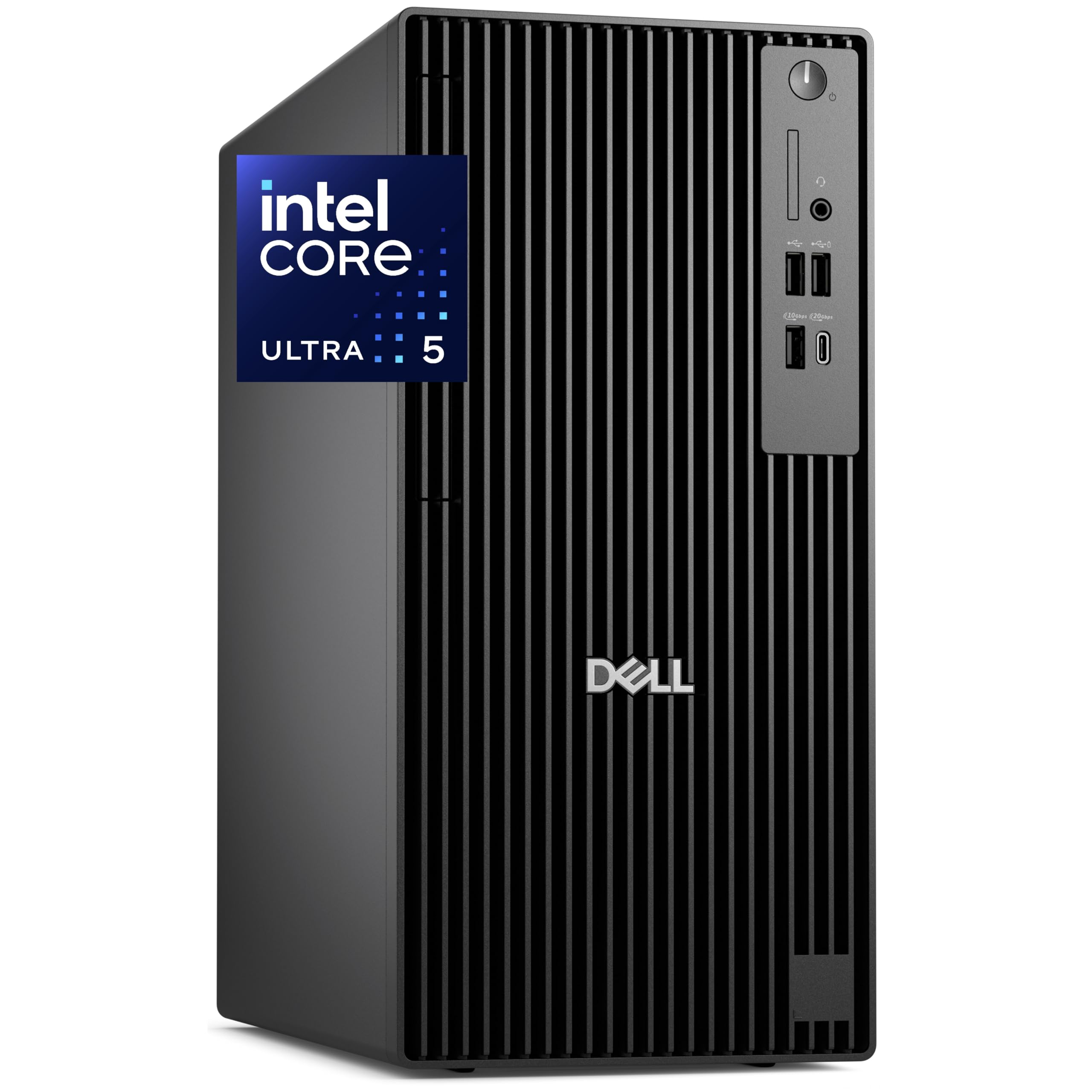
The Dell Pro Tower Plus QBT1250 is the workstation for architects who routinely work with enormous BIM models, point cloud scans, or multi-layer Photoshop files alongside their rendering software. The Intel Core Ultra 5 235 integrates a Neural Processing Unit that accelerates AI-assisted denoising in applications like V-Ray GPU, while the 64GB of DDR5 RAM provides enough headroom to keep a browser full of references, a Revit file, and a Lumion scene open simultaneously without swapping. The 2TB PCIe NVMe SSD is double the storage of most alternatives, letting you keep your entire active project library on the boot drive.
The drive for triple 4K displays via native DisplayPort outputs is a strong feature for multi-monitor workflows. The chassis is tool-less for easy upgrades, and the TPM 2.0 chip adds security for professional environments. The system ships with a USB WiFi adapter rather than an internal card, which is a quirk that adds a USB port on your desk.
The integrated Intel Graphics is not suitable for real-time rendering — you will need to add a dedicated GPU for any Enscape or Lumion work. The USB WiFi adapter feels like a cost-cutting measure at this price tier. For an architect who needs massive system memory for data-heavy workflows and is willing to add a GPU, this Dell offers exceptional value in raw capacity.
Why it’s great
- 64GB DDR5 RAM handles massive BIM models without stutter
- 2TB NVMe SSD provides ample storage for active projects
- Triple 4K display support for multi-monitor setups
Good to know
- No built-in WiFi, uses a USB adapter
- Integrated graphics cannot run real-time rendering software
- Must add a dedicated GPU for any graphics-intensive work
4. Dell Pro Tower PC Desktop Intel i7-14700
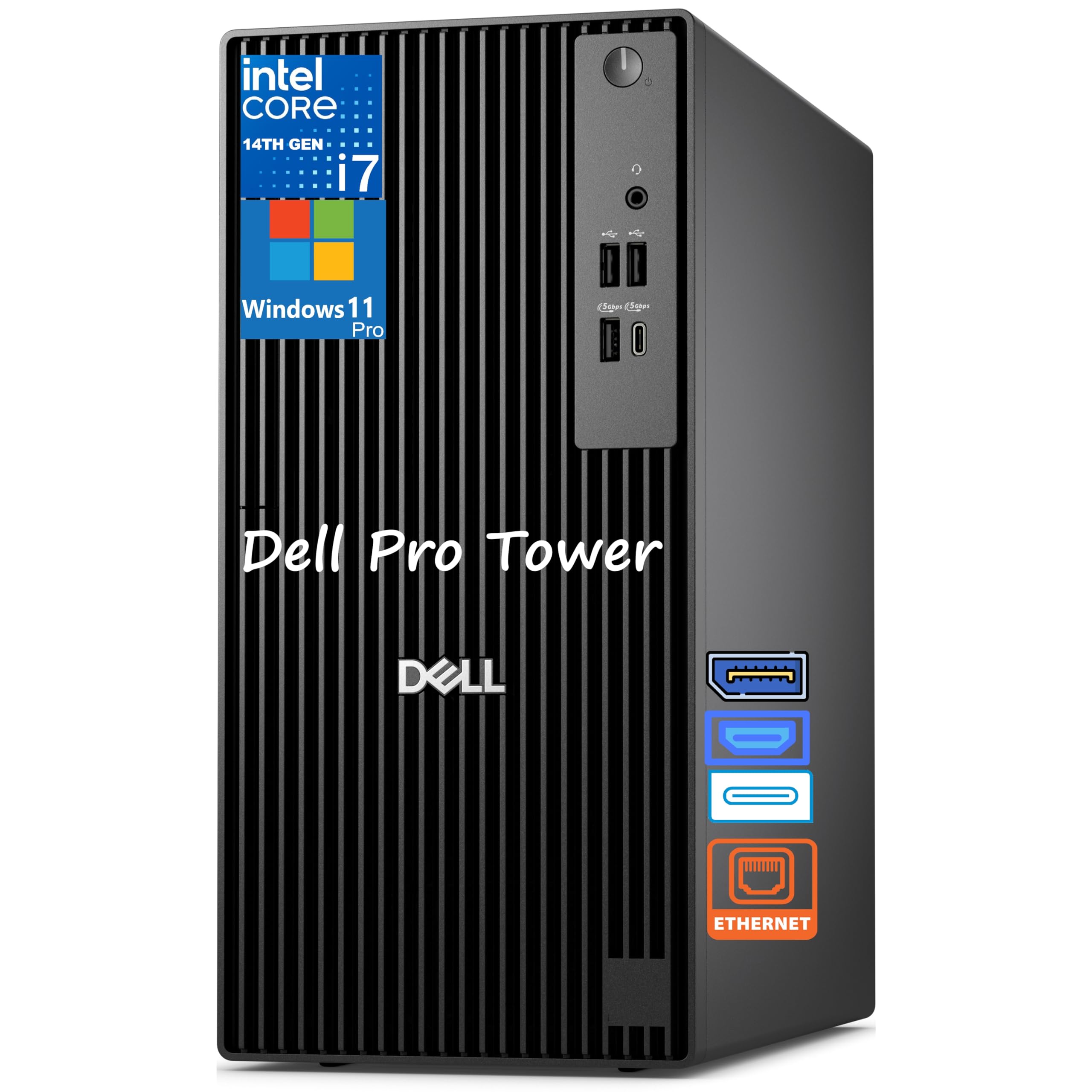
This Dell Pro Tower uses the Intel Core i7-14700, a 20-core processor that punches above its weight class for multi-threaded V-Ray and Cycles rendering. With 8 performance cores and 12 efficiency cores, it can handle overnight batch renders faster than many consumer chips while keeping power draw reasonable. The 32GB of DDR5 RAM provides enough memory for most architecture projects, and the 1TB SSD boots Revit and loads complex SKP files quickly. Windows 11 Pro includes BitLocker encryption for protecting client IP on a fleet workstation.
The system is compact for a tower, with a small footprint that fits easily under a desk. It supports dual 4K displays via HDMI and DisplayPort, which is useful for a two-screen modeling workflow. The DVD-RW drive is a legacy inclusion that may be useful for loading older project archives. It is very quiet during operation.
The Intel UHD Graphics 770 is not sufficient for real-time rendering, so a dedicated GPU will need to be added for any Enscape or Lumion workflow. Some users have reported the DVD-RW drive feels flimsier than older Dell models, and there is no HDMI output — you will need a DisplayPort to VGA or DisplayPort to HDMI adapter. This is a solid value option for users who prioritize CPU rendering performance and can supply their own graphics card.
Why it’s great
- 20-core i7-14700 provides exceptional multi-threaded render speed
- Compact chassis design saves desk space
- Very quiet operation even under load
Good to know
- Integrated graphics only, must add a dedicated GPU
- No HDMI output, uses DisplayPort connections
- DVD-RW drive feels less robust than older Dell models
5. WIWB Gaming PC Desktop Core I9-14900HX

The WIWB PC uses an Intel Core i9-14900HX, a mobile-derived processor that provides 24 cores and 32 threads at a price point that undercuts desktop-class CPUs. This core count allows it to handle multi-threaded rendering in V-Ray and Blender Cycles with surprising efficiency, though the mobile architecture means sustained performance under full load may not match a true desktop chip. The GeForce RTX 5060 Ti with 8GB of GDDR7 memory provides entry-level ray tracing capabilities for software like Enscape and Twinmotion.
The 16GB of DDR5 RAM is adequate for basic rendering tasks but will become a bottleneck for large Lumion projects or complex Revit models. The 1TB NVMe SSD loads scene files quickly, and the system ships with WiFi 6 for a stable network connection. The case includes customizable RGB lighting and a clean aesthetic.
The system has variable build quality, with some units experiencing boot failures or issues with glued components that prevent future upgrades. The absence of USB-C ports is a limitation for modern peripherals. For a budget-conscious architecture student or small firm testing rendering workflows, this machine provides capability at a low entry point, but the mobile CPU compromises long-term rendering speed.
Why it’s great
- 24-core i9-14900HX provides strong multi-threaded performance
- RTX 5060 Ti enables entry-level real-time ray tracing
- Affordable price for getting started in rendering
Good to know
- Only 8GB VRAM limits texture-heavy projects
- Mobile CPU may throttle under sustained load
- Some units reported hardware issues out of the box
6. CyberPowerPC Gamer Master Gaming PC

The CyberPowerPC Gamer Master is the most accessible entry point for architecture rendering, built around the AMD Ryzen 7 8700F — an 8-core, 16-thread processor that offers solid single-core performance for viewport manipulation and decent multi-core throughput for overnight renders. The NVIDIA GeForce RTX 5060 Ti with 8GB of GDDR7 VRAM enables basic ray tracing in Enscape and Twinmotion, though you will push against VRAM limits with large material libraries. The AM5 socket provides an upgrade path to future Ryzen processors as your rendering needs grow.
The system includes 16GB of DDR5 RAM, which is the minimum recommended for architecture work and should be your first upgrade. The 1TB PCIe 4.0 NVMe SSD loads Blender files and Revit models quickly, while the 650W Gold-rated PSU supports moderate future GPU upgrades. Free lifetime tech support is a useful safety net for less experienced users.
Some units have experienced random restarts and USB power issues, both of which were resolved through BIOS settings and driver updates. The fan wire on one unit broke during shipment, though CyberPowerPC sent replacements. For the cost, this machine proves that a capable rendering workstation is accessible, provided you are willing to work through minor initial setup issues.
Why it’s great
- AM5 socket provides a clear future CPU upgrade path
- RTX 5060 Ti with 8GB GDDR7 for entry-level ray tracing
- Quiet cooling system and sturdy case design
Good to know
- 16GB RAM is the minimum for architecture work
- Some units require BIOS tweaks for USB stability
- Warranty support responsiveness has been inconsistent
7. GMKtec EVO-X2 AI Mini PC

The GMKtec EVO-X2 is a radical departure from traditional towers, packing the AMD Ryzen AI Max+ 395 with 16 Zen 5 cores and a Radeon 8090S integrated GPU with 40 RDNA 3.5 compute units into a chassis that sits on your desk without dominating it. The 128GB of unified LPDDR5X memory at 8000MT/s can be allocated as up to 96GB of VRAM for the GPU, which allows this mini PC to load and render architecture scenes that would require a workstation with a top-tier discrete GPU. It runs large language models for AI-assisted design generation, but its primary rendering value is in its ability to handle complex multi-display 8K outputs and provide high-bandwidth memory for real-time visualization.
The system supports quad 8K displays via HDMI 2.1, DisplayPort 1.4, and dual USB 4 ports. The 2.5GbE LAN and WiFi 7 provide the network speed needed for large texture downloads and cloud-based collaboration. The triple-fan cooling system with advanced heatpipes keeps temperatures manageable during sustained rendering, though it emits a clear fan noise under full load.
The integrated graphics, while impressive, still falls between an RTX 4060 and 4070 in performance — meaning it will handle medium-complexity Lumion scenes but may struggle with the largest architecture files. The form factor offers zero upgrade paths for the CPU or GPU. For rendering professionals who need a portable, compact system that can function as both a rendering workstation and a local AI server, the EVO-X2 is a unique and capable option.
Why it’s great
- Up to 96GB unified VRAM for massive texture sets
- Quad 8K display support for multi-monitor workflows
- Ultra-compact form factor saves significant desk space
Good to know
- GPU performance is below a desktop RTX 5070
- No upgrade path for CPU or GPU
- Fans are audible under sustained full load
FAQ
Is a dedicated GPU absolutely necessary for architecture rendering?
How much VRAM do I need for a large Lumion landscape scene?
Should I prioritize CPU cores or GPU for batch rendering?
Final Thoughts: The Verdict
For most users, the computer for architecture rendering winner is the Skytech Gaming Azure 3 because it pairs a strong single-core CPU with a 12GB GPU and 32GB of DDR5 6000 memory in a clean, upgradeable chassis that handles both real-time viewport work and overnight batch renders without compromise. If you need massive system memory for BIM data and plan to add your own GPU, the Dell Pro Tower Plus QBT1250 with 64GB RAM is the smart pick. And for a compact, portable system that doubles as an AI workstation with incredible unified memory bandwidth, nothing beats the GMKtec EVO-X2.

Mo Maruf
I created WellFizz to bridge the gap between vague wellness advice and actionable solutions. My mission is simple: to decode the research and give you practical tools you can actually use.
Beyond the data, I am a passionate traveler. I believe that stepping away from the screen to explore new environments is essential for mental clarity and physical vitality.