Our readers keep the lights on and my smoothie glass nicely filled. As an Amazon Associate, I earn from qualifying purchases.
The right cheap children’s tablet isn’t the one with the cheapest price tag — it’s the one that survives a two-foot drop onto tile, keeps a toddler engaged on a long car ride, and doesn’t make you wince when the screen gets sticky. In this segment, the line between a useful tool and a frustrating toy comes down to three things: battery integrity, case durability, and whether the processor can handle a 3-year-old’s impatient tapping. The wrong choice overheats, freezes, or dies before the warranty expires — the right one buys you hours of quiet, educational play.
I’m Mohammad Maruf — the founder and writer behind WellFizz. I’ve spent hundreds of hours poring over customer reports, battery tear-downs, and parental control reviews to separate the genuinely durable cheap tablets from the ones that will frustrate both parent and child within the first month of ownership.
After comparing seven contenders by real-world specs like battery capacity, RAM, screen resolution, and case construction, I’ve identified the best cheap children’s tablet that balances safety, durability, and performance for families on a budget.
How To Choose The Best Cheap Children’s Tablet
Buying a cheap children’s tablet means accepting some trade-offs, but you don’t have to compromise on the features that matter most — drop protection, battery runtime, and content filtering. Focus your budget on the specs that directly affect daily use and ignore marketing fluff like inflatable RAM numbers or vague “kid mode” claims.
Battery capacity determines real-world runtime
A cheap children’s tablet with a 3100mAh battery might claim three hours of use, but real-world testing from dozens of verified buyers shows that many of these units degrade to less than an hour of screen-on time within six months — and some overheat. A 6000mAh battery gives you a realistic 6–10 hours from day one and still holds a useful charge after a year of daily charging cycles. Always check the milliamp-hour (mAh) rating, not the manufacturer’s vague “up to X hours” promise.
RAM and processor speed govern frustration levels
Children’s apps are often poorly optimized — they stutter and freeze on underpowered hardware. A quad-core processor paired with 2GB of RAM is the bare minimum for a smooth experience on a cheap children’s tablet. Models with 4GB of effective RAM (including virtual expansion) handle multitasking better, especially when a child switches between a learning app, a video, and a drawing game without closing anything.
Case quality is the real drop-test factor
Every cheap children’s tablet in this guide comes with a bumper case, but not all cases are equal. Soft silicone cases with built-in stands offer better shock absorption than thin EVA foam bumpers. The best cases cover the corners and edges fully, add a kickstand for hands-free viewing, and still leave the charging port and headphone jack accessible. A case that adds bulk is worth it if it prevents a cracked screen on the first drop.
Quick Comparison
On smaller screens, swipe sideways to see the full table.
| Model | Category | Best For | Key Spec | Amazon |
|---|---|---|---|---|
| PRITOM 7-Inch | Mid-Range | Budget 3–7 year olds | 3100mAh battery, 4GB RAM | Amazon |
| Zcobro 7-Inch | Mid-Range | Long car trips | 3500mAh battery, 2GB RAM | Amazon |
| Amazon Fire 7 Kids | Mid-Range | Amazon Kids+ content | 10-hour battery, 2GB RAM | Amazon |
| EDDBNi 10-Inch | Mid-Range | Older kids, bigger screen | 6000mAh battery, 6GB RAM | Amazon |
| Urao 10-Inch | Premium | Performance & storage | Octa-core, 20GB RAM, 64GB ROM | Amazon |
| Gleeso 10-Inch | Premium | All-day learning & play | 6000mAh battery, 24GB RAM | Amazon |
| CFVOCUY 10.1-Inch | Premium | WiFi 6 & fast charging | 5000mAh battery, WiFi 6 | Amazon |
In‑Depth Reviews
1. EDDBNi Kids Tablet 10-Inch
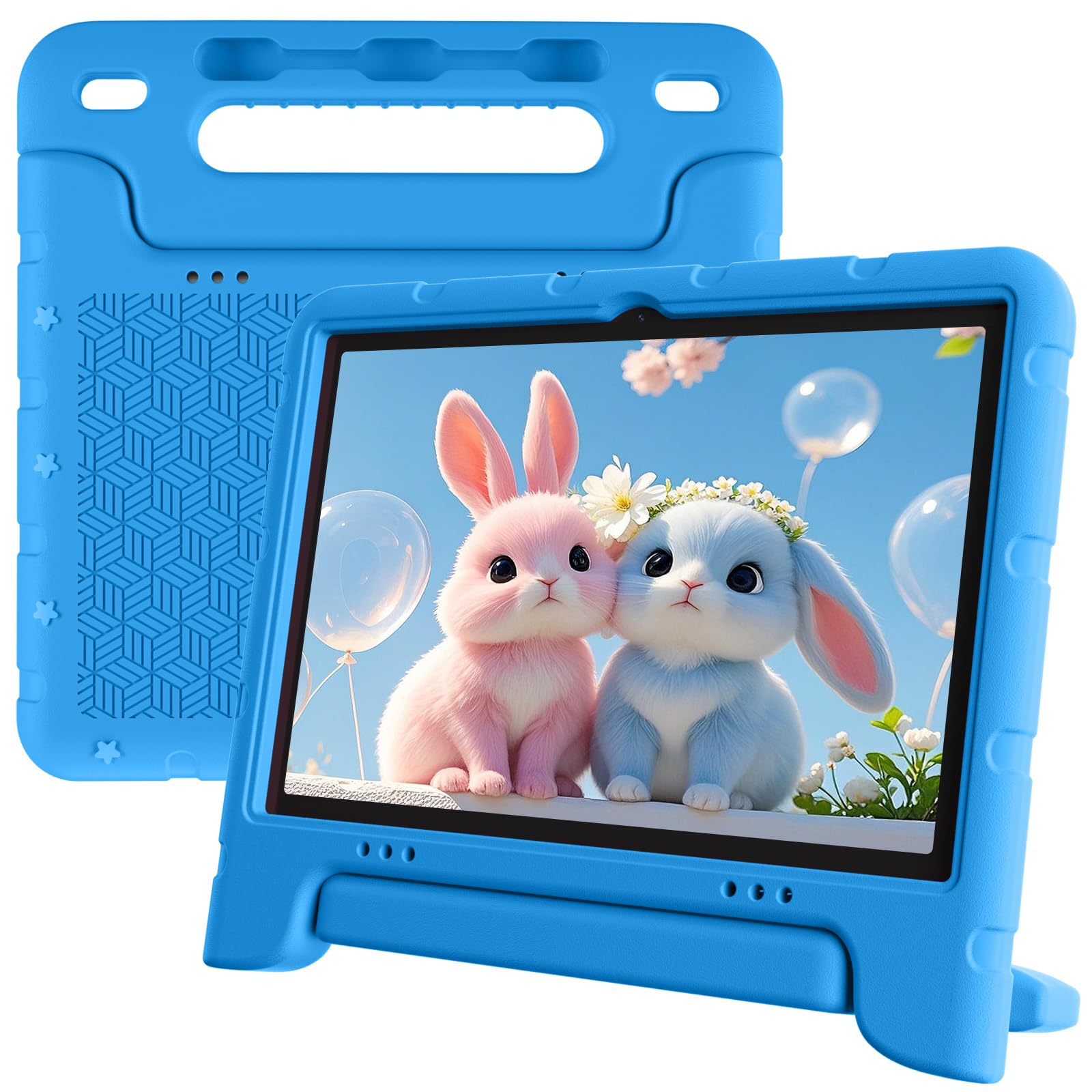
The EDDBNi hits the sweet spot for a cheap children’s tablet by combining a 6000mAh battery — the largest capacity in the mid-range tier — with a 10.1-inch 1280×800 IPS display that provides clear, wide-angle viewing. Its quad-core processor running Android 15 is paired with 6GB of RAM, which is enough to switch between educational apps, YouTube videos, and drawing games without noticeable lag. The included bumper case and adjustable stand protect against drops and allow hands-free use for younger children.
Parents appreciate the robust parental control system that lets you set screen time limits, block specific apps, and filter web content by age level. The 5MP front camera and 8MP rear camera are sufficient for video calls with grandparents and basic photography. With 64GB of internal storage expandable to 1TB via microSD, this tablet can hold hundreds of downloaded shows and apps for offline use during road trips. Fast charging via USB-C replenishes the large battery relatively quickly.
While the 8-hour real-world battery life is excellent for a cheap children’s tablet at this price, some buyers report inconsistent quality control — a small number of units stopped charging within six months, and customer support was reportedly difficult to reach. The 10-inch form factor is also larger than some 7-inch competitors, which may be cumbersome for very small hands to hold independently for long periods.
Why it’s great
- 6000mAh battery delivers 8–10 hours of real-world use
- 6GB RAM keeps multitasking smooth for kids’ apps
- Full 1280×800 IPS display with wide viewing angles
Good to know
- Some units have quality control issues with charging ports
- 10-inch size may feel heavy for a 2–3 year old
- Customer support response has been inconsistent
2. Gleeso Android 16 Kids Tablet
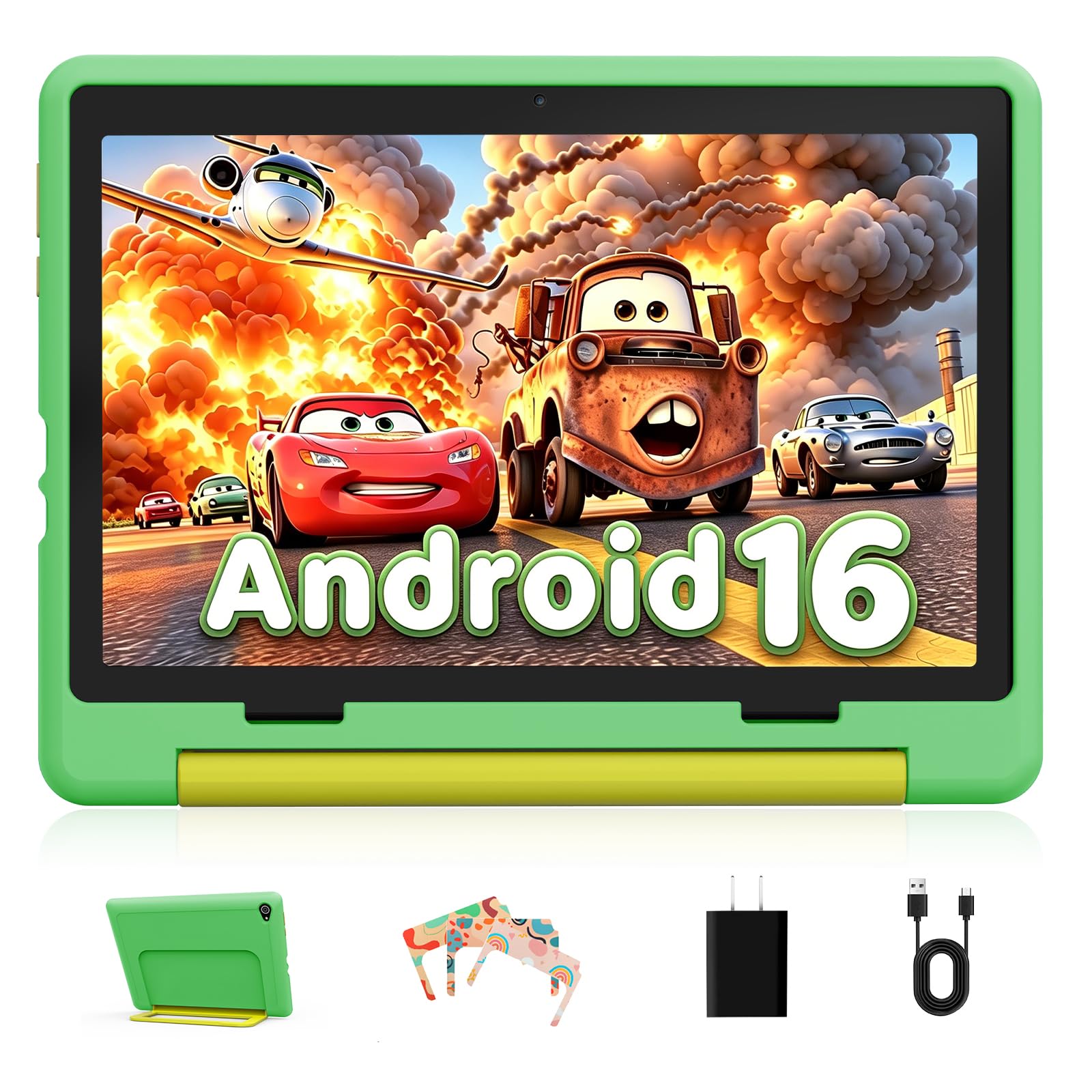
The Gleeso tablet stands out in the cheap children’s tablet category for its massive 24GB of RAM — an unusual spec at this price point that translates to truly smooth performance when multiple apps are open. It runs Android 16 natively, giving it better app compatibility and security updates than older Android versions found on competitors. The 6000mAh battery, paired with a power-efficient processor, consistently delivers a full day of mixed use according to buyer reports, with the tablet easily lasting through long car rides or school days.
The pre-installed UKIDOZ kids space offers a curated library of age-appropriate educational games, storybooks, and learning activities suited for children aged 3–12. Parental controls allow you to set daily usage limits, block specific app categories, and view detailed activity reports. The 10.1-inch 1280×800 LCD screen includes a blue light reduction mode that reduces eye strain during extended viewing sessions. The included anti-drop protective case is soft enough to absorb impact while remaining lightweight enough for a child to carry.
One drawback is the LCD display — it doesn’t match the contrast and color vibrancy of IPS panels found on some rivals. The tablet also lacks WiFi 6 support, so streaming high-definition content can buffer occasionally on congested home networks. Some users noted that the touch response can feel slightly laggy when navigating the Android 16 interface outside of the kids launcher, though performance inside curated apps remains smooth.
Why it’s great
- 24GB RAM provides exceptional multitasking for a cheap children’s tablet
- 6000mAh battery lasts 8–10 hours in real-world testing
- Pre-loaded UKIDOZ content is age-appropriate and educational
Good to know
- LCD screen lacks the contrast of higher-end IPS panels
- No WiFi 6 support; streaming can buffer on busy networks
- Occasional touch lag outside of kid-focused apps
3. Urao Kids Tablet 10-Inch

The Urao tablet brings an octa-core 2.0GHz processor and 20GB of RAM to the cheap children’s tablet space, making it one of the fastest options for running demanding educational apps and video streaming simultaneously. Parents consistently report that apps load almost instantly and the interface stays responsive even when the child has a dozen drawings, stories, and puzzle apps open in the background. The 64GB internal storage is expandable to 1TB via microSD, giving you room to download entire series for offline viewing during trips.
The 10-inch 1280×800 IPS HD touchscreen delivers vibrant colors and wide viewing angles, which makes a real difference during shared story-time sessions. The low blue light mode and a dedicated reading mode reduce screen flicker, making it more comfortable for extended use — a real concern for younger children. The included food-grade silicone bumper case adds corner protection and a kickstand, though it’s slightly bulkier than some competitor cases. The tablet charges fully in about 1.5 hours via USB-C, which minimizes downtime.
User feedback is overwhelmingly positive, but the 20GB RAM figure appears to include virtual/system expansion rather than purely physical RAM — some technically inclined buyers note that real usable memory may be lower than advertised. The battery runtime of 6 hours is adequate but falls short of the 8–10 hours offered by the 6000mAh competitors. The tablet also lacks cellular connectivity, so all content streaming is WiFi-dependent.
Why it’s great
- Octa-core processor delivers snappy app loading and multitasking
- IPS HD screen with reading mode reduces eye strain
- Fast charging via USB-C refills in 1.5 hours
Good to know
- Rated RAM figure may include virtual expansion
- 6-hour battery is less than some 6000mAh rivals
- No cellular connectivity; WiFi-only operation
4. CFVOCUY Kids Tablet 10.1-Inch

The CFVOCUY tablet is the most durable cheap children’s tablet in this lineup, thanks to its thick EVA foam case that multiple verified buyers report surviving being thrown, stomped on, and dropped down stairs without damage. The 10.1-inch 1280×800 IPS display is scratch-resistant and paired with WiFi 6 support — a rare feature at this price point — which provides faster, more stable streaming in homes with congested networks. The octa-core processor and 8GB of RAM provide a responsive experience for kids’ apps, with smooth transitions between YouTube, drawing programs, and educational games.
The pre-installed educational apps are a genuine differentiator — parents report that their children engage with the content more readily than on generic Android tablets, and the Google Kids Space integration adds a trusted layer of curated, age-appropriate apps. The parental control dashboard is straightforward, allowing you to set screen time limits, approve or block specific apps, and filter website content without having to create multiple profiles. The 5000mAh battery provides 6–8 hours of mixed use, which is adequate for a day of school and home play.
The main downside is the touch responsiveness: several buyers note that the screen requires more deliberate tapping than more expensive tablets, and a rapid multi-tap can confuse the interface. The EVA case, while extremely protective, makes the tablet feel bulkier and heavier than the silicone-case alternatives. Some users also mentioned that the internal storage fills quickly with downloaded videos, and there is no microSD slot on all units — confirm expandability before purchasing.
Why it’s great
- EVA foam case survives drops, throws, and rough handling
- WiFi 6 support provides fast, stable streaming
- Pre-loaded educational apps are genuinely engaging for kids
Good to know
- Touch screen can lag with multi-tap inputs
- EVA case adds noticeable bulk and weight
- MicroSD slot not present on all configurations
5. Amazon Fire 7 Kids Tablet

The Amazon Fire 7 Kids tablet is the most user-friendly cheap children’s tablet for parents who want a set-it-and-forget-it solution. The included 1-year Amazon Kids+ subscription gives you ad-free access to thousands of books, educational games, and videos from trusted brands like Disney and PBS Kids — content that you don’t have to curate yourself. The 2-year worry-free guarantee is unmatched at this price: if the tablet breaks for any reason, Amazon replaces it for free, no questions asked.
The 7-inch display is smaller than the 10-inch alternatives, which makes it easier for small hands to hold and less likely to be dropped. The 10-hour battery is accurate in real-world mixed use, supporting a full day of school and evening play. The parent dashboard is the most refined in this comparison, allowing you to filter content by age, set educational goals, and approve or block specific apps like Netflix or YouTube with a single toggle. The included kid-proof case has raised rubber corners that absorb impact well.
The Fire OS ecosystem has limitations — you cannot install Google Play Store apps natively without side-loading, which restricts app availability compared to pure Android tablets. The 2GB of RAM can cause noticeable lag when switching between apps, and some buyers report the battery degrades significantly after the 2-year warranty expires, dropping from 10 hours to under 2 hours. The 16GB base storage fills quickly, so expect to buy a microSD card for video-heavy households.
Why it’s great
- 2-year worry-free replacement guarantee is best in class
- Amazon Kids+ subscription provides curated, ad-free content
- Parental control dashboard is the most intuitive available
Good to know
- Fire OS cannot natively install Google Play Store apps
- 2GB RAM causes lag when switching between apps
- Battery may degrade significantly after 2 years
6. PRITOM 7-Inch Kids Tablet

The PRITOM 7-inch tablet is the most budget-friendly entry in this comparison, offering a 1024×600 IPS display and 4GB of RAM (with 2GB of virtual expansion) in a compact form factor that is ideal for toddlers aged 3–7. The tablet runs Android 13 and includes a built-in iWawa kids software suite with pre-installed educational apps for learning animals, coloring, puzzles, and basic math. The soft silicone kid-proof case includes a built-in stand and has proven durable enough to survive multiple drops for at least 18 months according to some buyer reports.
Parental controls are present but more basic than on the Amazon or EDDBNi tablets — you can filter app categories and set time limits, but there is no detailed activity reporting or age-based content filtering. The 3100mAh battery is the smallest in this lineup, and real-world reports confirm an average of only about 3 hours of screen time, dropping significantly after 6 months of use. The 32GB internal storage is adequate for a handful of apps and downloaded videos, and expandable via microSD.
The biggest red flags with the PRITOM tablet are battery safety and long-term reliability. Several users also noted that apps freeze frequently and the touch screen sometimes stops responding entirely. The free replacement warranty is offered but buyer reports indicate difficulty contacting the company for support.
Why it’s great
- Compact 7-inch size is perfect for toddler hands
- Pre-loaded iWawa educational apps are engaging for ages 3–7
- Soft silicone case includes a built-in stand
Good to know
- 3100mAh battery degrades quickly; reported overheating
- Apps freeze frequently with long-term use
- Customer support is difficult to reach for warranty claims
7. Zcobro 7-Inch Kids Tablet
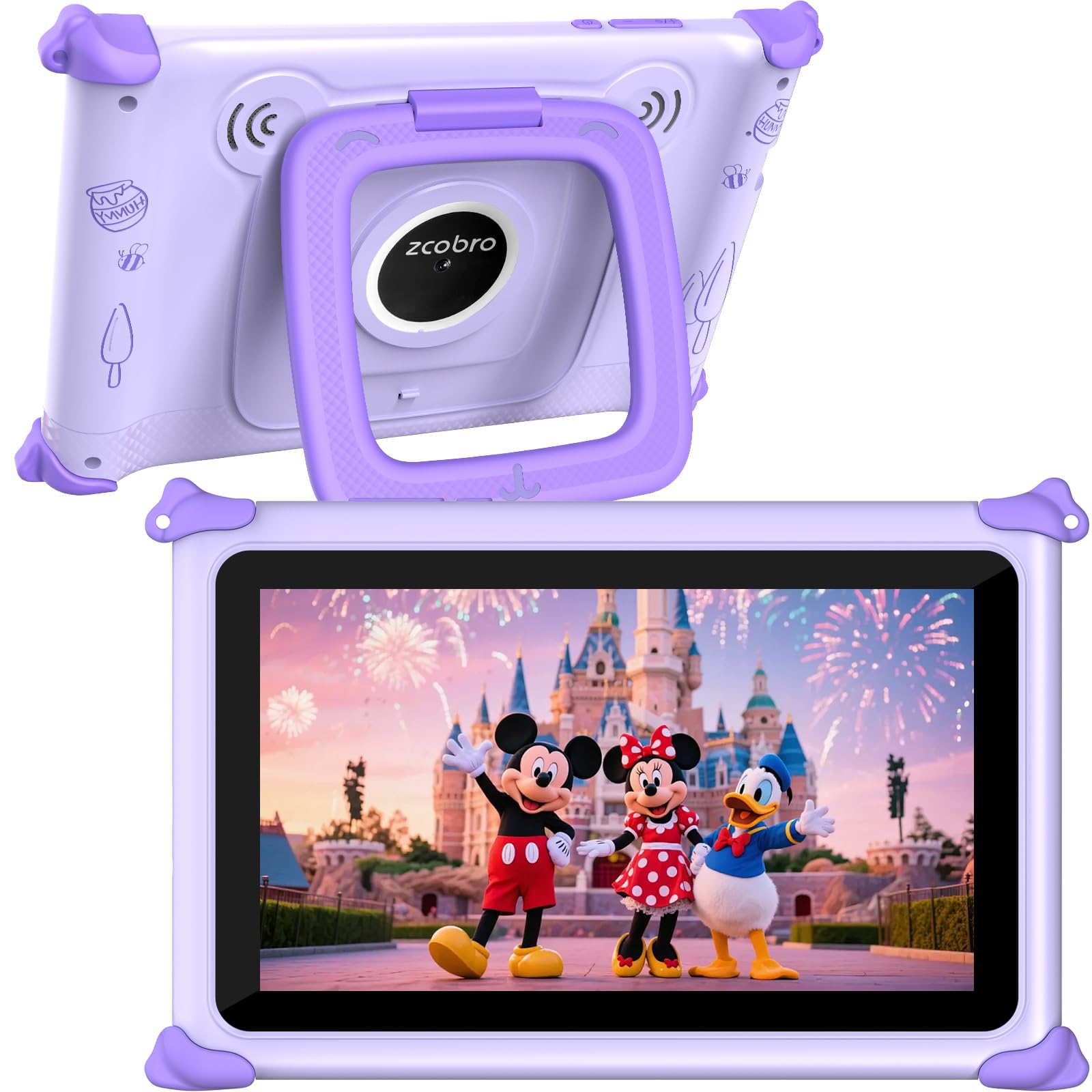
The Zcobro 7-inch tablet competes directly with the PRITOM as another entry-level cheap children’s tablet but brings a slightly larger 3500mAh battery and a more reliable processing core that runs 40% faster according to the manufacturer. The 1024×600 IPS display delivers decent color reproduction for a low-cost panel, and the pre-loaded Yubabe educator-endorsed app offers unlimited offline content for language learning, animal coloring, and puzzle activities — reducing the dependency on WiFi for road trips. The included silicone bumper case is reinforced at the corners and adds a kickstand.
Parental controls on the Zcobro are better than the PRITOM’s: you can create multiple child profiles with individual time limits, block specific apps, filter content by age, and set educational goals. The tablet is GMS certified, so you can download any app from Google Play Store without side-loading — a major advantage over the Fire 7. The 32GB internal storage is expandable to 512GB via microSD, which should hold a substantial video library for offline use. The 3500mAh battery lasts approximately 4–5 hours in real mixed use, which is below the 6-hour standard but acceptable for short trips.
Build quality is a mixed bag. Some buyers report receiving units with broken charging ports out of the box, and a few note that the tablet logged into someone else’s Amazon account. The 2GB of RAM is the smallest in this comparison, and the tablet can feel slow when loading multiple apps or browsing the web. While the 2-year warranty is a plus, some customers report difficulty reaching support. The advertised “all-day battery life of up to 10 hours” appears to be an exaggeration — most users get half that in practical use.
Why it’s great
- Pre-loaded offline Yubabe app works without WiFi
- GMS certified for full Google Play Store access
- Multiple child profiles with individual time limits
Good to know
- Reported unit defects with charging ports and accounts
- 2GB RAM causes slow performance with multiple apps
- Real-world battery life is 4–5 hours, not the advertised 10
FAQ
Can I install the Google Play Store on a cheap children’s tablet?
What does a 6000mAh battery mean for daily use?
Is a 7-inch or 10-inch screen better for a toddler?
How important are parental controls on a cheap children’s tablet?
Final Thoughts: The Verdict
For most families, the best cheap children’s tablet winner is the EDDBNi 10-Inch because it combines a 6000mAh battery, 6GB of RAM, and a 1280×800 IPS display with strong parental controls at a mid-range price — delivering the best balance of performance and durability per dollar. If you value extensive curated content and a no-questions-asked replacement guarantee, grab the Amazon Fire 7 Kids. And for the toughest build that survives the roughest handling, nothing beats the CFVOCUY 10.1-Inch with its protective EVA case and WiFi 6 support.

Mo Maruf
I created WellFizz to bridge the gap between vague wellness advice and actionable solutions. My mission is simple: to decode the research and give you practical tools you can actually use.
Beyond the data, I am a passionate traveler. I believe that stepping away from the screen to explore new environments is essential for mental clarity and physical vitality.