Our readers keep the lights on and my smoothie glass nicely filled. As an Amazon Associate, I earn from qualifying purchases.
Nothing kills a small office workflow like a dead zone in the conference room or a video call that stutters every thirty seconds. The consumer-grade router sitting on a shelf was never designed to handle twenty-five active clients across three rooms, yet that is exactly what most small business owners expect it to do. A dedicated commercial-grade access point changes the physics of the office network by offloading the wireless burden from a combo router to a unit engineered for continuous traffic, VLAN segmentation, and seamless roaming.
I’m Mohammad Maruf — the founder and writer behind WellFizz. For this guide I have cross-referenced hardware specs, thermal performance reports, real-world throughput data from verified buyers, and multi-vendor feature comparisons to identify which access points actually deliver on their promises for small office environments.
After analyzing nine models ranging from future-ready Wi-Fi 7 units to proven Wi-Fi 6 workhorses, I have narrowed the field to the most reliable commercial grade access points for small offices that balance range, client capacity, and manageability without requiring a dedicated IT staff.
How To Choose The Best Commercial Grade Access Points For Small Offices
Picking the wrong access point for a small office often means either overspending on features you will never use or underspending on client capacity and suffering daily disconnects. The key is matching the hardware to three variables: the number of concurrent devices, the physical layout of the space, and the level of network segmentation you require for guest access or internal security.
Client Capacity and Throughput
A typical small office with ten to twenty-five staff plus guest devices, printers, and IP phones needs an access point rated for at least one hundred concurrent clients. Wi-Fi 6 units with OFDMA and MU-MIMO handle this load far more efficiently than older Wi-Fi 5 hardware, which struggles when multiple devices demand bandwidth simultaneously. Look for models that publish explicit client counts rather than vague “fast speeds” claims.
Management Platform and VLAN Support
Separating guest traffic from internal business traffic is not optional in a commercial setting. An access point that supports multiple SSIDs with VLAN tagging lets you enforce that separation at the wireless level. Cloud-managed platforms like UniFi, Omada SDN, and HPE Instant On provide a single-pane view for monitoring, firmware updates, and network diagnostics without requiring on-site hardware controllers, which is ideal for offices without a dedicated IT person.
Power over Ethernet and Physical Installation
PoE-powered access points simplify installation by running data and power through a single Ethernet cable. This lets you mount units on ceilings or high walls where power outlets are unavailable. You must verify whether the access point requires 802.3af (PoE), 802.3at (PoE+), or passive PoE, since a mismatch will leave the unit unpowered or underpowered. Most modern office PoE switches support 802.3at, making PoE+ units the safest choice.
Quick Comparison
On smaller screens, swipe sideways to see the full table.
| Model | Category | Best For | Key Spec | Amazon |
|---|---|---|---|---|
| TP-Link Omada EAP773 | Wi-Fi 7 Premium | Future-proofing with 10G uplink | BE11000 tri-band, 10G port | Amazon |
| Ubiquiti UniFi U7-LR | Long Range | Covering large open layouts | Coverage up to 150 ft indoors | Amazon |
| HPE Instant On AP22 | Business Grade | Easy cloud management | 2×2 Wi-Fi 6, Smart Mesh | Amazon |
| Ubiquiti U6+ | UniFi Ecosystem | Multi-AP deployments | Dual-band, 3 Gbit/s aggregate | Amazon |
| ASUS ExpertWiFi EBA63 | AiMesh Compatible | Existing ASUS router networks | AX3000, 100 client devices | Amazon |
| NETGEAR WAX610 | Cloud Managed | Remote management via Insight | AX1800, 2500 sq ft coverage | Amazon |
| Ubiquiti U7-Lite | Budget Wi-Fi 7 | Budget-friendly entry to Wi-Fi 7 | Dual-band, 2.5 GbE uplink | Amazon |
| TP-Link Omada EAP650-Outdoor | Weatherproof | Outdoor coverage and patios | AX3000, IP67 rated enclosure | Amazon |
| Amazon eero PoE 6 | Professional Install | TrueMesh simplicity | Dual-band, 2000 sq ft per unit | Amazon |
In‑Depth Reviews
1. TP-Link Omada EAP773

The EAP773 is the first access point in this roundup that makes Wi-Fi 7 genuinely practical for a small office. Its tri-band BE11000 design delivers a dedicated 5 GHz channel at 4324 Mbps and a 2.4 GHz channel at 688 Mbps, which translates to real-world file transfer speeds of 150 to 200 Mbps when paired with a Wi-Fi 7 adapter — three times faster than typical Wi-Fi 6 APs in the same room. The 10G uplink port ensures that even as your ISP speeds increase over the next five years, the hardware will not become a bottleneck.
Integration into the Omada SDN platform is straightforward via the free Windows controller software, which provides VLAN segmentation, bandwidth management, and zero-touch provisioning for additional units. The unit supports seamless roaming and mesh when managed through an Omada controller, making it easy to expand coverage across multiple offices. Verified buyers report consistent throughput even under the stress of multiple simultaneous video streams and gaming traffic.
The primary concern is thermal management. Several long-term reviews mention that units running at high utilization in enclosed spaces can throttle performance, and at least one reviewer experienced complete failure after extended use in a dense IoT environment. Placement in a well-ventilated ceiling mount rather than a closed closet mitigates this risk substantially.
Why it’s great
- Tri-band Wi-Fi 7 delivers up to 3x faster throughput than Wi-Fi 6 in real-world office use
- 10G Ethernet port future-proofs the network for multi-gig internet plans
- Omada SDN controller provides robust VLAN and bandwidth management without subscription fees
Good to know
- Requires 802.3at PoE+ or a separately purchased 12V power adapter for installation
- Thermal throttling reported in poorly ventilated installation locations
2. Ubiquiti UniFi U7-LR

The U7-LR is built for the exact scenario that plagues small offices: a single access point must cover a large open floor plan or a multi-room layout without signal drop-off. Its internal antenna array delivers consistent coverage up to 150 feet indoors, and several verified buyers running the unit in homes over 3,000 square feet report no dead zones and seamless handoff when paired with other UniFi APs. A network engineer with years of Cisco experience specifically cited the U7-LR as the access point he trusts for his own home and small office setup.
Adoption into the UniFi ecosystem is nearly instant via the mobile app or web interface, and the unit supports multiple SSIDs with VLAN tagging, band steering, and load balancing once adopted. The form factor is the same clean white disc that makes ceiling mounting discreet in professional environments. Reviewers consistently mention the set-and-forget reliability — once configured, the unit requires no reboots and firmware updates roll out automatically through the UniFi controller.
The absence of a 6 GHz band means this is technically a dual-band Wi-Fi 7 unit, so clients that support 6 GHz will not see the highest potential speeds. For a small office where most devices are still Wi-Fi 6 or older, this is rarely a practical limitation, but it is worth noting if you plan to deploy Wi-Fi 7 laptops within the next year.
Why it’s great
- Exceptional indoor range covers large office layouts without needing multiple APs
- Reliable set-and-forget operation with automatic UniFi controller firmware updates
- Proven durability — users report six-plus years of stable operation from previous UniFi models
Good to know
- Dual-band design lacks 6 GHz support for full Wi-Fi 7 client potential
- Requires a UniFi controller (hardware or self-hosted software) for VLAN and roaming features
3. HPE Instant On AP22

The AP22 is the strongest contender in this lineup for small offices that do not have a dedicated IT administrator. HPE’s Instant On platform lets you set up the access point in under five minutes using a mobile app, and the cloud dashboard provides network monitoring, VLAN configuration, and guest portal management without any subscription fees. Verified buyers consistently praise the rock-solid stability — one reviewer reported flawless connectivity with no drops since installation, and another noted perfect HomeKit compatibility that had been problematic with previous access points.
From a hardware standpoint, the AP22 is a 2×2 Wi-Fi 6 unit with dual-band operation at up to 1200 Mbps. That is modest compared to the tri-band and Wi-Fi 7 units in this roundup, but for an office with fewer than fifty active clients and internet plans under 1 Gbps, the throughput is more than adequate. The unit runs noticeably cooler than the higher-end Instant On AP25, which is a meaningful advantage when mounting in ceiling plenums with limited airflow.
The included 12V power adapter and ceiling/wall mount clip make initial deployment easy even without a PoE switch, though PoE support is available for cleaner installations. The main limitation is the lack of a 5 GHz second band — this is strictly dual-band, so in very dense client environments you may experience congestion that a tri-band unit would avoid.
Why it’s great
- Cloud management via Instant On app requires no hardware controller or ongoing subscription
- Setup takes under five minutes and the platform supports multi-site management
- Runs cool and stable — ideal for enclosed ceiling mounting without ventilation concerns
Good to know
- Limited to 2×2 spatial streams — not ideal for high-density deployments over 50 clients
- Requires online account creation for initial setup, which may be a concern for air-gapped networks
4. Ubiquiti U6+

The U6+ is the access point that convinces small office owners to switch from consumer routers to a proper managed network. It delivers the rock-solid reliability that Ubiquiti is known for — verified buyers routinely mention zero dropouts, seamless handoff between multiple units, and throughput that never degrades under load. One reviewer who replaced five mesh routers with three U6+ APs reported better coverage and significantly fewer support calls from staff.
The hardware is a dual-band Wi-Fi 6 design with a 3 Gbit/s aggregate data rate and a single Gigabit Ethernet port. While the Gigabit port is a bottleneck compared to the 2.5 GbE and 10 GbE ports on newer units, the U6+ still delivers full wired-speed throughput in real-world use because no single Wi-Fi client can saturate the link. The unit supports multiple SSIDs, guest and IoT network isolation, and seamless roaming when adopted into a UniFi controller.
Setup requires a UniFi controller (available as free software for Windows, Linux, or macOS, or as a paid hardware console), which adds a step compared to cloud-managed units. Some reviewers note that the U6+ also requires a PoE+ injector or switch, since the standard PoE output from some older switches may not provide enough power.
Why it’s great
- Proven track record of years-long stable operation in small business environments
- Seamless roaming between multiple U6+ units works flawlessly with the UniFi ecosystem
- Clean, low-profile design mounts discreetly on ceilings or walls
Good to know
- Limited to a Gigabit Ethernet uplink — future ISP speed upgrades may require swapping the unit
- Requires a separately run UniFi controller for advanced features like VLAN and guest portal
5. ASUS ExpertWiFi EBA63

The EBA63 is the only access point in this roundup designed specifically to integrate with an existing ASUS router network via AiMesh. For a small office that already uses an ASUS router as the main gateway, adding this AP extends coverage while maintaining seamless roaming — clients transition between the router and the AP without dropping sessions. Verified buyers report throughput of 300 to 600 Mbps at typical distances, with speeds up to 800 Mbps near the unit when connected via PoE+.
The hardware is a dual-band AX3000 design supporting up to one hundred concurrent devices, with five SSIDs and VLAN tagging for network segmentation. The ExpertWiFi platform includes a self-defined network feature that simplifies guest access and IoT isolation compared to standard ASUS firmware. The unit also carries an IEC 60601-1-2 certification for medical environments, which is rare at this price tier and may be relevant for offices in healthcare-adjacent buildings.
The most consistent complaint is that the EBA63 requires 802.3at PoE+ and does not work with standard 802.3af PoE. Several reviewers discovered this after purchase and had to upgrade their PoE switch or add an injector. Customer service experiences have been mixed, with one buyer reporting a four-week delay in resolving a simple password issue on the management portal.
Why it’s great
- Native AiMesh support provides seamless roaming with existing ASUS routers
- Self-defined network feature simplifies VLAN and SSID configuration for guest access
- Medical-grade IEC 60601-1-2 certification adds safety for specialized environments
Good to know
- Requires 802.3at PoE+ — standard PoE switches will not power this unit
- Customer support experiences have been inconsistent, particularly for portal access issues
6. NETGEAR WAX610
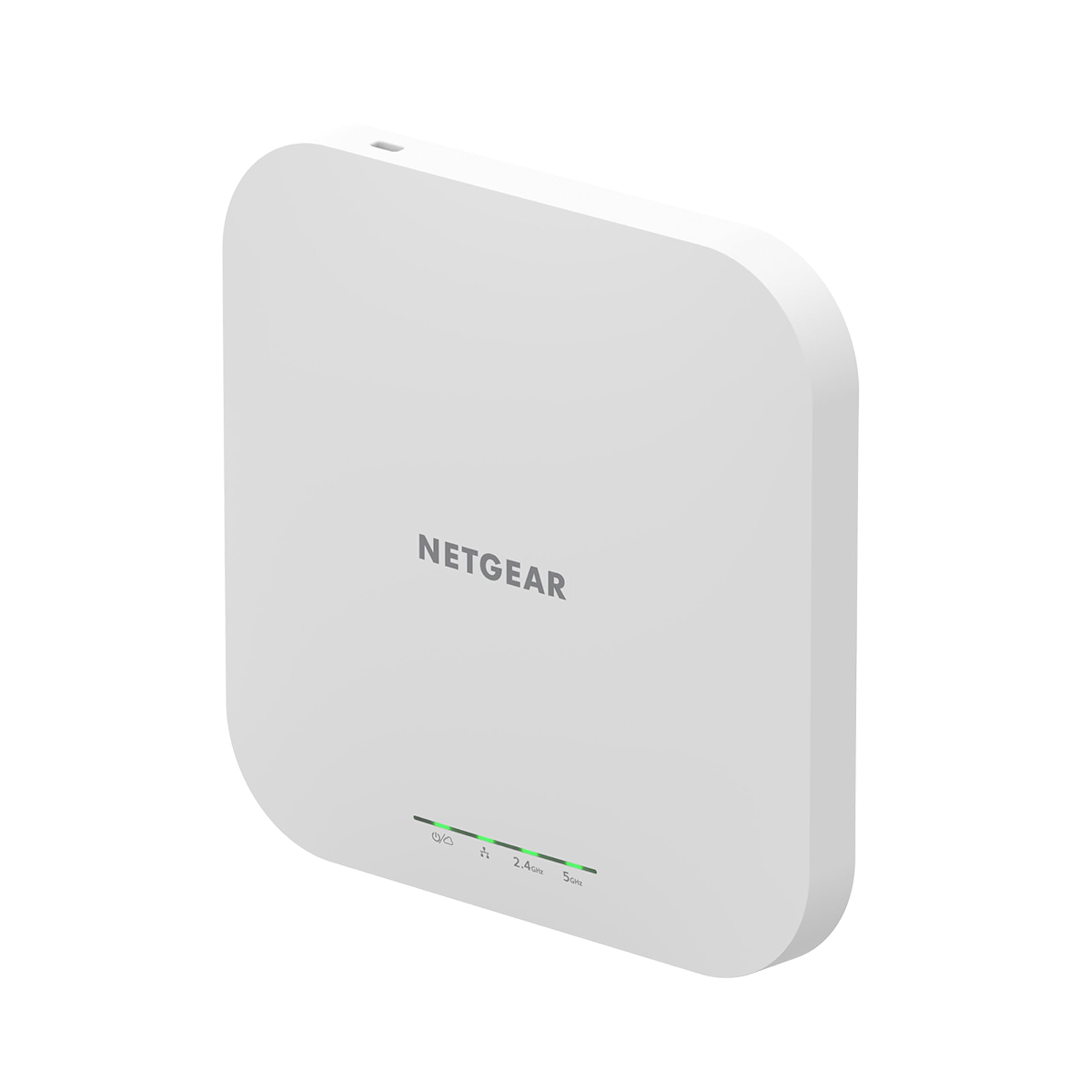
The WAX610 is a dark horse in this lineup — an AX1800 dual-band AP that outperforms expectations in demanding low-latency scenarios. A verified buyer using it with an Oculus Quest 2 for VR desktop streaming reported latency dropping from 25–40 milliseconds to 15–25 milliseconds and throughput increasing from 866 Mbps to 1.2 Gbps after switching from a consumer router. For a small office that relies on real-time collaboration tools or VoIP, this latency improvement is directly noticeable.
NETGEAR includes a one-year free Insight subscription for remote cloud management, which provides network monitoring, rogue AP detection, and client isolation controls through a single dashboard. The unit supports up to eight SSIDs, load balancing, band steering, and assisted roaming — enterprise features typically found on units costing twice as much. The 2.5G Ethernet port is a welcome inclusion at this price, providing headroom for future ISP upgrades without swapping the AP.
A caveat: the WAX610 requires either the correct 12V/2.5A power adapter or a properly rated PoE+ injector. Several reviewers received units with amber LED status indicators because their existing PoE injectors could not deliver sufficient wattage, resulting in reduced throughput until they corrected the power source. The Insight cloud platform received mixed reviews, with some users finding the local web UI more reliable and full-featured than the cloud interface.
Why it’s great
- Excellent low-latency performance — measurably reduces lag for real-time collaboration and VR
- 2.5G Ethernet port provides future-proofing beyond typical Gigabit-only access points
- Enterprise-level features including eight SSIDs, rogue AP detection, and WPA3 at a mid-range price
Good to know
- Requires a 12V/2.5A adapter or PoE+ injector — standard injectors cause reduced performance
- NETGEAR Insight cloud management has usability issues compared to the local web interface
7. Ubiquiti U7-Lite

The U7-Lite gives small offices a path to Wi-Fi 7 without paying the premium for tri-band hardware. It is a dual-band unit that operates on 2.4 GHz and 5 GHz with a 2.5 GbE uplink port, delivering up to 4.3 Gbps on the 5 GHz band. For an office with Wi-Fi 6 clients, this translates to a 20 to 30 percent speed improvement over previous-gen units according to verified buyers, with noticeably better range and power than the Cisco 150AX it replaced in one deployment.
Like all modern UniFi APs, the U7-Lite supports band steering, guest mode, VLAN segmentation, and seamless roaming when adopted into a UniFi controller. The compact form factor is suitable for both ceiling and wall mounting, and the PoE-powered design simplifies installation. One reviewer with a decade of experience using Ubiquiti equipment noted that the management software and update cadence are significantly better than what Cisco and Netgear offer at comparable price points.
The key limitation is that this is not a true tri-band Wi-Fi 7 access point — it lacks the 6 GHz band entirely. If you connect an iPhone or laptop with full Wi-Fi 7 support, it will negotiate at Wi-Fi 6 speeds. This makes the U7-Lite a better choice for offices that want to future-proof their cabling and management infrastructure today while waiting for tri-band prices to drop, rather than a unit that delivers the full Wi-Fi 7 experience immediately.
Why it’s great
- Provides a cost-effective path to Wi-Fi 7 management features without tri-band hardware cost
- Compact and discreet design mounts easily on ceilings or walls in professional spaces
- UniFi ecosystem delivers reliable firmware updates and proven long-term hardware durability
Good to know
- Dual-band design means no 6 GHz support — full Wi-Fi 7 clients will not reach maximum speeds
- Requires a UniFi controller platform for advanced features beyond basic standalone operation
8. TP-Link Omada EAP650-Outdoor

The EAP650-Outdoor solves a problem that many small office guides ignore: covering exterior spaces like patios, loading docks, and parking areas where clients need connectivity. The IP67 weatherproof enclosure protects the internal electronics against rain, dust, and temperature extremes, and the high-gain antennas deliver a usable signal up to 300 yards under line-of-sight conditions. One reviewer reported maintaining 300 Mbps throughput at 300 yards through a clear path, and 10 Mbps at 600 yards even with some tree obstruction.
Integration into the Omada SDN platform is identical to the EAP773, giving you a unified management interface across indoor and outdoor units. The EAP650-Outdoor supports seamless roaming, mesh, band steering, and load balancing when paired with an Omada controller, and the standalone mode works for simpler deployments without a controller. The package includes a passive PoE adapter, though many users prefer to power it through a PoE switch for cleaner installation.
The most frequent complaint is that the passive PoE adapter included with the unit is not compatible with standard 802.3af/at PoE switches, so you must use the included injector or verify compatibility before connecting to an existing PoE infrastructure. Some customers have also received units that appear to be returned or incomplete, missing the waterproofing kit parts required for outdoor mounting.
Why it’s great
- IP67 weatherproof enclosure handles rain, dust, and extreme temperatures for reliable outdoor operation
- High-gain antennas deliver usable signal at 300+ yards under clear line-of-sight conditions
- Unified Omada SDN management across indoor and outdoor APs for consistent network policies
Good to know
- Uses passive PoE that is incompatible with standard 802.3af/at switches without the included injector
- Some buyers have received incomplete units missing waterproofing hardware for outdoor installation
9. Amazon eero PoE 6
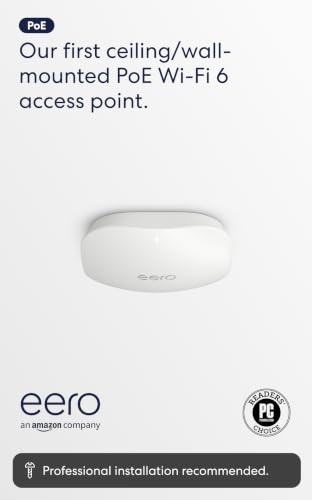
The eero PoE 6 is the outlier in this roundup — it is designed for professional installation where a structured cabling contractor runs Ethernet drops to each AP location, and the eero app handles the rest. The TrueMesh technology intelligently routes traffic between units to minimize drop-offs, and the unit covers up to 2,000 square feet with a 25-foot radius. Verified buyers with large properties report that seven PoE 6 units paired with a Netgear PoE switch provide full coverage across 6,000 square feet of brick and plaster construction, supporting ten Ring cameras and five simultaneous 4K streams without any buffering.
Setup is the fastest of any unit in this guide — the eero app auto-detects and configures each AP in under five minutes, and automatic firmware updates keep the network secure without any manual intervention. The eero platform supports cross-compatible hardware, so adding more units or upgrading to the eero 7 router is seamless. For a small office that prioritizes ease of management over granular VLAN control, the trade-off in configurability is worth the time saved.
The primary downside is the lack of advanced networking features that IT-savvy offices expect. The eero platform does not expose VLAN tagging, per-SSID bandwidth limits, or detailed SNMP monitoring through the standard app. Some of these features are available through a separate subscription, which adds ongoing cost that the Omada and UniFi platforms do not require. The unit also requires a PoE switch or injector since no AC adapter is included.
Why it’s great
- TrueMesh technology provides reliable traffic routing between multiple APs without manual configuration
- Setup takes under five minutes per unit via the eero app — ideal for non-technical office managers
- Automatic firmware updates keep the network secure without any manual intervention required
Good to know
- Lacks native VLAN tagging and granular bandwidth controls without a separate subscription
- No power adapter included — requires a PoE switch or injector for each unit
FAQ
Do I need a hardware controller for UniFi or Omada access points?
Can I use a commercial access point with my existing ISP router?
How many access points do I need for a 2,000 square foot office?
What is the difference between mesh and seamless roaming?
Final Thoughts: The Verdict
For most small offices, the clear winner among the commercial grade access points for small offices is the TP-Link Omada EAP773 because it combines genuine Wi-Fi 7 throughput, a future-proof 10G uplink, and a free cloud management platform into a single package that will stay relevant for at least five years. If you need maximum range across a large open layout without running multiple APs, grab the Ubiquiti UniFi U7-LR. And for a simple, set-and-forget network where the office manager is not a tech specialist, nothing beats the Amazon eero PoE 6 for ease of deployment and automatic maintenance.

Mo Maruf
I created WellFizz to bridge the gap between vague wellness advice and actionable solutions. My mission is simple: to decode the research and give you practical tools you can actually use.
Beyond the data, I am a passionate traveler. I believe that stepping away from the screen to explore new environments is essential for mental clarity and physical vitality.