Our readers keep the lights on and my smoothie glass nicely filled. As an Amazon Associate, I earn from qualifying purchases.
Finding a computer for a 10-year-old means balancing durability, kid-friendly performance, and parental peace of mind. Most models marketed to children are either too fragile for daily homework or too underpowered for the web-based learning apps they’ll rely on daily.
I’m Mohammad Maruf — the founder and writer behind WellFizz. I’ve spent countless hours analyzing processor benchmarks, storage configurations, build materials, and real-world user feedback for the entry-level laptop market to separate dependable study machines from disappointing shortcuts.
This guide focuses specifically on machines that can survive a backpack, handle Zoom classes and Google Classroom, and keep a child focused without constant technical frustrations. After comparing dozens of models, I’ve curated the definitive list of the best computers for 10 year olds that offer the right mix of durability, performance, and value.
How To Choose The Best Computers For 10 Year Olds
A 10-year-old’s computer will be used for web-based homework portals, video calls, typing assignments, and light creative projects. The key is matching the hardware to the actual school workload — not overpaying for gaming specs, but also not buying a machine that lags after opening three browser tabs. Here’s what to prioritize.
RAM and Processor — The Real Speed Gate
For a child using Google Classroom, Zoom, and basic Office apps, 4GB of RAM is the floor. At 4GB, expect occasional stuttering when switching between Zoom and a browser with five tabs open. Machines with 8GB RAM handle this multitasking smoothly. Processors like the Intel Celeron N4500 or N4020 are sufficient for web apps, but an Intel N100 or N150 provides noticeably snappier response during video playback and document editing.
Storage Type Matters More Than Capacity
eMMC storage is slower than a true SSD and can make a laptop feel sluggish during boot-up and file transfers. A 64GB eMMC drive fills up quickly with school files and system updates. A 128GB SSD or UFS drive offers faster read/write speeds, which translates to quicker app launches and a more responsive feel for a young user who doesn’t have patience for spinner wheels.
Operating System — Chrome OS vs. Windows
Chrome OS is inherently more secure, simpler to manage with parental controls via Google Family Link, and less prone to malware. It boots quickly and updates automatically. Windows 11 offers broader software compatibility — essential if the school requires specific Windows-only programs. For a 10-year-old primarily using web tools, Chrome OS is often the smoother experience. If the child needs Microsoft Office, some Windows models include a lifetime license, removing annual subscription costs.
Quick Comparison
On smaller screens, swipe sideways to see the full table.
| Model | Category | Best For | Key Spec | Amazon |
|---|---|---|---|---|
| HP 14″ Laptop 2025 (16GB RAM) | Premium | Heavy multitasking & storage | 16GB DDR4 RAM | Amazon |
| HP Chromebook x360 2-in-1 | Premium | Touchscreen & creative learning | Intel N305 processor | Amazon |
| HP 14” Laptop (4GB RAM Bundle) | Mid-Range | Value bundle with accessories | 128GB UFS + 500GB ext | Amazon |
| Trygood 15.6″ Student Laptop | Mid-Range | Backlit keyboard & fingerprint | 8GB DDR4 RAM | Amazon |
| HP 14″ Chromebook N4120 | Mid-Range | Long battery Chrome OS | 14-hour battery life | Amazon |
| Lenovo IdeaPad 3i Chromebook | Mid-Range | 15.6″ FHD Chrome OS | 8GB LPDDR4x RAM | Amazon |
| Xparkin 15.6″ School Laptop | Budget | Windows 11 & Office included | 8GB DDR4 + 256GB SSD | Amazon |
| ASUS 14″ Business Laptop | Budget | Budget with Office 365 | 4GB RAM / 64GB eMMC | Amazon |
| Lenovo IdeaPad 1 Student | Budget | Lightest budget option | 4GB RAM / 128GB eMMC | Amazon |
In‑Depth Reviews
1. HP 14″ Laptop 2025 Business Student Slim Computer (16GB RAM)
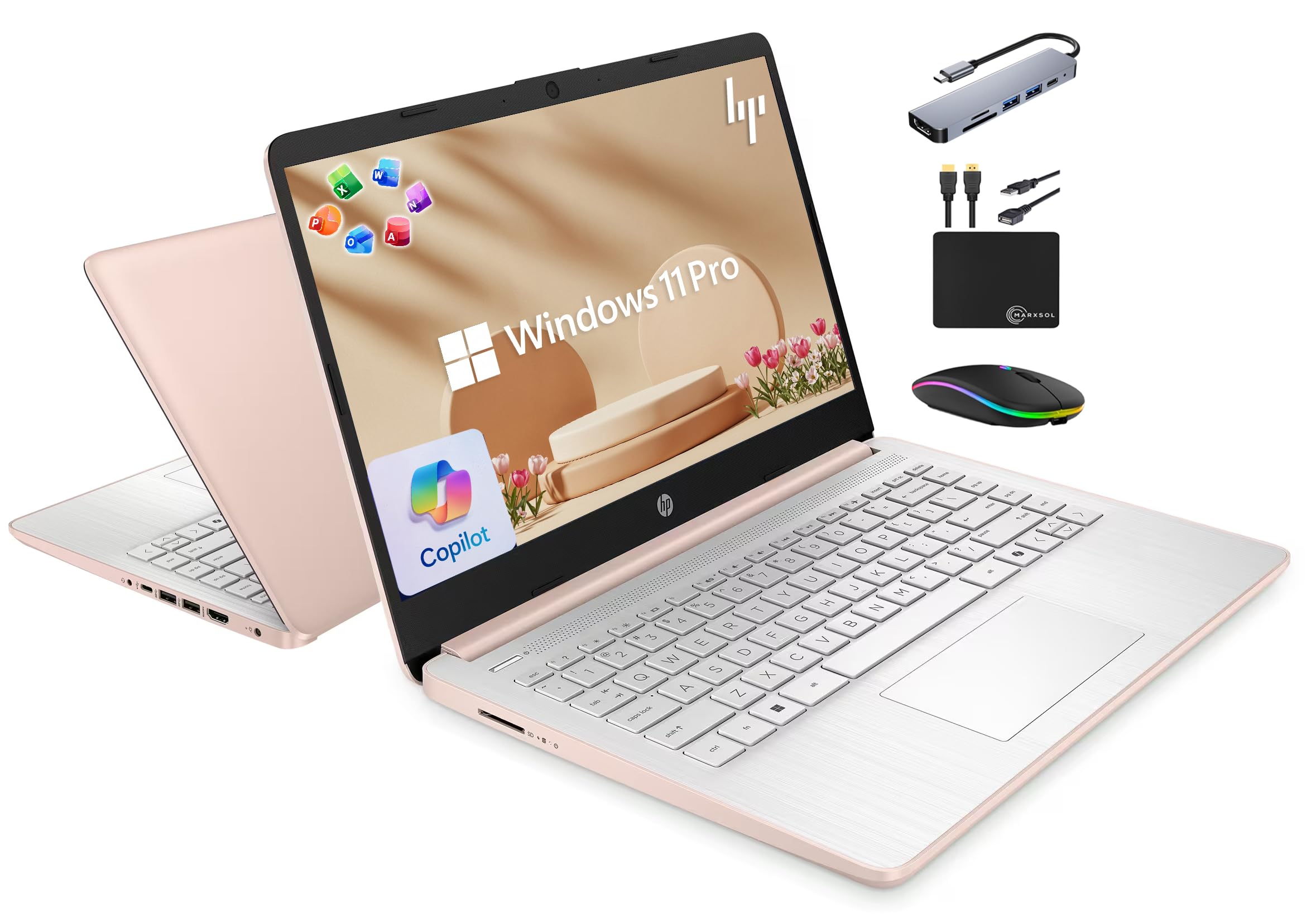
This HP model stands above the rest for a 10-year-old because of its 16GB DDR4 RAM — enough to keep Zoom, Google Classroom, a dozen browser tabs, and a word processor all running simultaneously without a hiccup. The quad-core Intel N150 processor reaches 3.6 GHz, which makes loading educational apps feel instantaneous. The 128GB UFS storage handles read and write operations significantly faster than the eMMC found in most budget laptops, so boot times stay under 15 seconds even after months of use.
The 14-inch anti-glare display is ideal for a child’s desk setup, and the rose gold finish has proven popular with young users. HP’s True Vision 720p camera with dual-array microphones delivers clear audio on Zoom calls, which is crucial for virtual classes. The included Marxsol bundle adds a 6-in-1 USB-C hub, a 500GB external drive, and a wireless mouse — practical extras that eliminate the need for separate purchases. The lifetime Microsoft Office 2024 license removes recurring subscription costs, which parents appreciate.
Battery life runs around 9 hours, enough for a full school day. The keyboard is comfortable for ten-year-old hands, though some users note the key travel feels shallow. The non-standard charger means you must keep the included brick handy — it’s not a USB-C universal charger. But for a child who needs real Windows compatibility, generous RAM, and long-term reliability, this machine delivers unbeatable performance in its tier.
Why it’s great
- 16GB RAM eliminates all lag during school multitasking
- Lifetime Microsoft Office 2024 license included
- Massive 628GB total storage (128GB UFS + 500GB external)
- Quad-core processor handles video playback smoothly
Good to know
- Screen resolution is 1366 x 768 HD, not Full HD
- Charger uses a non-standard barrel plug, not USB-C
- Keyboard has shallow key travel
2. HP Chromebook x360 14-inch Touchscreen Tablet

The HP Chromebook x360 converts into four modes — laptop, tablet, tent, and stand — making it uniquely versatile for a 10-year-old who draws, watches educational videos, or collaborates on group projects. The 14-inch FHD IPS touchscreen (1920 x 1080) delivers vivid colors and sharp text, far superior to the HD panels found on most budget Chromebooks. The included stylus pen lets children sketch, take handwritten notes, and interact with Android apps on the Google Play store.
Under the hood, the 8-core Intel N305 processor outperforms the Celeron chips in most student laptops, handling multiple Chrome tabs and Android apps simultaneously with little slowdown. The 8GB LPDDR4x RAM keeps things responsive, and the 256GB SSD storage provides ample room for school projects, apps, and media files. The backlit keyboard allows comfortable typing in dim rooms, and the FHD webcam with a privacy shutter gives parents control over camera security.
Battery life holds at about 12 hours, which covers even the longest school day plus after-school activities. The Bang & Olufsen dual speakers deliver clear sound for video lessons. The Wi-Fi 6E support ensures fast, stable connections. Some buyers reported the stylus was missing from the box, so check the package immediately upon arrival. The chrome OS ecosystem is secure and low-maintenance, making this a top-tier pick for parents who value safety and creative flexibility.
Why it’s great
- Full HD touchscreen with stylus for drawing and note-taking
- 8-core Intel N305 processor — fast for a Chromebook
- 12-hour battery covers entire school day
- Privacy shutter on webcam adds security
Good to know
- Stylus not always included despite listing — verify upon arrival
- Chrome OS limits compatibility with some Windows-only school apps
- Higher price point than other Chromebooks
3. HP 14” Laptop Ultra-Portable Computer (4GB RAM Bundle)
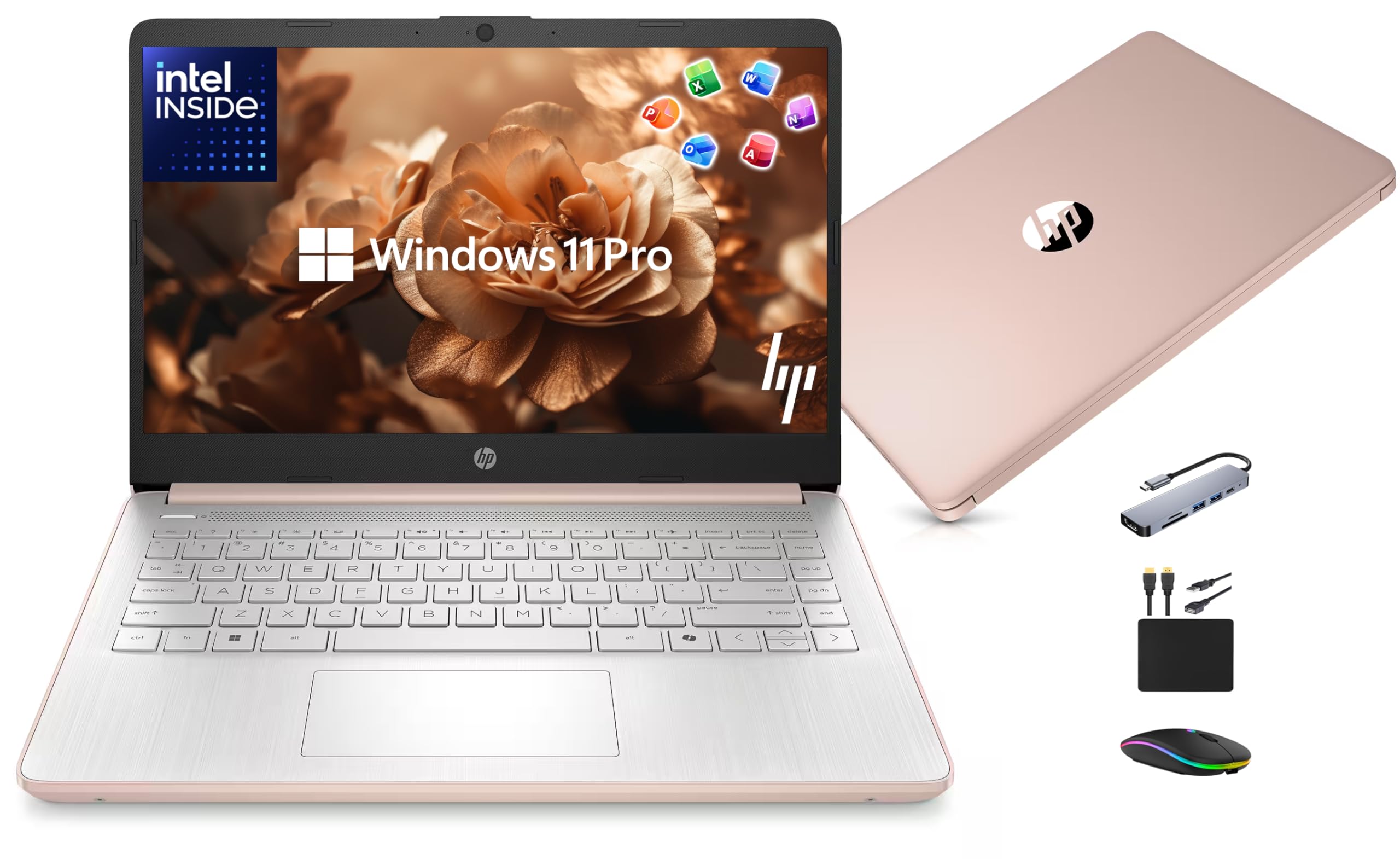
This HP bundle maximizes value with a 128GB UFS drive for fast boot times and a 500GB external drive for bulk file storage — a smart combination for a 10-year-old who accumulates school projects, photos, and videos. The Intel N150 quad-core processor runs up to 3.6 GHz, offering solid performance for web browsing, document editing, and Zoom classes. Windows 11 Pro provides the full desktop experience with built-in malware protection, which some schools require.
The 14-inch HD display with slim bezels gives a modern look, and the 720p camera with dual microphones keeps video calls clear. The Marxsol accessory bundle includes a 6-in-1 USB-C docking station, wireless mouse, mouse pad, HDMI cable, and USB extension cord — a complete desk setup in one box. The free lifetime Microsoft Office 2024 license removes the worry of expiring subscriptions, and 4GB of RAM is sufficient for a child who runs two or three apps at a time.
Parents appreciate the rose gold finish and the inclusion of an external drive for backups. The non-replaceable battery means you’ll eventually need professional service, but for daily school use the battery lasts through the day. The keyboard has received mixed feedback regarding comfort for larger hands, though smaller hands of a 10-year-old should find it adequate. The bundled accessories make this a turnkey solution for first-time laptop buyers.
Why it’s great
- UFS storage is noticeably faster than eMMC in budget laptops
- Complete accessory bundle eliminates extra purchases
- Lifetime Microsoft Office 2024 included
- 500GB external drive for backups and media storage
Good to know
- 4GB RAM limits heavy multitasking
- Non-standard charger must be carried everywhere
- Battery is not user-replaceable
4. Trygood 15.6 Inch Student Laptop (8GB RAM)
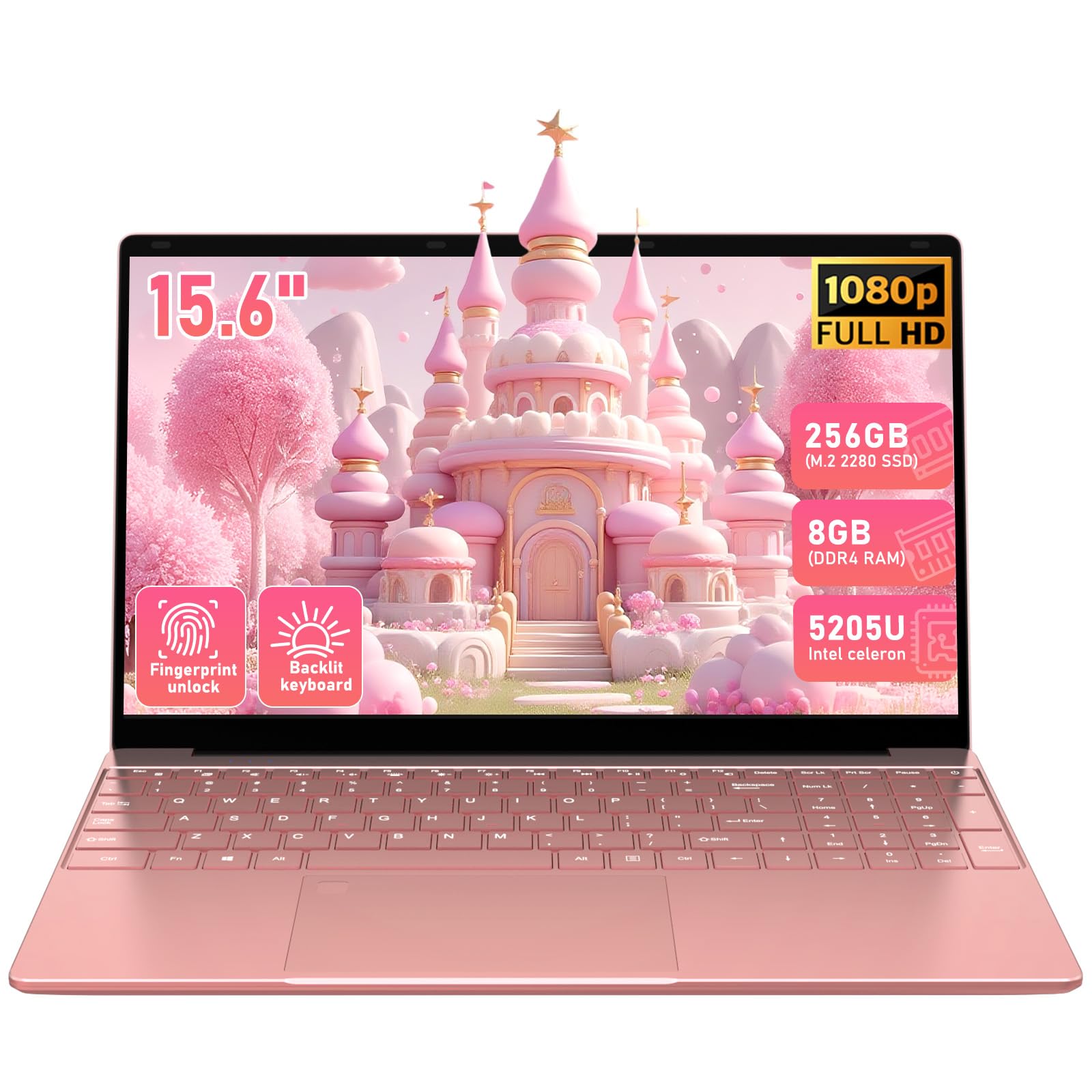
The Trygood 15.6-inch laptop offers a generous Full HD IPS display (1920 x 1080) that makes reading textbooks, viewing diagrams, and watching educational content significantly easier on young eyes. The 8GB DDR4 RAM and 256GB SSD combination provides responsive performance for homework, streaming, and light creative projects without the lag that plagues 4GB machines. The fifth-gen Intel processor (5205U) is older but still capable for the web-based tasks a 10-year-old typically performs.
A fingerprint reader and backlit keyboard are rare features at this tier. The backlit keys help children type accurately in low-light environments — useful for evening homework sessions in the car or a dim bedroom. The 3.7-pound weight makes it easy to carry in a backpack, though the 15.6-inch chassis may be bulky for some younger users. The rose gold finish appeals to kids who care about aesthetics, and the build quality feels solid for daily use.
The battery life is shorter than premium competitors at around 4 hours, meaning this laptop needs to be plugged in for most of the school day. The keyboard is cramped for adult-sized hands but fits a child’s fingers well. The Mini HDMI port provides display output for connecting to a larger monitor. The non-replaceable battery is a downside for long-term ownership, but the 8GB RAM and 256GB SSD deliver the smoothest performance in the mid-range tier.
Why it’s great
- Full HD IPS screen with excellent color and viewing angles
- 8GB RAM and 256GB SSD provide snappy multitasking
- Backlit keyboard and fingerprint reader for convenience
- Lightweight at 3.7 lbs
Good to know
- Battery life is only about 4 hours
- Non-replaceable battery limits long-term repairability
- Bulky 15.6-inch size may be awkward for small backpacks
5. HP 14″ HD Chromebook (Intel N4120)

Battery life is the headline feature here — the HP Chromebook N4120 delivers up to 14 hours on a single charge, comfortably covering a full school day plus after-school activities without needing a power outlet. The quad-core Intel N4120 processor (1.1 GHz base, 2.6 GHz boost) offers a noticeable performance bump over the single-bench Celeron N4020, with four cores handling web browsing, Google Docs, and streaming simultaneously. The 4GB LPDDR4x RAM is adequate for Chrome OS, which manages memory more efficiently than Windows.
The 14-inch HD anti-glare display (1366 x 768) reduces eye strain in bright classrooms, and the micro-edge bezel gives a modern look. Chrome OS boots in seconds and updates automatically in the background, requiring zero maintenance from parents. The dual USB-A and single USB-C ports provide flexibility for connecting a mouse, flash drive, or external display. The 720p webcam and integrated microphone are sufficient for Zoom and Google Meet classes.
The 64GB eMMC storage is limited — school files and a few Android apps will fill it quickly, so cloud storage (Google Drive) becomes essential. Some users find the keyboard backlight difficult to see in dim light, and there’s no SD card slot for expandable storage. The anti-glare screen reduces reflections but sacrifices the sharpness of Full HD panels. For families prioritizing all-day unplugged reliability and a secure, simple operating system, this Chromebook is a standout pick.
Why it’s great
- 14-hour battery lasts through school and after-school activities
- Quad-core N4120 processor offers solid Chrome OS performance
- Anti-glare screen reduces eye strain in bright rooms
- Secure, low-maintenance Chrome OS with auto updates
Good to know
- 64GB eMMC storage is limited — cloud storage is necessary
- Not a Full HD display
- No SD card slot for expandable storage
6. Lenovo IdeaPad 3i Chromebook (8GB RAM)

The Lenovo IdeaPad 3i Chromebook combines a large 15.6-inch Full HD display with 8GB LPDDR4x RAM — a rare combination at this price point. The 1920 x 1080 resolution makes text crisp and videos sharp, which is beneficial for children who spend hours reading or watching educational content. The Intel Celeron N4500 processor is modest, but Chrome OS runs smoothly with 8GB of RAM, allowing multiple tabs and Android apps to operate without frustration.
The full-size keyboard with a numeric keypad is comfortable for typing assignments, and the 720p camera with privacy protection (physical lock slot) adds a layer of security that reassures parents. The battery consistently lasts 9-10 hours in real-world use, enough for a school day. With Dolby Audio speakers, video calls and streaming content sound clear and loud. The Chromebook weighs under 3.5 pounds despite the large screen, making it portable enough for a child’s backpack.
The 64GB eMMC storage is the main limitation — unlike the Trygood or HP bundles, there’s no SSD upgrade, and the eMMC chip can slow down when nearly full. The display colors are slightly washed out compared to IPS panels, though still adequate for schoolwork. Chrome OS’s simplicity is a double-edged sword — some school-specific Windows applications won’t run on it. For families already embedded in Google’s ecosystem, this laptop offers excellent value with its generous screen and RAM.
Why it’s great
- 15.6-inch Full HD display for comfortable reading
- 8GB RAM ensures smooth multitasking on Chrome OS
- Full keyboard with numeric keypad
- 9-10 hour battery life for school days
Good to know
- 64GB eMMC storage is slower and smaller than SSD alternatives
- Colors on the screen are slightly washed out
- Chrome OS cannot run Windows-exclusive school software
7. Xparkin 15.6″ School Laptop (8GB RAM, 256GB SSD)

The Xparkin 15.6-inch school laptop delivers a rare combination for budget-tier machines: 8GB DDR4 RAM and a 256GB SSD. The Intel Celeron N4000 processor is entry-level, but the generous 8GB RAM allows a 10-year-old to run Zoom, Google Classroom, and several browser tabs without significant lag. The 256GB SSD offers ample storage for school files, apps, and media, and its solid-state design ensures quick boot times and responsive app launches.
The Full HD IPS display (1920 x 1080) provides sharp text and vibrant colors for reading assignments and watching educational videos. The laptop comes pre-installed with Windows 11 Pro and Office 2024 — a significant value add since many competitors require a separate Office subscription. The 5000mAh battery delivers decent run time, though users report it’s closer to 6-7 hours in mixed use. The slim profile (3.3 pounds) makes it easy for a child to carry between home and school.
Connectivity includes two USB 3.0 ports, Mini HDMI, a Micro SD card reader, and Bluetooth 5.2. Some users note that the laptop can get warm under extended use and the charging adapter is non-standard, so it’s essential to keep the included charger handy. The Intel N4000 processor is the weakest link — it will struggle with video editing or intensive games — but for web-based schoolwork, Office apps, and streaming, this machine punches well above its weight class.
Why it’s great
- 8GB RAM and 256GB SSD provide responsive performance
- Full HD IPS display at 15.6 inches
- Windows 11 Pro and Office 2024 pre-installed
- Lightweight at 3.3 pounds
Good to know
- Intel N4000 processor is the performance bottleneck
- Charger uses a non-standard connector
- Laptop can run warm during extended use
8. ASUS 14″ Laptop for Business & Student

The ASUS 14-inch laptop is the most affordable option that still includes a Full HD display (1920 x 1080), making text and images significantly clearer than the HD panels on some slightly pricier competitors. The Intel Celeron N4500 processor provides basic computing power for web browsing, Google Docs, and video calls. The included 1-year Microsoft 365 subscription adds immediate value for schoolwork, covering Word, Excel, PowerPoint, and OneNote without an upfront purchase.
With 4GB of RAM and 64GB eMMC storage, this machine is best suited for a child who uses one or two apps at a time — switching between Zoom and a browser with five tabs will cause noticeable lag. The 10-hour battery life is impressive for the price, and the 2.8 GHz turbo boost on the N4500 helps during short bursts of heavier use. The NumberPad feature on the touchpad is a nice novelty, though most 10-year-olds won’t need it for schoolwork.
The build quality is typical ASUS — solid enough for careful handling, but not ruggedized for drops or spills. The plastic chassis feels light but may not survive a fall from a desk. The 64GB eMMC storage fills up quickly once Windows updates and a few apps are installed, so an external drive or cloud storage is essential. For a strict budget where every dollar counts, this machine gets a child online and productive, but expect to upgrade within two years.
Why it’s great
- Full HD display at a budget-friendly price
- Includes 1-year Microsoft 365 subscription
- 10-hour battery life
- Reliable ASUS build quality at this tier
Good to know
- 4GB RAM and 64GB eMMC limit multitasking and storage
- Struggles with more than a few browser tabs open
- Plastic chassis is not drop-resistant
9. Lenovo IdeaPad 1 Student Laptop (128GB eMMC)

The Lenovo IdeaPad 1 offers the longest battery life in the budget tier — up to 11 hours — making it a reliable companion for a school day without access to a power outlet. The Intel Celeron N4020 processor and 4GB RAM handle basic tasks like web browsing, online classes, and document editing, but you’ll want to keep expectations low for multitasking. The 128GB eMMC storage doubles the capacity of most 64GB budget competitors, providing enough room for school files and a handful of apps.
The 14-inch HD display (1366 x 768) is adequate for reading text and watching videos, though the lower resolution means less screen real estate than a Full HD panel. Windows 11 Home in S mode runs securely out of the box, though switching out of S mode is straightforward if needed. At under 3.5 pounds, this laptop is easy for a child to carry, and the thin design fits neatly into most backpacks. The Wi-Fi 6 support provides fast, stable internet connections even in busy households.
Several users report that 4GB RAM causes slow loading times and app switching — the laptop can freeze during Zoom sessions with multiple browser tabs. The HD display lacks the sharpness of Full HD, which may cause eye strain during extended reading sessions. The eMMC storage is slower than a true SSD, and the 128GB capacity will fill up with Windows updates over time. For a child who needs only a single browser-based app at a time, this machine delivers on battery life and portability at the lowest entry price.
Why it’s great
- 11-hour battery life is among the best in budget tier
- 128GB eMMC storage offers more space than 64GB competitors
- Wi-Fi 6 provides fast internet connectivity
- Lightweight and thin for easy backpack transport
Good to know
- 4GB RAM causes noticeable lag during multitasking
- HD display lacks Full HD sharpness
- eMMC storage is slower than SSD — boot times are longer
FAQ
Is 4GB of RAM enough for a 10 year old’s computer?
Should I buy a Chromebook or a Windows laptop for my child?
How much storage does a 10 year old need?
Final Thoughts: The Verdict
For most families, the best computers for 10 year olds winner is the HP 14″ Laptop (16GB RAM) because its 16GB RAM and quad-core processor eliminate the lag that frustrates young users, and the lifetime Office license removes ongoing costs. If you want a touchscreen for creative learning and a stylus for drawing, grab the HP Chromebook x360. And for the strictest budget where every dollar counts, nothing beats the value of the Xparkin School Laptop (8GB RAM, 256GB SSD) which delivers the most performance per dollar in the budget tier.

Mo Maruf
I created WellFizz to bridge the gap between vague wellness advice and actionable solutions. My mission is simple: to decode the research and give you practical tools you can actually use.
Beyond the data, I am a passionate traveler. I believe that stepping away from the screen to explore new environments is essential for mental clarity and physical vitality.