Our readers keep the lights on and my smoothie glass nicely filled. As an Amazon Associate, I earn from qualifying purchases.
Multi-color 3D printing used to demand a serious budget, but the landscape has shifted. Printers that swap filaments automatically to produce vibrant, layered models without hand-painting are now far more accessible. The challenge is finding a machine that balances color capability with reliable, high-speed printing without cutting corners on the build quality that determines long-term success.
I’m Mohammad Maruf — the founder and writer behind WellFizz. My approach focuses on market analysis, comparing hardware specs, real-world failure modes, and user experience data to identify where a multi-color printer delivers genuine value versus where it introduces unnecessary complexity.
This guide breaks down the best options for adding color to your prints without stretching your budget. Whether you are a hobbyist, educator, or small creator, these picks represent the strongest combination of features and reliability for anyone searching for the best cheap multi-color 3d printer.
How To Choose The Best Cheap Multi-Color 3D Printer
The first mistake is assuming any budget machine can handle multi-color work. The filament-switching mechanism, purge waste, and slicer integration are what separate a usable color printer from a frustrating one. Focus on the system type, the speed of transition between colors, and how much filament gets discarded with each swap. A good budget color printer minimizes waste and keeps the workflow simple.
Filament Switching System: AMS, CFS, and ACE
The core of any multi-color printer is its filament handling unit. Bambu Lab uses the AMS Lite or AMS, Creality uses the CFS, and Anycubic uses the ACE Pro. These units manage multiple spools and feed the correct color at the correct time. Look for a system that supports at least four colors and offers an integrated dryer, as moisture affects color consistency. Budget machines often skimp on dryer functionality, which can cause problems with hygroscopic filaments like PETG.
Purge Waste and Filament Efficiency
Every color change requires purging the previous filament from the nozzle. Some printers reduce this waste by using a special toolhead that cuts the filament and uses a separate purge tower. Models that use a short filament change path, like the Anycubic Kobra X with its 81.25% reduction in purge length, save significant material over long print runs. If you plan on printing many small multi-color objects, waste reduction is a critical factor that directly impacts your operating cost.
CoreXY vs. Bed Slinger for Speed and Reliability
Most budget multi-color printers now use a CoreXY architecture, which moves the print head along the X and Y axes using two belts. This design allows for higher speeds and better accuracy than a traditional bed-slinger, where the bed itself moves forward and backward. CoreXY also puts less stress on the print, improving adhesion at high speeds. For a cheap multi-color printer, a rigid CoreXY frame with vibration compensation is the best foundation for consistent results.
Quick Comparison
On smaller screens, swipe sideways to see the full table.
| Model | Category | Best For | Key Spec | Amazon |
|---|---|---|---|---|
| Creality K2 Combo | Premium | 16-color advanced projects | 260x260x260 mm build volume | Amazon |
| Bambu Lab P1S Combo | Premium | Reliable enclosed printing | Up to 16 colors with AMS | Amazon |
| Anycubic Kobra S1 Combo | Mid-Range | Integrated filament drying | 600 mm/s print speed | Amazon |
| Creality SPARKX I7 Combo | Mid-Range | AI photo-to-3D printing | 260x260x255 mm build volume | Amazon |
| Bambu Lab A1 Mini Combo | Mid-Range | Compact desk setup | ≤48 dB noise level | Amazon |
| FLASHFORGE AD5X | Mid-Range | Beginner multi-color entry | 600 mm/s CoreXY speed | Amazon |
| ANYCUBIC Kobra X | Mid-Range | Low-waste bulk production | 81.25% less purge waste | Amazon |
| ELEGOO Centauri Carbon | Budget | High-speed single-color upgrade | 500 mm/s CoreXY speed | Amazon |
| AOSEED X-Maker Joy AI+ | Budget | Kids and classroom use | AI-assisted model creation | Amazon |
In‑Depth Reviews
1. Creality K2 Combo (A)

The Creality K2 Combo is a true step forward in multi-color capability, supporting up to 16 colors by chaining four CFS units together. The build volume is a generous 260x260x260 mm, and the printer uses three step-servo motors for precision torque control. Users report excellent print quality with nearly invisible layer lines and automatic filament swaps that work seamlessly. The pre-assembled design gets you printing in under an hour, and the silent mode is genuinely quiet thanks to dynamically balanced fans.
One of the standout features is the smart auto-leveling system that only probes the bed area relevant to your print, saving time. The built-in AI camera watches for spaghetti failures and idling, though some users note it missed a few errors. The CFS includes a dry box, which is a huge plus for keeping PLA and PETG dry. The only catch is that the CFS does not accept standard spool sizes out of the box, so you may need to print adapters for some filament brands.
For those moving up from an older Ender 3, the K2 is a transformative upgrade. The speed, quiet operation, and color capabilities are on par with more expensive machines. A few users reported defective power cords and camera issues, but those appear to be isolated. The proprietary slicer works well for full feature access, but stock Orca slicer can be used for basic profiles.
Why it’s great
- Up to 16-color printing with multiple CFS units
- Step-servo motors deliver high precision and quiet operation
- AI monitoring and smart leveling save time
Good to know
- CFS may require printed adapters for non-standard spools
- No 5GHz Wi-Fi support
- Camera AI can miss some failures
2. Bambu Lab P1S Combo

The Bambu Lab P1S Combo is a fully enclosed CoreXY printer that delivers consistent multi-color prints with the AMS system. It supports up to 16 colors when connected to multiple AMS units, and the enclosed design allows it to handle advanced filaments like ABS and ASA without warping. Setup takes about 15 minutes, and the auto bed leveling ensures the first layer goes down perfectly every time. Users consistently praise its reliability, with a roughly 95% success rate over hundreds of prints.
Print quality is excellent, with crisp details and smooth surfaces even at the maximum speed of 500 mm/s and acceleration of 20,000 mm/s². The AMS handles filament swaps efficiently, though you will generate some purge waste. The noise level is moderate, and the printer feels solid. Users coming from older models are particularly impressed with how little maintenance it requires. The Bambu Studio slicer integrates seamlessly with the printer and cloud services, making remote monitoring simple.
One limitation is that carbon and glass fiber reinforced filaments are not recommended for this machine, so stick with PLA, PETG, TPU, and standard nylons. The P1S is a premium option that justifies its cost through sheer consistency. Beginners and intermediate users will find it approachable, while professionals appreciate its repeatability. If you want a printer that just works with minimal tinkering, this is a strong candidate.
Why it’s great
- Enclosed design for advanced materials
- Seamless AMS multi-color up to 16 colors
- Extremely reliable with high success rate
Good to know
- Not recommended for carbon or glass fiber filaments
- Generates purge waste during color changes
- Premium price point
3. Anycubic Kobra S1 Combo

The Anycubic Kobra S1 Combo brings a full enclosure, 4-color ACE Pro system, and a genuine filament dryer to the table. The ACE Pro uses dual PTC heating and 360-degree hot air circulation to keep filament dry during long prints, which is a game-changer for PETG and other hygroscopic materials. The printer reaches 600 mm/s with 20,000 mm/s² acceleration, and users report that print quality rivals machines costing significantly more. Setup takes about 30 minutes, and the auto-leveling is flawless.
Users who have logged over 500 hours report no clogs or serious issues. The ACE Pro dryer eliminates the need for a separate filament drying station, which saves space and keeps material in optimal condition. The Anycubic app allows one-click print starts and remote monitoring. Some users experienced initial defects with early units, but customer support resolved them quickly with replacements. The overall consensus is that the Kobra S1 Combo offers the best feature set for the price in the multi-color category.
One minor complaint is that the app interface is web-based and not as polished as some competitors. The print speed is slightly slower per hour than the Flashforge AD5X, but the build quality and dryer integration more than compensate. For anyone wanting a reliable enclosed color printer with minimal waste and integrated drying, this is a top-tier budget-friendly choice.
Why it’s great
- Integrated filament dryer in ACE Pro
- Full enclosure for advanced materials
- Excellent print quality and reliability
Good to know
- App interface could be more polished
- Some units had early defects
- Slightly slower per hour than some rivals
4. Creality SPARKX I7 Combo
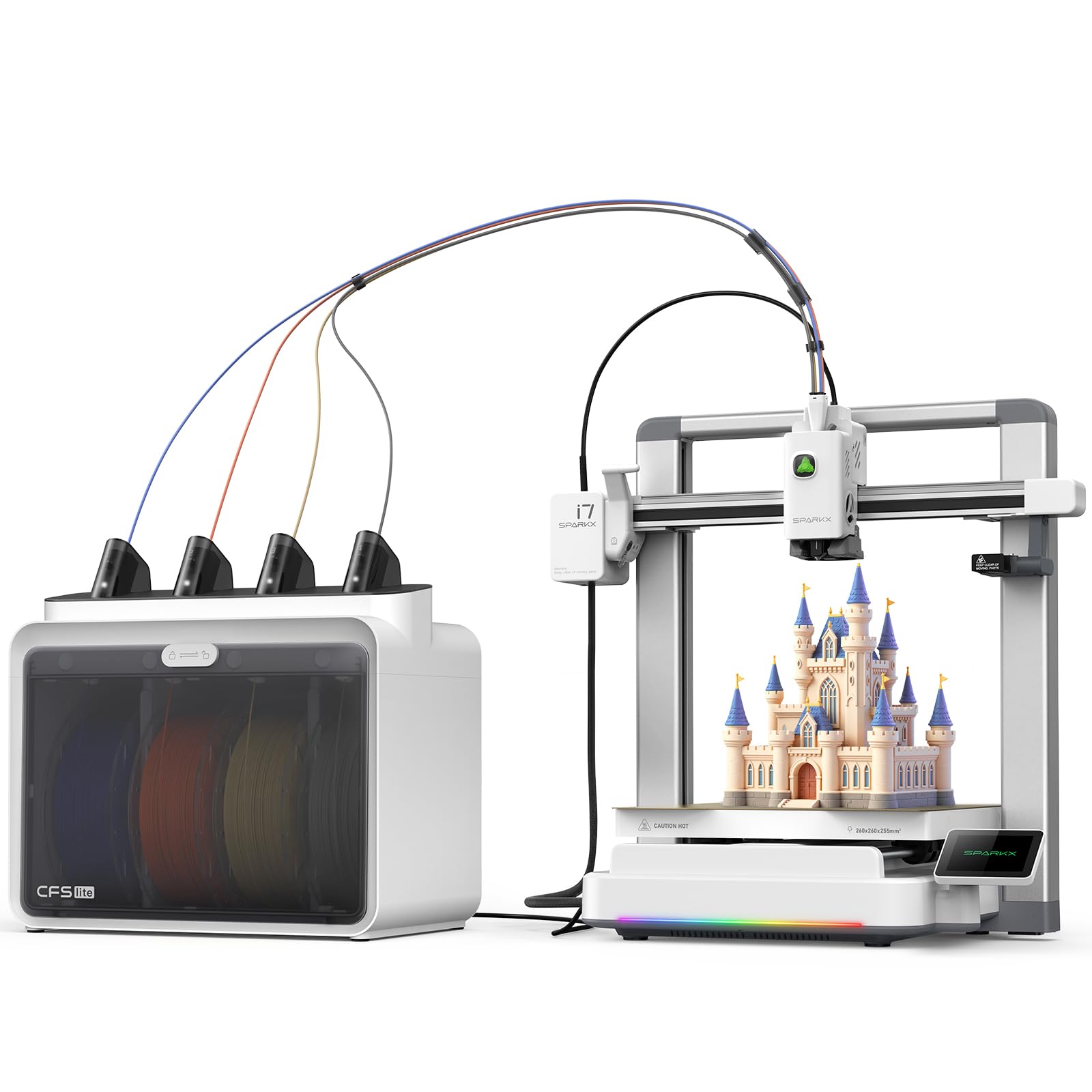
The Creality SPARKX I7 Combo stands out for its AI-driven features, including CubeMe AI that turns portraits into 3D models. The CFS Lite system reduces purge waste by 50 percent compared to traditional setups, which makes multi-color printing more cost-effective. The build volume of 260x260x255 mm is generous, and the printer uses pressure advance technology to minimize oozing at corners and edges. Users report that print quality is exceptional, with nearly invisible layer lines and fast completion times.
The aluminum alloy body includes customizable RGB lighting that doubles as a print status indicator. The auto-leveling and input shaping are fully automatic, requiring no manual tweaking. The AI camera monitors for spaghetti, air printing, and filament entanglement, notifying you via the app. One user noted a firmware update issue that caused minor problems, but overall, the printer exceeded expectations. It performs well enough to rival the Bambu A1 in speed and quality.
One caveat is that some users had trouble connecting the printer to the Creality Print app, as it wasn’t initially recognized. A firmware update sorted it out, but it’s worth checking before purchase. The CFS spool holder can occasionally cause feed issues if not properly tensioned. For those who want AI-assisted model creation and a stylish desktop presence, this is a compelling option.
Why it’s great
- AI photo-to-3D model conversion
- 50% less purge waste than standard systems
- Customizable RGB lighting for status
Good to know
- App connectivity issues early on
- CFS spool holder can stick
- Some users needed firmware updates
5. Bambu Lab A1 Mini Combo

The Bambu Lab A1 Mini Combo is the most compact multi-color printer on this list, with a small footprint that fits easily on a desk. The AMS Lite supports four colors, and the printer uses active motor noise cancellation to stay at or below 48 decibels. It reaches 10,000 mm/s² acceleration, which is fast enough for rapid prototyping at a beginner-friendly price. Setup takes about 20 minutes, and the full-auto calibration handles everything from Z-offset to bed leveling.
Print quality is excellent for its size, and the active flow rate compensation ensures consistent extrusion. Users love how quiet it is, though it does require a rigid desk to avoid shaking at higher speeds. The Bambu Handy app provides a library of pre-made models and remote printing control. The 1-clip quick swap nozzle makes maintenance simple, and the flexible build plate makes removing prints easy. Multi-color printing works well but produces purge waste, which is standard for the category.
The main limitation is the smaller build volume, which may not accommodate larger projects like helmets. Some users wished they had gone with the full-size A1 for more space. The AMS Lite is also not enclosed, so it cannot dry filament. For desk-friendly multi-color printing that is dead quiet and approachable for all ages, the A1 Mini is a top pick.
Why it’s great
- Ultra-quiet operation under 48 dB
- Compact footprint for small spaces
- Fully automatic calibration out of the box
Good to know
- Small build volume limits large projects
- Needs a rigid desk for high-speed stability
- AMS Lite lacks filament dryer
6. FLASHFORGE AD5X

The FLASHFORGE AD5X is a CoreXY printer that supports up to four colors via its independent filament system (IFS). It reaches 600 mm/s with 20,000 mm/s² acceleration and features a 300°C direct-drive extruder that handles a wide range of materials. The 1-click auto leveling and vibration compensation system ensure good first layers. Users report excellent first-layer adhesion and smooth filament changes when using quality PLA like SunLu.
Setup is straightforward, though you will need to remove three shipping screws. The touchscreen interface is intuitive, and the Flash Maker app allows remote monitoring. The printer supports four nozzle sizes from 0.25 mm to 0.8 mm, giving you flexibility for detail or speed. Some users had jams at the 4-in-1 connector and inconsistent first layers, but these seem to be unit-specific issues. The majority of users find it reliable after the first few prints.
The main downside is the software stack. The stock version of Orca slicer lacks IFS color profiles, so you need to use Flashforge’s proprietary slicer for multi-color work. The noise level increases during multi-color printing due to filament changes. For beginners looking for an affordable entry point into multi-color FDM, the AD5X offers solid hardware that improves with experience.
Why it’s great
- High 600 mm/s CoreXY speed
- 300°C extruder for advanced materials
- Versatile nozzle options for detail or speed
Good to know
- Stock Orca slicer lacks IFS multi-color profiles
- Some units had jams at 4-in-1 connector
- Noise increases during color changes
7. ANYCUBIC Kobra X
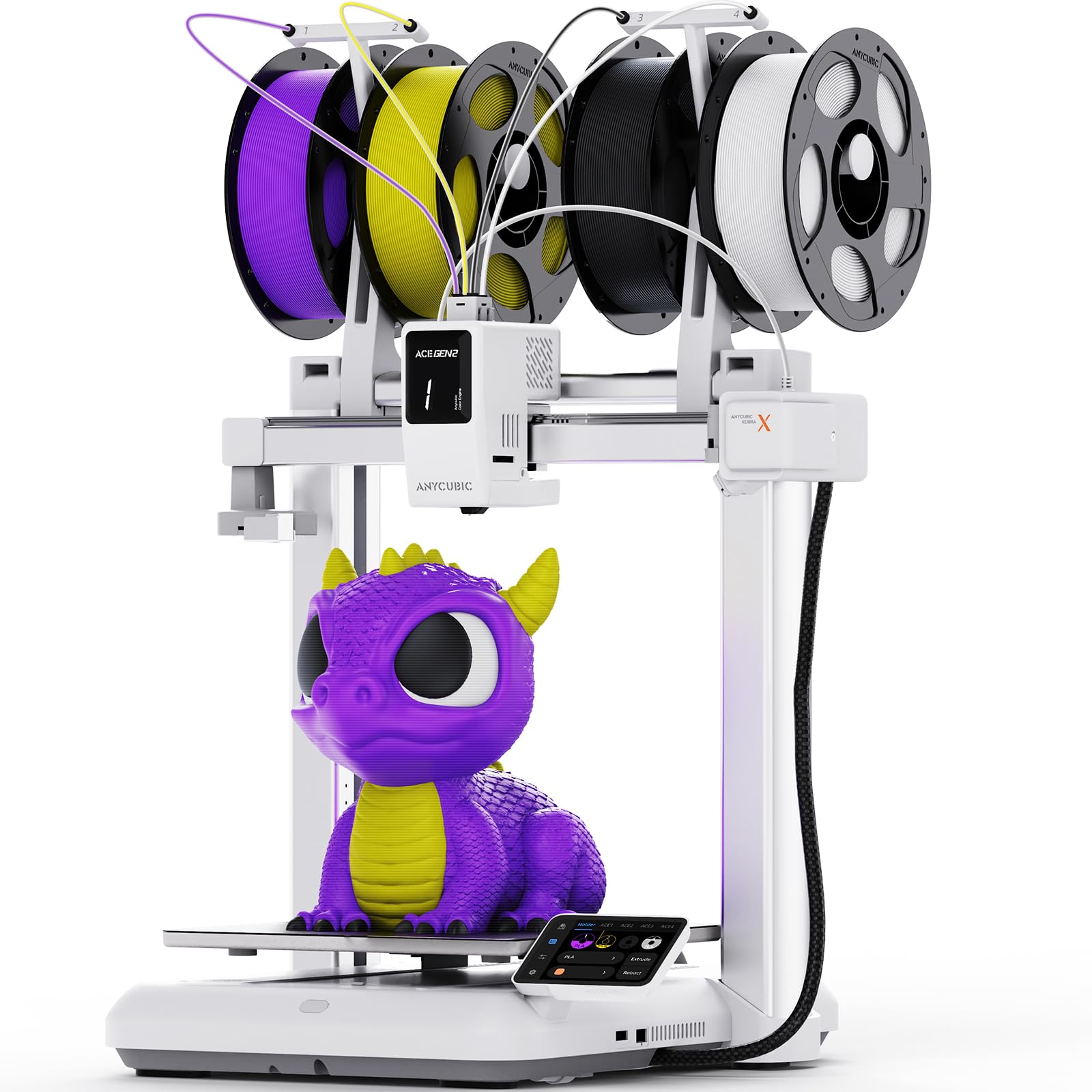
The Anycubic Kobra X is built for efficiency, with an 81.25 percent reduction in purge waste compared to standard multi-color systems. It supports native four-color printing and can expand to 19 colors with four ACE GEN 2 Pro units. The print volume is a generous 260x260x260 mm, and the printer uses LeviQ 3.0 auto-leveling with 49 points for a flawless first layer. It achieves a Benchy in just 14 minutes, making it one of the fastest in its class.
The top-mount spool holder saves bench space, which is crucial for print farms or multi-printer setups. The AI camera detects spaghetti and object failures, and the Anycubic app lets you manage a fleet remotely. Users highlight how easy it is to operate, with minimal assembly and reliable performance. The four-way print head reduces filament switching time, and the printer handles long prints without issue. Some users had minor defects in early units, but customer support resolved them.
One drawback is the password policy for LAN connectivity: passwords with spaces are not accepted, which may require using a weaker password. The printer is also not enclosed, so it is best suited for PLA and PETG rather than ABS or ASA. For those prioritizing material efficiency and speed, especially in a production environment, the Kobra X is a smart investment.
Why it’s great
- Drastically reduces purge waste by over 80%
- Expandable to 19 colors
- Very fast print times
Good to know
- LAN password restriction can be annoying
- No enclosure for advanced materials
- Some users had early unit defects
8. ELEGOO Centauri Carbon

The ELEGOO Centauri Carbon is a fully assembled CoreXY printer that delivers 500 mm/s speeds with a metal die-cast frame for stability. It features a 320°C brass-hardened steel nozzle for carbon fiber and other high-temp filaments, making it one of the most versatile budget machines. The enclosed chamber and enhanced cooling allow it to handle advanced materials reliably. Users consistently praise the auto-leveling and bed adhesion, which require no manual intervention.
Setup is minimal — unbox it and start printing within minutes. The touchscreen is intuitive, and the ElegooSlicer software works with Wi-Fi file transfer. The built-in camera with dual LEDs lets you monitor prints remotely. One user reported a USB-C cable design issue that caused a failure, but the replacement unit ran for over 400 hours without problems. The printer is heavy at 38.5 pounds, which helps dampen vibrations at high speeds.
The main tradeoff is that this is a single-color printer, but it supports multi-color with an add-on unit. For those who want a rock-solid foundation for high-speed, high-quality printing that can later be upgraded to multi-color, the Centauri Carbon is a compelling choice. The price is exceptional for the build quality and material compatibility.
Why it’s great
- 320°C nozzle for advanced filaments
- Rigid die-cast frame for vibration-free printing
- Out-of-box ready with auto-leveling
Good to know
- Single-color out of the box
- Some units had initial USB-C cable defects
- Heavy and may require a sturdy table
9. AOSEED X-Maker Joy AI+

The AOSEED X-Maker Joy AI+ is designed for kids and classrooms, with a focus on ease of use and safety. It comes fully assembled and features AI Doodle, which lets children create 3D models from voice, text, or image prompts. The AI MiniMe function turns photos into cartoon-style figures. It includes 8,000+ digital models and 17 themed design modules. The enclosed, pinch-resistant design and TÜV-certified PLA ensure a safer printing environment for young users.
Print speeds reach up to 400 mm/s with 0.05 mm precision, and small toys can finish in about 20 minutes. The built-in camera supports real-time monitoring and time-lapse creation. The kit includes 8 rolls of PLA filament, tools, and a magnetic build plate, so everything needed to start is in the box. User reviews are overwhelmingly positive, with parents praising how easy it is for children to operate independently. The app interface is kid-friendly and works via Wi-Fi, voice control, and across iOS, Android, and Windows.
The primary limitation is that prints can sometimes come loose from the bed if not leveled correctly, though the leveling-free design should prevent this. The selection of built-in models may not all work perfectly, but the AI creation tools compensate. For families wanting a creative, educational, and safe introduction to 3D printing, the X-Maker Joy AI+ is the best option.
Why it’s great
- AI-powered model creation for kids
- Fully enclosed safe design
- Comprehensive starter kit included
Good to know
- Some built-in models may require tweaks
- Bed adhesion can be inconsistent
- Single color only
FAQ
How much filament does a multi-color printer waste during color changes?
Can I use any brand of filament with a budget multi-color printer?
Do I need an enclosed printer for multi-color printing?
Final Thoughts: The Verdict
For most users, the best cheap multi-color 3d printer winner is the Creality K2 Combo because it offers up to 16-color capability with excellent print quality and a robust CoreXY frame at a price that undercuts more established brands. If you want integrated filament drying and a fully enclosed machine, grab the Anycubic Kobra S1 Combo. And for compact, quiet desk printing that is beginner-friendly, nothing beats the Bambu Lab A1 Mini Combo.

Mo Maruf
I created WellFizz to bridge the gap between vague wellness advice and actionable solutions. My mission is simple: to decode the research and give you practical tools you can actually use.
Beyond the data, I am a passionate traveler. I believe that stepping away from the screen to explore new environments is essential for mental clarity and physical vitality.