Our readers keep the lights on and my smoothie glass nicely filled. As an Amazon Associate, I earn from qualifying purchases.
Selecting a fleet of computers for a school environment means balancing tight budgets with the need for reliable performance across hundreds of daily logins. Whether outfitting a computer lab, a library media center, or issuing take-home devices, the wrong spec can mean lagging software, frozen lessons, and frustrated students and faculty alike.
I’m Mohammad Maruf — the founder and writer behind WellFizz. I’ve spent countless hours analyzing processor benchmarks, memory configurations, storage types, and chassis durability to understand exactly what specs deliver consistent, low-maintenance performance in a school setting.
This guide breaks down the specific hardware trade-offs institutions face, and ranks the top models to help you find the best computers for schools that fit your curriculum infrastructure.
How To Choose The Best Computers For Schools
Buying computers for a school is fundamentally different from buying a single home PC. You are purchasing for longevity, manageability, and the ability to survive a cart of students. The right choices reduce IT support tickets and maximize classroom time.
Prioritize RAM and Storage over Raw Clock Speed
A school machine rarely needs a top-tier processor for gaming or rendering, but it absolutely needs enough RAM (16GB is a smart baseline for labs) to keep a dozen browser tabs, a learning management system, and an office suite running simultaneously. A 512GB SSD provides ample space for user profiles and installed software without the mechanical failure risk of old hard drives.
Form Factor: Lap vs Desk vs All-in-One
Laptops offer mobility for cart deployments, but require stronger hinges and spill-resistant keyboards. Mini PCs take up zero desk space and are easy to attach behind a monitor, making them great for fixed labs. All-in-One desktops reduce cable clutter but can be harder and more expensive to repair if the display fails. Match the form to your security and mobility needs.
Connectivity and Deployment Features
Look for Wi-Fi 6 for reliable classroom internet access, multiple USB ports for peripherals, and an HDMI port for external displays. Features like Wake-on-LAN, PXE boot, and TPM 2.0 security chips simplify mass deployment and protect student data on shared machines.
Quick Comparison
On smaller screens, swipe sideways to see the full table.
| Model | Category | Best For | Key Spec | Amazon |
|---|---|---|---|---|
| BOSGAME P3 Mix Mini PC | Mini PC | High-Performance Lab | 32GB DDR5 / 1TB SSD | Amazon |
| Dell Tower ECT1250 | Desktop Tower | Admin & IT Office | Intel Core Ultra 7-265 | Amazon |
| HP 15.6″ FHD Laptop (32GB) | Laptop | Power-User Student | 32GB RAM / 1TB SSD | Amazon |
| Dell 24 All-in-One | All-in-One | Classroom & Office | 23.8″ FHD / Intel Core 3 | Amazon |
| Lenovo IdeaCentre AIO | All-in-One | Quiet Library Stations | 24″ FHD / Intel N100 | Amazon |
| ASUS Vivobook Go 15 | Laptop | Student Laptop Cart | Ryzen 5 7520U / 8GB | Amazon |
| HP 14″ Laptop (16GB) | Laptop | Budget Student Laptop | 16GB RAM / 628GB Stor. | Amazon |
| HP Pavilion 15.6 | Laptop | Home Study Laptop | Intel N100 / 8GB RAM | Amazon |
| Lenovo IdeaPad 1 | Laptop | Entry-Level Student | 12GB RAM / 512GB+128GB | Amazon |
| QAZIPO Mini PC | Mini PC | Compact Lab Station | 16GB RAM / 512GB SSD | Amazon |
| Core Innovations 24″ AIO | All-in-One | Basic Classroom Kiosk | 4GB RAM / 128GB Stor. | Amazon |
In‑Depth Reviews
1. BOSGAME P3 Mix Mini PC
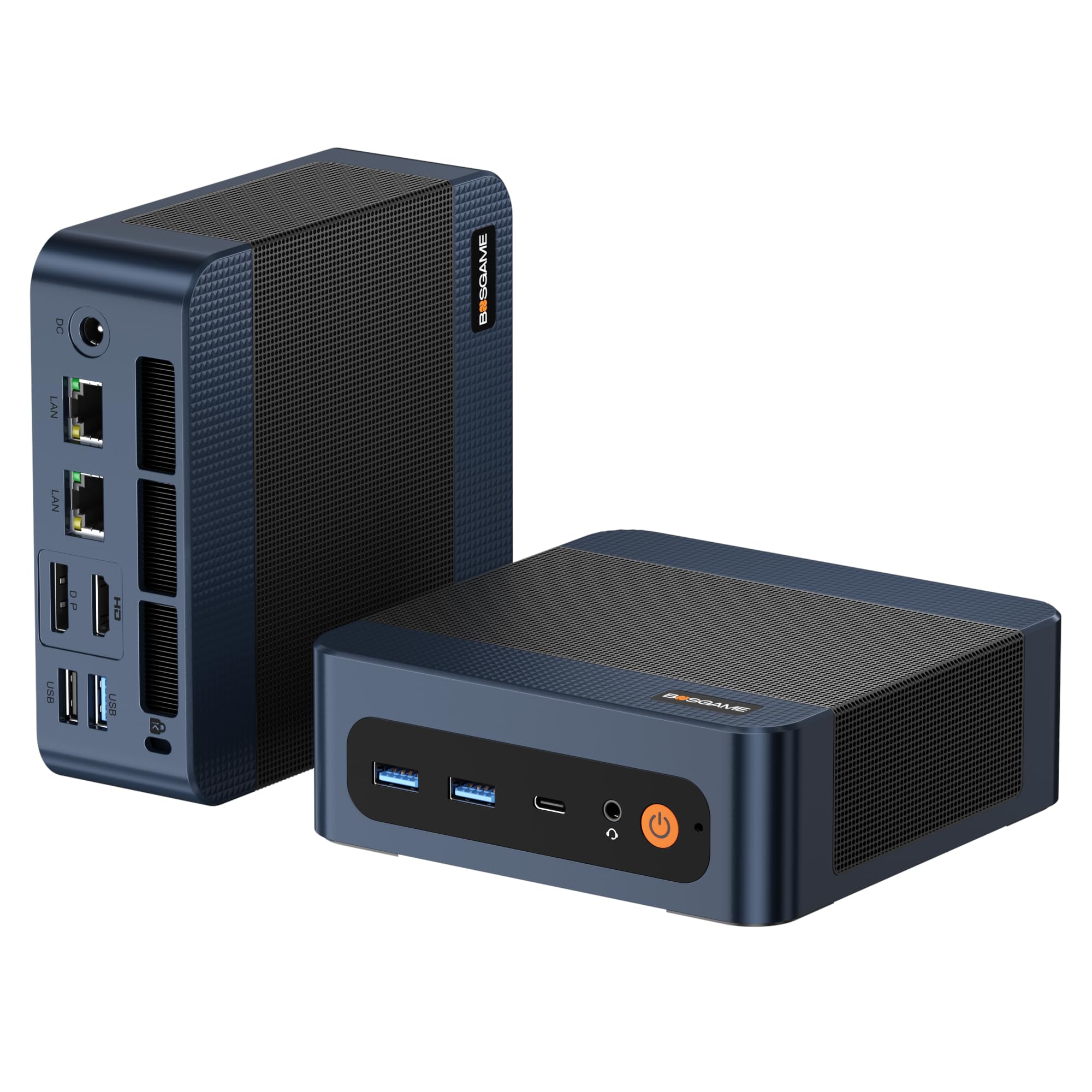
This mini PC packs desktop-class power with an AMD Ryzen 5 7640HS processor and a robust 32GB of DDR5 RAM, making it capable of handling demanding educational software, coding labs, and even some light 3D modeling. The 1TB PCIe 4.0 SSD ensures near-instant boot times and plenty of room for a large software library.
The triple display support via HDMI, DisplayPort, and USB 4.0 allows a teacher to run a main screen, a projector, and a student monitoring station without additional hardware. Dual 2.5G LAN and Wi-Fi 6E provide future-proof network connectivity for a high-traffic school environment.
Its compact size and included VESA mount mean it can be secured behind a monitor, saving valuable desk space in a lab. The quiet operation and cool thermal performance are a major plus for a silent classroom.
Why it’s great
- Extremely powerful processor and RAM combo for heavy multitasking
- Triple 4K display output perfect for multi-screen setups
- Quiet fan and low heat output for a distraction-free classroom
Good to know
- Does not include a dedicated GPU for advanced 3D work
- Limited USB-C ports may require a hub for peripheral-heavy setups
2. Dell Tower Desktop ECT1250

Built for serious workloads, this Dell tower features an Intel Core Ultra 7 processor with a dedicated AI engine, making it ideal for administrative offices running complex databases, data analysis, and video conferencing. The 16GB of memory and 1TB M.2 SSD ensure swift boot times and responsive application loading.
With support for up to four FHD monitors or two 4K displays, a school administrator can have a spreadsheet, calendar, email, and student information system all visible at once. The tool-less chassis design simplifies upgrades for the IT department, and the hardware TPM chip ensures data security for sensitive student records.
Dell’s 1-year onsite service is incredibly valuable for a school setting, as a technician will come directly to the campus to resolve hardware issues without needing to ship the machine away.
Why it’s great
- High-end Intel Core Ultra 7 with AI acceleration for future-ready tasks
- Excellent multi-monitor support for efficient workflows
- Onsite service and easy tool-less upgrades
Good to know
- No internal provision for adding a 2.5-inch hard drive or SSD without extra parts
- Lacks a dedicated GPU for heavy design or rendering tasks
3. HP 15.6″ FHD Laptop (32GB)

This HP laptop is built for student power users who need to juggle research papers, statistical software, and multiple cloud platforms without slowdown. With 32GB of RAM, it can handle dozens of browser tabs and heavy applications simultaneously, a rare find at this price point for a student laptop.
The massive 1TB solid-state drive provides ample storage for project files, multimedia content, and software installs for a full school career. Weighing only 3.64 pounds, it is lightweight enough for daily carry between classes, while the anti-glare 15.6-inch display reduces eye strain during long study sessions.
Wi-Fi 6 connectivity ensures a stable connection for online classes and video calls, and the full-size keyboard with a numeric keypad is a practical feature for data entry in subjects like economics or science labs.
Why it’s great
- Exceptional 32GB RAM for heavy multitasking and demanding software
- Large 1TB SSD for extensive file storage
- Lightweight design at 3.64 lbs for daily portability
Good to know
- Some reviews indicate potential quality control issues on initial startup
- Specs include Intel N100; RAM is the standout feature here, not the processor
4. Dell 24 All-in-One Desktop

The Dell 24 All-in-One is an outstanding choice for a dedicated classroom or library station. Its 23.8-inch FHD IPS display with ComfortView Plus reduces harmful blue light, a critical feature for students who spend hours on the computer. The narrow bezels give it a modern look suited for a professional learning environment.
Powered by an Intel Core 3 processor and 8GB of DDR5 RAM, it handles daily educational tasks like word processing, web research, and online assessments with ease. The 5MP infrared webcam with HDR ensures clear video calls for remote learning sessions, and the tilt-adjustable stand finds the perfect viewing angle for any desk.
Dell includes 1-year onsite service, a significant advantage for school IT departments who want a quick resolution without shipping the entire unit. The dual Bluetooth speakers and Dolby Atmos spatial sound provide clear audio for educational videos.
Why it’s great
- Blue light reduction technology for student eye comfort
- High-quality 5MP IR webcam for clear video calls
- Onsite service for hassle-free maintenance
Good to know
- Upgrading RAM or storage is more complex compared to a tower desktop
- May be overkill for basic kiosk-type tasks
5. Lenovo IdeaCentre All-in-One

The Lenovo IdeaCentre is a fantastic zero-noise solution for a school library or quiet study area. Its 24-inch FHD display delivers a colorful viewing experience, and the Harman Kardon audio-enhanced speakers provide clear sound without the need for external speakers that clutter a desk.
This all-in-one is built around an Intel N100 processor with 8GB of RAM and a 256GB SSD. It is designed for everyday productivity tasks like web browsing, word processing, and spreadsheet work. The standout feature is the 5MP AI camera with a privacy e-shutter, which uses Lenovo’s Smart Meeting software to automatically frame the user and cancel background noise — perfect for hybrid classrooms.
The low blue light technology helps reduce eye fatigue for students during long research sessions. Setting up multiple units is straightforward, and the minimalist design leaves a clean footprint in any educational space.
Why it’s great
- Silent operation ideal for library and study hall environments
- Advanced 5MP AI webcam for excellent video call quality
- Harman Kardon speakers for rich audio playback
Good to know
- The N100 processor is adequate for basic tasks but not for heavy multitasking
- Office 365 for the web requires a constant internet connection
6. ASUS Vivobook Go 15

The ASUS Vivobook Go 15 stands out for its military-grade durability, which is a significant advantage when laptops are being carried between classes or used by younger students. The AMD Ryzen 5 7520U processor provides snappy performance for web browsing, document editing, and streaming educational content.
With 8GB of soldered RAM and a 512GB SSD, this laptop handles typical student workloads without issue. The 15.6-inch NanoEdge display offers a modern look with slim bezels, and the fast charging capability ensures students can get a useful charge during a short break between periods.
The physical webcam shield adds a layer of privacy protection. The SonicMaster audio delivers clear sound for group projects or video playback, making it a well-rounded, tough device for the rigors of a school year.
Why it’s great
- Military-grade durability for rough handling
- Snappy Ryzen 5 processor for smooth daily use
- Fast-charging battery for quick top-ups between classes
Good to know
- RAM is soldered and cannot be upgraded later
- Some initial setup and driver issues reported by users
7. HP 14″ Business Student Slim
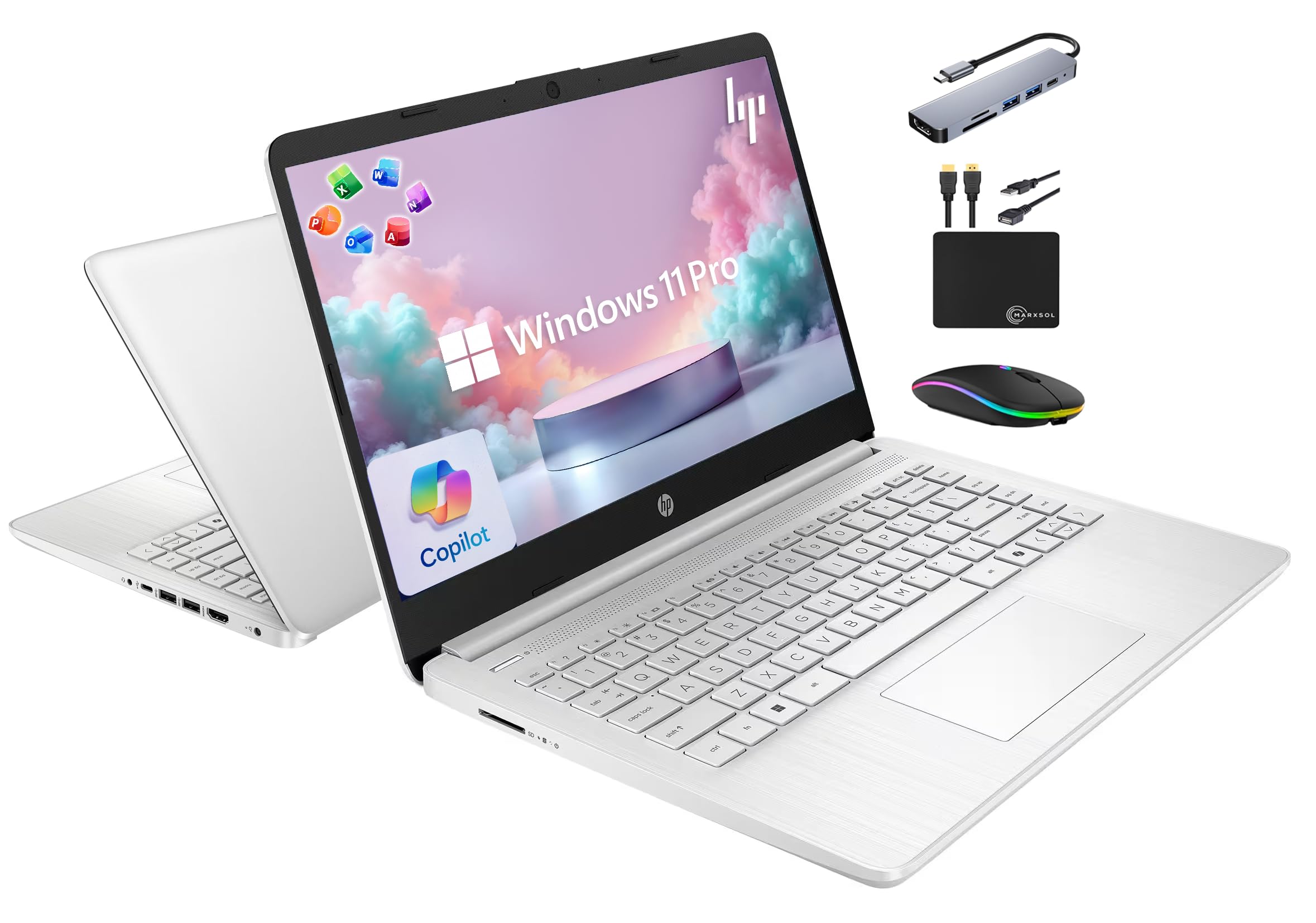
This HP 14-inch model is an excellent value proposition for schools because it includes a full Lifetime Office 2024 license, eliminating the recurring subscription cost for Microsoft 365. The 16GB of RAM and a quad-core Intel N150 processor provide enough horsepower for a student to run Office apps, a browser, and a video call simultaneously.
Storage is a hybrid setup with 128GB of UFS storage for fast system operation and a bundled 500GB external drive for files. The bundle also includes a 6-in-1 USB-C docking hub, a wireless mouse, and other accessories that reduce the need for additional purchases.
Windows 11 Pro provides advanced security features and remote management capabilities that IT administrators will appreciate. Its compact 14-inch form factor makes it a light travel companion for students moving between classrooms.
Why it’s great
- Pre-installed Lifetime Office 2024 saves recurring software costs
- 16GB of RAM for smooth multitasking
- Comes with a full bundle of accessories including a docking hub
Good to know
- The base screen resolution is 1366×768 which is less sharp than FHD
- The N150 processor is entry-level; not suited for creative software
8. HP Pavilion 15.6
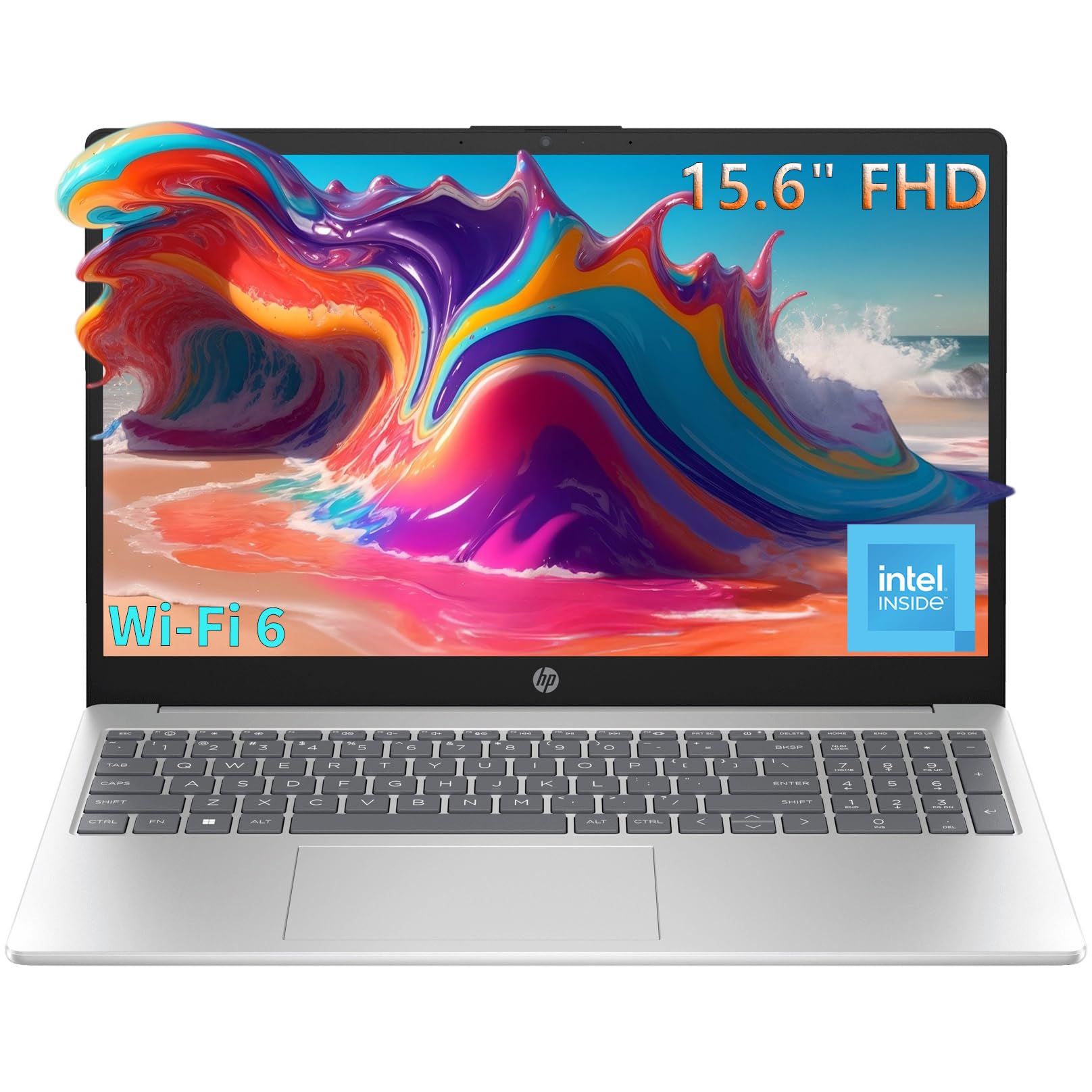
The HP Pavilion 15.6 is a classic all-around student laptop that focuses on a comfortable user experience. Its 15.6-inch Full HD anti-glare display with 250 nits of brightness is excellent for reducing eye strain during long homework sessions, and the full-size keyboard with a numeric keypad is welcome for math and science work.
Inside, the Intel N100 processor and 8GB of RAM handle standard educational tasks reliably. The 256GB SSD ensures quick boot times and responsive app launches. Weighing just 3.64 pounds with a slim 0.73-inch profile, it is easy to slide into a backpack.
Wi-Fi 6 and Bluetooth 5.3 provide fast and stable wireless connectivity for online research and cloud-based assignments. The camera privacy shutter and mic mute key give students a simple way to control their privacy during virtual classes.
Why it’s great
- Full HD anti-glare display reduces eye strain
- Lightweight and thin for easy portability
- Wi-Fi 6 for reliable, fast internet connections
Good to know
- The N100 processor can struggle with multitasking during video calls
- Some units may ship without the advertised Office 365 license
9. Lenovo IdeaPad 1 Student Laptop
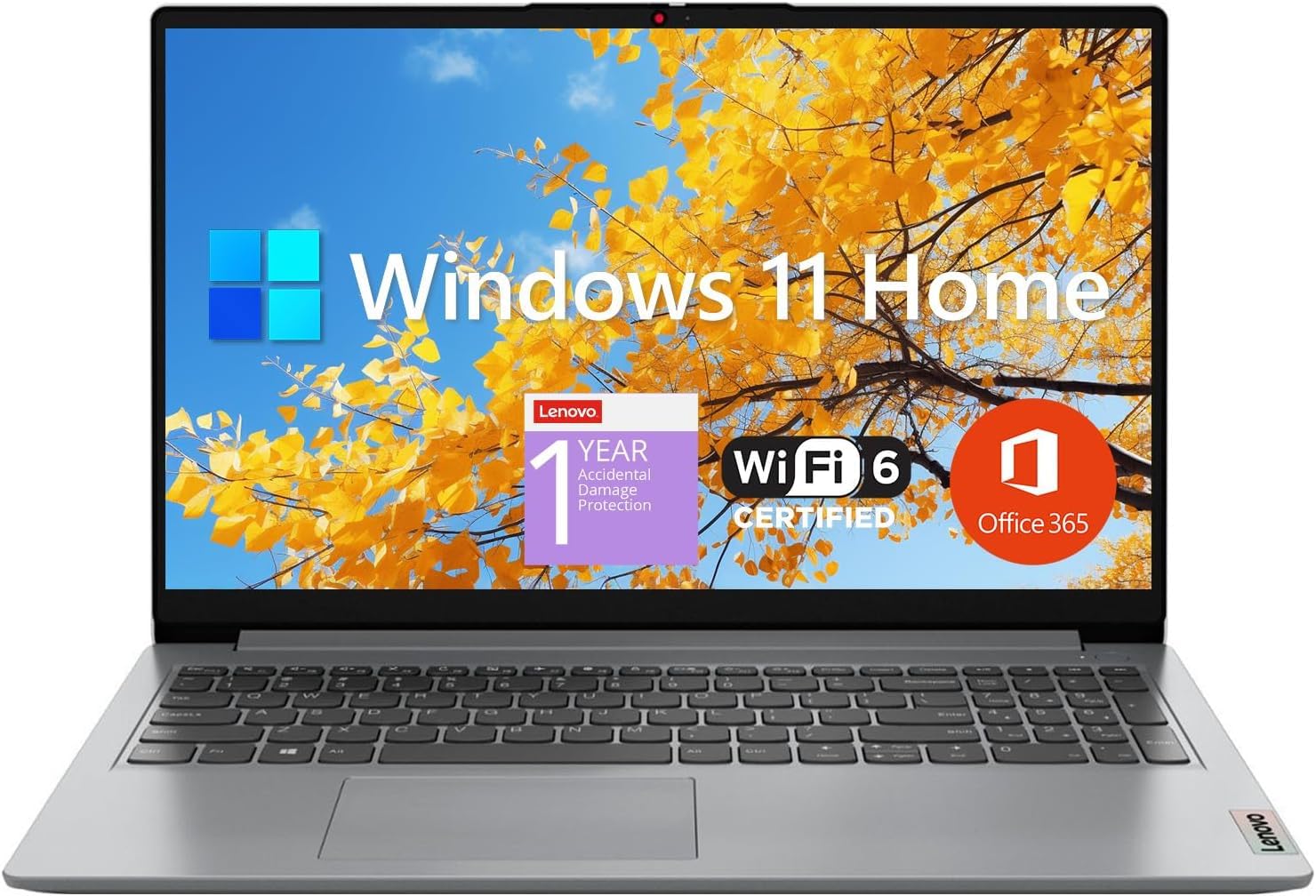
The Lenovo IdeaPad 1 is a budget-friendly workhorse that punches above its weight with 12GB of RAM and a dual-storage setup of 512GB SSD plus 128GB eMMC. This configuration allows students to boot quickly from the SSD while having extra space for archived files on the eMMC drive.
The 15.6-inch FHD IPS display provides clear, wide-angle viewing, which is useful for group projects or watching educational videos. The inclusion of a 1-year Office 365 subscription in the box is a nice bonus that gets students productive immediately without extra setup.
Connectivity options include HDMI, USB-C, and a microSD card reader, making it easy to connect to school projectors and transfer files from cameras or other devices. The sturdily built chassis feels robust enough for daily use in a school setting.
Why it’s great
- 12GB of RAM provides better multitasking than typical budget laptops
- Dual-storage solution for fast OS and ample file space
- Includes 1-year Office 365 subscription
Good to know
- Some users experience intermittent freezing and lag
- Dual-core Celeron N4500 processor is a limiting factor for performance
10. QAZIPO Mini PC
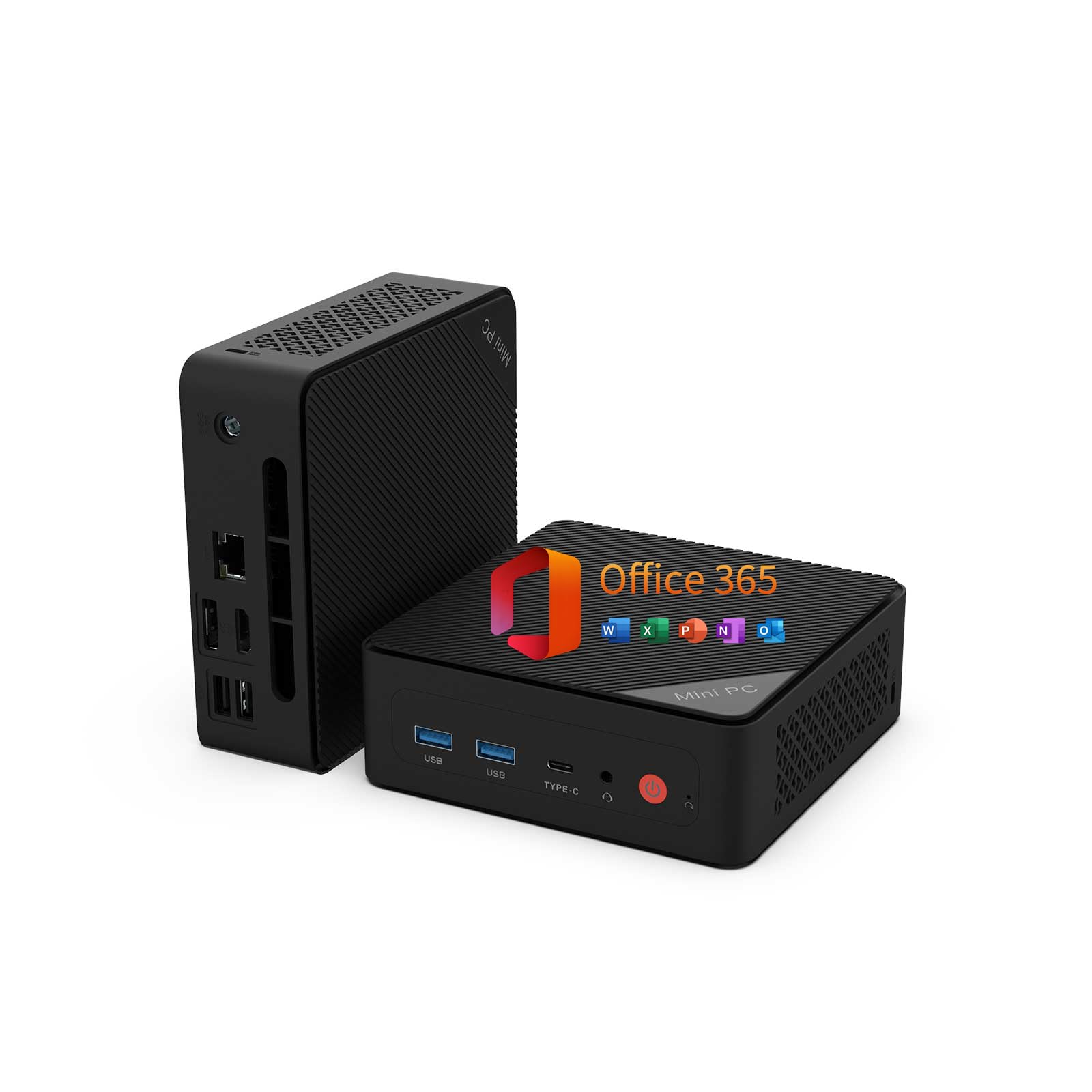
The QAZIPO Mini PC is a space-saving champion for school computer labs. Its tiny footprint of 5 x 5 x 1.69 inches and included VESA mount allow it to be hidden behind a monitor, freeing up desk space for books and writing. It comes with a full 1-year Office 365 subscription, a significant cost saving for a school lab.
With 16GB of dual-channel RAM and a 512GB NVMe SSD, it provides smooth performance for office applications, web browsing, and video playback. The ability to support triple 4K displays via USB-C, HDMI, and DisplayPort makes it incredibly flexible for a teacher’s workstation or a multi-monitor research station.
It supports Wake-on-LAN and PXE boot, making it easy for IT administrators to deploy, update, and manage a fleet of these units remotely. The dual M.2 slots and dual DDR4 RAM slots mean it can be upgraded in the future as needs grow.
Why it’s great
- Ultra-compact design saves valuable desk space in a lab
- Triple 4K display support for versatile setups
- Upgradeable RAM and storage for future needs
Good to know
- Intel Pentium Gold 6500Y is a low-power chip, not for heavy tasks
- The plastic case feels less durable than metal alternatives
11. Core Innovations 24″ All-in-One

The Core Innovations 24-Inch All-in-One is the most affordable entry point for a dedicated desktop station. Its 24-inch FHD IPS display offers a pleasing viewing experience for the price, making it suitable for a simple kiosk-style computer for basic web browsing, digital textbooks, and word processing.
Powered by an Intel Celeron N5095 processor with 4GB of RAM and 128GB of storage, this machine is strictly for light, single-task use. It comes with a wired keyboard and mouse, so it is ready to use out of the box, which reduces setup time for IT staff.
The integrated microphone and webcam make it functional for basic video calls, and the 2.4GHz/5GHz Wi-Fi ensures it can connect to the school network. It works well as a basic classroom computer for younger students or as a public access terminal in a library.
Why it’s great
- Very affordable all-in-one solution for basic computing needs
- Large 24-inch FHD IPS screen for comfortable viewing
- Comes with keyboard and mouse for out-of-box use
Good to know
- 4GB RAM is a limiting factor for multitasking or modern websites
- Several reports of units failing within a few months
FAQ
What is the minimum RAM I should buy for a student computer lab?
Are mini PCs reliable enough for a classroom environment?
Should I buy a laptop or a desktop for my school?
Is an Intel Celeron or N-series processor good enough for school work?
Final Thoughts: The Verdict
For most users, the computers for schools winner is the BOSGAME P3 Mix Mini PC because it offers desktop-class performance, 32GB of RAM, and triple display support in a compact, easy-to-secure chassis perfect for a high-functioning lab. If you want a durable, mobile laptop for a student 1:1 program, grab the ASUS Vivobook Go 15 for its military-grade build. And for a quiet, all-in-one library station with excellent ergonomics and eye care features, nothing beats the Dell 24 All-in-One.

Mo Maruf
I created WellFizz to bridge the gap between vague wellness advice and actionable solutions. My mission is simple: to decode the research and give you practical tools you can actually use.
Beyond the data, I am a passionate traveler. I believe that stepping away from the screen to explore new environments is essential for mental clarity and physical vitality.