Our readers keep the lights on and my smoothie glass nicely filled. As an Amazon Associate, I earn from qualifying purchases.
Lower back pain from prolonged sitting isn’t a normal trade-off for productivity—it’s a signal that a standard chair isn’t matching your spine’s natural curve. Adjustable lumbar support, seat depth, and recline tension separate a chair that works with your body from one that slowly aggravates it.
I’m Mohammad Maruf — the founder and writer behind WellFizz. I’ve spent hundreds of hours analyzing ergonomic chair specifications, comparing adjustable lumbar systems, seat cushion densities, and recline mechanisms to find the most supportive seated solutions for back pain.
Whether your pain originates in the lower lumbar zone or the upper thoracic area, finding the right relief starts with a targeted support system. This guide covers the best computer chair for back pain across different body types and budgets, focusing on adjustable features that actively reduce spinal pressure.
How To Choose The Best Computer Chair For Back Pain
Selecting a chair for back pain relief requires looking past the generic ergonomic label. The critical factor is adjustability—specifically, the ability to fine-tune lumbar support height and depth. A chair with only fixed lumbar cushioning may miss your specific pain point entirely. Look for systems that let you move the support pad both vertically and horizontally, or for inflatable lumbar bladders that allow variable firmness.
Seat Cushion Construction
Your hips and thighs bear the brunt of prolonged sitting. A seat cushion that is too soft will cause your pelvis to tilt backward, flattening the natural curve of your lower spine. High-density molded foam or virgin foam provides the resilience needed to maintain pelvic alignment without creating pressure points at the tailbone. Thicker foam—around 3 to 4 inches—distributes weight more evenly across the seat surface.
Backrest Recline Mechanism
Static seating loads the lumbar discs unevenly over time. A chair that has a tilt-and-rock mechanism or adjustable recline tension allows you to shift your posture naturally, reducing cumulative spinal pressure. Look for multi-position lockable recline angles (usually between 90 and 135 degrees) so you can switch between focused typing and relaxed leaning without losing back support.
Headrest and Armrest Adjustability
Neck and shoulder tension often compound lower back pain. A headrest that adjusts in height, depth, and angle cradles the cervical spine, preventing forward head posture. Similarly, armrests that move up, down, and rotate relieve the weight of your arms from your upper back, letting your shoulder blades stay relaxed. For tall users or those with long torsos, a chair with adjustable back height is especially valuable.
Quick Comparison
On smaller screens, swipe sideways to see the full table.
| Model | Category | Best For | Key Spec | Amazon |
|---|---|---|---|---|
| FLEXISPOT ErgoX Max | Premium Mesh | All-day adjustability & heavy-duty support | 4D adaptive lumbar, 661 lb capacity | Amazon |
| Hbada X7 Smart | Premium Tech | Automated lumbar tracking with massage | Auto-adjusting lumbar, 8D massage, 140° recline | Amazon |
| Steelcase Leap | Premium Upholstered | Industry-standard ergonomic adjustability | 3D LiveBack, Natural Glide System, 7 adjust points | Amazon |
| Branch Ergonomic Chair | Mid-Range Mesh | Petite users seeking adjustable seat depth | Adjustable seat depth, 8 adjustment points | Amazon |
| BestGlory Big and Tall | Mid-Range Executive | Heavier users needing inflatable lumbar | Air-pump lumbar, 5D armrests, 500 lb capacity | Amazon |
| YORICK Big and Tall | Mid-Range Leather | Larger users wanting quiet rubber wheels | Adjustable lumbar, 400 lb capacity, rubber wheels | Amazon |
| MOLENTS Mesh Chair | Mid-Range Mesh | Tailored lumbar with 3D armrests | 4-way lumbar adjustment, 3D armrests, 120° recline | Amazon |
| CASASIO Home Office | Budget Mesh | Budget-friendly virgin foam seat comfort | 3.5-inch virgin foam, 3D headrest, 350 lb capacity | Amazon |
| FOKESUN Mesh Chair | Budget Mesh | Entry-level support with integrated coat hanger | Molded foam cushion, high back, 135° recline | Amazon |
In‑Depth Reviews
1. FLEXISPOT ErgoX Max Ergonomic Office Chair
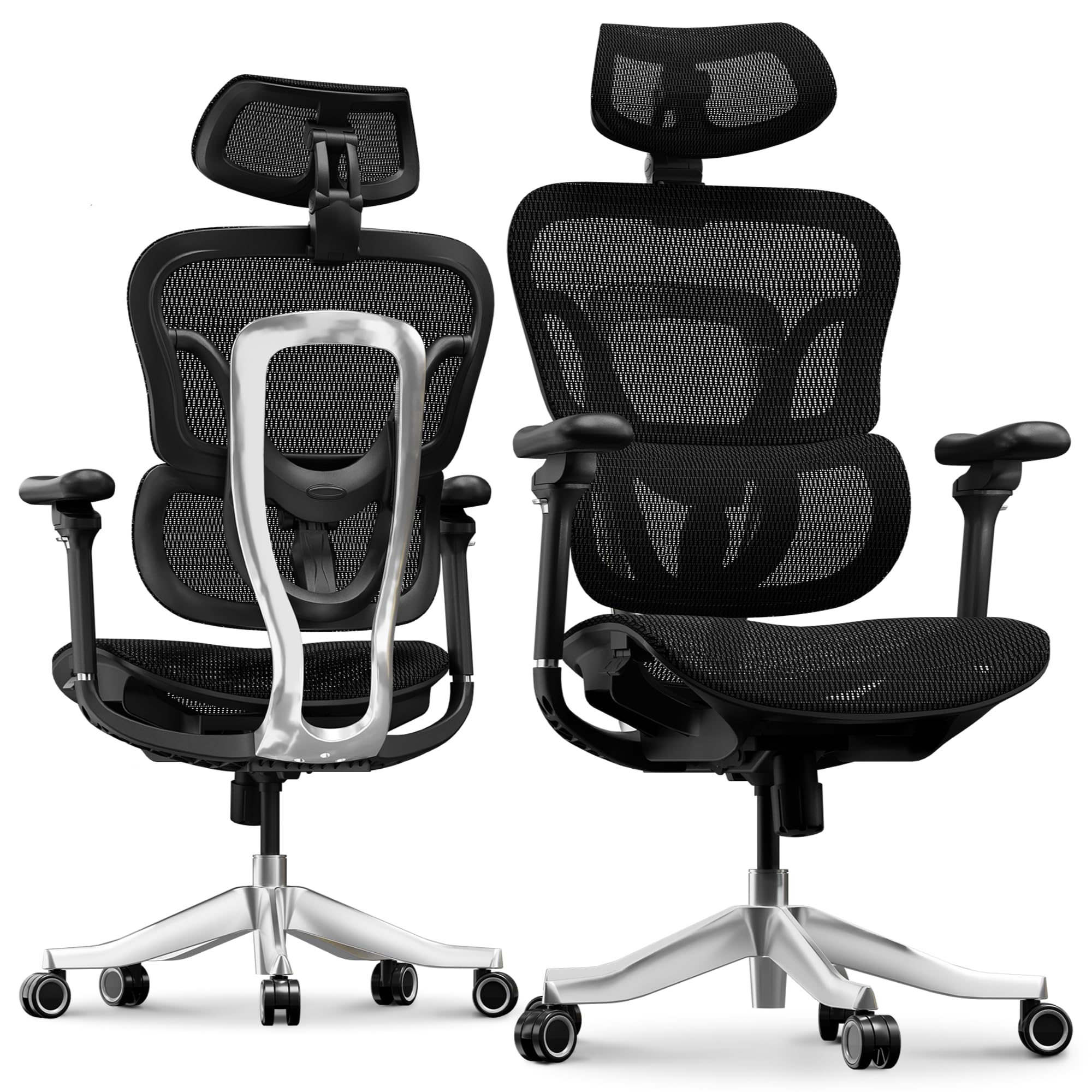
The FLEXISPOT ErgoX Max features a 4D adaptive lumbar system that automatically adjusts its contour as you shift postures, providing continuous dynamic support without manual re-positioning. The full aluminum alloy frame and base bring structural rigidity rarely seen at this tier, supporting up to 661 pounds without flex or wobble. The 5D adjustable armrests and 4D headrest allow micro-adjustments that isolate upper body tension from the lower back.
Reviewers consistently note the chair’s ability to reduce fatigue during 10-hour workdays, with particular praise for the balanced cushion density that avoids the “bottoming out” sensation common in budget mesh seats. The electroplated chrome casters roll silently on both hardwood and carpet, eliminating an additional source of daily friction.
The optional retractable footrest extends the chair’s utility for individuals who alternate between focused typing and reclined relaxation. For back pain sufferers who need a chair that adapts throughout the day, the ErgoX Max delivers premium-level adjustability at a mid-range investment.
Why it’s great
- Auto-adaptive lumbar follows your spine during recline and forward lean
- Full aluminum alloy frame eliminates creaks and flex under load
- 5D armrests support multiple arm positions to relieve shoulder strain
Good to know
- Headrest may need re-adjustment when switching from upright to reclined posture
- Assembly requires about 30 minutes and some patience with labeling
2. Hbada X7 Smart Ergonomic Chair
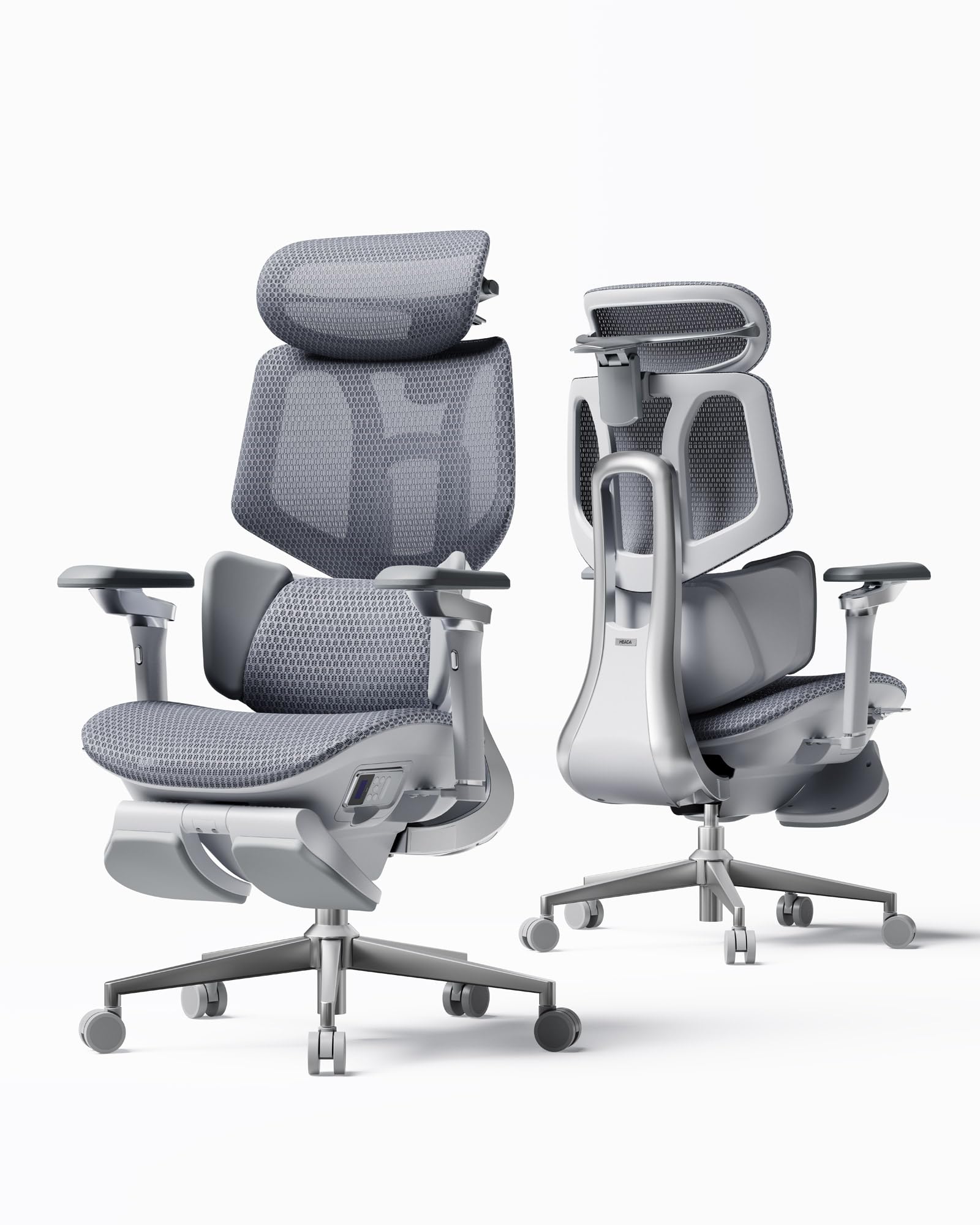
The Hbada X7 incorporates gravity-sensing technology that automatically adjusts lumbar support intensity based on your seated weight distribution, eliminating the guesswork of manual dials. Its 8D massage rollers with three-level heating (40-50°C) directly target muscle fatigue in the lower back, offering therapeutic relief that goes beyond passive support. The dual-fan cooling system integrated into the 3D mesh seat prevents heat buildup during extended sitting sessions.
The 720° omnidirectional armrests and 140° recline allow seamless transitions between typing, gaming, and napping postures without losing ergonomic alignment. Reviewers appreciate the ventilated seat cushion for preventing sweat accumulation and the automated lumbar tracking for reducing the need to constantly re-adjust.
Taller users should note the standard cylinder may be too short for optimal ergonomic positioning above 6 feet, though a replacement cylinder is available. The built-in massage and heat features add genuine muscle relief value for chronic back pain sufferers who spend entire days seated.
Why it’s great
- Automated lumbar tracking adjusts support without manual intervention
- Integrated massage and heat therapy provides active muscle relaxation
- Dual-fan ventilated seat enhances breathability and reduces pressure
Good to know
- Gas cylinder may be too short for users over 6 feet tall
- Massage mode battery drains faster when motion detection is active
3. Steelcase Leap Office Chair

The Steelcase Leap remains a benchmark in ergonomic seating because of its 3D LiveBack technology, which uses a flexible exoskeleton that mimics the natural movement of your spine as you recline. The Natural Glide System allows the seat to slide forward as you lean back, keeping your posture aligned and your feet firmly planted on the floor. The lower back firmness dial provides precise adjustment of lumbar pressure without changing the overall contour.
Reviewers highlight the chair’s exceptional build quality, with many units lasting over a decade with consistent use. The 4D adjustable armrests move independently in height, width, depth, and pivot angle, allowing you to fine-tune arm support for typing without shrugging your shoulders.
The Leap arrives fully assembled, eliminating installation hassle. However, some users report that the foam cushion feels thin against the seat pan, and the polyester fabric can feel scratchy against bare legs. The chair is best suited for users who prefer a firm, supportive seat over a plush cushion.
Why it’s great
- LiveBack technology flexes with your spine during recline for continuous support
- Natural Glide System keeps your posture stable as you lean back
- Durable construction with many units lasting over 10 years
Good to know
- Seat cushion padding feels thin for users who prefer plush comfort
- Premium price point may not fit every budget
4. Branch Ergonomic Chair
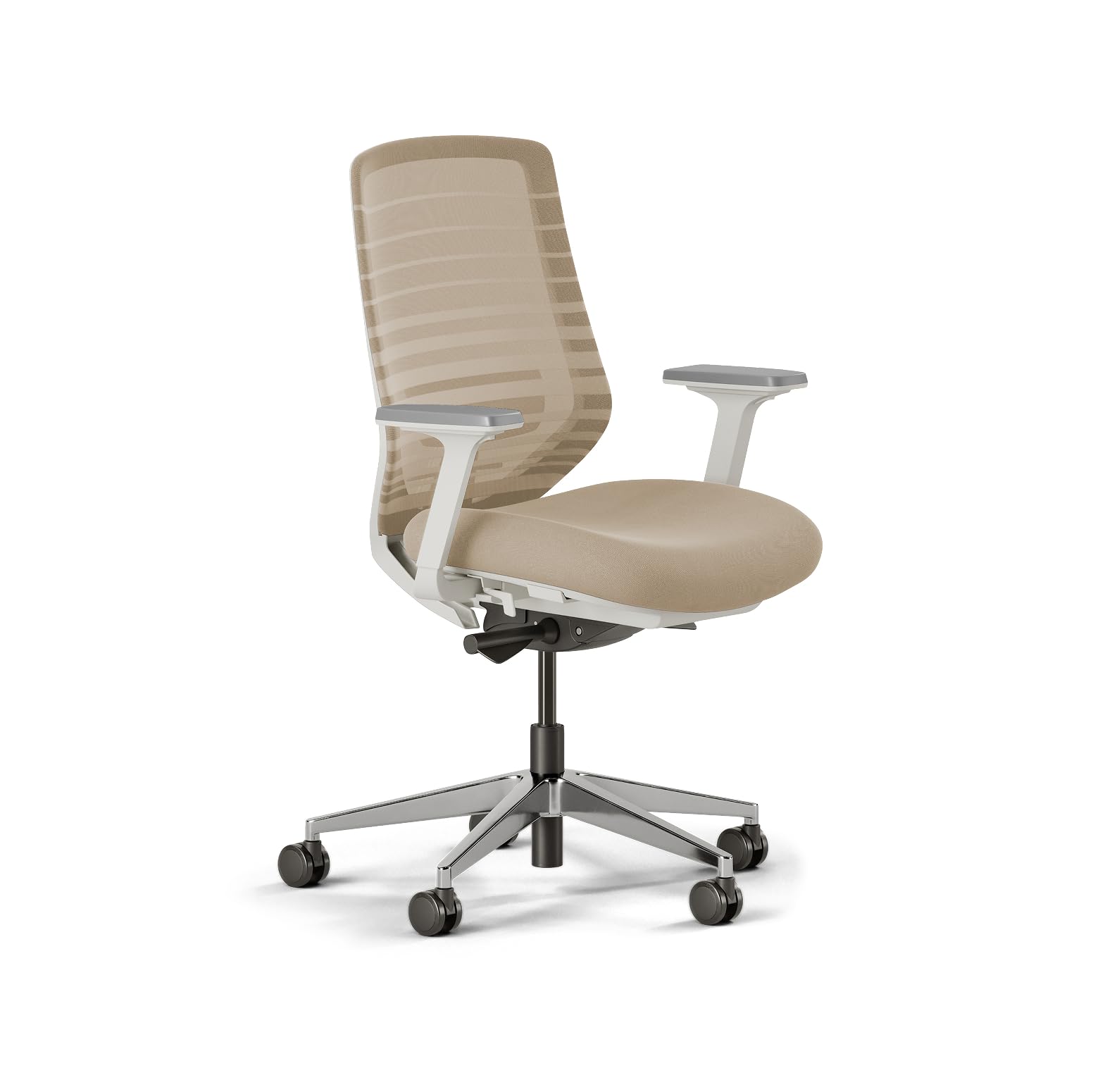
The Branch Ergonomic Chair focuses on eight points of adjustment, including a seat depth slider that is crucial for petite users who often find standard chairs too deep, causing pressure behind the knees. The breathable mesh backrest promotes airflow while providing lumbar support that is gentle but effective, making it suitable for users who find aggressive lumbar pads uncomfortable. The aluminum frame keeps the chair lightweight at under 35 pounds without sacrificing stability.
Petite reviewers under 5’3” report that the lowest seat height setting allows their feet to rest flat on the floor—a rare feature in many mid-range chairs. The armrests slide forward and backward, though some users note they can shift unexpectedly if the tension bolts are not tightened fully.
The tilt and lock function allows a fixed upright posture for typing or a slight recline for reading, with the tension adjustable to accommodate different body weights. For smaller-framed individuals with back pain, the Branch chair offers proportional support without overwhelming the user with excessive cushion bulk.
Why it’s great
- Adjustable seat depth accommodates shorter legs without knee pressure
- Lightweight aluminum frame is easy to move around the workspace
- Breathable mesh back reduces sweating during long sessions
Good to know
- Armrests can slide forward unintentionally if bolts are not tightened
- Lumbar support is gentle; may not be aggressive enough for severe pain
5. BestGlory Big and Tall Office Chair
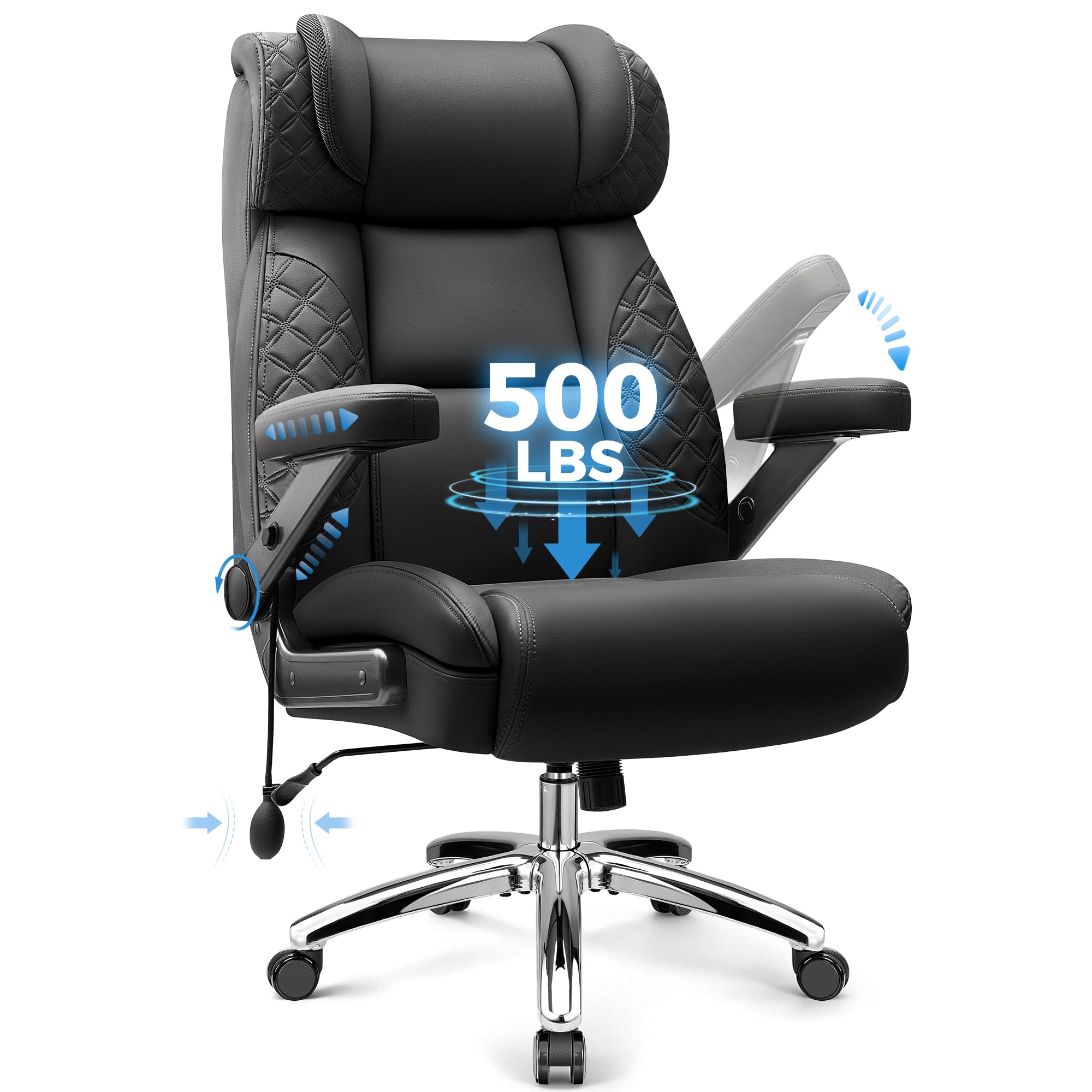
The BestGlory Big and Tall chair features a unique air-pump lumbar support system that lets you inflate or deflate the pad to your preferred firmness, offering a level of customization that fixed foam pads cannot match. The 5D adjustable armrests move up, down, forward, backward, slide left/right, pivot inward/outward, and adjust their angle, reducing shoulder strain during varied tasks. The reinforced steel frame and high-density foam seat support up to 500 pounds without sagging or wobbling.
Reviewers emphasize the generous seat width and depth, which allow users to sit cross-legged if desired. The slow-rebound foam padding provides a plush initial feel while still maintaining enough density to prevent hip soreness after eight hours.
Some taller users note that the armrests may sit too high even at their lowest setting, potentially causing unnatural arm angles for shorter users. The inflatable lumbar bulb, while functional, protrudes noticeably from the backrest and may not suit everyone’s aesthetic preference.
Why it’s great
- Inflatable lumbar allows custom firmness adjustment for targeted pain relief
- 5D armrests offer extreme adjustability for various arm positions
- Extra-wide, thick seat accommodates larger body types comfortably
Good to know
- Armrests may be too high at lowest setting for shorter users
- Inflatable lumbar pad is visually prominent and may not blend into the design
6. YORICK Big and Tall Office Chair
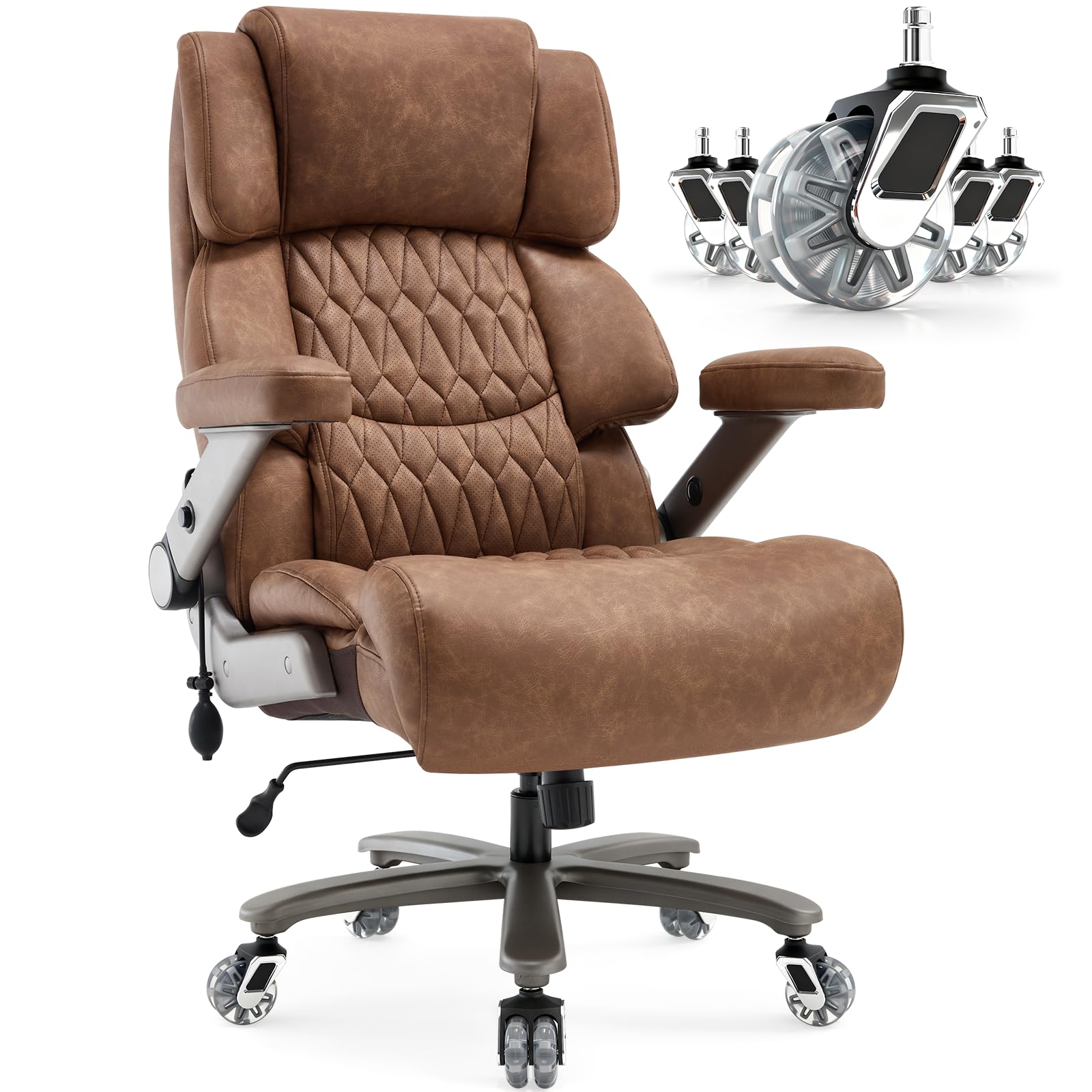
The YORICK Big and Tall chair prioritizes floor protection and noise reduction with its soft nylon rubber wheels that glide silently across hardwood, tile, and laminate without leaving marks. The adjustable built-in lumbar support targets the lower back region and can be repositioned vertically to match your spine’s curve. The breathable bonded leather upholstery resists sweating while offering a classic executive aesthetic that fits both home and corporate settings.
Reviewers at weights up to 275 pounds report exceptional comfort during 10- to 12-hour workdays, noting that the high-density padding resists flattening over months of use. The heavy-duty metal base and class-4 gas cylinder provide a stable platform without the wobble often found in lighter-duty chairs.
The upper backrest is angled for reclining rather than upright sitting, which may feel less supportive for users who prefer a straight-backed posture. Assembly requires two people due to the chair’s weight—over 55 pounds—and the included tools may not accommodate every step perfectly.
Why it’s great
- Rubber wheels roll silently and protect hardwood floors from scratches
- Dense seat padding maintains its shape even after months of daily use
- Adjustable lumbar support targets the lower back effectively
Good to know
- Upper backrest is angled for reclining, not straight upright sitting
- Heavy chair (55+ lbs) requires two people for safe assembly
7. MOLENTS Mesh Desk Chair

The MOLENTS chair provides 4-way lumbar adjustment (up, down, forward, backward), allowing you to dial in the exact depth of support needed for your lower back’s curvature. The 3D armrests adjust in height, width, and rotation, reducing shoulder tension that can radiate into the lumbar area. The full mesh construction promotes airflow, keeping your back dry and cool during extended work periods.
Multiple reviewers mention that the chair eliminated their lower back pain within three days of use, with particular praise for the lumbar support’s ability to hold position without slipping. The 90° to 120° three-position recline lock lets you switch between upright typing and relaxed reading without losing lumbar contact.
The armrest panels slide forward and backward or rotate left and right; users who prefer a fixed panel can request a replacement from the manufacturer. Some users note that the mesh is taut with good bounce, but the wheels may struggle on thick carpet without a mat.
Why it’s great
- 4-way adjustable lumbar provides precise depth and height customization
- Breathable full mesh prevents heat buildup during long sitting sessions
- Multiple reviewers report back pain relief within days of use
Good to know
- Standard wheels may not roll smoothly on thick carpet
- Armrest panels are sliding by default; fixed panels require contacting the manufacturer
8. CASASIO Home Office Desk Chair
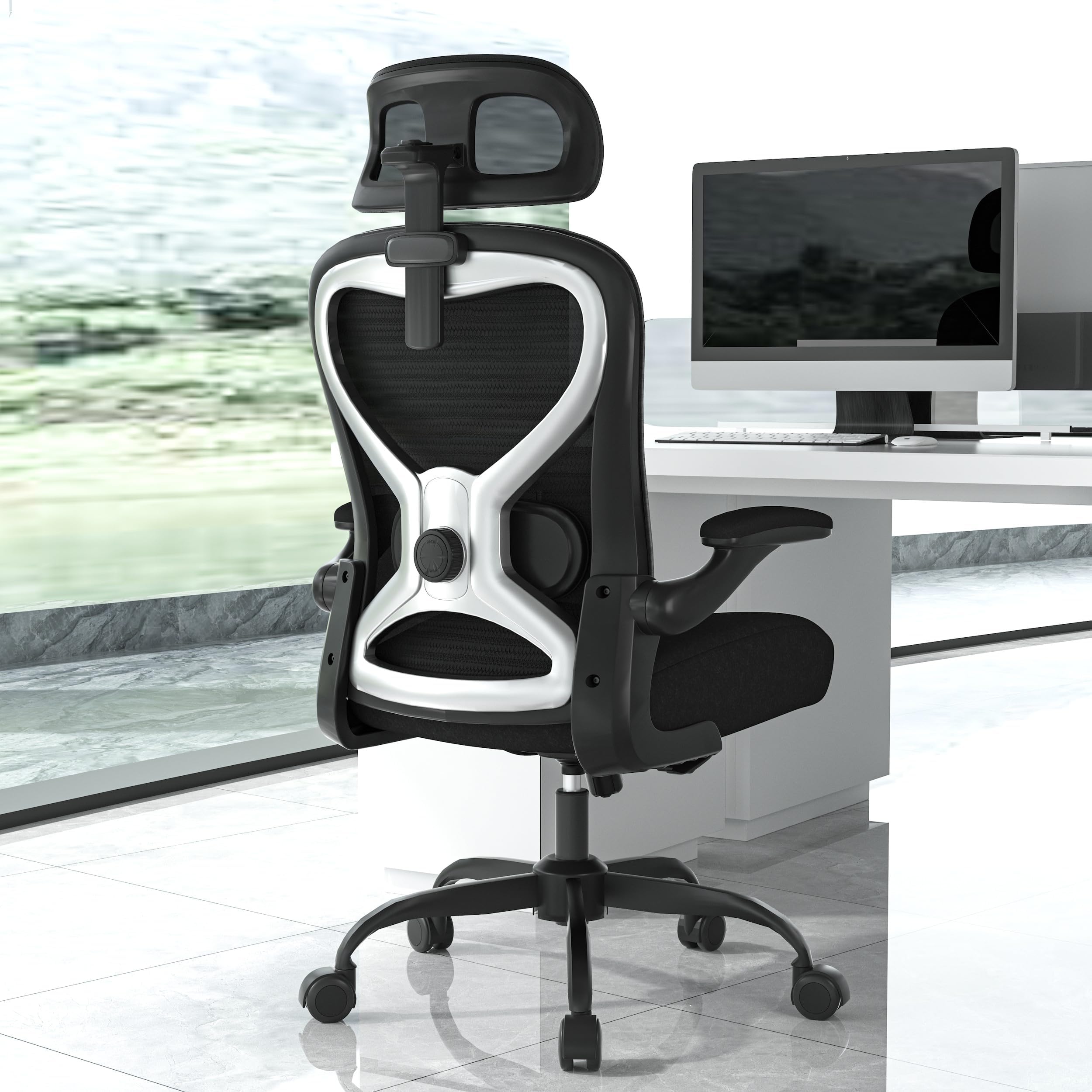
The CASASIO chair uses 3.5 inches of virgin foam in the seat cushion—a thickness typically found in chairs costing significantly more—providing even weight distribution that prevents soreness in the hips and tailbone. The contoured mesh back aligns with the spine’s natural curve, and the dual-direction adjustable lumbar cushion moves both up and down and in and out for targeted lower back relief. The 3D headrest adjusts in height, depth, and angle to cradle the neck during focused work or breaks.
Reviewers consistently note the chair’s substantial cushioning and sturdy construction, with the reinforced metal base supporting up to 350 pounds. The flip-up armrests allow the chair to slide under standard desks, maximizing floor space in smaller home offices.
The tilt-and-rock feature includes adjustable tension, letting you customize the motion’s resistance to your preference. While the assembly is straightforward with labeled parts, some users report that the chair requires a bit of clearance behind it to fully utilize the recline range without hitting the wall.
Why it’s great
- Thick virgin foam seat cushion prevents hip soreness during all-day sitting
- Dual-direction lumbar support can be adjusted both vertically and horizontally
- Flip-up armrests save space and allow easy desk tucking
Good to know
- Needs several inches of clearance behind the chair for full recline range
- The mesh back may feel less supportive for users with very pronounced lumbar curves
9. FOKESUN Mesh Computer Chair
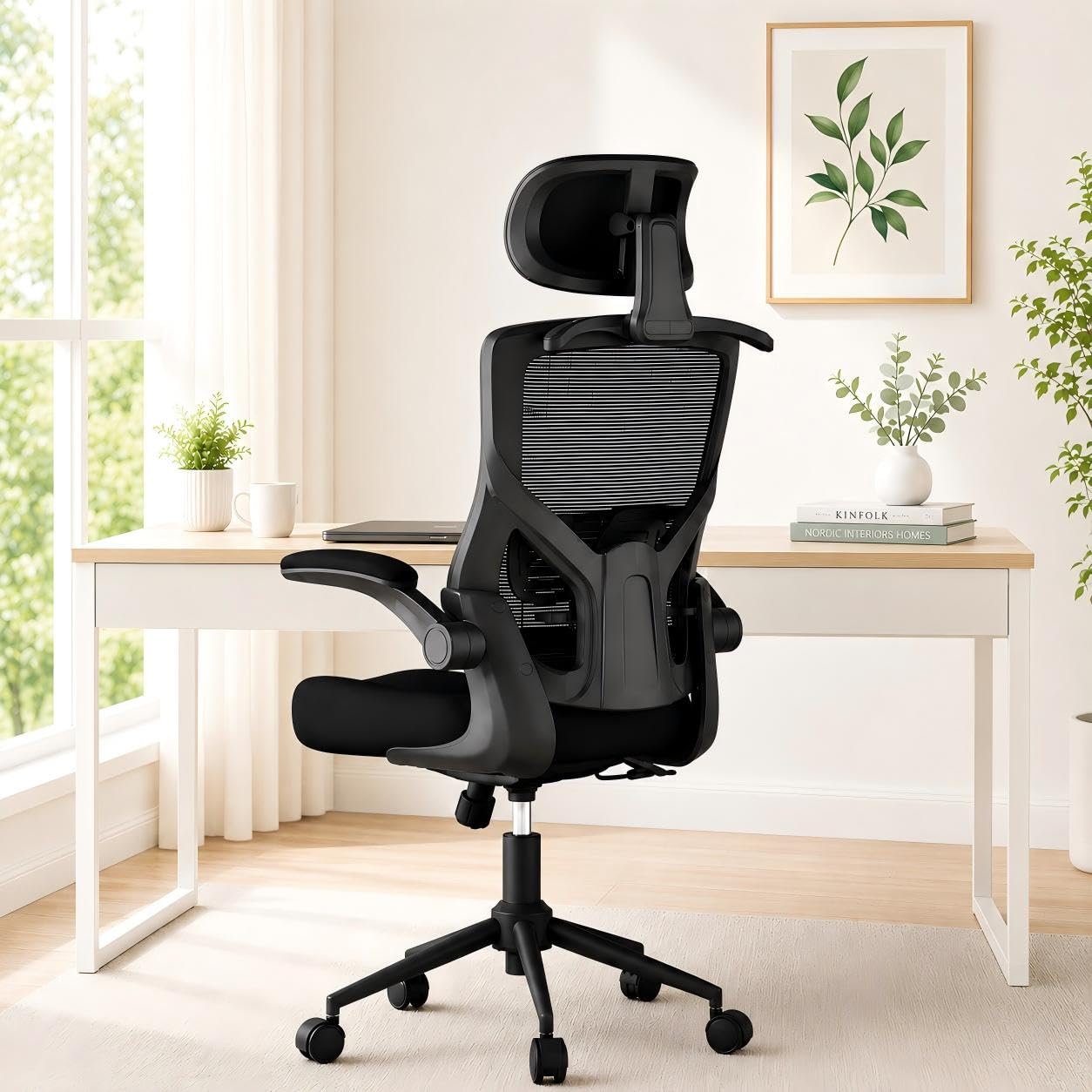
The FOKESUN chair combines a high-density molded foam cushion with a breathable mesh backrest, offering a balanced seat feel that is neither overly soft nor rock-hard. The adjustable lumbar support and headrest provide basic ergonomic coverage for users between 5’5” and 6’2”, and the 90° to 135° reclining backrest locks in three positions for work and rest modes. The built-in coat hanger on the back adds practical storage for jackets or bags without taking up floor space.
Reviewers appreciate the comfort for the price point, noting that the chair supports long hours of computer work without immediate fatigue. The flip-up armrests allow the chair to slide under the desk for compact storage, making it suitable for smaller home offices or shared workspaces.
Some users report that the plastic components feel less robust than metal alternatives, though the overall construction remains supportive for users up to 300 pounds. The assembly takes approximately 25 minutes with included tools and gloves, and the chair is backed by a 5-year warranty for peace of mind.
Why it’s great
- Molded foam cushion offers a balanced feel between soft and firm
- 135° recline range provides flexibility for working and resting
- Built-in coat hanger adds convenient storage without extra furniture
Good to know
- Plastic frame components feel less premium than metal alternatives
- Lumbar support adjusts vertically only, not in depth
FAQ
Should I choose a mesh back or an upholstered back for lower back pain?
How important is the recline mechanism for back pain relief?
Does a headrest help with lower back pain?
Final Thoughts: The Verdict
For most users, the best computer chair for back pain winner is the FLEXISPOT ErgoX Max because its 4D adaptive lumbar support automatically adjusts to your posture, removing the need for constant manual re-calibration. If you want automated lumbar tracking with built-in massage and cooling, grab the Hbada X7 Smart. And for a classic, proven ergonomic design with industry-leading adjustability and durability, nothing beats the Steelcase Leap.

Mo Maruf
I created WellFizz to bridge the gap between vague wellness advice and actionable solutions. My mission is simple: to decode the research and give you practical tools you can actually use.
Beyond the data, I am a passionate traveler. I believe that stepping away from the screen to explore new environments is essential for mental clarity and physical vitality.