Our readers keep the lights on and my smoothie glass nicely filled. As an Amazon Associate, I earn from qualifying purchases.
Finding a photo printer that delivers crisp, vibrant prints without forcing you to buy expensive ink cartridges every few weeks is a rare challenge. Most affordable models compromise on print quality or connectivity, leaving you with faded memories or a frustrating setup process.
I’m Mohammad Maruf — the founder and writer behind WellFizz. For this guide, I spent hours analyzing customer reviews, technical specs, and real-world performance data across dozens of models to find the best balance of price and picture quality.
After comparing print resolution, media size, ink technology, and portability, I’ve narrowed the field to the seven models that define the best cheapest photo printer you can buy right now.
How To Choose The Best Cheapest Photo Printer
The term “cheap” in photo printing usually hides ongoing costs — namely ink or paper cartridges. Your goal is to find a printer that produces high-quality images and keeps consumable costs low over time.
Print Technology: Zink vs Dye-Sublimation vs Inkjet
Zero-ink (Zink) printers embed color crystals in the paper and activate them with heat — no cartridges needed, but print quality can be flat or slightly yellow-toned. Dye-sublimation uses ribbon cartridges to layer colors, producing sharper, more archival prints. Inkjet, like the classic Canon Pixma, offers the lowest per-print cost for larger sizes but requires regular use to prevent clogging. For a budget-friendly printer, choose Zink if you prioritize convenience and portability, or dye-sub if you want near-photo-lab quality in a small package.
Quick Comparison
On smaller screens, swipe sideways to see the full table.
| Model | Category | Best For | Key Spec | Amazon |
|---|---|---|---|---|
| Liene Pearl N200 Pro | Dye-Sub | Premium Color Accuracy | True-to-original color dye-sub | Amazon |
| Polaroid Hi-Print 2nd Gen | Dye-Sub | Reliable Pocket Prints | Dye-sub in under 50 seconds | Amazon |
| Canon PIXMA TS7720 | Inkjet | Home Office & Photo Mix | Auto duplex 15/10 ppm | Amazon |
| Nelko PP01 | Inkjet | Budget Portable Inkjet | 603 DPI on sticky-back paper | Amazon |
| YOTON 4×6 Photo Printer | Dye-Sub | Larger 4×6 Prints | AR video printing + 4×6 | Amazon |
| HP Sprocket 2nd Edition | Zink | Party & On-the-Go Fun | Zink zero-ink paper | Amazon |
| KODAK Step Slim | Zink | Budget Zink Option | Zink sticky-back 2×3 | Amazon |
In‑Depth Reviews
1. Liene Pearl N200 Pro

The Liene Pearl N200 Pro uses advanced dye-sublimation technology to deliver color accuracy that rivals traditional photo lab prints. Unlike Zink printers that often cast a yellow or pink tint, the N200 produces true-to-original colors with sharp detail, making it the standout choice for anyone who prioritizes image fidelity in a portable form factor. Users consistently report that prints are vibrant, smudge-proof, and resistant to fading.
Its companion app packs unique features like AI-powered style filters, background removal, and a dedicated InstaPic mode for one-touch shooting and printing. The printer connects via Bluetooth and supports multi-device pairing, which is ideal for parties or group events where multiple people want to print simultaneously. A full charge delivers up to 27 prints, keeping the fun going without hunting for an outlet.
While the high-quality prints come at a slightly higher per-print cost due to dye-sub cartridges, the color fidelity and consistent output justify the investment for journalers, scrapbookers, and event photographers who refuse to compromise on image quality.
Why it’s great
- Exceptional color accuracy — truer to original than any Zink printer on this list.
- AI-powered app features for creative editing without switching platforms.
- Compact design with reliable Bluetooth multi-device pairing.
Good to know
- Per-print cost is higher than Zink or inkjet alternatives.
- Print operation is slightly louder and slower than some Zink rivals.
2. Polaroid Hi-Print (2nd Generation)

The Polaroid Hi-Print 2nd Gen stands apart from its instant-camera cousins by using dye-sublimation technology rather than direct-print film. This means you get flat, crisp, vibrant 2×3 business-card-size prints — no curled edges or faded highlights. The printer delivers each photo in under 50 seconds, and the adhesive backing makes it perfect for planners, journals, or decorating surfaces.
Bluetooth connectivity to the Polaroid Hi-Print app is straightforward, and users report no jams or connectivity issues after dozens of prints. The app offers frames, filters, text, and emoticons for personalization. The built-in rechargeable lithium-ion battery makes it truly portable, so you can print at a café, in the park, or during travel without worrying about cords.
Some users have reported paper jams after replacing cartridge packs, especially if the paper isn’t seated perfectly. However, for the majority of buyers, the Hi-Print delivers reliable, high-quality pocket prints that outshine Zink-based competitors in sharpness and color richness.
Why it’s great
- Excellent dye-sub print quality — noticeably sharper than Zink printers.
- Fast print speed under 50 seconds with consistent results.
- True portability with rechargeable battery and compact design.
Good to know
- Paper cartridge replacement can occasionally cause jamming if not aligned carefully.
- Requires proprietary Polaroid paper cartridges, limiting paper choice.
3. Canon PIXMA TS7720

The Canon PIXMA TS7720 is a full-featured all-in-one inkjet that handles document printing, copying, and scanning alongside photo output. It supports borderless 4×6 photos with reasonably vibrant colors, and its automatic duplex printing saves paper for everyday tasks. The 2.7-inch touchscreen makes navigation simple without needing a computer for basic operations.
Setup is relatively fast — about 25 minutes according to most users — though it does require connecting to your Wi-Fi network rather than using a direct Bluetooth link. The included starter ink cartridges (PG-285 black, CL-286 color) produce crisp text and decent photo prints, though some users note that colors appear less saturated than Canon’s five-ink models. The flatbed scanner is a welcome addition for digitizing old prints or documents.
For buyers who need a single device for school projects, home office tasks, and occasional photo prints, the TS7720 offers unbeatable versatility. The main trade-off is the need to print regularly (weekly) to prevent ink clogging, and the starter cartridges run out quickly — expect to buy replacements sooner than you’d like.
Why it’s great
- True all-in-one functionality: print, copy, scan in one compact unit.
- Automatic duplex printing and 2.7-inch touchscreen simplify daily use.
- Versatile media handling — from plain paper to 4×6 photo paper.
Good to know
- Starter ink cartridges deplete quickly; replacements are an ongoing cost.
- Wireless setup isn’t fully plug-and-play — requires manual router connection.
4. Nelko PP01

The Nelko PP01 is a compact inkjet photo printer that prints 2×3 inch sticky-back photos at 603 DPI — a resolution that outpaces most pocket-sized rivals. The advanced inkjet technology produces smudge-proof, water-resistant, and tear-resistant prints that hold up well in wallets, planners, or scrapbooks. Each ink cartridge prints up to 80 full-color 2×6 photos, offering one of the lowest per-print costs in the portable category.
Bluetooth pairing is quick and reliable with both iOS and Android devices via the Nelko app, which includes editing tools like filters, borders, stickers, text, and AI image editing. The printer itself weighs only 0.6 pounds and slides easily into a bag or even a large pocket, making it ideal for school field trips, travel journaling, and event giveaways.
Some users note that if the printer sits idle for long periods, the ink cartridge head may need a gentle vertical wipe to prevent clogging. Paper loading also requires attention — the first sheet must face down at the bottom for proper recognition. Despite these quirks, the PP01 delivers vibrant, wallet-friendly prints that compete directly with Zink models at a more accessible price point.
Why it’s great
- High 603 DPI resolution for crisp, vivid 2×3 sticky-back prints.
- Each ink cartridge yields up to 80 prints, keeping per-print costs low.
- Ultra-light 0.6-pound design for true pocket portability.
Good to know
- Ink cartridge head may clog if printer is unused for extended periods.
- Requires specific paper orientation during loading for reliable pickup.
5. YOTON 4×6 Photo Printer

The YOTON photo printer uses dye-sublimation technology to produce full 4×6 inch prints — a size that pocket printers can’t match. This means you can create traditional photo-album-ready keepsakes without the bulk of a full-size desktop printer. The included starter pack of 54 sheets and one ink ribbon gets you printing immediately, and the AR video printing feature adds a unique twist by letting you embed up to 15 seconds of video that plays when scanned with the app.
Instead of Bluetooth, the YOTON uses its own built-in Wi-Fi network for device connection. This avoids the interference issues common with crowded public networks, though it does require a slightly more involved setup process. The printer is compact enough to toss in a backpack at 970 grams, and its sleek design looks good on any desk.
Setup is the main hurdle — the printer requires a 2.4GHz Wi-Fi connection or a direct Wi-Fi connection, and the app demands location permissions that some users find intrusive. Once configured, however, the print quality is excellent, rivaling traditional photo-lab output with sharp details and accurate colors. For buyers who want larger prints without moving up to a full-size inkjet, the YOTON is a strong contender.
Why it’s great
- Prints full 4×6 inch photos — perfect for albums and framing.
- AR video printing brings still photos to life with embedded video clips.
- Includes 54 sheets and an ink ribbon for immediate use.
Good to know
- Wi-Fi-only setup requires 2.4GHz network; initial connection can be finicky.
- App requires camera and location permissions that may feel intrusive.
6. HP Sprocket 2nd Edition
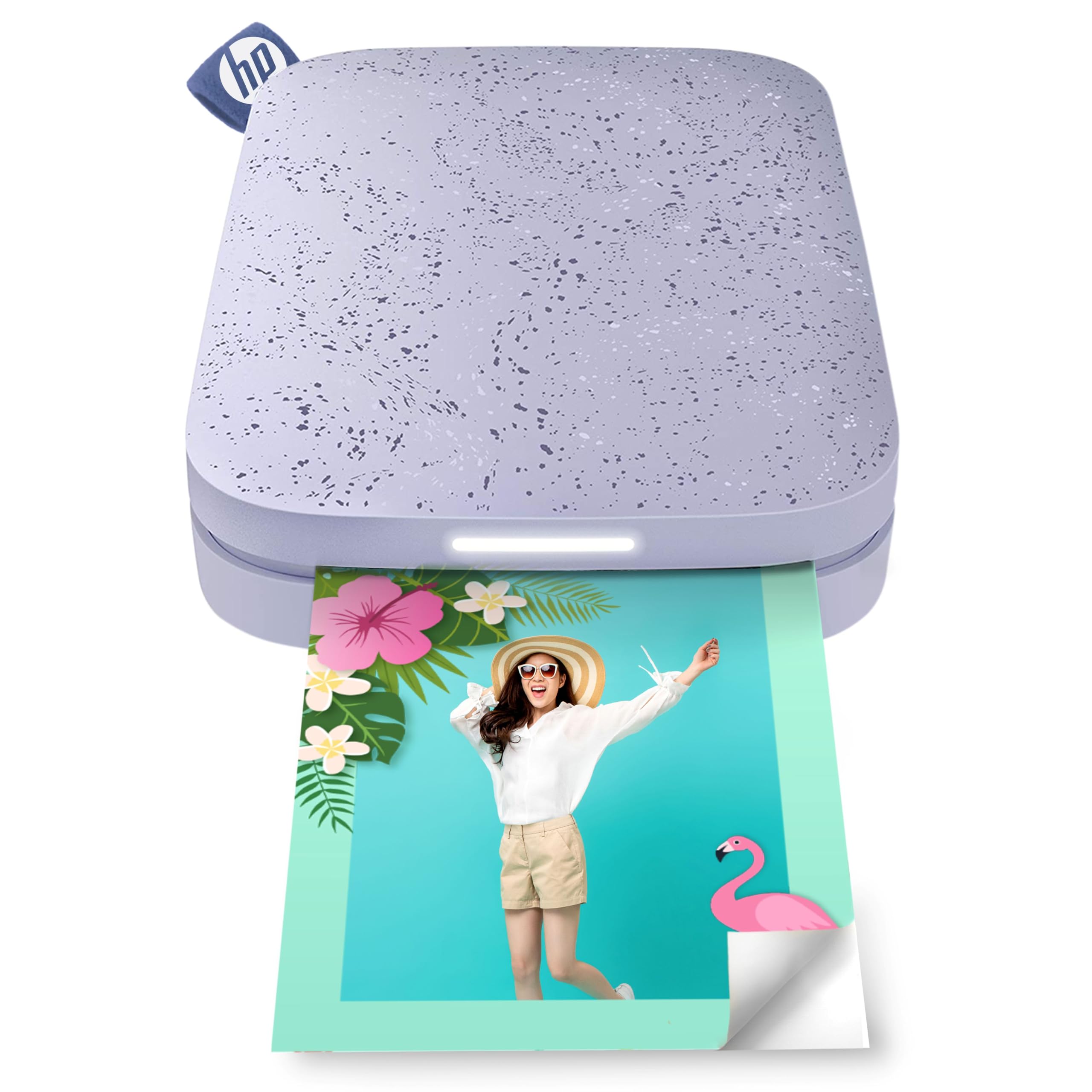
The HP Sprocket 2nd Edition uses Zink zero-ink technology, which means you never need to buy ink cartridges or ribbons — the color crystals are embedded in the paper itself. This makes it one of the most convenient portable photo printers on the market: just load the paper, connect via Bluetooth 5.3, and print. The prints are 2×3 inch sticky-back photos that resist water, smudges, and tears, making them ideal for journaling, scrapbooking, or sticking on lockers and laptops.
The free HP app is straightforward, offering filters, frames, borders, stickers, and emoji tools to customize photos before printing. The printer supports multi-device connectivity, so multiple people at a gathering can print without re-pairing. A single charge yields up to 35 prints, and the slim, pocketable design slips easily into a purse or backpack.
Some users notice a slight pink or blue color cast in prints, which can be corrected using the app’s calibration card and manual color adjustments. The app’s collage and zoom features are also less intuitive than some rivals. Still, the Sprocket’s reliability, long battery life, and ink-free operation make it a solid choice for casual, on-the-go photo sharing.
Why it’s great
- No ink or toner to buy — Zink paper is all you need.
- Long battery life: up to 35 prints per charge.
- Multi-device Bluetooth pairing for group printing at events.
Good to know
- Color cast (pink/blue tint) may require calibration and manual correction.
- Print quality is softer than dye-sub alternatives.
7. KODAK Step Slim
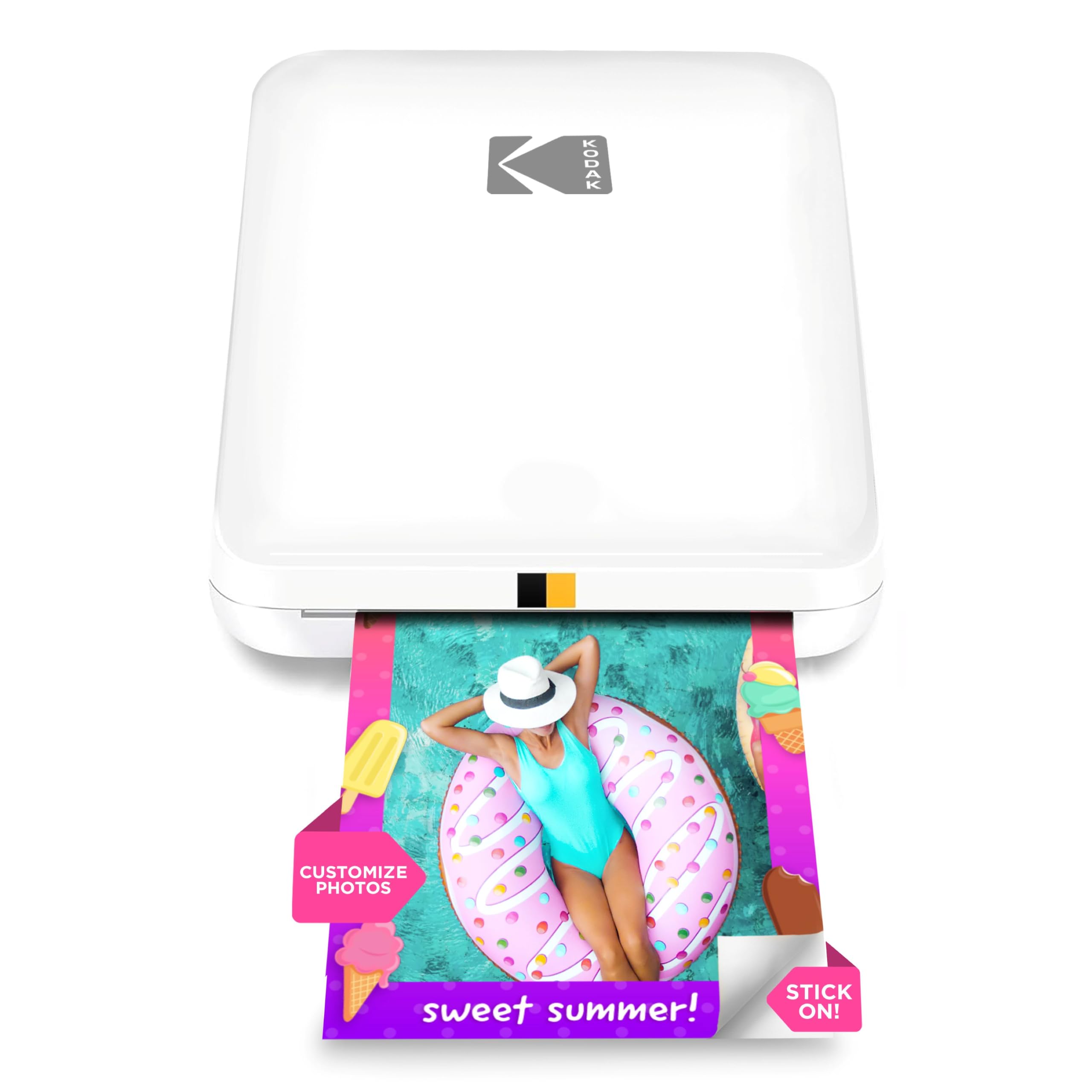
The KODAK Step Slim offers the most accessible entry point into Zink printing. Its slim, lightweight design — just 0.9 inches thick — makes it one of the most pocketable printers in this roundup. Like all Zink printers, it uses heat-activated color crystals in the paper, so there are no ink cartridges to replace. The 2×3 inch prints come with adhesive backing, making them ready to stick into journals, scrapbooks, or onto walls and laptops.
The KODAK Step Prints app is simple to use, allowing you to add frames, stickers, and text before printing. Bluetooth pairing is straightforward, and customers report that the printer works reliably for spontaneous photo sharing at parties and family gatherings. The prints are dry to the touch immediately, and the paper is resistant to smudging and water.
Print quality is the main compromise — images often appear less vibrant than dye-sub or inkjet alternatives, with a noticeable yellow or faded hue that some users compare to 1970s Kodak prints. Battery life also requires frequent recharging, and some users report paper jams and slow print speeds. For the absolute lowest upfront cost and the convenience of ink-free printing, the Step Slim is functional, but you’ll see a clear drop in color vividness.
Why it’s great
- Ultra-thin, lightweight design slips into any pocket or small bag.
- Ink-free Zink technology means zero cartridge costs.
- Prints are dry immediately and resistant to water and smudges.
Good to know
- Color reproduction leans yellow/faded; not true to original.
- Battery drains quickly and requires frequent recharging.
FAQ
Are Zink photo printers cheaper than inkjet in the long run?
Do portable photo printers need Wi-Fi or just Bluetooth?
Final Thoughts: The Verdict
For most users, the best cheapest photo printer winner is the Liene Pearl N200 Pro because it delivers dye-sublimation color accuracy that rivals professional prints in a portable, budget-friendly package. If you want Zink’s ink-free convenience and longer battery life, grab the HP Sprocket 2nd Edition. And for larger 4×6 inch album-ready prints without upgrading to a full-size inkjet, the YOTON photo printer is your best bet.

Mo Maruf
I created WellFizz to bridge the gap between vague wellness advice and actionable solutions. My mission is simple: to decode the research and give you practical tools you can actually use.
Beyond the data, I am a passionate traveler. I believe that stepping away from the screen to explore new environments is essential for mental clarity and physical vitality.