Our readers keep the lights on and my smoothie glass nicely filled. As an Amazon Associate, I earn from qualifying purchases.
Data science demands a machine that can handle massive dataset cleaning, distributed model training, and multi-threaded statistical analysis without bottlenecking. A standard office PC simply cannot keep pace with the matrix operations and iterative algorithms that define modern data work, making hardware selection a core part of your workflow efficiency.
I’m Mohammad Maruf — the founder and writer behind WellFizz. I’ve spent hundreds of hours analyzing processor architectures, memory bandwidth benchmarks, and GPU compute capabilities to identify the machines that genuinely accelerate data science pipelines rather than just looking good on a spec sheet.
After evaluating dozens of configurations for RAM capacity, core count, storage speed, and AI-acceleration support, I’ve narrowed the field to define the best computer for data science across real-world research and production workloads.
How To Choose The Best Computer For Data Science
Selecting a computer for data science is a balancing act between CPU compute power, RAM capacity, GPU acceleration, and storage throughput. Unlike general-purpose machines, data science rigs must handle parallel processing of large matrices, frequent random-access reads from massive datasets, and sustained thermal loads during training runs. Prioritize components that directly impact iteration speed rather than chasing peak frequencies alone.
RAM Capacity and Bandwidth
Data science workflows often load entire datasets into memory to avoid slow disk swaps. 32GB is the absolute minimum for moderate tabular work, while 64GB or 128GB becomes necessary for deep learning model training or large sparse matrix operations. Higher bandwidth DDR5 or LPDDR5X memory reduces the time spent waiting for data transfers between RAM and the processor, making it a more impactful spec than raw clock speed in many scenarios.
CPU Core Count Versus Single-Thread Performance
Most data preprocessing, feature engineering, and ensemble methods benefit from high core counts because they parallelize well. A processor with 12 cores or more typically outperforms an 8-core chip with higher single-thread boost frequencies for batch operations. However, certain pandas and NumPy operations remain limited by single-thread speed, so look for a hybrid architecture that balances many efficiency cores with strong performance cores.
GPU Compute and AI Acceleration
For deep learning and large-scale matrix multiplication, a dedicated GPU or an integrated NPU can dramatically cut training time. Dedicated GPUs with ample VRAM handle larger batch sizes and more complex model architectures. Integrated NPUs on modern chips accelerate lightweight inference and on-device AI tasks without draining power, making them valuable for prototype validation and edge deployment testing.
Storage Speed and Interface
PCIe Gen 4 NVMe SSDs are the standard for data science, offering read speeds above 5000 MB/s that reduce dataset loading times. High IOPS matter more than sequential speed when dealing with databases or random file access patterns common in ETL pipelines. Ensure the system has multiple M.2 slots for RAID configurations or separate OS and data drives to avoid contention.
Quick Comparison
On smaller screens, swipe sideways to see the full table.
| Model | Category | Best For | Key Spec | Amazon |
|---|---|---|---|---|
| ASUS Ascent GX10 | AI Supercomputer | 200B model fine-tuning | 128GB unified LPDDR5x | Amazon |
| NVIDIA DGX Spark | AI Supercomputer | Local LLM research | 1 PFLOPS FP4 AI performance | Amazon |
| GIGABYTE AERO X16 | AI Laptop | Mobile deep learning | RTX 5070 + 32GB DDR5 | Amazon |
| GMKtec EVO-T1 | Mini PC Ultra 9 | Multi-display data work | 64GB DDR5 + 3x M.2 slots | Amazon |
| Lenovo ThinkBook 16 Gen 8 | Business AI PC | Database & spreadsheet work | 64GB DDR5 + 2TB PCIe SSD | Amazon |
| Alienware Aurora Desktop | Gaming Desktop | CUDA-accelerated compute | RTX 5070 GPU | Amazon |
| LG gram Pro 17 | Ultralight Laptop | On-device AI prototyping | RTX 5050 + 32GB DDR5 | Amazon |
| NIMO 17.3″ AI Laptop | Large AI Laptop | Heavy data storage | 64GB RAM + 4TB SSD | Amazon |
| HP OmniBook 5 AI | Touchscreen Laptop | Data visualization | 32GB LPDDR5X-7467 RAM | Amazon |
| GEEKOM IT15 | AI Mini PC | Compact AI workstation | 32GB DDR5 + 2TB SSD | Amazon |
| MINISFORUM AI X1 Pro | AI Mini PC | Portable AI development | 32GB DDR5 + OCuLink | Amazon |
| Dell Tower ECT1250 | Business Tower | Budget ETL pipeline work | 32GB DDR5 + 1TB NVMe | Amazon |
| Dell Alienware 18 Area-51 | Gaming Laptop | GPU-intensive training | RTX 5090 + 64GB DDR5 | Amazon |
In‑Depth Reviews
1. ASUS Ascent GX10 AI Supercomputer
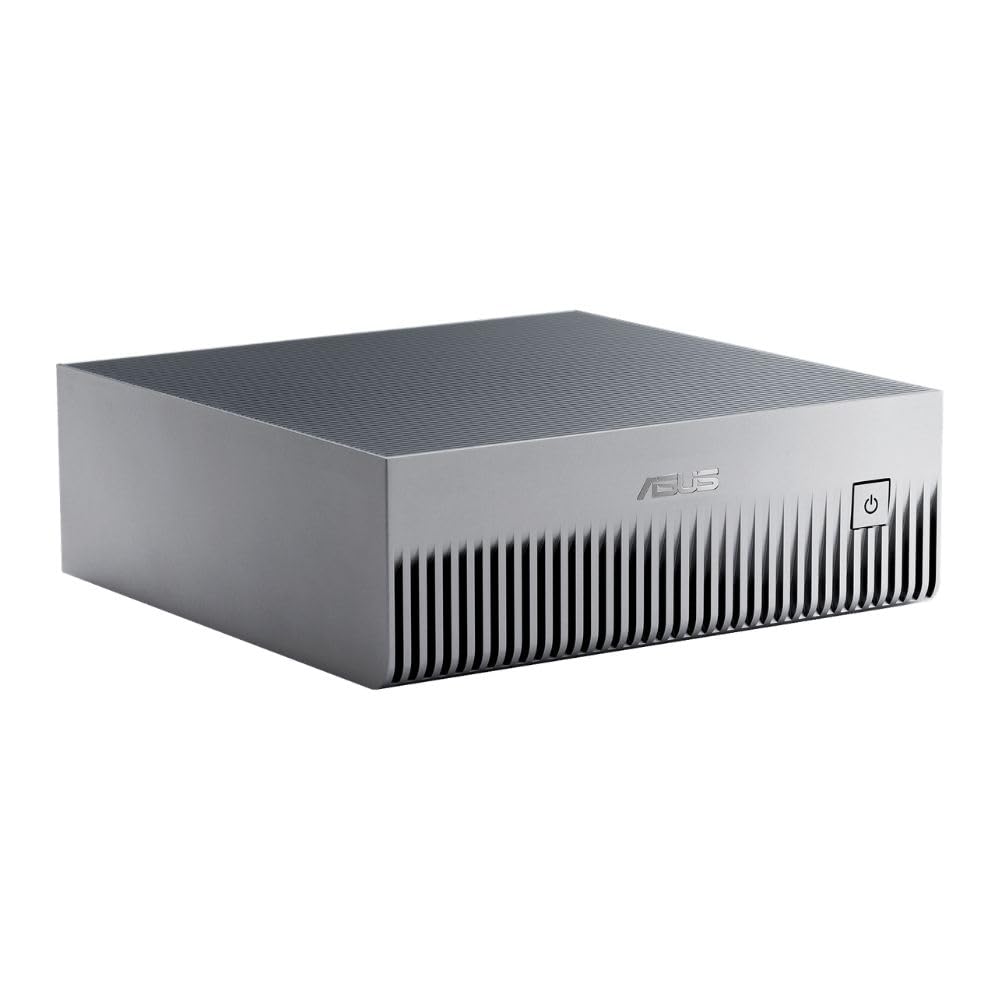
The ASUS Ascent GX10 is a purpose-built AI supercomputer that delivers 1 petaFLOP of FP4 performance through its NVIDIA GB10 Grace Blackwell Superchip. The 128GB of unified LPDDR5x memory allows fine-tuning of models with up to 200 billion parameters directly on the desktop, a capability that no standard workstation can match without expensive server infrastructure.
The GX10 supports OpenClaw and NemoClaw frameworks out of the box, making it compatible with agentic AI workflows and secure on-device inference. Its NVLink-C2C interconnect provides ultra-fast CPU-GPU memory coherence, while the dual-stackable chassis design allows scaling to two units for larger model parallelism.
Thermal management keeps the system stable during multi-day training runs, though the Ubuntu Linux operating system means a steeper learning curve for Windows-native users. For serious AI researchers and data scientists working with large transformer models, this machine collapses the gap between desktop prototyping and cloud deployment.
Why it’s great
- 128GB unified memory enables local fine-tuning of 200B-parameter models
- NVLink-C2C offers seamless CPU-GPU memory coherence
- Stackable chassis allows scaling to dual-node configurations
Good to know
- Requires Ubuntu OS, not Windows-compatible out of box
- Inference token generation slower than cloud-based GPU clusters
- Premium pricing reflects specialized AI hardware, not general-purpose compute
2. NVIDIA DGX Spark

The NVIDIA DGX Spark brings enterprise-scale AI compute to the desktop with its Grace Blackwell architecture and integrated 128GB of coherent unified system memory. Capable of up to 1 petaFLOP of FP4 AI performance, it lets data scientists run local inference and fine-tuning on models up to 200 billion parameters without touching cloud infrastructure.
Its compact design consumes significantly less power than a traditional GPU server, making it suitable for desk-side deployment in research labs. The full NVIDIA AI software stack integrates seamlessly, enabling users to prototype locally and deploy to DGX clusters or cloud instances without code changes.
Users report running Qwen 3.6 27B models via Ollama for secure ITAR codebase review, with acceptable throughput for development tasks. However, the proprietary DGX OS and risk of future software obsolescence are considerations for long-term investment.
Why it’s great
- 1 PFLOPS FP4 in a desktop form factor with low power draw
- 128GB unified memory supports large model experimentation
- Full NVIDIA AI stack enables seamless local-to-cloud deployment
Good to know
- Proprietary OS may limit long-term software support
- Token generation speed slower than dedicated GPU workstation
- No traditional gaming or general-purpose GPU performance
3. GIGABYTE AERO X16

The GIGABYTE AERO X16 pairs an AMD Ryzen AI 9 HX 370 processor with an NVIDIA GeForce RTX 5070 laptop GPU, delivering enough compute for deep learning training on the go. The 16-inch 165Hz WQXGA display provides ample screen real estate for visualizing model outputs and monitoring training curves.
At 16.75mm thin and 1.9kg, it is genuinely portable without sacrificing the GPU muscle needed for CUDA-accelerated workloads. Users report running local AI LLMs comfortably, with CPU and GPU temperatures staying in the mid-60°C range when using a cooling pad.
The battery lasts approximately 14 hours on power-saving mode, which covers a full day of data exploration and light coding away from a desk. The single USB-C port may require a hub for multiple external drives or monitors, a compromise for the slim profile.
Why it’s great
- Thin and light form factor with full RTX 5070 GPU power
- High 165Hz refresh rate display aids data visualization work
- Strong thermal performance under sustained load
Good to know
- Single USB-C port requires a hub for multi-device setups
- Gaming-focused aesthetics may not suit all professional environments
- Limited upgradeability due to slim chassis design
4. GMKtec EVO-T1 Mini PC

The GMKtec EVO-T1 packs an Intel Core Ultra 9 285H with 64GB of DDR5 RAM and a 1TB PCIe 4.0 SSD in a compact mini PC form factor. The Arc 140T GPU and integrated NPU provide 13 TOPS of AI acceleration, making it capable of handling lightweight local inference and data preprocessing without a discrete graphics card.
Its three M.2 2280 expansion slots allow up to 12TB of total storage, ideal for housing large datasets locally. The OCuLink port enables connection to an external GPU for users who eventually need more CUDA compute, making this a scalable foundation for a growing data science setup.
Quad 8K display support via HDMI 2.1, DisplayPort 1.4, and USB-C means you can build a multi-monitor command center for monitoring multiple training jobs simultaneously. The dual cooling fan system keeps noise low even under sustained load.
Why it’s great
- 64GB base RAM suits large dataset loading without upgrades
- Three M.2 slots provide massive local storage expansion
- OCuLink port allows future eGPU upgrades for compute-heavy tasks
Good to know
- Integrated GPU limits deep learning capability without eGPU
- Initial setup may require BIOS tweaks to fix sleep function
- Pre-installed AI bloatware may need removal for clean workflow
5. Lenovo ThinkBook 16 Gen 8

The Lenovo ThinkBook 16 Gen 8 combines 64GB of DDR5 RAM with a 2TB PCIe SSD and Intel Ultra 7 255H processor for serious database and spreadsheet work. The 16-core design with AI acceleration handles complex SQL queries, large pandas DataFrames, and multi-threaded feature engineering without stuttering.
The 16-inch FHD+ display provides comfortable screen space for data exploration with libraries like seaborn and matplotlib, while the fingerprint reader and Windows 11 Professional ensure enterprise-grade security for sensitive datasets. WiFi 6E and Bluetooth 5.3 keep connectivity fast and reliable in office environments.
Users praise its speed for running database work with dual monitors, calling it a workstation that operates beyond just fine. The professional Arctic Grey finish and ThinkPad heritage make it a natural fit for corporate data science teams.
Why it’s great
- 64GB RAM eliminates swapping during large DataFrame operations
- 2TB SSD provides ample local storage for datasets
- Enterprise security features protect intellectual property
Good to know
- Integrated Intel Arc 140T limits deep learning training capability
- FHD+ resolution may feel cramped for complex multi-window workflows
- Business-oriented design lacks enthusiast cooling for extended loads
6. Alienware Aurora Desktop ACT1250

The Alienware Aurora Desktop brings an NVIDIA GeForce RTX 5070 and Intel Core Ultra 7 265F processor together in a full-size tower with 32GB DDR5 RAM and a 1TB SSD. The 1000W Platinum-rated PSU ensures clean power delivery during long training sessions, and the RTX 5070 provides CUDA cores for deep learning frameworks like PyTorch and TensorFlow.
The clear side panel and customizable AlienFX lighting are aesthetic bonuses, but the real value lies in the desktop’s upgradeability. Swapping GPUs, adding RAM, or installing additional storage drives is straightforward, making this a machine that can evolve with your compute needs over several years.
Users report running multiple VMs and compute-intensive workloads with good thermal performance, though the included Dell Onsite Service adds peace of mind for hardware issues. The lack of a fingerprint reader is a minor omission for a workstation in this tier.
Why it’s great
- RTX 5070 provides dedicated CUDA compute for deep learning
- 1000W PSU supports future GPU upgrades without replacing power supply
- Full-size tower allows easy component swaps and expansion
Good to know
- Gaming-focused chassis may not match professional office aesthetics
- No fingerprint reader for quick secure logins
- Some users report intermittent boot issues needing power discharge
7. LG gram Pro 17

The LG gram Pro 17 defies its size by weighing only 3.3 pounds while housing an Intel Core Ultra 9 285H processor and NVIDIA RTX 5050 GPU. The 17-inch display offers a large canvas for code, Jupyter notebooks, and data visualization dashboards, yet the laptop remains thin enough to fit in most bags without adding back strain.
The 90Wh battery delivers up to 25 hours of video playback, though actual compile and training workloads will drain faster. LG gram AI provides hybrid on-device and cloud-based assistance for tasks like document summarization and data analysis, adding a layer of productivity for data scientists who handle both code and documentation.
The internal dual cooling system keeps temperatures manageable during GPU-accelerated tasks, and the military-grade durability standards mean the chassis can handle frequent travel. The absence of an Ethernet port is a notable limitation for users who rely on wired connections for large data transfers.
Why it’s great
- Ultralight 3.3 lb design makes it easy to carry to conferences and meetings
- Large 17-inch screen reduces scrolling in data-heavy workflows
- Military-grade durability ensures longevity during frequent travel
Good to know
- No Ethernet port necessitates dongle for wired network access
- RTX 5050 less powerful than higher-tier GPU options for heavy training
- Premium price point for the ultraportable form factor
8. NIMO 17.3″ AI Laptop

The NIMO 17.3-inch AI Laptop is built around the AMD Ryzen AI 9 HX 370 processor and Radeon 890M graphics, paired with 64GB of DDR5 RAM and a massive 4TB PCIe 4.0 SSD. This configuration allows data scientists to keep entire project datasets, model checkpoints, and multiple Python environments on the local drive without external storage.
The 144Hz FHD display provides smooth scrolling through long DataFrames and code files, while the full-size numeric keypad accelerates data entry tasks. The integrated fingerprint reader in the touchpad provides quick and secure authentication.
U.S.-assembled with a 2-year warranty and 90-day return policy, the NIMO offers peace of mind for long-term investment. The 75Wh battery supports extended unplugged sessions, though heavy GPU loads will require the 100W USB-C fast charger to keep running.
Why it’s great
- 4TB SSD provides massive local storage for datasets and models
- 64GB RAM handles large-scale pandas and NumPy operations
- 2-year warranty and U.S.-based assembly add reliability
Good to know
- Radeon 890M integrated GPU limits CUDA-dependent deep learning
- 17.3-inch chassis makes it less portable than smaller options
- Some users report compatibility issues with Microsoft Office integration
9. HP OmniBook 5 AI Laptop

The HP OmniBook 5 AI Laptop features a 16-inch IPS touchscreen display with Intel Core Ultra 9 285H processor and 32GB of LPDDR5X-7467 MT/s RAM. The high-bandwidth memory is particularly beneficial for data manipulation tasks that stress memory throughput, such as large matrix operations and real-time data streaming.
The Intel Arc 140T graphics provide AI acceleration for lightweight inference and visualization rendering, while the Copilot+ PC readiness means on-device AI assistants can help with code suggestions and documentation. The backlit keyboard and numeric keypad make late-night coding sessions more comfortable.
The included Type-C to RJ45 cable solves the Ethernet problem common in thin laptops, offering a wired connection for stable data transfer. Some users report wireless connectivity issues and battery heating under sustained load, which may affect long training sessions.
Why it’s great
- Touchscreen display aids interactive data visualization exploration
- High-bandwidth 7467 MT/s RAM speeds up memory-intensive operations
- Included Type-C to RJ45 cable provides stable Ethernet connectivity
Good to know
- Reported wireless connectivity issues may require troubleshooting
- Battery heat under load reduces comfort during lap use
- Integrated graphics limit deep learning training capability
10. GEEKOM IT15 Mini PC

The GEEKOM IT15 is powered by the Intel Ultra 9 285H processor with 99 TOPS of total AI performance (13 TOPS NPU + 77 TOPS Arc GPU + 9 TOPS CPU), making it a dedicated AI workstation in a mini PC form. It generates 4K concept art in just 8.3 seconds and is optimized for Adobe, Blender, and Unreal Engine workflows that overlap with data visualization and simulation needs.
With 32GB DDR5 RAM upgradeable to 128GB and a 2TB NVMe Gen 4 SSD, the IT15 handles multiple Docker containers, Jupyter servers, and database queries simultaneously. The PC+ABS metal frame rated for 441 lbs pressure ensures durability during transport between office and home.
The cooling system keeps fan noise below 35dB even under heavy load, making it suitable for shared workspaces. The 3-year warranty provides long-term coverage, though some users note that HDMI ports can be picky with cables and the default fan curve requires BIOS adjustment for optimal quiet operation.
Why it’s great
- 99 TOPS AI performance accelerates inference and lightweight training
- RAM upgradeable to 128GB for future dataset expansion
- Near-silent cooling at 35dB suits open office environments
Good to know
- HDMI ports may be sensitive to cable quality and length
- Default fan curve needs BIOS adjustment for quiet operation
- Not plug-and-play for specific multi-monitor configurations
11. MINISFORUM AI X1 Pro-370 Mini PC

The MINISFORUM AI X1 Pro-370 features the AMD Ryzen AI 9 HX370 processor with Radeon 890M graphics, 32GB DDR5 RAM, and a 1TB PCIe 4.0 SSD in a compact mini PC package. The OCuLink port allows direct connection to an external GPU, providing a path to scale compute power without replacing the entire system.
Its dual USB4 interfaces support up to four 4K displays, making it suitable for multi-monitor data analysis setups. The built-in Copilot AI function and real-time subtitle translation add productivity layers for international collaboration on data science projects.
The independent fan design for CPU and SSD ensures thermal stability under sustained workloads, with noise levels as low as 45dB even at full load. Users praise its quiet operation and portability, though some note that running larger local AI models requires expanding the RAM.
Why it’s great
- OCuLink port enables future eGPU upgrades for deep learning
- Compact size and low 45dB noise suit shared workspaces
- Dual USB4 provides fast data transfer and display connectivity
Good to know
- 32GB RAM may limit large model training without upgrade
- Integrated GPU limited for CUDA-based workflows without eGPU
- WiFi 7 and BT 5.4 require compatible router for full speed
12. Dell Tower Desktop ECT1250

The Dell Tower Desktop ECT1250 offers a balanced entry point into data science computing with its Intel Core Ultra 7-265 processor, 32GB DDR5 RAM, and 1TB M.2 SSD. The tool-less entry and removable side panel make upgrades straightforward, allowing you to add more RAM or storage as your dataset sizes grow.
The tower supports up to four FHD monitors via DisplayPort daisy chaining or two 4K displays using HDMI 2.1 and DisplayPort, providing a multi-screen setup for code, documentation, and data visualization simultaneously. The 1-year Dell Onsite Service provides professional support if hardware issues arise.
Users appreciate its speed for basic tasks like stock trading with three monitors, but note that the single 32GB RAM stick and lack of an extra M.2 slot limit future expansion without replacement. The 180W PSU also restricts GPU upgrade options for deep learning workloads.
Why it’s great
- Entry-level price point with modern CPU and 32GB RAM
- Tool-less chassis design simplifies future hardware upgrades
- Multi-monitor support out of the box for productive workflows
Good to know
- Single RAM stick limits dual-channel memory performance
- 180W PSU severely limits dedicated GPU upgrade path
- No extra M.2 slot for adding a second NVMe drive
13. Dell Alienware 18 Area-51 Gaming Laptop

The Dell Alienware 18 Area-51 is a laptop powerhouse packing an Intel Core Ultra 9 275HX processor, NVIDIA GeForce RTX 5090 GPU, 64GB DDR5 RAM, and a 2TB PCIe SSD. The RTX 5090 with DLSS 4 and Frame Warp technology provides immense CUDA compute for deep learning training, rivaling desktop GPU workstations in a portable form factor.
The 18-inch 2.5K WQXGA anti-glare display offers crisp visuals for debugging neural network outputs and reviewing model performance metrics. The RTX 50 Series’ AI-based neural rendering and upscaling also accelerate tasks like image generation and video frame interpolation for media-related data science projects.
Users report faster Premiere Pro performance than the M4 Max MacBook for specific AI filters, and the laptop runs quieter than competing MSI Titan models with RTX 4090. The 18-inch chassis is large and heavy compared to ultraportables, making it less ideal for frequent travel but perfect as a desktop replacement.
Why it’s great
- RTX 5090 provides top-tier CUDA compute for deep learning training
- 64GB RAM and 2TB SSD handle large datasets without external drives
- Quieter operation than competing gaming laptops under load
Good to know
- 18-inch chassis is large and heavy for daily portable use
- M.2 NVMe drives may lack heat shields for sustained writes
- Screen bleeding reported on some units, varies by panel lottery
FAQ
How much RAM do I need for running local LLMs in data science?
Should I choose an Intel Core Ultra or AMD Ryzen AI processor for data science?
Is an OCuLink port important for a data science computer?
Final Thoughts: The Verdict
For most users, the best computer for data science winner is the ASUS Ascent GX10 because its 128GB unified memory and 1 PFLOPS AI performance enable local fine-tuning of models up to 200B parameters without cloud costs. If you need a portable solution for on-site data work, grab the GIGABYTE AERO X16. And for a scalable desktop that grows with your compute needs, nothing beats the GMKtec EVO-T1 with its 64GB RAM and eGPU expansion path.

Mo Maruf
I created WellFizz to bridge the gap between vague wellness advice and actionable solutions. My mission is simple: to decode the research and give you practical tools you can actually use.
Beyond the data, I am a passionate traveler. I believe that stepping away from the screen to explore new environments is essential for mental clarity and physical vitality.