Our readers keep the lights on and my smoothie glass nicely filled. As an Amazon Associate, I earn from qualifying purchases.
The AMD Radeon RX 7900 GRE is a formidable 1440p graphics card, but its true potential lives or dies by the processor feeding it frames. Pairing this GPU with a CPU that cannot keep up introduces a bottleneck that squanders every dollar you spent on the card. The selection process comes down to balancing core count, clock speed, and cache architecture to match the 7900 GRE’s raw throughput.
I’m Mohammad Maruf — the founder and writer behind WellFizz. I have spent countless hours analyzing hardware specifications, comparing benchmark results, and reading through real-world user reports to find the processors that extract every ounce of performance from the 7900 GRE without wasting your budget on unnecessary overhead.
This guide breaks down the best pairings for any build priority, from pure gaming frames to mixed productivity workloads, so you can confidently choose the right cpu for 7900 gre.
How To Choose The Best CPU For 7900 GRE
The 7900 GRE operates at a performance tier that demands a processor with strong single-core throughput and enough cache to avoid starving the GPU. Choosing incorrectly leads to either leaving performance on the table or overspending on cores that go unused.
Cache Size and 3D V-Cache
AMD’s 3D V-Cache technology stacks additional L3 cache directly onto the processor die. For the 7900 GRE, this extra cache reduces memory latency and dramatically improves minimum frame rates in CPU-bound titles like competitive shooters and simulation games. A standard 8-core chip without this stacked cache will show stutter where a 3D V-Cache part stays smooth.
Core Count vs. Clock Speed
At 1440p, the GPU does most of the heavy lifting, meaning raw core count matters less than the speed of each core. An 8-core processor with a high boost clock often outperforms a 16-core chip that trades clock speed for core density when gaming is the primary use case. For mixed workloads like streaming, encoding, or compiling code, additional cores become valuable alongside the GRE.
Platform Longevity: AM5 vs. LGA 1700
Socket AM5 supports DDR5 memory, PCIe 5.0 for future GPUs and storage, and AMD has committed to supporting it through 2027 and beyond. Intel’s LGA 1700 platform ends with the 14th generation, meaning any future CPU upgrade will require a new motherboard. For a 7900 GRE build intended to last several years, the upgrade path of AM5 offers clear value.
Quick Comparison
On smaller screens, swipe sideways to see the full table.
| Model | Category | Best For | Key Spec | Amazon |
|---|---|---|---|---|
| AMD Ryzen 7 7800X3D | Mid-Range | Pure gaming frames | 96MB L3 V-Cache | Amazon |
| AMD RYZEN 7 9800X3D | Premium | Maximum gaming performance | 104MB L3 with Zen 5 | Amazon |
| Intel Core Ultra 7 265KF | Premium | Balanced gaming & multitasking | 5.5 GHz Turbo Clock | Amazon |
| Intel Core i7-14700KF | Premium | Streaming + gaming combo | 20 cores (8P+12E) | Amazon |
| Intel Core i5-14600KF | Mid-Range | Value gaming with DDR4 options | 14 cores (6P+8E) | Amazon |
| AMD Ryzen 7 5700 | Budget | AM4 platform upgrade path | 8 cores, 65W TDP | Amazon |
| AMD Ryzen 5 7600X | Budget | Entry-level AM5 gaming | 5.3 GHz Boost Clock | Amazon |
| Intel Core i9 13900K | Enthusiast | Heavy productivity + gaming | 24 cores, 5.8 GHz Turbo | Amazon |
| AMD Ryzen 9 9950X3D2 Dual Edition | Enthusiast | Local AI workloads | 208MB total cache | Amazon |
In‑Depth Reviews
1. AMD Ryzen 7 7800X3D 8-Core, 16-Thread Desktop Processor

The 7800X3D is the defining gaming processor for the 7900 GRE. Its 96MB of stacked L3 V-Cache dramatically reduces the number of trips the CPU must make to system memory, which directly translates into higher and more stable frame rates in GPU-bound scenarios at 1440p. Users consistently report this chip runs cool — often staying in the 65-70°C range under gaming load even with a modest air cooler — and draws only around 75 watts during gameplay.
Built on the AM5 socket, this processor gives you access to DDR5 memory and a clear upgrade path to future Ryzen generations. The 8-core, 16-thread configuration hits the sweet spot where the 7900 GRE never stalls waiting for instructions, while the power efficiency means your system runs quieter and cooler than competing Intel builds at this performance tier.
Real-world testing shows this combination excels in simulation titles like Microsoft Flight Simulator and strategy games where cache size directly correlates to frame pacing. Users upgrading from older Ryzen 5000-series chips report a noticeable elimination of micro-stutter in CPU-heavy competitive titles like CS2 and Valorant.
Why it’s great
- Extra cache eliminates GPU starvation in demanding titles
- Low 65-70°C operating temperatures with budget coolers
- AM5 platform supports future CPU upgrades without new motherboard
- 75W gaming power draw keeps system thermals manageable
Good to know
- Overclocking is locked; performance comes from the cache alone
- Not the best choice for heavy multi-core productivity workloads
2. AMD RYZEN 7 9800X3D 8-Core, 16-Thread Desktop Processor

The 9800X3D builds on the V-Cache formula with the Zen 5 architecture, delivering roughly 16% instructions-per-clock improvement over the 7800X3D. For the 7900 GRE, this translates to higher frame rate ceilings in CPU-constrained scenarios, particularly at lower resolutions where the GPU is waiting on the processor to feed it draw calls. The 5.2GHz boost clock is the highest ever achieved on a V-Cache-enabled AMD chip.
Thermal performance is markedly better than previous 3D V-Cache generations. The cache is placed beneath the cores in this generation, which allows for higher sustained clock speeds without the heat buildup that affected earlier designs. Users report idle temperatures in the high 30s and gaming loads in the low 70s even with mid-range tower coolers, a significant improvement over the 7800X3D’s thermal characteristics.
For builds centered on the 7900 GRE where budget is less of a concern, this processor extracts every available frame. Gamers testing with high-refresh-rate 1080p monitors report the biggest gains, but even at 1440p, the improved IPC reduces the frequency of frame-time spikes that can make gameplay feel uneven.
Why it’s great
- Highest gaming IPC of any consumer desktop processor available
- Improved thermals allow sustained boost clocks without throttling
- Drop-in compatible with existing AM5 motherboards after BIOS update
- Exceptional frame-time consistency in CPU-bound game engines
Good to know
- Premium pricing places it far above the 7800X3D for similar gaming results at 1440p
- Requires a decent aftermarket cooler — no stock cooler included
3. Intel Core Ultra 7 265KF Desktop Processor

The Core Ultra 7 265KF represents Intel’s latest architecture shift, moving to the 800-series chipset with a hybrid core layout of eight performance cores and twelve efficiency cores. For 7900 GRE owners who split their time between gaming and content creation, this approach allows the P-cores to handle gaming workloads while E-cores manage background tasks, stream encoding, or file compression without introducing latency.
The 5.5 GHz maximum turbo frequency on the P-cores provides strong single-threaded performance that prevents the GRE from waiting for draw calls. Users pairing this chip with a 7900 GRE report strong 1440p results in modern titles like Call of Duty and Battlefield 4, where the high clock speed pushes frame rates well into the high refresh rate territory. The platform supports both DDR5 and PCIe 5.0, ensuring storage and memory bandwidth are not future bottlenecks.
Where this processor differentiates itself from the AMD 3D V-Cache parts is in multi-threaded workloads. The twenty threads allow for faster video encoding, compilation, and multitasking without sacrificing gaming performance. Users coming from older Intel platforms report a significant improvement in system responsiveness during heavy background workloads.
Why it’s great
- High 5.5 GHz turbo clock for strong gaming single-thread performance
- Hybrid core design handles gaming and background tasks simultaneously
- DDR5 and PCIe 5.0 support for modern storage speeds
Good to know
- Requires Intel 800-series motherboard — no backward compatibility with older chipsets
- Does not include integrated graphics; discrete GPU required for display output
4. Intel Core i7-14700KF Desktop Processor 20 cores (8 P-cores + 12 E-cores)

The i7-14700KF delivers 20 cores with 28 threads, making it the strongest multi-threaded performer in the mid-premium tier for the 7900 GRE. The 8 P-cores and 12 E-cores can offload streaming, recording, and encoding work away from the gaming threads, which is critical for creators who game on the same rig. Users running massive spreadsheet databases or video editing timelines report zero lag even with dozens of application windows open simultaneously.
For gaming, the 5.6 GHz Turbo Boost Max Technology 3.0 ensures the 7900 GRE receives instructions as fast as the GPU can process them. The chip pairs well with high-refresh-rate 1440p monitors, where the combination of high clock speed and the GRE’s raw rasterization power produces smooth gameplay in visually demanding titles. Users upgrading from older i5 or Ryzen 5 chips report a night-and-day difference in how the system handles multitasking across multiple monitors.
One critical consideration is the thermal solution required. This processor demands a robust 240mm AIO or a high-end dual-tower air cooler to maintain boost clocks under sustained load. Users report gaming temperatures in the high 60s to low 70s with a 360mm AIO, but stock-style coolers will throttle the performance significantly.
Why it’s great
- 28 threads handle encoding, streaming, and gaming without compromise
- 5.6 GHz turbo provides excellent single-threaded gaming performance
- DDR4 and DDR5 compatibility allows flexible motherboard choices
Good to know
- Power draw exceeds 200W under full load requiring premium cooling
- LGA 1700 platform is end-of-life; no future CPU upgrade path without new motherboard
5. Intel Core i5-14600KF Desktop Processor 14 cores (6 P-cores + 8 E-cores)

The i5-14600KF offers a compelling value proposition for the 7900 GRE. With 14 cores (6 P-cores and 8 E-cores) and 20 threads, it delivers strong gaming performance at 1440p while allowing the use of more affordable DDR4 memory on compatible motherboards. Users report pairing this chip with an RTX 3080 or 7900 GRE at 1440p produces smooth results across modern titles without noticeable CPU-related bottlenecks.
The 5.3 GHz max turbo frequency on the P-cores keeps frame rates high in competitive titles, while the E-cores handle background tasks like Discord, browser tabs, and OBS without causing stutters. Builders on a tighter budget appreciate that this processor can be matched with a capable B660 or B760 motherboard using DDR4, significantly lowering the total platform cost compared to a DDR5-only AMD AM5 build.
Thermal management is less demanding than the i7 or i9 sibling parts. A dual-tower air cooler like a Thermalright Peerless Assassin or a 240mm AIO is sufficient to keep the chip at peak boost clocks during extended gaming sessions. Users report idle temperatures in the low 30s and gaming loads in the high 50s to low 60s with adequate cooling solutions.
Why it’s great
- DDR4 compatibility reduces total build cost significantly
- 14 cores provide enough multi-threaded performance for streaming
- Easy to cool with mid-range air coolers or basic AIOs
Good to know
- No integrated graphics; requires discrete GPU for display output
- LGA 1700 platform does not support future processor upgrades
6. AMD Ryzen 7 5700 8 Cores / 16 Thread Desktop Processor

The Ryzen 7 5700 serves a specific use case: upgrading an existing AM4 system without replacing the motherboard or memory. With 8 cores and 16 threads at a 65W TDP, this processor offers a significant performance uplift for owners of older Ryzen 3000 or 5000-series chips who want to pair their 7900 GRE without a full platform change. The included Wraith Stealth cooler makes installation straightforward for budget-conscious builders.
Gaming performance with the 7900 GRE is solid at 1440p and above, where the GPU rather than the CPU typically dictates frame rates. The 4.6 GHz boost clock is modest compared to the Zen 4 and Zen 5 options, but in GPU-bound scenarios, the difference shrinks. Users upgrading from Ryzen 7 2700X processors report a noticeable improvement in system responsiveness and gaming frame rates, though the chip cannot match the 3D V-Cache parts in simulation-heavy titles.
The key advantage here is platform cost. DDR4 memory is significantly cheaper than DDR5, and used AM4 motherboards offer excellent value. For a secondary PC or a budget-conscious primary build where every dollar saved counts, this combination allows the 7900 GRE to perform well without the premium AM5 platform tax.
Why it’s great
- Drop-in upgrade for existing AM4 systems without new motherboard
- 65W TDP runs cool and quiet with included stock cooler
- 8 cores provide adequate multi-threaded performance for multitasking
Good to know
- Limited to PCIe 4.0 and DDR4, missing modern platform features
- No upgrade path beyond this generation on AM4 socket
7. AMD Ryzen 5 7600X 6-Core, 12-Thread Unlocked Desktop Processor

The Ryzen 5 7600X is the most affordable way to get onto the AM5 platform and unlock DDR5 and PCIe 5.0 support for a 7900 GRE build. With 6 cores and 12 threads running up to 5.3 GHz, this chip focuses on single-threaded performance over core count. In gaming workloads at 1440p, the 7600X keeps the GRE well-fed, producing smooth frame rates in most modern titles without introducing a meaningful bottleneck.
Users report excellent results when pairing this chip with mid-range graphics cards. The 5 nm Zen 4 architecture brings improved efficiency, though the 7600X does run warm and benefits from a capable aftermarket cooler — a basic tower cooler is sufficient, but the stock thermal solution is not included. The CPU draws around 105W under load, making it manageable for most air coolers.
The trade-off is multi-threaded performance. Content creators encoding video or compiling code will find the 6-core configuration limiting compared to 8-core or 12-core alternatives. For a pure gaming machine on a tight budget that wants the AM5 upgrade path, however, this processor leaves room to upgrade to a future X3D chip without replacing the motherboard or RAM.
Why it’s great
- Cheapest entry point to the AM5 platform with DDR5 support
- 5.3 GHz boost clock provides strong single-threaded gaming performance
- PCIe 5.0 support for future storage and GPU upgrades
Good to know
- 6 cores may limit performance in heavily multi-threaded workloads
- Runs hot under load and requires a quality aftermarket cooler
8. Intel Core i9 13900K CPU 4.3GHz (5.8GHz Turbo) 13th Gen

The i9-13900K offers 24 cores (8 P-cores and 16 E-cores) with 32 threads, making it one of the most powerful consumer processors for mixed workloads. Paired with the 7900 GRE, this combination handles the most demanding games while simultaneously running video encoding, 3D rendering, or heavy multitasking without breaking stride. The 5.8 GHz turbo frequency on the P-cores ensures the GPU never waits for instructions.
User reports indicate the 13900K handles everything from heavy gaming to digital design and editing with ease. The 36MB of L3 Intel Smart Cache helps reduce memory latency in gaming scenarios, though it does not match the 3D V-Cache parts in gaming-specific workloads. The integrated UHD Graphics 770 is a useful fallback for troubleshooting or secondary displays without loading the GRE.
The thermal and power requirements are substantial. Under full load, the 13900K can draw over 250W, necessitating a high-end 360mm AIO or custom water loop to sustain boost clocks. Users report idle temperatures around 30°C and gaming loads in the mid-60s with adequate cooling, but the system produces significant heat that must be exhausted from the case.
Why it’s great
- 24 cores provide exceptional multi-threaded productivity performance
- Integrated graphics serve as a useful backup troubleshooting option
- 5.8 GHz turbo delivers industry-leading single-threaded speed
Good to know
- Very high power draw requires premium cooling and a capable power supply
- LGA 1700 platform is end-of-life; no future CPU upgrade path
9. AMD Ryzen 9 9950X3D2 Dual Edition
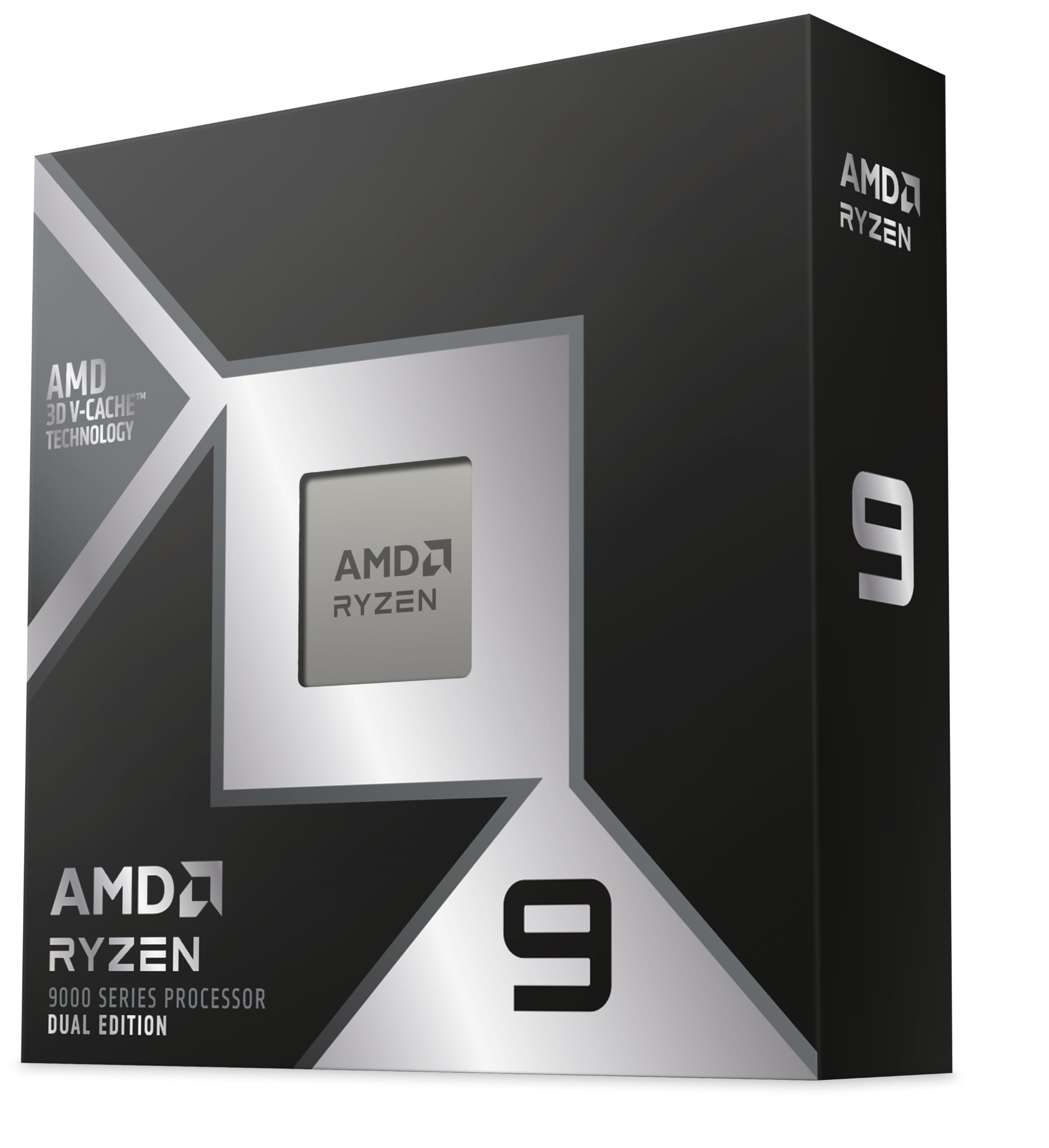
The 9950X3D2 Dual Edition takes the 3D V-Cache concept to an extreme with 208MB of total cache across 16 cores. For users running local AI models and retrieval-augmented generation workloads alongside the 7900 GRE, this processor offers unmatched cache capacity that accelerates inference speeds. Reports indicate throughput of 165 tokens per second on Gemma 4 models, a performance level impossible to achieve with standard cache configurations.
In gaming scenarios, the massive cache pool eliminates virtually all GPU starvation, providing buttery-smooth frame pacing even in the most demanding simulation and strategy titles. The 5.6 GHz boost clock on the Zen 5 architecture ensures single-threaded performance is not sacrificed for the cache advantage. Users coming from the 7950X report a noticeable speed difference in both gaming and workstation tasks.
This processor sits at the top of the performance hierarchy for the 7900 GRE, but it is aimed at a specific buyer: the professional who needs local AI capability, heavy rendering, and elite gaming in a single machine. The platform cost is substantial, and the performance benefit for pure gaming over the 9800X3D is marginal at 1440p resolution, where the GPU is already the primary performance limiter.
Why it’s great
- 208MB total cache delivers exceptional AI inference throughput
- 16 cores handle the heaviest multi-threaded productivity workloads
- Unmatched cache eliminates all GPU starvation in gaming
Good to know
- Very high platform cost for marginal gaming benefit over 9800X3D
- Requires premium cooling solution and high-wattage power supply
FAQ
Will a Ryzen 5 7600X bottleneck the 7900 GRE at 1440p?
Is the 7800X3D better than the 9800X3D for the 7900 GRE?
Can I use DDR4 memory with the 7900 GRE and an Intel CPU?
How much does the 3D V-Cache matter for the 7900 GRE?
Final Thoughts: The Verdict
For most users, the cpu for 7900 gre winner is the AMD Ryzen 7 7800X3D because its 96MB of 3D V-Cache eliminates GPU starvation in gaming scenarios while maintaining low power draw and thermals. If you want maximum gaming performance and have room in your budget, grab the AMD RYZEN 7 9800X3D for the Zen 5 IPC uplift and improved thermal design. And for a productivity-focused build where gaming is a secondary concern, nothing beats the Intel Core i7-14700KF for multi-threaded workloads alongside your 7900 GRE.

Mo Maruf
I created WellFizz to bridge the gap between vague wellness advice and actionable solutions. My mission is simple: to decode the research and give you practical tools you can actually use.
Beyond the data, I am a passionate traveler. I believe that stepping away from the screen to explore new environments is essential for mental clarity and physical vitality.