Our readers keep the lights on and my smoothie glass nicely filled. As an Amazon Associate, I earn from qualifying purchases.
The gap between a good cosplay and a great one often comes down to the hardware behind the props. A helmet that fits, armor plates that curve naturally, and weapon parts that hold up under convention hall lights require a machine built for volume, speed, and reliable detail.
I’m Mohammad Maruf — the founder and writer behind WellFizz. I’ve spent hundreds of hours analyzing print farms and workshop workflows to understand exactly which specifications separate a prop-ready machine from a desk ornament.
From build volume and material compatibility to auto-leveling reliability and layer line visibility, this guide breaks down the engineering choices that matter for costumers. It reveals the best cosplay 3d printer options on the market right now and explains why each model earned its place.
How To Choose The Best Cosplay 3D Printer
Cosplay printing is different from tabletop miniature work or functional prototyping. You are dealing with large surface areas, curved organic shapes, and the need for structural strength combined with a smooth finish. The wrong machine leaves visible layer lines, warps large flat pieces, or forces you to split and glue parts you should have printed in one go.
Build Volume — The Primary Constraint
The most common mistake is buying a printer with a 220mm cube and assuming you can just split files. While splitting is possible, every seam is a potential failure point that requires sanding, filler, and painting. A 300mm Z-axis or larger lets you print a full-sized helmet in one piece. Look for 300mm or more on at least one axis, ideally Z.
Material Flexibility and Nozzle Temperature
PLA works for display pieces, but con-wearable armor demands PETG or ABS for impact resistance and durability. A nozzle that reaches 280°C or higher unlocks these materials. An enclosed chamber also helps prevent ABS warping on large parts.
Speed vs. Surface Finish
High speeds (500mm/s) cut print times on helmets from 48 hours to 18 hours, but only if the printer has input shaping and pressure advance to suppress ringing. Without these software corrections, fast printing introduces visible artifacts on curved armor surfaces.
Quick Comparison
On smaller screens, swipe sideways to see the full table.
| Model | Category | Best For | Key Spec | Amazon |
|---|---|---|---|---|
| Original Prusa MK4S | Premium FDM | Reliable workshop workhorse | 9.84″ x 8.3″ x 8.6″ volume | Amazon |
| Creality K2 Plus Combo | Large Format Multi-Color | Massive prop prints with CFS | 350mm³ build volume | Amazon |
| ELEGOO Saturn 4 Ultra 16K | High-Res Resin | Ultra-detailed weapon/accents | 16K LCD 10″ screen | Amazon |
| Bambu Lab P1S | Enclosed Workhorse | Multi-material cosplay parts | 256mm³ enclosed volume | Amazon |
| ELEGOO Centauri Carbon | Mid-Range CoreXY | Budget enclosed CoreXY | 256mm³ die-cast frame | Amazon |
| FLASHFORGE Adventurer 5M Pro | Fast Beginner | Fast prototyping and tests | 600mm/s travel speed | Amazon |
| Bambu Lab A1 | Mid-Range Open | Multi-color budget entry | 256mm³, ≤48 dB quiet | Amazon |
| Creality K2 SE | Budget CoreXY | Entry-level fast printing | 220x215x245mm volume | Amazon |
| Longer LK5 Pro | Large Budget | Max volume, minimal cost | 300x300x400mm volume | Amazon |
In‑Depth Reviews
1. Original Prusa MK4S – Fully Assembled

The MK4S delivers genuinely professional print quality straight from the box. Its input shaping dynamically adjusts motion parameters to cancel ringing on high-speed prints, which is critical when printing large curved helmet domes where every artifact is visible. The 250x210x220mm build volume is smaller than some competitors, but the reliability and consistency mean you can trust overnight prints without manual intervention.
Material handling is broad — PLA, PETG, ABS, ASA, and even flexible filaments run cleanly with the Prusa Slicer generic profiles. The fast-swap nozzle system makes changing sizes trivial, and the automatic self-cleaning routine at the start of each print prevents many common beginner failures. Prusa’s open-source firmware and long-term upgrade path mean this printer improves over time rather than becoming obsolete.
The included 1kg spool of Prusament PLA Galaxy Black lets you start immediately. While the pricing places it in the premium tier, the MK4S earns its cost through zero-waste reliability and dimensional accuracy that reduces post-processing on wearable pieces.
Why it’s great
- Self-calibrating first layer every time, no glue stick required.
- Open-source design accepts third-party upgrades and future firmware.
- Input shaping suppresses ringing at high speeds on large curved parts.
- Lifetime technical support from Prusa Research.
Good to know
- Build volume is smaller than many dedicated cosplay machines.
- Premium tier pricing may exceed casual budgets.
- Kit version saves money but requires assembly time.
2. Creality K2 Plus Combo – Multi Color 3D Printer

The K2 Plus Combo is built specifically for cosplayers who need to print large single-piece armor sections. Its 350mm³ build envelope handles full-sized Mandalorian helmets, pauldrons, and chest plates without splitting. The Creality Automatic Material System supports up to 16 colors across four CFS units, allowing you to print color-keyed prop details without post-processing painting.
Print speed reaches 600mm/s with a staggering 30,000mm/s² acceleration, cutting helmet print times significantly. The dual Z-axis with four linear rods eliminates layer shifting on tall prints — a major failure point for cosplay-sized objects. The actively heated chamber and 350°C capable hotend handle PLA-CF and PA-CF for durable weapon props easily.
Two AI cameras monitor for spaghetti failures and filament runout, automatically pausing to save material. The step-servo motor system is quieter than traditional stepper motors, which matters if you run prints overnight in a shared space. The large format and multi-color capability make this the farthest-reaching machine on this list for complete cosplay builds.
Why it’s great
- Massive 350mm³ build volume prints armor in fewer segments.
- Multi-color CFS reduces painting labor significantly.
- Actively heated chamber handles engineering filaments.
- Dual AI cameras with automatic failure detection.
Good to know
- Heavy machine requires two people for setup.
- Fan noise is noticeable during multi-color swaps.
- Some units may need initial firmware adjustments.
3. ELEGOO Saturn 4 Ultra 16K Resin 3D Printer

Resin printers excel where FDM struggles — fine detail, smooth surfaces, and intricate weapon engravings with zero visible layer lines. The Saturn 4 Ultra 16K steps into the cosplay space with a massive 8.33 x 4.66 x 8.66 inch build plate and 16K mono LCD that resolves features down to 17 microns. This resolution captures embroidered textures on fabric chainmail, raised rune patterns on staves, and small mechanical details on gauntlets.
Its tilt release mechanism peels each layer from the vat without the traditional FEP stretching, reducing print failures on large flat surfaces. The built-in tank heater maintains resin at a stable 30°C, which dramatically improves layer adhesion and reduces bubbles in translucent resins used for glowing effect parts. The AI camera monitors for build plate emptiness and warped models, sending alerts before a failed print wastes five hours.
The workflow is genuinely beginner-friendly — automatic leveling means no manual adjustments, and the WiFi upload skips USB transfer entirely. Resin printing requires ventilation and post-processing (washing and curing), but the detail payoff for weapon props and ornamental accents makes it a perfect secondary machine alongside a large FDM printer.
Why it’s great
- 16K resolution eliminates visible layer lines without sanding.
- Heated resin vat improves adhesion and reduces defects.
- Tilt release technology enables faster, safer prints.
- Automatic leveling removes a major setup pain point.
Good to know
- Requires separate wash and cure station for post-processing.
- Resin fumes require ventilation or enclosure.
- Build volume is smaller than FDM alternatives for large armor.
4. Bambu Lab P1S – Enclosed FDM 3D Printer

The P1S is Bambu Lab’s enclosed CoreXY machine built for users who need multi-material prints without constant tinkering. Its 256mm³ build volume fits most helmet sizes when printed diagonally, and the enclosed chamber handles ABS and ASA without warping — essential for armor pieces that need heat resistance for vacuum forming or painting.
Speed hits 500mm/s with 20,000mm/s² acceleration, and the automatic bed leveling runs before every print, ensuring first-layer consistency on tall objects. With the optional AMS, you can print up to 16 colors in a single run, creating gradient fades or layered panel details directly on the prop. The Bambu Studio slicer provides well-tuned profiles for PLA, PETG, TPU, and ABS.
Setup takes under 30 minutes out of the box, and the local network printing means you can send files from your design laptop without walking to the printer. Reliability is excellent — most users report hundreds of successful prints without maintenance beyond occasional nozzle swaps. For a cosplayer who wants an enclosed multi-material system that just works, the P1S is a natural choice.
Why it’s great
- Enclosed chamber enables ABS and ASA for durable cosplay parts.
- AMS support brings multi-color printing without extensive post-painting.
- Auto-leveling and filament detection reduce failure rate significantly.
- Quiet operation for overnight or convention prep runs.
Good to know
- Multi-color AMS sold separately.
- TPU printing can be finicky due to Bowden tube path.
- Proprietary ecosystem limits third-party part compatibility.
5. ELEGOO Centauri Carbon – CoreXY 3D Printer

The Centauri Carbon delivers CoreXY speed and a rigid die-cast frame at a mid-range price point that competes directly with higher-tier options. Its 256mm³ build volume is standard, but the integrated die-cast aluminum chassis minimizes vibration at 500mm/s — a real advantage when printing tall helmet sections where resonance can cause visible banding. The high-flow hotend and 320°C nozzle handle carbon-fiber PLA and PETG for structurally durable props.
Out-of-the-box experience is excellent. The printer arrives fully assembled and pre-calibrated, with auto bed leveling and a dual-sided plate that features a PLA-specific surface for strong adhesion without glue. The built-in camera provides real-time monitoring and time-lapse capture, useful for documenting build progress for commissions or portfolios. The enclosure supports advanced materials like PETG and ASA without external enclosures.
Print quality is consistent, with automatic vibration compensation and pressure advance that suppress ringing on curved surfaces. The 18-minute benchy is a real benchmark, but practical cosplay prints at moderate speeds produce smooth results. For a maker seeking CoreXY stability without jumping to the premium tier, this is a strong value proposition.
Why it’s great
- Die-cast frame reduces vibration for cleaner tall prints.
- Pre-calibrated and ready to print in under 10 minutes.
- 320°C nozzle handles carbon-fiber materials for durable props.
- Built-in camera with LED lighting for remote monitoring.
Good to know
- First unit issues reported in some batches; support response time varies.
- USB-C cable design on early units caused connectivity problems.
- Bed adhesion for PLA-specific coating may need occasional cleaning.
6. FLASHFORGE Adventurer 5M Pro – High-Speed 3D Printer

The Adventurer 5M Pro is tuned for speed — 600mm/s travel and a 35-second heat-up to 200°C make it ideal for iterating on prop designs quickly. For cosplayers who test fit multiple helmet variants or weapon prototypes, this machine turns around a small test part in under an hour. The CoreXY all-metal structure keeps high-speed movement stable without introducing ghosting on flat surfaces.
The removable PEI platform eliminates the need for a scraper, and the pressure-sensing auto-leveling measures the platform at multiple points for a perfect first layer every time. No raft is needed for most parts, saving material and post-processing time. The integrated HEPA filtration system reduces particle exposure when printing ABS or PETG indoors, which is a practical benefit for apartment workshops.
Support for multiple nozzle sizes (0.25mm to 0.8mm) lets you switch between high-detail miniature work and fast large-format parts. The Flash Maker mobile app adds remote monitoring and real-time progress tracking. The 220mm³ build volume is the main limitation — this machine excels at components and weapons, not full armor plates.
Why it’s great
- Fastest heat-up and travel speed for rapid prototyping.
- Quick-swap nozzle system reduces downtime between material changes.
- HEPA filtration makes ABS printing safer for indoor use.
- Pressure-sensing auto-leveling eliminates manual bed adjustments.
Good to know
- Build volume (220mm³) is tight for large helmets.
- Software compatibility issues reported with macOS Sequoia.
- First unit defects in some batches; quality control varies.
7. Bambu Lab A1 – Support Multi-Color Printing

The Bambu Lab A1 brings multi-color printing capability to a budget-friendly open-frame machine. At 256mm³, the build volume fits many cosplay accessories like bracers, belt buckles, and shoulder pieces in one piece. With the AMS Lite (sold separately), you can print up to four colors without manual filament swapping — useful for gradient armor sections or multi-colored emblem details.
Print quality at 10,000mm/s² acceleration is strong, with active flow rate compensation ensuring consistent extrusion on long curved prints. The full-auto calibration covers Z-offset, bed leveling, and vibration compensation without user intervention. The 1-Clip quick-swap nozzle makes switching between 0.4mm and 0.6mm nozzles trivial when moving from detail to speed.
Noise levels at 48 dB are notably low — the A1 is quiet enough to run in a living room overnight without disturbance. This makes it a strong choice for cosplayers who need to print while sleeping or working. Setup is genuinely beginner-friendly, with the Bambu app handling model selection and slicing. The A1 is a capable secondary machine for color accents or a primary machine for lighter prop work.
Why it’s great
- Multi-color AMS Lite brings color printing to a budget tier.
- Ultra-quiet ≤48 dB operation suits shared living spaces.
- Full-auto calibration removes every manual adjustment step.
- 1-Clip nozzle swap enables fast material changes.
Good to know
- AMS Lite is an additional purchase, not included.
- Open frame limits advanced material printing (no enclosure).
- Requires rear clearance for bed movement when printing tall parts.
8. Creality K2 SE – High-Speed Desktop 3D Printer
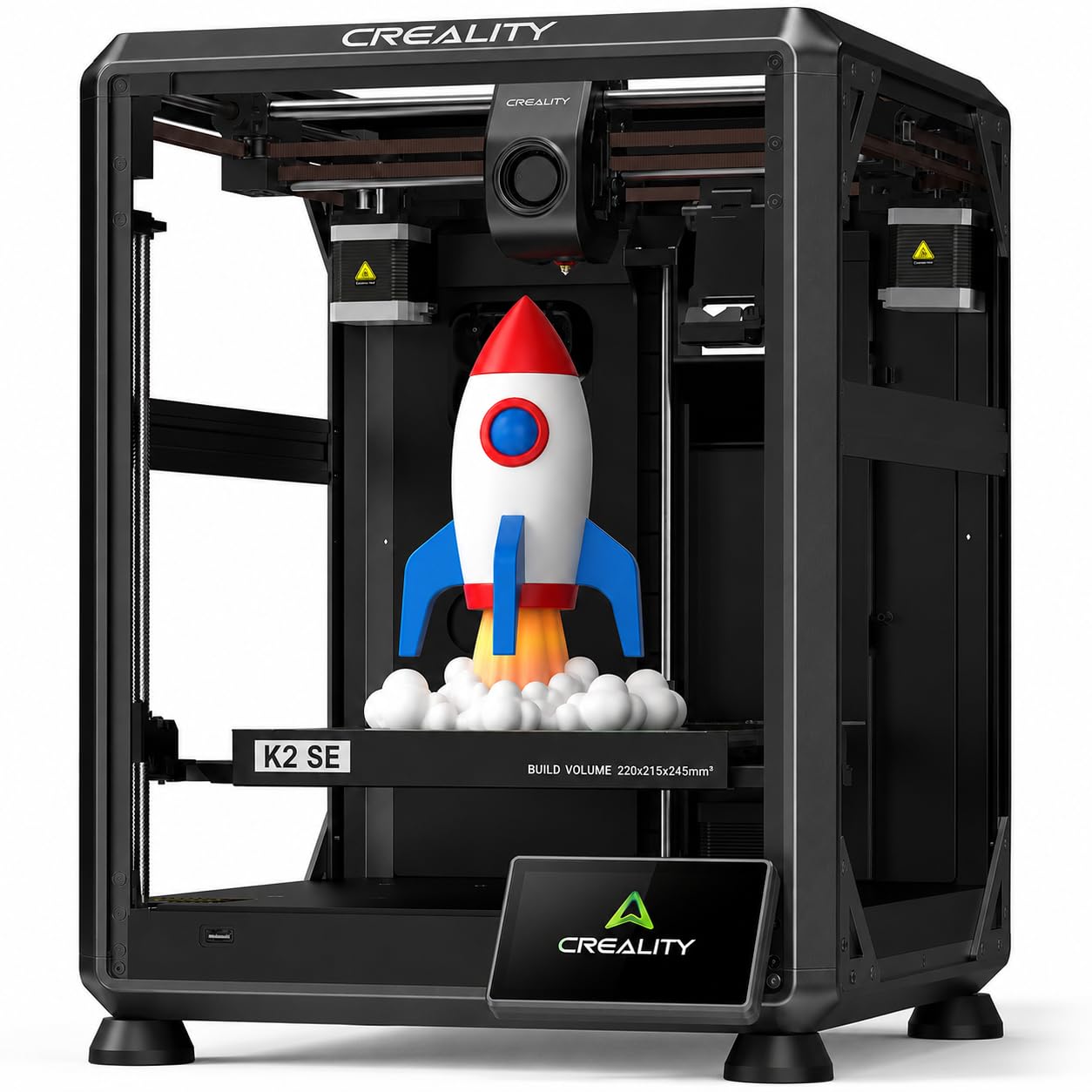
The K2 SE brings Creality’s CoreXY speed to an entry-level price point with smart features like auto-leveling and a tri-metal nozzle. Its 220x215x245mm build volume is smaller than the average, but the 600mm/s travel speed and 20,000mm/s² acceleration make it suitable for prototyping smaller cosplay accessories like weapons, shin guards, and EVA foam replacement parts. The pre-installed damping pads reduce vibration effectively for such a compact machine.
The tri-metal nozzle integrates a hardened steel tip, copper block, and titanium alloy heatbreak to reach 300°C, enabling flexible TPU for soft armor edges and PETG for impact-resistant parts. The 75-second heat-up from cold to 300°C is fast, and the dynamic part cooling fan reduces surface artifacts on overhangs. The printer comes 90% pre-assembled and ready to print in about three minutes after unboxing.
Print quality is respectable, though the small build volume limits its role for cosplayers. Power loss recovery and filament runout detection prevent failed prints during long runs. The auto-leveling is genuinely effective, though experienced users may want to fine-tune Z-offset manually for the best first layer. It works best as a dedicated small-parts printer alongside a larger machine.
Why it’s great
- Tri-metal nozzle handles abrasive and flexible filaments.
- Auto-leveling removes the most common beginner failure point.
- Damping pads and CoreXY structure reduce noise and vibration.
- Fast 600mm/s travel speed reduces iteration time.
Good to know
- 220mm build volume is small for full armor pieces.
- Glue stick needed as release agent on build plate.
- Some units may have touchscreen or calibration issues.
9. Longer LK5 Pro – Large Volume 3D Printer
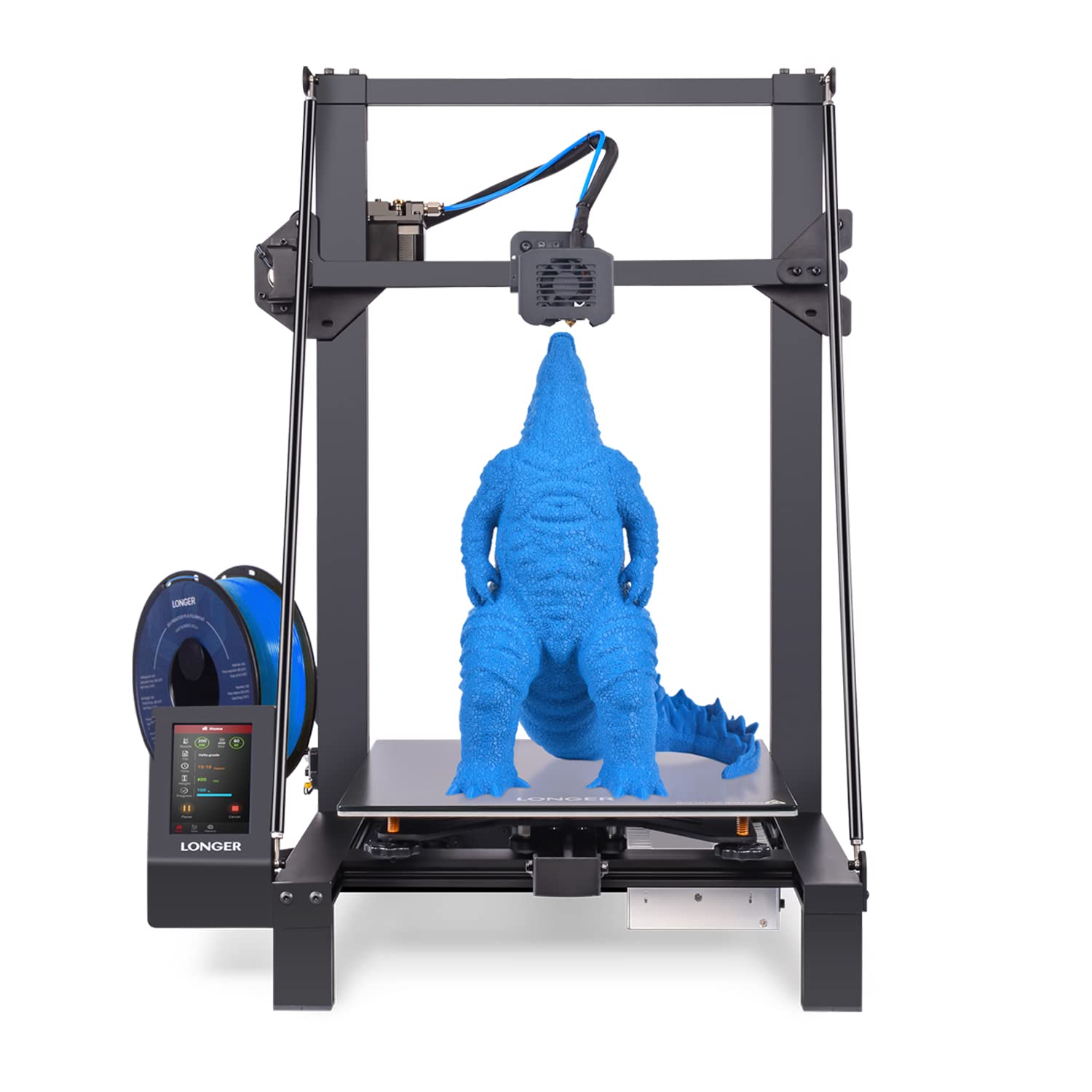
The LK5 Pro offers the largest build volume in this entire lineup at 300x300x400mm, yet sits at the lowest price point. That 400mm Z-axis is the single most valuable spec for cosplayers on a tight budget — it prints a full-sized Mandalorian or Iron Man helmet in one piece without splitting. The reinforced triangular frame with diagonal bars minimizes vibrations that would otherwise blur layer lines on tall prints.
The dual Z-axis upgrade improves bed stability significantly compared to single-Z alternatives, reducing wobble as the print head moves upward. The lattice glass plate provides good adhesion and flatness, and the silent TMC2209 drivers keep noise manageable in a home workshop. The open-source motherboard means you can upgrade firmware, install a BLTouch for easier leveling, or swap the hotend for higher-temperature materials as your skills grow.
Assembly is about 90% pre-built and takes roughly an hour. Print speed is 180mm/s — slower than the CoreXY competition, but for large armor pieces that run for 24 hours anyway, the speed difference is less impactful than the ability to print those pieces whole. The LK5 Pro is the ultimate budget-friendly starting point for a cosplayer who values size over speed.
Why it’s great
- Massive 300x300x400mm build volume for full helmets and armor.
- Dual Z-axis upgrade improves tall print stability significantly.
- Open-source firmware allows easy upgrades and mods.
- Silent TMC2209 drivers keep noise manageable.
Good to know
- 180mm/s print speed is slower than CoreXY alternatives.
- Glass bed can cause adhesion difficulties on large flat parts.
- Fan failures reported in some units; aftermarket replacements recommended.
FAQ
Can I print a full-sized Iron Man helmet with a 256mm build volume?
Should I buy a resin printer or an FDM printer for cosplay armor?
What layer height should I use for smooth cosplay props?
Final Thoughts: The Verdict
For most users, the best cosplay 3d printer winner is the Creality K2 Plus Combo because its massive 350mm³ build volume and multi-color CFS eliminate the two biggest cosplay bottlenecks: splitting large pieces and hand-painting details. If you want proven reliability for a workshop environment with excellent support, grab the Original Prusa MK4S. And for ultra-detailed weapon props and fine ornamental accents that look 3D scanned, nothing beats the ELEGOO Saturn 4 Ultra 16K.

Mo Maruf
I created WellFizz to bridge the gap between vague wellness advice and actionable solutions. My mission is simple: to decode the research and give you practical tools you can actually use.
Beyond the data, I am a passionate traveler. I believe that stepping away from the screen to explore new environments is essential for mental clarity and physical vitality.