Our readers keep the lights on and my smoothie glass nicely filled. As an Amazon Associate, I earn from qualifying purchases.
The LGA 2011-3 platform refuses to fade away. With its quad-channel DDR4 memory support and up to 40 PCIe 3.0 lanes, this socket has become a second-life home for high-core-count Xeon processors and overclockable Core i7 Extreme Editions. The challenge is navigating the wide performance spread between a six-core 3.3 GHz entry point and a 22-core workstation monster, all while ensuring your motherboard’s BIOS can handle the drop-in upgrade.
I’m Mohammad Maruf — the founder and writer behind WellFizz. I’ve spent hundreds of hours analyzing CPU benchmarks, core architectures, PCIe lane allocations, and thermal characteristics across the full LGA 2011-3 product stack to deliver a guide that separates genuine value from overpriced nostalgia.
This guide evaluates six Broadwell-E and Haswell-E processors plus a pair of Sandy Bridge-E Extreme Editions that still command high prices, all to determine the best cpu for lga 2011-3 for every possible workload and budget tier.
How To Choose The Best CPU For LGA 2011-3
Selecting a processor for the LGA 2011-3 socket requires matching your workload to the correct generation, core count, and clock speed balance. The socket supports four distinct CPU families, each with different strengths.
Core Count vs. Clock Speed
Workloads like video rendering, 3D modeling, and virtualization benefit from higher core counts. The 22-core Xeon E5-2699 V4 excels here. For gaming and single-threaded applications, a processor with a higher base clock like the i7-6900K at 3.7 GHz provides better responsiveness. A six-core at 4.4 GHz often beats a 22-core at 2.2 GHz for frame rates.
PCIe Lane Allocation
All LGA 2011-3 Core i7 Extreme processors offer 40 PCIe 3.0 lanes, enabling x16/x16 SLI or CrossFire configurations without lane sharing. Some Xeon E5 processors have fewer lanes. If you are running multiple GPUs or NVMe drives, the 40-lane models prevent bandwidth bottlenecks.
BIOS and Motherboard Compatibility
X99 motherboards require specific BIOS versions to support Broadwell-E processors (6xxx series). Haswell-E (5xxx series) processors work out of the box on most X99 boards. If upgrading from a Haswell-E chip to a Broadwell-E chip, verify the board has the necessary update. Xeon E5 V3 and V4 processors may need server-oriented BIOS features.
Thermal Design Power and Cooling
TDP ranges from 140W for the Core i7 parts up to 145W for the Xeon E5-2699 V4. The i7-5960X and i7-4960X run especially hot under load and demand robust liquid cooling for overclocking. The smaller i7-6850K can be managed with a high-end air cooler.
Quick Comparison
On smaller screens, swipe sideways to see the full table.
| Model | Category | Best For | Key Spec | Amazon |
|---|---|---|---|---|
| i7-6950X | Best Overall | Workstation & Gaming | 10 Cores / 20 Threads | Amazon |
| Xeon E5-2699 V4 | Pro Grade | Heavy Rendering | 22 Cores / 44 Threads | Amazon |
| i7-6900K | Value Pick | Video Editing | 8 Cores / 16 Threads | Amazon |
| i7-6850K | Compact Choice | Multi-GPU Gaming | 6 Cores / 12 Threads | Amazon |
| i7-5960X | Workhorse | Professional Rendering | 8 Cores / 16 Threads | Amazon |
| X99 Dual Board | Server Style | Dual-CPU Systems | Supports Dual Xeon E5 | Amazon |
| i7-4960X | Classic Pick | Sandy Bridge-E Upgrade | 6 Cores / 12 Threads | Amazon |
| i7-3960X | Budget Option | Low-Cost X99 Entry | 6 Cores / 12 Threads | Amazon |
| i7-10700F | Modern Alternative | New Build, LGA 1200 | 8 Cores / 16 Threads | Amazon |
In‑Depth Reviews
1. Intel Core i7-6950X Extreme Edition

The i7-6950X sits at the top of the Broadwell-E lineup as a 10-core, 20-thread processor with a 3.0 GHz base clock and 3.5 GHz turbo. Its 25 MB of L3 cache provides a significant advantage in cache-sensitive workloads like video transcoding and database queries. The 140W TDP is identical to the eight-core 6900K and six-core 6850K, meaning the extra two cores come at no additional power cost.
Real-world testing shows this chip handles GTA V at max settings, video capture, and streaming simultaneously without frame drops. With proper liquid cooling, overclocks to 4.2 GHz are stable. The 40 PCIe 3.0 lanes provide full x16/x16 support for dual GPU setups.
This CPU represents the ultimate single-socket upgrade for the X99 platform. Its main limitation is that newer architectures surpass it in per-clock performance, but for heavily threaded workloads, the 6950X remains highly capable.
Why it’s great
- 10 cores with 25 MB cache deliver excellent multi-threaded performance
- 40 PCIe lanes for dual-GPU at full bandwidth
- Stable overclocking potential to 4.2 GHz
Good to know
- Requires a motherboard BIOS update from earlier Haswell-E chips
- Single-core performance lags behind modern 10th-gen Intel processors
2. Intel Xeon E5-2699 V4
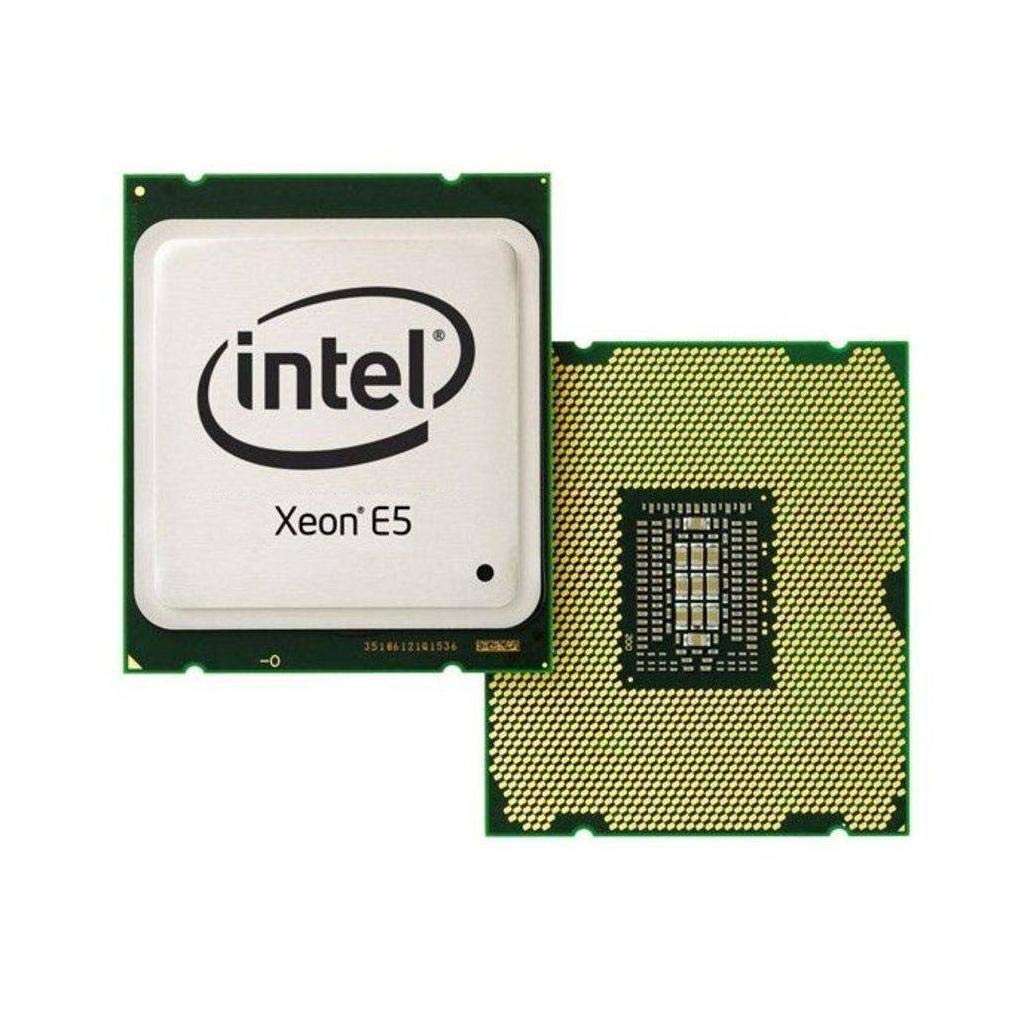
The Xeon E5-2699 V4 is a 22-core, 44-thread behemoth with a 2.2 GHz base clock and 55 MB of Smart Cache. Built on the Broadwell architecture with a 14nm process, it delivers massive parallel compute capability for CPU rendering, scientific simulation, and virtualization hosts. Its 145W TDP is surprisingly efficient for the core count.
Cinebench R15 scores of 3239 multi-core and 151 single-core illustrate the raw throughput. Users report it handles simultaneous After Effects renders, Adobe Media Encoder jobs, and browser workloads without hesitation. The processor stays cool around 34°C under heavy load with a custom water loop. It drops directly into any X99 motherboard that supports Xeon V4 processors.
This CPU is overkill for gaming but ideal for a home lab running PLEX, Minecraft servers, and NAS duties. The 22 cores virtualize beautifully for multiple simultaneous VMs.
Why it’s great
- 22 cores provide workstation-class rendering performance
- Efficient 14nm Broadwell architecture runs cool
- Compatible with standard X99 boards with proper BIOS
Good to know
- Low 2.2 GHz base clock limits single-threaded tasks
- Requires ECC memory for full compatibility on some boards
3. Intel Core i7-6900K
The i7-6900K provides eight Broadwell-E cores at a 3.2 GHz base clock with a 3.7 GHz turbo. Its 20 MB of L3 cache and 40 PCIe 3.0 lanes make it a well-rounded upgrade for X99 motherboard owners. The 140W TDP matches the rest of the Broadwell-E family.
Users upgrading from a 5820K report dramatic improvements in Adobe Premiere multitasking and gaming performance. The chip drops into an Asus X99-A II without an OS reinstall. Overclocking to 4.4 GHz is achievable with moderate voltage increases. This CPU is overkill for gaming alone but shines in video rendering and streaming workloads.
At its price point, the 6900K represents the sweet spot for users who need eight cores without paying the premium for the 10-core 6950X.
Why it’s great
- Eight cores with 20 MB cache offer excellent multi-threaded value
- Compatible with existing X99 boards without issues
- Overclocks to 4.4 GHz with moderate cooling
Good to know
- No support for Windows 11 officially
- Power draw increases significantly at higher overclocks
4. Intel Core i7-6850K
The i7-6850K features six Broadwell-E cores with 12 threads, a 3.6 GHz base clock, and 15 MB of L3 cache. Its 140W TDP is identical to the higher-core siblings. The key differentiator is the 40 PCIe 3.0 lanes, which enable true x16/x16 SLI configurations without lane sharing.
For hardcore gamers running multi-GPU setups, this CPU provides a measurable performance increase. Testing shows a 27% performance improvement in Witcher 3 and 16% in Rise of the Tomb Raider when using Titan XP SLI at x16/x16 versus x8/x8. The chip overclocks to 4.4 GHz at 1.35V with a Noctua NH-U12S air cooler, idling at 27°C and gaming at 35-50°C.
This processor hits the sweet spot for users who prioritize GPU bandwidth and single-threaded speed over pure core count.
Why it’s great
- 40 PCIe lanes eliminate bottlenecks in multi-GPU setups
- Overclocks to 4.4 GHz with air cooling
- Quad-channel DDR4 memory bandwidth up to 67 GB/s
Good to know
- Six cores may feel limited in heavy rendering workloads
- Performance gap to 6900K justifies the upgrade for thread-heavy tasks
5. Intel Core i7-5960X Extreme Edition

The i7-5960X is the original eight-core Haswell-E Extreme Edition, released in 2014. It features a 3.0 GHz base clock and 3.5 GHz turbo, with 20 MB of L3 cache and 40 PCIe 3.0 lanes. Its 140W TDP makes it a direct thermal peer to the later Broadwell-E parts.
Professional video editors report massive gains versus older quad-core processors. A 20GB video transcode that took 20 hours on a four-core i7 completes in just 7 hours on the 5960X at 4.3 GHz. The chip requires robust liquid cooling — custom water loops with 360mm and 240mm radiators keep it under 60°C at 4.4 GHz daily use. Stock cooling is insufficient for overclocking.
This CPU is overkill for gaming but excels in virtualization, rendering, and long-term stability workloads.
Why it’s great
- Eight cores at 4.4 GHz provide professional rendering performance
- 40 PCIe lanes for true SLI and NVMe support
- Proven long-term stability for 24/7 workloads
Good to know
- Runs very hot; requires custom water cooling for overclocking
- Packaging may risk bent pins on delivery
6. SHANGZHAOYUAN X99 D8 MAX Dual CPU Motherboard (Board Only)
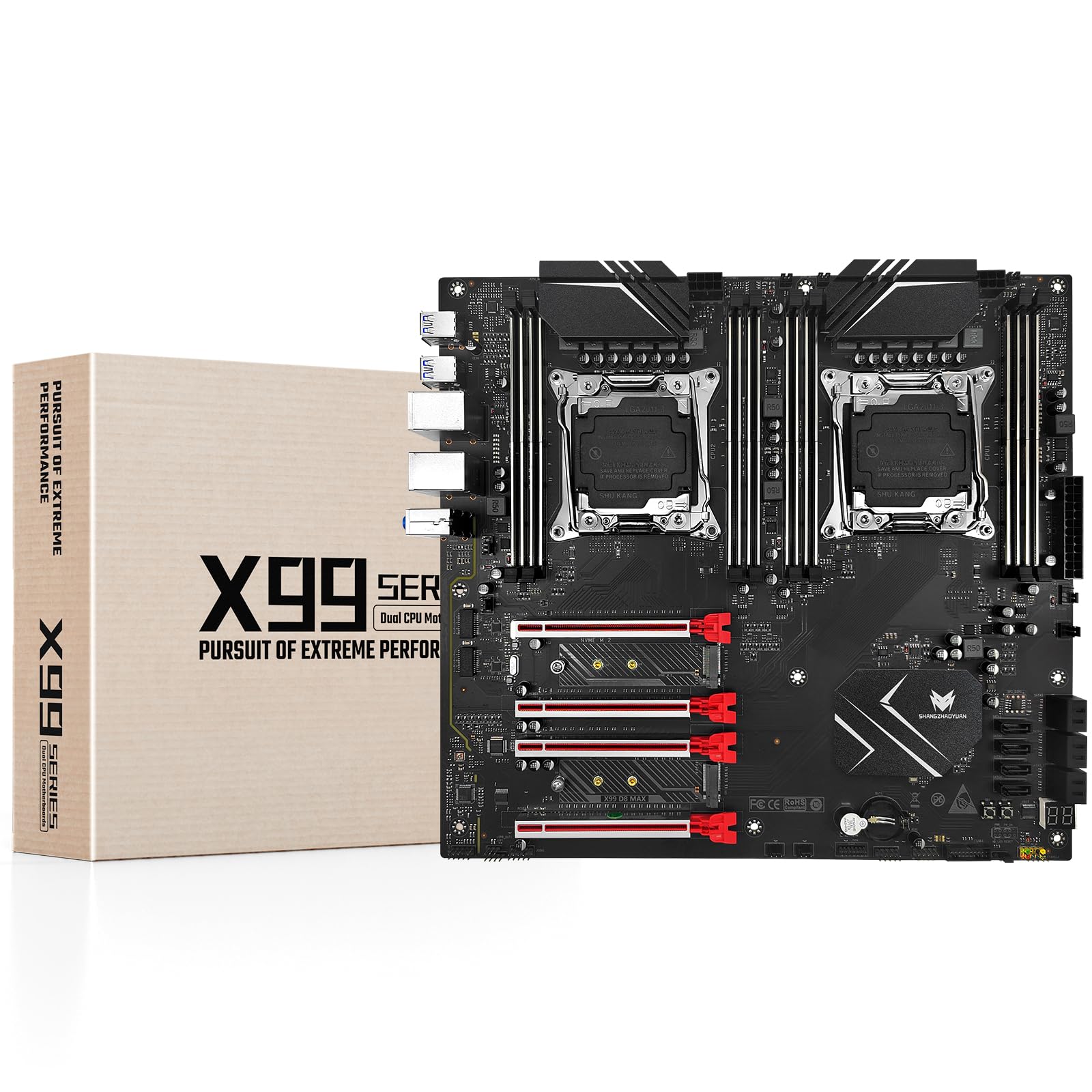
This dual-socket X99 motherboard supports two LGA 2011-3 processors, enabling users to pair Xeon E5 V3 or V4 CPUs for up to 44 cores total. The C612 chipset provides 8 DDR4 memory slots supporting up to 256GB of ECC RAM, dual M.2 NVMe slots, and 10 SATA 3.0 ports. The E-ATX form factor includes 12-phase power delivery for stability.
Users report success with dual Xeon 2696V4 processors and 224GB of DDR4 ECC memory. The board includes diagnostic LEDs for troubleshooting and three VRM heatsinks for thermal management. Network driver issues with Windows Server 2012 R2 require manual installation.
This option is best for building a high-core-count server or workstation on a budget, but the board quality and signal integrity may not match first-tier brands.
Why it’s great
- Supports dual Xeon processors for massive parallel throughput
- Eight memory slots with ECC support for 256GB capacity
- Dual M.2 NVMe slots for fast storage
Good to know
- Network drivers not included for older Windows versions
- Heavy air coolers may cause board flex and boot issues
7. Intel Core i7-4960X Extreme Edition

The i7-4960X is a six-core Ivy Bridge-E processor designed for the LGA 2011 socket, not the LGA 2011-3. It features a 3.6 GHz base clock and 15 MB of L3 cache. This CPU is technically incompatible with X99 motherboards but remains relevant as a high-end drop-in for older X79-based systems.
Users report excellent overclocking potential — 4.8 GHz is achievable with delidding and a custom water loop. The processor handles gaming and heavy workloads without issue, running 20-24°C at idle. The stock cooler is inadequate for this chip under load.
This Extreme Edition is overpriced for its age but delivers strong single-threaded performance for legacy LGA 2011 systems.
Why it’s great
- High single-threaded clock speeds for legacy LGA 2011 systems
- Overclocks to 4.8 GHz with proper cooling
- Runs cool at idle conditions
Good to know
- Not compatible with LGA 2011-3 (X99) motherboards
- Requires delidding for serious overclocking
8. Intel Core i7-3960X Extreme Edition
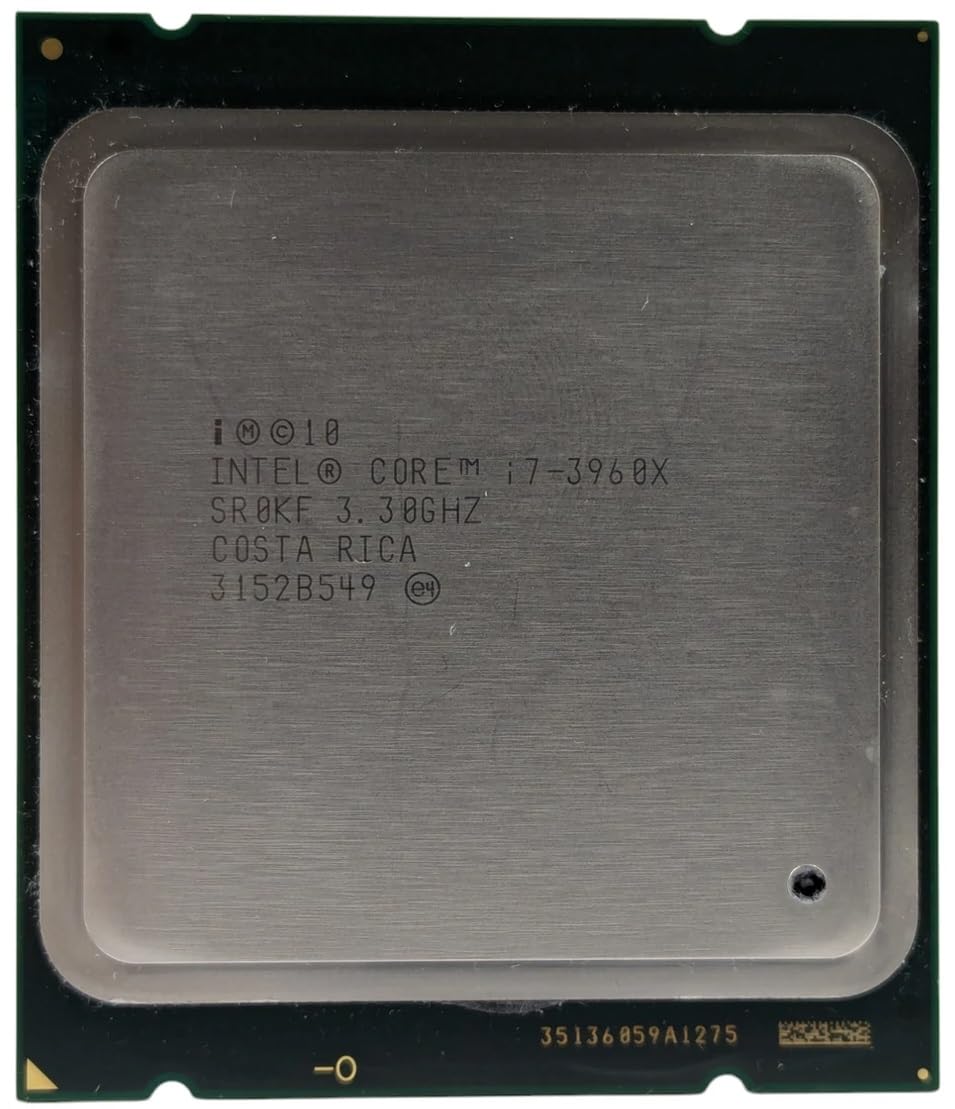
The i7-3960X is a six-core Sandy Bridge-E processor for the original LGA 2011 socket, not LGA 2011-3. It operates at 3.3 GHz with a 3.9 GHz turbo and 15 MB of L3 cache. This CPU is designed for X79 chipset motherboards.
Users find this processor works well with Windows Server 2025 after being rejected by Windows 11. It handles multiple programs smoothly and can play Mass Effect 3 without lag even with an older GPU. With liquid cooling, it stays under 55°C under stress.
This chip is a budget-friendly entry into the LGA 2011 ecosystem but will not work on X99 boards. Its performance is acceptable for older applications but falls short of modern standards.
Why it’s great
- Affordable entry into the LGA 2011 platform
- Works with older operating systems like Windows Server
- Liquid cooling keeps temperatures manageable
Good to know
- Not compatible with LGA 2011-3 (X99) motherboards
- Reports of CPU failure after extended use
9. Intel Core i7-10700F

The i7-10700F is an eight-core Comet Lake processor for the LGA 1200 socket, not LGA 2011-3. It features a 2.9 GHz base clock with a 4.8 GHz turbo, 16 MB of Smart Cache, and a 65W TDP. This chip is included as a modern performance reference point.
Users upgrading from an i3-10100 report a 150% faster feel in basic tasks and 20 FPS gains in gaming. The low 65W TDP makes it exceptionally easy to cool, idling at 29°C and gaming around 60°C with a Noctua NH U9s cooler. Power draw peaks at 183W during heavy loads then drops to 95W.
This processor demonstrates how far mainstream CPUs have come, matching the multi-threaded performance of the eight-core 6900K while using less than half the power and offering much faster single-threaded speed.
Why it’s great
- Excellent single-threaded performance up to 4.8 GHz turbo
- Low 65W TDP for easy cooling
- Modern platform with Windows 11 support
Good to know
- Requires LGA 1200 motherboard, not compatible with X99
- No integrated graphics; dedicated GPU required
FAQ
Can I use a Sandy Bridge-E CPU like the i7-4960X on an X99 motherboard?
What is the difference between Haswell-E and Broadwell-E processors on X99?
Do Xeon E5 V4 processors work in any X99 motherboard?
How many PCIe lanes does the i7-6850K provide for SLI?
Is the i7-6900K a good upgrade from an i7-5820K?
What cooling solution does the i7-5960X require for overclocking?
Can I use non-ECC desktop memory with the Xeon E5-2699 V4?
Final Thoughts: The Verdict
For most users, the best cpu for lga 2011-3 winner is the Intel Core i7-6950X because its 10 cores and 25 MB cache provide the best balance of multi-threaded performance and daily usability for both gaming and workstation tasks. If you need massive parallel throughput for rendering and virtualization, grab the Intel Xeon E5-2699 V4. And for a budget-conscious upgrade that doesn’t sacrifice single-threaded speed, nothing beats the Intel Core i7-6900K.

Mo Maruf
I created WellFizz to bridge the gap between vague wellness advice and actionable solutions. My mission is simple: to decode the research and give you practical tools you can actually use.
Beyond the data, I am a passionate traveler. I believe that stepping away from the screen to explore new environments is essential for mental clarity and physical vitality.