Our readers keep the lights on and my smoothie glass nicely filled. As an Amazon Associate, I earn from qualifying purchases.
A CPU water block is the single most thermally dense component in a custom loop — it sits directly on the integrated heat spreader and dictates every degree your processor sees under sustained all-core loads. Unlike radiators or pumps that serve the loop as a whole, the water block is the only part that physically touches the CPU, making its base flatness, fin geometry, and jet-plate design the deciding factor between stable overclocks and thermal throttling.
I’m Mohammad Maruf — the founder and writer behind WellFizz. I’ve spent hundreds of hours cross-referencing cold-plate microfin densities, jet-plate orifice sizes, and socket-specific mounting torque recommendations across every major water block manufacturer to build this guide.
Cooling a modern high-core-count processor requires a block that balances restrictive micro-channels for heat absorption with sufficient flow to feed the rest of the loop. This guide identifies the best cpu water block for each socket type and budget, from entry-level copper slabs to premium LCD-equipped cooling engines.
How To Choose The Best CPU Water Block
Choosing a water block goes beyond picking the one with the most RGB LEDs. The thermal performance hinges on the cold plate material, the fin structure beneath it, and how the block manages water flow across the die area. Modern processors, particularly the Intel i7-14700K and AMD Ryzen 9 7950X, dump heat in small concentrated hotspots that require aggressive micro-channel designs to pull heat away before the cooler fluid saturates.
Cold Plate Material and Plating
Raw copper offers the highest thermal conductivity, but it oxidizes and turns green over time in a loop. Nickel-plated copper maintains the same thermal transfer at the contact surface while protecting against corrosion, especially important in loops with mixed metals like brass radiators or aluminum fittings. Some budget blocks use aluminum cold plates, which should be avoided in any loop with copper radiators due to galvanic corrosion risk.
Microfin Density and Jet Plate Design
Fin density is measured in fins per inch or the spacing between individual cooling channels. Tighter fins around 0.2mm spacing increase surface area per square inch but also increase flow restriction, requiring a stronger pump to maintain adequate flow rate. A jet plate or spray-jet design forces water at high velocity through a narrow slot directly over the CPU die area, eliminating stagnant boundary layers that form at the center of the cold plate where the heat is most concentrated.
Socket Compatibility and Mounting Pressure
Not every block supports every socket out of the box. LGA 1700 uses a wider socket footprint with an asymmetrical load distribution, while AM5 retains the AM4 mounting hole spacing but has a different IHS height. Some blocks ship with separate mounting brackets for each socket; others require purchasing a separate bracket kit. Even mounting pressure across all four corners is critical — an uneven mount creates a thermal gap that no amount of paste can fix.
Quick Comparison
On smaller screens, swipe sideways to see the full table.
| Model | Category | Best For | Key Spec | Amazon |
|---|---|---|---|---|
| EKWB Velocity 2 | Premium | Intel LGA 1700 high-TDP | Socket-specific cooling engine | Amazon |
| Corsair XC7 Elite LCD | Premium | Custom LCD and iCUE ecosystem | 480×480 IPS display | Amazon |
| Thermaltake SW1 Plus | High-End | Built-in temp sensor & RGB | 0.2mm microfin structure | Amazon |
| Alphacool Core 1 | Mid-Range | No-fuss high performance | 72x72mm copper base | Amazon |
| Bykski CPU-XPR-C-M | Mid-Range | Spray-jet design for Ryzen | 0.2mm spray-type channels | Amazon |
| Alphacool Aurora XP3 | Value | Entry-level AM5/AM4 loop | Nickel-plated copper base | Amazon |
| dracaena AMD Block | Budget | Broad AMD socket coverage | Full copper microfin base | Amazon |
In‑Depth Reviews
1. EKWB EK-Quantum Velocity 2

The Velocity 2 uses a socket-specific cooling engine that positions the jet plate and micro-channel array directly over the die area of LGA 1700, rather than covering the entire IHS uniformly. This targeted approach matters for Intel’s 12th through 14th generation processors that concentrate heat in a narrow strip between the P-core and E-core clusters. The included Thermal Grizzly Hydronaut paste eliminates guesswork on thermal interface material.
Build quality is consistent with EK’s premium tier — the nickel-plated copper cold plate has a mirror finish, and the acrylic top shows zero mold lines. The eK-Matrix7 compliance means the mounting holes line up perfectly with EK’s distribution plates and reservoirs, simplifying loop routing. The D-RGB strip is removable without breaking the seal, which reduces leakage risk during maintenance.
Users running an i9-13900KS at stock report idle temps in the low 30s and peak loads staying under 80°C with a standard 360mm radiator setup. The block is also confirmed compatible with the newer LGA 1851 socket, adding future-proofing for anyone planning a Z890 upgrade without replacing the water block.
Why it’s great
- Socket-specific jet placement improves hotspot performance
- Nickel-plated copper base resists corrosion in mixed-metal loops
- Includes premium Hydronaut thermal paste
Good to know
- Requires torque screwdriver for even mounting pressure
- Higher price point than comparable non-addressable blocks
2. CORSAIR XC7 RGB Elite LCD

The XC7 Elite LCD is the first CPU water block to integrate a 480×480 IPS display directly into the housing, powered and controlled through a single USB-C connection that eliminates the need for a separate Lighting Node Core. The 600 cd/m² backlight makes the screen legible even in bright case lighting, and the 30 FPS refresh rate supports animated GIFs and real-time CPU temperature readouts without stuttering.
Under the display, the Hexa-Flow cooling engine uses six inlet ports to distribute water across the cold plate, breaking up laminar flow that creates hot spots on multi-chiplet CPUs like the Ryzen 9 7950X. The nickel-plated copper cold plate features over 120 micro-cooling fins at 0.2mm spacing, and the block height of 1.4 inches keeps it compatible with most ITX and MATX builds despite the screen assembly.
The iCUE software provides full control over the 31 addressable RGB LEDs and the LCD screen, but the block requires the software to be running to maintain custom images — there is no onboard storage for screen profiles. Users report idle temps in the mid 30s on a 7800X3D and full-load gaming temps staying in the mid 40s, with the screen remaining responsive without adding measurable latency.
Why it’s great
- Integrated LCD eliminates need for separate display controller
- USB-C connection simplifies cable routing
- Hexa-Flow engine evenly cools chiplet-based CPUs
Good to know
- Custom screen settings require iCUE software running at all times
- No built-in flash memory to save screen configuration
3. Thermaltake Pacific SW1 Plus
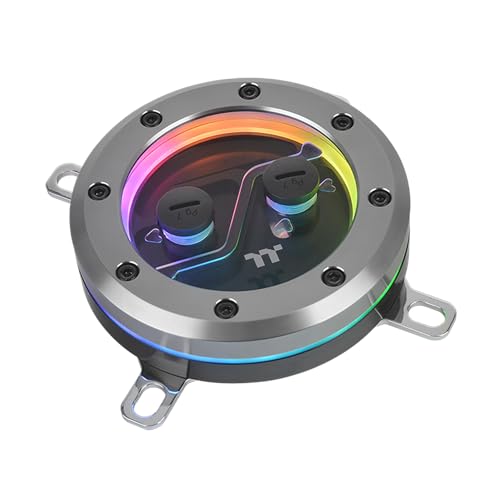
The SW1 Plus stands out by integrating a temperature sensor directly into the water block housing, giving real-time coolant temperature readouts at the block exit point — the most thermally relevant location for loop tuning. The 0.2mm microfin internal structure uses nickle-plated copper to resist corrosion, and the anti-corrosive coating extends the block’s lifespan in loops with copper radiators and brass fittings.
Cooling performance is driven by the optimized microfin height, which measures between 1.5mm and 2.5mm depending on the production batch. This moderate fin height strikes a balance between surface area and flow restriction, keeping the block compatible with pumps in the 600-800 L/h range without starving downstream components. The 12 addressable LEDs are controlled through TT RGB Plus software, which supports motherboard sync via 5V ARGB.
Some early units shipped with a unique mercury-like thermal paste that could bead off the IHS, causing temperature spikes. Switching to a standard paste like Arctic Silver resolves the issue. The package includes complete mounting hardware for both LGA 1700 and AM5, but the AM5 bracket requires specific screws that may not be included in every retail unit.
Why it’s great
- Built-in temperature sensor for coolant monitoring
- Nickel-plated copper resists corrosion in mixed-metal loops
- 0.2mm microfin density provides strong thermal transfer
Good to know
- Included thermal paste may need replacement for optimal contact
- TT RGB Plus software requires manual startup after boot
4. Alphacool Core 1

The Core 1 strips away all lighting and software complexity to focus entirely on thermal performance at a mid-range price. The 72x72mm cold plate surface area covers the entire IHS of both LGA 1700 and AM5 without overhang, and the copper base is machined with chamfered edges that prevent damage to CPU socket retention arms during installation. The brass and copper construction avoids aluminum entirely, eliminating galvanic corrosion concerns.
Mounting uses the existing AMD backplate for AM5 builds, which simplifies installation compared to blocks that require a proprietary backplate. On Intel LGA 1700, the block uses spring-loaded screws that provide consistent mounting pressure across the four corners without needing a torque driver. The 26.5mm height is one of the lowest among performance blocks, making it compatible with compact builds where clearance is tight above the CPU socket.
Users replacing older Alphacool blocks on an i7-14700K report a drop from 98°C to 92°C max under 290W loads, with daily overclocks at 5.6GHz all-core staying under 85°C. The absence of RGB makes it ideal for builders who prioritize clean, functional aesthetics or who already have a lighting ecosystem they don’t want to mix.
Why it’s great
- Large 72x72mm copper base provides full IHS coverage
- Uses existing AMD backplate for simpler AM5 install
- Low profile and no RGB for clean builds
Good to know
- Input and output ports cannot be swapped without rotating the logo
- No included temperature sensor or display
5. Bykski CPU-XPR-C-M
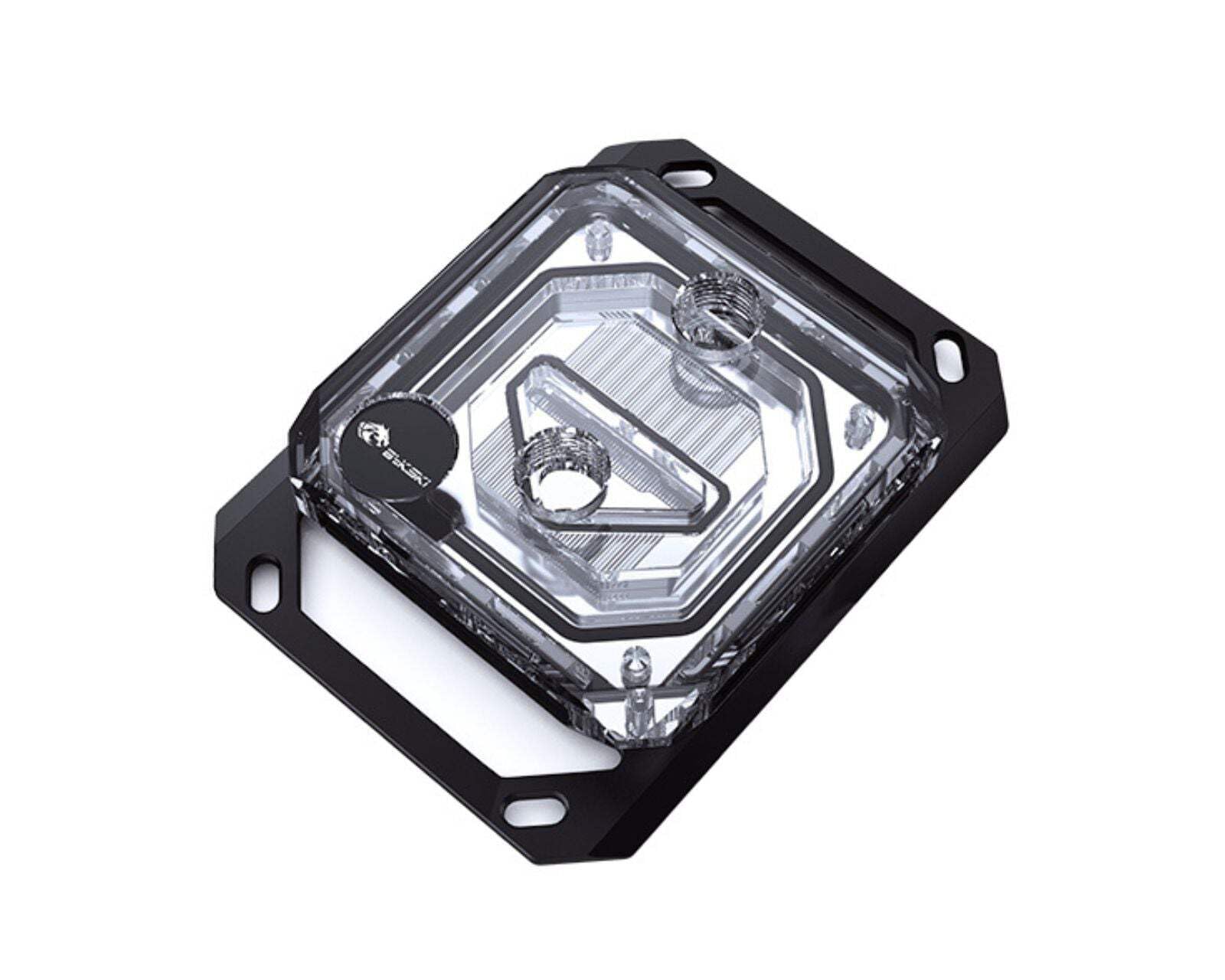
The Bykski CPU-XPR-C-M uses a spray-type micro-channel design that forces coolant through a narrow slot directly over the CPU die region, creating high-velocity water jets that strip heat from the cold plate surface faster than standard parallel-flow blocks. The 0.2mm fin spacing packs more surface area into the same footprint, which matters most for AMD Ryzen CPUs where the chiplets sit close together under the IHS.
The nickel electroplated copper base provides corrosion resistance while maintaining thermal conductivity, and the PMMA top allows full visibility of the coolant flow path. Included thermal paste and mounting hardware reduce the need for additional purchases, though the 64-ounce shipping weight suggests robust packaging rather than a heavy block — the actual block weight is closer to 350 grams. The 4-pin power connector supports motherboard-controlled pump headers if the block is used with an integrated pump, though this block is designed for external pump loops.
Early adopters on the 9800X3D report cinebench R23 temps maxing at 75°C, while a 9950X idles at 20°C and hits 45°C during gaming loads when paired with a sufficiently large radiator. Users on extreme chiller loops should note that below-ambient temps can trigger condensation, requiring insulation on the block and tubing.
Why it’s great
- Spray-jet design targets hotspot regions directly
- 0.2mm micro-channel density for high surface area
- Nickel-plated copper resists corrosion
Good to know
- Can trigger condensation warnings in sub-ambient cooling setups
- Customer support response times vary by region
6. Alphacool Eisblock Aurora XP3 Light

The XP3 Light keeps the entry price low without cutting corners on the cold plate — the nickel-plated copper base delivers corrosion resistance and thermal conductivity comparable to mid-range blocks. The 73x63mm footprint covers both AMD and Intel sockets, and the low 21mm height makes it one of the thinnest blocks available, useful for builds with top-mounted radiators that limit CPU clearance.
Digital RGB lighting is controlled through a standard 3-pin 5V header, syncing with motherboard software without requiring a proprietary controller. The AMD mounting solution uses the existing backplate, which is a welcome convenience for first-time custom loop builders who want to avoid removing the motherboard to install a new backplate. The Intel bracket uses spring-loaded screws that auto-adjust for even pressure across the IHS.
Users report thermal performance matching Corsair blocks at more than double the price, with AM5 installations being particularly straightforward due to the tool-free bracket alignment. The included hardware is basic — no thermal paste is included — and the acrylic top can scratch more easily than POM alternatives. The 3-pin ARGB connection means lighting is controlled entirely by the motherboard, so software customization depends on your motherboard brand’s ecosystem.
Why it’s great
- Nickel-plated copper at a fraction of premium block costs
- Uses existing AMD backplate for simpler AM5 installation
- Ultra-low 21mm profile fits tight clearance builds
Good to know
- No thermal paste included with the block
- Acrylic top scratches more easily than POM alternatives
7. dracaena AMD CPU Water Block
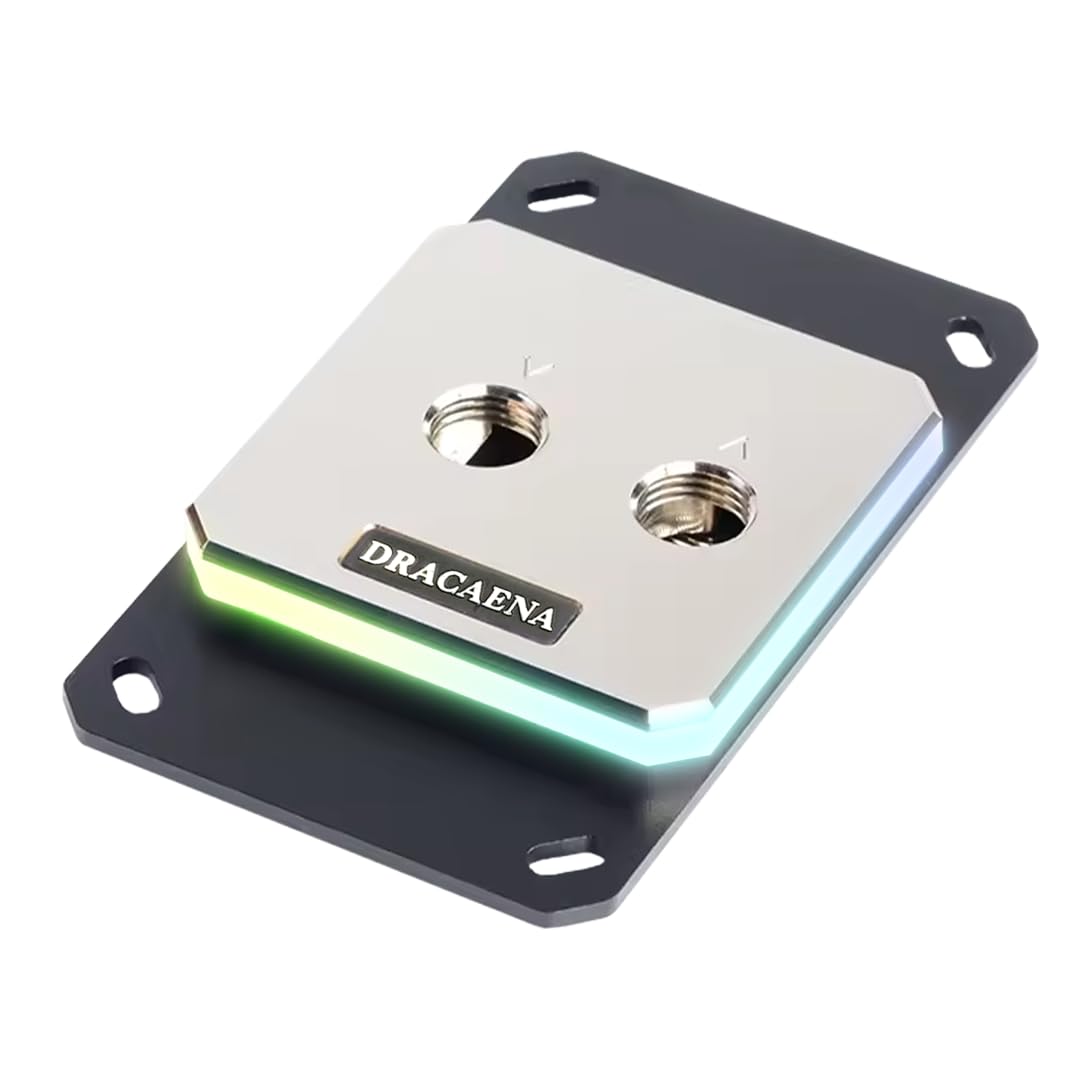
The dracaena block covers the widest AMD socket compatibility of any block on this list, supporting AM5, AM4, AM3, AM3+, AM2, and AM2+ — effectively every AMD platform from the last 15 years — without requiring adapters. The full copper internal water channels and 0.4mm microfin base plate maximize thermal conductivity in a design that prioritizes raw function over aesthetics. The aluminum mounting brackets and brass fittings keep weight low while maintaining structural integrity.
The 5V ARGB sync header works with Asus Aura Sync, MSI Mystic Light, Gigabyte RGB Fusion, and ASRock Polychrome, ensuring the single LED strip can match the rest of your build. The 63x63mm footprint is compact enough for smaller AMD boards where taller blocks could interfere with VRM heatsinks. The included controller supports non-addressable headers if your motherboard lacks a 3-pin ARGB connector, though the controller is basic and doesn’t support advanced lighting patterns.
Users report a roughly 10°C temperature drop compared to their previous cooling solution, with straightforward installation on AM5 systems. The protective sticker on the cold plate can be exceptionally difficult to remove and may leave residue that requires isopropyl alcohol to clean. The block is best paired with a quality third-party thermal paste, as the included paste is basic and not recommended for high-TDP processors.
Why it’s great
- Covers AM5 through AM2+ with no adapter needed
- Full copper internal channels for maximum thermal transfer
- Compact 63mm footprint avoids VRM interference
Good to know
- Included thermal paste is basic and should be replaced
- Protective sticker on cold plate is difficult to remove
FAQ
How do I know if a water block fits my CPU socket?
Why does my water block have multiple inlet and outlet ports?
Is nickel-plated copper better than raw copper for a CPU block?
What pump flow rate do I need for a high-fin-density block?
Final Thoughts: The Verdict
For most users, the best cpu water block winner is the EKWB Velocity 2 because the socket-specific cooling engine delivers measurable temperature improvements on high-TDP Intel processors without requiring additional brackets or adapters. If you want an integrated LCD screen and seamless software control, grab the Corsair XC7 Elite LCD. And for a clean, no-RGB performance upgrade that doesn’t break the loop budget, nothing beats the Alphacool Core 1.

Mo Maruf
I created WellFizz to bridge the gap between vague wellness advice and actionable solutions. My mission is simple: to decode the research and give you practical tools you can actually use.
Beyond the data, I am a passionate traveler. I believe that stepping away from the screen to explore new environments is essential for mental clarity and physical vitality.