Staring at a render progress bar that won’t budge while your timeline stutters is a powerful motivator to upgrade. The difference between a CPU that makes you wait and one that keeps pace with your cuts, transitions, and exports comes down to raw core count, single-threaded speed, and cache architecture — three specs that define every editing workflow.
I’m Mohammad Maruf — the founder and writer behind WellFizz. I’ve spent hundreds of hours dissecting processor benchmarks, core layouts, and real-world export speeds across consumer and workstation tiers to find the chips that actually deliver smoother scrubbing and faster transcodes for editors.
Whether you cut 4K multicam timelines or batch-process RAW stills, matching silicon to your workflow is the single most consequential hardware decision you’ll make. This guide details the top performers in every tier so you can confidently choose the best cpu for editing without overspending on cores you won’t use or settling for a chip that chokes on heavy codecs.
How To Choose The Best CPU For Editing
An editing CPU lives or dies by two parallel demands: the need to decode compressed video in real time during playback, and the need to crunch through frames as fast as possible during export. No single spec tells the whole story — you have to weigh core count, clock speed, cache size, and platform support together.
Core Count vs. Clock Speed
Timeline scrubbing and effects previews are largely single-threaded tasks that benefit from high boost clocks — look for chips hitting 5 GHz or more. Export encoding, on the other hand, scales beautifully with additional cores. An 8-core chip handles 4K multicam comfortably, while 12 to 16 cores cut render times dramatically for long-form projects or batch exports.
Cache Architecture and Memory Support
L3 cache acts as a high-speed staging area for frequently accessed data. AMD’s 3D V-Cache technology places extra L3 directly on the die, which can reduce latency in complex timeline operations. For memory, DDR5 at 6000 MHz offers a measurable bandwidth advantage for large RAW files and layered comps compared to DDR4, though DDR4 remains a capable budget option.
Platform Longevity and Upgrade Path
A CPU socket that supports future generations stretches your investment. AMD’s AM5 platform promises multi-generational compatibility, while Intel’s LGA1851 is new but its lifespan is unclear. AM4 is a mature platform with deep discounts on high-core-count chips, making it a compelling stopgap. Factor in motherboard cost and DDR5 pricing when comparing platforms.
Quick Comparison
On smaller screens, swipe sideways to see the full table.
| Model | Category | Best For | Key Spec | Amazon |
|---|---|---|---|---|
| AMD Ryzen 9 9900X3D | Premium | High-res multicam & export | 12 cores / 24 threads, 140MB total cache | Amazon |
| Intel Core Ultra 9 285K | Premium | Professional CAD & rendering | 24 cores (8P+16E), 5.7 GHz boost | Amazon |
| AMD Ryzen 7 9850X3D | Premium | Low-latency timeline performance | 8 cores / 16 threads, 104MB total cache | Amazon |
| Intel Core i9-14900K | Premium | Heavy multithreaded workloads | 24 cores (8P+16E), 6.0 GHz boost | Amazon |
| AMD Ryzen 9 5900XT | Mid-Range | High-core AM4 workstation builds | 16 cores / 32 threads, 72MB L3 cache | Amazon |
| Intel Core Ultra 5 250K | Mid-Range | Balanced 1440p editing & gaming | 16 cores (6P+12E), 5.3 GHz boost | Amazon |
| AMD Ryzen 7 5800XT | Mid-Range | Budget AM4 upgrade with DDR4 | 8 cores / 16 threads, 4.8 GHz boost | Amazon |
| Intel Core i5-12400 | Entry-Level | 1080p basic editing on a budget | 6 cores / 12 threads, 4.4 GHz boost | Amazon |
| Dell Optiplex 7050 SFF | Entry-Level | Mixed-use office & light editing | Intel i7-7700 4-core, 32GB DDR4 | Amazon |
In‑Depth Reviews
1. AMD Ryzen 9 9900X3D 12-Core Processor

The 9900X3D sits in a sweet spot few processors occupy: 12 Zen 5 cores paired with AMD’s 3D V-Cache for a massive 140 MB total cache. In Premiere Pro and DaVinci Resolve, that cache translates to noticeably snappier timeline scrubbing, especially with heavily layered 4K multicam clips. The chip’s 5.6 GHz boost clock keeps single-threaded effects previews feeling responsive even under load.
During export encoding, all 12 cores pull their weight. Benchmarks across Cinebench and HandBrake show this chip trading blows with Intel’s 24-thread parts in multi-core tasks while drawing significantly less power. Paired with a 360mm AIO, it idles in the high 30s and peaks in the low 70s under sustained all-core loads — thermal behavior that lets editors run long encodes without worrying about throttling.
The AM5 platform commitment means you can drop in a future Ryzen 9000-series successor without swapping the motherboard. For editors who want class-leading cache performance, excellent thermals, and a clear future upgrade path, the 9900X3D is the most balanced high-end choice available right now.
Why it’s great
- 140MB total cache dramatically reduces timeline stutter
- 12 cores deliver strong multi-core export speeds
- Runs cool under load with standard AIO cooling
- AM5 platform offers future upgrade compatibility
Good to know
- Requires DDR5 memory to reach full potential
- Premium pricing puts it above mid-range budgets
2. Intel Core Ultra 9 285K

Intel’s Arrow Lake architecture brings a fundamental redesign to the Core Ultra 9 285K, and it pays off for editors running professional CAD or SolidWorks alongside video work. The 8 P-cores hit 5.7 GHz for snappy single-threaded response, while 16 E-cores handle background transcoding without stealing resources from the primary timeline. Engineers running 128 GB DDR5 builds report 24-hour burn-in stability at 73-78°C under Cinebench loads.
The 285K requires an LGA1851 motherboard with an Intel 800-series chipset, which means no backward compatibility with LGA1700 coolers. However, the memory controller handles 4 sticks of DDR5 at 6000 MHz without issue — a genuine advantage for editors who need 64 GB or more for large RAW sequences. The integrated Intel Graphics provides a useful backup display output for monitoring without taxing the main GPU.
For editors upgrading from 13th or 14th gen Intel, this chip solves the thermal and voltage instability issues that plagued earlier Raptor Lake parts. It runs cooler under sustained load and the platform includes PCIe 5.0 support for the fastest NVMe storage — directly reducing project load times.
Why it’s great
- 8 P-cores at 5.7 GHz for responsive timeline editing
- Stable memory controller handles 4-stick DDR5 configs
- Resolved previous-gen voltage and thermal instability
- PCIe 5.0 support for ultra-fast storage
Good to know
- Requires new LGA1851 motherboard — no backward compatibility
- Needs a 360mm AIO or high-end air cooler for sustained loads
3. AMD Ryzen 7 9850X3D

The 9850X3D takes AMD’s 3D V-Cache technology and applies it to the Zen 5 architecture, resulting in 104 MB of total L3 cache. That cache is the defining feature for editors: it reduces the frequency of cache misses during complex timeline navigation, making scrubbing through 4K ProRes or 6K RED footage feel almost instant. The chip’s 5.6 GHz boost clock ensures single-threaded effects like Lumetri color grading or noise reduction preview in real time.
While 8 cores won’t match 12- or 16-core chips in export benchmarks, the 9850X3D compensates with lower power draw and easier cooling. Owners report idle temperatures around 38°C and peak gaming loads staying under 70°C with a 360mm AIO. For editors who work primarily in the timeline and less in batch renders, this thermal headroom means quieter operation and less fan ramp during long sessions.
On the AM5 socket, this CPU pairs naturally with DDR5-6000 CL30 kits for optimal bandwidth. The 9850X3D is the right choice for editors who value buttery-smooth timeline interactivity over raw render speed and want a chip that runs cool even during all-day editing marathons.
Why it’s great
- 104MB L3 cache makes timeline scrubbing exceptionally smooth
- Runs cool on a 360mm AIO — great for quiet editing setups
- AM5 platform with clear upgrade path to future Ryzen chips
- Low power draw reduces electricity costs over long renders
Good to know
- 8 cores limit export speed compared to higher-core-count parts
- Requires DDR5 for full performance benefit
4. Intel Core i9-14900K

The 14900K remains a formidable editing CPU for users who need maximum single-threaded boost alongside high core counts. Its 6.0 GHz Thermal Velocity Boost capability is the highest stock frequency available on any desktop processor, giving effects-heavy timelines an edge in frame-rate consistency. With 8 P-cores and 16 E-cores, it splits editing tasks effectively: the P-cores handle timeline interaction while E-cores batch background exports.
In multi-threaded benchmarks like Cinebench R23, the 14900K posts scores above 40,000, competing directly with AMD’s 16-core parts. For editors using software that heavily favors Intel’s hybrid scheduler — some older plug-in suites fall into this category — the 14900K delivers a noticeable performance advantage. It uses DDR5 or DDR4 depending on motherboard choice, giving builders flexibility to reuse existing RAM kits.
The 14900K runs hot under sustained AVX2 loads and requires robust cooling. LGA1700 is effectively a dead platform, with no future CPU generations expected. For editors building a high-performance rig today who prioritize raw frequency and Intel-specific software optimizations, the 14900K is a proven option, but the upgrade path ends at this chip.
Why it’s great
- 6.0 GHz boost clock — highest stock frequency available
- 24 threads handle heavy multicam exports efficiently
- Compatible with both DDR4 and DDR5 motherboards
- Strong Intel-specific software optimization for plug-ins
Good to know
- Requires high-end cooling — runs hot under AVX2 loads
- LGA1700 platform has no future CPU upgrade path
5. AMD Ryzen 9 5900XT

The 5900XT reinvigorates the AM4 platform with 16 cores and 32 threads at a price that undercuts newer platform builds. For editors working on long-form 4K content or batch exports of hundreds of individual clips, the additional cores translate directly into faster render completion. The 72 MB of L3 cache keeps frequently accessed timeline data close to the cores, reducing latency in complex multicam sequences.
This chip ships without a cooler, which is actually a benefit for serious editors — you can pair it with a capable 240mm or 360mm AIO and avoid the thermal limitations of stock coolers. Users report all-core boost speeds around 4.1 GHz on SSE workloads and stable temperatures in the 80°C range under sustained load. The chip draws 130W at base, making it more power-efficient than the 5950X while offering nearly identical multi-threaded throughput.
The real advantage here is platform cost. AM4 motherboards and DDR4 RAM are deeply discounted compared to AM5 or LGA1851 options. For editors on a tight budget who need high core counts for export speed, the 5900XT gives you workstation-class thread counts without requiring a premium motherboard or DDR5 investment.
Why it’s great
- 16 cores at an entry-level premium price point
- AM4 + DDR4 keeps total build cost low
- Runs cooler than 5950X with similar multithreaded performance
- Excellent for batch exports and transcoding
Good to know
- Requires aftermarket cooler — not included
- Gaming performance lags behind X3D parts due to split CCD design
6. Intel Core Ultra 5 250K
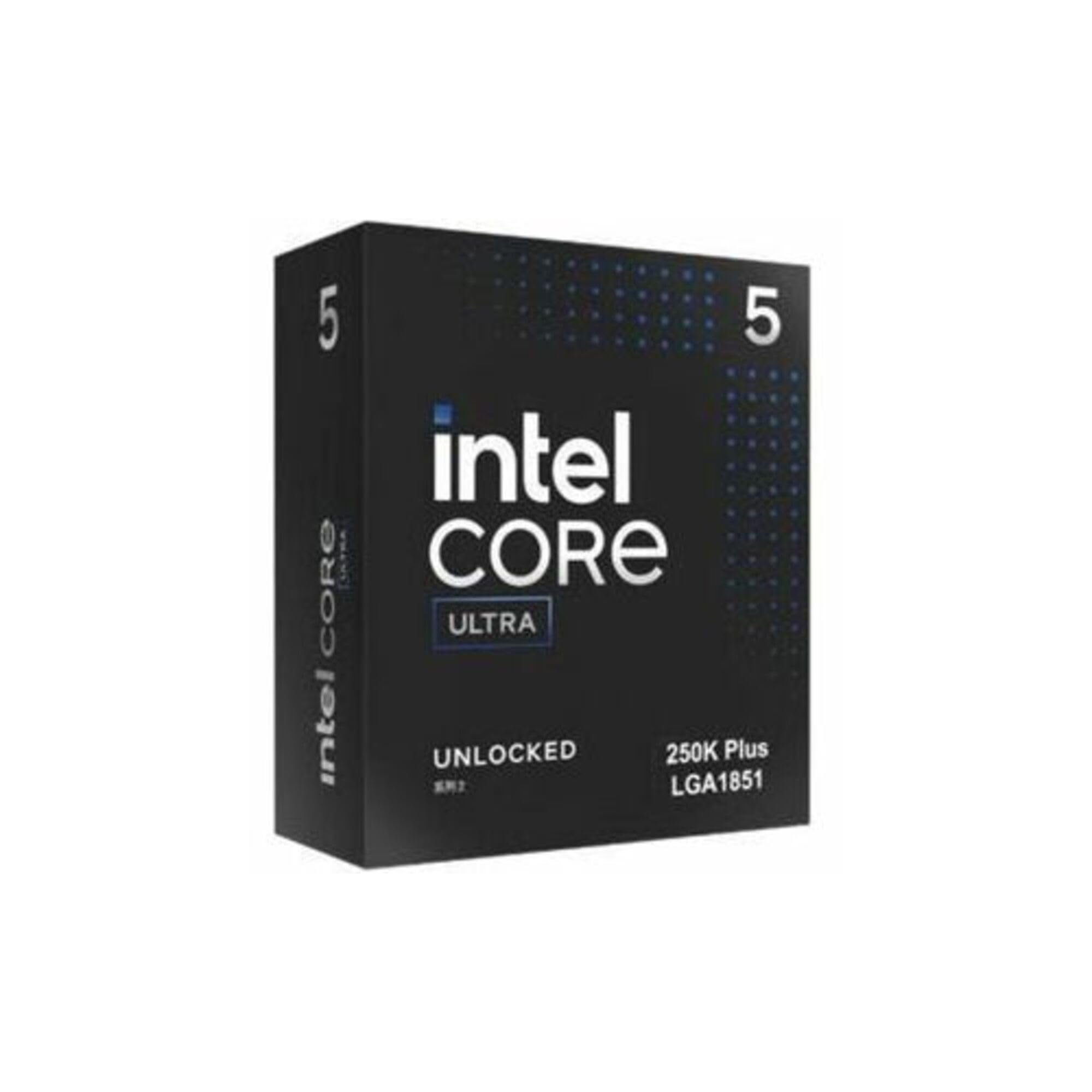
The Core Ultra 5 250K packs 18 physical cores — 6 P-cores and 12 E-cores — into a power envelope that stays manageable for editors who don’t want a 360mm AIO. The P-cores hit 5.3 GHz, providing crisp single-threaded performance for timeline operations, while the E-cores handle background tasks like proxy generation or audio waveform rendering. Early benchmarks show this chip outperforming the Core i7-265K in multi-threaded workloads, making it a surprising value for its tier.
On an Intel Z890 motherboard, the 250K supports DDR5 up to 7200 MT/s, giving editors the memory bandwidth needed for high-bitrate codecs. The iGPU is functional for basic multi-monitor output and low-settings gaming, but serious editors will pair this chip with a discrete GPU anyway. This CPU runs significantly cooler than its i9 siblings, often peaking in the mid-60s under gaming loads with a standard tower cooler.
For editors building a mid-range workstation who want the efficiency of Intel’s hybrid architecture without the heat and cost of the i9, the 250K delivers 80% of the high-end performance at around half the platform cost. It’s particularly well-suited to 1440p editing workflows where export speed matters but 6K RAW isn’t in the daily mix.
Why it’s great
- 18 cores deliver strong multi-core performance for the price
- Runs cool on standard air cooling — no AIO required
- DDR5-7200 support provides excellent memory bandwidth
- Excellent price-to-performance ratio for mid-range builds
Good to know
- Requires LGA1851 motherboard — no backward compatibility
- LGA1851 socket lifespan is uncertain for future upgrades
7. AMD Ryzen 7 5800XT

The 5800XT represents the final refinement of AMD’s Zen 3 architecture on the AM4 platform, and it’s an excellent drop-in upgrade for editors still running older Ryzen CPUs. Its 8 cores and 16 threads handle 1080p and light 4K editing smoothly, with a 4.8 GHz boost clock that keeps effects previews responsive. The 36 MB of L3 cache is smaller than newer parts, but for most Premiere Pro and DaVinci Resolve timelines under 4K, it’s entirely adequate.
This chip ships with the AMD Wraith Prism cooler, which includes RGB lighting and handles stock loads reasonably well. However, the CPU runs hot under sustained all-core load — Cinebench temperatures can hit the high 80s with the stock cooler. Most editors will want to budget for a -50 tower cooler to maintain boost clocks during longer exports. Users report strong gaming performance at 1440p when paired with a modern GPU, making this a versatile chip for dual-purpose editing/gaming builds.
For editors with an existing AM4 motherboard and DDR4 RAM, the 5800XT offers the most cost-effective performance uplift available. You don’t need a new board, new RAM, or a new cooler — just swap the chip and see a significant improvement in export times and timeline fluidity compared to earlier Ryzen 5 or older Intel quad-core parts.
Why it’s great
- Drop-in upgrade for existing AM4 systems — no new board needed
- 8 cores handle 1080p and light 4K editing with ease
- Included Wraith Prism cooler is adequate for stock operation
- Great value for dual editing/gaming builds
Good to know
- Runs hot under sustained all-core load — upgrade the cooler
- AM4 platform has no future CPU upgrade path
8. Intel Core i5-12400

The i5-12400 is the gateway CPU for editors building a first PC or upgrading from a laptop. Its 6 Performance-cores — no E-cores here, just straightforward P-cores — run at 4.4 GHz boost and provide consistent single-threaded performance for 1080p timeline editing. The integrated UHD Graphics 730 drives up to 4 monitors, so you can start editing immediately without a discrete GPU, though you’ll want one for effects-heavy work.
In editing benchmarks, the 12400 handles 1080p H.264 multicam timelines without dropping frames and manages light 4K single-track editing. Export speeds are reasonable for short-form content: a 10-minute 1080p export completes in roughly 60-70% of the time of a comparable quad-core chip from a few years ago. The 18 MB L3 cache is modest but sufficient for single-project editing where you’re not juggling dozens of high-resolution clips simultaneously.
The LGA1700 platform supports both DDR4 and DDR5, giving budget builders flexibility. The 12400 runs cool on the included stock cooler — a rarity among modern CPUs — and draws under 120W even under sustained load. For editors who need a functional, affordable workstation that can handle daily 1080p edits and occasional 4K projects, the i5-12400 is the most cost-effective starting point on the market.
Why it’s great
- Excellent 1080p editing performance for the price
- Integrated UHD Graphics 730 drives 4 monitors without a GPU
- Runs cool and quiet on the included stock cooler
- Supports both DDR4 and DDR5 for flexible builds
Good to know
- 6 cores limit 4K multi-track and heavy export scenarios
- LGA1700 platform is at end of life for CPU upgrades
9. Dell Optiplex 7050 SFF (Renewed)

This pre-built Dell Optiplex targets a very specific editing buyer: someone who needs a capable secondary editing station, a streaming encoder, or a church presentation computer that can handle basic video work. The i7-7700 quad-core processor is dated by modern standards — it can’t match even the entry-level i5-12400 in multi-core tasks — but with 32 GB of DDR4 RAM and a 1 TB SSD, the system handles 1080p single-track editing in lightweight editors without major issues.
The small form factor chassis limits GPU upgrades to low-profile cards, so complex effects work or 4K editing is not realistic. Where this machine shines is as a dedicated encode box for streaming at 1080p 30fps, or as a budget-friendly multi-monitor workstation for office tasks with light video trimming. The included Wi-Fi, keyboard, and mouse make it a turnkey solution for users who don’t want to build a PC from scratch.
Buyers should know that these renewed units vary in cosmetic condition and some arrive missing components listed in the description. The integrated Intel UHD Graphics 630 drives up to 3 monitors via HDMI and DisplayPort, but the SFF design means no room for a full-sized graphics card. For editors on an absolute minimum budget who primarily cut simple 1080p projects, this is a functional starting point, but anyone serious about editing should target at least the i5-12400.
Why it’s great
- Complete pre-built system — no assembly required
- 32GB RAM and 1TB SSD handle basic editing tasks
- Compact SFF chassis fits in tight desk setups
- Excellent for dedicated 1080p streaming or church presentation
Good to know
- Quad-core i7-7700 bottlenecks in 4K timelines or heavy effects
- SFF design limits GPU upgrade options significantly
FAQ
Do I need more cores or higher clock speed for editing?
Is Intel or AMD better for Premiere Pro and DaVinci Resolve?
How much does the CPU affect 4K and 6K editing performance?
Should I buy a current-gen CPU or save money on last-gen?
Final Thoughts: The Verdict
For most editors, the best cpu for editing winner is the AMD Ryzen 9 9900X3D because it pairs 12 high-speed cores with AMD’s class-leading 3D V-Cache for smooth timeline performance and fast exports without excessive heat or power draw. If you want the absolute highest single-threaded boost clock for effects-heavy 1080p workflows, grab the Intel Core i9-14900K. And for the best value on a high-core-count build without upgrading your RAM or motherboard, nothing beats the AMD Ryzen 9 5900XT.

Mo Maruf
I created WellFizz to bridge the gap between vague wellness advice and actionable solutions. My mission is simple: to decode the research and give you practical tools you can actually use.
Beyond the data, I am a passionate traveler. I believe that stepping away from the screen to explore new environments is essential for mental clarity and physical vitality.