Pairing a high-bandwidth 16GB graphics card like the RTX 5060 Ti with the wrong processor creates a bottleneck that leaves frame rates on the table. The balance between core count, clock speed, and cache architecture determines whether your GPU runs at full tilt or spends cycles waiting on the CPU.
I’m Mohammad Maruf — the founder and writer behind WellFizz. For this guide I analyzed benchmark data, thermal reports, and compatibility sheets across nine processors to isolate which ones actually feed the 5060 Ti’s 16GB frame buffer without wasted spend.
Whether you are building fresh on AM5 or stretching AM4’s legs one last time, the right silicon makes the difference between stutter and smooth. This is the definitive breakdown of the best cpu for 5060 ti 16gb based on real-world gaming and productivity demands.
How To Choose The Best CPU For 5060 Ti 16GB
Selecting a processor for a mid-range 16GB GPU means avoiding both CPU-bound stalls and unnecessary overspend on cores your graphics card cannot use. The 5060 Ti thrives when fed steady instructions at high speed, so your CPU choice should prioritise single-threaded throughput and enough cache to keep frame times consistent.
Architecture Generation: Zen 4, Zen 5, or Intel Arrow Lake
AMD’s Zen 4 and Zen 5 chips offer strong IPC gains and the option to drop a newer CPU into the same AM5 board later. Intel’s Core Ultra 200-series (Arrow Lake) brings a redesigned hybrid core layout and requires the new LGA1851 socket. For pure gaming with a 5060 Ti, Zen 5 provides the highest instruction-per-clock while Intel pulls ahead in multi-threaded workloads like video encoding.
Cache Hierarchy: Why 3D V-Cache Changes the Game
AMD’s 3D V-Cache stacks additional L3 cache directly on the die, which reduces latency when the GPU requests new data. For the 5060 Ti’s 16GB buffer, this extra cache prevents stutter in CPU-intensive titles at 1080p and 1440p. The X3D chips (7800X3D, 9800X3D) deliver notably higher 1% lows compared to non-X3D equivalents at the same core count.
PCIe Lanes and Bandwidth
The 5060 Ti runs comfortably on PCIe 4.0 x16, but choosing a CPU that supports PCIe 5.0 gives future flexibility for faster SSDs and next-generation GPUs. Intel’s LGA1851 platform and AMD’s AM5 both offer PCIe 5.0 lanes; AM4 is locked to PCIe 4.0. For a 5060 Ti build today, PCIe 4.0 is sufficient, but PCIe 5.0 support extends platform lifespan.
Quick Comparison
On smaller screens, swipe sideways to see the full table.
| Model | Category | Best For | Key Spec | Amazon |
|---|---|---|---|---|
| AMD Ryzen 7 9800X3D | Premium | Max gaming FPS, future-proof AM5 | 96MB L3 + 8MB L2 cache | Amazon |
| AMD Ryzen 7 7800X3D | Premium | Best gaming value / price-performance | 96MB 3D V-Cache | Amazon |
| AMD Ryzen 9 7900X | Premium | Gaming + productivity hybrid | 12 cores, 76MB total cache | Amazon |
| Intel Core Ultra 9 285K | Premium | Heavy multi-threaded workloads | 24 cores, 40MB L3 cache | Amazon |
| Intel Core Ultra 7 265KF | Mid-Range | Balanced gaming + encoding | 20 cores, 5.5GHz boost | Amazon |
| AMD Ryzen 7 7700X | Mid-Range | Strong 1440p gaming, AM5 entry | 8 cores, 80MB total cache | Amazon |
| AMD Ryzen 9 5900XT | Mid-Range | AM4 DDR4 value, 16-core workstation | 16 cores, 72MB L3 cache | Amazon |
| AMD Ryzen 5 9600X | Entry-Level | Budget AM5 gaming start | 6 cores, 38MB cache | Amazon |
| Intel Core Ultra 5 225F | Entry-Level | Economical LGA1851 build | 10 cores, 20MB L3 | Amazon |
In‑Depth Reviews
1. AMD Ryzen 7 9800X3D

The 9800X3D pairs Zen 5’s 16% IPC uplift with a second-generation 3D V-Cache design that runs cooler under load than the previous X3D stack. With 96MB of L3 cache stacked below the compute die, thermal headroom increases, allowing sustained boost clocks up to 5.2GHz without throttling during extended gaming sessions. For a 5060 Ti 16GB build, this chip eliminates the frame-time variance that plagues lower-cache CPUs in titles like Warzone and Cyberpunk 2077.
Real-world benchmarks show the 9800X3D delivering higher 1% lows than any non-X3D CPU in its price bracket, especially at 1080p and 1440p where the GPU’s 16GB buffer is hungry for steady data. The drop-in compatibility with existing AM5 motherboards means you can upgrade from a 7000-series chip without swapping the board, though a BIOS update is required. Power draw sits at a manageable 120W under full load, making it efficient for a chip that leads the gaming charts.
One caveat: the 9800X3D does not include a cooler, so budget for a dual-tower air cooler or a 240mm AIO minimum. Single-threaded productivity tasks like browsing and office work see modest gains over the 7800X3D, but the real win is consistent frame delivery in CPU-bound scenarios. This is the definitive gaming CPU for anyone building to maximise a 5060 Ti.
Why it’s great
- Best gaming frame-time consistency available on AM5
- Cooler-running 3D V-Cache than 7000-series X3D chips
- Drop-in upgrade path on existing AM5 boards
Good to know
- No bundled cooler — factor in an aftermarket solution
- Premier price tier skips the value vs performance curve
2. AMD Ryzen 7 7800X3D

The 7800X3D remains the benchmark for price-to-gaming-performance on AM5, leveraging its 96MB 3D V-Cache to deliver 1% lows that often match or beat more expensive non-X3D chips. With an 8-core, 16-thread layout and a 120W TDP that stays cool on a basic air cooler, it is the easiest recommendation for anyone pairing a 5060 Ti with a 1440p monitor. The chip sips power even under extended gaming loads, often running in the 65–70°C range with a decent tower cooler.
At 1080p the extra cache really shines, pushing frame rates in esports and simulation titles that benefit from reduced memory latency. The 7800X3D supports DDR5-5200 out of the box with EXPO memory profiles, and when paired with a B650 board, the total platform cost undercuts Intel’s equivalent LGA1851 setup. Users upgrading from a 5600X report massive jumps in minimum FPS, especially in games like CS2 and Battlefield 2042.
The main trade-off is single-core speed in productivity: Zen 4 trails Zen 5 and Intel’s Arrow Lake in renders and compiles. But for a focused gaming rig with occasional streaming, this chip leaves the 5060 Ti breathing freely. No cooler is included, but a air cooler handles the 120W load comfortably.
Why it’s great
- Exceptional gaming frame consistency at mid-range power draw
- Runs cool — cheap air cooler is sufficient
- Best price-performance ratio on AM5 for gaming
Good to know
- No integrated graphics for troubleshooting
- Productivity workloads fall behind Zen 5 and Intel
3. AMD Ryzen 9 7900X

The Ryzen 9 7900X straddles the line between gaming and workstation duty with 12 Zen 4 cores and a 5.6GHz boost ceiling. For someone who games on a 5060 Ti but also edits video or compiles code, the extra four cores over a 7700X translate directly into faster render times without sacrificing single-threaded performance. The 76MB total cache (12MB L2 + 64MB L3) keeps the GPU fed in most gaming scenarios, though it does not match X3D chips in stutter-sensitive titles.
Thermals are the main talking point here: the 7900X hits 82°C under an all-core load with a 280mm AIO, and the stock voltage curve runs aggressive out of the box. Enabling ECO mode or a negative PBO offset drops temperatures into the mid-60s while losing only a few percent of peak performance. The integrated RDNA 2 graphics controller is a nice safety net for diagnosing GPU issues without a spare card.
On an AM5 board with DDR5-6000 CL30 memory, this chip handles the 5060 Ti’s demands at 1440p without bottlenecking. The multi-core lead over the 7700X is around 30% in Cinebench, making it a strong pick if your use cycle includes regular productivity alongside gaming sessions. Cooler not included, and a 240mm AIO is the sensible minimum.
Why it’s great
- 12 cores for serious multi-threaded workload acceleration
- Integrated GPU for troubleshooting
- Strong single-core boost for gaming
Good to know
- Runs hot stock — undervolt recommended
- Gaming not as smooth as X3D alternatives
4. Intel Core Ultra 9 285K

The Core Ultra 9 285K is Intel’s top Arrow Lake processor, packing 24 cores split into 8 performance cores and 16 efficiency cores with a boost frequency of 5.7GHz. For a 5060 Ti build that also handles heavy rendering, compilation, or multi-stream encoding, this chip’s raw throughput is unmatched in this bracket. The architecture redesign moves the memory controller off the compute tile, improving memory stability at higher frequencies when using CUDIMM DDR5 sticks.
In gaming benchmarks the 285K trades blows with the Ryzen 9 7900X at 1440p, but the 5060 Ti’s 16GB buffer is rarely the limiting factor — the CPU’s 40MB L3 cache is smaller than AMD’s offerings, which shows in 1080p minimum frames. Where the 285K pulls ahead is sustained all-core loads: Cinebench multicore scores beat the 7900X by roughly 15% while drawing up to 250W under peak turbo. That power draw demands a robust 360mm AIO or a top-tier air cooler.
Compatibility requires an Intel 800-series chipset motherboard with the new LGA1851 socket, which means no upgrade path from older Intel platforms. The integrated Intel Graphics are fine for basic display output but not suited for gaming. If your workload is heavily threaded and you only game as a secondary use case, the 285K justifies its premium over the 265KF.
Why it’s great
- Highest multi-core performance in this CPU list
- Stable memory controller with high-speed DDR5
- Arc-based iGPU for media encoding offload
Good to know
- Requires new LGA1851 motherboard
- High power draw demands strong cooling
5. Intel Core Ultra 7 265KF

The Core Ultra 7 265KF sits as the value proposition within Intel’s Arrow Lake lineup, offering 20 cores (8 P-cores + 12 E-cores) with a 5.5GHz max turbo for a price well below the 285K. For a 5060 Ti 16GB build focused on mixed workloads — gaming at 1440p with occasional video encoding or multitasking — this chip provides strong all-around performance without the flagship price tag. The 36MB L3 cache and 5.5GHz boost keep gaming frame rates competitive with the Ryzen 7 7700X, though the X3D chips still lead in 1% lows.
Real-world reports from users highlight smooth performance in Call of Duty Black Ops 7 and Battlefield 4 paired with DDR5-6000 memory on MSI Z890 boards. The hybrid architecture handles background tasks efficiently, with E-cores managing OS overhead while P-cores stay dedicated to game threads. Initial stability issues on some motherboards have been resolved through BIOS updates, but researching board compatibility before purchase is advised.
The 265KF lacks integrated graphics, so a discrete GPU like the 5060 Ti is mandatory. It ships with no cooler, and a 240mm AIO or dual-tower air cooler is recommended to keep the chip under 80°C during sustained loads. For users who want the Arrow Lake platform without paying for the 285K’s extra cores, this is the sensible middle-ground pick.
Why it’s great
- 20 cores at a mid-range price point
- Strong single-core boost for gaming
- Efficient hybrid core scheduling
Good to know
- No integrated graphics
- Requires BIOS update on some boards
6. AMD Ryzen 7 7700X

The Ryzen 7 7700X delivers eight Zen 4 cores with a 5.4GHz boost clock and 80MB total cache, making it a solid match for the 5060 Ti at 1440p. It is the cheapest 8-core option on the AM5 platform that does not force you to sacrifice gaming performance for core count. With DDR5-5200 support and PCIe 5.0 lanes available on 600-series motherboards, this chip gives you a clear upgrade path to future X3D or Zen 5 chips without changing the board.
Thermal behaviour is the main practical difference from the 7800X3D: the 7700X runs warmer under load, hitting up to 80°C with a 240mm AIO in Cinebench, whereas an X3D chip would stay cooler on the same cooler. Enabling a -20 PBO offset drops temperatures by 8–10°C with minimal performance loss, which is a common tweak among owners. The integrated Radeon Graphics controller is another plus for troubleshooting.
In gaming, the 7700X keeps the 5060 Ti fed at 1440p high settings in titles like Forza Horizon 5 and Apex Legends, with average frame rates within 5% of the 7800X3D in GPU-bound scenarios. The value equation is clear: if you plan to upgrade to a higher-tier AM5 CPU within two years, spending less on the 7700X now and putting the savings toward a better GPU or faster RAM makes financial sense.
Why it’s great
- Excellent AM5 platform value with upgrade path
- Integrated GPU for basic display and diagnostics
- Gaming performance within 5% of X3D at 1440p
Good to know
- Runs hot stock — undervolt recommended
- No cooler included
7. AMD Ryzen 9 5900XT

The Ryzen 9 5900XT revives the AM4 platform with 16 Zen 3 cores and 32 threads at a 4.8GHz boost, targeting users who want to extend their existing DDR4 system’s life rather than jump to AM5. For a 5060 Ti build on a budget where the motherboard and RAM are already owned, this CPU delivers high core counts for productivity without the cost of a new platform. The 72MB L3 cache provides enough throughput for most workstation tasks like 3D rendering and video encoding.
Gaming on the 5900XT with a 5060 Ti is workable but not ideal: the split CCD design introduces inter-core latency that shows in games sensitive to memory latency, and the 4.8GHz boost is rarely achieved across all cores under load — typical all-core boosts land between 4.1GHz on SSE workloads and 3.6GHz under AVX2 stress. Disabling the second CCD in BIOS can improve gaming latency, but that defeats the purpose of buying a 16-core chip. Users running workstation apps report smooth performance in AutoCAD and OBS streaming alongside gaming.
Thermals need attention: the chip idles around 40°C and peaks at 80°C on a 360mm AIO. A high-quality liquid cooler is essentially mandatory for sustained all-core loads. The 5900XT makes most sense if you already own an AM4 board and DDR4 memory and want the most cores possible before switching to AM5 later.
Why it’s great
- Highest core count on AM4 for DDR4 platforms
- Strong multi-threaded performance for productivity
- Cost-effective upgrade for existing AM4 owners
Good to know
- Gaming performance lags X3D chips noticeably
- High thermal output — AIO strongly recommended
8. AMD Ryzen 5 9600X

The Ryzen 5 9600X brings Zen 5 architecture to the entry-level AM5 segment with six cores, 12 threads, and a 5.4GHz max boost. For a 5060 Ti build on a strict budget, this chip offers the most modern instruction set available without breaking into 8-core pricing. The 38MB total cache is smaller than higher-tier options, but the 65W TDP means it runs cool on the included Wraith Stealth cooler — one of the few chips in this guide that doesn’t require an aftermarket purchase.
At 1440p the 9600X pairs cleanly with the 5060 Ti in most modern titles, delivering 100+ FPS in shooters like Valorant and Overwatch 2 without bottlenecking the GPU. Where the six-core count shows its limits is in heavily threaded games like Starfield or Microsoft Flight Simulator, where minimum frame rates dip compared to the 7700X. Users upgrading from older Intel quad-core systems report a massive snappiness improvement in Windows navigation and app loading due to the Zen 5 IPC uplift.
DDR5-5600 support is standard, but the chip benefits from faster kits up to 6400MT/s with EXPO enabled. The 9600X is a placeholder CPU in the best sense — it lets you build on AM5 now with a low upfront cost, then drop in a future X3D or high-core-count chip when funds allow. No cooler is included in the box, but the low 65W TDP means a basic tower cooler is plenty.
Why it’s great
- Lowest cost entry point to AM5 platform
- 65W TDP runs cool on budget coolers
- Good 1440p gaming performance with 5060 Ti
Good to know
- 6 cores limit performance in heavy multi-threaded games
- Smaller cache than 8-core Zen 4 alternatives
9. Intel Core Ultra 5 225F
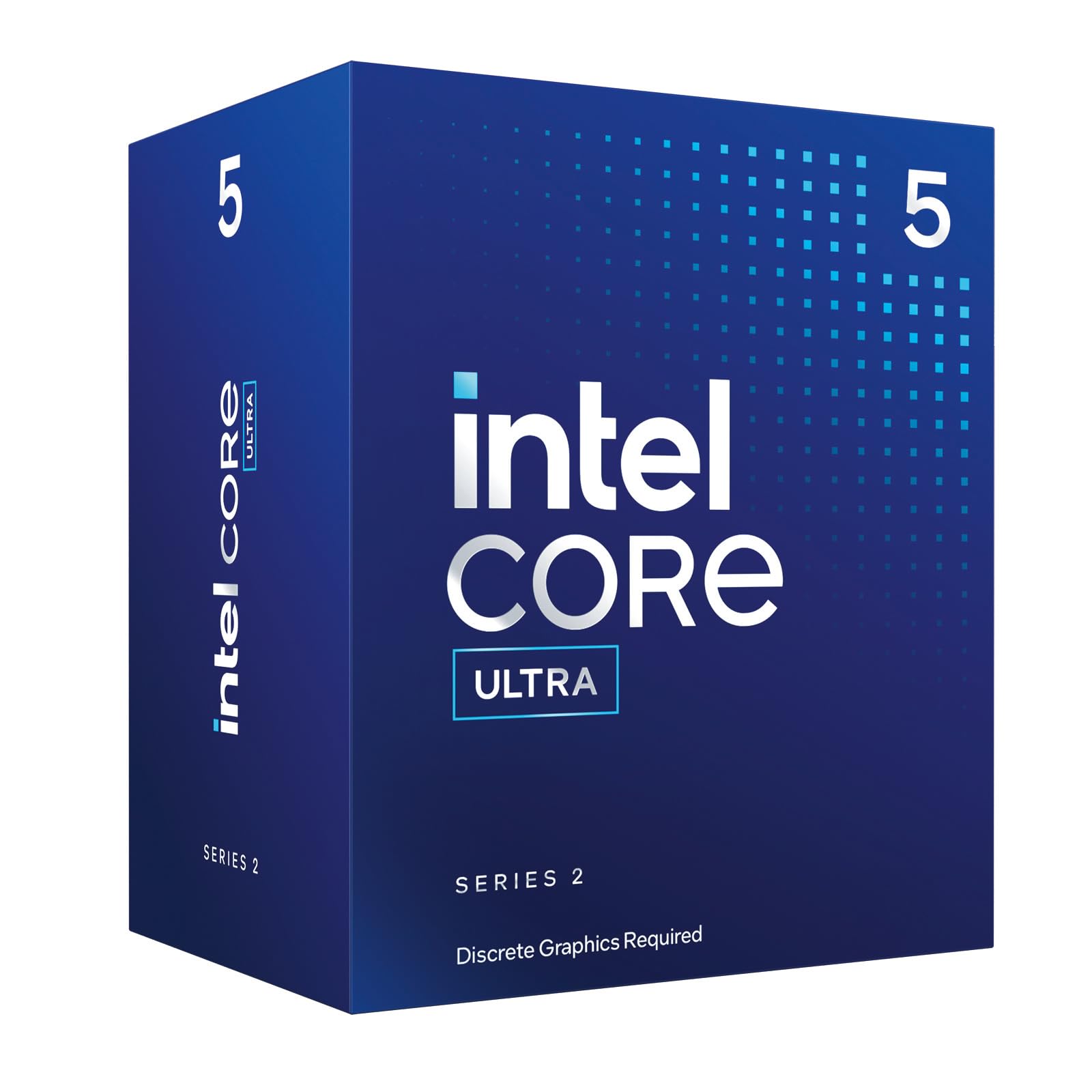
The Intel Core Ultra 5 225F is the most economical LGA1851 processor in this roundup, combining 10 cores (6 P-cores + 4 E-cores) with a 4.9GHz max turbo and a bundled Intel Laminar RM2 cooler. For a value-focused 5060 Ti build that prioritises the GPU budget, this chip provides enough single-threaded grunt for everyday gaming at 1080p while keeping platform costs low. The 65W base power draw means it runs quietly even on the included stock cooler.
In gaming tests the 225F beats older Intel i5-12400F and i5-13400F chips in CPU-bound titles, though it trails the Ryzen 5 9600X in absolute performance due to the older hybrid architecture. The 20MB L3 cache is the smallest among the processors reviewed here, which shows in stutter-prone titles at 1080p where cache misses force the GPU to wait. Users report the chip as a solid daily driver for office work, light streaming, and moderate gaming, especially when paired with a B760 or Z890 board running DDR5-4800.
The lack of integrated graphics means the 5060 Ti is required from the start — no fallback if the GPU fails. For builders committed to the LGA1851 platform who plan to upgrade to a Core Ultra 7 or 9 later, the 225F serves as a low-cost stepping stone. The included cooler is adequate for stock operation but should be replaced if you plan any sustained multi-hour gaming sessions.
Why it’s great
- Lowest cost way onto LGA1851 platform
- Bundled cooler saves initial build cost
- Beats older i5 generations in gaming
Good to know
- Small 20MB L3 cache limits 1080p performance
- No integrated graphics for troubleshooting
FAQ
Will a Ryzen 5 9600X bottleneck the RTX 5060 Ti at 1440p?
Is the Intel Core Ultra 7 265KF worth it over the AMD Ryzen 7 7700X for gaming?
Can I use DDR4 memory with the AMD Ryzen 7 9800X3D?
Does PCIe 5.0 matter for a RTX 5060 Ti build?
Final Thoughts: The Verdict
For most users building a balanced gaming rig, the best cpu for 5060 ti 16gb winner is the AMD Ryzen 7 7800X3D because its 96MB 3D V-Cache delivers stutter-free frame delivery at a price that leaves room for a quality motherboard and fast DDR5 RAM. If you want maximum multi-threaded productivity alongside gaming, grab the Intel Core Ultra 9 285K. And for a budget-minded AM5 entry that you can upgrade later, nothing beats the AMD Ryzen 5 9600X.

Mo Maruf
I created WellFizz to bridge the gap between vague wellness advice and actionable solutions. My mission is simple: to decode the research and give you practical tools you can actually use.
Beyond the data, I am a passionate traveler. I believe that stepping away from the screen to explore new environments is essential for mental clarity and physical vitality.