Our readers keep the lights on and my smoothie glass nicely filled. As an Amazon Associate, I earn from qualifying purchases.
A CoreXY 3D printer moves the heavy motors off the print head, redirecting belt paths to fixed frame corners. This architecture slashes moving mass, allowing the gantry to accelerate faster without sacrificing precision — the mechanical difference between a hobby-grade toy and a true production tool. But not all CoreXY frames are built alike: a stamped sheet-metal chassis rattles at 500 mm/s, while a rigid die-cast or exoskeleton structure stays precise at twice that speed.
I’m Mohammad Maruf — the founder and writer behind WellFizz. I’ve spent hundreds of hours analyzing the mechanical specs, real-world print logs, and user failure modes across every mainstream CoreXY model to separate the genuine workhorses from the marketing gimmicks.
This guide examines the top frames available today to help you identify a machine that delivers consistent layer adhesion, reliable high-flow extrusion, and motion control that holds calibration over hundreds of hours. These are the definitive candidates for best corexy 3d printer across every budget and build volume tier.
How To Choose The Best Corexy 3D Printer
The CoreXY motion system multiplies gantry speed by decoupling XY movement from motor mass, but three mechanical factors separate a reliable printer from a constant tinker project: frame stiffness, hotend flow rate, and Z-axis resolution. Focus on these before chasing headline acceleration numbers.
Frame Stiffness and Gantry Rigidity
A flimsy frame flexes under sudden direction changes, producing ghosting and layer shifts at high acceleration. Look for die-cast aluminum frames, all-steel exoskeleton structures, or extruded 4040 aluminum profiles — materials that resist torsional twist. Cheaper sheet-metal chassis introduce resonance issues even with vibration compensation enabled.
Active Heated Chamber vs. Passive Enclosure
A passive enclosure traps bed heat but cannot raise ambient temperature enough for low-warp ABS, PC, or nylon prints. An actively heated chamber — reaching 55–65 °C — changes the game for engineering filaments by maintaining a stable thermal gradient that prevents delamination and corner lifting.
Hotend Flow Rate and Nozzle Temperature Ceiling
High-speed CoreXY printers demand a high-flow hotend (30–40 mm³/s) to keep extrusion volumetric rate matched to acceleration. A 300 °C maximum limits you to standard polymers; 320–350 °C unlocks carbon-fiber-reinforced nylon and polycarbonate blends. Bi-metal heatbreaks and hardened steel nozzles are essential for abrasive filament longevity.
Quad-Gantry-Leveling vs. Single-Probe Auto-Leveling
Four independent Z motors with Quad Gantry Leveling physically correct the gantry plane by measuring at each corner, compensating for mechanical twist or wear over time. Single-probe mesh compensation only maps the bed surface without fixing gantry tilt, which leads to uneven first layers on large build plates.
Quick Comparison
On smaller screens, swipe sideways to see the full table.
| Model | Category | Best For | Key Spec | Amazon |
|---|---|---|---|---|
| ELEGOO Centauri Carbon | Mid-Range | Plug-and-play beginners | Die-cast frame, 320°C hotend | Amazon |
| FLASHFORGE AD5M Pro | Mid-Range | Speed-focused shops | 600 mm/s, 3s quick-swap nozzle | Amazon |
| FLASHFORGE Adventurer 5M Pro | Mid-Range | Classroom/studio use | HEPA filter, ≤50 dB noise | Amazon |
| QIDI Q1 Pro | Mid-Range | Engineering materials on a budget | 60°C active chamber, 350°C nozzle | Amazon |
| Bambu Lab P1S Combo | Premium | High-volume multi-color printing | 16-color AMS, 500 mm/s, enclosed | Amazon |
| Creality K2 Combo | Premium | Quiet multi-color production | 260 mm³ volume, step-servo motors | Amazon |
| Sovol SV08 | Mid-Range | Open-source tinkerers | 350 mm³ Voron 2.4, 700 mm/s | Amazon |
| Anycubic Kobra S1C | Premium | Integrated drying + multi-color | Built-in active filament drying, 8-color | Amazon |
| QIDI Max4 Combo | Premium | Large industrial prototypes | 390 mm³, 65°C chamber, 800 mm/s | Amazon |
| Prusa CORE One | Premium | Buy-it-for-life reliability | Steel exoskeleton, 55°C active chamber | Amazon |
| Prusa XL 5-Tool | Premium | Multi-material industrial workflow | 360 mm³, 5 independent toolheads | Amazon |
In‑Depth Reviews
1. Bambu Lab P1S Combo

The P1S Combo pairs a fully enclosed CoreXY chassis with the Automatic Material System (AMS) for seamless multi-color printing using up to four spools (expandable to 16). Its 500 mm/s max speed and 20,000 mm/s² acceleration are backed by active flow rate compensation and vibration calibration that run before each print, not just at setup. The enclosure reaches stable temperatures for ABS and ASA without an active heater, relying on the bed to raise ambient temps through the enclosed volume.
Print success rates sit around 95% across the first hundred hours based on user logs, with most failures traced to model geometry rather than hardware drift. The AMS handles PLA, PETG, and TPU without issues — though carbon-fiber-reinforced filaments are flagged as not recommended by the manufacturer due to potential abrasive wear on the stock PTFE tubes. The 256 × 256 × 256 mm build volume is adequate for most consumer and light industrial parts, but larger projects will need the higher capacity from competitors.
The 15-minute out-of-box setup, click-lock PEI plate, and lidar-based first-layer inspection make this the lowest-friction entry into high-speed multi-material printing today. The ecosystem lock — proprietary slicer profiles and cloud-reliant firmware — is the main trade-off for users who want full open-source control.
Why it’s great
- Near-perfect first-layer detection with lidar sensor
- AMS drastically reduces manual filament swaps
- Consistent print quality with minimal calibration
Good to know
- Carbon/glass fiber filaments are not recommended
- Cloud dependency for some remote features
- Proprietary slicer limits profile portability
2. QIDI Max4 Combo

The Max4 Combo delivers a 390 × 390 × 340 mm build envelope — 55% larger than its predecessor — while maintaining an actively heated chamber rated at 65°C. Closed-loop stepper motors on the X and Y axes prevent skipped steps during sustained high-speed runs, and the 2 mm lead screw with anti-backlash nut on the Z axis produces layer consistency that rivals industrial-grade machines. The 40 mm³/s high-flow hotend with hardened steel nozzle pushes carbon-fiber-reinforced nylon and PPS-CF without clogging.
Users report that the QIDI BOX multi-color add-on supports up to 16 colors with intelligent filament monitoring, though some note that brittle filament tends to jam in the runout sensor path. The AI camera detects spaghetti failures and pauses automatically, saving material on long unattended prints. The bulky 120-pound frame requires a dedicated stand, and initial power draw spikes during chamber preheat to 65°C can trip 15-amp circuits if other equipment shares the breaker.
For professional shops printing large flexible-joint prototypes or end-use engineering parts, the Max4’s combination of active chamber heating, closed-loop motion, and massive volume offers premium capability at a fraction of industrial machine pricing.
Why it’s great
- Active 65°C chamber enables low-warp nylon/PC printing
- Closed-loop XY motors maintain positioning accuracy
- Large single-piece build volume eliminates part splitting
Good to know
- 120 lbs requires sturdy furniture
- Fragile filament can jam in MMU path
- High initial power draw
3. Sovol SV08

The SV08 is built on the open-source Voron 2.4 design, offering a 350 × 350 × 345 mm print volume with full linear rails on all seven axes and Quad Gantry Leveling using four independent Z motors. The Klipper firmware runs pressure advance, input shaping, and PID tuning natively — no proprietary layer between you and the motion parameters. The ceramic heating block reaches 300°C in under 40 seconds, and the AC-powered bed cuts heat-up time by 70% compared to DC alternatives.
Users consistently highlight the print quality after calibration — matching the Bambu X1 Carbon in layer finish once profiles are dialed in. The ecosystem is the biggest strength: no cloud accounts, no forced firmware updates, and full access to modify printer.cfg. The trade-off is that out-of-box reliability is lower than closed systems; the Z-offset sensor can drift 0.65 mm between hot and cold states, and the stock power-loss recovery firmware has been reported to crash on long prints with frequent pauses.
This machine rewards the user who wants to tune every parameter and swap components like the hotend or probe. It is not a turnkey appliance, but its large build area, community profiles, and upgradability make it a top choice for makers who enjoy mechanical refinement.
Why it’s great
- Fully open-source with strong Voron community support
- Linear rails on all axes improve XY precision
- Large 350 mm³ at a mid-range price point
Good to know
- Requires manual calibration for best results
- Z-offset sensor drifts with temperature changes
- Power-loss recovery firmware can crash
4. QIDI Q1 Pro

The Q1 Pro brings an actively heated chamber — adjustable up to 60°C — to the sub- segment, which is rare for mid-range CoreXY machines. This allows reliable printing of ABS, ASA, polycarbonate, and nylon-based filaments without heated chamber warp. The 350°C bi-metal nozzle with a clog-free hollow design handles carbon-fiber and glass-fiber blends without jamming, and the dual Z-axis independent motors maintain gantry parallelism over time.
Auto bed leveling uses dual sensors for fine detection, and the intelligent filament tangle sensor sits just above the extruder rather than at the spool, giving real-time feedback rather than post-failure detection. The 1080p camera streams timelapse and monitoring via the mobile app, and the 32 GB eMMC internal storage means prints continue even if the network drops. The side-mounted spool holder wobbles at high speeds, and there is no built-in carbon filter — users must print a bracket and purchase a separate activated carbon module.
For anyone printing carbon-fiber nylon or PC on a budget, the Q1 Pro’s active chamber and 350°C capability offer material versatility that competing enclosed printers at this price cannot match.
Why it’s great
- Active 60°C chamber enables low-warp engineering prints
- 350°C nozzle handles all common abrasive filaments
- Tangle sensor above extruder catches jams early
Good to know
- No built-in air filter
- Side spool mount is flimsy at high speeds
- Some users report false tangle triggers with brittle filament
5. Creality K2 Combo

The K2 Combo uses step-servo motors across the extruder and XY axes — a hybrid that dynamically adjusts torque within milliseconds to reduce vibration and noise during direction changes. In silent mode, the printer runs at about the volume of a laptop keyboard, making it suitable for open-office or bedroom setups. The 260 × 260 × 260 mm build volume is larger than the Bambu P1S and supports up to 16 colors by chaining four CFS units together.
The Creality Filament System (CFS) includes a built-in dry box, which auto-monitors humidity and feeds filament directly to the extruder without manual spool handling. The AI camera can detect spaghetti failures and idling, though some users report that it missed adhesion failures on large flat parts. Assembly takes about an hour despite the “plug-and-play” claim due to the screen installation and CFS calibration, and the included power cord has been flagged as defective in some early units.
Once dialed in, the K2 produces vibrant multi-color prints with smooth layer transitions and no stringing. The CFS dry-box feature is a genuine time-saver for users in humid climates who print intermittently.
Why it’s great
- Step-servo motors produce very quiet operation
- CFS includes built-in active filament drying
- Large 260 mm³ build area for multi-color parts
Good to know
- Assembly takes an hour despite pre-assembly claims
- CFS requires adapter rings for non-standard spools
- No 5 GHz Wi-Fi support; needs flash drive for updates
6. Anycubic Kobra S1C

The Kobra S1C integrates active filament drying directly into the ACE Pro unit, with pre-set drying parameters for PLA, PETG, ABS, and nylon — significantly reducing moisture-related bubbles and clogs during long multi-day prints. The CoreXY structure moves at up to 600 mm/s with a full calibration routine — auto-leveling, vibration compensation, and flow rate detection — performed at the touch of a single button before each job.
Users consistently report a sub-90-minute unbox-to-print experience, with the machine arriving nearly fully assembled. The quick-swap nozzle design allows hotend changes in seconds without tools, and the fully enclosed chamber maintains stable temperatures for ABS and ASA without noticeable draft. The camera is low-resolution — adequate for remote monitoring but not for detailed timelapse — and the ACE Pro unit has been noted as the weak link when handling brittle or recycled filament that kinks in the feed path.
The S1C is a strong contender for users who prioritize friction-free multi-color printing and live in humid environments where filament storage is a daily concern. The built-in drying eliminates the need for a separate filament dehydrator.
Why it’s great
- Integrated active filament drying removes moisture before printing
- Full auto-calibration suite with one-button activation
- Quick-swap nozzle changes in seconds without tools
Good to know
- ACE Pro can kink brittle or recycled filaments
- Low-resolution camera suitable only for basic monitoring
- Multi-color TPU not supported
7. Prusa CORE One

The CORE One uses an all-steel exoskeleton frame — not aluminum extrusions — maximizing torsional rigidity for consistent layer stacking at speed. The actively heated chamber reaches 55°C, with active temperature control that keeps internal air stable even with the door closed during PLA printing, a quirk that earlier enclosed printers could not manage. The 250 × 220 × 270 mm build volume is smaller than many competitors, but the frame stiffness allows for higher acceleration without resonance artifacts.
Prusa ships the CORE One fully assembled and tested, with a free 1 kg spool of Prusament PLA. The printer runs open-source firmware and connects via LAN without requiring a cloud account — a key distinction for users who refuse vendor lock-in. The MMU3 multi-material upgrade is available but expensive and not scheduled until later, which limits the machine to single-material prints out of the box.
Users who value long-term repairability — replacement parts, firmware transparency, and community documentation — will find the CORE One’s Prusa DNA unmatched. The layer-shift issue reported by some early units appears to involve tight Z-axis leadscrew nuts that loosen during shipping, a known post-shipment check point.
Why it’s great
- Steel exoskeleton resists torsional flex better than aluminum frames
- Active 55°C chamber works with PLA door closed
- Fully open-source with no cloud dependency
Good to know
- MMU3 multi-color upgrade delayed and expensive
- Build volume smaller than similarly priced competitors
- Some early units require Z-axis leadscrew adjustment
8. Prusa XL 5-Tool

The Prusa XL with five independent toolheads is the only consumer-accessible CoreXY that can print five different materials or colors in a single job without swapping filament — each toolhead loads its own filament, heats independently, and parks when not in use. The 360 × 360 × 360 mm segmented heated bed uses intelligent zoning to heat only the area under the active toolhead, reducing energy consumption and minimizing warpage on large prints. The segmented system also means each zone can be managed individually for temperature-sensitive materials like PVA supports alongside PLA.
This is not a beginner machine. The extruder assemblies and LCD must be installed after shipping, which takes about half a day, and users report that the initial setup involves tinkering with the Wi-Fi/ethernet registration flow. Once configured, the printer produces prints that visually match injection-molded prototypes in surface finish, with no layer seams visible on vertical walls. The open firmware and non-cloud Prusa Connect software give users full control over print jobs from any network-connected device.
The price places this firmly in professional prototyping territory. For a workshop that needs multi-material functional assemblies without post-processing — rigid PLA frames with flexible TPU gaskets and dissolvable PVA supports in a single run — the XL 5-Tool has no direct competitor at any price point.
Why it’s great
- Five independent toolheads for true multi-material printing
- Segmented heated bed reduces warpage and power consumption
- Open firmware with LAN control, no vendor lock-in
Good to know
- Requires half-day post-shipping assembly
- Significant investment suitable for professional use only
- Some plastic parts arrived broken in early shipments
9. FLASHFORGE AD5M Pro

The AD5M Pro hits 600 mm/s with a rigid CoreXY chassis and vibration compensation that keeps layer lines consistent at high speeds. The 3-second quick-swap nozzle system supports 0.25, 0.4, 0.6, and 0.8 mm sizes — useful for switching from high-detail miniatures to functional prototypes without shutting down the printer. The direct-drive extruder handles flexible TPU cleanly, and the enclosed dual-layer filtration blocks particulates and VOCs during ABS printing.
Users report outstanding reliability over extended runs — some reviewers logged over a month of continuous printing with only three nozzle clogs, attributed to cheap filament rather than the extruder design. The 220 × 220 × 220 mm build volume is on the smaller side for the mid-range, but the machine’s speed and nozzle versatility make it a strong choice for prototyping shops that iterate quickly on small parts. The packaging has been noted as flimsy, though units arrived functional despite visible box damage.
The built-in camera and WiFi connectivity via the Maker app enable remote monitoring and parameter adjustment, though the bundled software on USB is outdated — users should download the latest version. For teams that need fast iteration cycles on small-format parts, the AD5M Pro offers reliable speed in a compact footprint.
Why it’s great
- 3-second nozzle swap enables rapid material changes
- Dual-layer HEPA filtration for safe ABS printing
- Excellent reliability over hundreds of hours
Good to know
- 220 mm³ build volume smaller than many competitors
- Packaging is flimsy — inspect upon arrival
- Bundled USB slicer software is outdated
10. FLASHFORGE Adventurer 5M Pro
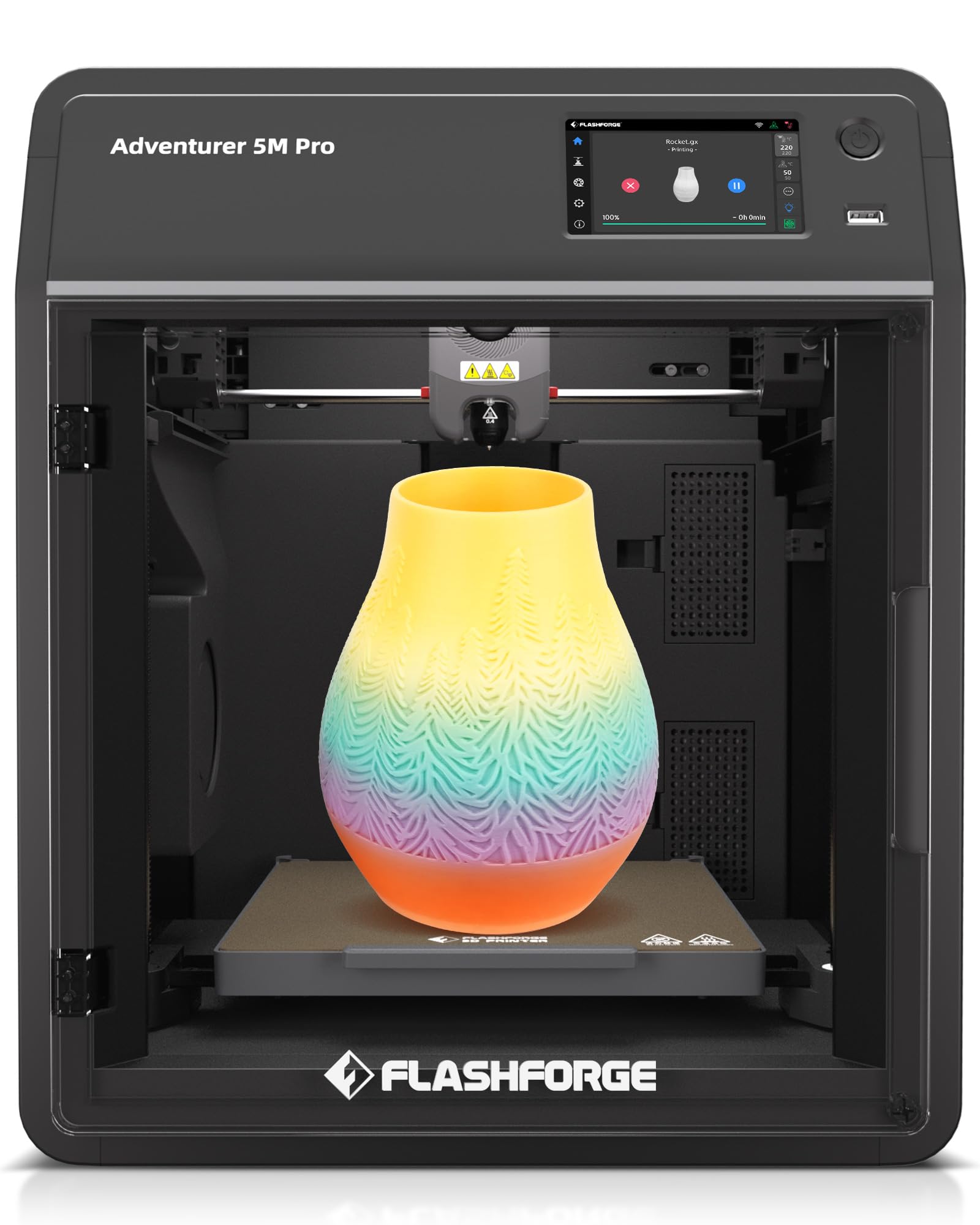
The Adventurer 5M Pro is nearly identical to the AD5M Pro in motion system and speed but adds a dual filtration system that blocks 99% of particles and VOCs — a meaningful upgrade for classroom, studio, or home-office placement where fumes are a concern. The CoreXY architecture supports 600 mm/s travel speed with 20,000 mm/s² acceleration, and the pressure sensor-based auto-leveling ensures a flawless first layer without manual probe offset tuning. The 280°C direct-drive extruder heats to 200°C in 35 seconds and supports PLA, ABS, PETG, ASA, TPU, PC, and carbon-fiber blends.
Noise levels sit at or below 50 dB, which is quieter than most desktop computers under load. The built-in camera streams to the Flash Maker app for remote monitoring, and features like auto-shutdown, resume printing, and filament detection reduce wasted material on unattended jobs. The touchscreen responsiveness has been criticized as laggy — some users needed to tap the screen with a stiff tool during initial setup to register language selection — but once configured, the interface is serviceable.
The Adventurer 5M Pro is one of the few CoreXY machines that balances speed, filtration, and noise control well enough for shared spaces. The dual-sided PEI platform provides excellent adhesion with PLA without needing glue or tape.
Why it’s great
- Dual filtration removes 99% of VOCs and particles
- Very quiet operation at ≤50 dB
- Fast 35-second heat-up to 200°C
Good to know
- Touchscreen can be unresponsive during initial setup
- Network features occasionally show offline status
- Setup instructions need improvement
11. ELEGOO Centauri Carbon

The Centauri Carbon uses an integrated die-cast aluminum frame — a rarity at the entry-level price point — which minimizes vibration and maintains stability during 500 mm/s prints with 20,000 mm/s² acceleration. The 320°C brass-hardened steel nozzle handles carbon-fiber-reinforced filament and other advanced materials, and the enclosed chamber with enhanced cooling supports consistent ABS and polycarbonate printing. The 256 × 256 × 256 mm build volume matches the Bambu P1S at a fraction of the cost.
Out-of-box experience is genuinely plug-and-play: the printer arrives fully assembled and pre-calibrated with auto bed leveling, a touchscreen interface, and WiFi connectivity. Users report excellent bed adhesion with the dual-sided PEI plate, particularly the PLA-specific surface that works even at lower bed temperatures. The built-in chamber camera streams 1080p video with dual LED lighting for real-time monitoring and time-lapse capture.
Some early units experienced USB-C cable design failures and motherboard issues, though ELEGOO’s support ultimately replaced affected units. The printer is heavy (38.5 pounds) and shakes during rapid directional changes, but the die-cast frame absorbs most resonant vibrations. For anyone entering CoreXY territory on a tight budget, the Centauri Carbon delivers surprising print quality and feature density for the cost.
Why it’s great
- Die-cast aluminum frame at an entry-level price
- 320°C nozzle supports carbon-fiber filaments
- True plug-and-play with no assembly required
Good to know
- Shakes at high speed — needs stable surface
- Early units had USB-C port reliability issues
- Heavy at 38.5 lbs
FAQ
How does a CoreXY 3D printer differ from a standard Cartesian gantry?
Do I need an actively heated chamber for PLA printing?
What does quad-gantry leveling actually do that auto bed leveling cannot?
Can I print carbon-fiber and glass-fiber filaments on any CoreXY printer?
How much does frame material affect print quality at high speed?
Final Thoughts: The Verdict
For most users, the best corexy 3d printer winner is the Bambu Lab P1S Combo because it pairs lidar-based first-layer detection with an integrated 16-color AMS system at a speed that other mid-range machines rarely match without constant tuning. If you need a 65°C active chamber for engineering-grade carbon-fiber nylon prints, grab the QIDI Max4 Combo. And for open-source enthusiasts who want to fully control every parameter and use a massive 350 mm³ build volume, nothing beats the Sovol SV08.

Mo Maruf
I created WellFizz to bridge the gap between vague wellness advice and actionable solutions. My mission is simple: to decode the research and give you practical tools you can actually use.
Beyond the data, I am a passionate traveler. I believe that stepping away from the screen to explore new environments is essential for mental clarity and physical vitality.