Our readers keep the lights on and my smoothie glass nicely filled. As an Amazon Associate, I earn from qualifying purchases.
Pairing an NVIDIA GeForce RTX 4090 with an underpowered processor is the single most expensive mistake you can make in a high-end PC build. That GPU demands a CPU that can feed it data fast enough to avoid frame-time stutters and wasted graphical horsepower. The choice isn’t about which chip runs the fastest alone — it’s about which one lets your 4090 stretch its legs in the games and creative workloads you actually run.
I’m Mohammad Maruf — the founder and writer behind WellFizz. I’ve spent hundreds of hours analyzing benchmark data, socket longevity roadmaps, power draw profiles, and real-world thermal behavior to identify which processors actually justify their spot next to a 4090.
Whether you want raw rasterization at 4K, stable 1% lows in CPU-bound simulators, or multi-core grunt for 3D rendering, your choice determines whether that expensive GPU runs at 99% utilization or sits idle half the time. This guide to the best cpu for 4090 breaks down the options that genuinely keep pace with Ada Lovelace’s flagship.
How To Choose The Best CPU For 4090
An RTX 4090 can push hundreds of frames per second at 4K, but a weak CPU will tank your 1% lows — the frame drops you actually feel as stutter. The goal is to match a processor that keeps GPU utilization above 95% in the titles you play most.
Gaming vs. Productivity Balance
If you primarily game at 4K, an 8-core chip with large L3 cache — like AMD’s X3D series — often matches or beats higher-core-count Intel parts because the cache reduces memory latency. If you also render video, compile code, or run virtual machines, a 16- or 24-core part with higher multi-threaded throughput becomes the smarter buy.
Socket Longevity
AMD’s AM5 platform is confirmed to support future Ryzen generations, making it a better investment if you plan to drop in a faster CPU two or three years from now. Intel’s LGA 1700 socket is end-of-life with 14th Gen, meaning a future upgrade will require a new motherboard as well.
Cooling Requirements
Processors like the Intel Core i9-14900KF can pull over 250W under full load and require a 360mm AIO liquid cooler to avoid thermal throttling. The AMD Ryzen 7 7800X3D, by contrast, maxes out around 120W and runs fine on a quality air cooler. Factor the cost of the cooler into your total build budget.
Quick Comparison
On smaller screens, swipe sideways to see the full table.
| Model | Category | Best For | Key Spec | Amazon |
|---|---|---|---|---|
| AMD Ryzen 7 9800X3D | Zen 5 X3D | 4K gaming with highest 1% lows | 104MB total cache, 5.2GHz boost | Amazon |
| AMD Ryzen 7 7800X3D | Zen 4 X3D | Best mid-range gaming value | 104MB total cache, 5.0GHz boost | Amazon |
| Intel Core i9-14900KF | Raptor Lake Refresh | Multi-threaded productivity + gaming | 24 cores, 5.6GHz boost, 125W base | Amazon |
| Intel Core i9-14900K | Raptor Lake Refresh | Gaming with integrated graphics fallback | 24 cores, 6.0GHz boost, UHD 770 | Amazon |
| Intel Core i7-14700KF | Raptor Lake Refresh | Productivity and value gaming | 20 cores, 5.6GHz boost, 28 threads | Amazon |
| AMD Ryzen 9 7900 | Zen 4 | Low-power workstation and SFF builds | 12 cores, 65W TDP, 5.4GHz boost | Amazon |
In‑Depth Reviews
1. AMD Ryzen 7 9800X3D

The AMD Ryzen 7 9800X3D is currently the fastest gaming processor on the market, and it pairs flawlessly with an RTX 4090. Based on the Zen 5 architecture with second-generation 3D V-Cache stacked on the CCD, it delivers 96MB of L3 cache plus 8MB of L2. This massive pool keeps frequently accessed game data physically closer to the cores, slashing memory latency and lifting 1% lows dramatically in CPU-limited titles like Factorio, Counter-Strike 2, and simulation games.
The 5.2GHz boost clock represents a meaningful gain over the previous 7800X3D, and with a TDP around 120W under load, it runs cool enough on a decent dual-tower air cooler or a 240mm AIO. Benchmarks show it besting even the Intel Core i9-14900K at 1080p gaming by over 10% in many titles, all while drawing half the power. For 4K gaming, the lead narrows but remains decisive for maintaining maximum GPU utilization.
Productivity performance is respectable but not class-leading — the 8-core/16-thread count means heavily multi-threaded render workloads favor Intel’s 24-core parts. If gaming is your primary use and you want the absolute smoothest frame delivery your 4090 can produce, this is the chip. The AM5 platform also guarantees a future upgrade path to next-generation Ryzen CPUs without replacing your motherboard.
Why it’s great
- Highest 1% low frame rates in gaming due to huge L3 cache
- Runs cool and efficient, great for air or small liquid coolers
- AM5 socket supports future CPU upgrades
Good to know
- 8 cores may hold back heavy multi-threaded render workloads
- Premium price compared to 7800X3D for marginal gaming gain at 4K
2. AMD Ryzen 7 7800X3D

The AMD Ryzen 7 7800X3D remains the value king for 4090 builds despite being a generation behind. Its 3D V-Cache config gives it 96MB of L3 cache on a single CCD, ensuring game data access times that rival the 9800X3D in many current titles. At 4K resolution, where GPU load is highest, the performance gap between the two X3D chips narrows to just 3–5% in most games, making the 7800X3D a smarter budget pick if you don’t need the absolute peak.
Thermals are outstanding — the chip idles around 40°C and hits around 65–70°C during extended gaming sessions with a budget air cooler. Power draw rarely exceeds 85W in real-world gaming, which means less heat dumped into your case and lower electricity bills. Users consistently report it pairs perfectly with high-end GPUs including the RTX 4090 and 5070 Ti without any driver overhead or stability issues.
The main trade-off is clock speed — the 7800X3D tops out at 5.0GHz, about 200MHz lower than the 9800X3D. For CPU-light games this doesn’t matter, but in titles that scale with raw frequency, the newer part pulls ahead. Still, the 7800X3D provides a more balanced price-to-performance ratio and leaves more budget for memory, storage, or a better cooler for your 4090.
Why it’s great
- Exceptional gaming performance per dollar spent
- Very low power draw stays cool on budget coolers
- AM5 platform for future CPU upgrades
Good to know
- Lower boost clock than 9800X3D and Intel rivals
- Single-CCD design can cause slight latency in some productivity apps
3. Intel Core i9-14900K

The Intel Core i9-14900K is the fully unlocked version of the 14th Gen flagship with integrated UHD 770 graphics. This matters if you need a display output for troubleshooting or if your GPU fails, but its main draw is raw single-core boost up to 6.0GHz. For games that still lean on clock frequency, this chip delivers maximum responsiveness, though the performance advantage over the 14900KF is negligible since the iGPU is rarely used in a gaming rig.
Under sustained multi-threaded loads like video encoding or 3D rendering, the 24-core hybrid architecture (8 P-cores + 16 E-cores) gives it a clear edge over any 8-core competition. With a good 360mm AIO liquid cooler, it sustains high all-core turbo frequencies without immediate thermal throttling. Users report excellent results in professional workloads like database management and AI generation when paired with a high-end GPU like the RTX 4080 Super or 4090.
The biggest drawback is the well-documented stability issues affecting 13th and 14th Gen Intel CPUs. Users have reported crashes and degradation over time, though recent BIOS microcode updates (0x12F) have improved reliability. The LGA 1700 socket is also end-of-life, meaning no future CPU upgrades without a new motherboard. If you need integrated graphics for a secondary display or troubleshooting, the 14900K is the safe Intel choice.
Why it’s great
- Highest single-core boost at 6.0GHz for frequency-sensitive games
- Integrated UHD 770 graphics for diagnostics and secondary displays
- Excellent multi-threaded performance for content creation
Good to know
- Requires a high-end 360mm AIO to avoid thermal throttling
- LGA 1700 socket is end-of-life with no future CPU upgrades
4. Intel Core i9-14900KF
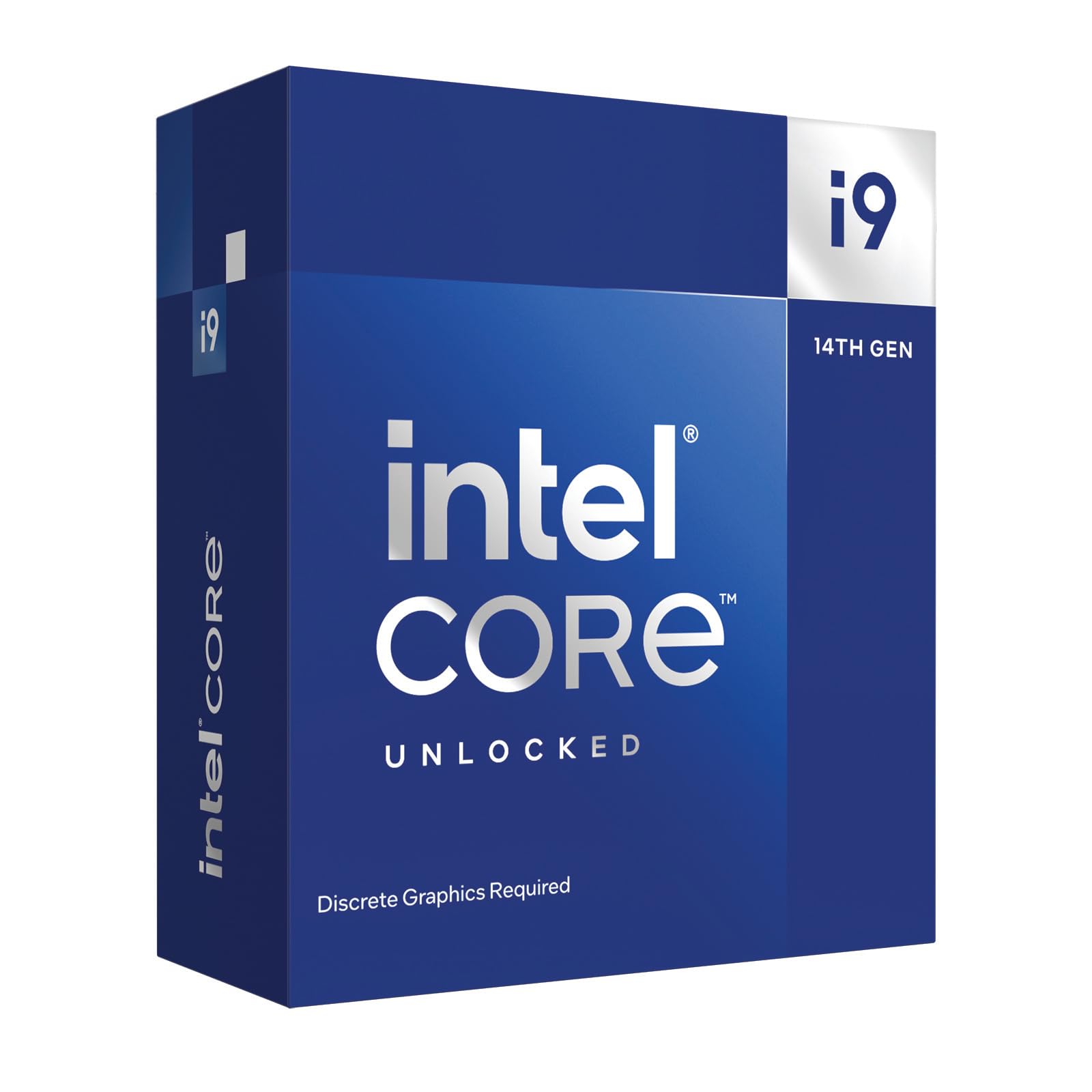
The Intel Core i9-14900KF is identical to the 14900K but without the integrated graphics and at a slightly lower price point. It retains the same 24-core hybrid architecture (8 performance cores + 16 efficiency cores) and the ability to boost up to 6.0GHz via Thermal Velocity Boost. For any 4090 build, the missing iGPU is irrelevant because the RTX 4090 handles all display output.
In gaming, the 14900KF trades blows with AMD’s X3D parts depending on the title. Games that heavily utilize vectorized math or high memory bandwidth see a slight advantage on Intel, while cache-sensitive simulators favor AMD. For productivity, the 32 threads chew through rendering, compilation, and AI workloads faster than any 8-core competitor. Users running it with an RTX 4070 Super report smooth 4K gaming with CPU usage hovering around 50-70% in demanding titles.
The recent microcode updates have mitigated stability concerns, but the LGA 1700 dead-end socket means you’ll need a new motherboard for your next CPU upgrade.
Why it’s great
- Same 24-core performance as 14900K at lower cost
- Excellent single-thread boost for responsive gaming
- Strong multi-threaded throughput for professional workflows
Good to know
- Requires premium 360mm AIO liquid cooling
- No upgrade path beyond current LGA 1700 platform
5. Intel Core i7-14700KF

The Intel Core i7-14700KF delivers 20 cores (8 P-cores and 12 E-cores) with a max turbo clock of 5.6GHz, making it the smart price-to-performance choice for a 4090 build that also handles productivity. It trades two E-cores compared to the i9, but in real-world gaming, that difference barely registers — frame rates are within 3-5% of the 14900KF in most titles.
For content creators, the 28 threads handle video rendering, large database queries, and multitasking without breaking a sweat. Users report it pairs exceptionally well with RTX 4080 Super and RTX 4070 Ti Super GPUs, delivering smooth frame pacing in CPU-intensive titles. The chip is also easier to cool than the i9 — a good dual-tower air cooler or a 240mm AIO is usually sufficient for stock operation.
The i7-14700KF lacks the stability controversy surrounding the i9 parts, but it still requires a BIOS update on 600-series motherboards to ensure peak reliability with the 14th Gen microcode. The LGA 1700 socket limitation applies equally here — your next CPU will demand a new motherboard. For a system that spends most of its time gaming but occasionally crunches heavy workloads, this is the sweet spot.
Why it’s great
- Gaming performance nearly matches i9-14900KF at lower cost
- 28 threads handle productivity tasks well
- Easier to cool than the i9, works with good air coolers
Good to know
- No integrated graphics for troubleshooting
- LGA 1700 socket is end-of-life
6. AMD Ryzen 9 7900

The AMD Ryzen 9 7900 is a 12-core, 24-thread Zen 4 processor that operates at just 65W TDP, making it the most power-efficient processor capable of keeping a 4090 fed. At stock settings, its 5.4GHz boost clock ensures strong single-threaded performance, and the 76MB total cache keeps memory latency low enough for smooth gaming. However, because it lacks the 3D V-Cache of the X3D siblings, gaming performance trails those chips by 10-15% in cache-sensitive titles.
Where the 7900 excels is in small form factor (SFF) builds and home lab environments. Users running it in cramped 2U chassis or silent builds report excellent thermals — the chip stays around 50-65°C during daily use on a 140mm AIO. It is a great choice for a Proxmox node that also doubles as a gaming machine, as the 12 cores handle dozens of VMs and containerized game servers without breaking a sweat.
The included AMD Wraith Prism cooler adds value, though an aftermarket solution is recommended for sustained loads. The AM5 platform future-proofs your investment, and the ability to enable PBO dynamically boosts performance when your workload needs it. For a mixed-use build that prioritizes low noise and power efficiency over absolute gaming dominance, the 7900 pairs surprisingly well with a 4090.
Why it’s great
- Extremely power efficient at just 65W TDP
- 12 cores handle multi-threaded workloads fluidly
- AM5 upgrade path and comes with cooler
Good to know
- Gaming lags behind X3D parts in cache-sensitive titles
- Not the best choice for pure gaming optimization
7. Thermaltake LCGS View i570-170 (i9-14900KF Prebuilt)

The Thermaltake LCGS View i570-170 is a prebuilt gaming desktop that ships with an Intel Core i9-14900KF and an NVIDIA GeForce RTX 5070. While the GPU is a tier below the 4090, the CPU platform demonstrates the same i9-14900KF architecture that can handle a 4090 if you upgrade later. The liquid cooling system with a 240mm radiator keeps the i9 in check for sustained gaming sessions.
Out of the box, the system runs Cyberpunk 2077, Rust, and Baldur’s Gate 3 at high settings without stutter. The 32GB of DDR5-6000MHz memory ensures the CPU has adequate bandwidth for demanding workloads. Users note the build is clean with minimal bloatware, and the 1TB NVMe SSD provides fast load times.
The significant limitation is the RTX 5070 — for a true 4090 build, you’d want to replace the GPU or find a custom config. Additionally, the B760 chipset motherboard limits overclocking potential compared to a Z790 board. This prebuilt is a good starting point for someone who wants the i9-14900KF platform but plans to source their own RTX 4090 later.
Why it’s great
- Comes ready to game with liquid cooling for the i9-14900KF
- 32GB DDR5-6000MHz memory for high bandwidth
- Clean build with minimal bloatware
Good to know
- RTX 5070 is below 4090 performance tier
- B760 chipset limits CPU overclocking
8. Corsair Vengeance i7500 (i9-14900KF + RTX 5080)

The Corsair Vengeance i7500 pairs a liquid-cooled Intel Core i9-14900KF with an NVIDIA GeForce RTX 5080, a GPU that sits one tier below the 4090 but still demands a robust CPU to reach its potential. The CORSAIR NAUTILUS RS ARGB liquid cooler ensures the i9 stays within thermal limits even under extended all-core loads, and the 3500X ARGB case provides excellent airflow through its wraparound tempered glass panels.
Performance-wise, the 24-core i9-14900KF feeds the RTX 5080 with plenty of data for 4K gaming, and the 32GB of Vengeance RGB DDR5 memory keeps frame pacing consistent. Users report smooth gameplay in demanding titles, though some have noted build quality inconsistencies that required replacements. The system also suffers from the same 14th Gen stability concerns that affected earlier production runs.
The RTX 5080 is a powerful GPU in its own right, but if your goal is specifically a 4090-class build, this prebuilt’s GPU is a step down. The 2TB NVMe SSD provides generous storage, and the system is well suited for content creators who need both GPU acceleration and multi-core CPU performance. Just be aware of the potential need for a BIOS update and the socket dead-end.
Why it’s great
- Liquid-cooled i9-14900KF for sustained performance
- RTX 5080 provides excellent 4K gaming capability
- 32GB DDR5-6000MHz memory included
Good to know
- Build quality has been inconsistent in some units
- Requires BIOS update for 14th Gen stability
9. ASUS TUF Gaming RTX 4090 OC Edition

The ASUS TUF Gaming GeForce RTX 4090 OC Edition is the standard-bearer for consumer graphics performance and the very reason you need a strong CPU. With a 2595MHz OC clock and 24GB of GDDR6X memory, this card can push over 100 FPS in 4K with ray tracing enabled in AAA titles. Its triple Axial-tech fans deliver up to 23% higher airflow than the reference design, keeping the GPU cool under sustained loads while remaining quieter than many competitors.
The compatibility with the RTX 4090 across processors is a key point — early adopters report pairing it with both AMD and Intel CPUs successfully. The power draw requires a robust PSU with at least 850W and preferably 1000W. The card is also physically large at 13.71 inches, requiring a case with enough clearance and good airflow.
Users upgrading from a 3080 Ti report a massive leap in performance, particularly at 4K resolution. However, the card requires a PSU with four separate PCIe 8-pin connectors (or a native 12VHPWR cable) to avoid power delivery issues. The ASUS TUF build quality is generally excellent, but some users have reported DOA units, so buying from a retailer with a good return policy is advisable.
Why it’s great
- Highest consumer GPU performance for 4K gaming
- Excellent cooling with dual ball bearing Axial-tech fans
- OC mode boosts clock to 2595MHz
Good to know
- Very large form factor requires spacious case
- High power draw demands strong PSU
10. PNY GeForce RTX 4090 Verto

The PNY GeForce RTX 4090 Verto Triple Fan is a more understated design compared to the gamer-focused ASUS TUF, with a clean black aesthetic and subdued lighting that makes it a better fit for minimalist builds. Despite its lower profile, performance is identical to other 4090s thanks to the same 16384 CUDA cores and 24GB GDDR6X memory. Its cooler is notably quiet — users report it stays cool even under heavy loads while remaining barely audible.
The major practical consideration is the power cable clearance. The included 16-pin to four 8-pin adapter cable is stiff and protrudes from the side of the card, which can prevent glass side panels from closing in some cases. Users recommend using a 90-degree Cablemod 12VHPWR adapter or vertical GPU mounting to solve this. Performance-wise, Time Spy scores around 29,950 when paired with a 7800X3D and DDR5-6000 memory.
The PNY Verto’s clean design also makes it a good choice for a professional workstation build where LED lighting might be distracting, or for an eGPU setup where noise is a concern. Just be aware that the 4090 requires four separate PCIe power connections and a PSU with sufficient wattage (1000W recommended).
Why it’s great
- Very quiet operation even under sustained gaming loads
- Clean, non-gamer aesthetic in all-black design
- Same performance as other 4090s with better noise profile
Good to know
- Power cable adapter may conflict with glass side panels
- Requires four 8-pin PCIe power connections
11. Razer Blade 18 (RTX 4090 Laptop)

The Razer Blade 18 is a desktop replacement laptop that contains an NVIDIA GeForce RTX 4090 laptop GPU and a 13th Gen Intel Core i9-13950HX processor. While the laptop 4090 is less powerful than the desktop version due to thermal and power constraints, it still offers exceptional gaming performance for a mobile form factor. The 18-inch QHD+ 240Hz display with 100% DCI-P3 color space provides excellent visuals for both gaming and content creation.
The i9-13950HX is effectively a desktop-class Raptor Lake chip with 24 cores, delivering strong multi-threaded performance for productivity tasks. The RTX 4090 laptop GPU pushes up to 175W TGP, which is the highest among mobile GPUs. The combination handles AAA games at high settings and provides smooth gameplay even in demanding titles like Cyberpunk 2077.
The main drawbacks are the thin-and-light chassis design, which makes the laptop run hot and loud under heavy loads. Users report noticeable fan noise during gaming sessions, and the chassis is a fingerprint magnet. Also, the 4090 laptop GPU’s performance is roughly comparable to a desktop RTX 4080, so if raw 4090 desktop performance is your goal, this laptop won’t match it.
Why it’s great
- True desktop replacement with powerful mobile 4090
- 18-inch 240Hz QHD+ display with great color accuracy
- CNC aluminum chassis feels premium
Good to know
- Laptop 4090 is slower than desktop 4090
- Runs loud and hot under heavy load
- Display blooming issues reported by some users
FAQ
Will a Ryzen 5 7600 bottleneck an RTX 4090?
Why do AMD X3D chips perform better with the RTX 4090 in some games?
Is the Intel 14900K’s 6.0GHz boost clock worth it for a 4090 build?
Can a 4090 work with an older Intel 12th or 13th Gen CPU?
Final Thoughts: The Verdict
For most users, the best cpu for 4090 is the AMD Ryzen 7 9800X3D because it delivers the highest consistent frame rates in gaming while running cool and on a future-proof platform. If you want the best multi-threaded performance for 3D rendering and video editing alongside strong gaming, grab the Intel Core i9-14900KF. And for the best value that still lets your 4090 stretch its legs, the AMD Ryzen 7 7800X3D offers near-flagship gaming performance at a significantly lower investment.

Mo Maruf
I created WellFizz to bridge the gap between vague wellness advice and actionable solutions. My mission is simple: to decode the research and give you practical tools you can actually use.
Beyond the data, I am a passionate traveler. I believe that stepping away from the screen to explore new environments is essential for mental clarity and physical vitality.