Our readers keep the lights on and my smoothie glass nicely filled. As an Amazon Associate, I earn from qualifying purchases.
That moment when your CPU fan spins up to a jet-engine whine under load isn’t just annoying—it’s a sign that the microscopic gap between your processor die and cooler plate is starving your system of thermal transfer. A properly selected thermal interface material bridges that gap, pulling heat away fast enough to sustain boost clocks and prevent throttling, and choosing the wrong one can cost you performance and component lifespan in ways that aren’t immediately obvious.
I’m Mohammad Maruf — the founder and writer behind WellFizz. After cross-referencing thermal conductivity ratings, viscosity characteristics, long-term pump-out resistance, and real-world application feedback across dozens of formulations, this guide distills exactly which compounds survive sustained workloads and which ones degrade before their time.
Whether you are refreshing a decade-old laptop or building a high-TDP workstation, finding the best cpu tim means matching thermal conductivity, viscosity, and long-term stability to your specific hardware and workload profile.
How to choose the best CPU TIM
The thermal interface material market is flooded with pastes, pads, and phase-change sheets that all claim single-digit temperature drops, but the actual differentiators come down to three interacting factors: thermal conductivity rating, long-term stability under thermal cycling, and electrical safety for your specific socket or die configuration. Understanding how these specs interact with your hardware’s thermal density and mounting pressure separates a genuinely effective application from one that dries out, pumps out, or underperforms within months.
Thermal Conductivity: The Number That Matters Most
Measured in watts per meter-Kelvin (W/m-K), thermal conductivity tells you how efficiently the material transfers heat across its thickness. Pastes in the 6-8 W/m-K range handle standard desktop CPUs and stock coolers without issue, while enthusiast compounds pushing 12-14 W/m-K are necessary for high-TDP processors above 250W or direct-die cooling where every degree of headroom translates to sustained boost clocks. However, raw conductivity is only half the story—the paste must also maintain that rating after hundreds of thermal cycles.
Viscosity and Pump-Out Resistance
Low-viscosity pastes spread easily and fill microscopic surface imperfections well, but they are more prone to pump-out—the gradual migration of material away from the die center due to repeated expansion and contraction of the heatsink. High-viscosity compounds resist this movement better, making them ideal for direct-die applications on GPUs and laptops where the cooler sits directly on the silicon without an integrated heat spreader. Phase-change materials offer an alternative: they remain solid at room temperature and liquefy only under load, automatically filling gaps without pumping out.
Electrical Conductivity and Safe Application
Metal-based thermal pastes containing silver, copper, or aluminum particles offer top-tier conductivity but also conduct electricity, creating a short-circuit risk if excess material bridges adjacent pins or surface-mount components on dense motherboards. Silicone and ceramic-based non-conductive compounds eliminate that risk entirely, making them the safer choice for first-time builders, laptops with exposed die edges, or any situation where precise application is difficult. The trade-off is usually slightly lower maximum conductivity, though premium non-conductive formulas now rival mid-range conductive pastes.
Quick Comparison
On smaller screens, swipe sideways to see the full table.
| Model | Category | Best For | Key Spec | Amazon |
|---|---|---|---|---|
| Noctua NT-H1 10g | Premium Standard | Reliable multi-use desktop paste | ~8.5 W/m-K, non-conductive | Amazon |
| Thermal Grizzly Kryonaut 5.55g | Enthusiast Paste | Overclocking and high-end CPUs | ~12.5 W/m-K, high conductivity | Amazon |
| PTM7950 40x80mm Phase Change Pad | Phase Change | Laptop and GPU longevity | 8.5 W/m-K, phase change at 45°C | Amazon |
| Corsair XTM70 3g | Mid-Range Paste | 250W+ TDP desktop CPUs | Low viscosity, easy spread | Amazon |
| StarTech Silicone Thermal Paste 10g | Entry-Level | Cost-effective laptop/desktop refresh | 14.5 W/m-K, non-conductive | Amazon |
In‑Depth Reviews
1. Noctua NT-H1 10g

The Noctua NT-H1 has earned more than 150 awards and recommendations for good reason: its balanced ~8.5 W/m-K thermal conductivity hits the sweet spot for most air and liquid-cooled desktop builds while remaining completely non-conductive, so even a messy first application won’t short adjacent motherboard components. The 10-gram syringe yields anywhere from nine applications on a Threadripper to roughly sixty on standard LGA1200 sockets, making it the most economical high-quality option for builders who repaste multiple systems.
Application requires no pre-spreading—just a pea-sized drop in the center of the IHS, and mounting pressure does the rest. Users consistently report idle temperatures below 35°C on modern Ryzen and Intel chips, with sustained load improvements of 5-10°C over stock pastes. The compound also cleans off easily with a dry paper towel, eliminating the need for isopropyl alcohol during reapplication.
Thermal Grizzly Kryonaut offers higher peak conductivity for extreme overclocking, but NT-H1’s combination of long-term stability (rated for up to five years on the CPU), non-conductive safety, and generous tube size makes it the practical winner for daily drivers and multi-system builders. The only scenario where it falls short is direct-die laptop applications where pump-out over thermal cycles becomes a concern.
Why it’s great
- Non-conductive formulation eliminates short-circuit risk for safe beginner application
- Generous 10g tube covers multiple builds or large workstation CPUs like TR4
- Cleans off with dry cloth—no alcohol needed for reapplication
Good to know
- Thermal conductivity (~8.5 W/m-K) is moderate, not top-tier for extreme overclocking
- Higher viscosity means it may not spread as thinly as low-viscosity pastes on direct-die applications
2. Thermal Grizzly Kryonaut 5.55g
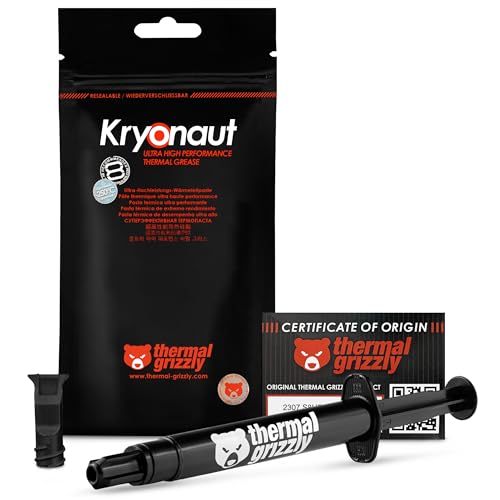
Thermal Grizzly Kryonaut has been the enthusiast standard for years, delivering approximately 12.5 W/m-K of thermal conductivity that translates directly to measurable temperature drops on overclocked CPUs and high-TDP GPUs. Users report 3-6°C improvements on desktop chips and up to 13°C reductions on laptop CPUs, where the direct-die interface benefits from the paste’s high-viscosity structure that resists pump-out better than thinner compounds.
The included spatula and precision syringe make controlled application straightforward, though the paste’s thickness means it benefits from a careful spread rather than relying solely on heatsink pressure. One notable limitation: Kryonaut’s performance degrades above 80°C, so it is not ideal for sustained workloads that push junction temperatures into the 90s, where phase-change materials or higher-temperature-rated pastes would hold up longer.
For competitive overclocking sessions and high-end desktop builds with ample cooling, Kryonaut remains the benchmark that other pastes are measured against. The smaller 5.55g tube covers several standard CPU applications, but the premium per-gram cost is worth it only if your workload consistently demands the last few degrees of thermal headroom—for stock or mildly overclocked systems, the NT-H1 delivers comparable real-world results at a fraction of the per-application cost.
Why it’s great
- Excellent thermal conductivity (~12.5 W/m-K) for measurable overclocking headroom
- High viscosity resists pump-out in direct-die GPU and laptop applications
- Precision syringe and spatula enable clean, controlled application
Good to know
- Performance degrades above 80°C, limiting sustained high-temperature workload suitability
- Premium per-gram cost compared to mid-range pastes with similar real-world results for stock systems
3. PTM7950 40x80mm Phase Change Pad (JOYJOM)

The PTM7950 phase-change pad from JOYJOM solves the fundamental problem that plagues conventional pastes on laptops and graphics cards: pump-out. Traditional pastes gradually migrate away from the die center under repeated thermal expansion cycles, causing temperatures to climb over months. PTM7950 stays solid at room temperature for easy, mess-free installation, then liquefies at 45°C to fill microscopic gaps before resolidifying when cool, creating a permanent thermal bridge that lasts through 1000+ thermal cycles.
Users report dramatic results on gaming laptops and high-end GPUs—one ASUS laptop dropped from a 70°C idle and 88°C throttle to a 32°C idle and 71°C under full load after swapping from dried factory paste. The included kit provides cleaning wipes, a brush, gloves, and even a screwdriver, removing the need for separate tool purchases. The 40x80x0.25mm sheet covers most laptop dies and GPU substrates with room to trim for custom shapes.
The trade-off for this longevity is a slightly more involved installation process: the pad must be cut to size, applied to a clean surface, and then cured through several benchmark thermal cycles to ensure full liquefaction and gap filling. Also, at 8.5 W/m-K, its thermal conductivity does not match the peak numbers of top-tier pastes, but in laptop environments where pump-out destroys paste performance within a year, the PTM7950’s consistency over 3-5 years makes it the superior choice for mobile systems that are difficult to repaste frequently.
Why it’s great
- Phase-change mechanism prevents pump-out, maintaining performance for years in laptops and GPUs
- Mess-free solid pad installation with no risk of spillage on sensitive motherboard components
- Complete kit includes cleaning tools, gloves, and screwdriver for a single-purchase solution
Good to know
- Requires curing through several thermal cycles to achieve full liquefaction and gap filling
- Thermal conductivity of 8.5 W/m-K is moderate compared to high-end paste compounds
4. Corsair XTM70 3g
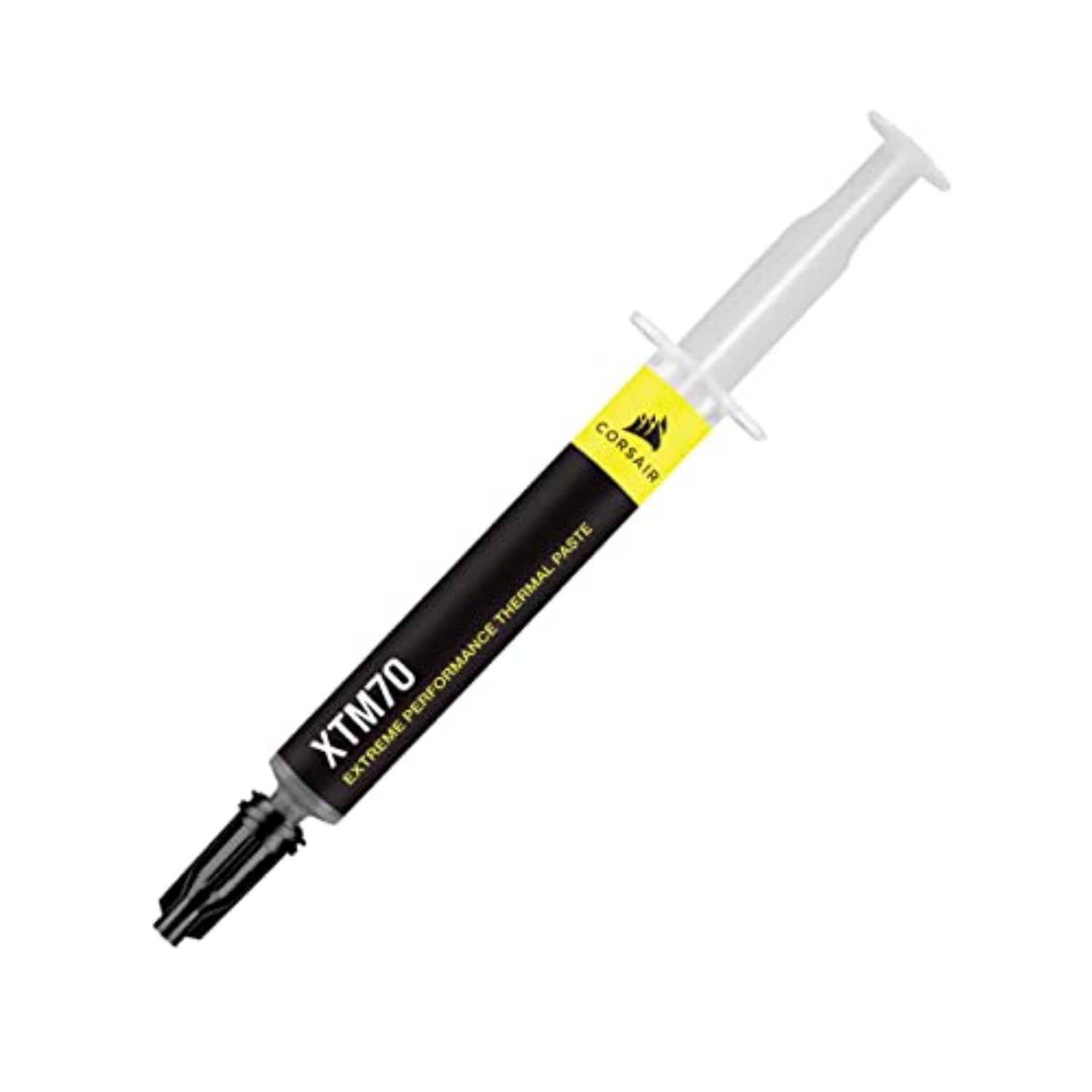
Corsair’s XTM70 is engineered specifically for the high thermal density of modern processors exceeding 250W TDP, using a low-viscosity formulation that spreads extremely thin under mounting pressure for minimal thermal interface thickness. The three included cleaning wipes and applicator kit make it a complete drop-in solution for a single desktop build or GPU repaste session, removing the friction of sourcing separate cleaning supplies.
Users report 3-5°C improvements over standard pastes on chips like the AMD 7900X, with particular effectiveness on AIO liquid coolers where the cold plate’s flat surface benefits from the paste’s even spread. The low viscosity also means less risk of air pockets or uneven coverage, though it does make the paste more susceptible to pump-out in high-vibration environments like all-in-one liquid cooler pumps mounted directly above the CPU.
For a single-build application targeting a high-TDP desktop processor, the XTM70 delivers competitive thermal performance with an excellent application experience. The 3g tube covers one or two standard CPU applications comfortably, but builders maintaining multiple systems or large workstation CPUs will find the per-gram cost higher than larger syringes from Noctua or StarTech.
Why it’s great
- Low-viscosity formula spreads extremely thin for minimal thermal interface resistance on high-TDP CPUs
- Includes three cleaning wipes and applicator kit for a complete single-purchase solution
- Delivers consistent 3-5°C load temperature drops on modern Ryzen and Intel processors
Good to know
- Low viscosity makes it more prone to pump-out in high-vibration AIO pump applications
- 3g tube is economical for one build but expensive per gram compared to larger syringes
5. StarTech Silicone Thermal Paste 10g
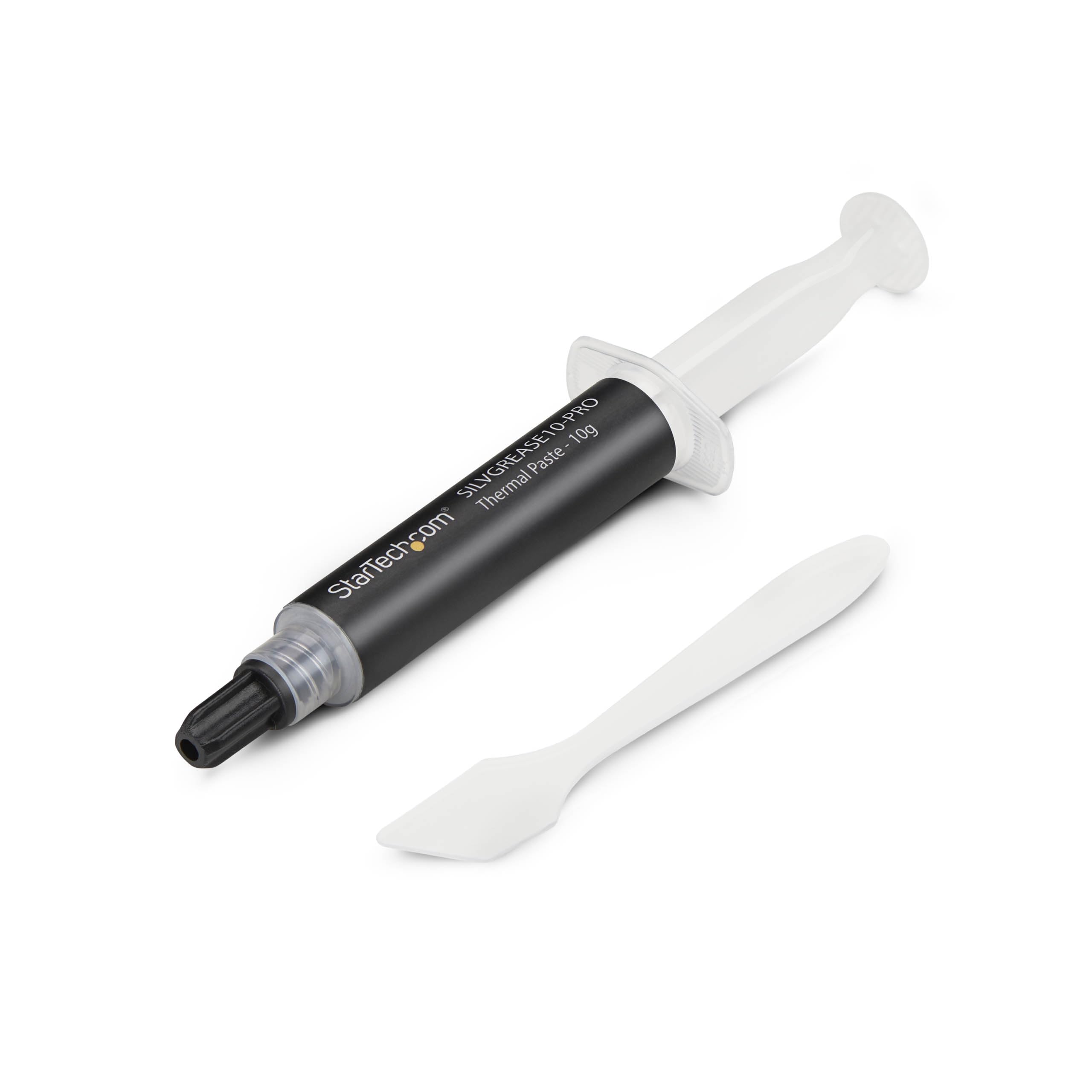
StarTech’s silicone-based thermal compound claims a 14.5 W/m-K conductivity rating—higher on paper than many premium pastes—at a price point that undercuts most enthusiast options. The 10-gram syringe in a screw-cap design prevents accidental spills during storage, and the non-conductive silicone base means zero risk of shorting out nearby capacitors or pins even with generous application. Users report dramatic temperature fixes on older laptops that were shutting down under load, with one Toshiba dropping from random thermal restarts to stable operation with the fan running at half speed.
The compound’s lotion-like consistency flows easily from the syringe, making it simple to apply controlled beads across CPU and GPU dies. However, the silicone base has a mixed reputation for long-term stability—some formulations degrade or separate over extended thermal cycling, and the claimed conductivity figure should be taken with some skepticism given the lack of independent third-party testing typical for this price tier. The operating temperature range of -50°C to +280°C is impressively wide, covering everything from cold-start outdoor systems to embedded industrial hardware.
For budget-constrained builds or one-time laptop refreshes where the goal is simply to restore functional thermal performance from dried-out factory paste, the StarTech offers compelling raw specs at a low entry cost. The included spreader helps with even distribution, though the lack of printed application instructions is a minor frustration for first-time users. It is not the paste for competitive overclocking or mission-critical servers, but for salvaging an aging system, it punches well above its weight class.
Why it’s great
- High claimed conductivity (14.5 W/m-K) on paper at a fraction of the cost of premium pastes
- Non-conductive silicone base eliminates short-circuit risk for safe application on dense boards
- 10g syringe with screw cap provides multiple applications for several builds or refreshes
Good to know
- Claimed conductivity figure lacks independent third-party verification typical of premium brands
- Silicone base may degrade or separate over extended thermal cycling compared to ceramic or ester-based compounds
- No printed application instructions included, which can confuse first-time builders
FAQ
How often should I replace thermal paste on a desktop CPU?
Does higher thermal conductivity always mean better real-world cooling?
Can I use thermal paste on a GPU or laptop instead of a thermal pad?
Final Thoughts: The Verdict
For most users, the best cpu tim winner is the Noctua NT-H1 because it combines reliable mid-range thermal conductivity, non-conductive safety for stress-free application, and a generous 10-gram tube that covers multiple builds at a reasonable per-application cost. If you want the absolute lowest temperatures for competitive overclocking and have the budget for a premium compound, grab the Thermal Grizzly Kryonaut. And for laptops, gaming handhelds, or GPUs where pump-out typically kills paste performance within a year, nothing beats the long-term consistency of the PTM7950 phase-change pad.

Mo Maruf
I created WellFizz to bridge the gap between vague wellness advice and actionable solutions. My mission is simple: to decode the research and give you practical tools you can actually use.
Beyond the data, I am a passionate traveler. I believe that stepping away from the screen to explore new environments is essential for mental clarity and physical vitality.